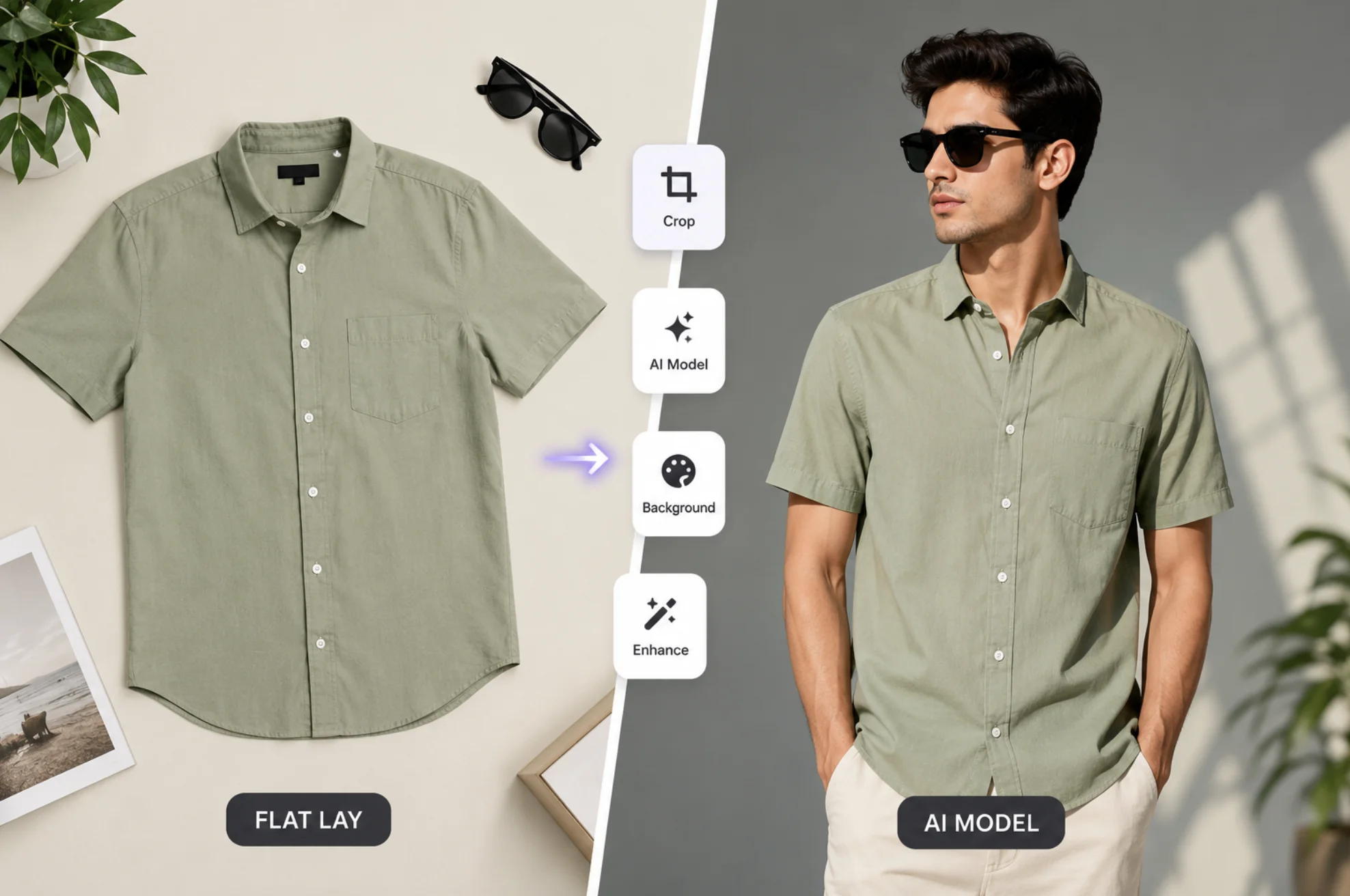
Vmake AI found a sweet spot with online sellers: AI fashion models wearing your products, cleaned-up photos, and sharper videos, all without hiring a studio. But sweet spots attract competition, and some of it is seriously good. If the credits feel pricey, a feature falls short, or you simply want to compare before committing, these Vmake AI alternatives cover every part of the job.
Why Shop Around at All?
Credit where it’s due: Vmake bundles a lot into one place. Virtual models, image enhancement, background removal, and video touch-ups usually take three or four separate apps.
The flip side of bundling is that no single feature is the strongest on the market. Sellers who live inside one specific task, like model photos or video upscaling, often find a specialist tool does that one thing noticeably better. Credits also burn fast when you process products in bulk.
Paul Rand said it best: “Design is the silent ambassador of your brand.” Your product images do the talking before your copy ever gets a chance, so it pays to pick the right tool for them.
The 7 Vmake AI Alternatives Worth a Look
1. SellerPic
If AI fashion models are the main reason you use Vmake, SellerPic is the most direct swap. It turns flat-lay or mannequin shots into on-model photos, with a wide range of model faces, body types, and settings.
It’s built for e-commerce sellers specifically, so the workflow assumes bulk uploads and marketplace-ready output sizes.
2. ZMO.ai
Fashion brands with a bigger catalog should look at ZMO.ai. Its AI models look convincingly editorial, and you can control poses, backgrounds, and demographics to match your target market.
The realism holds up even on tricky items like fitted clothing. That’s exactly where cheaper virtual try-on tools tend to fall apart.
3. PhotoRoom
For everyday product shots, PhotoRoom is hard to beat. Snap a photo on your phone, and it strips the background, drops in a studio-quality scene, and batches the whole process across dozens of images.
Etsy and eBay sellers love it for a reason. It makes a kitchen-table operation look like it has a photography department.
4. Pixelcut
Pixelcut plays in the same space as PhotoRoom with a mobile-first attitude. Background removal, magic eraser for stray objects, and an upscaler all live in one app that runs happily on a phone.
It’s a strong pick if you list products from your couch and never touch a desktop.
5. Topaz Video AI
When video quality is the battle, bring in the heavy machinery. Topaz Labs makes desktop software that upscales footage to 4K, removes noise, and smooths motion with results that web-based enhancers rarely match.
It costs real money and wants a decent computer. For product videos and brand films you’ll reuse for years, the quality jump is worth it.
6. Remini
Remini is the quick fix in your pocket. Blurry product shot? Old photo you want to reuse? It sharpens faces and details in seconds on your phone, and it handles short videos too.
You won’t get fine-grained control here. You will get speed, and sometimes speed is the whole point.
7. Unscreen
Removing a video background used to mean green screens and editing suites. Unscreen does it automatically: upload a clip, and the background is gone, ready for product demos or ads on any backdrop you like.
It pairs beautifully with the photo tools above when you want your video content matching your polished product images.
Side-by-Side Comparison
| Tool | Core Strength | Ideal For |
|---|---|---|
| SellerPic | AI fashion models from flat-lays | Apparel sellers replacing model shoots |
| ZMO.ai | Editorial-grade AI models | Fashion brands with big catalogs |
| PhotoRoom | Backgrounds and batch editing | Marketplace sellers at any scale |
| Pixelcut | Full mobile editing suite | Phone-only product listings |
| Topaz Video AI | Pro-level video upscaling | High-stakes video content |
| Remini | One-tap photo and video enhancement | Quick fixes on the go |
| Unscreen | Automatic video background removal | Product demos and ad creatives |
How to Pick Your Replacement
Start from the feature you actually open Vmake for, then match it to the specialist.
- Model photos for clothing? SellerPic or ZMO.ai.
- Clean product shots in bulk? PhotoRoom or Pixelcut.
- Sharper video? Topaz for serious work, Remini for quick wins.
- Video backgrounds gone? Unscreen, no green screen required.
Most of these offer free trials or free tiers. Run your own product through two or three of them before you spend a dollar, because your images are the ambassador your customers meet first.
Conclusion
Vmake AI earns its spot as an all-in-one, but all-in-one tools trade depth for breadth. Specialists like SellerPic for AI models, PhotoRoom for backgrounds, and Topaz for video quality each beat the bundle at their own game. Figure out which task eats most of your time, test the matching alternative on a real product, and keep whichever one makes your store look like it outgrew the kitchen table.