

Claude Code The Complete Guide
From your first session to skills, hooks, MCP, subagents, and automation. Learn to work with an AI agent that reads your code, plans the change, edits the files, runs the tests, and checks its own work, with every command, setting, and screen shown as it really ran.
- Plan mode
- CLAUDE.md
- Skills
- Subagents
- Hooks
- MCP servers
- Plugins
- Headless mode
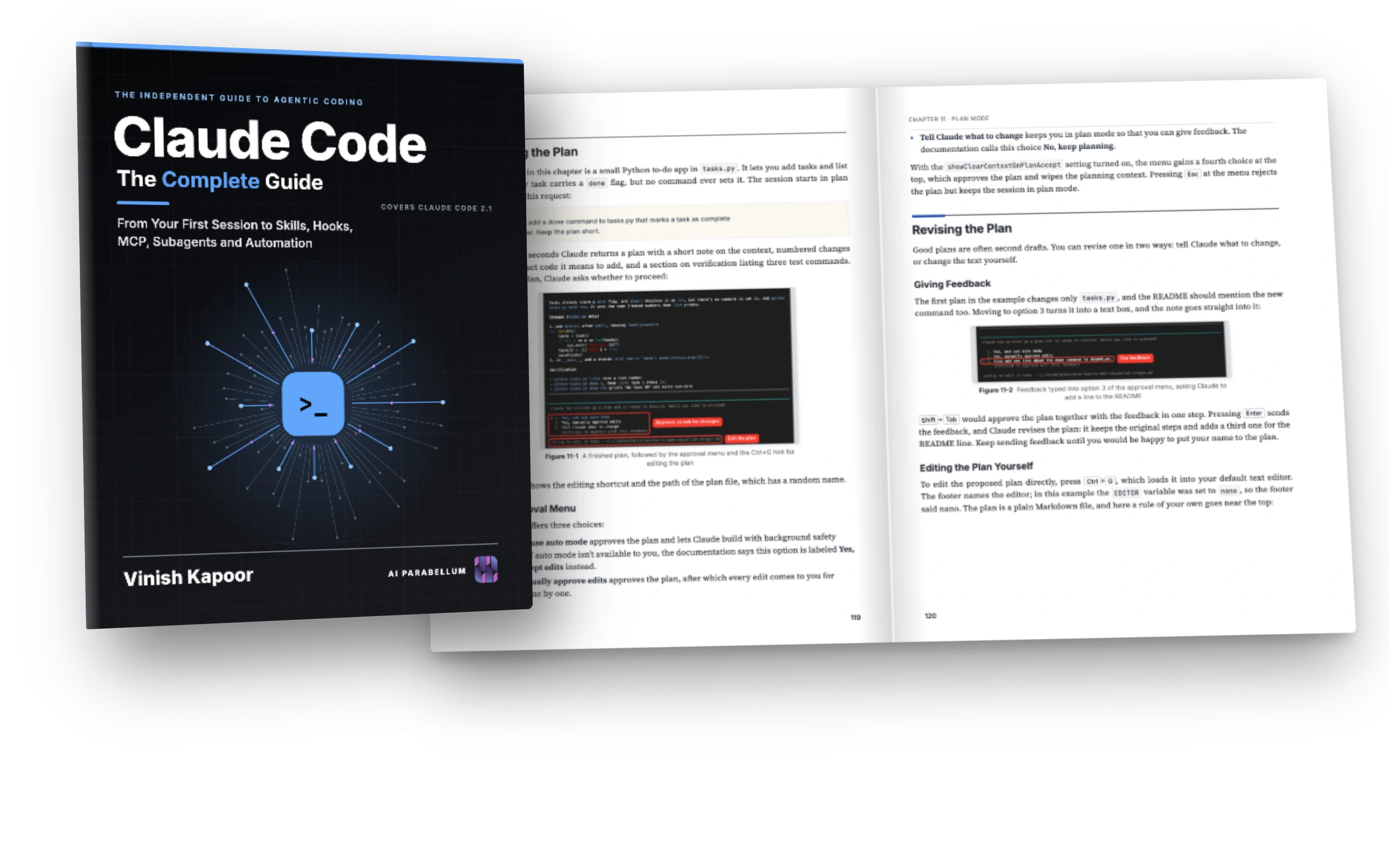
Stop guessing what the agent will do
Claude Code can read a whole project, change many files, and run commands on your machine. Used well, it does a day's work in an hour. Used blindly, it burns tokens, asks for permission all day, or edits what it should not. This book shows how to stay in control, step by step, with every screen as it really looked.
Scattered posts, and features you never find
- Tips spread across videos, threads, and changelogs, each for a different version.
- Skills, subagents, hooks, MCP, and plugins that sound alike, with no word on which one to pick.
- Permission prompts all day, or a "skip all permissions" flag you were never told to fear.
- Errors and usage limits that stop the work, with no idea of the cause.
Every feature, run and shown, in the order you need it
- 58 chapters, from installing Claude Code to running teams of agents, each built on the one before.
- Every command, prompt, and file labeled, so you know where it goes, and 305 screenshots of what came back.
- A chapter on choosing the right extension, and permission rules that keep the agent safe without slowing you down.
- Costs, token usage, /doctor, and an index of the errors you will meet, with their fixes.
Every block says where it goes
Each code block in the book carries a label: TERMINAL for what you type in your shell, PROMPT for what you say to Claude, FILE with the file's name for what you save, and OUTPUT for what came back. Here is plan mode from Chapter 11, in three steps.
Start in your terminal
A session that only plans: Claude can read and search the project, but it changes nothing until you approve the plan.
Tell Claude what you want
The prompt of the chapter, for a small to-do app in Python. Claude explores the code and returns a short, numbered plan.
Keep it as a setting
Like the way of working? One line in the project's settings starts every session in plan mode.
The setup, and what Claude did
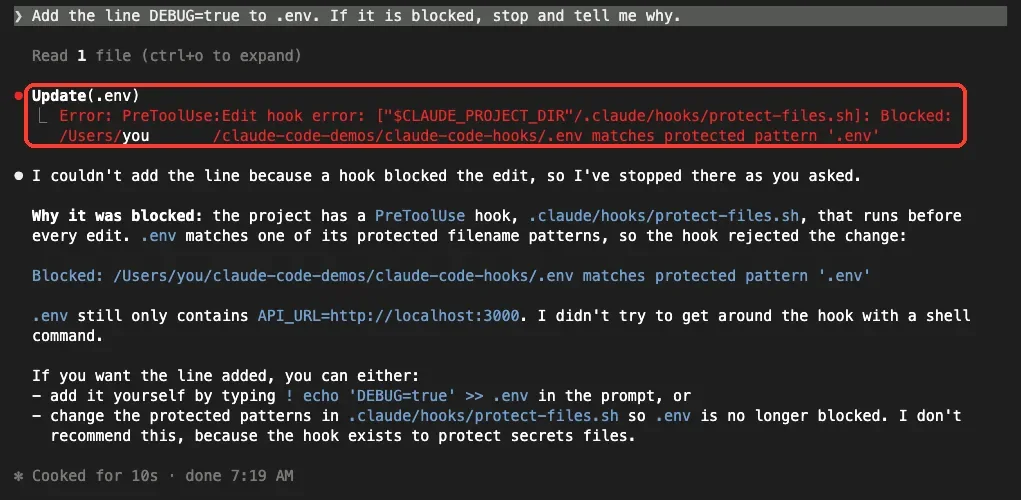
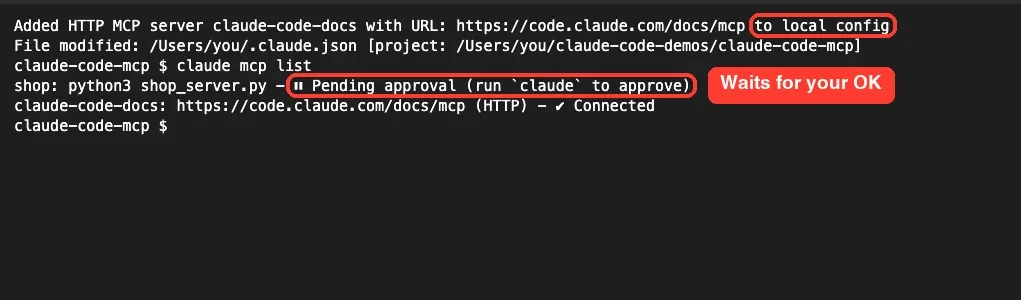
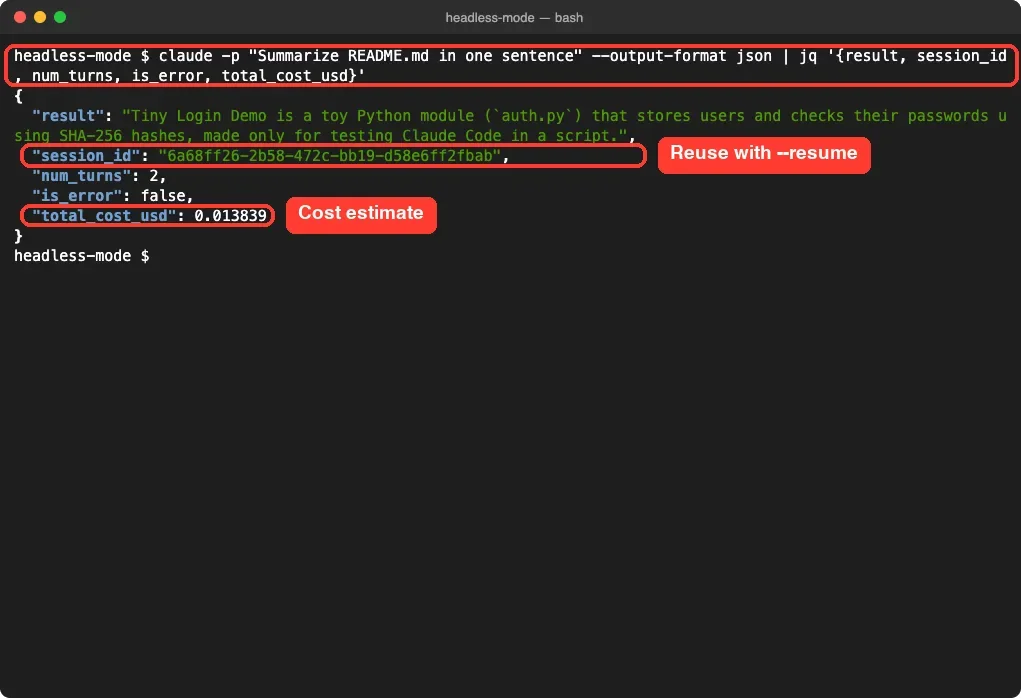
Every example was run with Claude Code 2.1, and every screenshot was taken from the real session. Here are six of them, as they appear in the book.
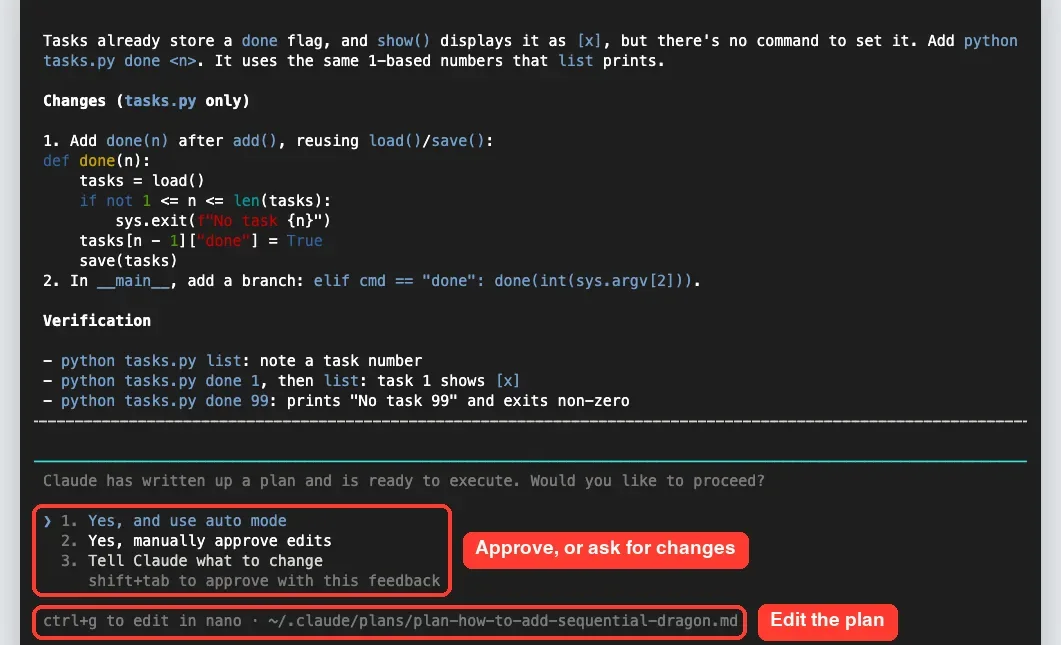
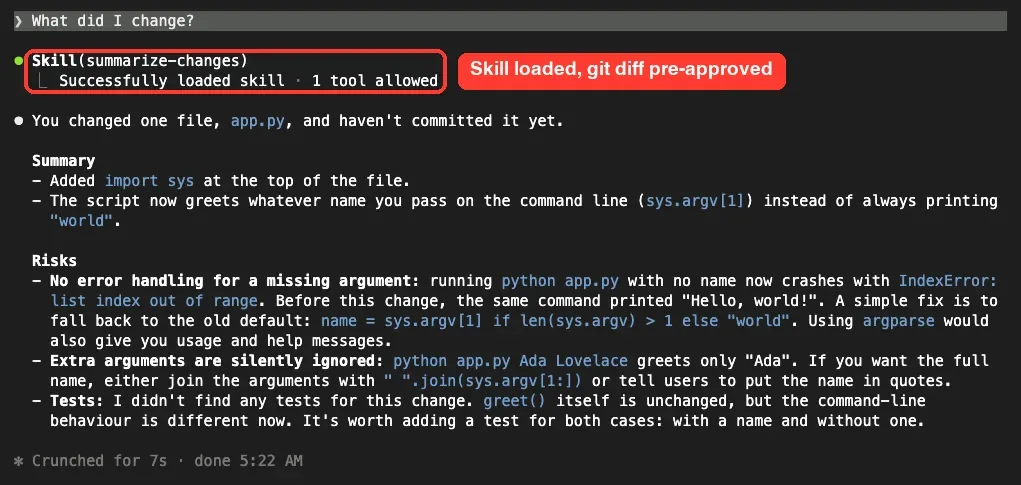
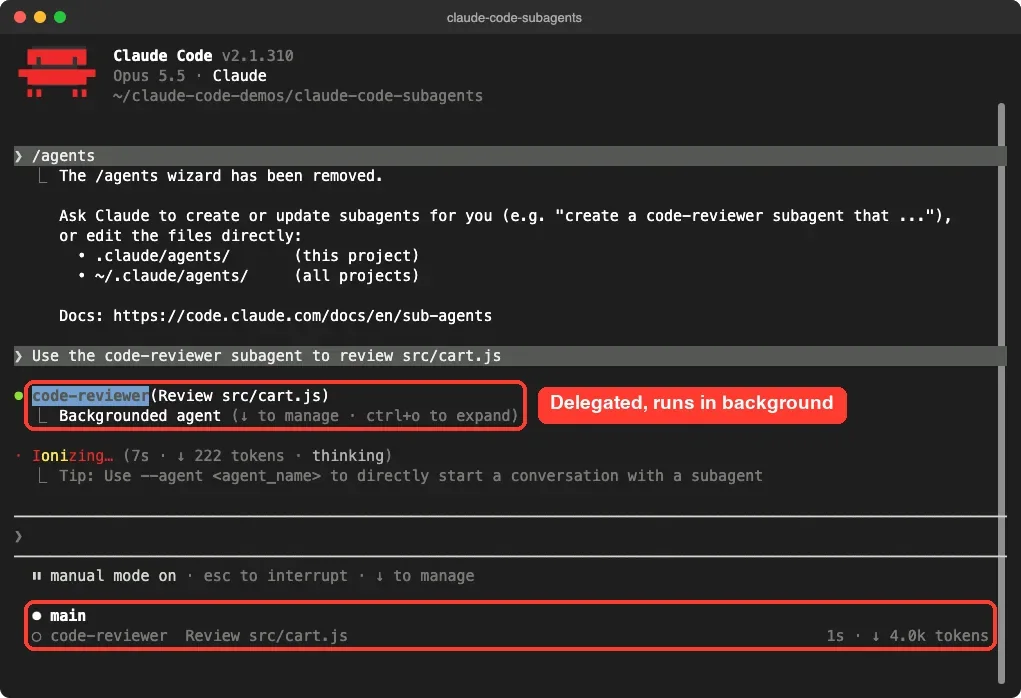
Chapter 11: in plan mode, Claude explores the project and writes a plan, then asks how to go on: build it with auto mode, approve each edit, or keep planning.
Real pages from the book
Chapters that open with what you will learn, steps you can follow, labeled code, tables you can scan, and screenshots of every result. Click any page to read it.
Everything Claude Code can do, in the order you need it
Start with the install and your first session, then learn the daily workflow, give Claude a memory, extend it, automate it, keep it safe, and use it beyond the terminal.
Nine parts, 58 chapters
Read Part I and II in order, then go to the chapter you need. Five appendices hold a quick reference of commands and keys, the settings and environment variables, an error index, extensions worth knowing, and a glossary.
Getting Started
Install Claude Code, sign in, set up your terminal, and run your first session.
- 1Meet Claude Code
- 2Installing Claude Code
- 3Plans, Sign-In and Usage Limits
- 4Setting Up Your Terminal
- 5Your First Session
- 6How Claude Code Works
Everyday Work
The commands, modes, and habits of a working day with Claude Code.
- 7Interactive Mode
- 8Slash Commands
- 9Commands for Reviewing, Undoing and Extending
- 10Permission Modes
- 11Plan Mode
- 12Allow, Ask and Deny Rules
- 13Checkpoints, Rewind and Branches
- 14Sessions
- 15Managing the Context Window
- 16Models, Effort and Fast Mode
- 17Fixing a Bug
- 18Adding a Feature With Tests
- 19Working Habits That Get Results
Memory and Configuration
Give Claude a memory of your project, and make Claude Code your own.
- 20CLAUDE.md: Project Memory
- 21Auto Memory
- 22The .claude Folder and Settings Files
- 23Environment Variables
- 24Output Styles
- 25The Status Line
- 26Your Own Keyboard Shortcuts
Extending Claude Code
Skills, subagents, hooks, MCP, and plugins, and which one to use when.
- 27Skills
- 28Writing Skills That Work
- 29Subagents
- 30Choosing the Right Extension
- 31Hooks
- 32Connecting Tools With MCP
- 33MCP Resources and Elicitation
- 34Installing and Managing Plugins
- 35Building Plugins and Marketplaces
- 36Mods
Automation and Scale
Scripts, schedules, parallel agents, and big codebases.
- 37Headless Mode and Scripts
- 38Scheduling With /loop and Routines
- 39Parallel Sessions With Git Worktrees
- 40Parallel Agents and Agent Teams
- 41Goals and Dynamic Workflows
- 42Large Codebases and Monorepos
- 43Claude Code in CI and GitHub Actions
Safety
Isolation, reviews, and what happens to your data.
- 44The Sandbox, Dev Containers and Docker
- 45Code Review and Security Review
- 46Privacy and Data Handling
Beyond the Terminal
Your editor, the web, your phone, the cloud providers, and the SDK.
- 47Claude Code in VS Code and JetBrains
- 48Claude Code on the Web, Your Phone and Slack
- 49Amazon Bedrock, Google Vertex AI and Microsoft Foundry
- 50The Claude Agent SDK
Costs and Troubleshooting
Where the tokens go, and what to do when something breaks.
- 51Costs and Token Usage
- 52Diagnosing Problems
- 53Error Messages and Fixes
Projects
Five complete projects, from a website to jobs that need no code.
- 54A Website and a To-Do App
- 55A REST API With a Database
- 56Testing and Refactoring Old Code
- 57An App With an AI Feature
- 58Claude Code for Everyday Jobs
Appendices
References to keep open beside your terminal.
- AQuick Reference
- BSettings Reference
- CError Index
- DExtensions Worth Knowing
- EGlossary
One agent, many ways to shape it
Claude Code reads your files, runs commands, and edits code in a loop until the task is done. Around that loop sit the pieces you control: permissions, memory, skills, subagents, hooks, MCP servers, and plugins. The book covers each of them, with the chapter where it is built.
Run in 2.1
Every example was run with Claude Code versions 2.1.309 to 2.1.327, and the screenshots show those versions.
Real sessions
No screen was mocked up: each one was taken from a real session, and only what worked was kept.
Small projects
The examples are small Python and JavaScript projects that are easy to follow, whatever language you use.
For everyone
Part IX also has a chapter for people who don't write code: files, PDFs, spreadsheets, and reports.
Plan it. Build it. Check it. Every feature of Claude Code, run in a real session and shown on the page.
- Paperback, 781 pages
- Kindle and Apple Books
- Free course on AI Parabellum
Who is this book for?
Developers who want to use Claude Code well, whether they have never opened it or use it every day. You need to be comfortable in a terminal and with the basics of Git, but not with any particular language: the examples are small projects in Python and JavaScript. Chapter 58 is also for people who don't write code and want Claude Code to organize files, merge PDFs, clean up spreadsheets, and write reports.
Which version does it cover?
Claude Code 2.1. The examples were run with versions 2.1.309 to 2.1.327 on macOS in October and November 2026, and the screenshots show those versions. Claude Code changes often; when a later version adds a command or changes a default, the ideas in the book still apply.
Do I need a paid plan?
Yes, Claude Code needs a Claude subscription (Pro, Max, Team, or Enterprise), a Claude Console account, or a supported cloud provider; the free claude.ai plan does not include it. Chapter 3 explains the plans, sign-in, and usage limits, and Chapter 51 shows where the tokens go and how to spend fewer.
Does it work on Windows?
Yes. Chapter 2 installs Claude Code on macOS, Linux, Windows, and WSL, checks the install, and fixes the "command not found" error. Chapter 4 sets up the terminal on each system.
Does it cover skills, hooks, MCP, and plugins?
Yes, all of Part IV: skills and how to write skills that work, subagents, hooks, MCP servers with resources and elicitation, installing and building plugins and marketplaces, and mods. Chapter 30 compares them, so you know which one to use for a job.
Does it cover automation and CI?
Yes. Part V covers headless mode and scripts, /loop and routines, parallel sessions with Git worktrees, parallel agents and agent teams, goals and workflows, large codebases and monorepos, and Claude Code in GitHub Actions.
What about VS Code, the web, and the cloud?
Part VII covers Claude Code in VS Code and JetBrains, on the web, on your phone and in Slack, through Amazon Bedrock, Google Vertex AI, and Microsoft Foundry, and the Claude Agent SDK for building your own agents.
Is the book affiliated with Anthropic?
No. It is an independent guide, written by a developer who uses Claude Code every day. Claude and Claude Code are products of Anthropic.
Is the paperback in color?
The paperback is printed in black and white on white paper, 7.5 by 9.25 inches, 781 pages, with a glossy cover. The Kindle and Apple Books editions show the code, figures, and screenshots in color.
Paperback, Kindle, or Apple Books
Every edition has the same 58 chapters, five appendices, and index. Pick the paperback for your desk, and the Kindle or Apple Books edition for code and screenshots in color on any screen.
- Get the bookFrom Amazon or Apple Books, in the edition you prefer.
- Install Claude CodeOn macOS, Linux, or Windows, as Chapter 2 describes.
- Follow alongRun each example in a small project of your own as you read.
Paperback
$44.99on Amazon.com
- 781 pages, 7.5 × 9.25 in
- Black and white on white paper
- Glossy cover
- ISBN 9798143846104
Kindle edition
$12.99on Amazon.com
- Code and screenshots in color
- Reflowable on any Kindle
- Linked contents and index
- Kindle apps for phone, tablet and PC
Apple Books
Code and screenshots in color, on iPhone, iPad, and Mac.
$12.99on Apple Books
Apple Books: coming soon