The OpenAI Decisions API is now generally available, giving every developer access to a tool built for quick, cheap choices instead of long chatbot answers. OpenAI first showed it off as a beta at its developer day on September 29, and it opened to all API customers on October 22. The move puts OpenAI head to head with a fast-growing group of “decision models” that pick from a set of options in a fraction of a second.
What the OpenAI Decisions API Does
A decision model works like a super-smart sorter. You hand it a question and a set of possible answers, and it quickly picks one and tells you how confident it is. That is useful for jobs like routing support tickets, flagging content or deciding what an app should do next.
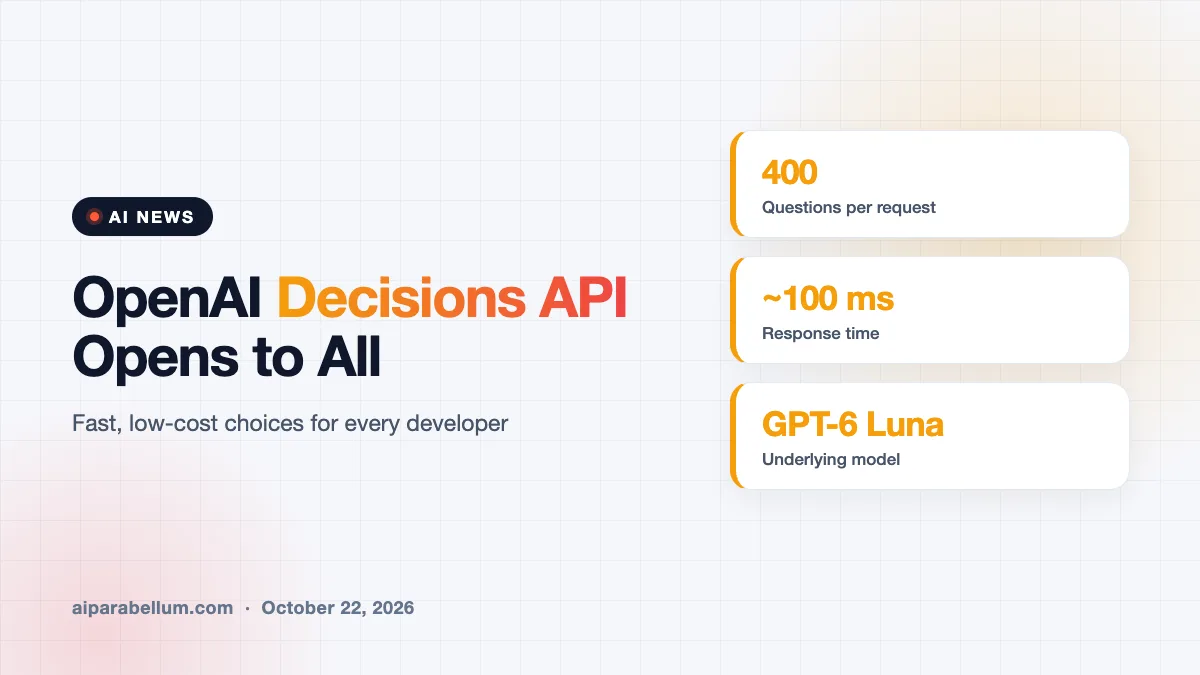
Regular large language models can do this too, but they are slower and cost more because they write full responses. OpenAI says the Decisions API turns text and images into typed answers about ten times faster than its Responses API. Its product lead for APIs said the tool shrinks response times from one to three seconds down to roughly 100 to 180 milliseconds.
Built on an existing model
OpenAI did not train a brand-new model for this. The team took its GPT-6 Luna model and reconfigured it to run faster and cheaper. OpenAI has said it may add specialized training later to make its models even better at this kind of task.
What Changed in the Decisions API Since Beta
The general release adds several upgrades that developers asked for during the beta period. Here is a quick look at the main changes.
| Feature | What is new at general availability |
|---|---|
| Questions per request | Up to 400, up from 200 in the public beta |
| Prompt caching | Shared input can be cached across requests for discounts |
| Images | Images can be included in individual question instructions |
| Structured data | Data can be passed directly with input_json |
| Access | Open to all API customers, running on GPT-6 Luna |
OpenAI also added a native Decisions link inside GPT-Live, its real-time voice system. That lets an app act while a user is still talking or react to what the voice assistant says. The company says it spread inference across regions to keep latency low around the world.
Early Results From Real Customers
Several companies tested the Decisions API before launch, including Box, Datadog, Ramp and Speak. Many used it to replace slower language model calls in their workflows. The gains in speed were the headline.
- Speak, which builds AI language tutors, cut the gap between actions from 1.4 seconds to 0.13 seconds.
- OpenAI used the tool to make its own Dots voice assistant feel more responsive.
- Developers can now send twice as many questions in a single request as they could in beta.
A Crowded Race for Decision Models
OpenAI is not first here. TypeSafe, a startup founded by a former OpenAI researcher, created this category with its Jev model and is now valued at $7.6 billion. Liquid recently released a decision model called D1 Ultra, and Base Lab offers one called Elephant-1.
On public leaderboards, OpenAI’s entry does not lead yet. It ranks eighth on the AIM System One Index and fourteenth on the Artificial Analysis Decision Index, while TypeSafe’s latest Jev sits seventh and third. Jev also remains the most widely queried decision model on OpenRouter.
Benchmarks only tell part of the story here, since the best decision model depends on your speed, cost and accuracy needs.
OpenAI is betting on flexibility instead. Its model handles images well, and the company says customers want more options for working with visuals. OpenAI has also floated getting response times near 60 milliseconds, fast enough to make a call on every frame of a video.
What This Means for You
If you build apps on OpenAI, this is worth a look for any step that boils down to choosing between options. You could save real money and make your product feel snappier. Here is how to approach it:
- Find tasks where a full written answer is overkill, like tagging, routing or yes-or-no checks.
- Test the Decisions API against your current setup using your own data, since rankings vary by workload.
- Use the new prompt caching to cut costs when many requests share the same instructions.
- Compare it with rivals such as Jev before committing, especially for text-only jobs.
If you are new to building with these tools, our roundup of AI developer tools is a good starting point. You can also read about OpenAI models gaining Google Cloud access, or catch up on OpenAI agent safety concerns. For general use, see our ChatGPT overview and the latest stories on our AI news page.
Sources
Primary source: OpenAI’s API changelog. Additional reporting and interviews from TechCrunch.
Conclusion
OpenAI’s Decisions API is now open to everyone, bringing fast, low-cost choices to developers who were stuck paying for full chatbot responses. The general release doubles the questions per request, adds caching and structured input, and ties into OpenAI’s real-time voice tools. Still, rivals like TypeSafe’s Jev currently rank higher on public benchmarks, so the race is far from settled. For developers, the smart move is simple: test it on your own tasks and let the results decide.