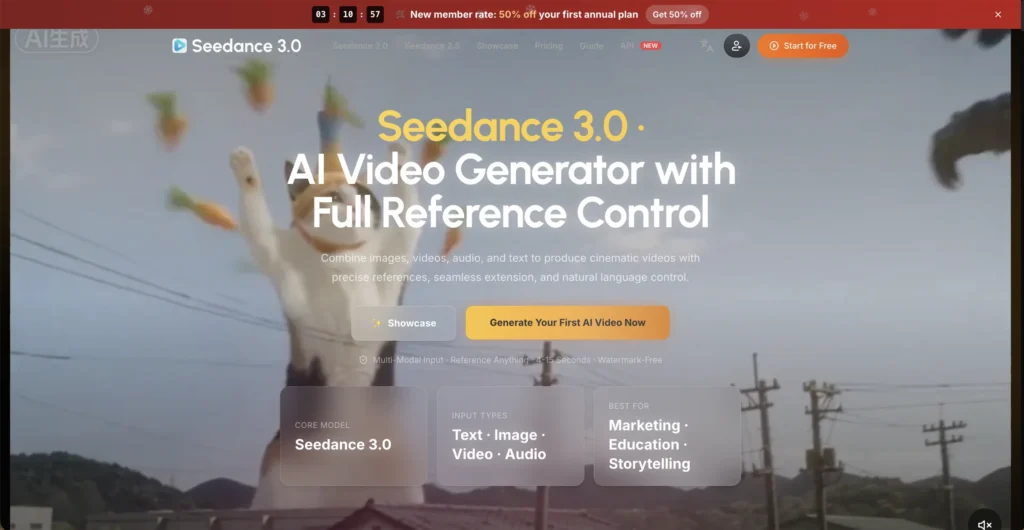
Seedance 3.0 is a multimodal AI video generator that lets you combine text prompts with image, video, and audio references to produce cinematic videos with precise creative control. Whether you need a product demo, an animated short, or a campaign preview, Seedance 3.0 turns your references and descriptions into polished video without traditional production overhead.
Key Features of Seedance 3.0
- 30-Second Single Generation – Generate videos up to 30 seconds in one pass, with room for a setup, main action, transition, and closing beat without stitching clips together.
- Up to 50 Reference Materials – Bring up to 30 images, 10 videos, and 10 audio files into a single scene, giving character, product, environment, motion, and sound each their own source group.
- Native 4K Output – Render in native 4K resolution for work where detail matters, including product textures, packaging text, close-ups, and cinematic framing.
- Reference-Led Direction – Point at what you want carried over from a reference, whether it is a camera path, a performance style, or a lighting mood, instead of describing every visual detail in text.
- Character and Product Consistency – Assign a character or product its own reference group so related shots maintain a consistent look across scenes.
- 3D Spatial Pre-Visualization – Plan camera blocking, subject placement, and movement direction before committing to a full production shoot.
- Multiple Modes and Aspect Ratios – Choose between Standard, Real, and Wild modes with support for 16:9, 9:16, 1:1, 4:3, 3:4, and 21:9 aspect ratios.
- Watermark-Free Commercial Output – All generated videos are watermark-free and commercially licensed.
How Seedance 3.0 Works
- Decide Your Format – Choose your aspect ratio, resolution, and duration based on where the video will be published, whether that is a marketplace listing, social media, or a campaign pitch.
- Upload References – Add images, videos, and audio files, assigning each a specific role such as character appearance, camera movement, product detail, or sound design.
- Write a Structured Prompt – Describe the subject, setting, action, camera movement, and lighting in sequence. Use natural language and reference your uploaded files directly in the prompt.
- Generate – The model processes all inputs together to create a cohesive video sequence that respects each reference’s assigned role.
- Refine – Adjust one variable at a time and regenerate until the output matches your vision.
The Core Benefits of Using Seedance 3.0
- Full Creative Control – The multimodal reference system lets you direct every aspect of a scene using visual and audio examples rather than relying solely on text descriptions.
- Production-Ready Length – At 30 seconds per generation, you can build complete narrative sequences with a beginning, middle, and end in a single pass.
- Faster Pre-Production – Test compositions, camera paths, and transitions before booking a real shoot, turning concept discussions into viewable footage.
- Consistency Across Projects – Separate reference groups for character, product, and environment keep a brand’s visual identity intact across multiple videos.
- No Video Editing Skills Required – The workspace handles the generation end to end, from reference assignment to final render.
Seedance 3.0 Pricing and Plans
- Subscription Plans – Multiple monthly tiers are available, ranging from a basic plan with a smaller credit allowance to a max plan with a significantly larger monthly credit pool. First-year subscribers receive a discount on all tiers.
- One-Time Credit Packs – For users who prefer not to subscribe, credit packs of various sizes are available as one-time purchases, with credits valid for one year.
- Credit-Based Pricing – Each generation consumes credits based on duration, resolution, and complexity. A standard generation starts at around 105 credits.
For current pricing details and tier comparisons, visiting the Seedance 3.0 website directly is recommended.
An Honest Review of Seedance 3.0
Seedance 3.0 represents a meaningful step forward in AI video generation, particularly for creators who need precise control over what the model produces.
What works well: The multimodal reference system is the standout feature. Being able to assign specific roles to individual images, videos, and audio files gives creators a level of direction that text-only prompts simply cannot match. The 30-second generation length is a practical upgrade, finally allowing complete narrative sequences instead of short test clips. Native 4K output makes the results genuinely usable for professional and commercial work. The workspace interface is well-designed for iterative refinement.
Where it could improve: The credit costs can add up quickly, especially at higher resolutions and longer durations. The learning curve for structuring prompts and assigning reference roles effectively may take some experimentation for new users. The platform is geared toward production-quality work, so casual users looking for quick social clips may find it more involved than needed.
Who is it best for: Seedance 3.0 is ideal for filmmakers, animation directors, marketing teams, and professional content creators who need production-quality AI video with precise creative control.

Final Thoughts on Seedance 3.0
Seedance 3.0 brings genuine directorial control to AI video generation with its multimodal reference system, 30-second canvas, and native 4K output. If you need AI-generated video that holds up to professional review and stays consistent across scenes, Seedance 3.0 is built for exactly that kind of work.