Live streaming has become one of the fastest ways to build an audience, sell products, and connect with communities online. But not everyone wants to show their face on camera. Some creators value their privacy. Others feel camera-shy or simply prefer a different creative identity. That is where AI avatars step in.
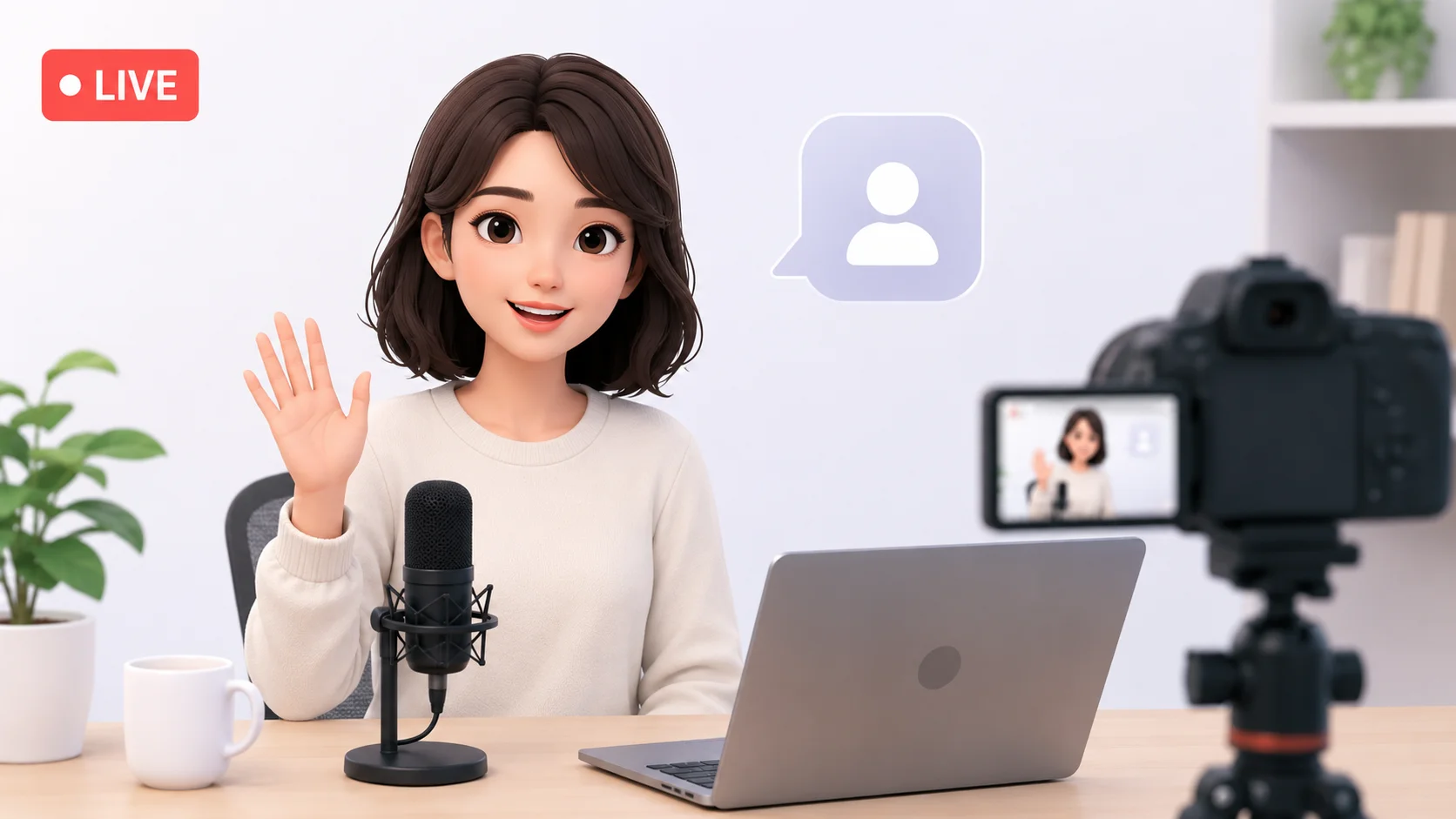
AI avatars let you live stream with a digital character that moves and speaks in real time, driven by your voice and facial expressions. The technology has evolved from clunky, obvious animations to smooth, expressive digital personas that audiences genuinely enjoy watching. Whether you want a realistic human avatar, an anime-style VTuber character, or a stylized 3D model, AI tools make it possible without expensive motion capture equipment or animation skills.
Here is how to create AI avatars for live streaming, which tools handle different styles and budgets, and how to set up a stream that looks professional from day one.
How AI Avatars Work for Live Streaming
AI avatar technology for live streaming uses your webcam to track facial movements in real time. The software detects your eyes, eyebrows, mouth, jaw, and head position, then maps those movements onto a digital character. When you smile, the avatar smiles. When you raise an eyebrow, the avatar mirrors the expression.
Modern AI face tracking captures dozens of facial landmarks simultaneously, producing animations that feel natural rather than robotic. The latency between your real expression and the avatar’s response is typically under 50 milliseconds, making conversations feel seamless to viewers.
According to Grand View Research, the virtual influencer and avatar market is projected to grow at over 30 percent annually through 2030. The demand for AI-driven streaming personas is accelerating as both individual creators and brands recognize the value of digital-first identities.
Your face does not define your content. An AI avatar lets your personality and ideas take center stage while you stay comfortably behind the screen.
AI Avatar Tools for Live Streaming
Different tools serve different avatar styles and technical requirements. Some focus on anime VTuber characters, others on realistic human avatars, and a few handle full 3D models with body tracking.
| Tool | Free Option | Best For | Key Feature |
|---|---|---|---|
| Live3D | Free tier available | VTuber streaming with 2D and 3D models | Real-time face and hand tracking |
| VTube Studio | Free with watermark | 2D anime-style VTuber avatars | iPhone face tracking with Live2D models |
| Synthesia | Free demo | Realistic AI presenter avatars | Photorealistic talking head from text input |
| D-ID | Free trial | AI-generated talking avatars | Create speaking avatars from a single photo |
| Animaze by FaceRig | Free tier available | 3D avatar streaming on Twitch and YouTube | Instant avatar switching, many free models |
| Ready Player Me | Free avatar creation | Cross-platform 3D avatars | One avatar works across multiple apps |
For anime-style VTubing, VTube Studio paired with a Live2D model is the industry standard. For realistic human avatars, Synthesia and HeyGen produce the most convincing results. For general-purpose 3D avatar streaming with broad customization, Animaze and Live3D cover the most ground.
Types of AI Avatars for Streaming
Choosing the right avatar style depends on your content niche, target audience, and personal brand. Each style appeals to different viewer demographics and creates different engagement dynamics.
2D Anime VTuber Avatars
The VTuber movement started in Japan and has exploded globally. These avatars use Live2D technology to create expressive anime-style characters that respond to facial tracking. The art style ranges from cute and colorful to edgy and dramatic, matching every possible content niche from gaming to music to educational content.
Creating a 2D VTuber avatar requires a character illustration in the Live2D format, which you can commission from an artist (typically $100 to $500 for a quality model) or create using AI art generators. The AI avatar creation tools available today can generate base character designs that artists then refine into rigged Live2D models.
3D Character Avatars
3D avatars offer full head and body movement, making them ideal for streamers who use hand gestures and body language as part of their content. These characters exist in a 3D space and can interact with virtual environments, props, and effects that enhance the streaming experience.
Tools like Ready Player Me let you generate a 3D avatar from a selfie in seconds. The AI analyzes your facial features and creates a stylized 3D character that resembles you without being a direct copy. More advanced options like VRoid Studio provide full character customization from scratch.
Realistic AI Human Avatars
Realistic avatars attempt to look like actual humans rather than stylized characters. This approach works well for professional streams, corporate presentations, educational content, and any context where an illustrated character might feel out of place. The technology behind realistic AI avatars has improved to the point where viewers often cannot tell whether they are watching a real person or a digital one at streaming resolutions.
Understanding why AI sometimes distorts faces helps you choose settings and tools that produce the most natural-looking results during your streams.
The most successful avatar streamers are not the ones with the most expensive models. They are the ones whose avatar matches their personality so well that viewers forget it is not real.
Step-by-Step Guide to Setting Up AI Avatar Streaming
Getting an AI avatar stream running involves four main steps: creating the avatar, configuring tracking software, connecting to streaming software, and optimizing the output.
Step 1: Create Your Avatar
Start by deciding on a style that fits your content and audience. For a gaming stream, an anime or stylized 3D character works well. For a business or educational stream, a realistic avatar creates more professional credibility.
- For 2D VTuber: Commission a Live2D model or use AI to generate a character design, then rig it with Live2D Cubism.
- For 3D character: Use Ready Player Me, VRoid Studio, or import a custom model from Blender into your tracking software.
- For realistic avatar: Use D-ID or Synthesia to create a photorealistic digital human from a reference photo.
- For quick start: Wondershare AI avatars and similar tools generate ready-to-use avatars in minutes with minimal setup.
Step 2: Set Up Face Tracking
Face tracking is the core technology that brings your avatar to life. You need a webcam (built-in or external) or an iPhone with Face ID for the highest quality tracking.
| Tracking Method | Quality | Cost | Best For |
|---|---|---|---|
| Standard webcam | Good (30-50 tracking points) | Free (use existing webcam) | Budget-friendly setup |
| iPhone Face ID | Excellent (52+ blend shapes) | Requires iPhone X or newer | Premium expression accuracy |
| Dedicated tracking camera | Very good | $50-200 | Desktop streaming without phone |
| Full body tracking suit | Complete body capture | $300-1000+ | Professional VTuber productions |
iPhone Face ID tracking through apps like iFacialMocap provides the best balance of quality and cost for most streamers. The depth sensor captures subtle expressions that standard webcams miss, including individual eye tracking and nuanced mouth movements.
Step 3: Connect to Streaming Software
Your avatar tracking software outputs a video feed that you route into OBS Studio, Streamlabs, or your preferred streaming application. Most avatar tools support virtual camera output, which appears as a selectable webcam source in your streaming software.
- Install your avatar tracking application (VTube Studio, Live3D, Animaze, etc.).
- Enable the virtual camera output in the avatar software.
- In OBS Studio, add a Video Capture Device source and select the virtual camera.
- Position and resize the avatar feed in your scene layout.
- Set up a green screen or transparent background in the avatar software so only the character appears over your stream content.
The same AI content creation tools that help with video production and editing also complement avatar streaming by generating overlays, alerts, and visual assets for your stream.
Step 4: Optimize Performance
Running avatar tracking alongside streaming software and a game or application demands significant system resources. A few optimizations keep everything running smoothly.
- Close unnecessary background applications to free CPU and RAM.
- Set the avatar rendering resolution to match your stream output (1080p is sufficient for most platforms).
- Use hardware encoding (NVENC for NVIDIA, AMF for AMD) for your stream encoding to reduce CPU load.
- If using iPhone tracking, ensure both devices are on the same Wi-Fi network with minimal interference.
- Test your full setup in a private stream before going live to catch performance issues early.
Nobody remembers a streamer’s webcam quality. They remember the personality, the energy, and the entertainment. An AI avatar that runs smoothly beats a fancy one that stutters.
Creating a Unique AI Avatar Brand
Your avatar is your brand identity on stream. Successful avatar streamers treat their digital persona as a character with consistent visual design, personality traits, and a backstory that viewers can connect with.
Visual Identity Design
Design your avatar with streaming in mind. Colors should be vibrant enough to stand out against game footage or screen shares. The character’s silhouette should be distinctive at thumbnail size so viewers recognize your stream in a crowded browse page. Avoid overly complex designs with small details that get lost at streaming resolution.
The AI creativity tools available today help generate concept art, color palettes, and design variations rapidly. Use AI to explore dozens of looks before committing to a final design.
Expression and Gesture Calibration
Spend time calibrating your avatar’s expression sensitivity before streaming. Most tracking software lets you adjust how much real facial movement translates to avatar movement. Some streamers prefer exaggerated expressions that make reactions more visible to viewers. Others prefer subtle, natural movement that feels more authentic.
Pay special attention to mouth tracking calibration if you plan to speak during streams. Lip sync accuracy matters more than any other expression for maintaining the illusion that the avatar is a living character.
Building Viewer Engagement With Avatars
Avatar streamers have unique engagement advantages that camera streamers do not. Your avatar can change outfits for special events, transform for celebrations, react with exaggerated expressions during exciting moments, and interact with animated effects that would be impossible with a real webcam.
- Create seasonal or event-specific avatar outfits (holiday themes, milestone celebrations).
- Use animated reactions and emotes triggered by viewer interactions like donations or subscriptions.
- Develop lore and backstory for your character that viewers can participate in building.
- Collaborate with other avatar streamers for crossover events and shared storylines.
- Use AI to generate fan art and promotional materials featuring your avatar character.
The faceless content creation approach extends naturally from YouTube to live streaming, letting creators build significant audiences without ever revealing their identity.
AI Avatar Streaming for Business and Education
AI avatars are not limited to entertainment streaming. Businesses and educators use them for professional live events, webinars, training sessions, and product launches.
Corporate Live Events
Companies use AI avatars to present at virtual conferences, host product demos, and deliver training content in multiple languages simultaneously. A single presenter can appear as a professional AI avatar speaking English, Spanish, and Mandarin with AI-powered voice translation, all from one recording session.
Educational Live Streaming
Teachers and tutors use avatars to create engaging live lesson environments. The avatar maintains student attention better than a static screen share, and the teacher can maintain privacy while building a recognizable on-screen presence. An avatar that students associate with learning creates a consistent, comfortable educational environment.
The same AI productivity tools that streamline business workflows help avatar streamers manage scheduling, viewer analytics, and content planning alongside their streaming activities.
Common Issues and How to Fix Them
Avatar streaming involves several moving parts, and things occasionally go wrong. These are the most common problems and their solutions.
| Problem | Cause | Solution |
|---|---|---|
| Avatar tracking is laggy | CPU overload or poor lighting | Improve lighting, close background apps, lower tracking quality settings |
| Mouth does not sync with speech | Microphone not linked to tracking | Enable audio-based lip sync in avatar software settings |
| Avatar jitters or glitches | Unstable face detection | Improve webcam angle, add consistent front lighting, use smoothing filters |
| Green screen bleed | Uneven lighting or color spill | Use chroma key fine-tuning in OBS, or switch to AI background removal |
| Stream drops frames | System resources maxed out | Lower avatar rendering resolution, use hardware encoding, upgrade RAM |
Good lighting solves most tracking issues. A simple ring light or desk lamp pointed at your face from in front gives the tracking camera clean, consistent data to work with. Avoid backlighting and side lighting that creates shadows across your face.
Free vs Paid AI Avatar Solutions
You can start avatar streaming for free and upgrade as your channel grows. The free tiers of most tools are fully functional for getting started.
- VTube Studio is free with a small watermark that most viewers barely notice. The paid version ($25 one-time) removes it and adds features.
- Animaze offers free basic avatars and tracking. Premium avatars and features require a subscription.
- Ready Player Me generates free 3D avatars that work across platforms with no usage limits.
- OBS Studio is completely free and handles all the streaming software needs.
- Custom Live2D models are the main expense, ranging from $100 for basic to $2000+ for premium professional models.
A complete avatar streaming setup using free tools and a basic webcam costs nothing beyond the computer and internet connection you already have. According to Stream Scheme, over 40 percent of new VTubers start with entirely free tools and upgrade only after building a consistent viewer base.
The barrier to avatar streaming is not money or technology. It is the decision to start. Every tool you need to go live today is either free or has a free tier good enough to build an audience on.
Conclusion
Creating AI avatars for live streaming opens up content creation to anyone who wants to stream without showing their face. The technology handles real-time face tracking, expression mapping, and character animation automatically, letting you focus on your content and audience rather than technical production. Start with a free tool like VTube Studio or Animaze, set up basic face tracking with your existing webcam, connect the virtual camera to OBS, and go live. The avatar streaming community is one of the fastest-growing segments of live content, and the tools to join it have never been more accessible or capable.