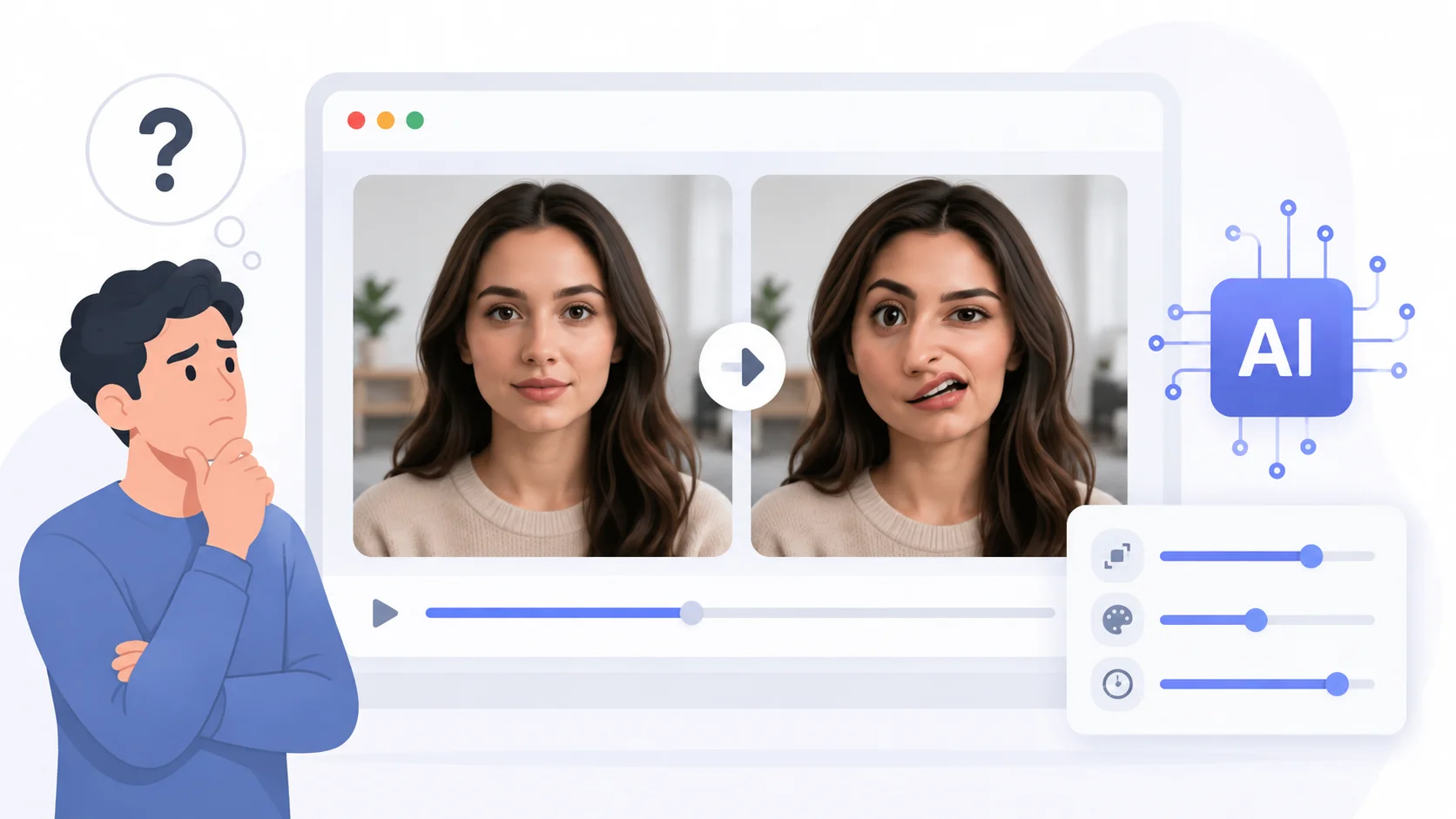
You typed a great prompt, hit generate, and the result looked almost perfect. Except the face. The eyes are slightly off, the jawline melts mid-frame, or the teeth look like they belong in a horror film. You are not alone.
Face distortion is one of the most common complaints with AI video generators. It happens across nearly every platform, and understanding why helps you avoid it or at least minimize it.
Why AI Video Generators Struggle with Faces
The short answer is that human faces are incredibly complex, and your brain is hardwired to notice even the slightest imperfection. AI models generate video frame by frame, and maintaining facial consistency across dozens of frames is a much harder problem than generating a static image.
AI video models work by predicting what the next frame should look like based on the previous one. When a face turns, blinks, or talks, the model has to reconstruct features from a different angle while keeping everything consistent. Small errors compound across frames, and what starts as a subtle inconsistency becomes a visible distortion by the end of the clip.
This is different from AI image generators, which only need to get one frame right. Video adds a temporal dimension that multiplies the difficulty.
Common Types of Face Distortion
Not all face distortions are the same. Knowing what type you are seeing helps you troubleshoot and fix the issue.
| Distortion Type | What It Looks Like | Likely Cause |
|---|---|---|
| Morphing | Face shifts shape between frames, features slide around | Temporal inconsistency in the diffusion model |
| Asymmetry | One eye larger than the other, uneven jawline | Training data bias or low-resolution generation |
| Uncanny teeth | Extra teeth, blurry mouth area, fused lips | Mouths are high-detail areas the model struggles to reconstruct |
| Extra fingers or features | Six fingers, double ears, merged facial features | Model hallucination from ambiguous training data |
| Flickering | Face rapidly changes between frames | Poor frame-to-frame coherence in the model |
The Technical Reasons Behind Face Distortion
Most AI video generators use diffusion models. These models start with noise and gradually refine it into a coherent image or video. The process works well for backgrounds, objects, and wide shots. Faces break down because they require pixel-level precision that diffusion models are not consistently able to deliver.
Training Data Limitations
AI models learn faces from their training data. If the training set contains mostly front-facing portraits, the model struggles with side profiles, upward angles, or faces in motion. The more unusual the angle or expression, the more likely the output distorts.
Resolution and Detail Loss
Many AI video generators work at lower internal resolutions and upscale the final output. Faces contain dense detail in a small area. When the model generates at a lower resolution, fine features like eyelashes, skin texture, and lip definition get lost or smeared during upscaling.
Temporal Consistency Problems
Each frame in an AI-generated video is partly independent. The model tries to maintain consistency, but it does not have a true 3D understanding of the face. It does not know that a nose stays the same shape when the head turns. It is guessing, and sometimes the guess is wrong.
AI does not see faces the way you do. It sees patterns of pixels, and faces have more patterns packed into a smaller space than almost anything else in a scene.
Which AI Video Generators Handle Faces Best
Not all tools distort faces equally. Some have made significant progress on facial consistency.
Veo 4 from Google has improved facial rendering significantly compared to earlier models. It handles motion and expressions more naturally, though extreme close-ups still show occasional artifacts. Runway Gen-3 also performs well on shorter clips with minimal camera movement.
Synthesia takes a different approach entirely by using pre-recorded avatar footage mapped to AI-generated speech, which avoids the face generation problem altogether. If facial accuracy is critical for your use case, avatar-based tools may be a better fit than generative ones.
How to Reduce Face Distortion in Your Videos
You cannot eliminate face distortion entirely with current technology, but you can reduce it significantly with better prompting and workflow choices.
Write Better Prompts
- Specify the camera distance. Medium shots and wide shots produce fewer facial artifacts than extreme close-ups.
- Limit head movement in your prompt. A face looking straight at the camera holds up better than one turning side to side.
- Describe lighting clearly. Even, soft lighting reduces shadows that confuse the model.
- Avoid prompts that require the subject to speak. Open mouths and moving lips are the hardest elements to render consistently.
Choose the Right Settings
- Generate at the highest resolution your tool allows. Higher resolution gives the model more pixels to work with for facial details.
- Use shorter clip lengths. Distortion gets worse over longer durations because errors accumulate.
- If your tool offers a “quality” versus “speed” toggle, always choose quality for face-heavy content.
Use Post-Processing Tools
Some creators run AI-generated clips through face restoration tools after generation. Tools like GFPGAN or CodeFormer can clean up facial artifacts in individual frames. This adds a step to your workflow but can dramatically improve the final result.
You can also use an AI video editor to trim or mask the worst frames and blend them with cleaner sections of the clip.
The best fix for face distortion is often the simplest: do not put the face at the center of the frame for the entire clip.
When to Avoid AI-Generated Faces Entirely
For some use cases, AI-generated faces are not ready yet. Corporate videos, client presentations, and anything where a deepfake-like artifact could damage credibility should still use real footage or avatar-based platforms.
AI-generated faces work best in creative, artistic, or conceptual content where slight imperfections are acceptable or even part of the aesthetic. Music videos, social media content, and abstract storytelling are all good fits.
Will This Get Better
Yes, and it already is improving fast. Each new model generation handles faces better than the last. Google’s Veo series, OpenAI’s Sora, and Runway’s Gen-3 all show measurable improvement in facial consistency compared to their predecessors from just a year ago.
The underlying technology is advancing in two key directions. First, models are getting better at maintaining 3D spatial awareness across frames, which reduces morphing and asymmetry. Second, training datasets are becoming more diverse and higher quality, which helps the model handle a wider range of faces, angles, and expressions.
Within the next generation or two of models, face distortion will likely go from a common complaint to an occasional edge case.
Conclusion
AI video generators distort faces because faces are the hardest thing for these models to render consistently across frames. The combination of dense detail, your brain’s sensitivity to facial imperfections, and the limitations of frame-by-frame generation creates a perfect storm for artifacts. You can minimize distortion by using medium shots, limiting head movement, generating at higher resolutions, and choosing tools with stronger facial rendering. The technology is improving rapidly, but for now, knowing the limitations and working around them is the fastest path to better results.