How to Disable Claude Code Auto-Update
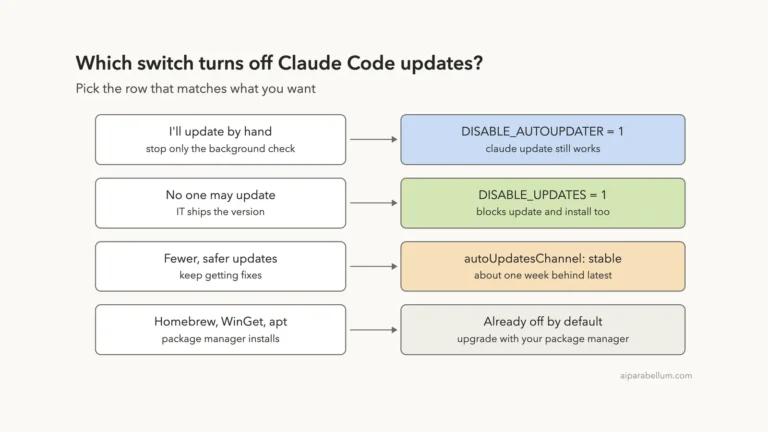
Stop background updates and stay in control of your version
Your likes
Saved in this browser. Log in to your AI Parabellum account to keep them on every device.
Tap the heart on any tool or article and it will be saved here for later.

Stop background updates and stay in control of your version
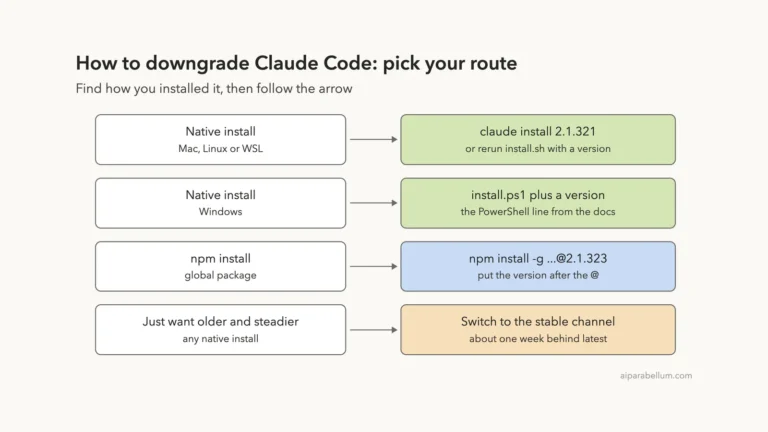
Roll back to a version that works and stop updates from undoing it
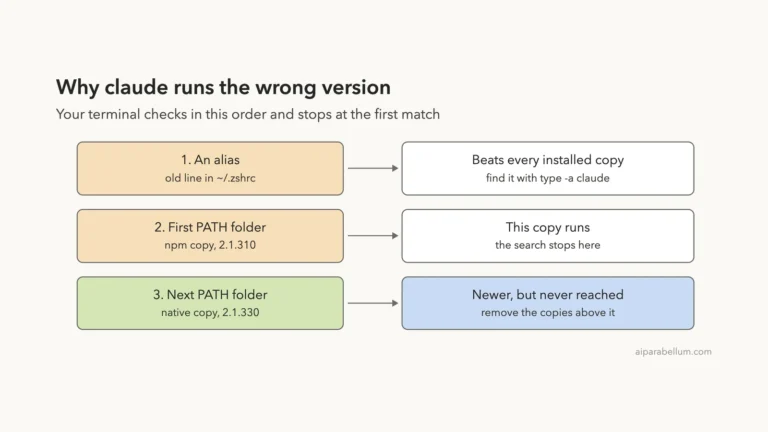
Find the extra copy, remove it and get the right version back
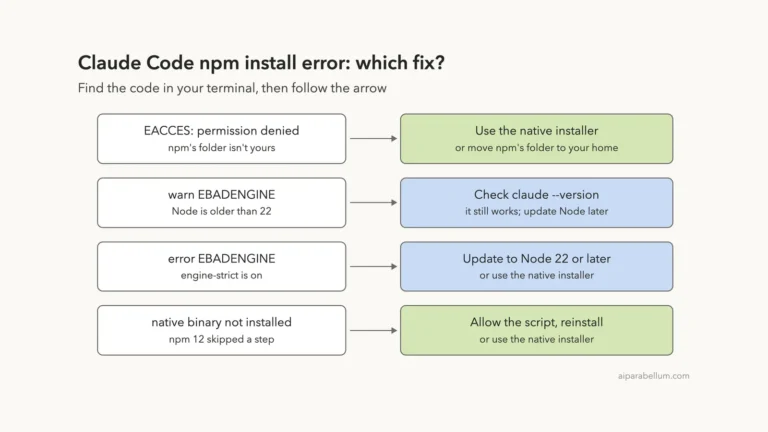
Fix npm permission and Node.js errors without using sudo
Charts, 30-day tasks and bug-only reviews, tested on v2.1.330
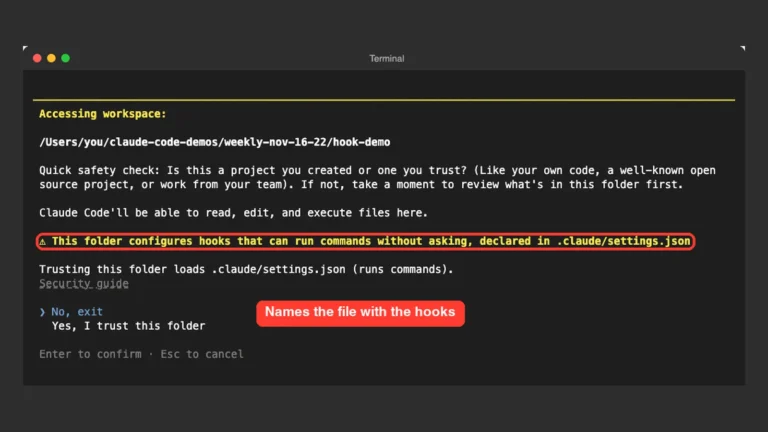
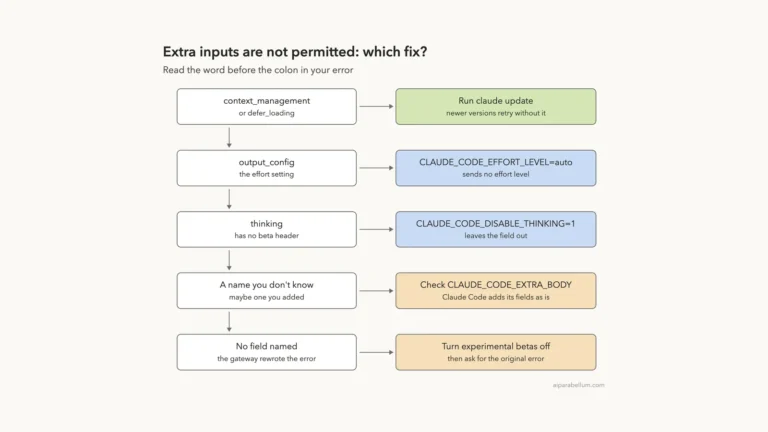
Read the field name in the error, then use the fix that fits
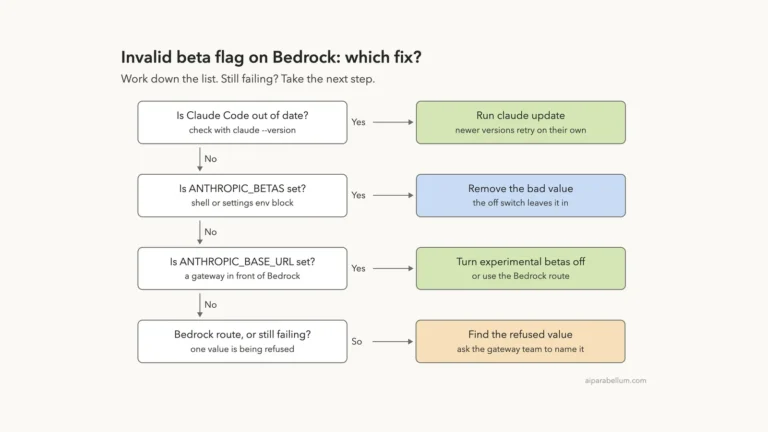
Shorten the beta list, pick the right route, get back to work
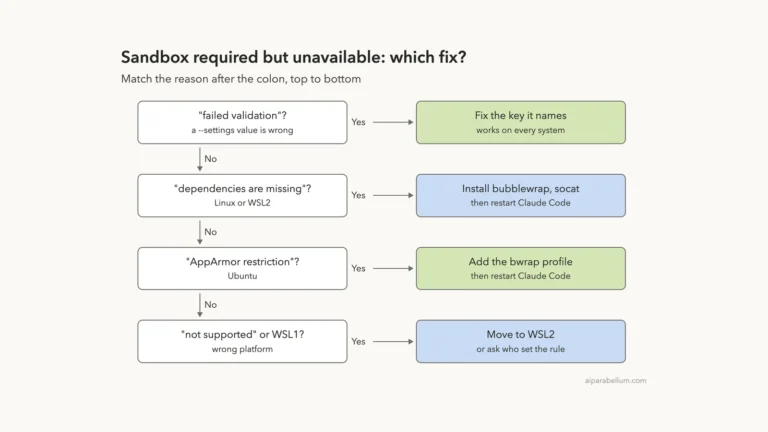
Read the reason, then use the fix for your system
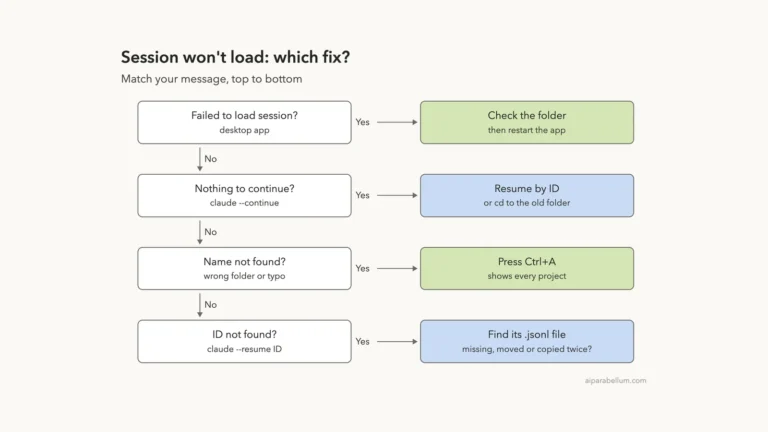
Why a saved chat goes missing and seven ways to get it back
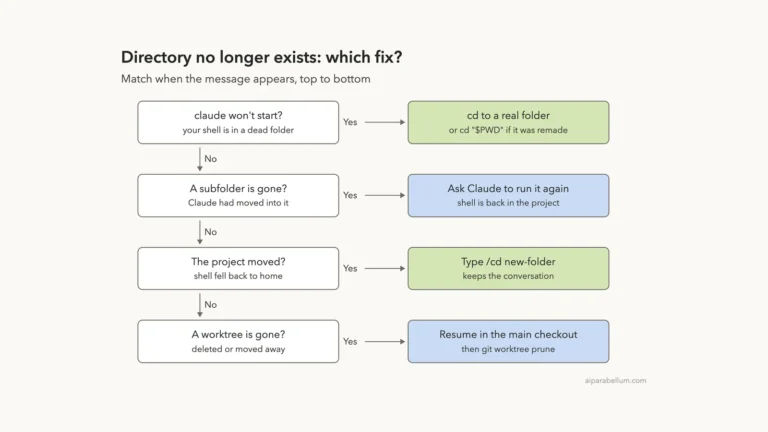
What to do when the folder under your session disappears
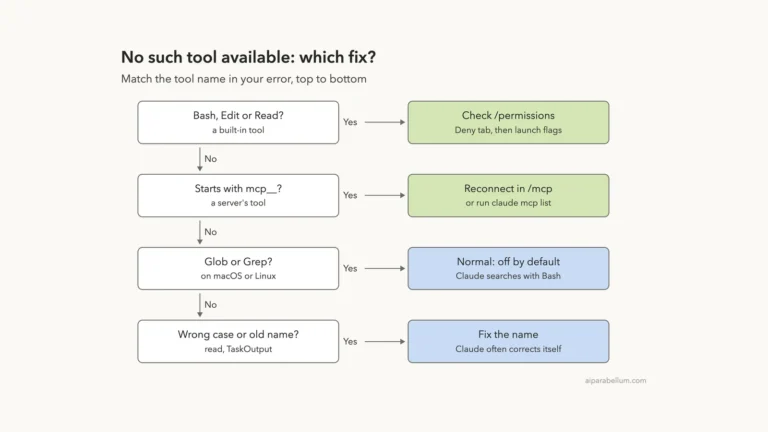
Find the rule, flag or server that removed your tool
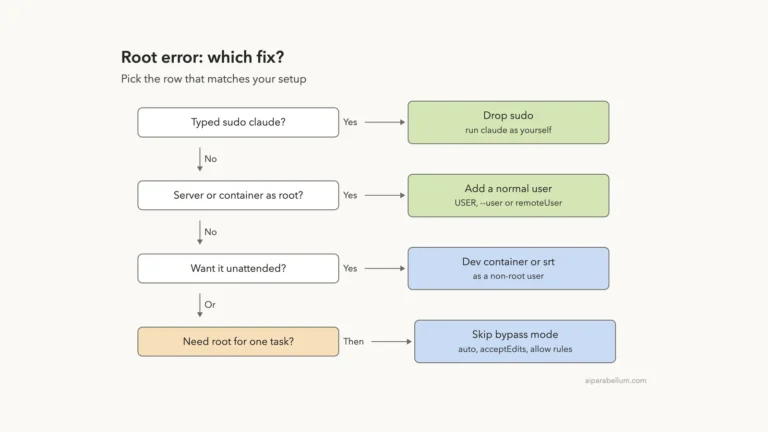
Run Claude Code without root and still cut permission prompts
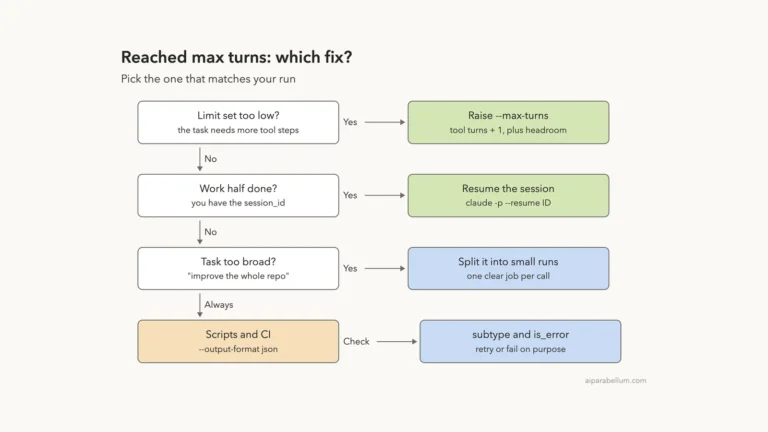
Fix turn limits in claude -p runs, scripts and CI
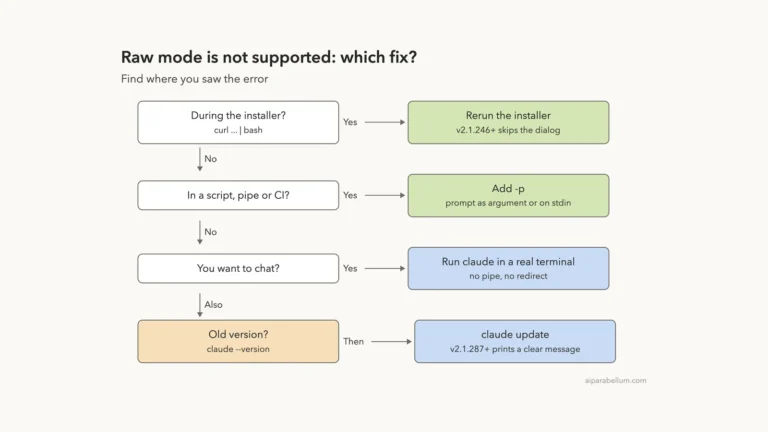
Run Claude Code from pipes, scripts, cron and CI without errors
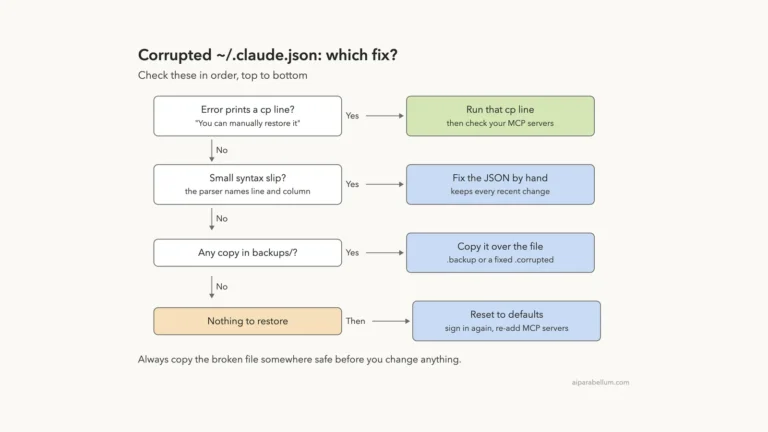
Restore ~/.claude.json from a backup without losing your setup
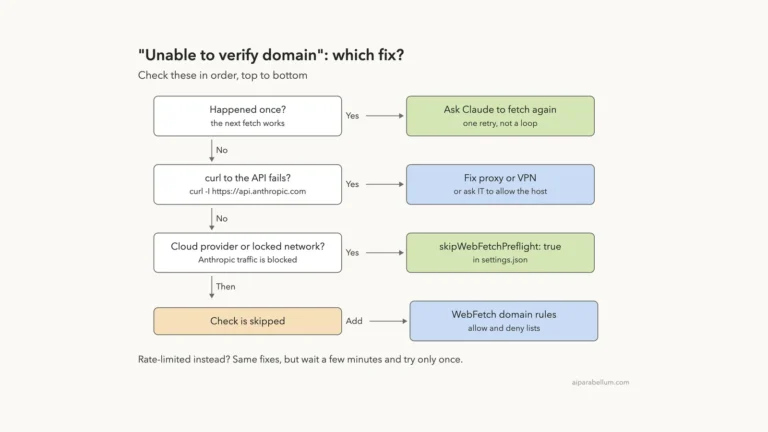
Why WebFetch's domain safety check fails and how to fix it
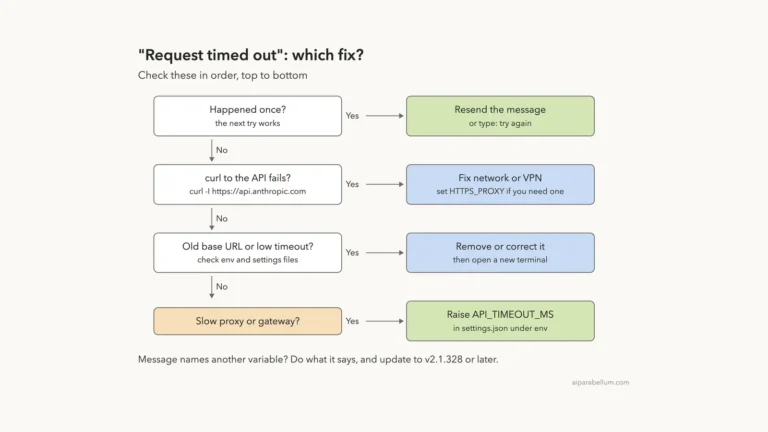
Why requests time out and how to give each attempt more time
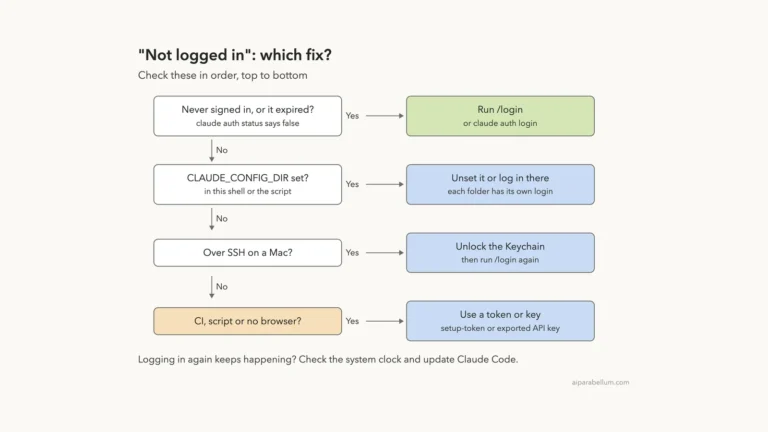
Why Claude Code can't find your login, and how to point it back
Newsletter
New AI tools in your inbox
The best new tools and the AI news that matters, in one short email. Unsubscribe any time.
Free · No spam · Unsubscribe any time
✓ Looks like you’re subscribed
Free instant check before you pay. Takes a few seconds.
Paste your tool address below and we will confirm it meets our content standards.
We only read the public content of the page you enter.
Preparing your check
This usually takes five to fifteen seconds.