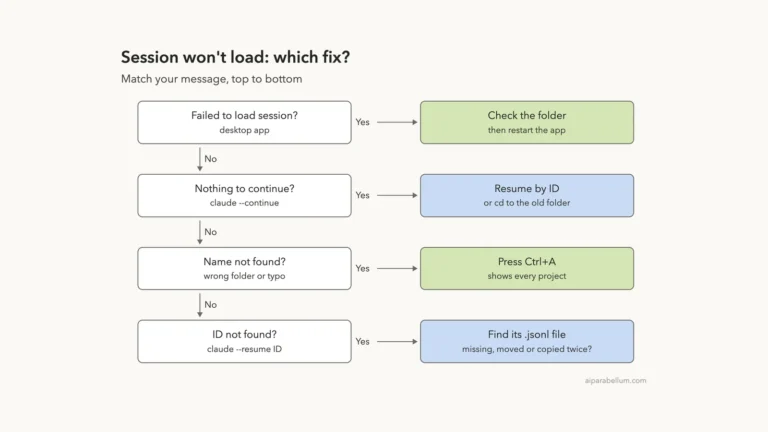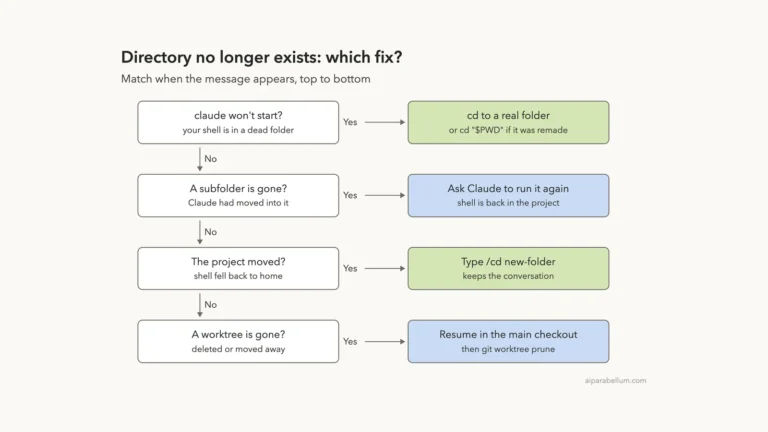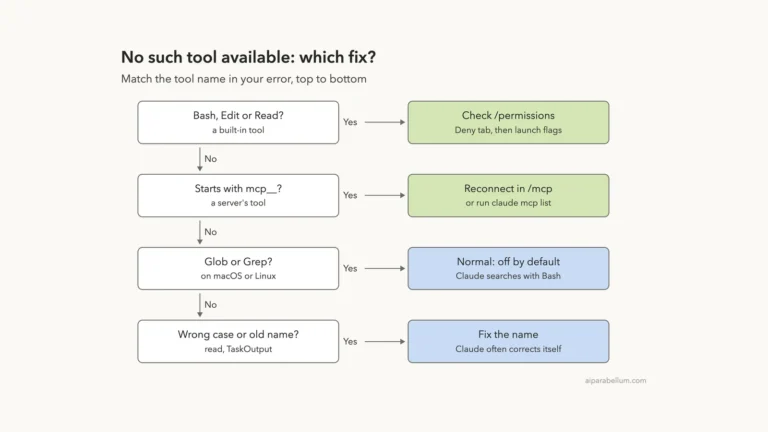
The Claude Code sandbox required but unavailable error means your settings demand a working sandbox, the sandbox can’t run, and Claude Code refuses to start without it. The setting behind it is usually sandbox.failIfUnavailable. Nothing is damaged, and your project files aren’t touched.
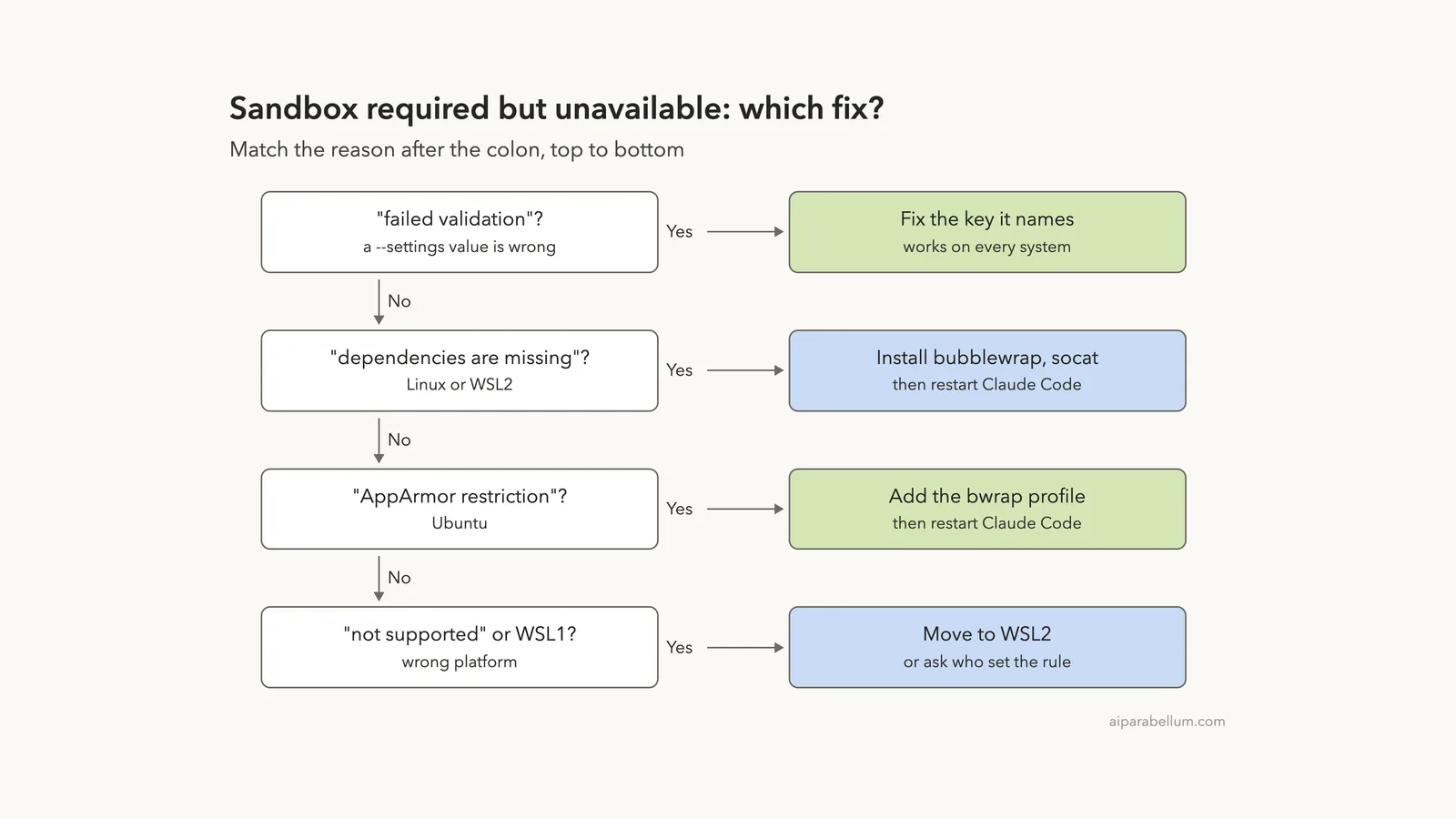
The text after the colon tells you what to fix. On Linux or WSL2, the usual cause is a missing package, so install bubblewrap and socat and restart. On native Windows or WSL1, Anthropic’s docs say the sandbox isn’t supported, so move to WSL2.
If the reason says the settings “failed validation,” the sandbox itself is fine. A value passed with --settings is wrong, such as "yes" where true belongs, and correcting that value is the whole fix.
Browse all our Claude Code tutorials for more fixes and how-tos.
Tested with Claude Code v2.1.330 on macOS on November 22, 2026. We reproduced the error with broken settings files in a throwaway demo project, then fixed them. The Linux, WSL2 and Windows steps follow Anthropic’s official instructions.
Quick Summary
| Reason after the colon | Cause | Fix |
|---|---|---|
| settings … failed validation | Wrong value or bad JSON in --settings | Correct the key it names |
| dependencies are missing | No bubblewrap or socat (Linux, WSL2) | Install both, restart |
| AppArmor restriction on user namespaces | Ubuntu blocks bubblewrap | Add the AppArmor profile, restart |
| WSL1 is not supported | Old WSL version | Upgrade to WSL2 |
| not supported | No sandbox for this platform | Use WSL2 or a container |
What “Sandbox Required but Unavailable” Means in Claude Code
The sandbox puts a wall around the shell commands Claude runs. It limits which files they can change and which sites they can reach. Our guide to the sandboxed Bash tool covers how it works day to day.
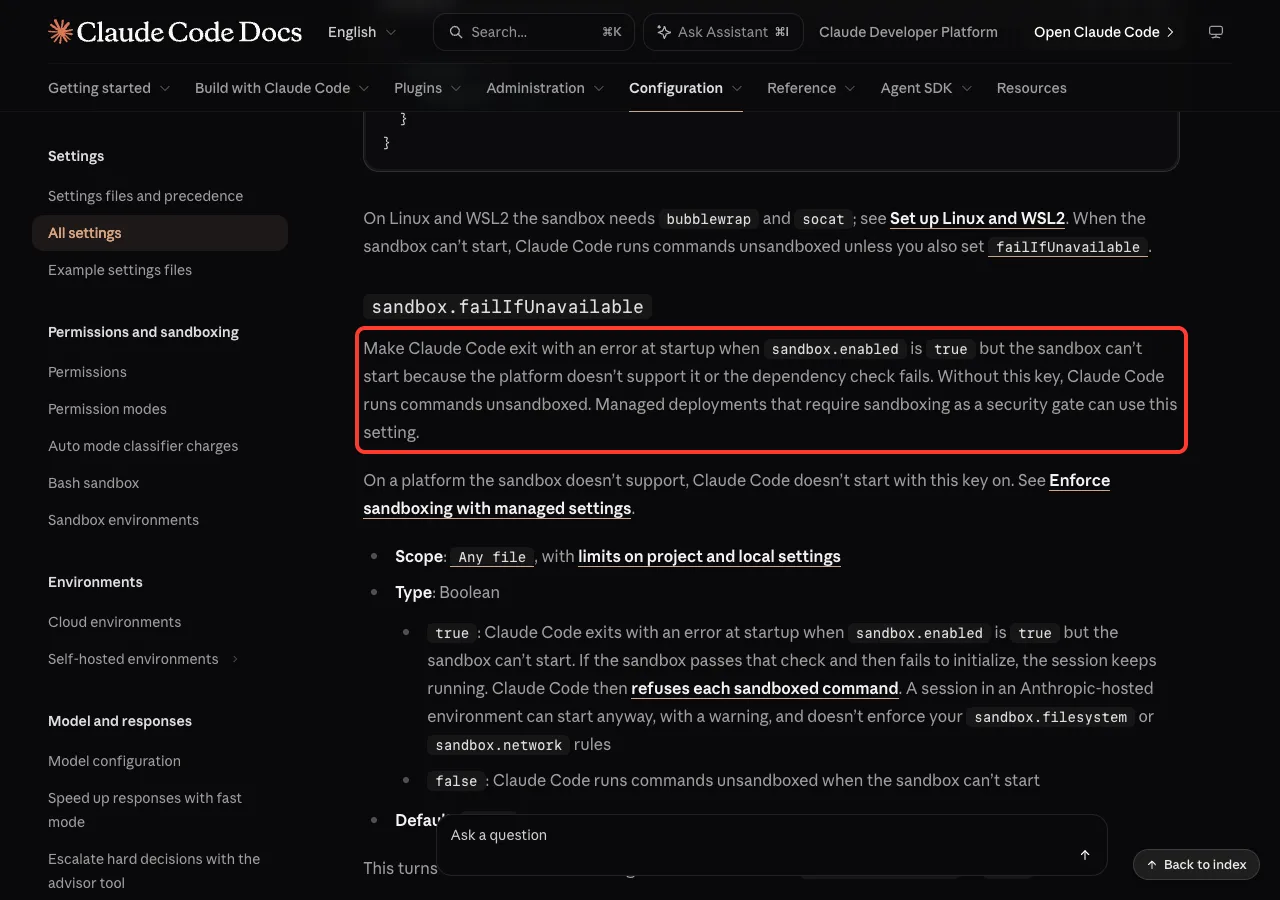
By default, a sandbox that can’t start doesn’t stop you. The docs say Claude Code runs commands without sandboxing instead. That’s risky for a team that counts on the wall being there.
So there is a stricter setting. With sandbox.failIfUnavailable set to true, Claude Code exits at startup when the sandbox can’t run. The changelog shows it arrived in v2.1.83.
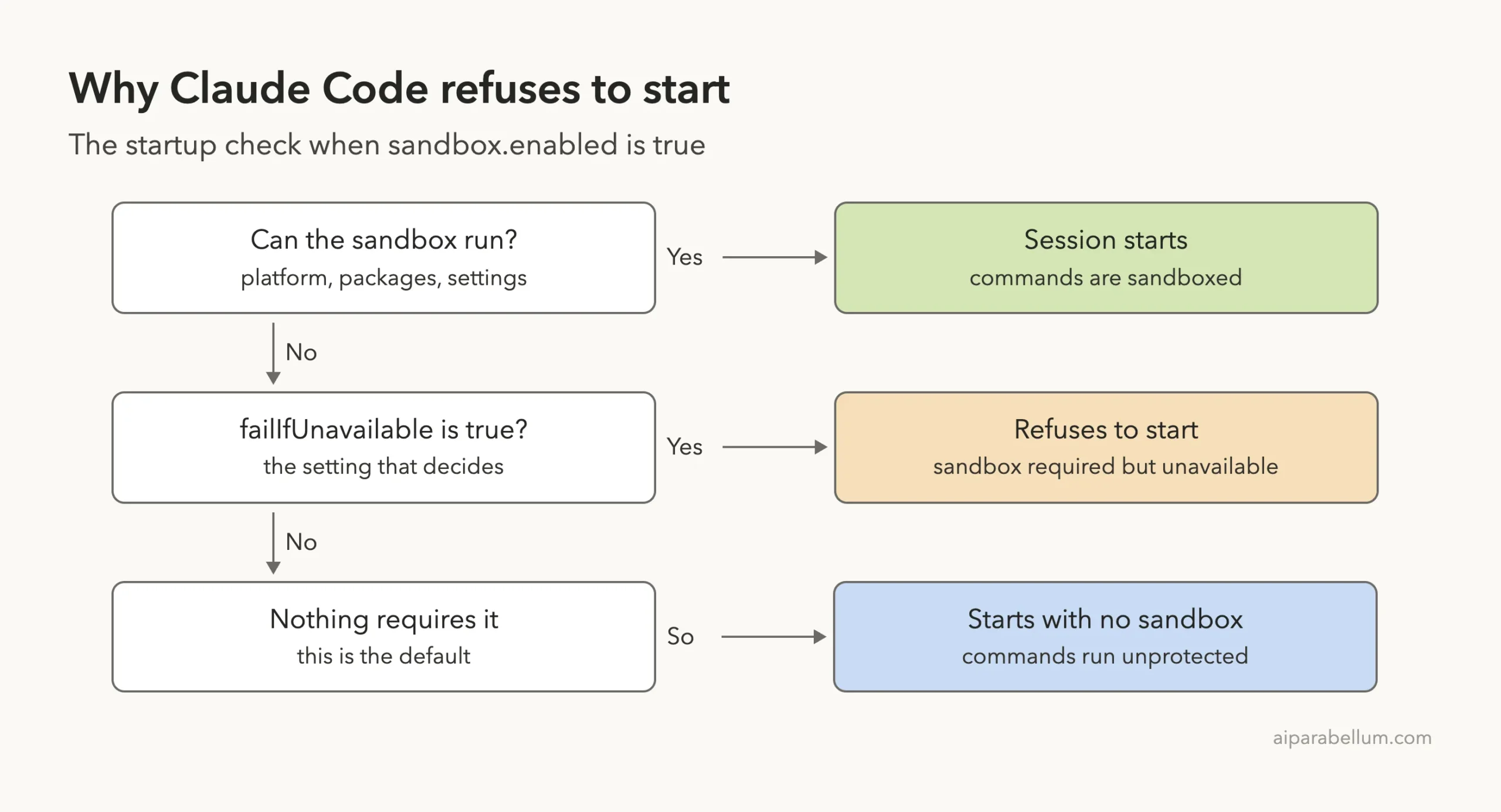
The error has two parts
The first line gives the reason, and the second points to the setting. The frame looks like this:
Error: sandbox required but unavailable: <reason>
  Refusing to start without a working sandbox (see sandbox.failIfUnavailable).
Read the reason before you touch the setting. The error is the safety feature doing its job.
We Reproduced the Error on v2.1.330
You can meet this error even on a Mac, where the sandbox is built in. We wrote a small settings file that gave allowedDomains a plain string instead of a list, and passed it with --settings:
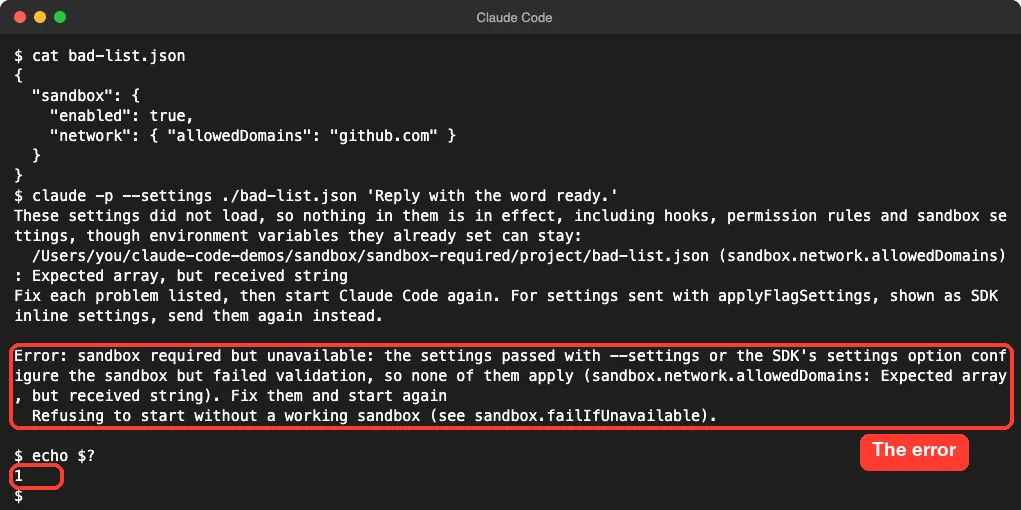
Look at that file again. It never sets failIfUnavailable, yet Claude Code still refused. When a --settings value turns the sandbox on but fails validation, startup stops, a change the changelog lists under v2.1.323.
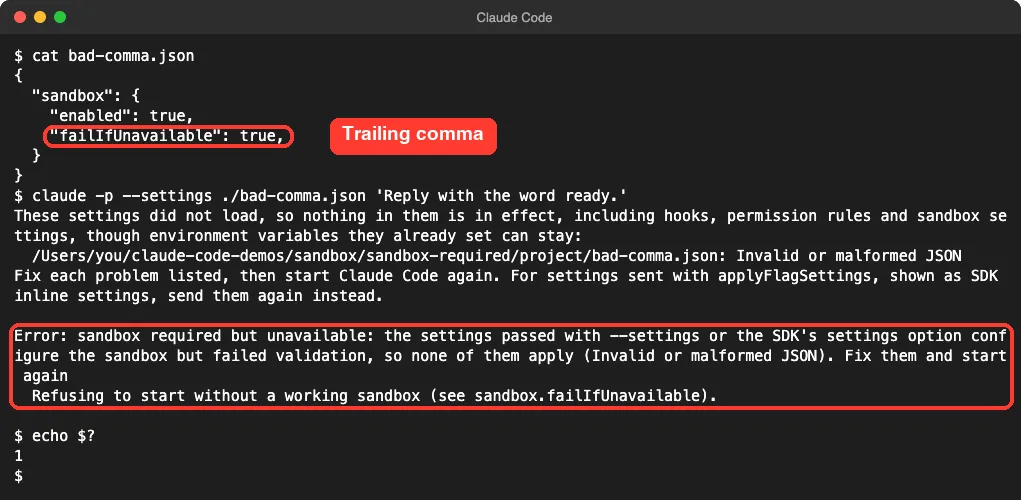
A typo in the JSON does the same thing. Here the only mistake is a comma after the last value:
In an interactive session, the message can be hidden
Without -p, we got a Settings Error dialog first. It names the file, the key and the problem, which is all you need.
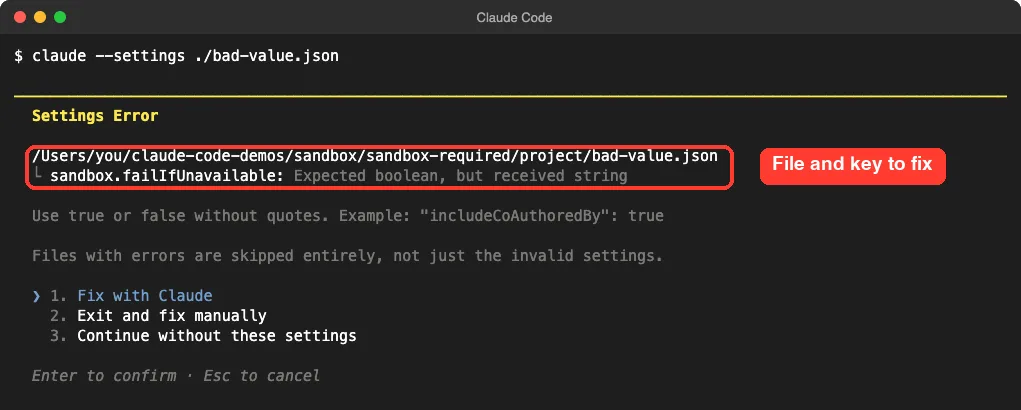
Choose “Exit and fix manually.” We also tried “Fix with Claude” and “Continue without these settings.” Both times the welcome screen flashed up and Claude Code closed with exit code 1, with no error text in our terminal.
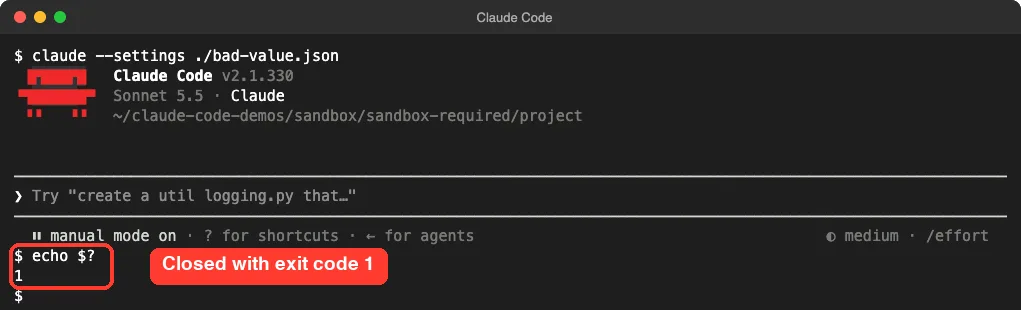
So if your session vanishes right after it opens, add -p to the same command. That printed the full reason every time we tried it:
claude -p "hi" --settings ./your-settings.jsonEvery Reason, and What It Points To
We triggered the validation reason ourselves. The others below are message text we found inside the v2.1.330 program, matched with the docs page that explains the fix.
| Reason text | Where you’d see it |
|---|---|
sandbox is enabled but dependencies are missing | Linux or WSL2, followed by names such as bubblewrap (bwrap) not installed or socat not installed |
sandbox is enabled but cannot start here | The packages are there, but something stops them |
Ubuntu's AppArmor restriction on user namespaces stops bubblewrap here | Ubuntu, as the detail in one of the reasons above |
WSL1 is not supported (requires WSL2) | Windows with WSL1 |
is not supported (requires macOS, Linux, or WSL2) | Any other platform |
failed validation, so none of them apply | Any platform, from --settings or an SDK’s settings option |
How to Fix “Sandbox Required but Unavailable”
Match your reason to a row, then jump to that fix.
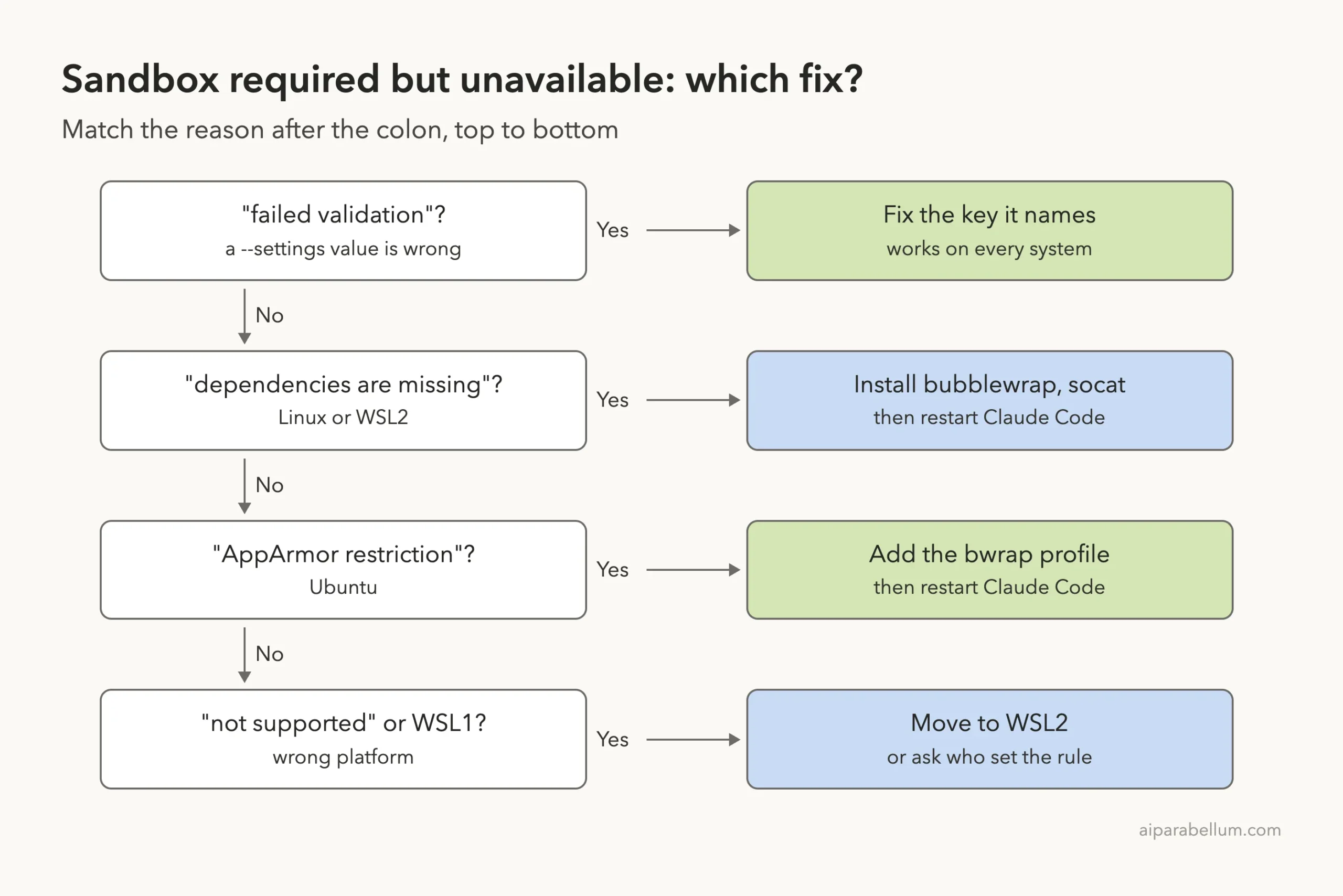
Fix 1: Install bubblewrap and socat (Linux and WSL2)
The sandbox needs different parts on each system, according to the sandboxing docs:
| System | What the sandbox needs |
|---|---|
| macOS | Nothing to install; it uses the built-in Seatbelt framework |
| Linux | bubblewrap and socat |
| WSL2 | bubblewrap and socat, installed inside WSL |
| WSL1 | Not supported |
| Native Windows | Not supported |
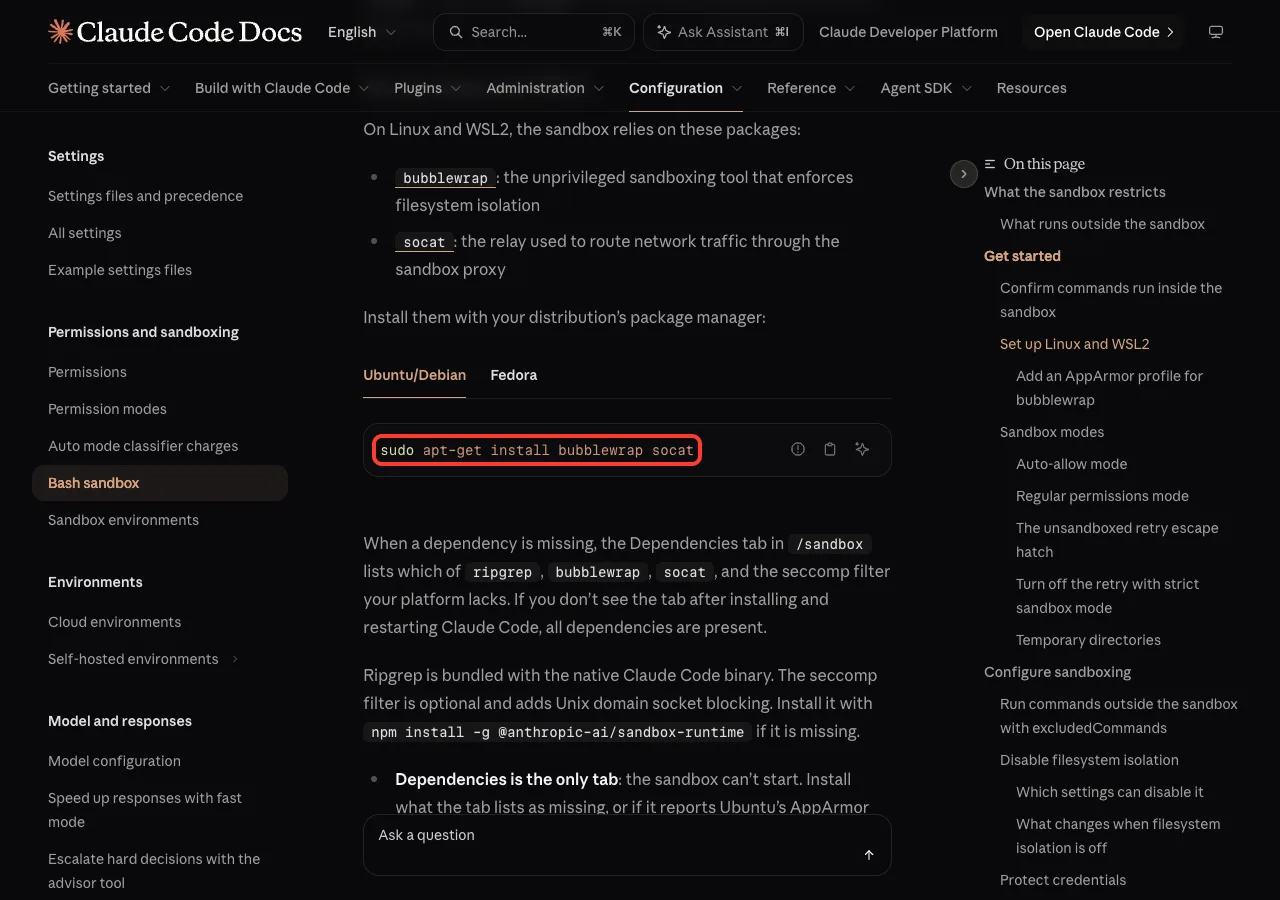
On Ubuntu or Debian, run:
sudo apt-get install bubblewrap socatOn Fedora, run:
sudo dnf install bubblewrap socatThen start Claude Code again. The dependency check runs at startup, so a restart is needed. Ripgrep comes with the native program, and the seccomp filter is optional, so neither should block you there.
Fix 2: Lift Ubuntu’s AppArmor block
Some Ubuntu systems install both packages and still refuse. Their AppArmor rules stop bubblewrap from creating user namespaces, which it needs. Since v2.1.310, Claude Code names this cause in its message.
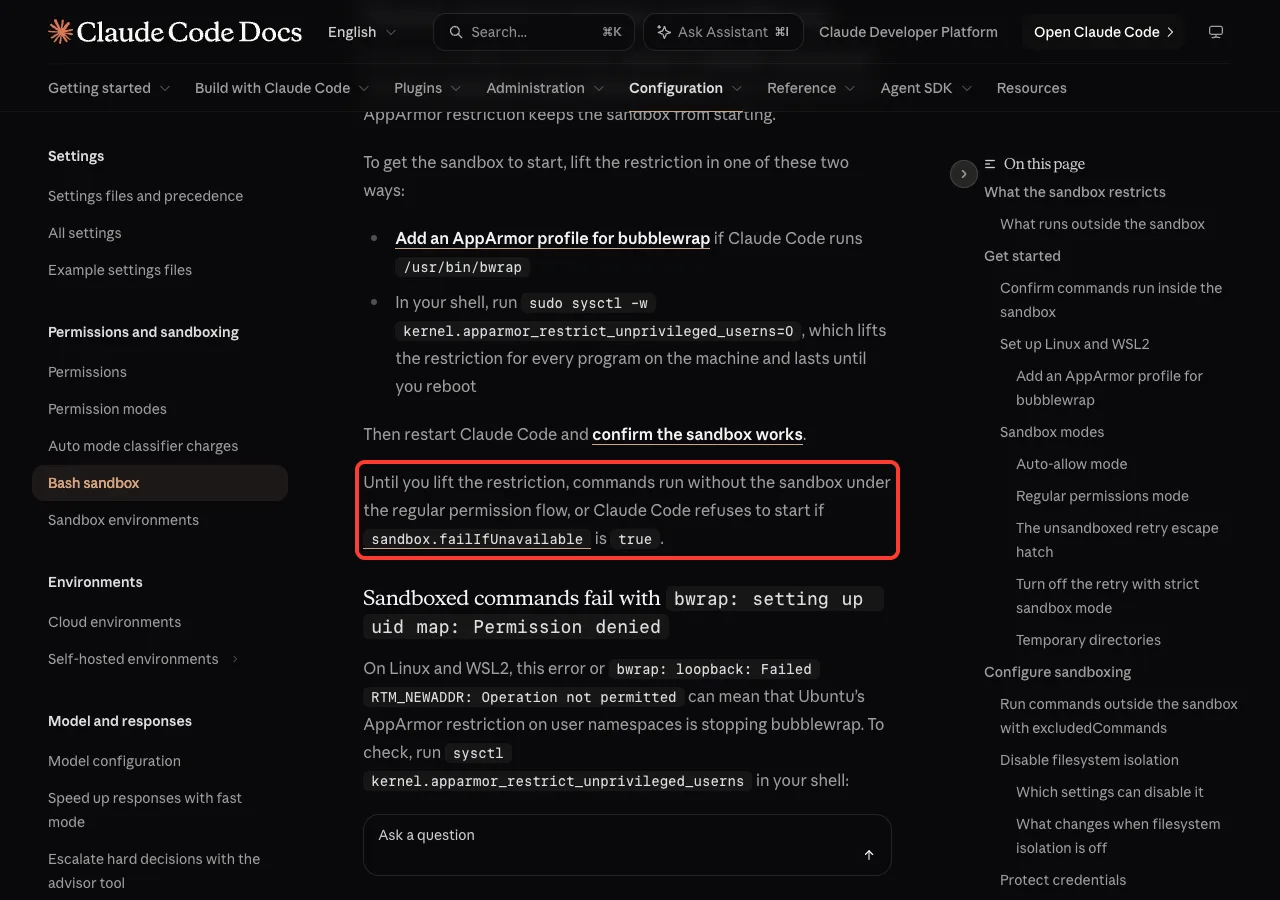
First, see which copy Claude Code will use:
which bwrapIf the answer is /usr/bin/bwrap, the docs give this AppArmor profile:
sudo tee /etc/apparmor.d/bwrap > /dev/null <<'EOF'
abi <abi/4.0>,
include <tunables/global>

profile bwrap /usr/bin/bwrap flags=(unconfined) {
  userns,
  include if exists <local/bwrap>
}
EOF
Reload AppArmor, then restart Claude Code:
sudo systemctl reload apparmorFor any other path, the docs offer sudo sysctl -w kernel.apparmor_restrict_unprivileged_userns=0. It lifts the limit for every program until you reboot, so treat it as a short-term step.
Fix 3: Move to WSL2 on Windows
The docs are direct: the sandbox doesn’t run on native Windows, so with failIfUnavailable set, Claude Code exits at startup there.
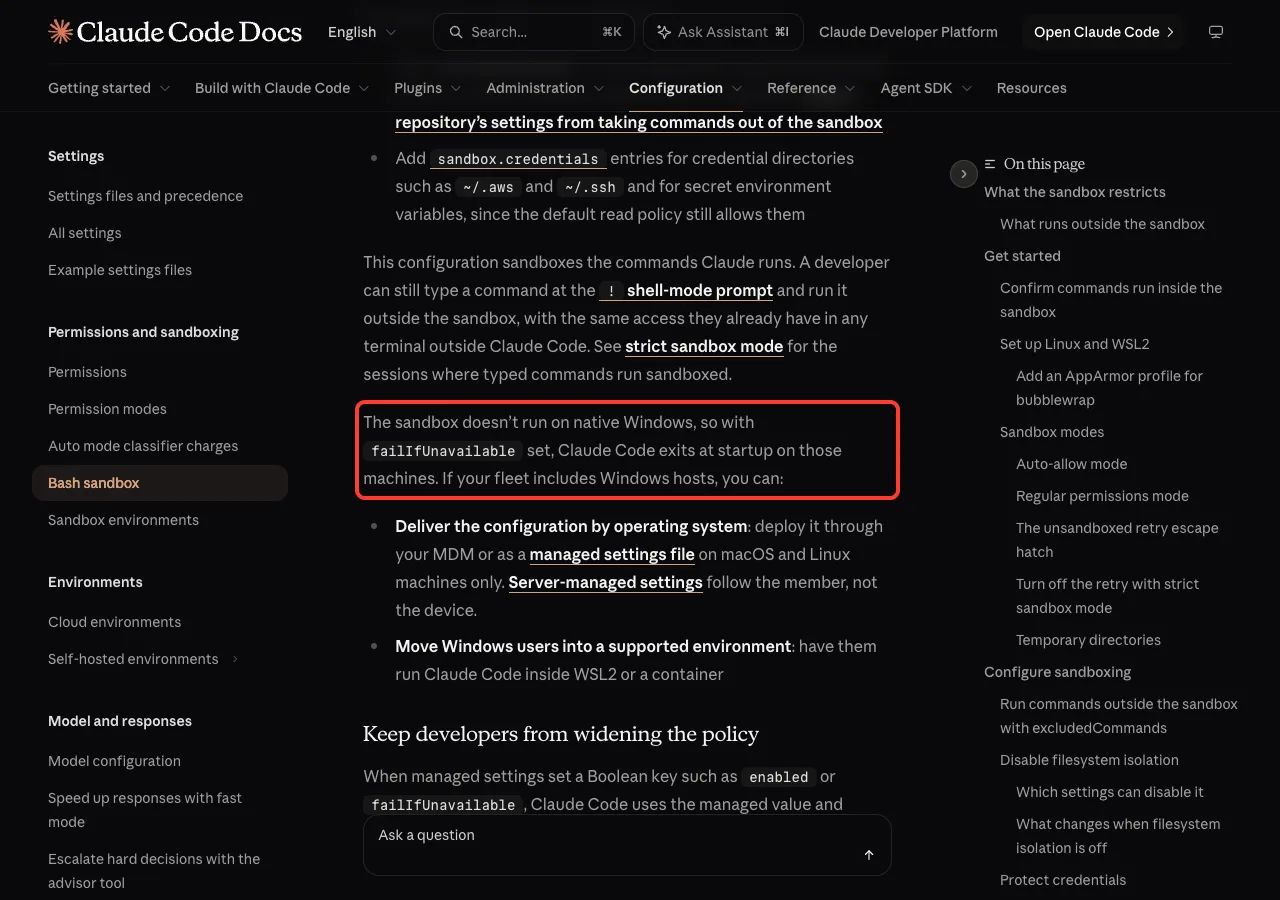
If you already use WSL, check the version in PowerShell:
wsl -l -vVersion 1 has to be upgraded to 2. After that, install the two Linux packages from Fix 1 inside WSL and start Claude Code there.
Fix 4: Correct the settings value
When the reason says “failed validation,” the parentheses name the key. These are the mistakes we tested:
| What we wrote | Message | Correct form |
|---|---|---|
"failIfUnavailable": "yes" | Expected boolean, but received string | "failIfUnavailable": true |
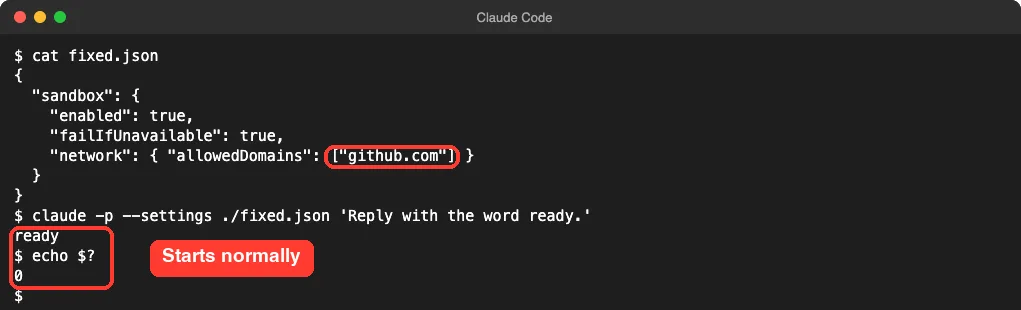
"allowedDomains": "github.com" | Expected array, but received string | "allowedDomains": ["github.com"] |
true, before a closing brace | Invalid or malformed JSON | true with no comma |
This is the version that worked:
{
  "sandbox": {
    "enabled": true,
    "failIfUnavailable": true,
    "network": { "allowedDomains": ["github.com"] }
  }
}
For a JSON typo, jq . your-settings.json points near the bad line. In our test, jq caught the trailing comma but passed the missing brackets, because that file is valid JSON with the wrong kind of value.
Fix 5: Change the requirement, if it’s yours to change
Maybe you don’t need a hard stop. Find where the key is set: .claude/settings.local.json, .claude/settings.json, ~/.claude/settings.json, a --settings value, or your organization’s managed settings. Our map of settings.json locations shows each path.
grep -n "failIfUnavailable" .claude/settings.local.json .claude/settings.json ~/.claude/settings.jsonIf the line is in your own file, you can set it to false. If it comes from managed settings, the docs say Claude Code uses the managed value and ignores yours, so ask your administrator. A failed load of those settings is a different error, covered in our managed settings guide.
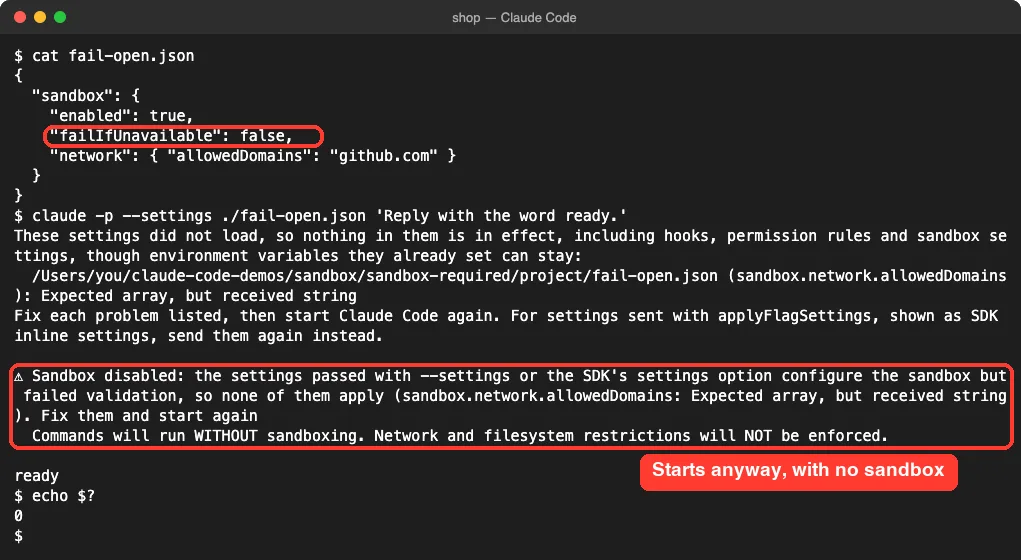
Know the price before you switch it off. We set it to false and left the other mistake in place:
Check That the Sandbox Really Works
Starting without an error is a good sign, but test it. The docs suggest asking Claude to create a file outside the project.
Don’t type the command at the ! prompt yourself, since that usually runs outside the sandbox.
Run touch ~/sandbox-probe with Bash, once. Don't retry. Quote the result in one line.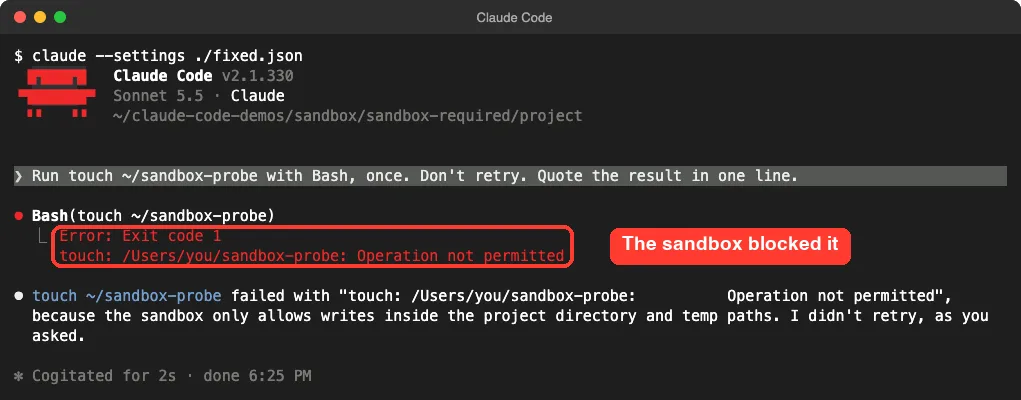
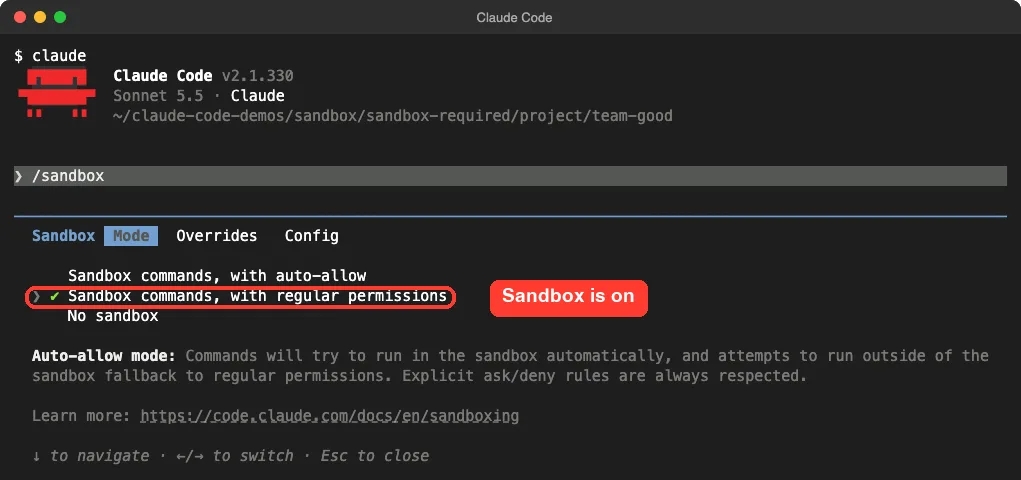
On macOS the docs list Operation not permitted, which is what we got. On Linux and WSL2, expect Read-only file system. If the file is created, delete it and look at /sandbox.
Related Sandbox Messages
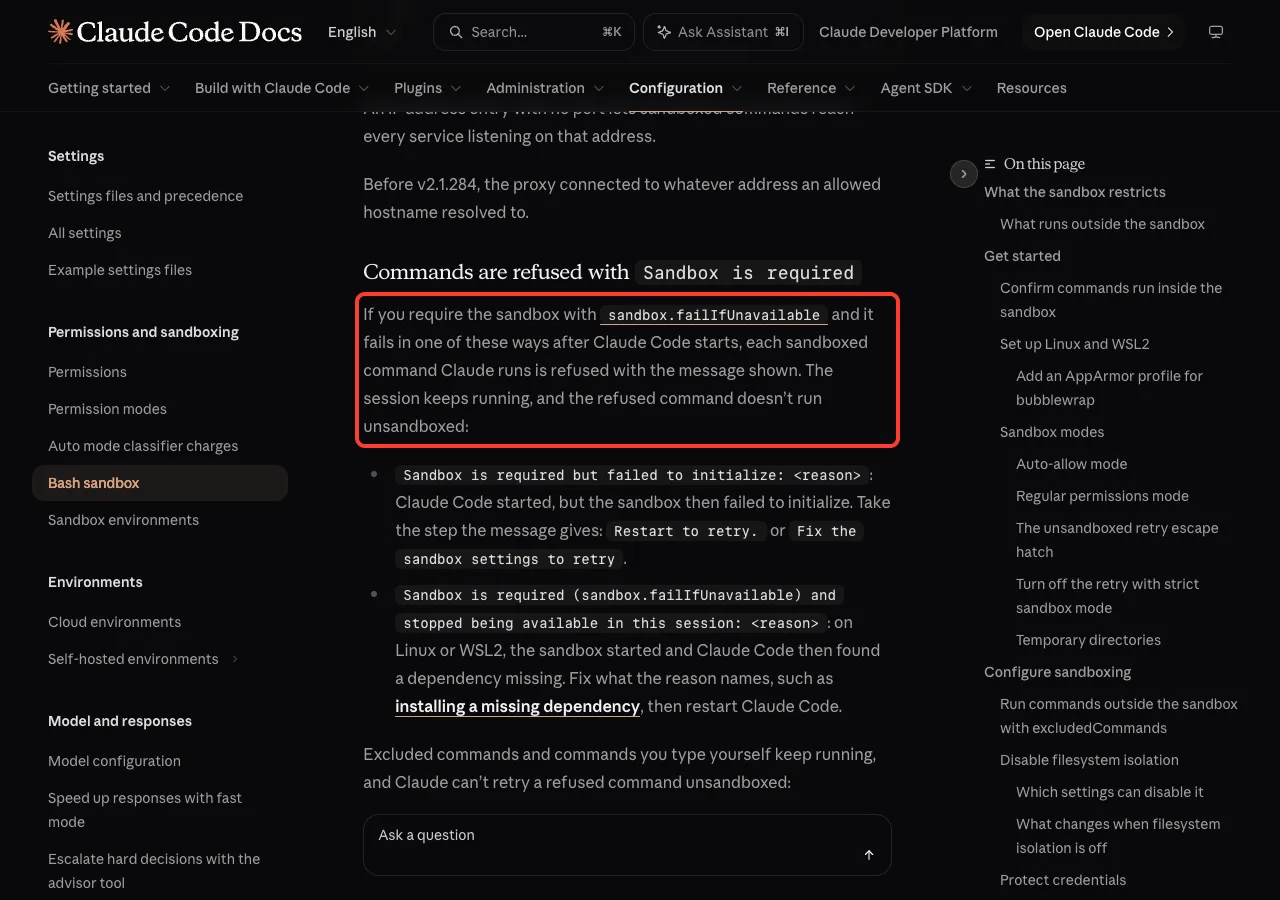
Two similar messages appear after Claude Code has started. The session stays open, but each sandboxed command is refused.
| Message | What the docs say to do |
|---|---|
Sandbox is required but failed to initialize | Restart, or fix the sandbox settings, as the message says |
Sandbox is required ... and stopped being available in this session | Install what the reason names, then restart |
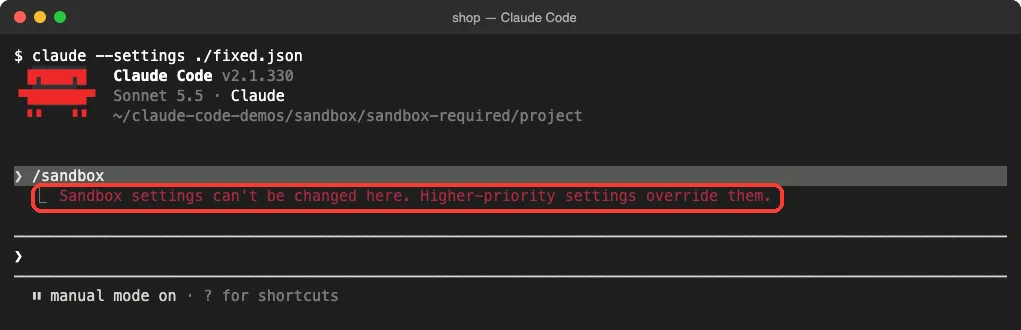
Sandbox settings can't be changed here | A higher level sets them; check Setting sources in /status |
We hit the last one with a healthy setup. Our sandbox keys came from --settings, which ranks above the file /sandbox writes to, so the panel stayed closed.
Try It Yourself
You can see the error safely in an empty folder. This affects one launch and saves nothing to your settings:
claude -p "hi" --settings '{"sandbox":{"enabled":true,"failIfUnavailable":"yes"}}'Read the reason, change "yes" to true, and run it again. On a Mac it should answer normally. On Linux, the result tells you whether your packages are in place.
Common Mistakes
- Turning the requirement off before reading the reason. A one-word settings typo doesn’t need weaker security.
- Installing the packages and not restarting. The check runs at startup.
- Installing them in Windows instead of inside WSL2.
- Putting quotes around
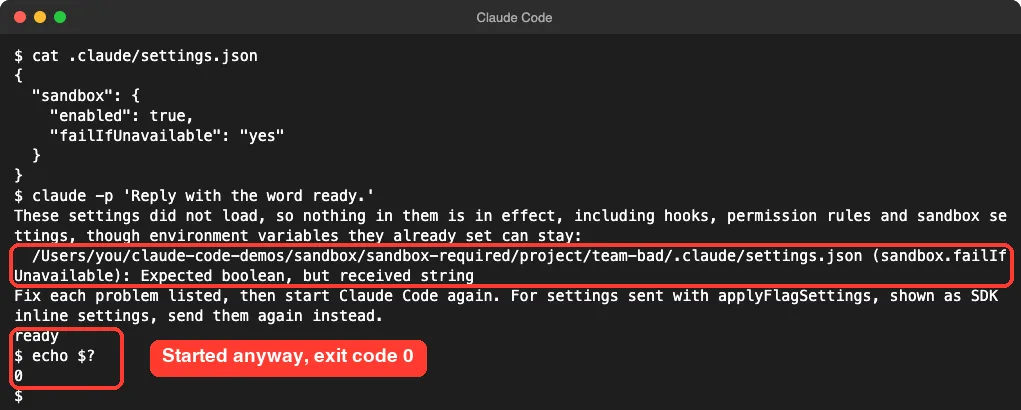
true. - Expecting a broken project file to stop you. It may not, as the next test shows.
We put the same bad value in .claude/settings.json and ran claude -p. Claude Code skipped the whole file, printed a notice, and answered with exit code 0. The sandbox rules in that file weren’t in effect.
Pro Tips
- In CI, check the exit code. Every refusal in our
claude -pruns returned 1 and gave no reply. - If a whole team needs the sandbox, use managed settings. The docs pair
failIfUnavailablewith"allowUnsandboxedCommands": false. - Mixed teams should deliver that rule only to macOS and Linux machines, since native Windows would exit at startup.
- Run Claude Code as a normal user. Root brings its own startup error, which we explain in the root user fix.
- Seeing something else? Our list of Claude Code errors covers the common ones, and claude doctor checks your setup.
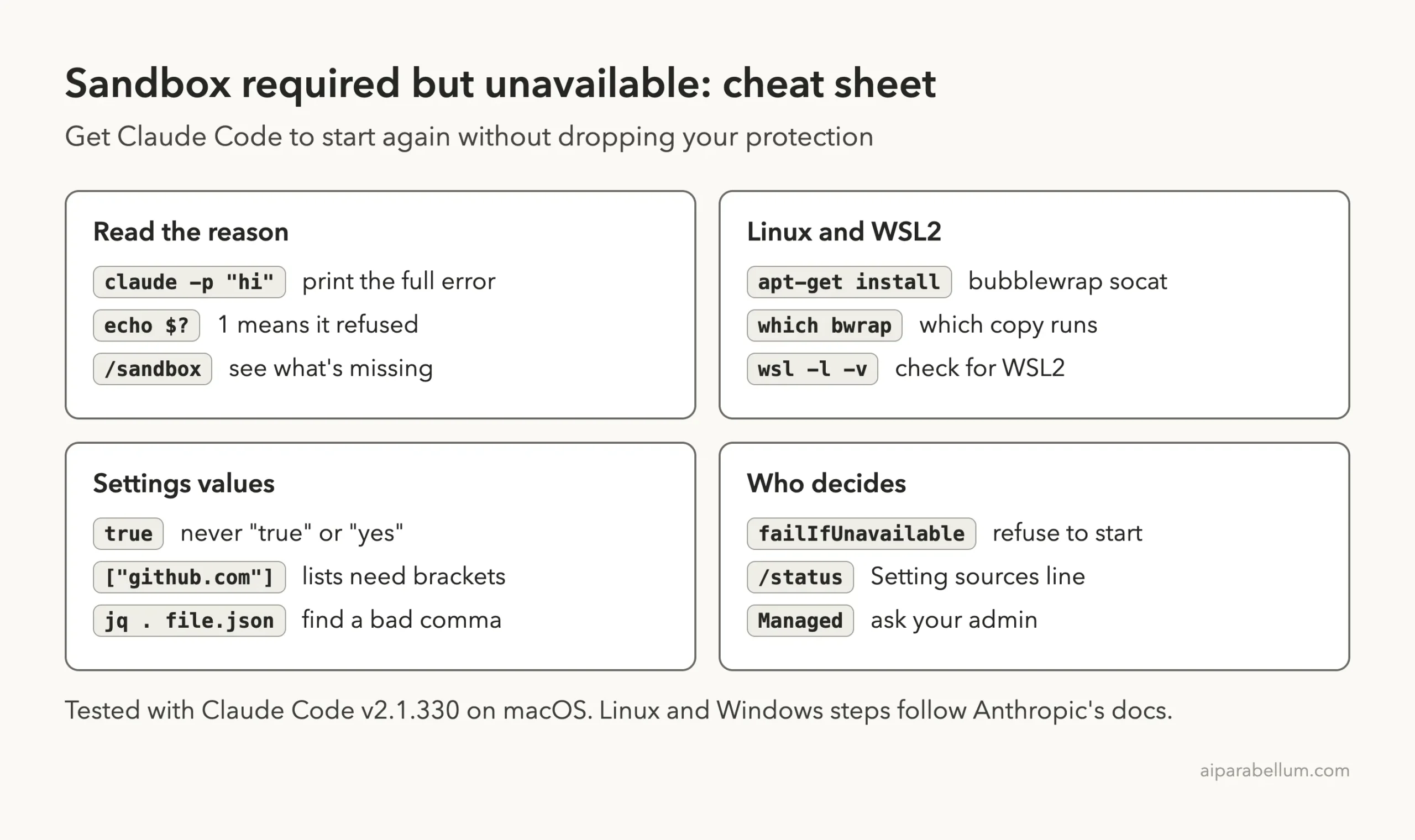
Cheat Sheet
Frequently Asked Questions
What does “sandbox required but unavailable” mean in Claude Code?
Your settings say Claude Code must not run without a sandbox, and the sandbox can’t run. Claude Code stops at startup, and the text after the colon gives the reason.
How do I fix it on Ubuntu?
Install the packages with sudo apt-get install bubblewrap socat and restart Claude Code. If the message mentions AppArmor, add the profile from Fix 2 as well.
Why do I get it on a Mac?
The Mac sandbox needs no extra packages. In our tests the cause was a bad --settings value, so check the key in parentheses.
Is it safe to set failIfUnavailable to false?
It lets Claude Code start, but a sandbox that can’t run is then skipped and commands run without it. Do that only if you accept the risk and the rule is yours to change.
Does this stop Claude Code on the web?
It shouldn’t. The docs say a session in an Anthropic-hosted environment can start anyway, with a warning, and doesn’t enforce your sandbox.filesystem or sandbox.network rules.
Conclusion
The Claude Code sandbox required but unavailable error is a deliberate stop: something asked for a sandbox, and Claude Code won’t run commands without one. Read the reason first, then install bubblewrap and socat on Linux or WSL2, deal with AppArmor on Ubuntu, move off native Windows or WSL1, or correct the settings key it names. In our tests on v2.1.330, one wrong value in --settings was enough to trigger it, and one correction cleared it. To learn more about the model behind the tool, see our overview of Claude AI.