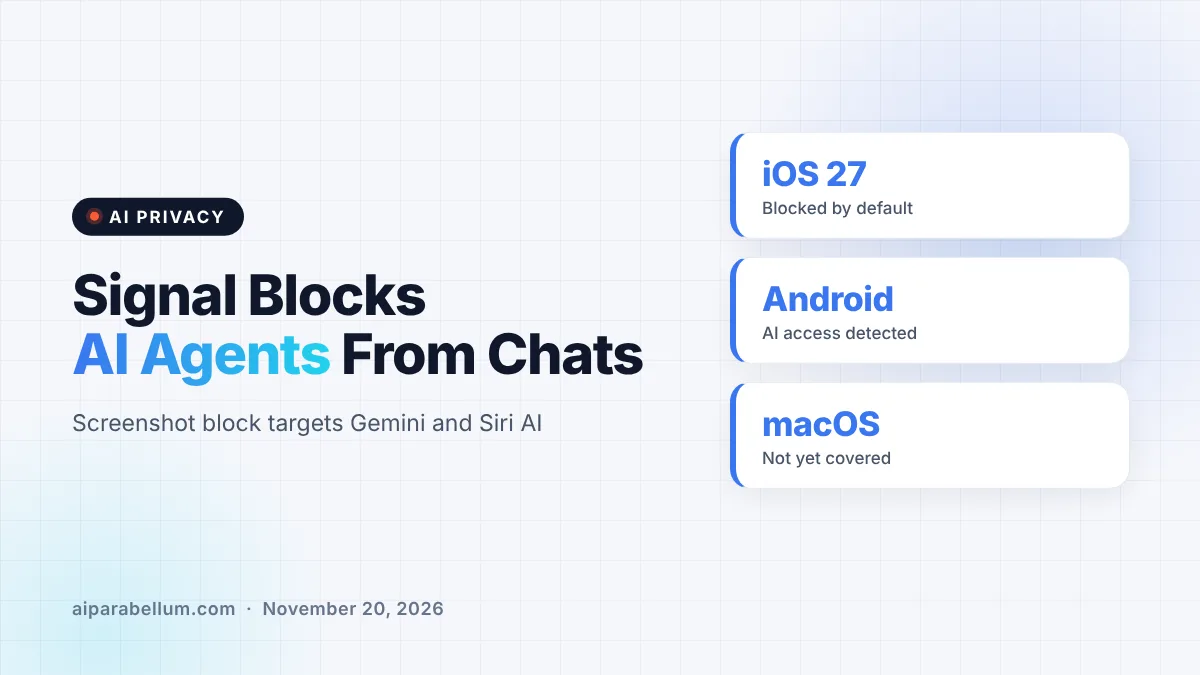
Signal is now blocking screenshots inside its mobile app so that AI agents built into phones, like Google Gemini and Apple’s Siri AI, can’t read your private messages. The encrypted messaging app announced the change on November 20, 2026, and called the way these assistants scan your screen an “existential threat” to app-level privacy.
The move puts Signal in direct tension with Apple, Google and Microsoft. Those companies are building agents that look at whatever is on your display so they can answer questions and take actions for you.
Why Signal Is Taking On AI Agents
Signal’s core promise is simple: only you and the people you talk to can read your messages. Its open source code and formally verified encryption have backed that promise for over a decade.
The trouble is that encryption only protects messages while they travel. Once a message is shown on your screen, an operating system agent can capture it, store it and pass it to whatever local database or remote server the assistant uses. Signal says all of that happens outside its control.
Signal named two features in particular: Gemini Intelligence on Android and Onscreen Awareness with Siri AI on Apple devices. It also flagged third-party agents, like Meta’s Muse, that ask users for deep accessibility permissions during setup. Signal says those settings were designed to help people, not to act as a “skeleton key” for AI.
How the New Signal Screenshot Block Works
The protection works differently depending on your device. Here is a quick breakdown based on Signal’s announcement.
| Platform | What Signal Does | Gaps |
|---|---|---|
| iOS 27 | Blocks screenshots inside the app by default | Does not stop access through the filesystem |
| Android | Turns on “Screen security” when it detects an AI assistant trying to read the screen | Detection does not work on every vendor’s Android version |
| macOS 27 | No screenshot block yet | Signal says it lacks the tools to do it reliably |
| Windows 11 | Already blocks screenshots to stop Microsoft Recall (since last year) | Same filesystem limits apply |
You Can Turn It Off, but There Is a Cost
If you rely on screenshots, you can switch the protection off in Signal’s settings. Signal warns that doing so could expose your messages, and your contacts’ messages, to these AI agents and break its privacy guarantees.
Signal is also upfront that the fix is incomplete. Blocking screenshots does not stop an agent from reading content that is already stored on your device in other ways.
The macOS Problem
On Mac, Signal says it can’t reliably block screenshots, which is how most agents pull data from apps. Its advice for macOS 27 users is to add Signal to the Excluded Apps list under System Settings, then Siri, so Siri AI can’t proactively read message content.
What Signal Wants From Apple, Google and Microsoft
Signal president Meredith Whittaker said in the blog post that app makers lack robust tools to stop AI agents from undermining privacy. Signal says it spent months doing forensic work on Android and iOS just to figure out how these assistants grab app data.
The company is asking the big three operating system makers for two fixes:
- An easy, documented way for any app to opt out of AI data access, covering screen reading, filesystem access, notifications, APIs and other system frameworks, without breaking the app.
- Clear documentation and technical specs on how these agents access and process data.
Signal also said that confidential computing approaches are not a complete answer. It argues that they still leave the platform owner in charge of deciding how much privacy users get. On a hopeful note, Signal said it is “cautiously optimistic” because Google and Apple are talking with it about better ways for agents to handle privacy-sensitive apps.
A Bigger Fight Over AI on Your Phone
This is not Signal’s first clash with a built-in AI feature. Last year it used the same screenshot trick to stop Microsoft’s Recall from saving snapshots of chats on Windows 11.
The timing matters, because agents that see and control your screen are quickly becoming standard. Apple is even hiring for agents that can operate a computer directly. Some sites have started blocking AI agents for similar reasons, and Signal’s move brings that pushback into your messaging app.
Signal has invested heavily in proving its own code is safe, including work like the AlphaProof Code verification of its encryption. Its point is that strong encryption means little if the operating system can read the screen anyway.
What This Means for You
If you use Signal, you don’t need to do anything to get the new protection on iOS 27 or supported Android phones. Still, a few steps can help you stay in control.
- Update Signal to the latest version so the screenshot block is active.
- Think twice before turning screenshots back on, since that affects your contacts too.
- On a Mac, add Signal to Siri’s Excluded Apps list in System Settings.
- Review which AI apps have accessibility permissions on your phone and remove ones you don’t use.
For more on keeping your data safe, see our guide to privacy in AI and our look at a personal cybersecurity assistant. You can follow more stories like this on our AI news page.
Sources
Primary source: Signal’s blog post on protecting your privacy. Additional reporting from The Verge.
Conclusion
Signal’s screenshot block is a practical but partial defense against AI agents that read whatever is on your screen. It protects most iPhone and many Android users today, while Mac users need a manual workaround. The bigger message is aimed at Apple, Google and Microsoft: give apps a real way to opt out of AI data access. How those companies respond will shape how private your phone stays as AI assistants grow more capable.