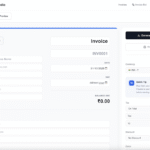
Invoice Studio is a powerful yet user-friendly online tool designed to simplify the invoicing process for freelancers, small businesses, and entrepreneurs. This free invoice generator allows users to create professional-looking invoices quickly and efficiently without the need for complex accounting software. With its intuitive interface and comprehensive features, Invoice Studio streamlines financial documentation, helping businesses maintain professional relationships with clients while keeping accurate records of transactions.
Introduction
In today’s fast-paced business environment, efficient invoicing is crucial for maintaining healthy cash flow and professional client relationships. Invoice Studio addresses this need by providing a free, accessible platform for creating, customizing, and managing invoices. Unlike many competitors that limit functionality in their free versions, Invoice Studio offers a robust set of features without requiring payment or subscription. The platform emphasizes simplicity without sacrificing professionalism, allowing users to generate polished PDF invoices that reflect their brand identity while meeting all necessary accounting requirements.
Features
- Professional Invoice Templates – Access to multiple professionally designed invoice templates that can be customized to match your brand.
- PDF Generation – One-click conversion of invoices to PDF format for easy sharing and printing.
- Custom Branding Options – Add your company logo, change colors, and customize the layout to align with your brand identity.
- Client Management – Save client information for quick access when creating future invoices.
- Product/Service Catalog – Store details of frequently billed items for easy addition to invoices.
- Tax Calculation – Automatic calculation of taxes based on your specifications.
- Multiple Currency Support – Create invoices in various currencies to accommodate international clients.
- Invoice Numbering – Automatic sequential numbering of invoices for organized record-keeping.
- Payment Terms – Clearly specify payment terms and due dates on each invoice.
- Notes and Terms Section – Add custom notes, payment instructions, or terms and conditions.
How It Works
- Create an Account – Sign up for free to access all features of Invoice Studio.
- Select a Template – Choose from various professional invoice templates.
- Add Your Business Details – Input your company information, logo, and contact details.
- Enter Client Information – Add your client’s name, address, and contact information.
- Add Invoice Items – List products or services with descriptions, quantities, and prices.
- Calculate Totals – The system automatically calculates subtotals, taxes, and final amounts.
- Customize and Preview – Make any necessary adjustments and preview your invoice.
- Generate PDF – Convert your invoice to a professional PDF document with one click.
- Download or Share – Save the PDF to your device or share it directly with your client.
Benefits
- Time Efficiency – Create professional invoices in minutes rather than hours.
- Cost Savings – Eliminate the need for expensive accounting software or invoice generation services.
- Professional Appearance – Present clients with polished, professional documentation that enhances your business image.
- Organization – Keep track of all your invoices in one centralized location.
- Consistency – Maintain a consistent invoicing format across all client communications.
- Accessibility – Access your invoice dashboard from any device with internet connectivity.
- Error Reduction – Automated calculations minimize the risk of mathematical errors.
- Improved Cash Flow – Professional, clear invoices often result in faster payments from clients.
- Eco-Friendly – Reduce paper usage by creating and sharing digital invoices.
- Compliance – Ensure your invoices contain all legally required information.
Pricing
- Free Plan – Complete access to all core features:
- Unlimited invoice creation
- PDF generation
- Basic customization options
- Client management
- Multiple currency support
- No Hidden Fees – Unlike many competitors, Invoice Studio doesn’t hide essential features behind paywalls.
- No Credit Card Required – Start using the platform immediately without providing payment information.
- No Watermarks – Free invoices do not contain promotional watermarks or branding from Invoice Studio.
Review
Invoice Studio stands out in the crowded field of invoice generators due to its combination of simplicity and functionality. Users consistently praise the intuitive interface that requires no learning curve, making it accessible even to those with limited technical skills. The ability to create professional-looking invoices without cost is particularly valuable for startups and freelancers operating on tight budgets.
The platform performs exceptionally well in terms of speed and reliability. Invoice generation takes mere minutes, and the resulting PDFs are crisp and professional. While some users might desire more advanced features like recurring invoices or extensive reporting tools, Invoice Studio excels at its core purpose: creating clean, professional invoices quickly and without cost.
The absence of watermarks on free invoices is a significant advantage over competitors who often use free tiers as promotional vehicles. This allows even non-paying users to maintain a fully professional appearance in their client communications.
Conclusion
Invoice Studio delivers on its promise to provide a free, user-friendly invoice generation solution without compromising on professionalism or essential functionality. For freelancers, small businesses, and entrepreneurs seeking to streamline their invoicing process without investing in complex accounting software, this platform offers an ideal solution. The combination of intuitive design, comprehensive features, and zero cost makes Invoice Studio a valuable addition to any business toolkit. By simplifying what is often a tedious administrative task, Invoice Studio allows business owners to focus more on their core operations while maintaining professional financial documentation.