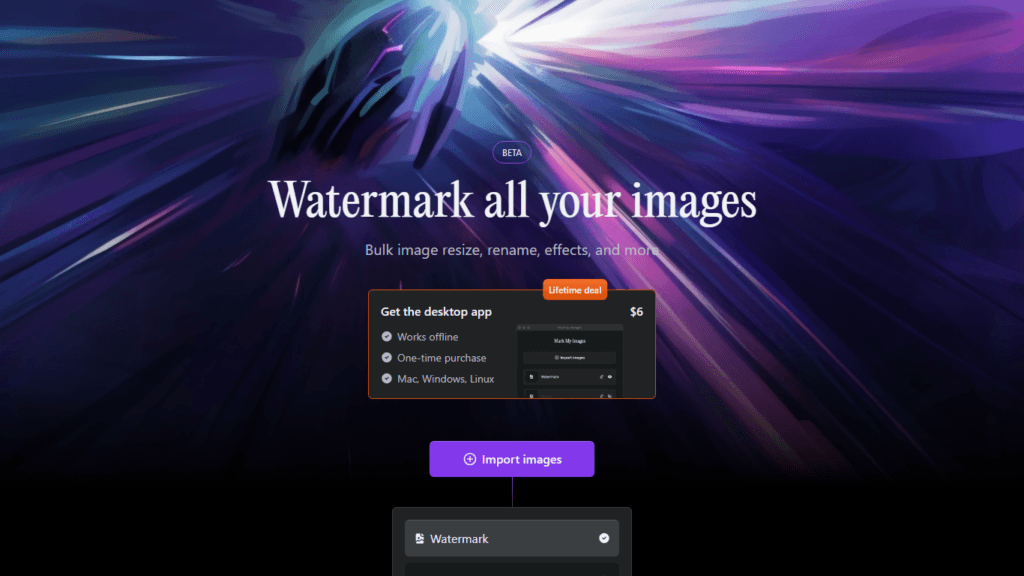
In the digital era, where content creation and photography are at their peak, protecting your visual assets becomes crucial. Mark My Images emerges as a robust solution for photographers, designers, and content creators who wish to safeguard their images with watermarks. This desktop application is designed to perform multiple tasks, including watermarking, resizing, and renaming images in bulk, ensuring both protection and convenience for its users.
Mark My Images AI
Secure and manage your images with Mark My Images, offering bulk watermarking, resizing, and more for a one-time fee.
Reviewed by the AI Parabellum team · Updated March 15, 2024

Overview
Features
- Bulk Operations Process numerous images simultaneously for watermarking, resizing, and renaming.
- Watermark Positioning Customize the position of watermarks on your images to ensure they are visible and effective without compromising the aesthetics of your work.
- Opacity Adjustment Adjust the opacity of your watermarks to maintain the integrity of your images while protecting them.
- GPU Rendering Utilizes the power of your computer’s GPU for faster image processing.
- On-device Processing Ensures speed and privacy by keeping all image processing on your device.
- Modern Technology Built using WebAssembly and Svelte for a fast and smooth user experience.
How It Works
- Import Images: Users can easily import the images they want to watermark or edit.
- Apply Watermark: After import, you can add watermarks with the desired opacity and position them accordingly.
- Resize & Rename: Optionally, users can resize and rename their images as part of the processing steps.
- Process Images: Once all preferences are set, the application processes the images quickly thanks to GPU rendering.
Benefits
- Efficiency The ability to handle multiple images at once saves a significant amount of time.
- Privacy Since the processing is done on-device, there is no risk of images being uploaded or stored on external servers.
- Simplicity The app’s interface is straightforward, making it accessible even for those who are not tech-savvy.
- Affordability A one-time purchase grants lifetime access to the tool, with no recurring fees.
- Compatibility The app is designed to work on various operating systems, including Mac, Windows, and Linux.
Pricing
- One-time Purchase For a flat rate of $6, users can access the full version of the app for life.
- Lifetime Deal No additional costs or subscriptions are necessary after the initial purchase.
Review
Considering the functionalities offered by Mark My Images, it’s a valuable tool for anyone in need of a quick and secure way to manage their digital image assets. The one-time payment model is particularly attractive, providing a cost-effective solution compared to subscription-based services. The focus on privacy and the use of modern technologies for performance enhancement makes it stand out from other similar applications.
Conclusion
Mark My Images presents a practical and economical solution for protecting and managing your images. It combines essential features with user-friendly design, making it a go-to tool for creators who value their work’s security and integrity. The app’s focus on speed, privacy, and efficiency, along with the affordability of a one-time purchase, positions it as a smart choice for professionals and hobbyists alike.
Featured tools
Clever AI Detector Verified
How Clever AI Detector analyzes text to estimate AI authorship with sentence-level…
AI Toolbox Verified
How AI Toolbox brings folders, search, and prompt libraries to ChatGPT, Gemini,…
Similar Image Generation tools
Creatopy AI
Discover Creatopy AI, the innovative tool for generating ad creatives from your…
Logo Creator AI Verified
Create professional logos in minutes with Logo Creator, a free AI-powered online…