- Rich Export Options: Export your transcriptions as plain text, subtitle files (TXT, SRT), or Word documents.
- Transcription From Link: Easily transcribe audio or video from the internet by pasting the page link.
- Edit with Slow Motion: Utilize the rich text editor to correct errors and change speaker names by listening in slow motion.
- Sharing Transcript Files: Share your transcriptions with your team with a single click.
- Collaboration on Files: Collaborate with your team on files, manage permissions, and organize files and folders.
- Multiple Speakers Recognition: Identify and separate different speakers in a file.
- Supported Languages: Transcribe in over 40 languages and translate transcripts with one click.
- Enterprise-Grade Security: Compliant with SOC 2 and GDPR standards ensuring data security and privacy.
Transkriptor
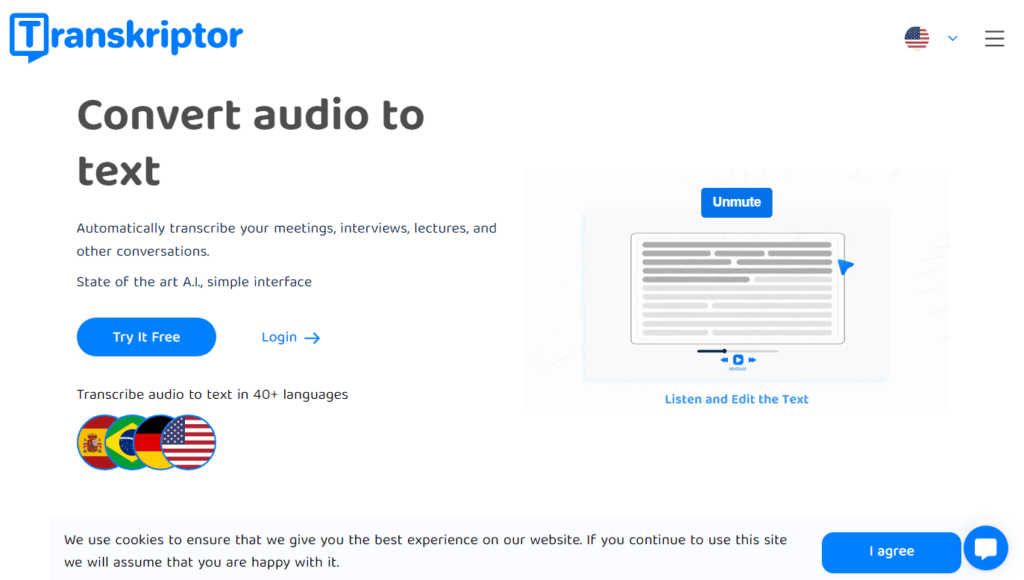
Transkriptor is an advanced AI-powered transcription tool designed to convert audio and video files into text effortlessly. Whether you need to transcribe meetings, interviews, lectures, or other conversations, Transkriptor provides a straightforward solution with its state-of-the-art technology and user-friendly interface.
Reviewed by the AI Parabellum team · Updated June 4, 2024

Features
How It Works
- Sign Up: Click on “Login” or “Try It Free” to create an account using Google, Facebook, or email.
- Upload Your File: Drag and drop your file or start recording audio directly on your dashboard. You can also paste a web link.
- Check Your Email: Receive the transcription results in half the time of the input audio length.
- Edit, Download, or Share: Use the text editor to fix minor errors and download your file in the desired format.
Benefits
- Time-Saving Automates the transcription process, significantly reducing the time spent on manual transcription.
- Accuracy Achieves up to 99% accuracy depending on the audio quality.
- Affordability Offers competitive pricing with a free trial upon sign-up.
- Convenience Supports all audio and video file formats, accessible via mobile app, Chrome extension, and integrates with Zoom, Microsoft Teams, and Google Meet.
- Collaboration Allows remote teams to work on the same document simultaneously, enhancing productivity.
Pricing
Transkriptor is known for its affordability compared to other transcription services. A free trial is available upon sign-up, giving users the opportunity to experience the service before committing to a subscription plan.
Review
Customer Testimonials
- Jane Barnord (Trustpilot) “Transkriptor accurately and swiftly converts audio into text, significantly reducing processing time. The editing feature is particularly helpful.”
- Shmuel Meiry (Google Play) “High-quality transcription with minimal errors. Quick and efficient customer support.”
- Carla Erbe (App Store) “Magnificent for transcribing meetings and drafting contracts. Highly recommend it!”
- Matteo (Trustpilot) “Intuitive interface and excellent transcription quality. Worth the investment for digital assistant applications.”
Conclusion
Transkriptor stands out as a reliable, efficient, and affordable transcription tool suitable for professionals and students alike. Its advanced features, high accuracy, and ease of use make it a valuable asset for anyone needing to convert audio or video to text. With robust security measures and support for multiple languages, Transkriptor ensures a seamless transcription experience.
Featured tools
Clever AI Detector Verified
How Clever AI Detector analyzes text to estimate AI authorship with sentence-level…
AI Toolbox Verified
How AI Toolbox brings folders, search, and prompt libraries to ChatGPT, Gemini,…
Similar Text Generation tools
Create Like Ninja
Elevate your content with Create Like Ninja's AI technology for improved SEO,…
Easy Peasy
Easy-Peasy.AI: All-in-one AI platform for content creation, transcription, image generation, and more.…
ChatGPT Prompt
ChatGPT Prompt Generator is an innovative online tool designed to empower users…