Background Remover AI

Remove image backgrounds in seconds with Stockphotos.com's AI Image Background Remover - free, fast, and with stunning results.

Visit Background Remover AI bgremover.stockphotos.com

Reviewed by the AI Parabellum team · Updated March 16, 2024

bgremover.stockphotos.com
Background Remover AI
01

Overview

In the realm of digital imagery, a clean, distraction-free background can make or break the visual impact of a photo. Stockphotos.com presents an AI Image Background Remover, a tool that leverages smart AI technology to remove backgrounds from images swiftly and effortlessly. Whether you’re a professional designer or a casual user, this tool is designed to streamline your workflow and enhance your creative process.

02

Features

  • AI-Powered Removal Advanced AI algorithms to automatically process and remove image backgrounds.
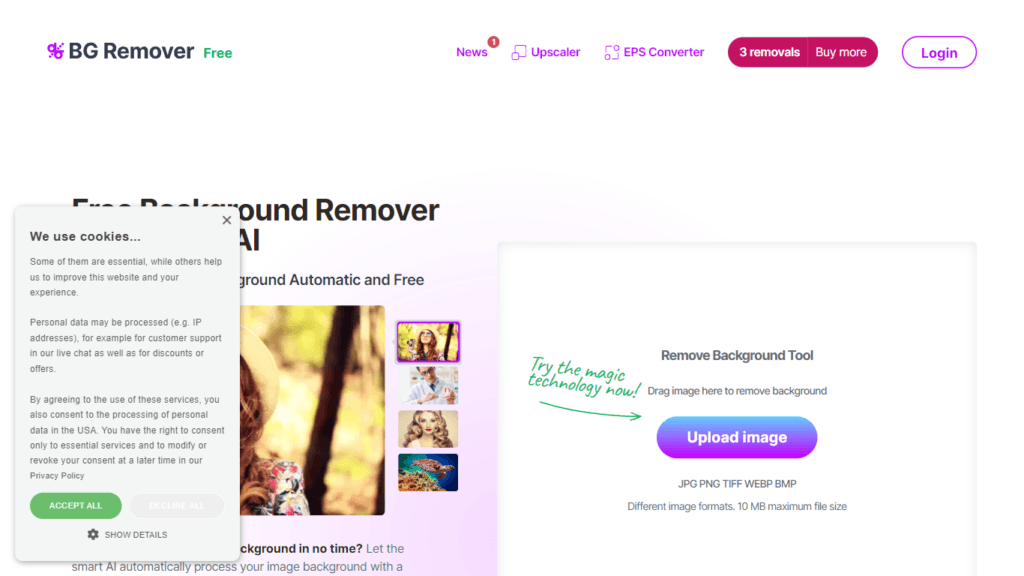
  • Multiple Formats Supported Works with JPG, PNG, TIFF, WEBP, and BMP image formats.
  • Large File Size Accepts images up to 10 MB in size.
  • Quick and Efficient Removes backgrounds 100% automatically in just 8 seconds.
  • Free Trials Available Offers 3 free removals, plus 10 free upscales with the Upscaler tool.
03

How It Works

  1. Upload Your Image: Drag and drop your image onto the platform or upload it from your device.
  2. Automatic Processing: The AI detects objects, refines edges, and removes the background without manual intervention.
  3. Download Your Image: Receive a PNG file with a transparent background, ready for immediate use or further editing.
04

Benefits

  • Time-Saving Eliminate the need for manual background removal, saving valuable time.
  • Ease of Use Simple and intuitive interface requiring no technical expertise.
  • Quality Results Produces high-quality images with smooth edges and no pixelation.
  • Flexibility Allows for easy addition of new backgrounds or creation of transparent images.
  • Versatility Suitable for a variety of images, including people, products, animals, and graphics.
05

Pricing

Stockphotos.com’s AI Image Background Remover provides 3 free removals alongside the complimentary upscales offered with the Upscaler tool. For continued usage beyond the free trials, users should consult the website for available pricing plans or subscription options.

06

Review

Users have found the AI Image Background Remover by Stockphotos.com to be a valuable asset in their editing toolkit. It’s praised for its rapid processing time, ease of use, and the quality of the transparent PNG output. The convenience of this tool has made it a go-to for both quick edits and larger projects.

07

Conclusion

Stockphotos.com’s AI Image Background Remover stands out as a powerful and user-friendly tool for anyone looking to enhance their images with a clean, professional look. With its smart AI technology, a variety of supported formats, and free trial offerings, it provides a seamless solution for creating standout visuals. Whether for personal use or professional projects, this background remover is sure to impress with its simplicity and effectiveness.

Similar Photo Editor tools

See all

Newsletter

New AI tools in your inbox

The best new tools and the AI news that matters, in one short email. Unsubscribe any time.

Free instant check before you pay. Takes a few seconds.

Scroll to Top