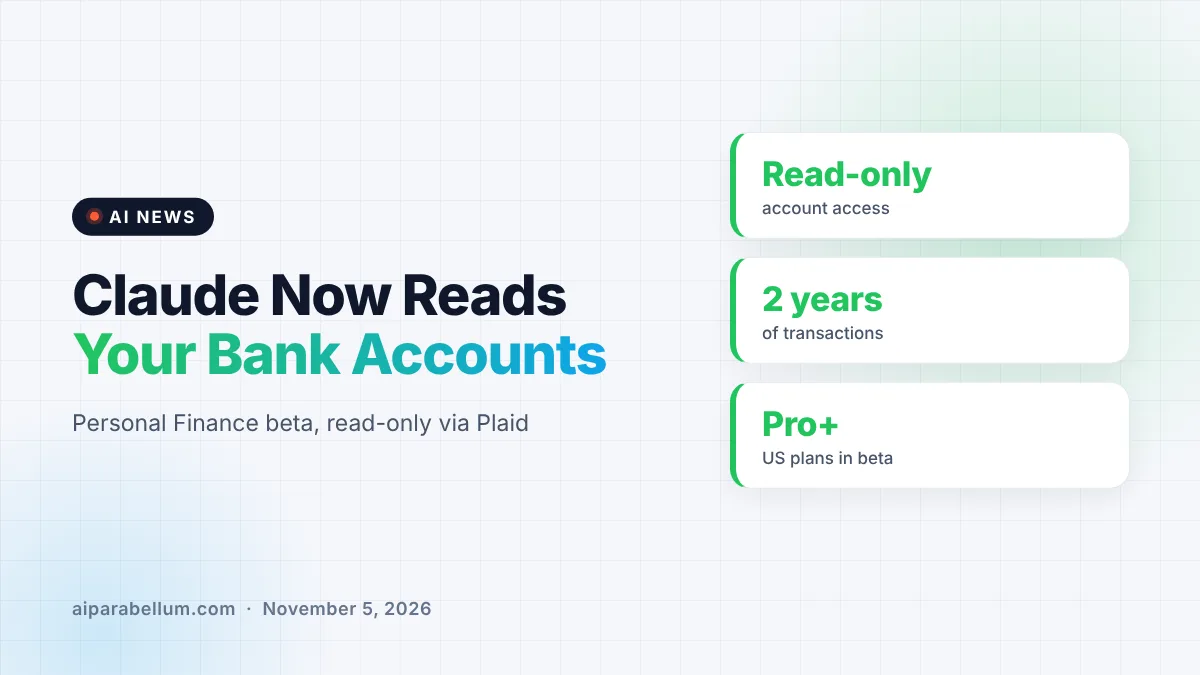
Anthropic is launching Claude Personal Finance, a new beta feature that lets you link your bank and credit card accounts and ask Claude plain questions about your money. Access is read-only, so Claude can look at balances and transactions but cannot move, manage or invest a single dollar. The rollout starts this week for Pro, Max and Ultra subscribers in the US.
What Claude Personal Finance Does
The idea is simple: instead of opening several banking apps and doing the math yourself, you ask Claude. You can type something like “Where did my money go this month?” and Claude adds up spending across every account you connected, then sorts it into categories such as rent and utilities or food and drink.
From there, the conversation can keep going. You can ask whether this month is higher than usual, what bills are still due before payday, or how much you could save each month. Anthropic says Claude will look back at earlier months to spot changes, like a membership that quietly renewed.
Spotting Problems You Might Miss
One of the more useful parts is the “does anything look off?” check. Claude reads across all linked accounts and can flag things that are easy to overlook:
- Charges that hit your account twice
- Unexpected fees from a bank or card
- Bills that have slowly crept up over the year
- Upcoming payments that will land before your next paycheck
It can also explain money terms in everyday language. Ask what APR means, and Claude explains it and then adds up how much interest you actually paid this year.
Charts, Calendars and Dashboards
Claude can also turn your numbers into visuals. Anthropic says you can request a weekly spending chart, a calendar of upcoming due dates, or a custom dashboard you keep adjusting over time.
How the Bank Connection Works
According to coverage of the launch, the account links run through Plaid, the same bank-connection service many budgeting apps already use. That means Claude never sees your banking password, and your bank deals with a familiar, vetted connector rather than an AI tool logging in directly.
Anthropic is clear about exactly what Claude can see for each account you choose to connect. Here is the breakdown:
| What Claude Can See | What Claude Cannot Do |
|---|---|
| Bank name, account name and account type | Move or transfer money |
| Last four digits of each account | Manage or invest your funds |
| Balances and credit limits | Offer you cards, loans or savings products |
| Up to two years of transactions | Give investment advice |
Claude Personal Finance Privacy Rules
Privacy is the big question with any tool that touches your bank data. Anthropic says chats inside the Personal Finance hub are not used to train its models. Anything you share about money outside that hub follows your normal privacy settings, so it is worth keeping finance questions inside the hub.
You can unlink an account at any time, and Claude then loses access to its data. Anthropic also stresses that the feature has no ads or sponsored recommendations, which is a pointed contrast with finance apps that make money by pushing credit cards and loans.
A read-only assistant that explains your own numbers is a lot less risky than one that can act on them, and that line matters here.
That limit lines up with recent warnings from banks about AI tools. Earlier, we covered how Bank of America warned its customers not to hand their passwords to AI agents, and a Plaid-style read-only link avoids exactly that problem.
How It Stacks Up Against ChatGPT
This is not the first chatbot to look at your bank account. OpenAI added similar personal finance tools to ChatGPT in May, so Anthropic is catching up here rather than leading.
The launch also fits a wider pattern. Anthropic has been pushing Claude into new areas this year, from legal work to financial services, and it recently added tools like a Zillow Claude connector for home searches. Anthropic calls Personal Finance “a first step” and says it is talking with banks and wealth managers about bigger money decisions down the road.
What This Means for You
If you pay for Claude in the US, look for Personal Finance in the sidebar over the coming days. A few practical tips before you connect anything:
- Start with one account and ask a single question to see how it works.
- Keep money chats inside the Personal Finance hub so they stay out of model training.
- Ask Claude which transactions are behind any number before you act on it.
- Double-check important figures with your bank, since Claude can make mistakes.
- Unlink accounts you no longer want Claude to read.
If you are on the free plan, this beta is not available yet. Our guide on using Claude free covers what you do get, and you can follow more launches on our AI news page.
Sources
Primary source: Anthropic’s Personal Finance announcement. Additional reporting from TechCrunch and The Verge.
Conclusion
Claude Personal Finance turns Claude into a read-only money assistant that can sum up spending, catch odd charges and explain confusing terms. The privacy setup is fairly careful, with Plaid handling the connection, no ads and no model training on hub chats. It arrives months after a similar ChatGPT feature, but its focus on plain answers instead of product pitches gives it a clear angle. For now it is a US beta for paid plans, so try it with one account and check the numbers before you lean on it.