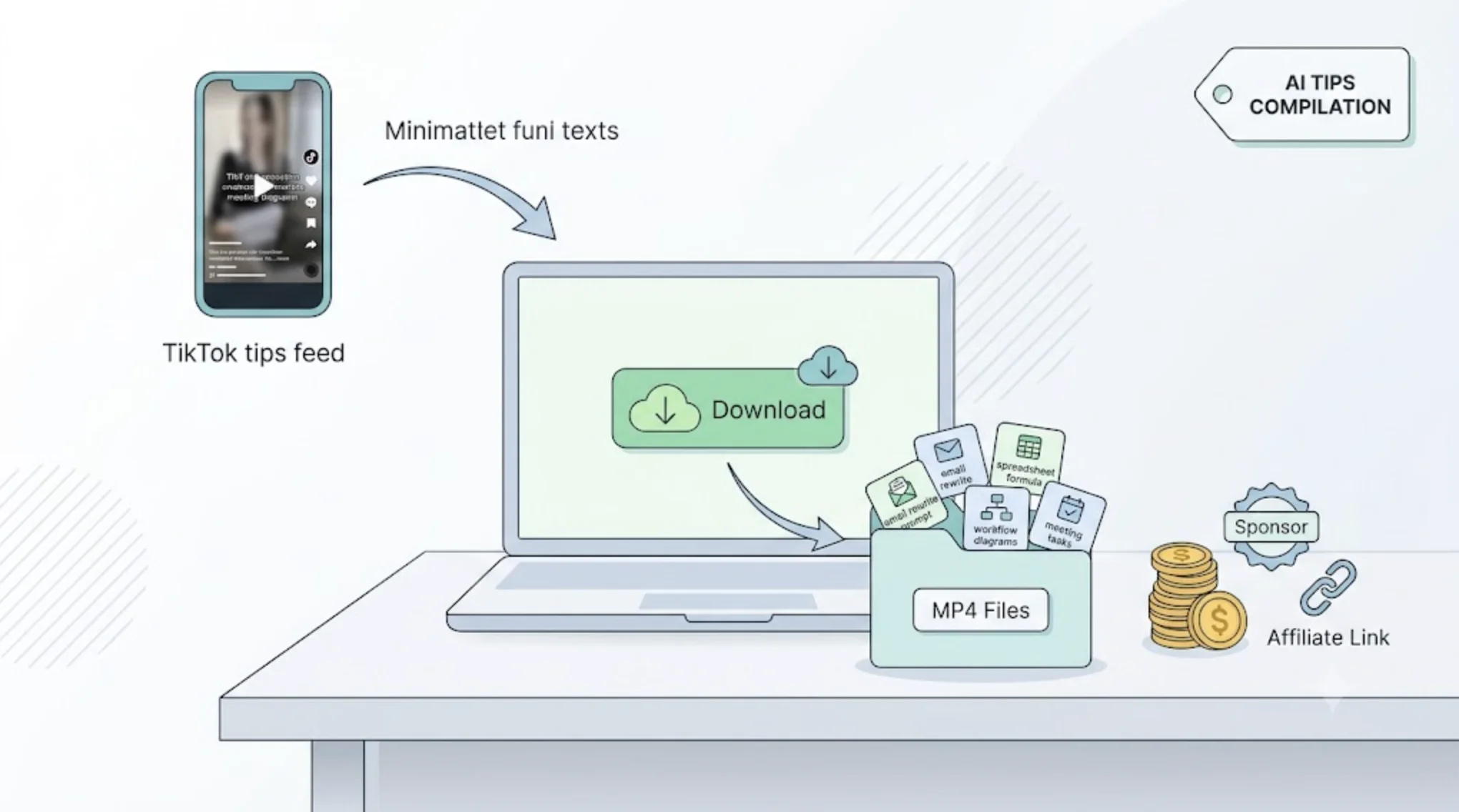
Short AI tips spread quickly on TikTok: a prompt that rewrites an email in seconds, a spreadsheet formula generated from plain English, a workflow that turns meeting notes into a task list. Collected around one theme and explained clearly, those tips become compilations that can earn through revenue programs, sponsors, affiliate links, and editing work for tech brands. A TikTok Downloader such as SSSTik saves each clip as an MP4 file you can cut together. Build every compilation from clips you made or have permission to use, and test the tips before you republish them.
AI tips compilation formats that hold viewers
Viewers searching for AI help want answers to a specific problem, so organize each video around one job:
- Task roundups, such as AI tips for students, marketers, or small business owners
- Prompt collections for one goal, like writing cover letters or planning a content calendar
- Before-and-after workflows that show the manual version, then the AI-assisted one
- Monthly recaps of new features, with each tip shown working on screen
How AI tips compilations make money
- Revenue sharing on YouTube, TikTok, and Facebook once your account meets each program’s eligibility rules
- Sponsorships from AI software companies, productivity apps, and online course creators
- Affiliate links to tools, templates, and courses featured in the video
- Paid editing for creators and startups that want their own tutorials turned into longer guides or ad cuts
Platforms commonly limit or demonetize accounts that re-upload other people’s clips with little added. In this niche, your contribution is testing, sorting, and explaining: which tip still works, who it helps, and where it falls short.
Why a TikTok Downloader speeds up compilation work
An editor can only work with files. SSSTik is a free browser tool for tiktok video download: paste a TikTok link and save the video for your project. What matters for AI tips content:
- No TikTok watermark when TikTok provides a watermark-free version. SSSTik links to that version directly instead of editing the logo out, so your captions and callouts have space.
- MP4 files in HD when the source has it, which keeps prompts and on-screen text readable.
- No registration, no software installation, and quick processing in desktop, mobile, and tablet browsers.
- Unlimited downloads for roundups that combine many short tips.
- A Stories downloader to save TikTok Stories you posted yourself, such as quick tool tests, before they expire.
How to download TikTok videos for a compilation
- Tap Share on the TikTok video and choose Copy link.
- Paste the link into the input field on SSSTik.
- Select Download and save the MP4 file.
Name files by topic and order, such as email-02-tone-prompt.mp4, and record each clip’s link, creator handle, and permission status in one sheet.
Get permission and protect private data
Good sources for AI tips compilations include:
- Your own screen recordings and tutorials
- Creators who agree in writing to be featured, usually for credit or a link
- Brands that hire you and supply their own TikTok videos
Saving a video does not change who made it, so ask before using it in monetized work. Screen recordings often show more than intended, so blur API keys, email addresses, chat histories, and account details before export.
Keep the tips accurate
AI tools change their interfaces, limits, and outputs often, and a tip from six months ago may no longer work. Re-run every prompt yourself, put the recording month on screen or in the description, and say which tool and plan a tip was tested on. If you use an AI-generated voice or realistic AI visuals, follow each platform’s rules for labeling synthetic content.
Edit for clarity
- Show the full prompt as on-screen text so viewers can pause and copy it.
- Zoom in on the result instead of showing the whole window.
- Add a short verdict after each tip: when it helps and when it doesn’t.
- Credit every creator on screen and in the description.
- Export long horizontal versions for YouTube and short vertical cuts for TikTok and Reels.
Saving clips from other platforms
AI tips also circulate in Facebook groups and on X. fget.io saves Facebook videos with a similar paste-and-download process, and SSSTwitter handles public videos on X. The same permission checks apply to every source.