MenuForma

Freemium

MenuForma

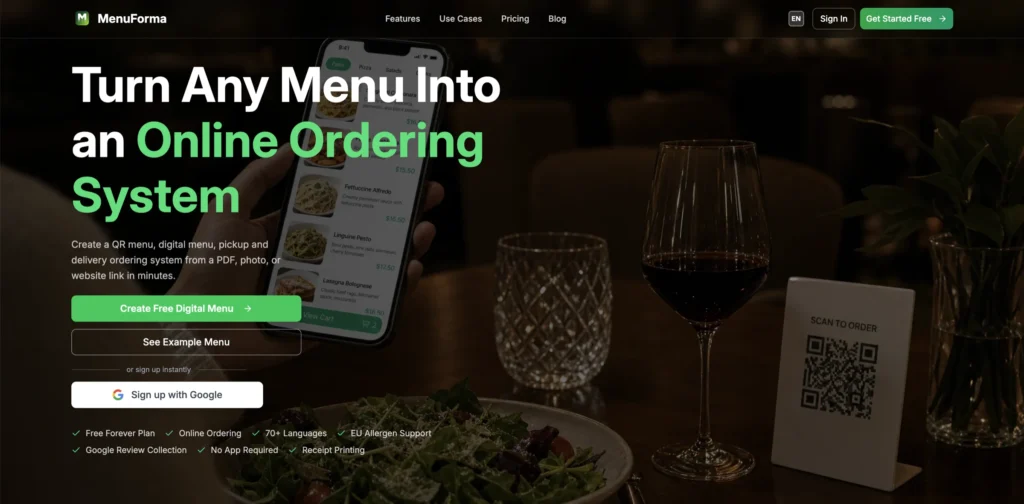
MenuForma is a digital menu and online ordering platform that converts physical restaurant menus into QR-based ordering systems. Upload a PDF, photo, or website link, and MenuForma generates a multilingual digital menu with built-in online ordering for pickup, delivery, and dine-in, no app download required for customers.

Key Features of MenuForma

  • Instant QR Menu Generation – Convert an existing menu from a PDF, photo, or website link into a digital QR menu in minutes without manual data entry.
  • 70+ Language Translation – Automatically translate your menu into over 70 languages so international guests can browse and order in their preferred language.
  • Online Ordering and Payments – Accept orders for pickup, delivery, and dine-in with Stripe-powered payments supporting major cards, Apple Pay, Google Pay, and region-specific methods across 42 countries.
  • EU Allergen Compliance – Display allergen information alongside menu items to meet regulatory requirements and help customers with dietary restrictions.
  • Multiple QR Code Types – Choose from per-table codes, unified counter-service codes, hotel room service codes with scheduling, tablet mode for staff ordering, self-select, and display-only viewing options.
  • AI Food Images – Generate appealing food images for menu items using AI when professional photography is not available.
  • Multi-Location Management – Manage menus and orders across multiple restaurant locations from a single account.
  • Google Review Integration – Automatically prompt customers to leave a Google review after their order, helping build your online reputation.
  • Analytics Dashboard – Track menu views, popular items, and customer behavior to understand what is working and what needs attention.

How MenuForma Works

  1. Upload Your Menu – Provide your existing menu as a PDF, photo, or website link. MenuForma processes the content and builds your digital menu automatically.
  2. Customize and Configure – Set up your ordering preferences, add allergen information, choose your QR code type, and customize branding with your logo and colors.
  3. Enable Translations – Turn on automatic translations so your menu is accessible in over 70 languages for international customers.
  4. Set Up Payments – Connect Stripe to accept online payments for pickup, delivery, or dine-in orders across supported countries.
  5. Share Your QR Code – Print and place QR codes on tables, counters, or marketing materials. Customers scan, browse, and order directly from their phones.

The Core Benefits of Using MenuForma

  • No App Required for Customers – Guests scan a QR code and order directly from their phone’s browser without downloading anything.
  • Reduced Staff Workload – Self-service ordering frees up staff to focus on food preparation and hospitality rather than taking orders manually.
  • International Accessibility – Automatic translation into 70+ languages removes language barriers, especially valuable for restaurants in tourist areas.
  • Quick Setup – Go from a physical menu to a working digital ordering system in minutes, not days or weeks.
  • Flexible Ordering Modes – Support pickup, delivery, dine-in, room service, and counter service from the same platform with different QR code configurations.

MenuForma Pricing and Plans

  • Free Plan – Includes basic digital QR menu features with MenuForma branding. Suitable for restaurants that want to try the platform before committing.
  • Paid Plan – Unlocks advanced features including online payments across 42 countries, AI food images, custom QR codes with your own branding, analytics dashboard, unlimited restaurants, and removal of MenuForma branding. Priced as a monthly subscription.

The platform uses simple, transparent pricing with no hidden fees. For current pricing details, visiting the MenuForma website directly is recommended.

An Honest Review of MenuForma

MenuForma targets a clear pain point for restaurants: getting a working digital menu and ordering system up and running without the cost and complexity of building a custom app.

What works well: The speed of setup is the standout advantage. Being able to upload an existing menu as a PDF or photo and have a working QR ordering system within minutes is genuinely practical for busy restaurant owners. The 70+ language translation is a strong feature for establishments in tourist-heavy areas where language barriers directly impact the ordering experience. The variety of QR code types, from per-table to room service, shows thoughtful design for different hospitality scenarios. Stripe integration provides reliable, widely supported payment processing.

Where it could improve: The free plan includes MenuForma branding, which may look less professional for higher-end restaurants. AI-generated food images, while convenient, may not match the quality that some establishments expect for their menu presentation. The platform is focused on ordering and menu display, so restaurants looking for broader management features like inventory tracking or staff scheduling will need additional tools.

Who is it best for: MenuForma is ideal for restaurants, cafes, hotels, food trucks, and bars that want a fast, affordable way to offer QR-based digital menus and online ordering without building or maintaining a custom app.

Final Thoughts on MenuForma

MenuForma makes it simple for any food business to go from a physical menu to a fully functional digital ordering system with multilingual support and online payments. If you need a fast, no-code way to offer QR menu ordering to your customers, MenuForma delivers a practical solution at an accessible price point.

Visit Site
Scroll to Top