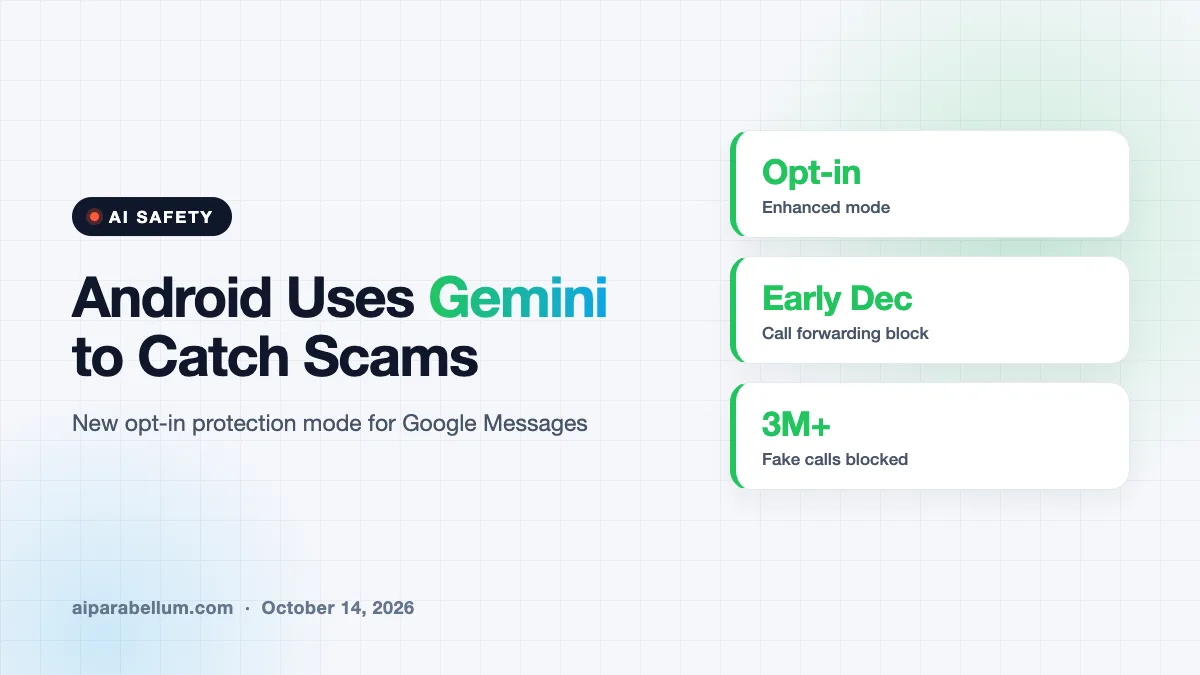
Google is adding a new layer of Android scam detection that uses Gemini AI to read the intent behind suspicious texts from people you don’t know. The opt-in setting, called enhanced protection mode, lives in Google Messages and starts rolling out in the coming weeks, alongside a batch of other anti-fraud tools for calls and screen sharing.
The timing fits Cybersecurity Awareness Month, but the real driver is how scams have changed. Many fraudsters no longer open with a bad link. They start a friendly chat and wait.
How Gemini Scam Detection Works in Google Messages
Google Messages already flags some scams on the device itself. The new mode goes further by sending tricky conversations with unknown senders to cloud-based Gemini models, which judge whether the person on the other end is setting you up.
Google’s own example shows why that matters. A stranger sends a “wrong number” photo of a dog, then keeps the chat going and asks for your name. Nothing in that first message looks dangerous, yet it follows a classic playbook for romance and investment fraud.
Your messages stay locked down
Google says the cloud check runs inside Private AI Compute, the same system behind features like Pixel Screenshots. Messages are encrypted and processed in a sealed space that the company says even Google cannot access for other purposes.
Links get their own check too. With the mode turned on, Gemini Nano on your phone looks at real-time web signals to judge whether an unfamiliar link is safe before you tap it.
Which Phones Get Android Scam Detection First
The on-device link checks and full enhanced protection mode are coming first to newer flagship phones. Google lists the Pixel 10 and later, the Galaxy S26 series, and the Galaxy Z Flip 8 and Z Fold 8, plus other select devices.
Separately, the scam warnings that appear right inside chat notifications are spreading well beyond Pixel. Google says it plans to reach hundreds of millions more users later this year through phone makers such as Motorola, OnePlus, Oppo, Xiaomi, vivo, Honor and realme.
| Feature | What It Does | Timing and Devices |
|---|---|---|
| Enhanced protection mode | Cloud Gemini checks the intent of unknown senders | Opt-in, rolling out in the coming weeks |
| Gemini Nano link checks | Scores unfamiliar links before you tap | Pixel 10+, Galaxy S26, Z Flip 8, Z Fold 8 and others |
| Notification scam alerts | Warns you inside the notification itself | Expanding to many Android brands later this year |
| Screen-share privacy | Hides passwords and card codes in Chrome and WebView | Android 15 and newer, coming soon |
| Call forwarding protection | Blocks apps from secretly forwarding calls | Pixel and select devices, early December |
New Protections for Calls and Screen Sharing
Messaging is only half of the update. Google is also closing gaps that scammers use during phone calls, especially tricks aimed at stealing one-time passcodes.
- Apps will no longer be able to quietly turn on call forwarding in the background, starting in early December on Pixel and other select phones.
- If a caller talks you into typing a short MMI forwarding code on your dial pad, Android will warn you before it takes effect.
- Screen sharing on Android 15 and newer will hide passwords, banking details and card security codes shown in Chrome or Android WebView.
- Redesigned warnings give you more context and extra time before you open links from numbers that aren’t in your contacts.
Google also shared a test running in Brazil, where Android checks whether an incoming call really comes from a partner bank. Calls that fail are hung up automatically, and Google says the feature has blocked more than three million fake calls since June. There’s no word yet on a U.S. launch.
Why Slow-Burn Scams Need Smarter Tools
Old spam filters hunted for bad links and known phrases. That approach struggles with long, chatty schemes where the trap only appears days later, after trust is built.
Google put it simply in its announcement, noting that scammers “disguise their true motives behind slow-burn conversations.” Reading the whole conversation, not just one message, is where a large model can help.
It’s part of a wider push by Google to bring Gemini into safety features. The company’s new frontier model, Gemini 4 Argon, launched this week, and the same AI wave is now reaching everyday tasks like sorting texts.
What This Means for You
If you have a recent Pixel or Samsung flagship, look for the enhanced protection setting in Google Messages over the next few weeks. Turning it on is the biggest single upgrade here, because it watches the conversations where scams actually unfold.
- Treat “wrong number” texts with extra care, even if they seem harmless.
- Never type a code into your dial pad because a caller asked you to.
- Pause before sharing your screen with anyone claiming to be support staff.
- Learn the warning signs in our guide to AI scam prevention and our tips on AI voice scams.
AI is now on both sides of the scam fight, so the best defense is an AI filter plus your own healthy suspicion.
Remember that no filter is perfect. A personal cybersecurity assistant can help, but slowing down before you reply is still your strongest habit. You can follow more updates like this on our AI news page.
Sources
This story is based on reporting from Engadget, The Verge and 9to5Google, which covered Google’s announcement.
Conclusion
Google’s new enhanced protection mode brings Gemini into the part of your phone where scams most often start: quiet chats with strangers. Paired with call forwarding blocks, safer screen sharing and wider notification alerts, it makes Android a harder target for fraudsters. The best features land first on newer flagships, and the main Messages setting is opt-in, so you’ll need to switch it on yourself. Even then, your own caution remains the last and most reliable line of defense.