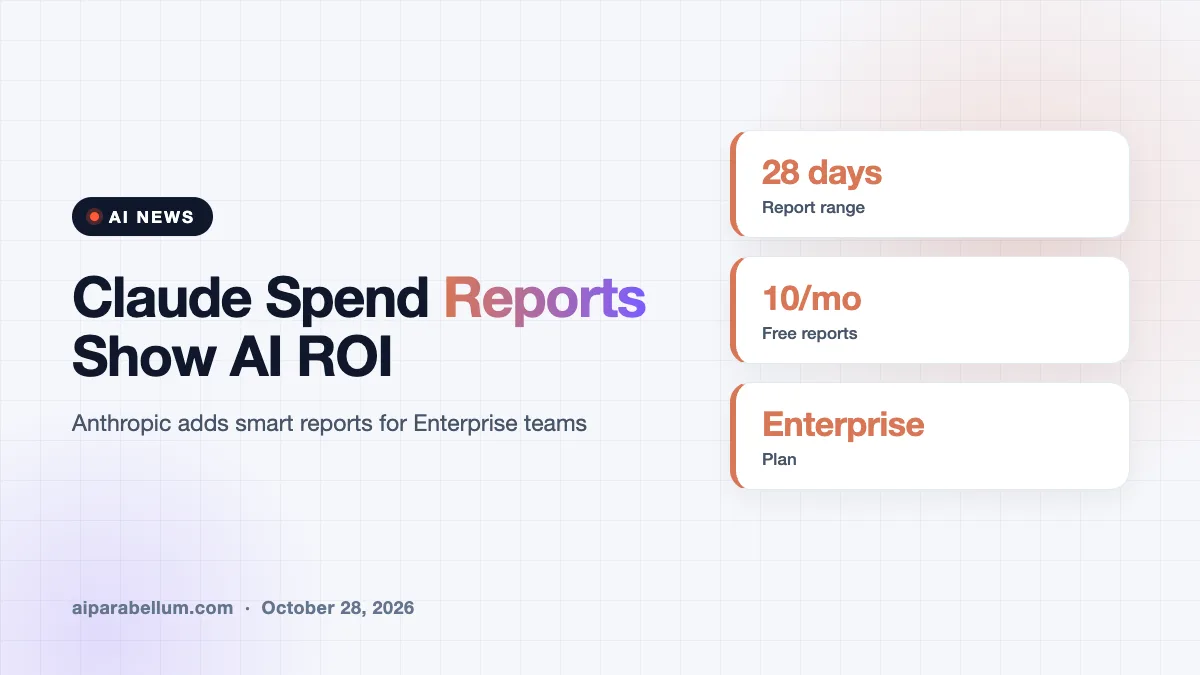
Anthropic is rolling out new Claude spend reports that show Enterprise customers what their AI budget is actually buying. The tools, called smart reports, break down which projects a team used Claude for, what each one cost, and where the work got stuck. It is a direct answer to a worry many finance teams share: AI bills are climbing, and the payoff is hard to see.
What Claude Smart Reports Do
A smart report studies how a team works with Claude over a chosen stretch of time, up to the last 28 days. Claude reads a sample of the team’s sessions, sorts them into workstreams and types of output, and attaches spend to each group. You then get a written summary with interactive charts you can click into.
Anthropic says the data will not be used for model training by default. The reports also come with suggestions for doing better, such as which repeated tasks are worth turning into shared skills.
What You Will See in a Report
- Which workstreams used the most sessions and the most money.
- What each session produced, such as analysis, documentation, drafts or code.
- The average cost per session for each type of output.
- Common pain points, like a connector that was never set up or work that needed redoing.
- The most expensive sessions, so you can see where spend piles up.
Who Can Use Claude Spend Reports
Smart reports are built for Claude Enterprise plans, and they are off by default. An owner has to switch them on in the organization settings first. After that, admins and people with analytics access can create reports, and team leads can be given access to just their own groups.
Each organization can run up to 10 reports per month at no charge. Reports usually take a few hours to generate, and you get an email when one is ready.
| Detail | What Anthropic Says |
|---|---|
| Plan | Claude Enterprise, off by default |
| Time range | Up to the last 28 days |
| Free limit | 10 reports per month per organization |
| Turnaround | Usually a few hours |
| Not supported | Customer-managed keys, HIPAA setups, hybrid deployments |
Pooled Budgets and Privacy Guardrails
Alongside the reports, Anthropic is also creating pooled group budgets. These let a team manage token spending together instead of tracking each person alone. The reports can even flag people whose work is being held back by a personal spend limit.
Privacy limits are built in, and personal conversations are used only for totals. By default every drilldown shows “User” instead of a name, and an owner must turn on a separate setting before anyone can reveal who ran a session. Anthropic also warns that the reports should not be used to judge individual performance or make hiring decisions.
Why Claude ROI Tracking Matters Now
The timing is telling. Financials Anthropic shared with investors this week reportedly show an operating profit in the second quarter and net revenue retention of 900 percent, meaning the same customers spent nine times as much in the third quarter of 2026 as a year earlier. You can read more about that in our look at Anthropic’s IPO filing.
Growing spend brings new questions. A report from Jellyfish, which covers agentic coding use by 276,000 of its customers, found that Claude Code and other tools built on Anthropic models account for nearly a third of proposed code changes. Spending on those tools has grown tenfold since the start of the year, though it still equals only about 2 percent of total engineering cost.
As Jellyfish chief scientist Nicholas Arcolano put it, that growth is something most CFOs did not plan for. Spending is no longer enough on its own; companies now need to optimize it.
A Lighter Alternative to Embedded Consultants
AI labs have been placing their own engineers inside customer companies to help them get started. Jellyfish’s product lead described the new reports as a lighter version of that hands-on help. The idea is that a customer who understands its usage is more likely to keep using the product.
That matters because switching gets harder once teams build their workflows around a tool. Rivals are pushing hard, including OpenAI’s newer models, but the Jellyfish data suggests Anthropic’s enterprise adoption has held steady so far.
What This Means for You
If your company uses Claude Enterprise, these reports are worth a test run on one team. If you are still comparing tools, our guide to AI business tools is a good place to start.
- Pick one team, such as engineering or marketing, so the findings are specific enough to act on.
- Look at cost per session by output type before you set new budgets.
- Turn repeated workflows into shared skills, as the report recommends.
- Keep name reveals switched off unless you truly need them.
- Read the pain points first, since fixing a missing connector may save more than cutting usage.
Developers who already use the coding tool can also see Claude Code. For a broader view of the assistant itself, see our Claude AI overview.
Sources
Primary source: Anthropic’s smart reports guide. Additional reporting from TechCrunch.
Conclusion
Anthropic’s smart reports give Claude Enterprise customers a clearer view of what they spend and what they get back. With AI costs growing fast, the ability to show value may matter as much as the models themselves. Expect other AI vendors to offer similar tools soon.