If you want to use Kafka and Claude Code together, Confluent ships a plugin of skills made for exactly that. In this guide we load it, ask Claude Code to build a small Kafka Streams app, and tell you what worked and what we could not check. The short version: the kafka claude code combination wrote a clean, sensible project in about 40 seconds, but our test Mac had no Java or Docker, so we could not run it.
This guide is part of our Claude Code tutorials. Find more add-ons in our Skills Directory.
Tested with Claude Code v2.1.322 on November 11, 2026, using streaming-skills-plugin v1.4.0 (repo commit 204b36f) on macOS.
Quick Summary
| Question | Answer |
|---|---|
| What is it? | A Claude Code plugin from Confluent with 11 skills for Kafka, Flink and Schema Registry work |
| Skill we used | kafka-streams-programming |
| How we loaded it | --plugin-dir in a throwaway sandbox, with --setting-sources project |
| Account needed? | No, not for what we ran |
| What Claude produced | A Maven project: pom.xml, a topology class, an app class, a test and a topic script |
| What we could not run | Compile, mvn test and a live broker (no JDK or Docker on the test Mac) |
What Are Confluent’s Kafka Skills for Claude Code?
A skill is a folder with a SKILL.md file that Claude reads when the task matches it. A plugin is a bundle that can carry skills, agents, hooks and more. The official plugin docs explain the difference in detail.
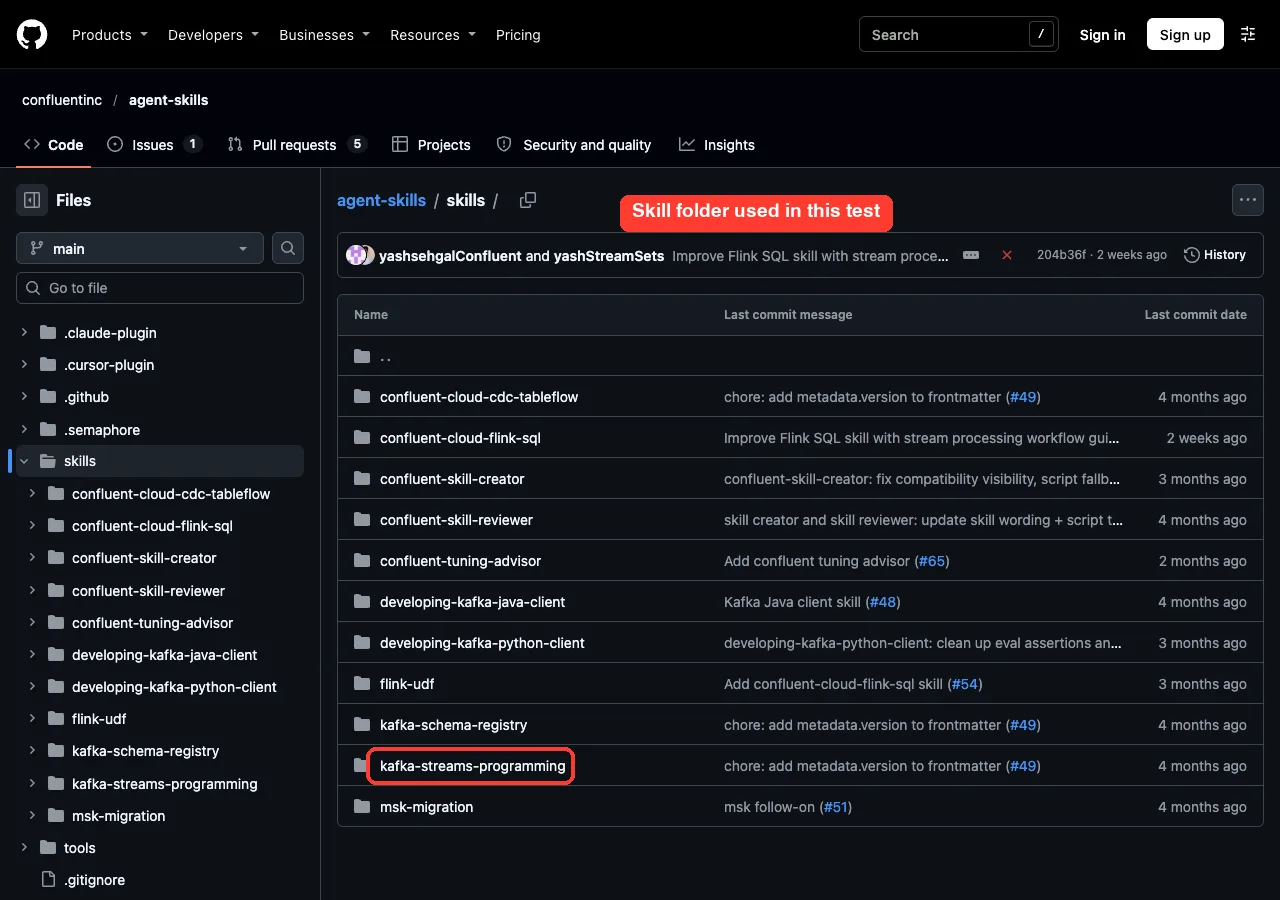
Confluent, the company behind much of the Kafka ecosystem, publishes streaming-skills-plugin in its agent-skills repository. Its manifest says it covers “Kafka and Flink client libraries and Schema Registry”. It is also listed in the official plugin marketplace.
We covered this plugin briefly in our data engineering roundup. This post is the hands-on follow-up.
The 11 skills in the plugin
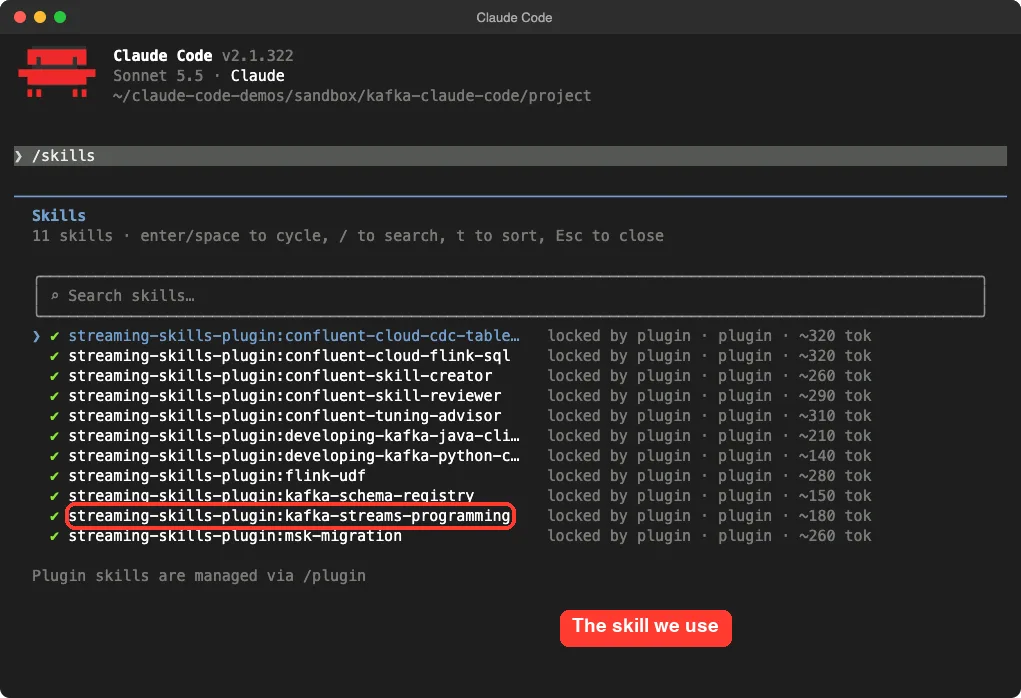
When we loaded the plugin, /skills listed these 11 skills. Each one costs roughly 140 to 320 tokens of context just for its name and description.
kafka-streams-programming: design, build and debug Kafka Streams appsdeveloping-kafka-java-clientanddeveloping-kafka-python-client: producers and consumerskafka-schema-registry: schema workconfluent-cloud-flink-sqlandflink-udf: Flinkconfluent-cloud-cdc-tableflow: change data capture into tablesconfluent-tuning-advisor: tuning advicemsk-migration: moving from Amazon MSKconfluent-skill-creatorandconfluent-skill-reviewer: tools for writing and reviewing skills
Is It Safe to Try? What We Checked First
Before loading any third-party plugin, we read what it can run. The repository has no hooks folder and no MCP server file, so it does not start background processes in your session. The manifest simply points at the skills folder.
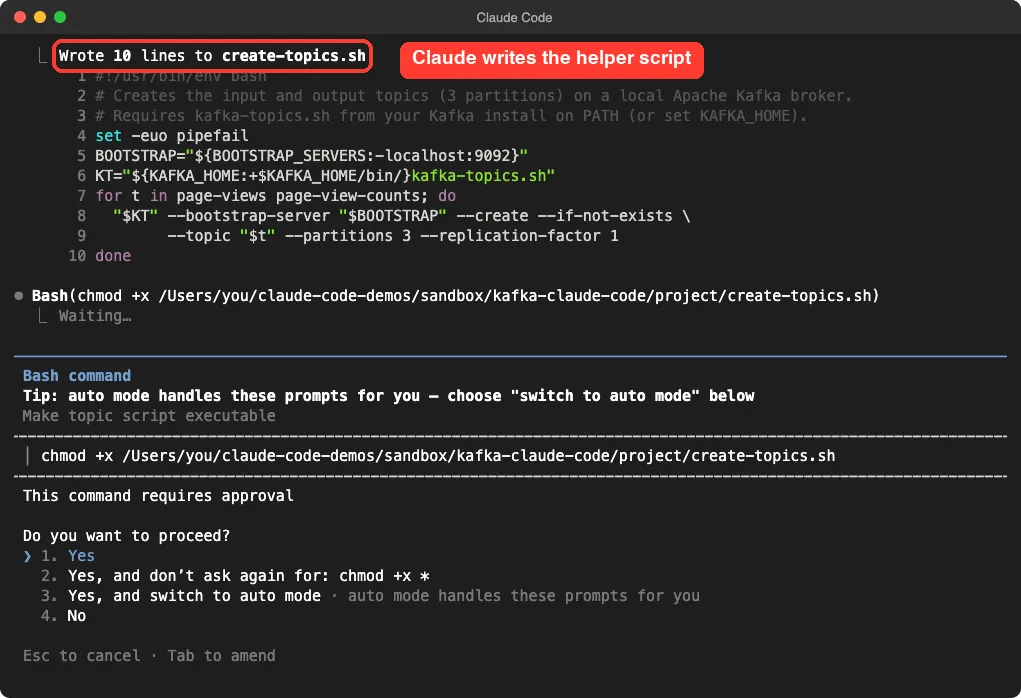
It does include helper shell scripts inside the Kafka Streams skill (create-topics.sh, produce-test-data.sh, verify-output.sh, teardown.sh). We read create-topics.sh and it only calls kafka-topics or the Confluent CLI, with the topic names you set at the top. Claude copies and edits these as templates, so you still approve each command it runs.
The plugin docs also note that what a plugin runs, it runs as you. That is why we used a throwaway folder and did not install it into our normal setup.
How to Load the Plugin Without Touching Your Setup
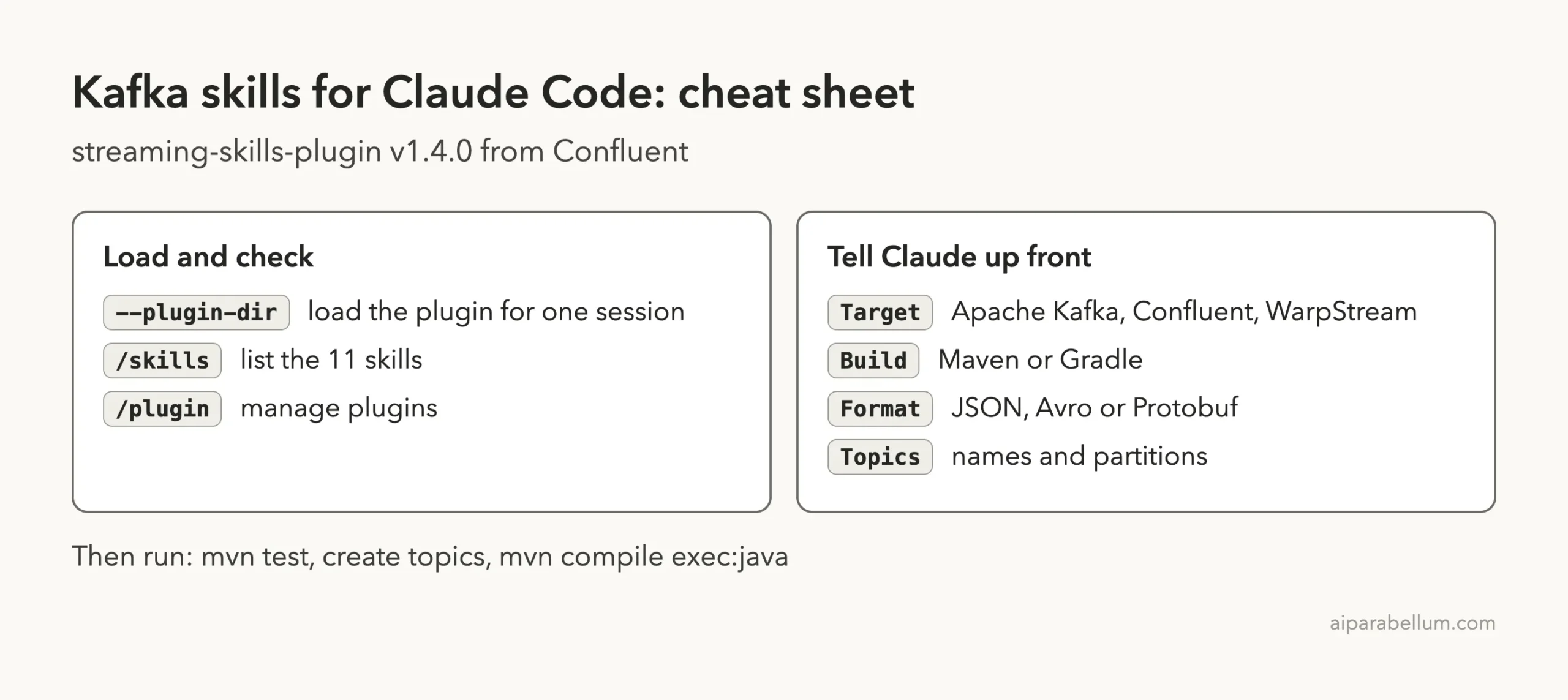
For a safe test, you can load a plugin for a single session. The discover plugins page shows the normal install route through the marketplace. We took the lighter route below.
- Clone the repo into a scratch folder.
- Make an empty project folder next to it.
- Start Claude Code in the project folder and point
--plugin-dirat the clone.
git clone --depth 1 https://github.com/confluentinc/agent-skills
mkdir kafka-demo && cd kafka-demo
claude --permission-mode acceptEdits \
  --setting-sources project \
  --plugin-dir ../agent-skills
The --setting-sources project flag keeps your personal settings out of the session. When you are happy with the plugin, the normal install command from the marketplace is /plugin install streaming-skills-plugin@claude-plugins-official.
Step by Step: Build a Kafka Streams App With Claude Code
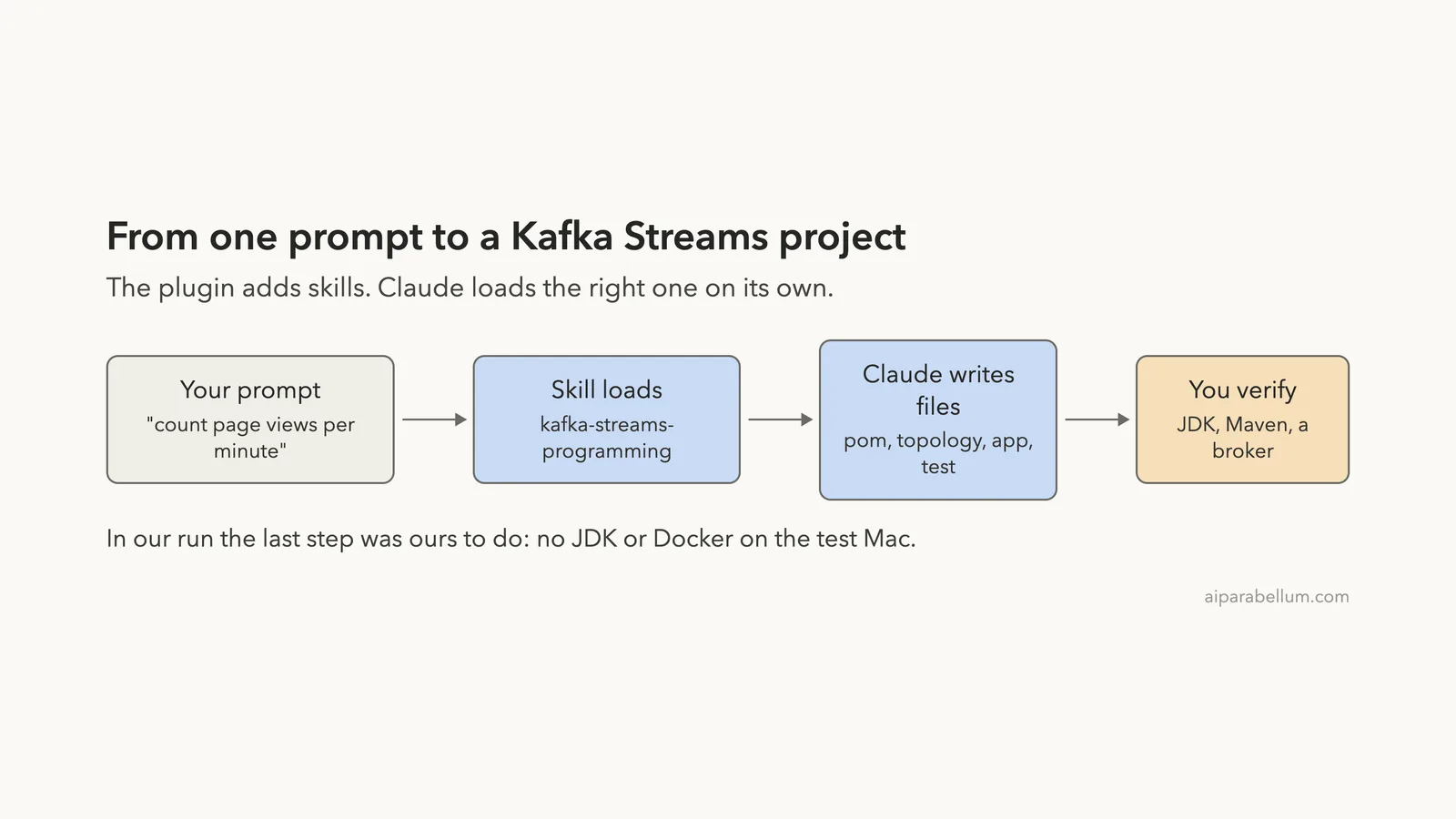
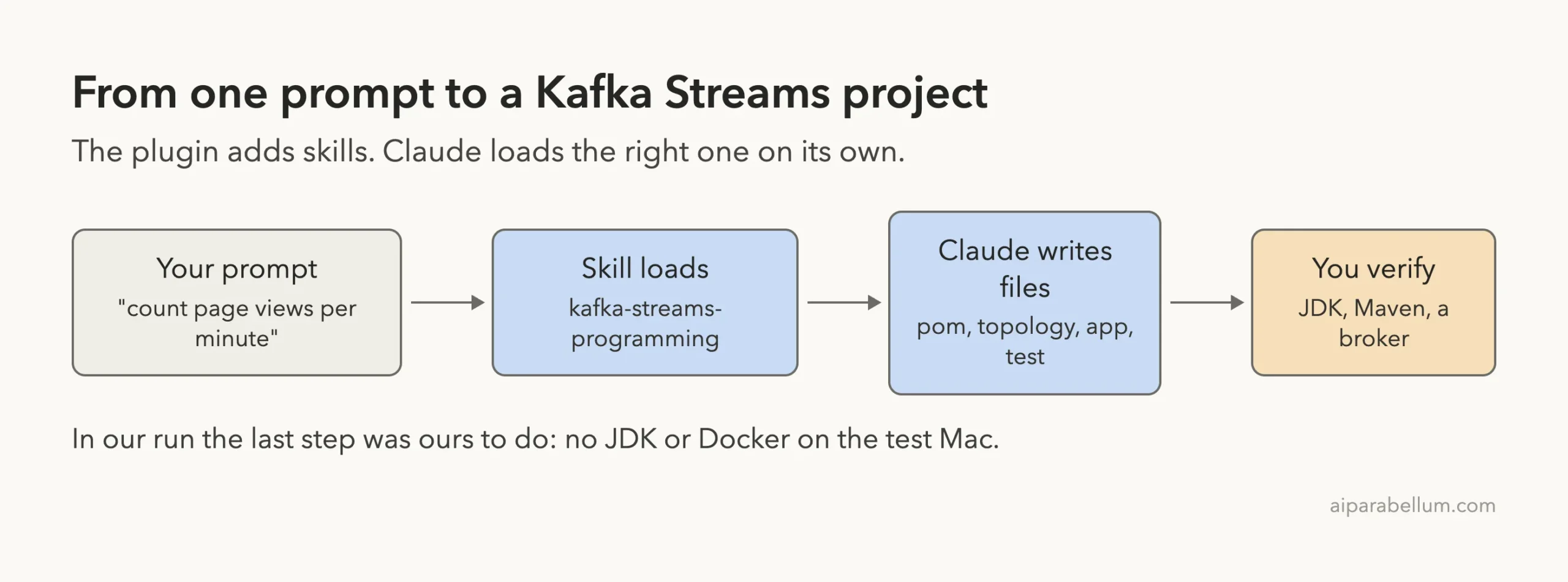
Our task was small on purpose. Read page views from a topic, count them per page in one-minute windows, and write the counts to another topic. We told Claude our choices up front so it would not stop to ask.
I want a small Kafka Streams app. Input topic page-views (JSON, key = page URL),
count views per page in 1-minute tumbling windows, write to topic
page-view-counts. Target: Apache Kafka, local dev, Maven, JSON (no schema
registry), 3 partitions, no sample data producer. Skip your questions, use
these answers. No Docker is available on this machine, so do not run docker.
Keep it compact.
Step 1: Claude loads the skill on its own
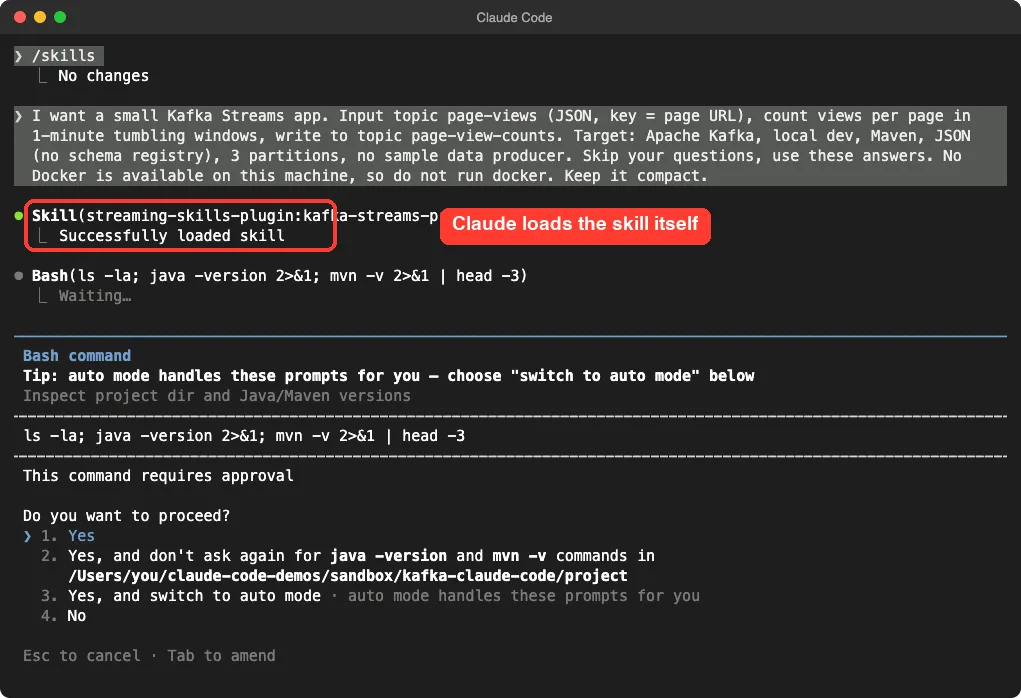
We never typed a skill name. Claude saw the request, matched it to the skill description, and loaded streaming-skills-plugin:kafka-streams-programming. The terminal shows “Successfully loaded skill”.
The skill itself asks for a target environment (Apache Kafka, Confluent Platform, Confluent Cloud or WarpStream), a build tool and a schema format. Because we answered all of that in the prompt, Claude went straight to work. Its first move was a read-only check of the folder and the Java and Maven versions, which we approved.
Step 2: Claude writes the project files
With acceptEdits mode, file writes go through without a prompt, but shell commands still ask. Claude wrote five files and then asked to make the topic script executable.
Here is the final layout of the demo project:
project/
  pom.xml
  create-topics.sh
  src/main/java/demo/App.java
  src/main/java/demo/PageViewTopology.java
  src/test/java/demo/PageViewTopologyTest.java
Step 3: Read the topology
The heart of the app is the topology class. This is the real code Claude wrote, trimmed only of imports.
public static Topology build() {
  StreamsBuilder builder = new StreamsBuilder();

  builder.stream(INPUT, Consumed.with(Serdes.String(), Serdes.String()).withName("read-page-views"))
      .filter((url, v) -> url != null, Named.as("drop-null-keys"))
      .groupByKey(Grouped.with("by-page", Serdes.String(), Serdes.String()))
      .windowedBy(TimeWindows.ofSizeWithNoGrace(Duration.ofMinutes(1)))
      .count(Materialized.as("page-view-counts-store"))
      .toStream()
      .map((w, count) -> KeyValue.pair(w.key(), toJson(w.key(), w.window().start(), w.window().end(), count)))
      .to(OUTPUT, Produced.with(Serdes.String(), Serdes.String()).withName("write-page-view-counts"));

  return builder.build();
}
A few details show the skill at work. Every processor has a name (withName, Named.as), which keeps the topology easy to read.
Null keys are dropped before grouping. The store has an explicit name, so you can find it in logs and metrics.
Claude also noticed that only the key matters for counting, so it never parses the JSON value. That means a malformed message cannot crash the app, which is a smart choice for a first version.
Step 4: Read the app class and the test
The app class sets the application ID, reads the broker address from a BOOTSTRAP_SERVERS environment variable (default localhost:9092), and runs three stream threads to match the three partitions. It commits every five seconds and shuts down cleanly. It also prints each state change, so you can watch for the move from REBALANCING to RUNNING.
The test uses TopologyTestDriver, which runs your topology in memory with no broker. It pipes in four events across two windows and checks the output.
in.pipeInput("/home", "{}", t);
in.pipeInput("/home", "{}", t.plusSeconds(5));
in.pipeInput("/about", "{}", t.plusSeconds(6));
in.pipeInput("/home", "{}", t.plusSeconds(60)); // next window

assertEquals(4, records);
assertEquals(1, last.get("count").asLong()); // new window restarts at 1
Step 5: The hand-off
This is the part we liked most. Claude did not claim the app works. It saw there was no JDK or Maven, and it told us exactly how to check it on a machine that has them.
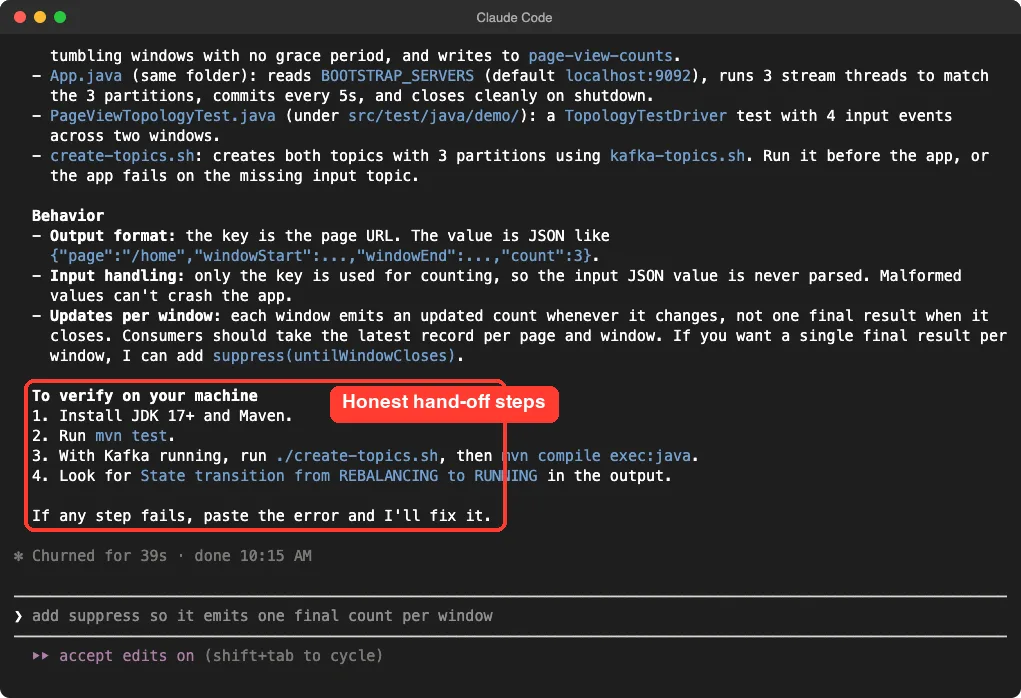
It also warned about one real gotcha.
Each window emits an updated count whenever the count changes, not one final result when the window closes. Consumers should take the latest record per page and window. If you want one final result per window, Claude offered to add suppress(untilWindowCloses).
How the Pieces Fit Together
What We Verified and What We Did Not
We want to be exact here, because a code generator is easy to oversell.
| Item | Status |
|---|---|
Plugin loads with --plugin-dir | Yes, 11 skills showed up in /skills |
| Claude picks the right skill from a plain prompt | Yes, in this one run |
| Files written to the demo folder | Yes, five files, read by us |
| Code reads like valid Kafka Streams code | Yes, on review |
Compiles and mvn test passes | Not run (no JDK or Maven on the test Mac) |
Starts and reaches RUNNING on a broker | Not run (no Docker or broker) |
The skill’s own instructions say Claude must start the app against a real broker before calling the job done. It told us it could not do that here, rather than pretending. That is the right behavior, but it also means you should treat the code as a strong first draft until you run it.
Honest Verdict: Who Should Install It?
This is one run on one small task, so take it as a first impression, not a benchmark.
- Good for you if you work with Kafka often. The skill carries real Kafka Streams habits (named processors, explicit stores, topology tests) that a plain prompt may skip.
- Good if you want help with Flink SQL, Schema Registry or Python and Java clients, since the same plugin covers them. We only ran the Streams skill.
- Less useful if you touch Kafka once a year. Eleven skills add a small, constant context cost to every session.
- Cloud features need your own accounts and keys. We did not test those, and we did not sign in to anything.
The plugin docs say plugins in the official marketplace show a context cost estimate in the Marketplaces tab. Check it before you install, and disable the plugin when you are not working on streaming code.
Try It Yourself
On a machine with JDK 17 or newer and Maven, you can do the full check we could not. Use this prompt in a folder with the plugin loaded.
Use the kafka-streams-programming skill. Build a Kafka Streams app that reads
orders (JSON, key = customer id) and keeps a running total of order amounts
per customer in a KTable, written to order-totals. Apache Kafka, Maven,
local dev. Write a TopologyTestDriver test, run mvn test, and fix any
failure before you finish.
Then ask for a change and see how it handles it, for example: “add suppress so it emits one final count per window”.
Common Mistakes
- Not saying your target. Apache Kafka, Confluent Cloud and WarpStream need different settings, so name yours in the first prompt.
- Trusting generated code without running it. Run
mvn testfirst, then start the app and watch forRUNNING. - Forgetting to create the topics. The app fails if the input topic is missing, so run
./create-topics.shfirst. - Reading windowed output as final. Without
suppress, you get updates, not one result per window. - Installing into your main setup to try it. Use
--plugin-dirin a scratch folder instead.
Pro Tips
- Put every choice in one prompt (target, build tool, format, partitions). The skill asks about them otherwise.
- Say what the machine lacks. We told Claude no Docker was available, and it adjusted.
- Use
/skillsto confirm what loaded and what each skill costs in tokens. - Ask for a topology test every time.
TopologyTestDrivergives you fast feedback with no broker.
Treat generated streaming code as a draft until it has run against a real broker.
Cheat Sheet
Frequently Asked Questions
Do I need a Confluent account to use these skills?
Not for what we ran. The Kafka Streams skill works for Apache Kafka and local development. Skills for Confluent Cloud need your own cloud account and keys, which we did not use.
How do I install the plugin permanently?
Use /plugin install streaming-skills-plugin@claude-plugins-official, or open the plugin from the Marketplaces tab in /plugin. Our test used --plugin-dir instead, which only lasts for one session.
Does the plugin run code or hooks by itself?
We found no hooks and no MCP server in the repository. Claude can run the helper scripts, but each command still asks for your approval in the default modes.
Will it work with Gradle, Avro or Protobuf?
The skill asks for build tool and schema format, and lists Gradle (its default) and Avro, Protobuf and JSON Schema as options. We only tested Maven with plain JSON.
Can Claude Code run the app for me?
It can if you have a JDK, Maven and a broker. In our test none were available, so it handed back steps for you to run.
Conclusion
Confluent’s plugin gives Claude Code real Kafka know-how: it loaded the right skill from a plain request and wrote a tidy Kafka Streams project with a test and a topic script. We could not compile or run it on our test Mac, so the honest result is a promising draft, not a proven app. If you build streaming apps, it is worth a try in a scratch folder. Browse more Claude Code plugins and see how it pairs with Claude itself.