If you searched for a Claude Code data engineering plugin, the official marketplace shows a confusing list: data, data-engineering, astronomer-data-agents, databricks, snowflake-cortex-code, datahub-skills, atlan and more. This guide sorts out what each one does, which parts work without an account, and what we actually ran on a Mac.
This guide is part of our Claude Code tutorials. Find more add-ons in our Skills Directory.
Tested with Claude Code v2.1.318 on 2026-11-07 (macOS).
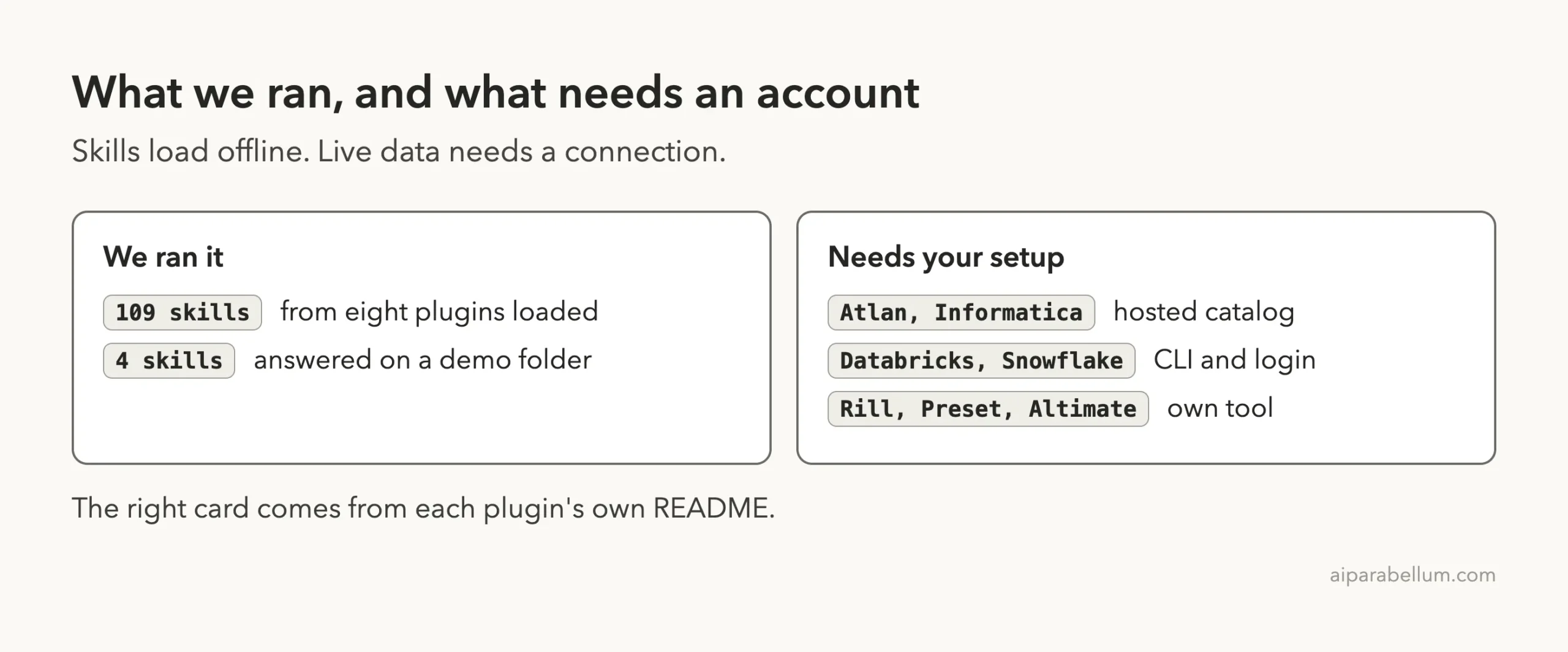
We loaded eight plugins in a sandbox, 109 skills in total, and asked four of those skills real questions about a made-up demo folder. We did not load Atlan or Informatica, and we never signed in to Databricks, Snowflake, Airflow or any catalog. Everything about live data comes from each plugin’s own README, and we say so each time.
Quick Summary: Data Engineering Plugin Names Explained
Twelve names in the marketplace map to ten plugins. The names data, data-engineering and astronomer-data-agents all point to the same Astronomer repository at the same commit, so they are one plugin listed three times.
| Plugin | Maker | What it does | Account or tool needed? | Install command |
|---|---|---|---|---|
| astronomer-data-agents | Astronomer | Airflow skills: write DAGs, debug, trace lineage, migrate Airflow 2 to 3 | Skills no; live Airflow or warehouse yes | /plugin install astronomer-data-agents@claude-plugins-official |
| databricks | Databricks | Skills for the CLI, jobs, apps, pipelines and bundles | Yes, Databricks CLI and workspace | /plugin install databricks@claude-plugins-official |
| snowflake-cortex-code | Snowflake | Sends Snowflake prompts to the Cortex Code CLI | Yes, cortex CLI | /plugin install snowflake-cortex-code@claude-plugins-official |
| altimate-code | AltimateAI | Hands dbt and warehouse work to the altimate-code CLI | Yes, that CLI and an LLM provider | /plugin install altimate-code@claude-plugins-official |
| datahub-skills | DataHub | Catalog search, lineage, quality, connector planning | Yes, a DataHub instance for catalog work | /plugin install datahub-skills@claude-plugins-official |
| atlan | Atlan | Search and govern assets through a hosted MCP server | Yes, Atlan sign-in | /plugin install atlan@claude-plugins-official |
| informatica-for-claude-platform | Informatica | Governed catalog discovery in IDMC | Yes, IDMC tenant | /plugin install informatica-for-claude-platform@claude-plugins-official |
| rill | Rill Data | Skills for building Rill business intelligence projects | MCP tools need Rill running locally | /plugin install rill@claude-plugins-official |
| preset-cli-skills | Preset | Drives the sup CLI for Superset and Preset | Yes, API token and secret | /plugin install preset-cli-skills@claude-plugins-official |
| streaming-skills-plugin | Confluent | Kafka, Flink and Schema Registry skills | No, for the skills | /plugin install streaming-skills-plugin@claude-plugins-official |
What Is a Claude Code Plugin for Data Engineering?
A plugin is a bundle that can hold skills, commands, agents, hooks and MCP servers. Skills are written guidance that Claude loads when your request matches. An MCP server is a small connection that gives Claude extra tools, such as searching a catalog.
If plugins are new to you, start with our plugin install guide. Anthropic’s docs on discovering plugins and creating plugins cover the basics.
Most of the plugins here are skill bundles, so they change what Claude knows. Three also add hooks that run small scripts, and three add MCP connections to a catalog or BI tool.
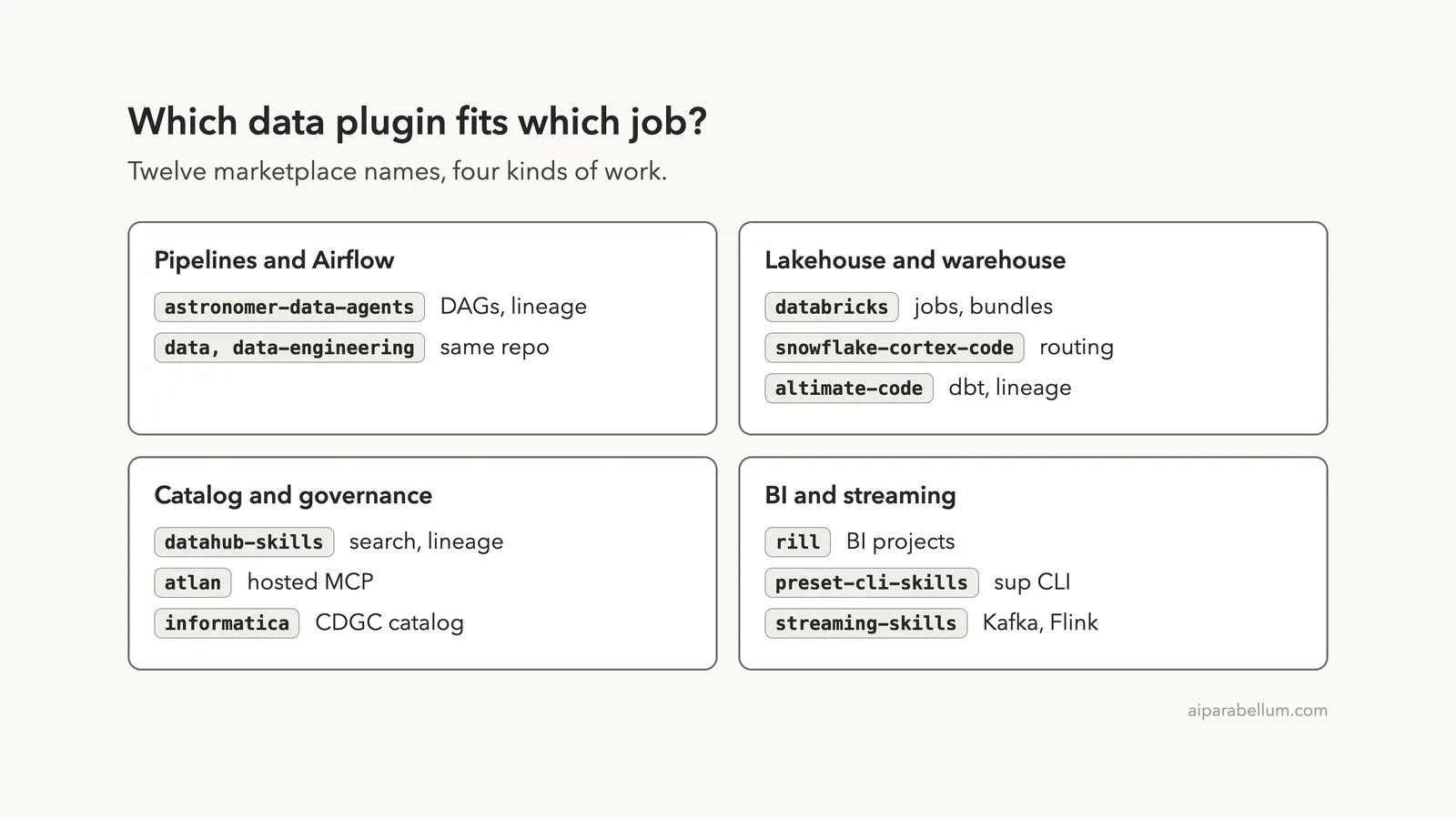
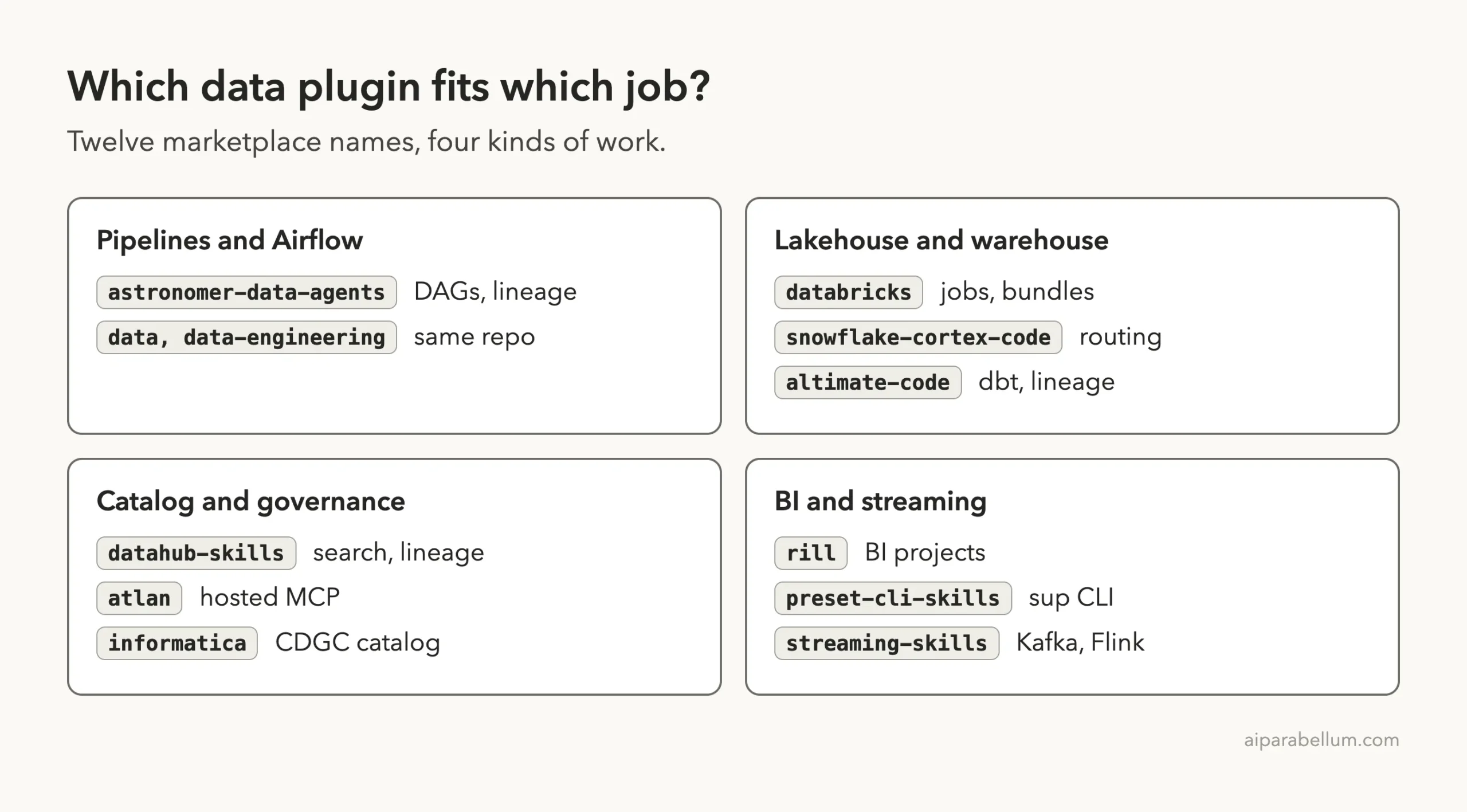
Which Claude Code Data Engineering Plugin Fits Which Job?
The names fall into four kinds of work. Astronomer covers pipelines, and Databricks, Snowflake and Altimate cover the lakehouse and warehouse.
DataHub, Atlan and Informatica cover catalogs. Rill, Preset and Confluent cover dashboards and streaming.
How We Tested Without Touching Our Setup
Hooks run commands on your machine and MCP servers make connections, so we read before we ran. We cloned each repository at the exact commit the official marketplace pins, then read every plugin manifest, hook and MCP config.
We loaded the plugins with --plugin-dir and --setting-sources project, so nothing was installed into the normal Claude Code setup. The tested commits were: Astronomer 35b9610 (October 29), Databricks c196426 (October 10, version 0.2.28), DataHub a27f8e7 (version 1.4.1), Rill adfce57, Preset 838f0a4, Snowflake e2a3cbb, Confluent 204b36f (version 1.4.0) and Altimate b7c8f68 (version 1.0.0, July 24). The marketplace repository itself was at 0412be7.
Altimate is the oldest of these, with no commit since July. It is still the version the marketplace pins, so we tested it as listed.
What We Read in the Hooks and MCP Files
Here is what we found before running anything.
- Astronomer has two hooks. At session start it runs
af --versionin the background to warm a cache, and when Claude stops it runsuv runon a cleanup script. - Databricks has three Python hooks. One routes Databricks prompts, one reads your local
~/.databrickscfgfile at session start and runsdatabricks --versionif the CLI exists, and one gives a hint after failed login commands. Its own comments say the start hook stays offline. - Snowflake has two hooks. One looks for the
cortexprogram at session start, and a keyword filter runs on each prompt. - Altimate has one session start hook that prints a description of its skills. It runs nothing else.
- Atlan points an MCP entry at a hosted address,
https://mcp.atlan.com/mcp. Its README says it signs in with OAuth and needs no API keys. - Informatica ships two MCP entries with empty addresses, so the tenant address is something you must supply.
- Rill points an MCP entry at
http://localhost:9009/mcp, which only works while Rill Developer runs on your machine. - DataHub, Preset and Confluent have no hook files and no MCP config.
Because Atlan reaches an outside server and Informatica needs a tenant address, we did not load those two. The other eight only needed their skills, and those load offline.
What We Ran and What Comes From the Docs
Loading Eight Plugins in One Session
We started one session in plan mode with eight plugin folders. The command looked like this, with paths shortened:
claude --permission-mode plan --setting-sources project \
  --plugin-dir plugins/astro \
  --plugin-dir plugins/dbx \
  --plugin-dir plugins/dhub \
  --plugin-dir plugins/rill \
  --plugin-dir plugins/conf \
  --plugin-dir plugins/preset \
  --plugin-dir plugins/snow \
  --plugin-dir plugins/alti
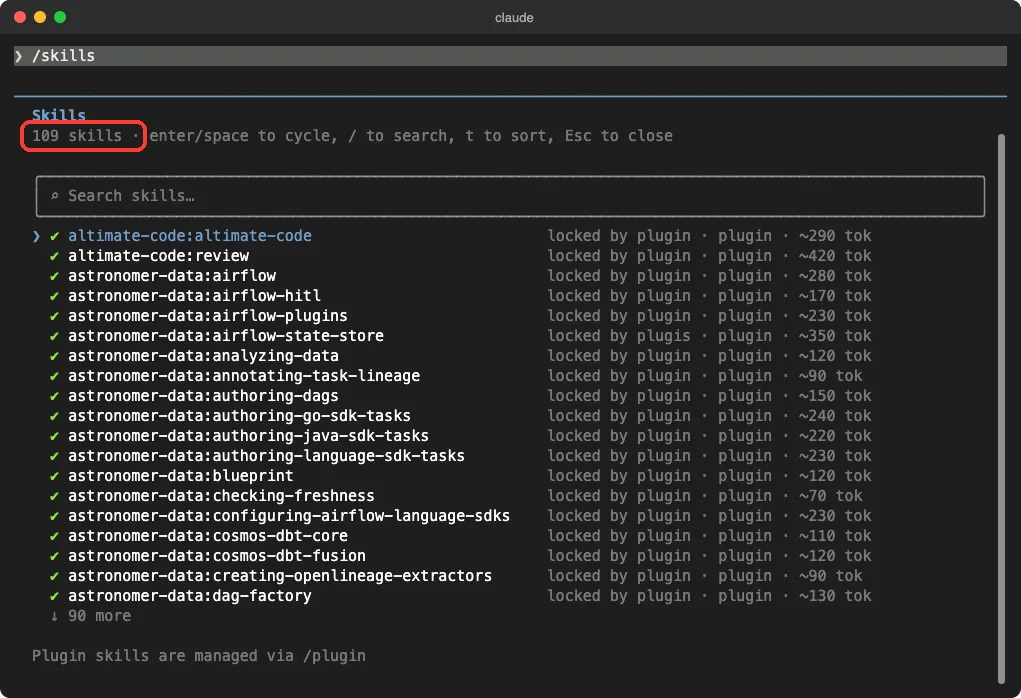
Inside the session, /skills showed 109 skills, each marked as locked by its plugin. Each line also shows a rough token cost, often between 70 and 420 tokens, so a big bundle stays cheap until a skill loads.
Astronomer Airflow Plugin: Skills for DAGs and Pipelines
This is the plugin for people who run Apache Airflow. The marketplace description lists writing DAGs with best practices, debugging pipeline failures, tracing data lineage, profiling tables, migrating Airflow 2 to 3 and managing local and cloud deployments. The repository has about 35 skill folders, including authoring-dags, debugging-dags, testing-dags, tracing-upstream-lineage and migrating-airflow-2-to-3.
We wrote a small Airflow 2 style DAG in the demo folder, with the old PythonOperator import, schedule_interval and provide_context. Then we asked for the three most important changes, with no edits allowed.
The skill loaded and Claude pointed at three exact lines. The operator imports moved to the standard provider package, schedule_interval became schedule, and provide_context=True should be deleted because context is now always passed. It also named a Ruff rule set that can auto-fix such issues.
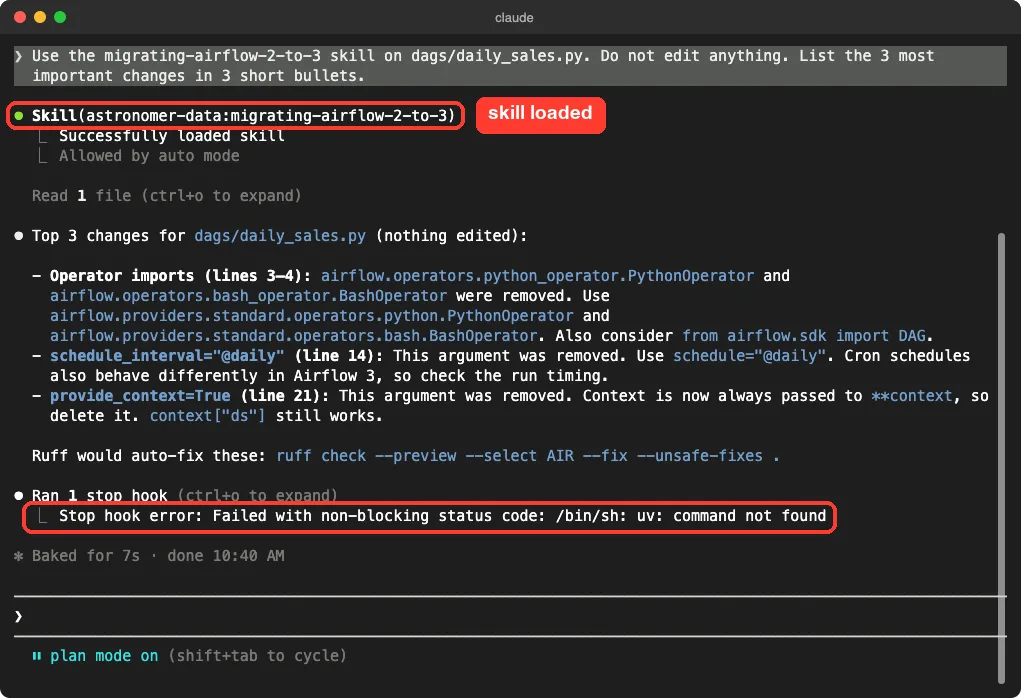
The screen also shows something you should know about.
The Astronomer Stop hook needs the uv program, and it was not installed on our Mac. So after every answer, Claude showed a non-blocking “Stop hook error”. It did no harm, but it repeated on every turn.
Install uv first if you plan to use this plugin.
The README says the plugin also works with warehouse connections and with any Airflow 2.x or 3.x REST API through an AIRFLOW_API_URL setting. We did not test that part.
Databricks Plugin: Jobs, Bundles and Apps
The Databricks plugin has about 34 skill folders, two commands and eight agents, according to the files we read. Its manifest keywords cover Apps, Lakebase, Model Serving, jobs, pipelines, bundles, Unity Catalog and serverless migration.
We asked what you need before you can schedule a notebook as a job with a bundle. Two skills loaded, databricks-core and databricks-jobs. Claude answered with three needs: a current and signed-in Databricks CLI at version 1.0.0 or newer, a bundle project with a databricks.yml file, and a compute choice plus a schedule block.
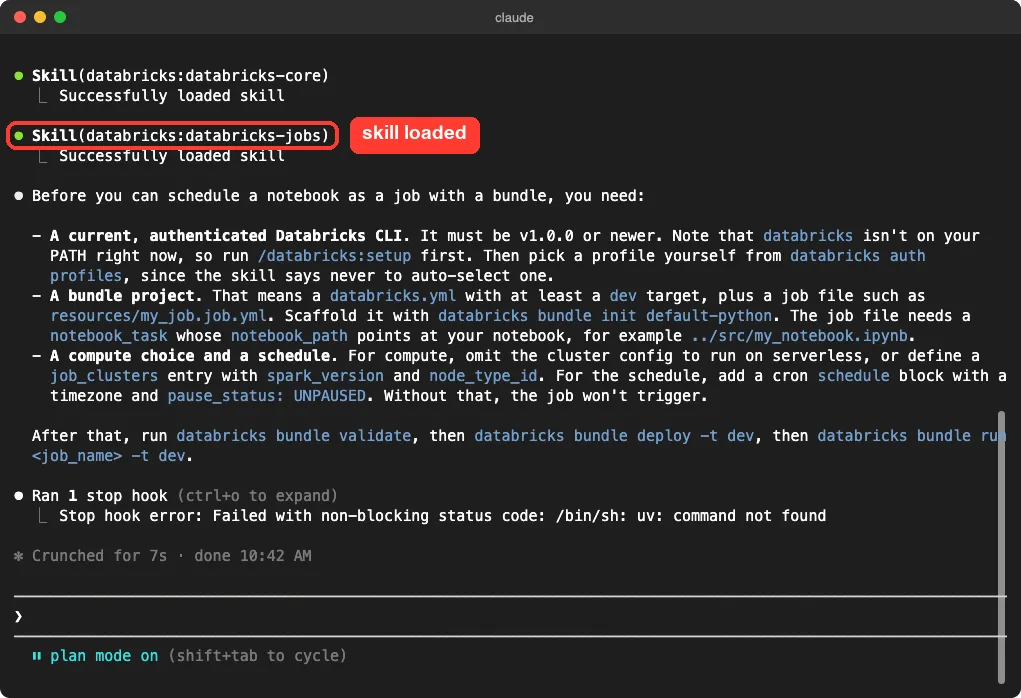
It also noticed that the databricks CLI was not on our PATH and suggested a setup command first. Another detail worth keeping: it said the skill never auto-selects a login profile for you.
This was guidance only. We did not deploy a bundle or reach a workspace, so we cannot confirm a job would run.
Confluent Streaming Skills: Kafka and Flink Help That Needs No Account
This is the easiest plugin to try, because the skills are plain guidance. The folders include developing-kafka-python-client, developing-kafka-java-client, kafka-streams-programming, kafka-schema-registry, flink-udf and confluent-cloud-flink-sql.
We wrote a tiny producer that sends three messages to a local broker. Claude loaded the Kafka Python skill and listed what should change for production. The advice included checking delivery results instead of trusting flush(), setting enable.idempotence and acks=all, adding a Schema Registry contract, setting a message key, and replacing the hardcoded localhost:9092 with environment config.
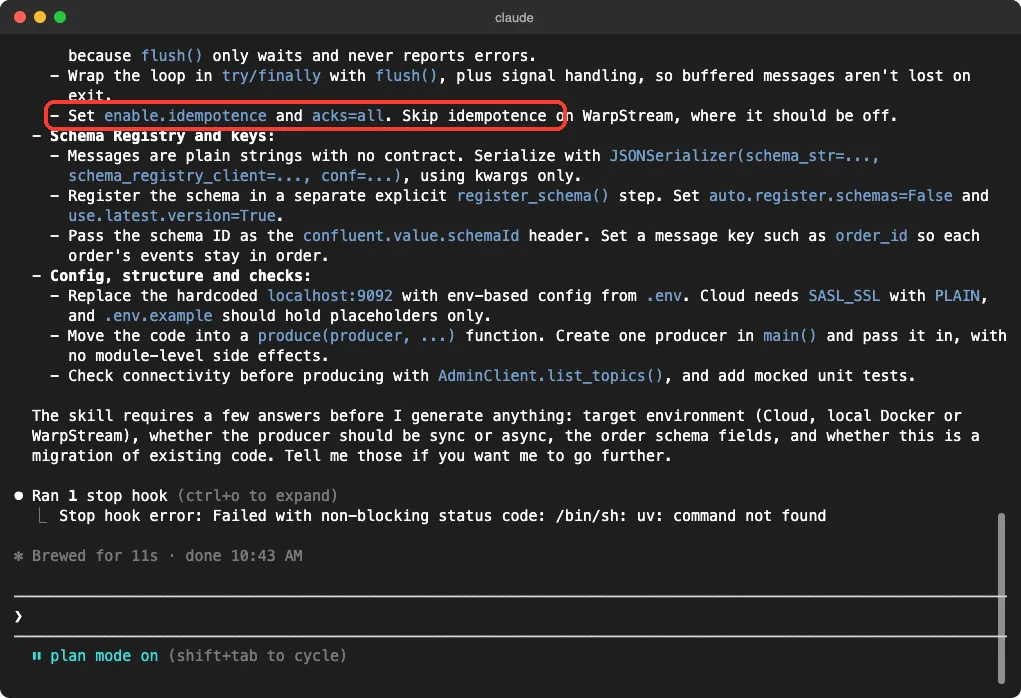
The skill then asked four questions before generating code: the target environment, sync or async, the schema fields and whether this was a migration. That is a good sign, since it did not guess. The Confluent README itself warns that output varies by model, so review any code it writes.
Snowflake Cortex Code Plugin: A Router, Not a Query Tool
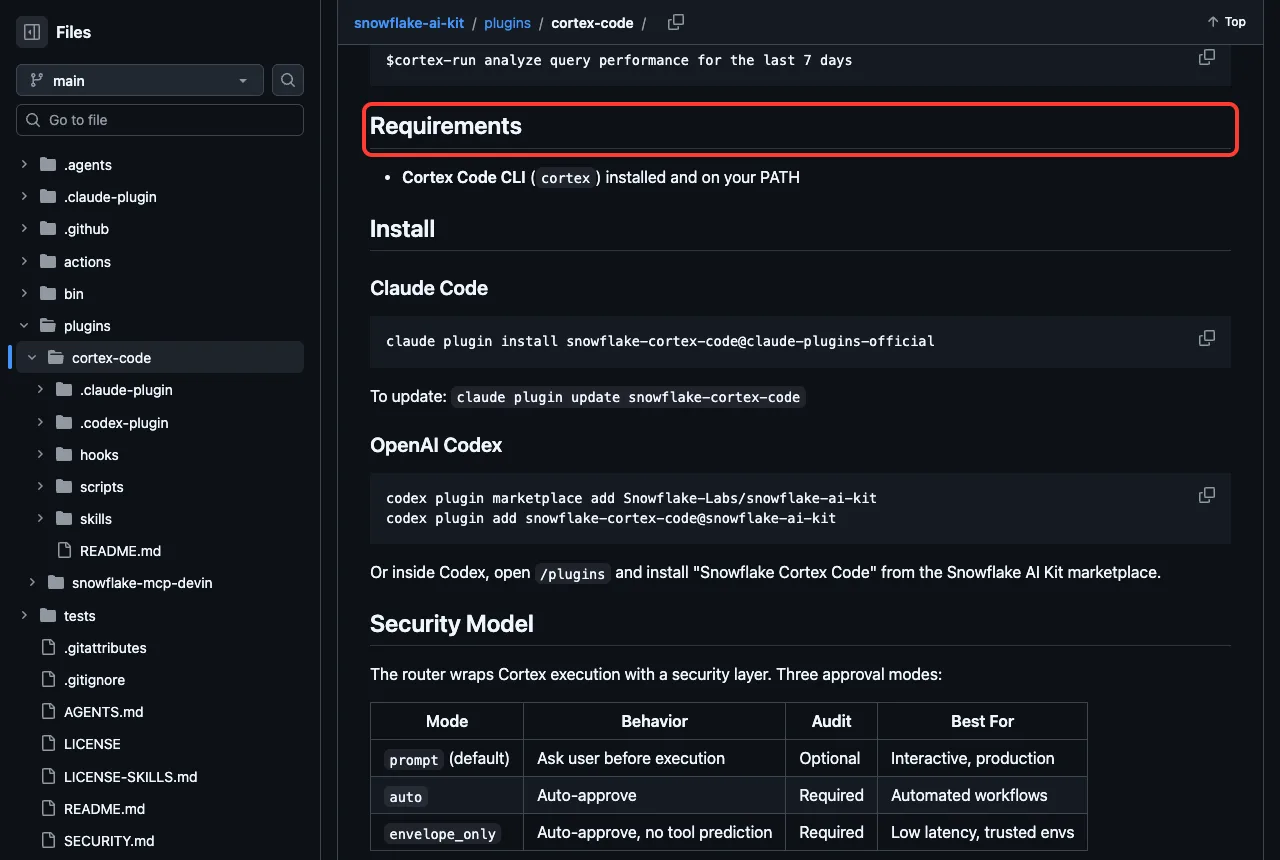
This plugin does not query Snowflake itself. Its README says it spots Snowflake-related prompts and sends them to the Cortex Code CLI, and the only listed requirement is that cortex is installed and on your PATH. You can also force the handoff by typing $cortex-run before a prompt.
We asked its cortex-setup skill what must be installed first. It ran one Bash command, found no cortex program, and listed the Cortex Code CLI, the Snowflake CLI and a Snowflake connection as the needs. It did not install anything because plan mode was on.
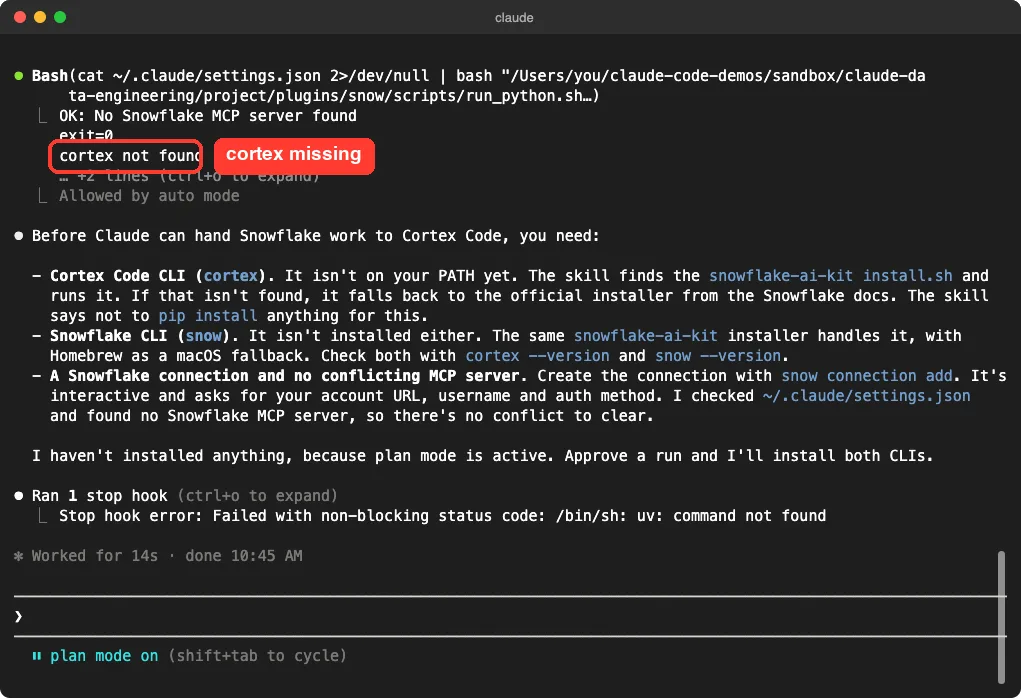
One detail matters for safety.
The command at the top of that screen reads ~/.claude/settings.json and passes it to a plugin script. The answer says it was checking for a conflicting Snowflake MCP server. That file read happened even though we loaded settings from the project only.
It was a read, and our check afterward found the file unchanged, but it is a good reason to read skill instructions before you trust them.
Altimate Code Plugin: Hand dbt Work to a Specialist CLI
Altimate delegates dbt and warehouse work to its own open-source CLI, which the README says has more than 100 data tools, such as column-level lineage and cost reports. The plugin has two skills, altimate-code and review, plus two commands. We saw both skills in the list, but we did not run them, because they call a CLI we did not install and that CLI needs an LLM provider key.
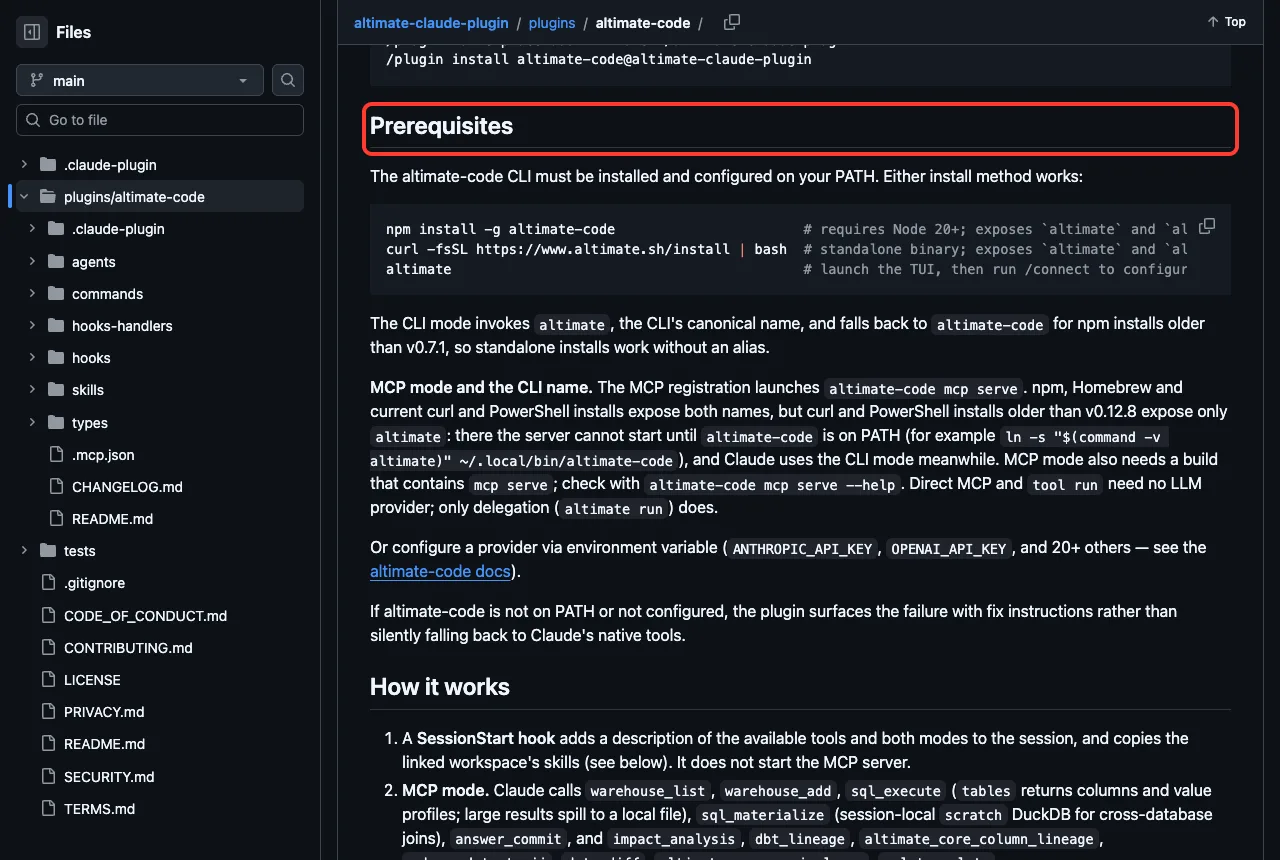
The README on the main branch mentions newer features than the pinned plugin we tested, so check which version your install gives you.
DataHub, Atlan and Informatica: Catalog Plugins
These three connect Claude to a data catalog, so most of their value needs your company’s catalog.
DataHub has about 13 skills and 9 commands.
The README lists search, enrich, lineage and quality skills, with sample prompts such as finding revenue tables or asking who owns a pipeline. It says the enrich skill shows a before and after plan and asks for approval before changing metadata. We loaded the skills but did not connect to a DataHub instance.
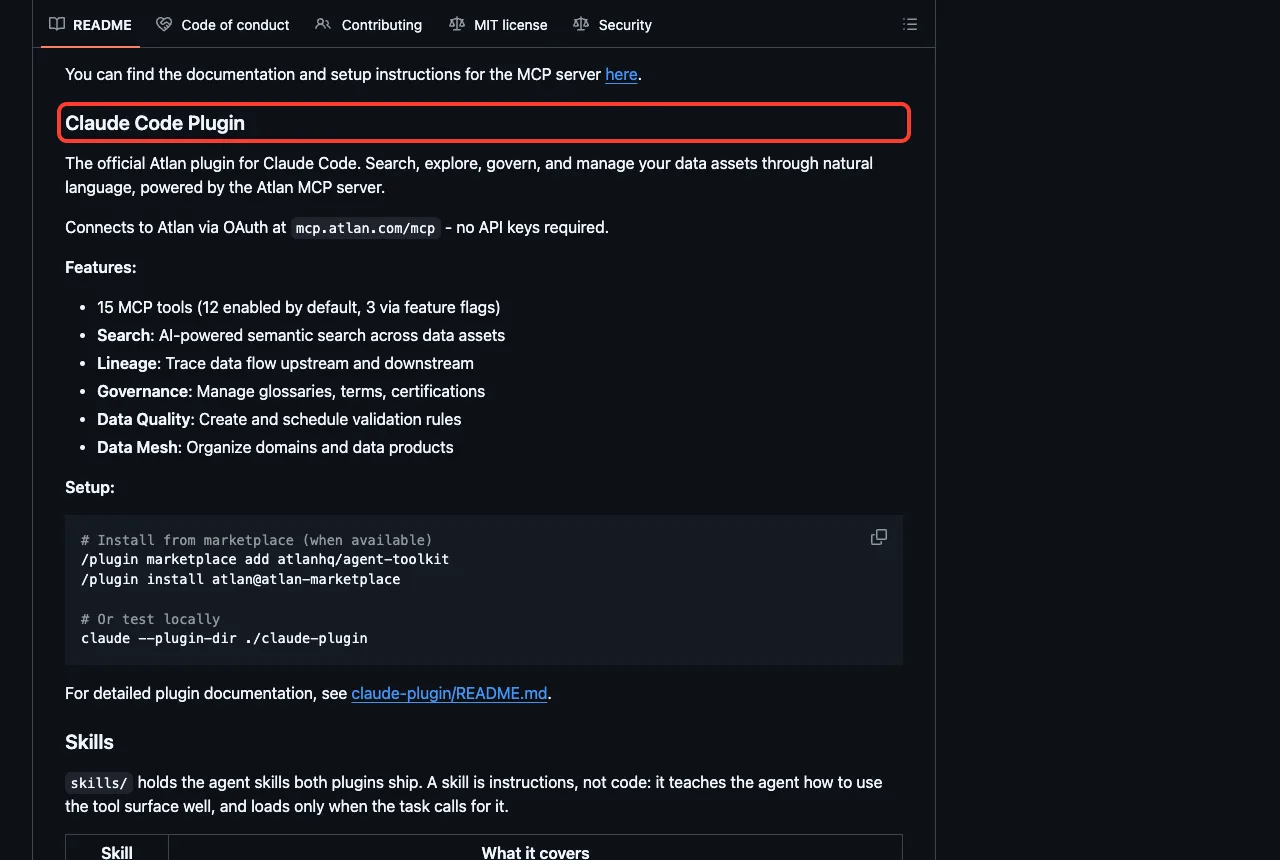
Atlan is one skill plus a hosted MCP connection. Its README lists 15 MCP tools, with 12 on by default, covering search, lineage, governance and data quality rules.
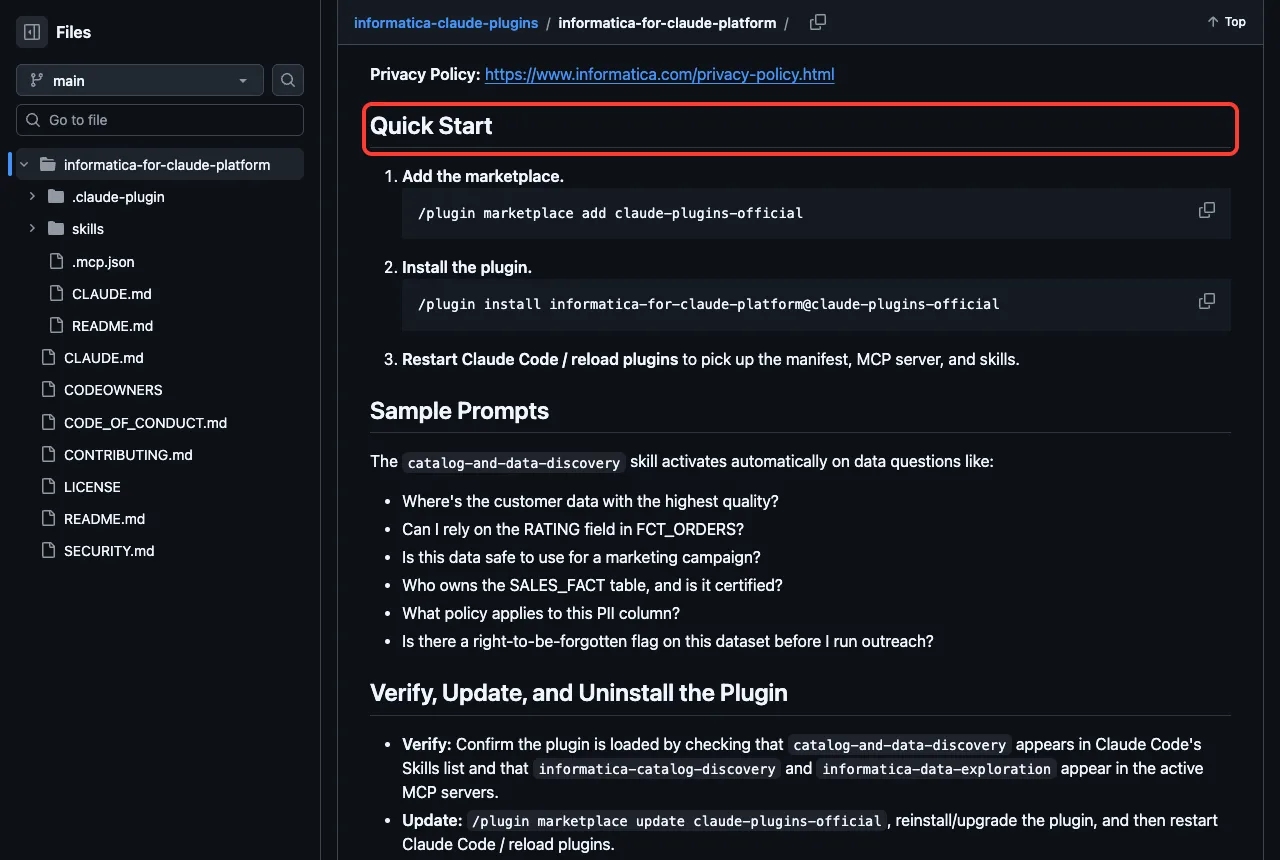
Informatica ships one skill, catalog-and-data-discovery. Its README says it needs an Informatica IDMC tenant, grounds answers in catalog metadata, and suits questions like whether a field is safe to use for a campaign.
Rill and Preset: Dashboards From the Terminal
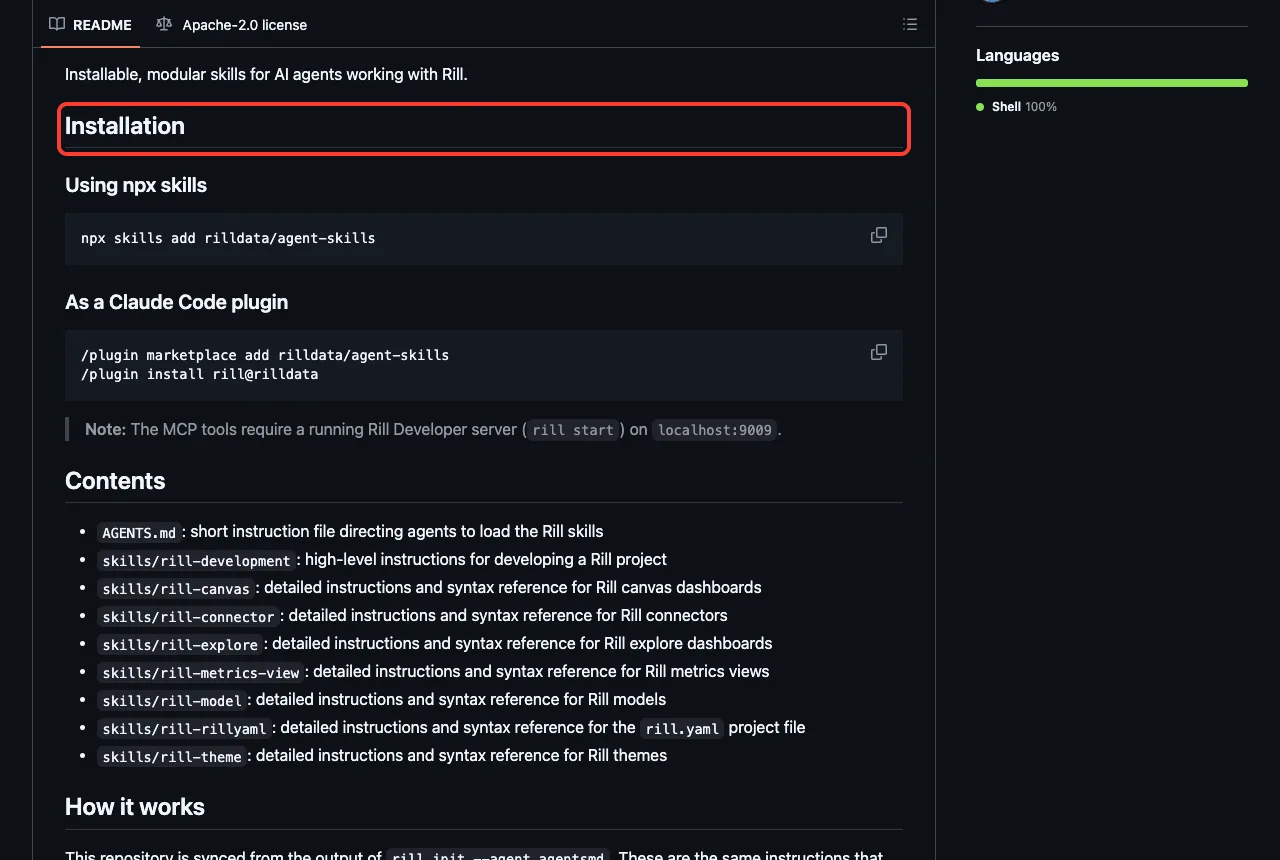
Rill ships about ten skills for models, metrics views, canvas dashboards and connectors. Its README warns that the MCP tools need a Rill Developer server running at localhost:9009, started with rill start. The skills themselves load without it.
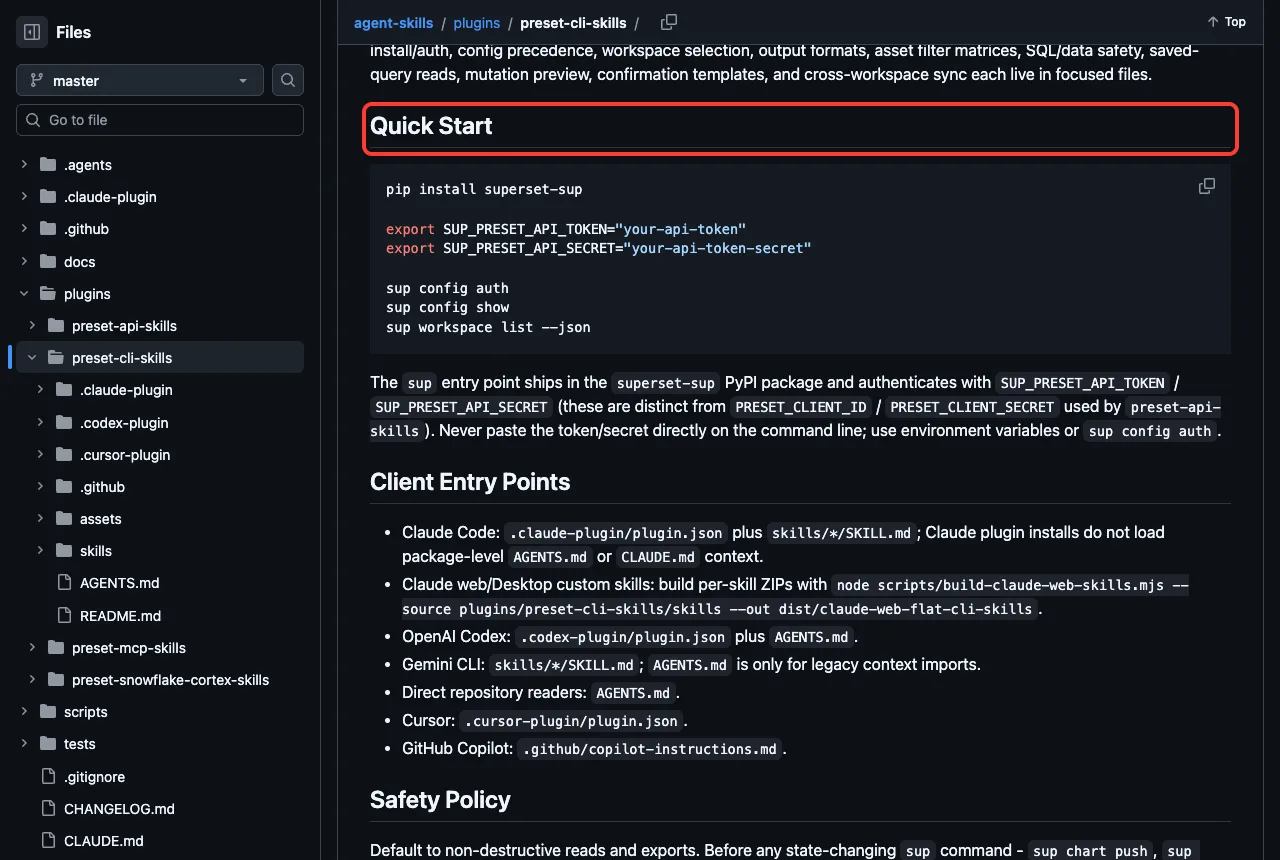
Preset has two skills for the sup command line tool. Its README says to use the plugin only when you explicitly want the CLI, not MCP or direct API code, and it asks you to keep the token and secret in environment variables.
For Snowflake, the README confirms what we saw in the demo.
Safety Notes Before You Install
- DataHub, Preset and Confluent had no hooks and no MCP config, so they are the lowest risk here.
- Astronomer, Databricks and Snowflake run scripts at session start or on every prompt. Read them first.
- Check what an MCP address points to. Atlan reaches a hosted server, Rill a local one, and Informatica an address you fill in.
- Skills can run commands too. The Snowflake setup skill read a settings file, so use plan mode while you learn what a skill does.
- Use a development workspace and a read-only account for the first live test.
For other vendors tested the same way, see our NetSuite plugin test, the SAP plugin test and the Azure plugin test. Cloud teams may also like our AWS plugin guide.
Try It Yourself
The easiest first step needs no account. Clone one repository into an empty folder, make a tiny old-style Airflow file, and load only that plugin in plan mode.
claude --permission-mode plan --setting-sources project --plugin-dir path/to/agents

Use the migrating-airflow-2-to-3 skill on dags/daily_sales.py.
Do not edit anything. List the 3 most important changes in 3 short bullets.
Replace path/to/agents with the folder of a cloned copy of the Astronomer repository. Plan mode keeps Claude from changing files while you learn what the skill does.
Common Mistakes
- Installing
data,data-engineeringandastronomer-data-agentstogether, when they come from the same repository. - Expecting live data from a catalog plugin before you sign in to your own catalog.
- Forgetting that Snowflake and Altimate need their own command line tools.
- Skipping
uvfor the Astronomer plugin and then wondering about the Stop hook error. - Pointing a first test at production data instead of a small development copy.
Pro Tips
- Start with the Confluent or Astronomer skills. They answer without any account.
- Run
/skillsafter loading, so you see which pieces arrived and what each costs. - Use
/mcpto see which servers connected and which need sign-in. - Ask a skill what it needs before you connect anything. Ours answered clearly.
Skills load offline in seconds. Live data is where your own setup begins.
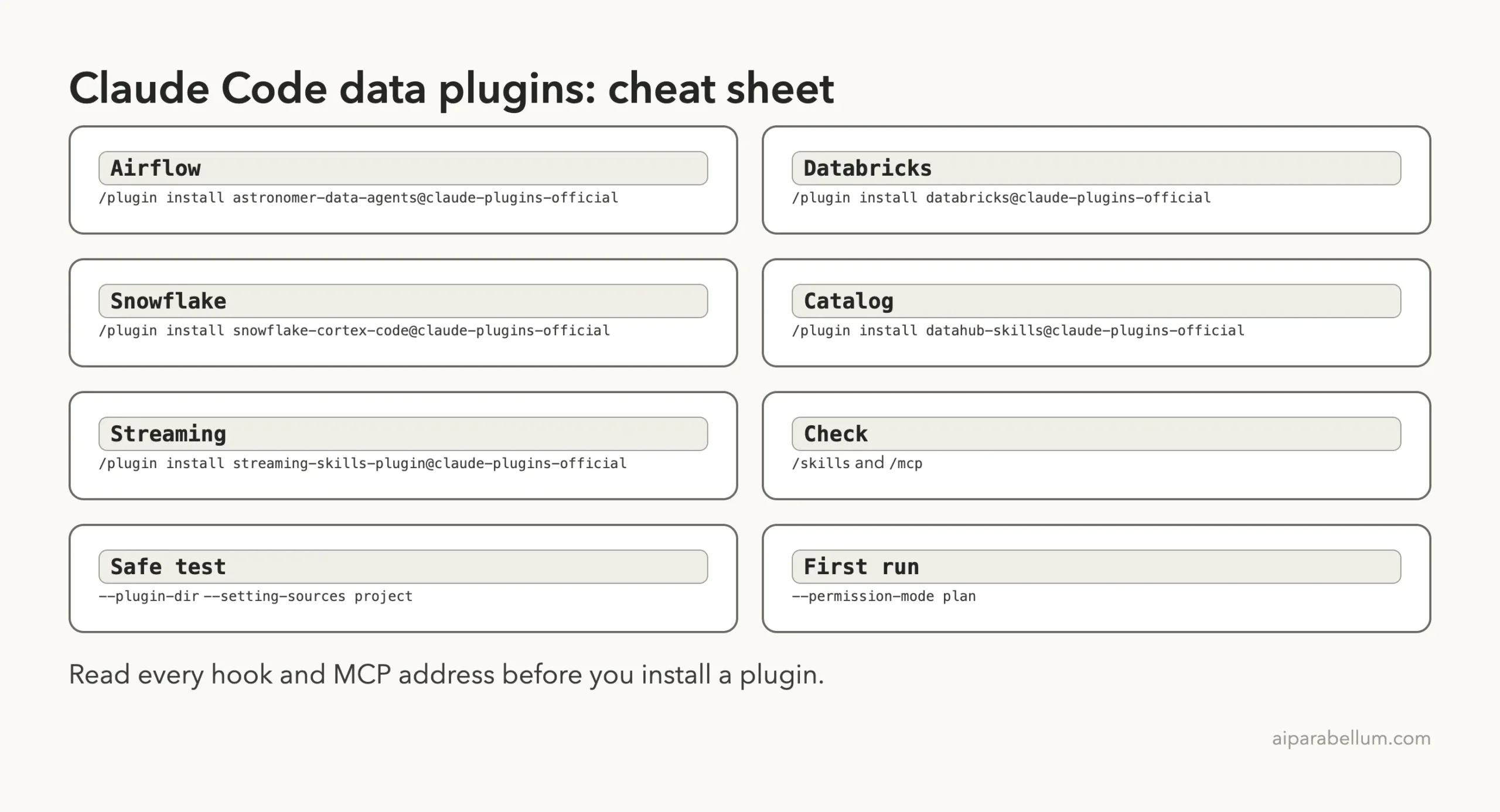
Cheat Sheet
Frequently Asked Questions
Which Claude Code plugin is best for Airflow?
The Astronomer plugin, listed as astronomer-data-agents, is the Airflow one in the marketplace. Its skills cover DAG writing, debugging, lineage and Airflow 2 to 3 migration, and the README says it works with open-source Airflow too.
Do I need a Databricks or Snowflake account to use these plugins?
The skills load without one, as we saw. To do real work you need the Databricks CLI and a workspace, or the Cortex Code CLI and a Snowflake connection.
Why are there three Astronomer names in the marketplace?
The names data, data-engineering and astronomer-data-agents all point to the same Astronomer repository and commit. Install just one of them.
Can I use these plugins on Windows or Linux?
We tested on macOS. The Windows and Linux steps follow Anthropic’s official instructions, and the skills themselves are plain files.
Are these plugins safe to install?
We found no hooks in three of them, and short scripts in the others. Read every hook and MCP address first, and use plan mode while you learn.
Conclusion
Claude Code data engineering plugins cover Airflow, Databricks, Snowflake, dbt, catalogs and streaming, and most of the live features need your own account or command line tool. We loaded 109 skills from eight plugins in one session and ran four of them on a demo folder, while catalog, warehouse and dashboard connections come from the READMEs. Start with the Astronomer or Confluent skills, install uv if you use Astronomer, read every hook before you install, and browse more add-ons in our Claude guide and the Skills Directory.