Microsoft now ships several add-ons that teach Claude Code how to work with its cloud and business tools. If you have searched for a Claude Code Azure plugin, you have probably seen five names: Azure, Azure Cosmos DB, Azure SQL, Dataverse and Power Platform. This guide shows what each one does, which ones need an account, and what we actually ran on a Mac.
This guide is part of our Claude Code tutorials. Find more add-ons in our Claude Code Skills Directory.
Tested with Claude Code v2.1.318 on 2026-11-06 (macOS). We loaded all five plugins in a sandbox. We did not sign in to Azure, Dataverse or Power Platform, so account-only features come from each plugin’s own README and are marked that way below.
Quick Summary: The Five Plugins at a Glance
| Plugin | Maker | What it does | Account needed | Install command |
|---|---|---|---|---|
| Azure | Microsoft | Azure skills plus an Azure MCP server for live resources | Yes (Azure subscription) | /plugin install azure@claude-plugins-official |
| Azure Cosmos DB Assistant | Azure Cosmos DB team | 73 best-practice rules for Cosmos DB, plus review commands | No | /plugin install azure-cosmos-db-assistant@claude-plugins-official |
| Azure SQL Developer | Microsoft | 17 skills for the local Azure SQL Database container | Preview sign-up for the image | /plugin install azure-sql-developer@claude-plugins-official |
| Dataverse | Microsoft | Skills for tables, queries, security and solutions | Yes (Dataverse environment) | /plugin install dataverse@claude-plugins-official |
| Power Platform skills | Microsoft | A marketplace of plugins for Power Pages, apps and flows | Yes (Power Platform environment) | /plugin marketplace add microsoft/power-platform-skills |
What Is a Claude Code Plugin for Azure?
A plugin is a bundle of skills, commands, agents and sometimes hooks and MCP servers. You install it once, and Claude Code can then use that knowledge when your request matches. If plugins are new to you, start with our plugin install guide.
The Microsoft plugins follow the same pattern. The skills tell Claude how a task should be done, such as which Azure service fits an app.
Some plugins also add an MCP server, which lets Claude act on live resources. For more on that layer, see our tested MCP servers.
Anthropic’s own docs explain the plugin system in detail, including install scopes and what a plugin adds to your session. The pages on discovering plugins and creating plugins are worth a read first.
How We Tested Without Touching Our Setup
Cloud plugins can run commands and send usage data, so we read before we ran. We cloned the five repos into a throwaway sandbox, read every hook and script, and loaded the plugins with --plugin-dir so nothing was installed into the normal Claude Code setup.
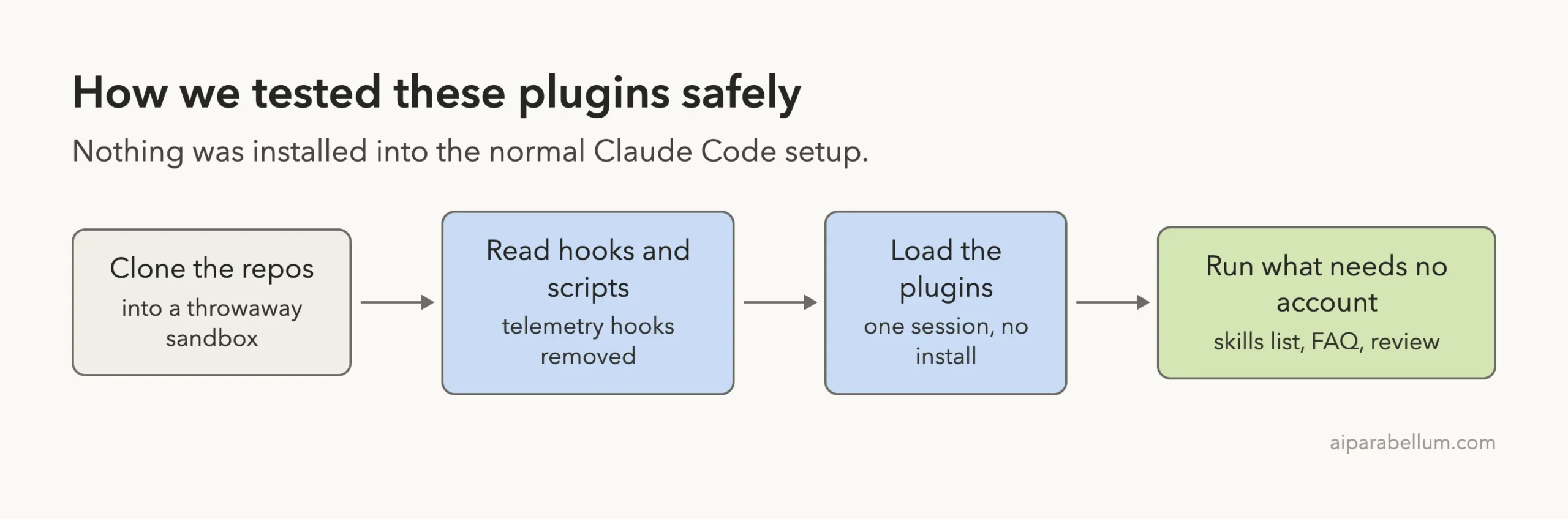
Two findings shaped the test. The Azure plugin starts its MCP server through npx, which downloads a package.
Its hooks run a telemetry script, and the Power Platform plugins also ship telemetry hooks. We removed the hooks and MCP servers from our copies of those two. The Cosmos DB, Azure SQL and Dataverse plugins were loaded as published.
The commits we tested were: Azure skills f5ae01d, Dataverse skills 65bb1d3, Azure SQL container b785608, Cosmos DB plugin f1e0498 and Power Platform skills 3ac90e9. All except the Cosmos DB plugin had commits within the last week.
Which Plugins Work Without an Account?
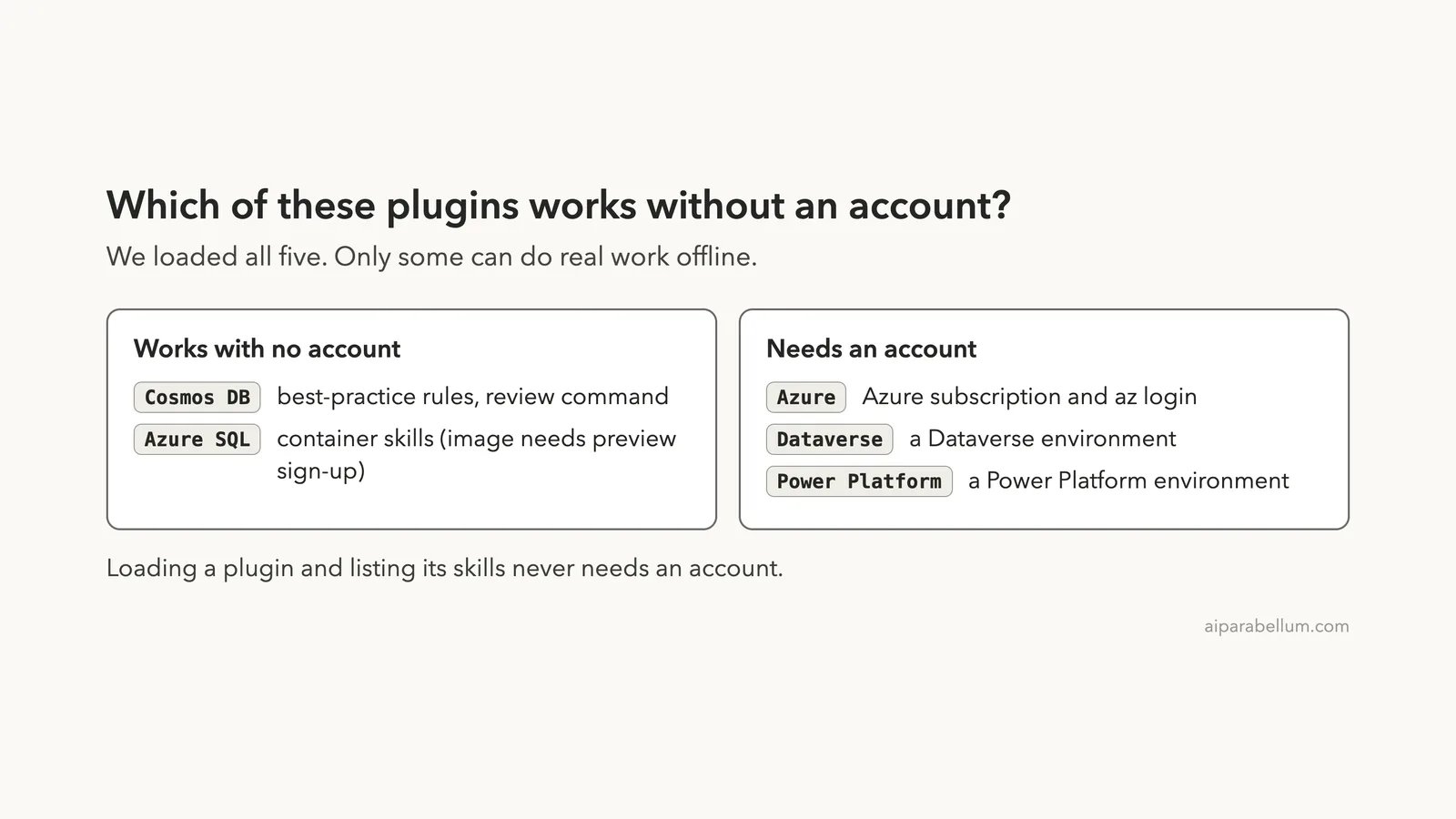
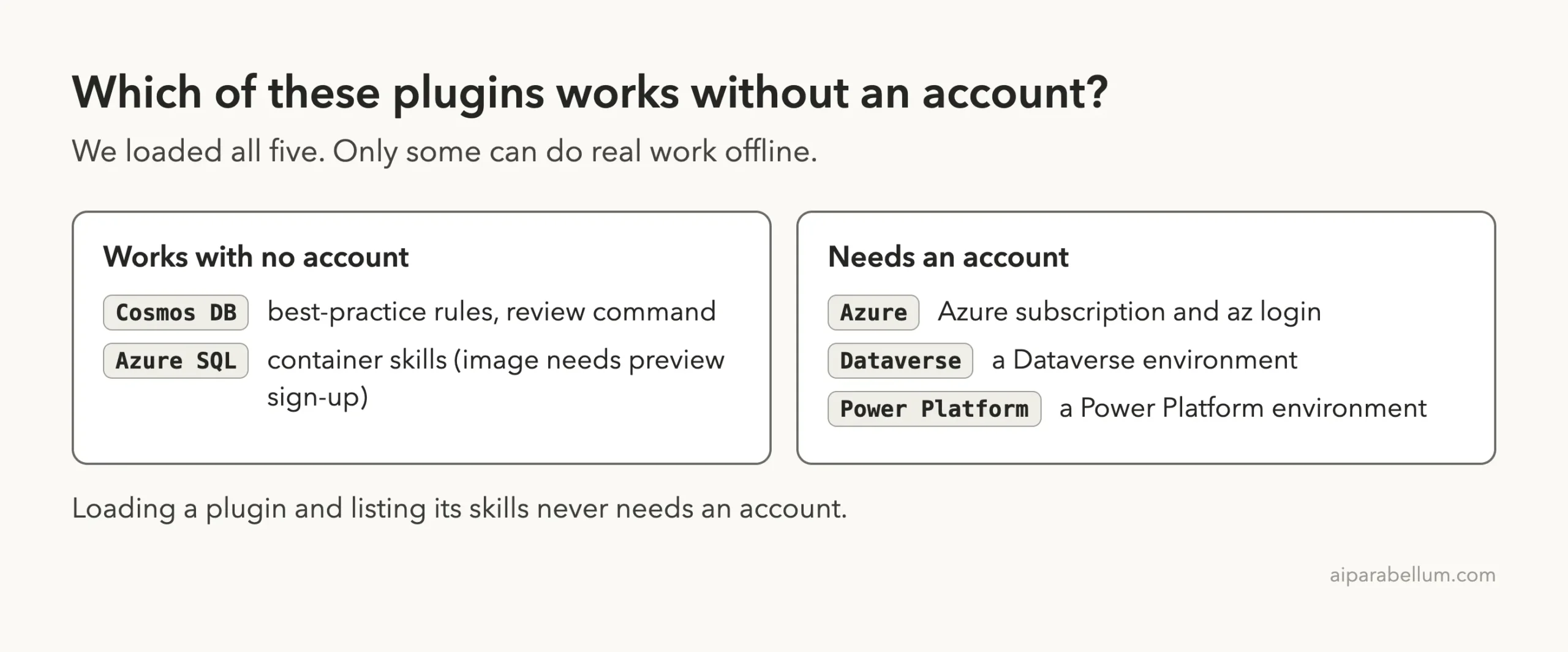
Loading a plugin and listing its skills never needs an account. Real work is different. The diagram shows where each plugin lands.
Loading All Five Plugins in One Session
We started one Claude Code session with all five plugin folders. The command looked like this, with paths shortened:
claude --setting-sources project \
  --plugin-dir plugins/azure \
  --plugin-dir plugins/power-pages \
  --plugin-dir repos/cosmosdb-claude-code-plugin \
  --plugin-dir repos/azure-sql-database-container \
  --plugin-dir repos/Dataverse-skills/.github/plugins/dataverse
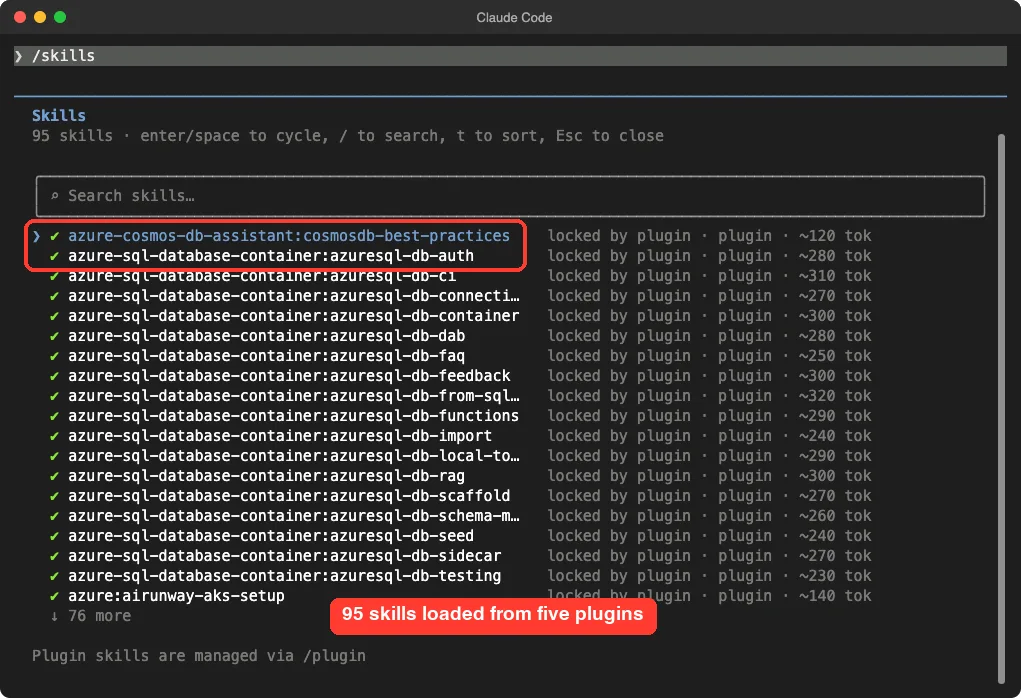
The --setting-sources project flag keeps your user settings out of the run. Inside the session, /skills showed 95 skills, each marked as locked by its plugin. That count came from the Azure folder, the Power Pages plugin, Cosmos DB, Azure SQL and Dataverse together.
Azure Plugin: Skills Plus the Azure MCP Server
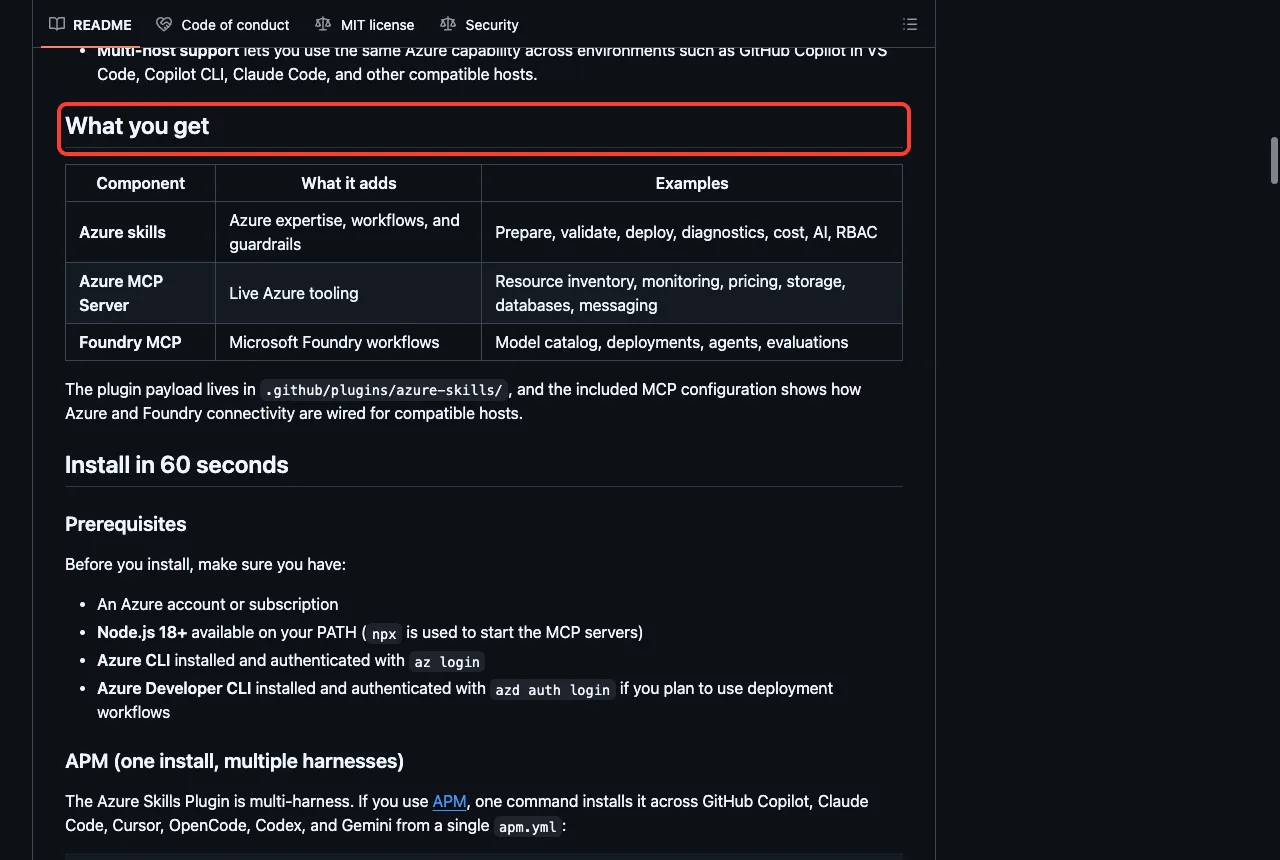
The Azure plugin is the big one. According to its README, it has three layers: Azure skills, the Azure MCP Server, and a Foundry MCP for Microsoft Foundry. The README says the MCP server gives the agent 200 or more tools across more than 40 Azure services.
The skills cover the steps most people ask about. Examples from the skills folder we loaded include azure-prepare, azure-validate, azure-deploy, azure-diagnostics, azure-quotas, azure-storage and microsoft-foundry. In our copy, typing /azure:azure-storage appeared in the command list.
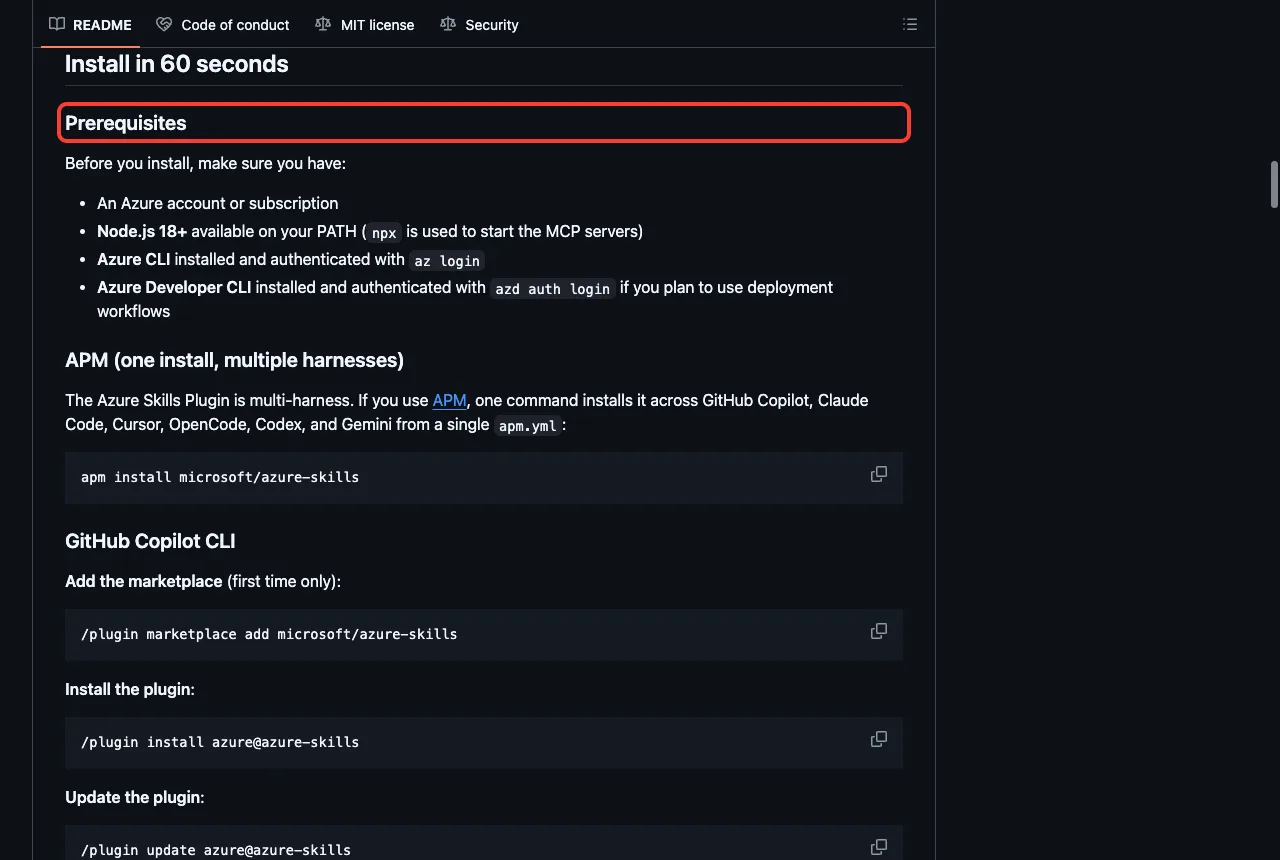
Here is the part we did not run. The README lists an Azure account, Node.js 18 or newer, the Azure CLI signed in with az login, and the Azure Developer CLI for deployments. Without those, the MCP tools cannot list or change anything, so we only verified that the skills load.
Our verdict: install it if you already work in Azure. If you want to see how a cloud plugin is set up end to end, our Google Cloud plugins follows the same steps for a different provider.
Azure Cosmos DB Plugin: The One That Works Offline
This plugin is the easiest to try. Its manifest says it includes 73 best-practice rules across 10 categories, such as data modeling, partition key design, query optimization, indexing and vector search. It states that no external services or configuration are required, and live database access through an MCP Toolkit is optional.
When we typed /cosmos, Claude Code listed the plugin’s pieces. There is the cosmosdb-best-practices skill, plus three commands: cosmos-review, cosmos-setup and generate-skills. The review command checks your code in priority order, starting with data model design, partition key choice and client lifecycle.
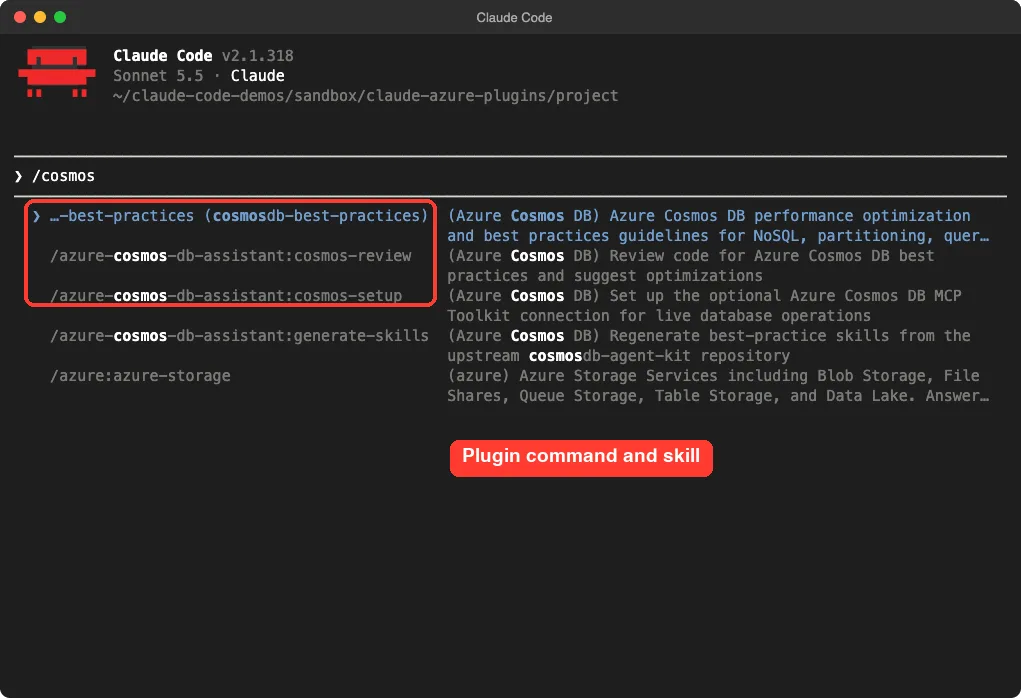
We started /azure-cosmos-db-assistant:cosmos-review on a tiny demo file. The skill loaded, but Claude could not find the file in the working folder and asked permission to search for it, so we stopped there. We did not complete a review run, and we cannot tell you how good its findings are.
The repo’s last commit was in April 2026, so it moves slower than the others. Rules are static text, which means they will not catch newer Cosmos DB features until the authors update them.
Azure SQL Developer Plugin: Skills for a Local Database
This plugin wraps skills for the Azure SQL Database container, which is the Azure SQL engine running locally. The repo ships 17 agent skills, with names such as azuresql-db-container, azuresql-db-schema-migration, azuresql-db-rag and azuresql-db-faq. They teach Claude to run the engine, connect, migrate, scaffold, build vector search and wire up CI.
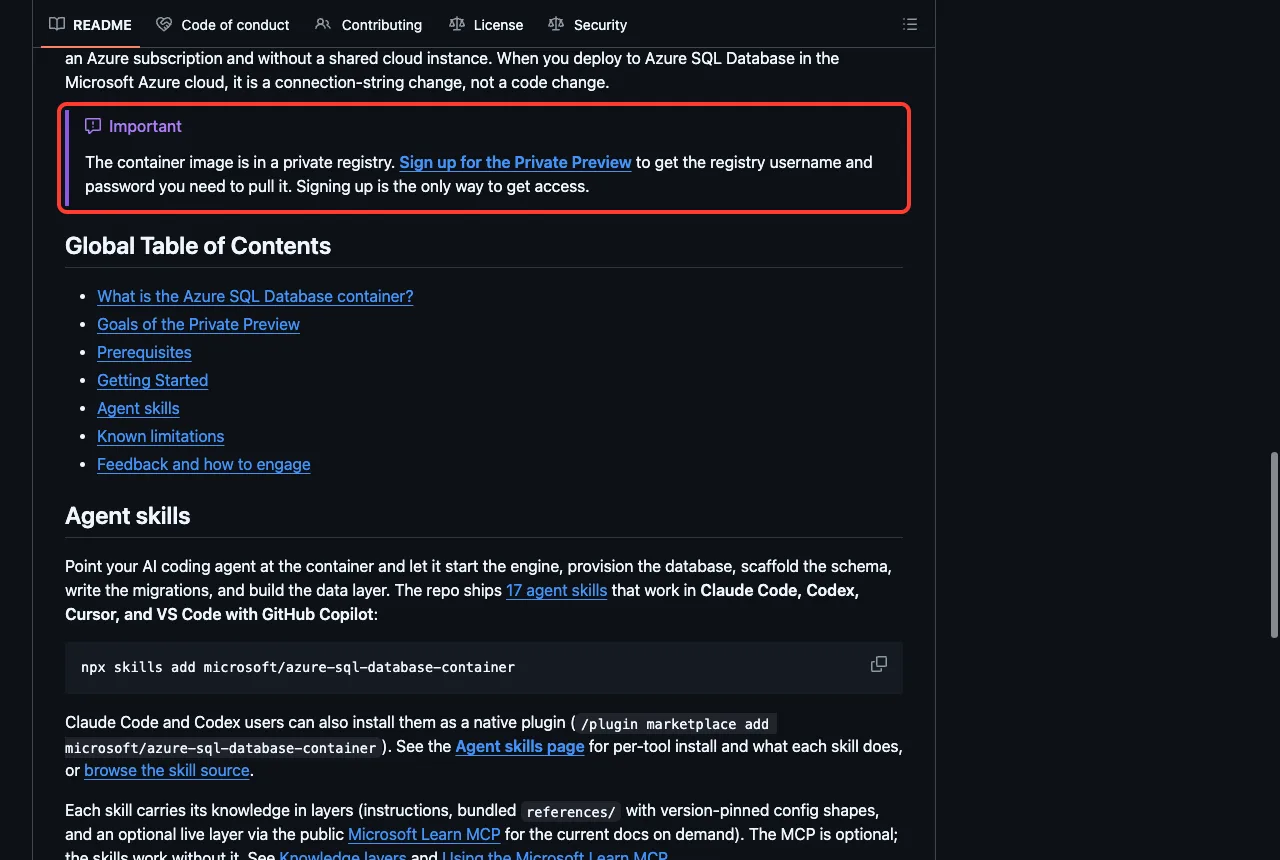
The catch is the container image. The README says it sits in a private registry, and you need to sign up for the Private Preview to get a username and password.
The README also says no Azure subscription or credit card is needed for development. We did not sign up, so we could not start the container.
The skills themselves still work as guidance. We asked a question that the azuresql-db-faq skill is built for: what the container does not support compared with cloud Azure SQL Database. Claude loaded the skill and answered in four points, including that backup and restore statements fail, contained users fail, and some tools such as SSMS are not fully compatible yet.
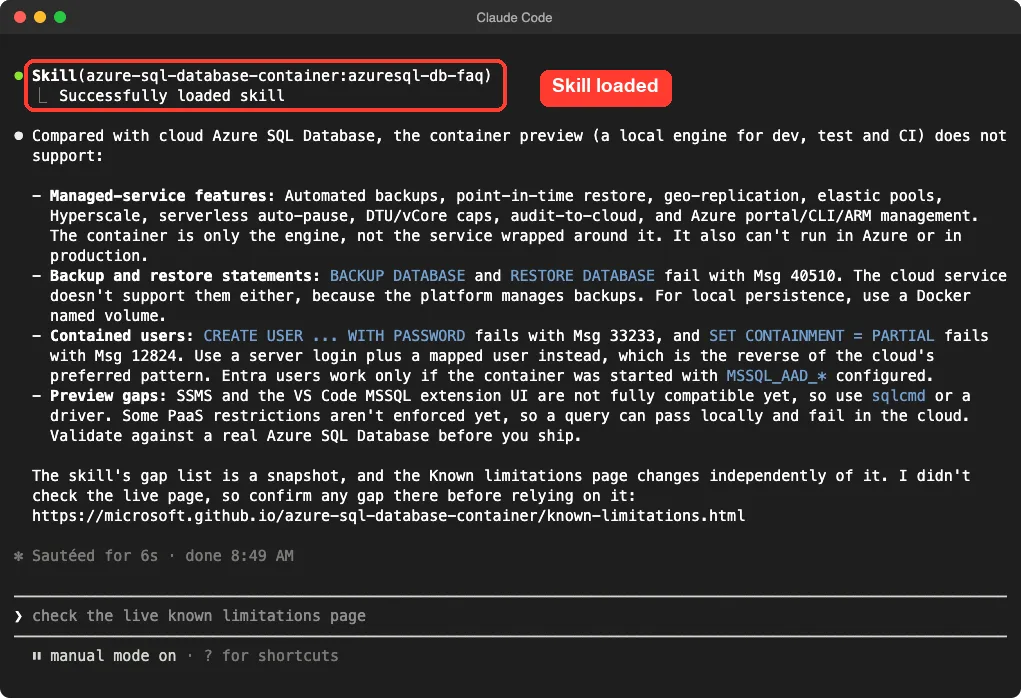
One detail impressed us. Claude said the skill’s gap list is a snapshot and that it had not checked the live Known limitations page.
It told us to confirm gaps there. That is the right habit for a preview product. If you run databases in containers, our guide to Docker setup guide covers the safe way to set that up.
Dataverse Plugin: Data and Solutions for Power Platform
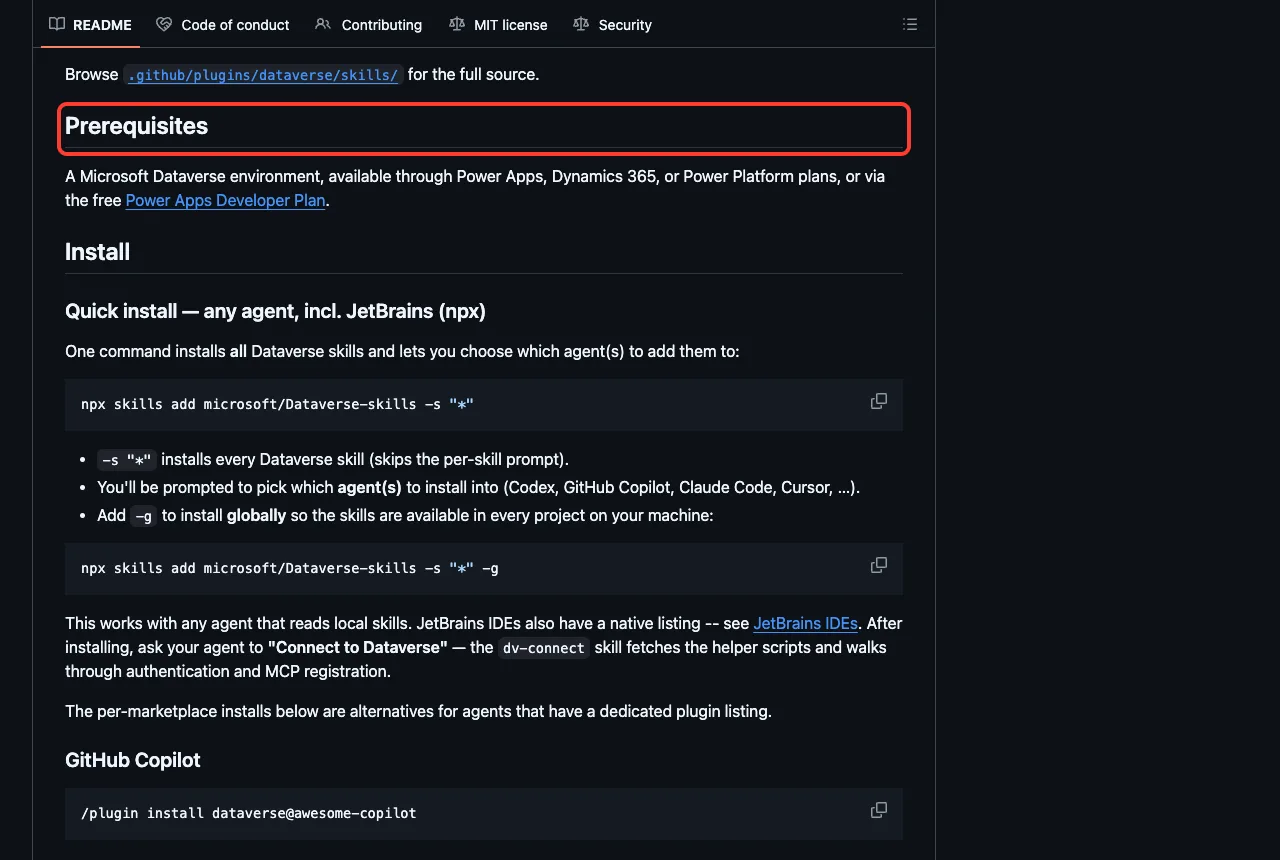
Dataverse is the data layer under Power Apps and Dynamics 365. This plugin teaches Claude to build, query and manage it using the Dataverse MCP server, the Dataverse CLI, the Python SDK and the PAC CLI. In our session, filtering the skills list for dv- showed eight skills: dv-admin, dv-connect, dv-data, dv-metadata, dv-overview, dv-query, dv-security and dv-solution.
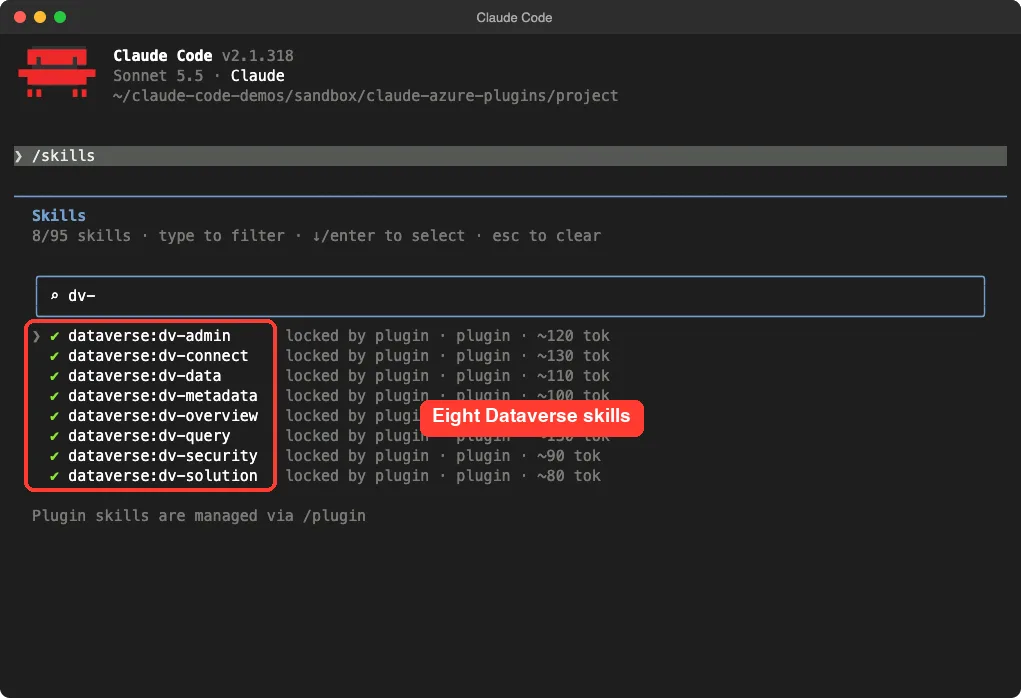
The README describes dv-connect as the one-time setup skill. It installs the CLI tools, signs you in to your environment and registers the MCP server.
We did not run it, because it needs a real environment. The README names a Microsoft Dataverse environment as the prerequisite, and says the free Power Apps Developer Plan also works.
The repo also lists two skills for Finance and Operations, erp-sql and erp-xpp. We saw them in the folder but not in the filtered list, so treat them as extras for Dynamics 365 users.
Power Platform Skills: A Whole Marketplace
Power Platform is different because it is a marketplace of many plugins, not one. The README table maps what you want to a plugin: Power Pages for websites, model-driven apps for business apps, canvas apps, code apps, Power Automate for flows, Process Intelligence, PCF for custom controls, and more. Some are marked preview or private preview.
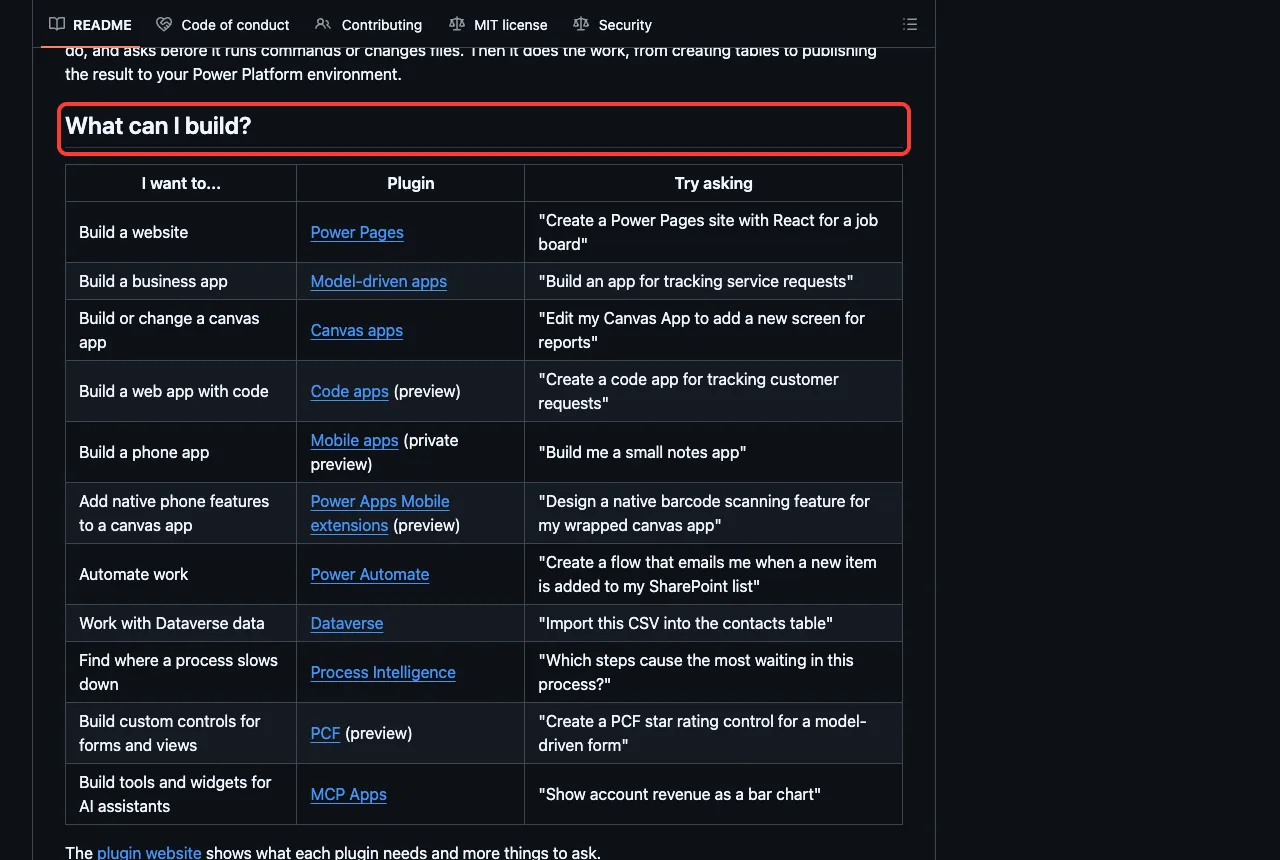
To install from it, add the marketplace first, then pick a plugin:
/plugin marketplace add microsoft/power-platform-skills
/plugin install power-pages@power-platform-skills
We loaded only one of them, Power Pages.
Filtering for power-pages listed 39 skills, such as create-site, deploy-site, add-seo, create-webroles and audit-permissions. That is a lot of context to load, so install only the plugins you will use. The skills list shows a rough token cost for each one.
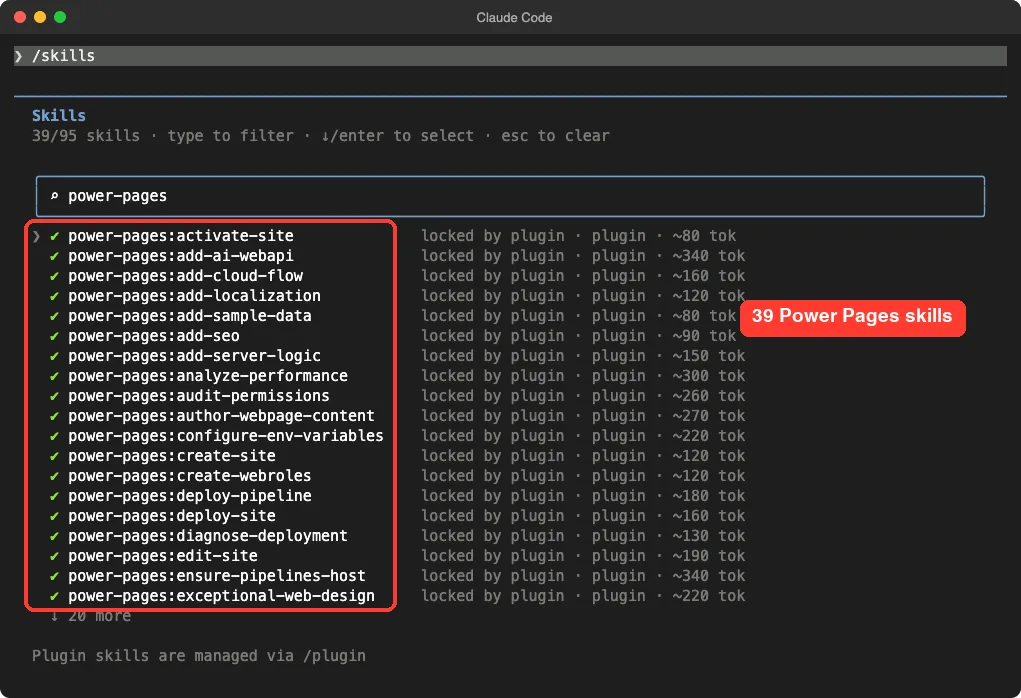
Creating or deploying a site needs a Power Platform environment, which we did not have. So our claim is limited to this: the plugin loads and its skills appear.
Safety Notes Before You Install
Read what you are installing. These plugins can run hooks on your machine, and several send usage data unless you opt out.
- The Azure plugin runs a telemetry script on session start and after tool use. The script checks
AZURE_MCP_COLLECT_TELEMETRYand skips reporting when it is set tofalse. - The Power Platform plugins include hooks that run on skill use and on prompt submit, and each has a telemetry skill to turn collection on or off.
- The Azure MCP server starts through
npx, so Node.js must be installed and a package is fetched when the plugin starts. - Claude Code shows what a plugin adds before you confirm an install, so read that screen.
We did not measure what any telemetry sends, because we removed or disabled it for the test. We are only telling you it exists.
Load a plugin for one session first. Install it only after you have read its hooks.
Try It Yourself
The safest first step needs no account. Clone the Cosmos DB plugin into a scratch folder and load it for one session. Then ask for a review of a small data model.
git clone https://github.com/AzureCosmosDB/cosmosdb-claude-code-plugin
claude --plugin-dir ./cosmosdb-claude-code-plugin

Review this Cosmos DB container design for partition key and data modeling problems. Orders are stored with status as the partition key, and each order lists all items inline.
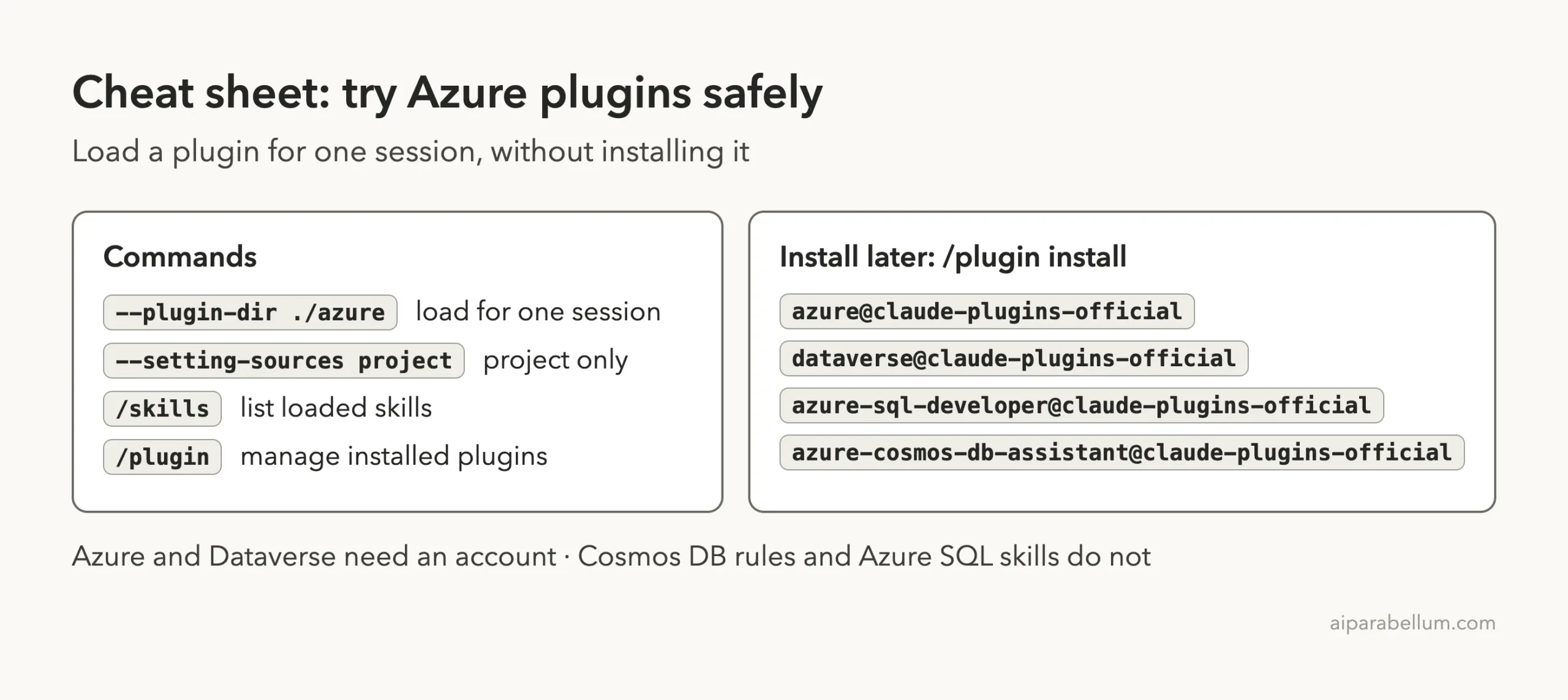
If the rules help, install it properly later with /plugin install azure-cosmos-db-assistant@claude-plugins-official.
Common Mistakes
- Installing every Power Platform plugin at once. Each adds many skills, so pick one or two.
- Expecting the Azure plugin to work without
az login. The skills load, but the live tools need your account. - Trying the Azure SQL plugin and being surprised that the image will not pull. It needs the Private Preview credentials first.
- Trusting a skill’s gap list as current. Check the live docs for preview products.
- Skipping the hooks. Read
hooks/before you enable a plugin on a work machine.
Pro Tips
- Use
/skillsto see exactly what loaded and its token cost. - Load plugins with
--plugin-dirfirst. Install only the ones you keep. - Start with the plugin that matches the account you already have.
- Ask for specific skills by name, such as the
azuresql-db-faqskill, to get focused answers.
Cheat Sheet
Frequently Asked Questions
Is there an official Claude Code Azure plugin?
Yes. Microsoft publishes the Azure plugin, and the Claude Code marketplace lists it as azure@claude-plugins-official. Its README says it supports Claude Code along with several other tools.
Do I need an Azure account to use these plugins?
For the Azure plugin, yes, because its live tools use your subscription. The Cosmos DB rules need no account. The Azure SQL skills need none, but the container image needs a Private Preview sign-up.
Can Claude Code build a Power Pages site?
The Power Pages plugin includes skills such as create-site and deploy-site. We confirmed the skills load, but we did not create a site because that needs a Power Platform environment.
Are these plugins free?
The plugins are open source under the MIT license, according to their repos. The cloud services behind them may cost money, so check your own plan. The Azure SQL container has its own preview license.
How do I try one without installing it?
Run claude --plugin-dir ./folder with a cloned copy. It loads for that session only and leaves your normal setup alone.
Conclusion
Microsoft’s plugins give Claude Code real Azure and Power Platform knowledge, but only the Cosmos DB rules and the Azure SQL skills can help you without a cloud account. We loaded all five, confirmed 95 skills in one session, and got a useful answer from the Azure SQL FAQ skill, while the Azure, Dataverse and Power Platform features stay unverified until you sign in. Start with the plugin that matches the account you already have, read its hooks first, and browse more add-ons in our Claude guide and the Skills Directory.