SAP now publishes a whole set of add-ons that teach Claude Code how to work on its development stack. If you searched for a Claude Code SAP plugin, you probably found nine names in the official marketplace: cds-mcp, sap-cds-mcp, sap-fiori-mcp-server, sap-mdk-server, sap-hana-cli, ui5, ui5-modernization, ui5-typescript-conversion and ui-theme-designer. This guide explains what each one does, which parts need a SAP system, and what we actually ran on a Mac.
This guide is part of our Claude Code tutorials. Find more add-ons in our Skills Directory.
Tested with Claude Code v2.1.318 on 2026-11-06 (macOS).
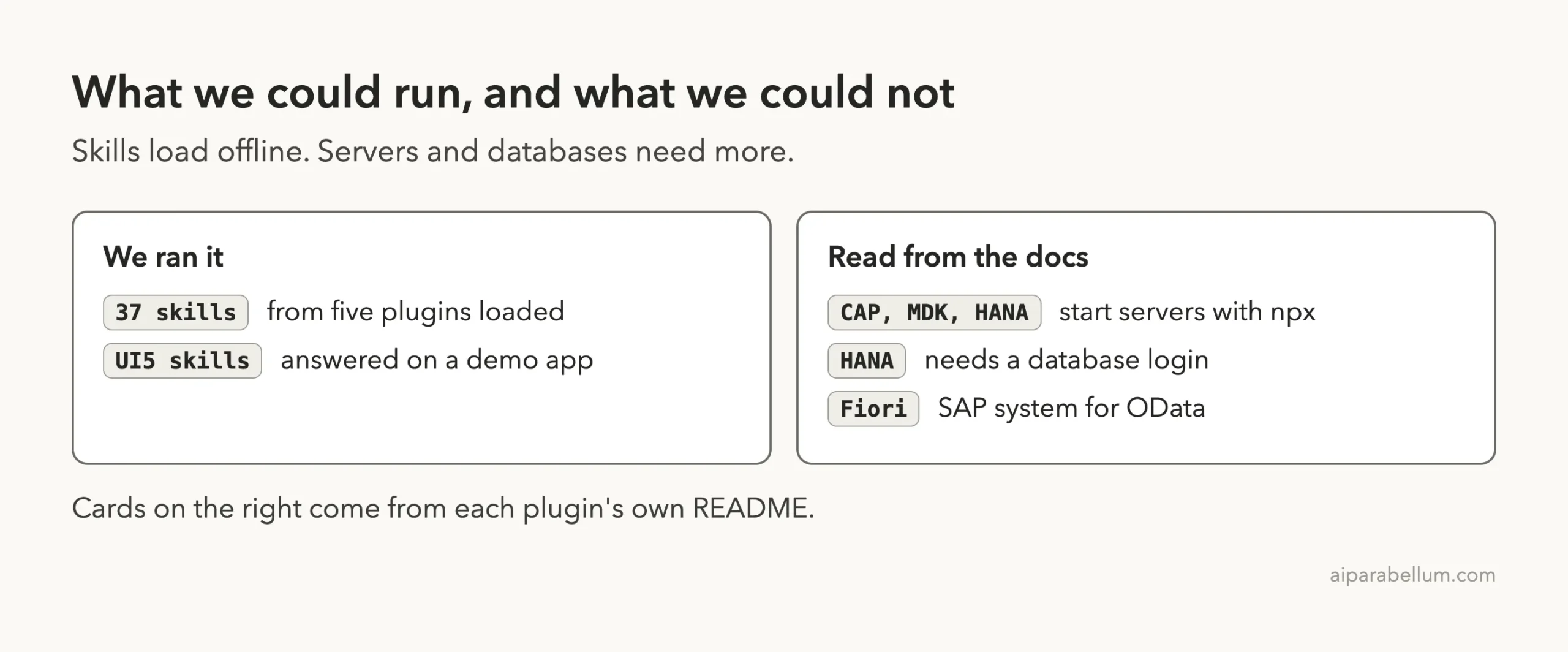
We loaded the five skills-only plugins in a sandbox and ran three of their skills on a small demo app. We did not run the CAP, Fiori, MDK or HANA servers, because they start through npx and the HANA and Fiori features need a database or SAP system. Everything about those comes from each plugin’s own README, and we say so each time.
Quick Summary: The Nine SAP Plugins at a Glance
| Plugin | What it does | What it adds | Needs a SAP system? | Install command |
|---|---|---|---|---|
| cds-mcp | Search CAP models and docs | MCP server | No | /plugin install cds-mcp@claude-plugins-official |
| sap-cds-mcp | Same server under a second name | MCP server | No | /plugin install sap-cds-mcp@claude-plugins-official |
| sap-fiori-mcp-server | Create and change Fiori apps | MCP server | Only for OData from a SAP system | /plugin install sap-fiori-mcp-server@claude-plugins-official |
| sap-mdk-server | Build mobile apps with MDK | MCP server | Some tools use Mobile Services | /plugin install sap-mdk-server@claude-plugins-official |
| sap-hana-cli | 150+ database tools | MCP server | Yes, a HANA database | /plugin install sap-hana-cli@claude-plugins-official |
| ui5 | UI5 best practices and linter | 8 skills plus MCP server | No | /plugin install ui5@claude-plugins-official |
| ui5-modernization | Fix old UI5 apps step by step | 19 skills plus a browser MCP | No | /plugin install ui5-modernization@claude-plugins-official |
| ui5-typescript-conversion | Convert UI5 JavaScript to TypeScript | 1 skill | No | /plugin install ui5-typescript-conversion@claude-plugins-official |
| ui-theme-designer | Theme help and design token answers | 2 skills | No | /plugin install ui-theme-designer@claude-plugins-official |
What Is a Claude Code SAP Plugin?
A plugin is a bundle that can hold skills, commands, agents, hooks and MCP servers. Skills are written guidance that Claude loads when your request matches. An MCP server is a small program that gives Claude extra tools, such as searching a project’s data model.
If plugins are new to you, start with our plugin install guide.
The SAP plugins use both. The UI5, Fiori and theme plugins are mostly skills, so they only change what Claude knows. The CAP, HANA and MDK plugins are mostly MCP servers, so they give Claude new tools to call.
Anthropic’s docs cover the basics well. The pages on discovering plugins, creating plugins and MCP servers explain scopes and what each piece adds to a session.
Which SAP Plugin Fits Which Job?
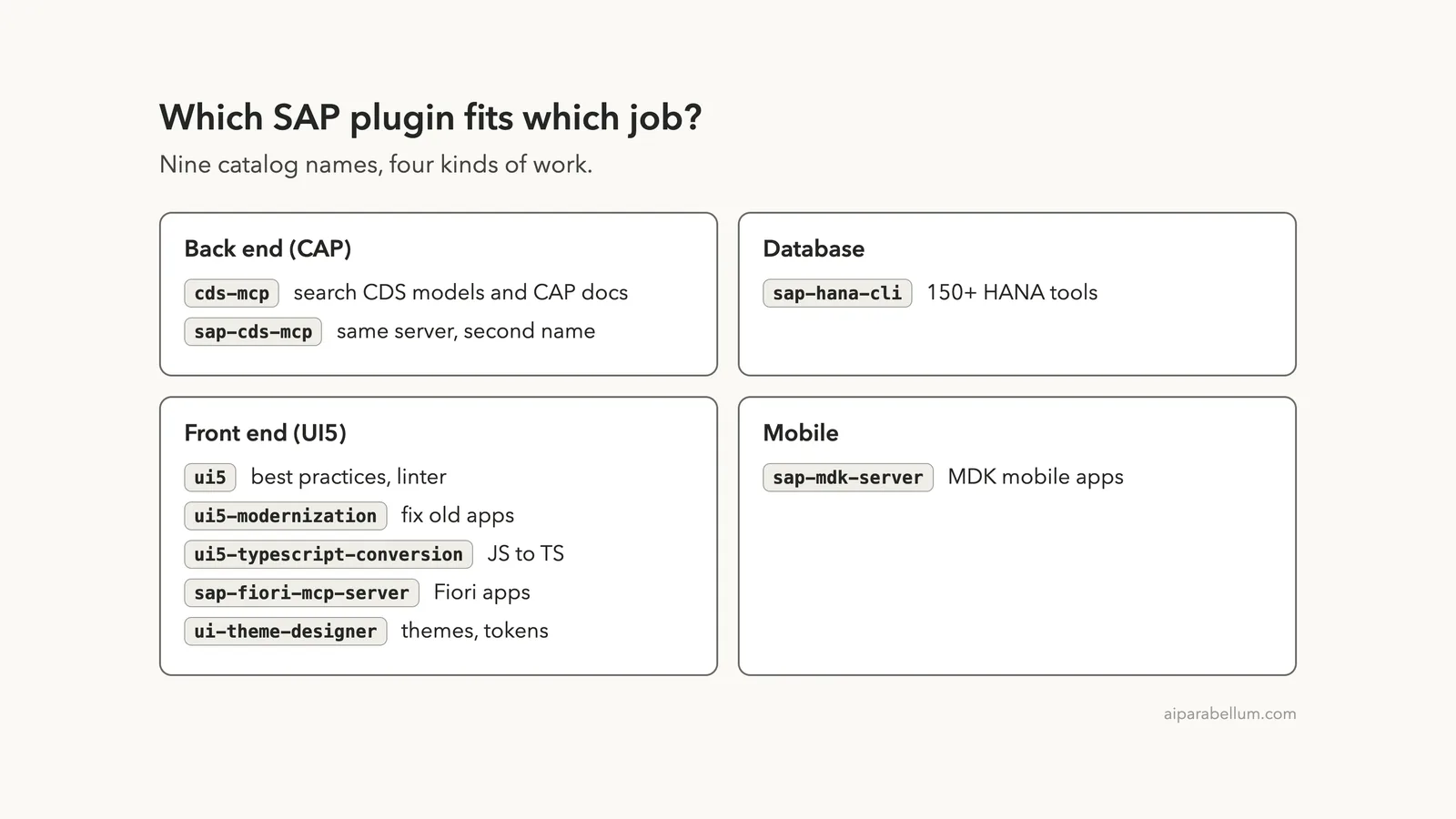
Nine names sound like a lot, but they fall into four kinds of work. CAP is the back end, HANA is the database, UI5 and Fiori are the front end, and MDK is for mobile apps.
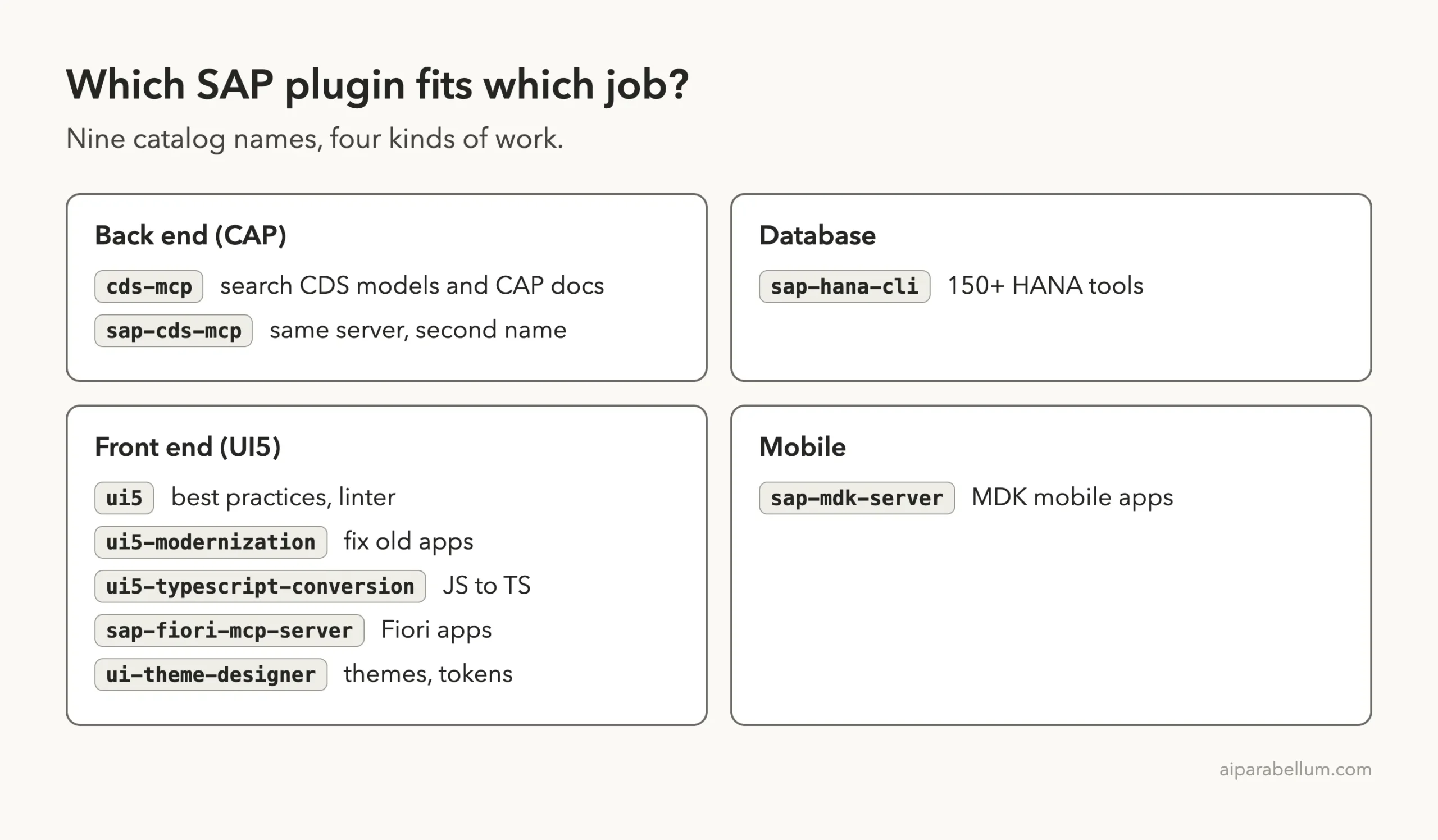
One detail trips people up. The marketplace lists both cds-mcp and sap-cds-mcp, and both point to the same repository and the same commit. You only need one of them.
How We Tested Without Touching Our Setup
Plugins can ship hooks, which run commands on your machine, and MCP servers, which run programs. So we read before we ran. We cloned the repositories into a throwaway sandbox and read every plugin manifest, MCP config, hook and script.
We found no hooks in any of the six repositories. The only scripts we saw were developer tools, such as a skill linter and a version syncing script, and detection scripts inside the modernization skills. We loaded the plugins with --plugin-dir and --setting-sources project, so nothing was installed into the normal Claude Code setup.
The commits we tested were: UI5 plugins 56bcdc8, Fiori tools 21833af, UI Theme Designer plugin 2ae1f78, HANA plugin abadd0a, CAP server 657bd80 and MDK server 1f1a436. All were active within the last few weeks except the HANA plugin, whose last commit was on 2026-06-01.
What We Ran and What We Read From the Docs
Every MCP server in these plugins starts with npx, which downloads a package from npm. To stay safe, we removed the MCP config from our copies of the five skills-based plugins and loaded only their skills. We did not start the CAP, HANA or MDK servers at all.
Loading Five SAP Plugins in One Session
We started one session with five plugin folders: ui5, ui5-modernization, ui5-typescript-conversion, the Fiori plugin and ui-theme-designer. The command looked like this, with paths shortened:
claude --setting-sources project \
  --plugin-dir plugins/ui5 \
  --plugin-dir plugins/ui5-modernization \
  --plugin-dir plugins/ui5-ts \
  --plugin-dir plugins/fiori \
  --plugin-dir plugins/uitheme
Inside the session, /skills showed 37 skills, each marked as locked by its plugin. That matches the sum we expected: 8 from ui5, 19 from ui5-modernization, 1 from the TypeScript plugin, 7 from Fiori and 2 from the theme plugin.
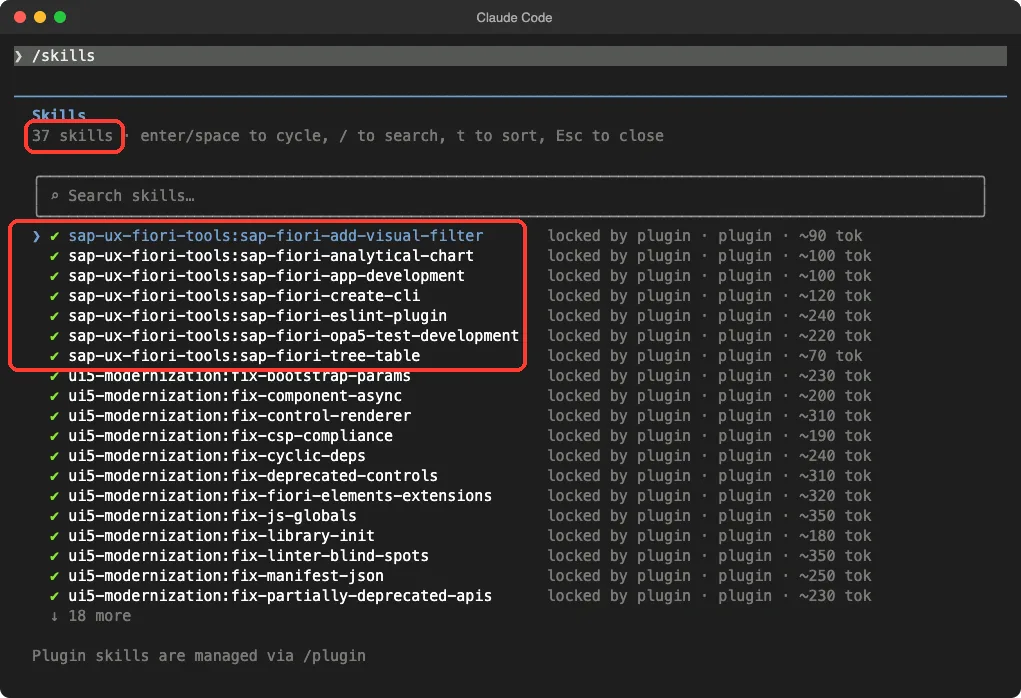
The screen also shows a rough token cost per skill, between about 70 and 350 tokens for the ones in view. That is the cost of having the skill listed, so a big bundle is cheap until a skill actually loads.
UI5 Plugin: Best-Practice Skills for SAPUI5 and OpenUI5
The ui5 plugin is the foundation for front-end work. Its README says it combines an MCP server with skills.
The server can create and validate UI5 projects, search API docs and run the UI5 linter. The eight skills hold guidelines for tables, smart controls, MDC controls, integration cards, accessibility, QUnit tests and OPA5 tests, plus a general best-practices skill.
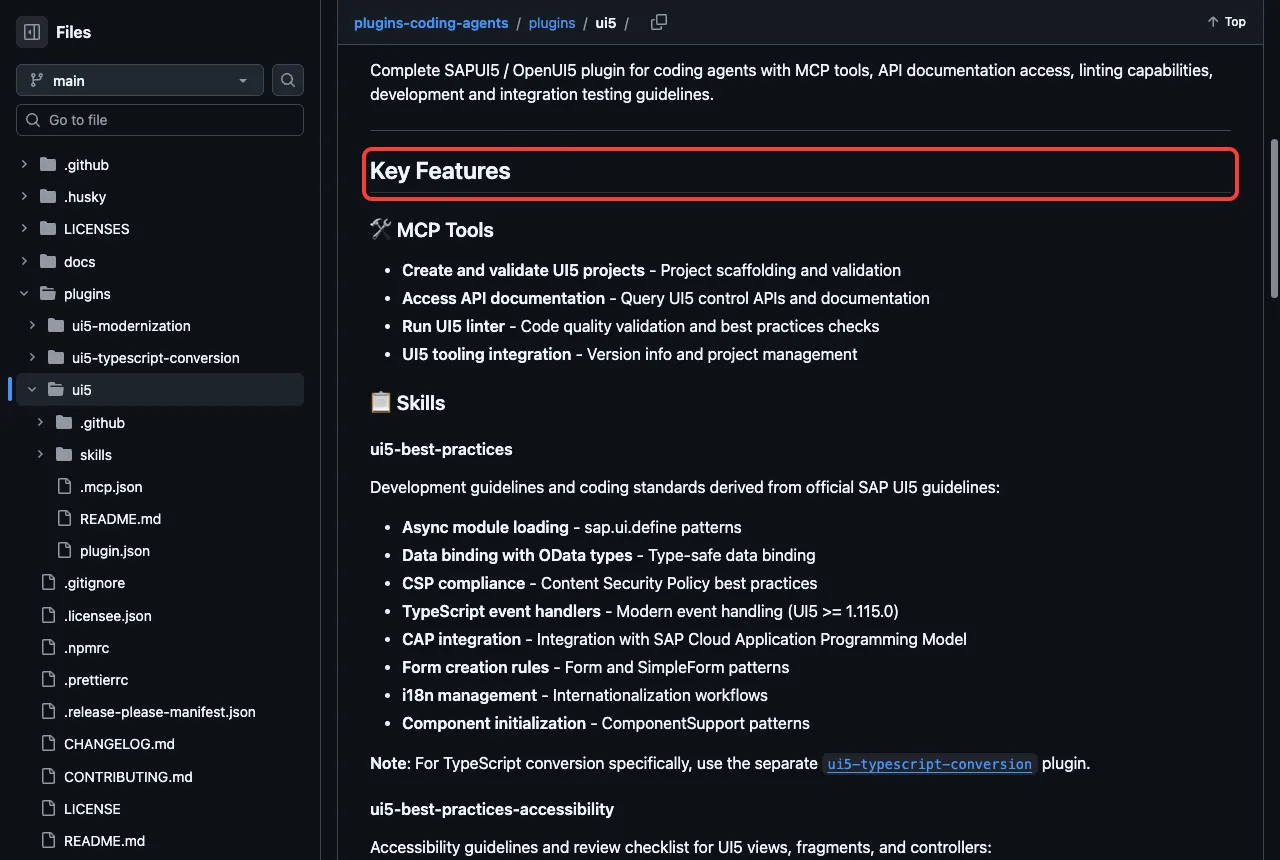
The README notes that the MCP server is pinned in the plugin as @ui5/[email protected]. We did not start it, so we cannot say how well the linter and API search work in a live session. We did confirm that the eight skills load.
If you only want the skills and not the plugin system, the README says you can run npx skills add UI5/plugins-coding-agents. In that case, it says you must install the UI5 MCP server yourself.
UI5 Modernization Plugin: Two Skills We Ran
This plugin is built around the UI5 linter. The README describes a five-phase workflow that targets manifest version 2.0.0 and a minimum framework version of 1.136.0. It has one fix skill for each family of linter rules, such as globals, deprecated controls, manifest settings and CSP compliance.
We made a tiny demo app on purpose with old habits in it. The controller used sap.ui.model.json.JSONModel, sap.ui.getCore() and sap.m.MessageToast as globals, and the manifest was at version 1.12.0. We ran Claude Code in plan mode, so it could not edit anything.
Our first prompt asked Claude to use ui5-modernization:fix-js-globals on the controller. The skill loaded and Claude listed three fixes: import the JSONModel and MessageToast modules in the dependency array, and replace the getCore().getConfiguration().getLanguage() call with the Localization module. Claude also said the Localization replacement was its own suggestion, not one the skill lists, which is an honest detail worth noticing.
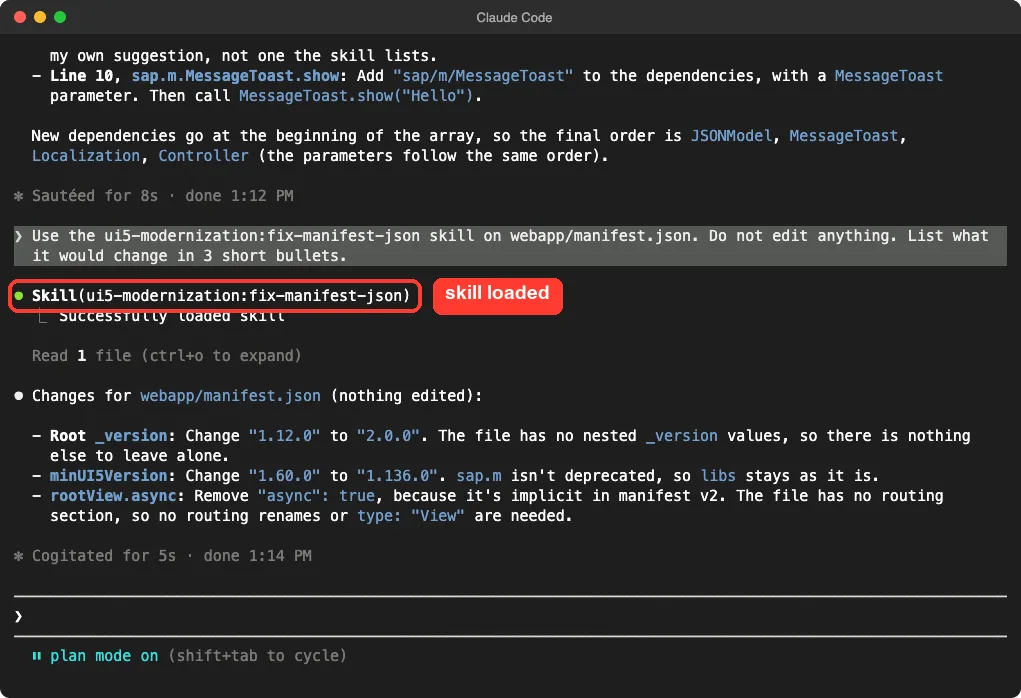
The second prompt used ui5-modernization:fix-manifest-json on the manifest. Claude proposed changing _version from 1.12.0 to 2.0.0, raising minUI5Version from 1.60.0 to 1.136.0 and removing "async": true from the root view. Those numbers match the 2.0.0 and 1.136.0 targets in the README.
This was one small demo with two skills out of 19, so we cannot judge the full five-phase workflow on a large real app. It did show that the skills load by name and give specific, checkable answers. For a general approach to this kind of cleanup, see our guide to safe refactoring.
One safety note: the plugin’s MCP config starts chrome-devtools-mcp@latest through npx, which is an unpinned version. We left it out of our test.
UI5 TypeScript Conversion Plugin
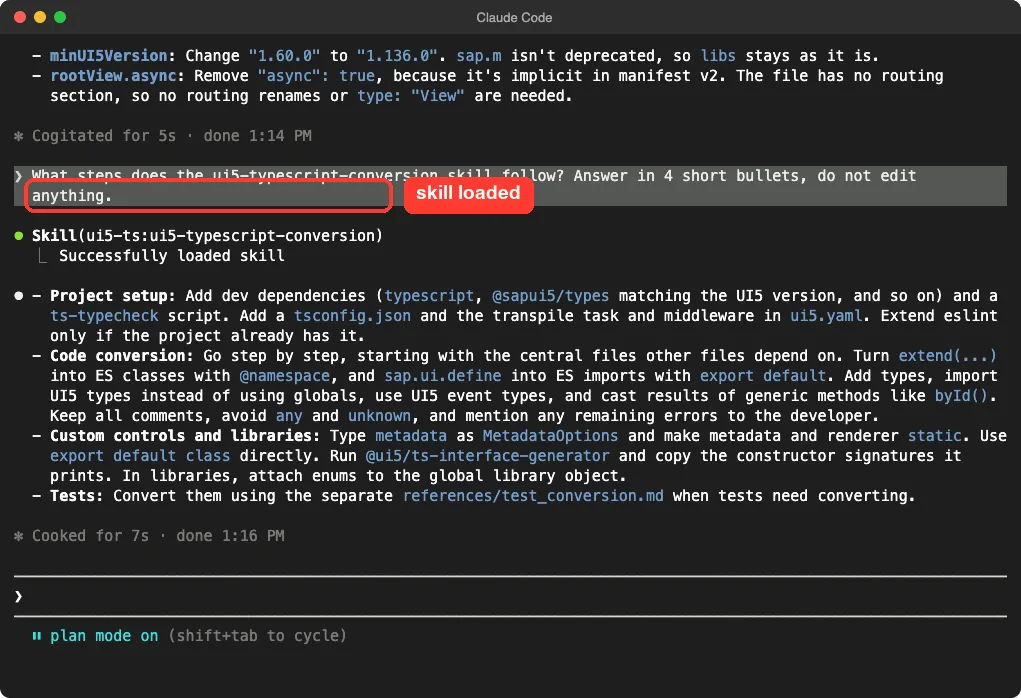
This plugin is one skill. Its README has almost no detail, so we asked Claude what steps the skill follows. We ran this one too, with no edits allowed.
Claude answered in four points.
Project setup adds dev dependencies such as typescript and @sapui5/types, a typecheck script and a tsconfig.json. Code conversion goes file by file, starting with the central files, and turns extend(...) into ES classes. Custom controls get typed metadata, and tests follow a separate conversion reference.
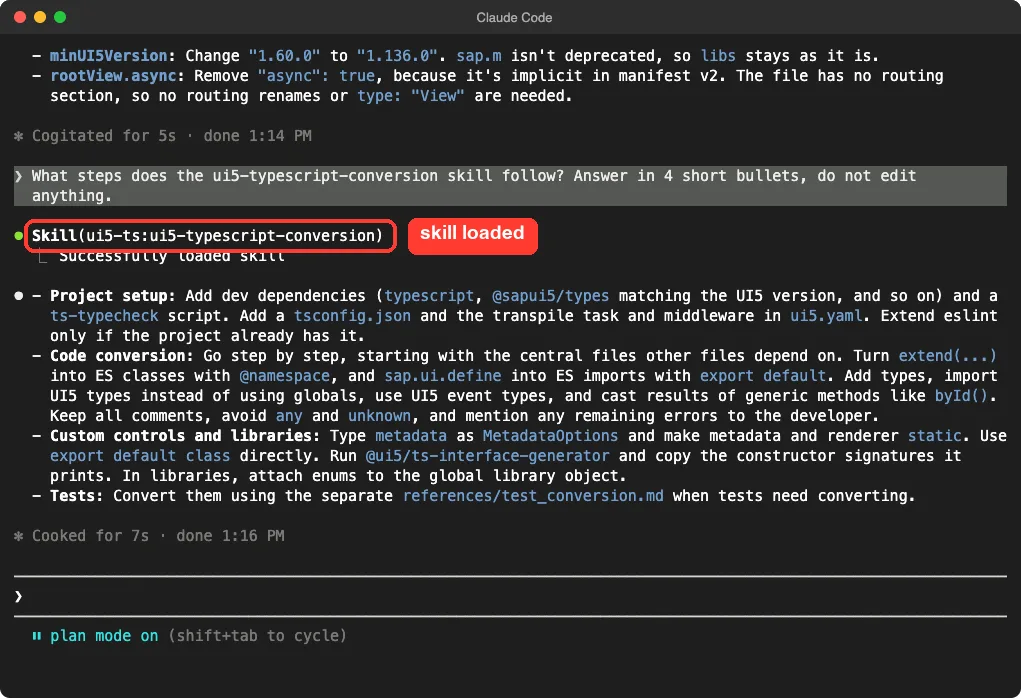
We did not convert a project. If that is your goal, our guide to TypeScript conversion guide covers the general method, and this skill adds the UI5-specific parts.
SAP Fiori Plugin: Seven Skills and an MCP Server
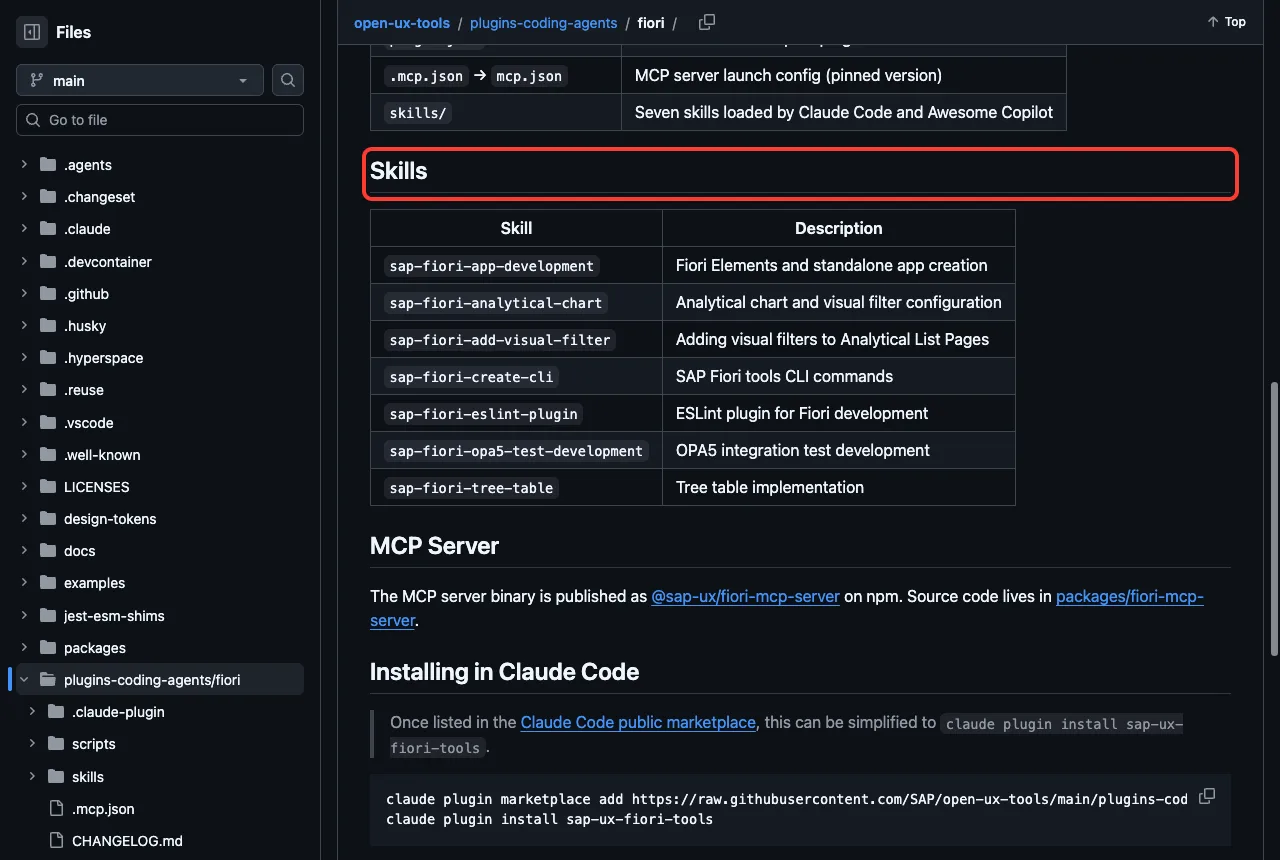
The Fiori plugin lives in the SAP open-ux-tools repository. Its README lists seven skills, for app creation, analytical charts, visual filters, the Fiori tools command line, the ESLint plugin, OPA5 tests and tree tables.
The MCP server is the bigger part. According to its README, it can search Fiori and UI5 docs, list existing Fiori apps, generate apps for CAP or OData projects, and modify existing apps in three steps: list the functions, get the details, then execute. The README says search_docs downloads an embedding model of about 86 MB from HuggingFace on first use.
Generating an app from a SAP system also needs a saved system connection, which the README says comes from a separate VS Code extension. We did not run any of this. Our loaded copy included the skills, and the marketplace entry for sap-fiori-mcp-server points at the MCP package folder, so check /skills after you install to see which pieces arrived.
CAP Plugin: cds-mcp for Models and Docs
CAP is SAP’s Cloud Application Programming Model. The CAP plugin wraps a server with two tools, according to its README. search_model does a fuzzy search over names in your compiled CDS model, and search_docs searches CAP documentation using local embeddings.
That is useful because Claude can look up your real entities and services instead of guessing from file names. The README even suggests rules for your AGENTS.md file, telling the model to search with the server before changing CDS models. The server also has environment variables such as CDS_MCP_OFFLINE for using cached embeddings.
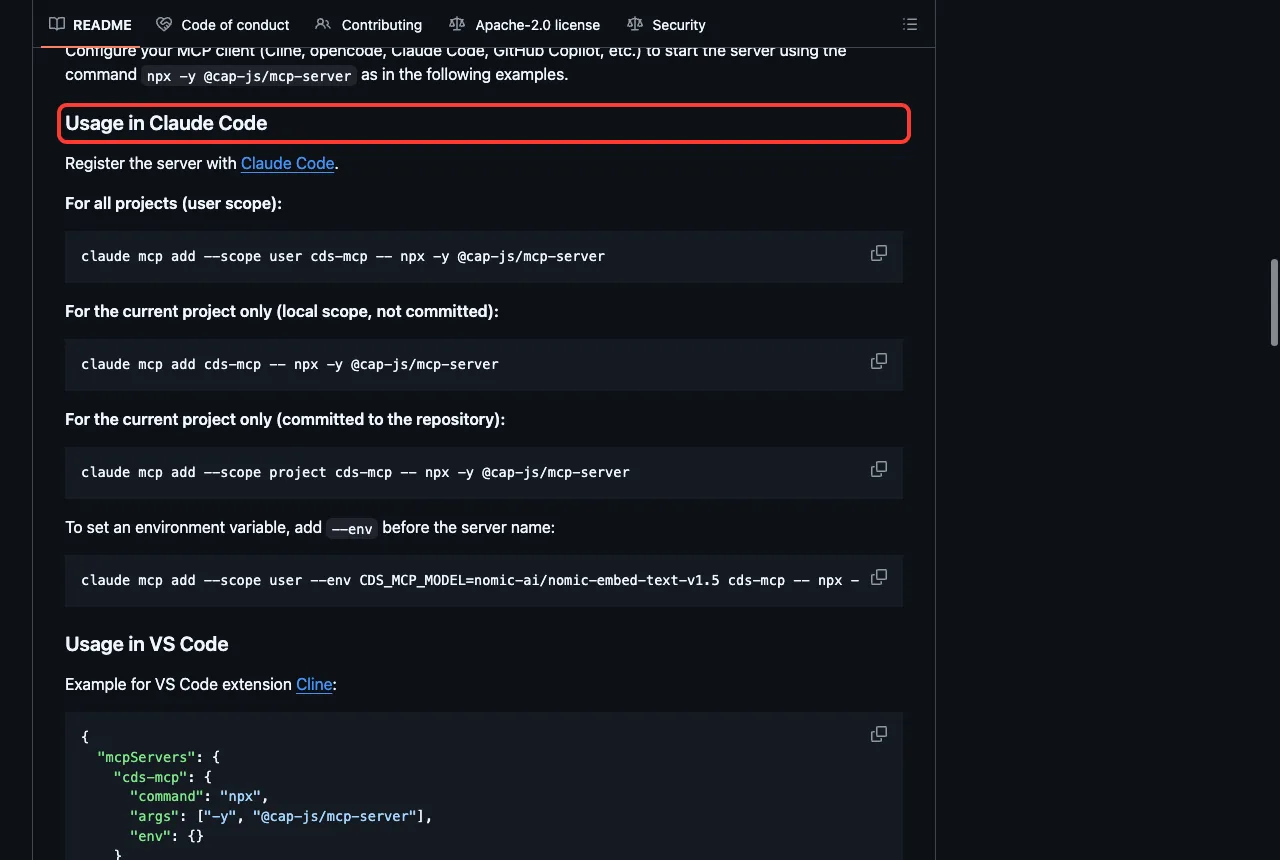
We did not start this server. The plugin config runs npx -y @cap-js/mcp-server with no pinned version, so you get the latest release each time unless you pin it yourself.
HANA Plugin: 150+ Database Tools That Need a Login
The sap-hana-cli plugin wraps the hana-cli tool as an MCP server. Its README says it has 166 tools across schema exploration, data import and export, performance monitoring, security checks, backups and developer tools.
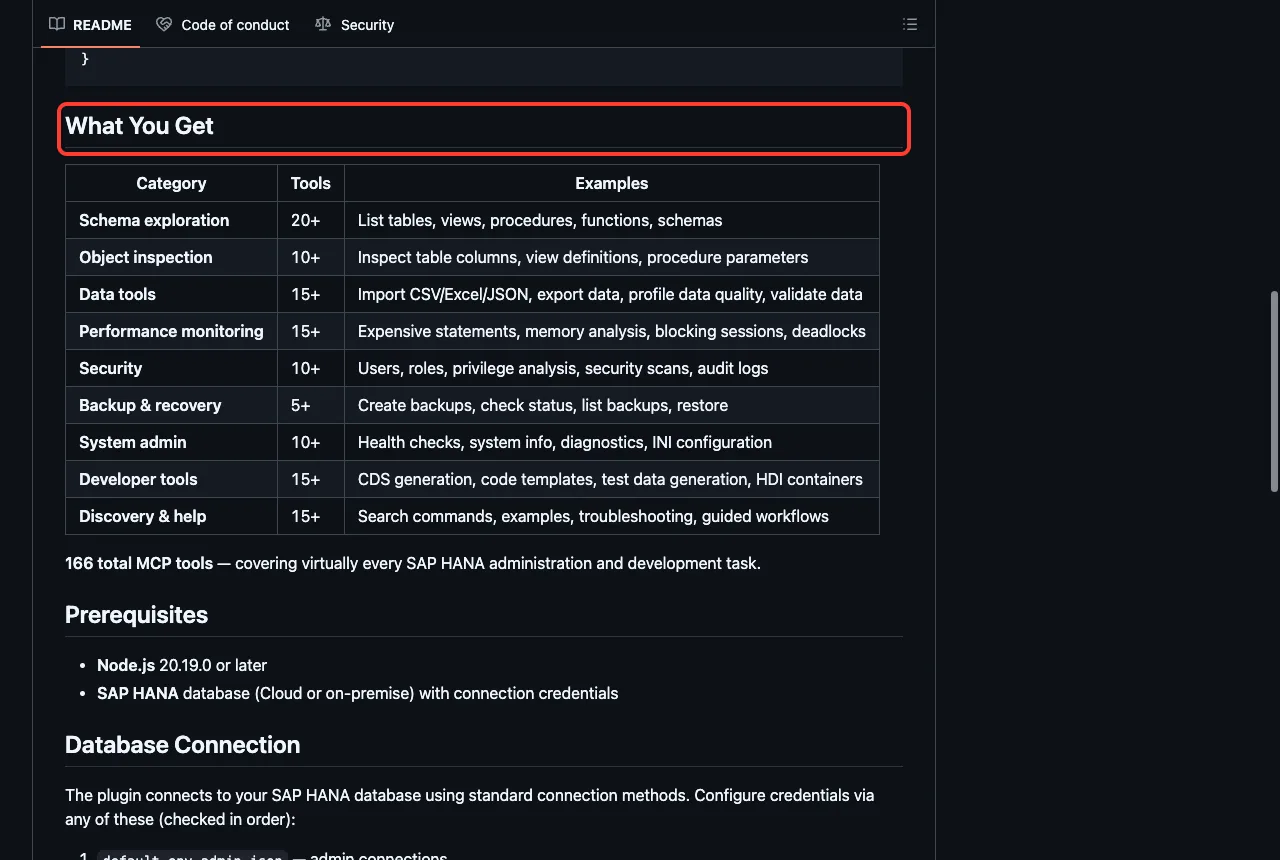
The prerequisites are Node.js 20.19.0 or newer and a SAP HANA database, Cloud or on-premise, with credentials. The README lists several places where it looks for those credentials, such as .cdsrc-private.json, .env and ~/.hana-cli/default.json. Without a database there is nothing to connect to, so we did not run it.
Think carefully before pointing a tool with backup, restore and security functions at a live database. Start with a development system, and read which tool Claude wants to call before you approve it. Our tested MCP servers guide explains how to review tool calls.
MDK Plugin: Mobile Apps, With a Mac Caveat
The sap-mdk-server plugin wraps the server for the Mobile Development Kit. Its README lists five tools: mdk-create, mdk-gen, mdk-manage, mdk-docs and mdk-fetch-mobile-metadata. They create projects, generate pages and actions, build and deploy, and search the MDK docs.
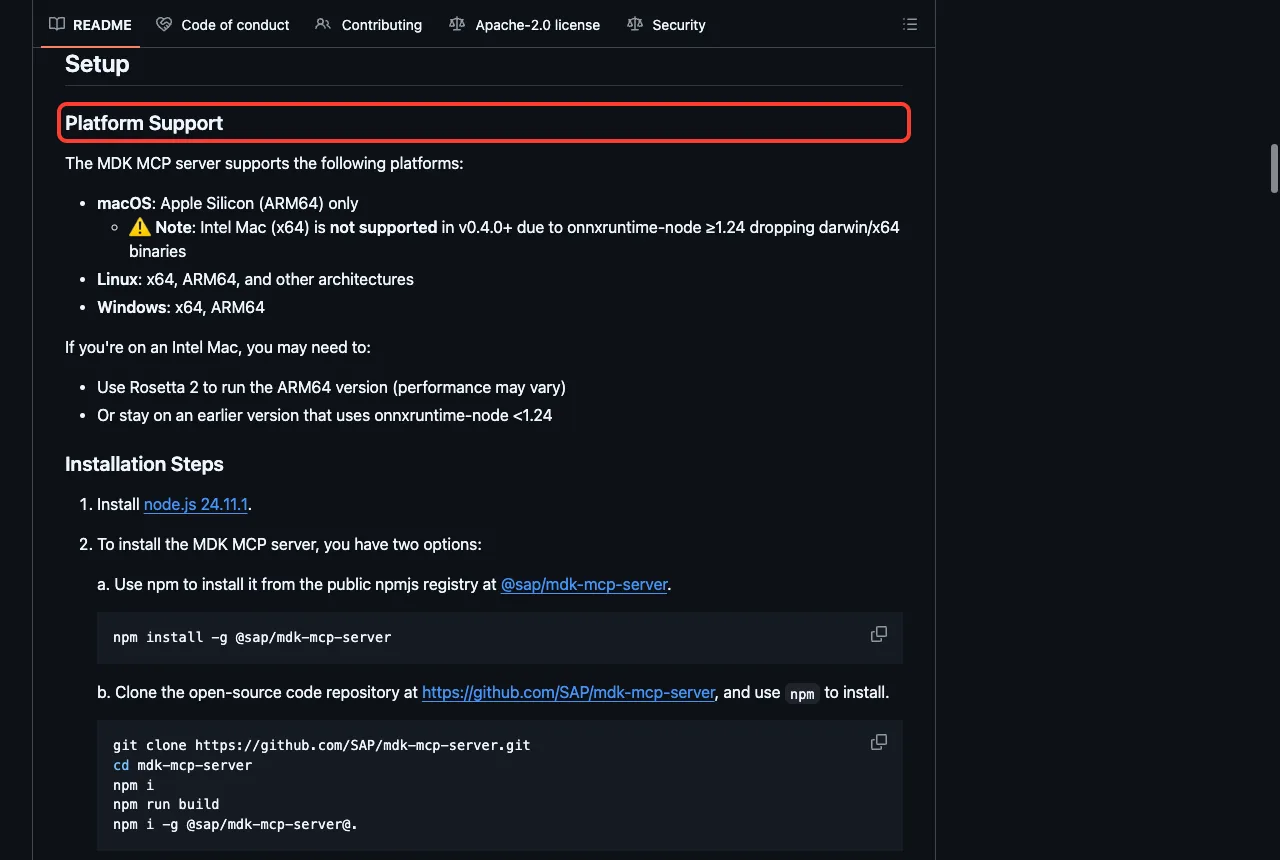
The README has a platform note that matters if you are on a Mac. It says macOS support is Apple Silicon only, and Intel Macs are not supported in version 0.4.0 and later. It also recommends Node.js 24.11.1.
The same README says analytics are collected by default, without personal information, and can be turned off with the environment variable SAP_UX_FIORI_TOOLS_DISABLE_TELEMETRY set to true. The Fiori server README describes the same switch. We did not run either server, so we cannot show the data they send.
UI Theme Designer Plugin: Two Skills for Theming
The last plugin has two skills. One answers how-to questions about the UI Theme Designer service on SAP BTP, by fetching the documentation live. The other reads installed npm packages of the SAP design system to answer questions about design token values and which components use them.
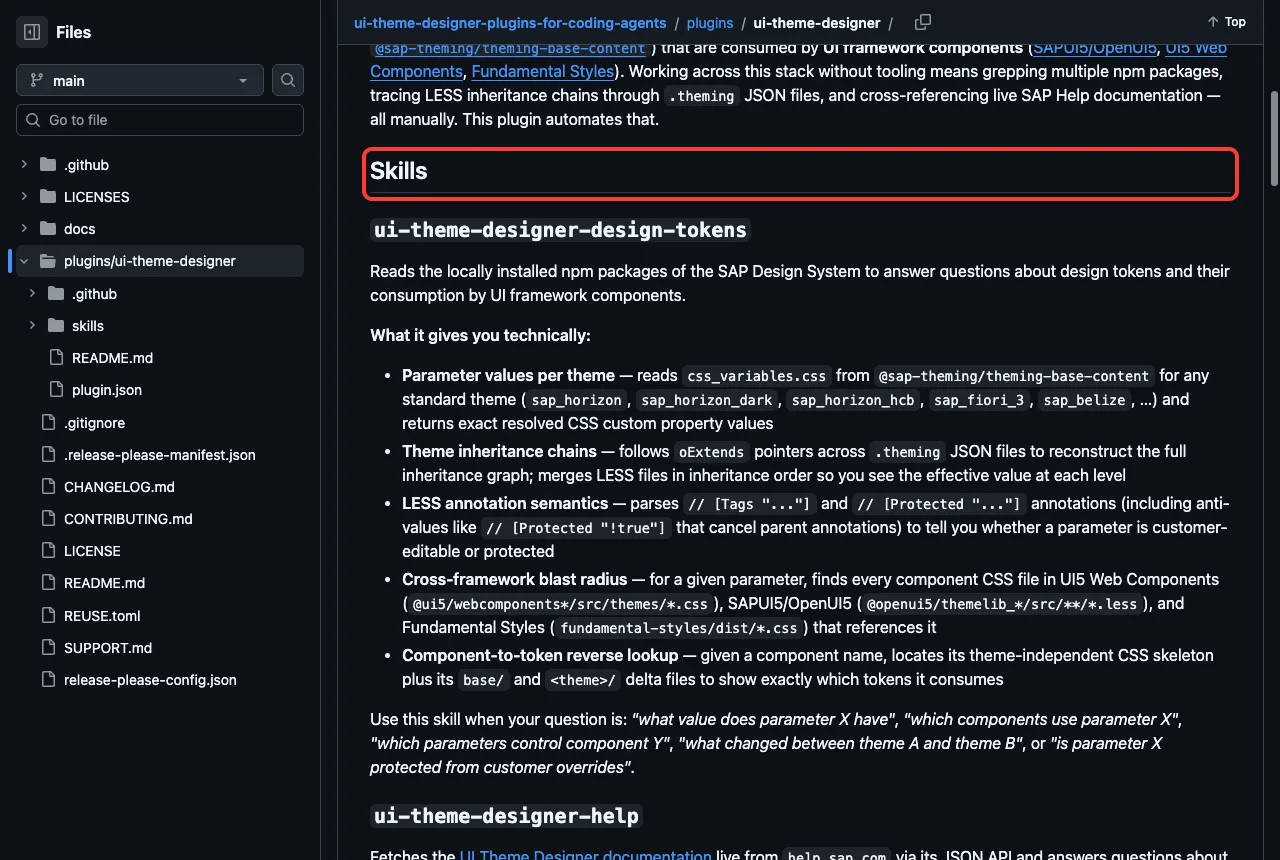
Both skills loaded in our session. We did not ask them questions, because the token skill needs the SAP theming packages installed in your project, and the help skill needs internet access to the SAP help site.
Safety Notes Before You Install
These plugins did not ship hooks, which is good news. Still, MCP servers are real programs, so read the config before you approve one.
- CAP, HANA and MDK start with
npxand no pinned version in the plugin config, while UI5 and Fiori pin a version. - The Fiori and MDK servers collect non-personal analytics unless you opt out.
- The CAP and Fiori servers download embedding models on first use, so the first call can be slow.
- The HANA plugin can reach a live database, so connect it to a development system first.
For another vendor’s plugins tested the same way, see our Azure plugin test guide.
Try It Yourself
The easiest first step needs no SAP system. Make a small UI5 app, load one plugin for a session, and ask for a review without edits. Run it from an empty demo folder, not a real project.
claude --permission-mode plan --setting-sources project --plugin-dir path/to/ui5-modernization

Use the ui5-modernization:fix-manifest-json skill on webapp/manifest.json.
Do not edit anything. List what it would change in 3 short bullets.
Replace path/to/ui5-modernization with the folder of a cloned copy. Plan mode keeps Claude from changing files while you learn what the skill does.
Common Mistakes
- Installing both
cds-mcpandsap-cds-mcp, which are the same server. - Expecting the HANA plugin to work with no database connection.
- Skipping
/skillsafter install, so you never see which pieces loaded. - Running MDK on an Intel Mac and not reading the platform note.
- Approving tool calls on a live HANA system without reading them.
Pro Tips
- Start with the skills-only plugins. They cost few tokens and carry no server.
- Pair the Fiori and CAP servers, as the Fiori README recommends, but one at a time while you learn.
- Pin versions of any
npxserver you rely on. - Use plan mode for the first run of any new skill.
Skills load fast and offline. Servers and databases are where the setup work begins.
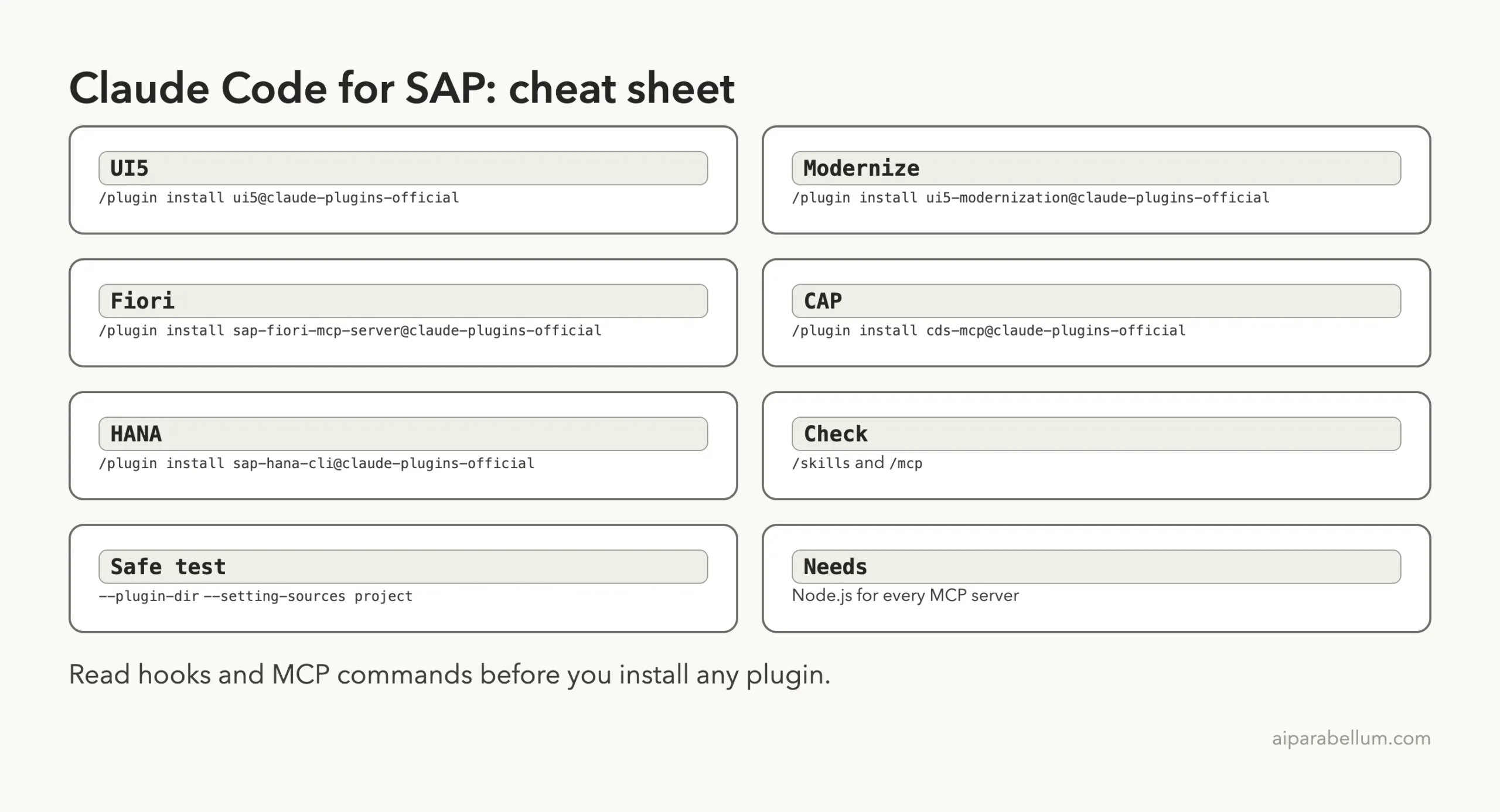
Cheat Sheet
Frequently Asked Questions
Do I need a SAP system to use these plugins?
Not for all of them. The UI5, modernization, TypeScript and theme plugins work on local files. HANA needs a database, and Fiori app generation from a service needs a SAP system connection.
What is the difference between cds-mcp and sap-cds-mcp?
In the official marketplace both entries point to the same repository and commit, with the same description. We found no difference, so install one.
Which plugin should I install first?
If you build front ends, start with ui5. If you maintain an old app, add ui5-modernization. If your work is CAP back ends, try cds-mcp.
Can I use these plugins on Windows or Linux?
We tested on macOS. The Windows and Linux steps follow Anthropic’s official instructions, and the MDK README lists Windows and Linux as supported platforms.
Are the plugins safe to install?
We found no hooks in the repositories we read. The MCP servers run through npx, so read each config, pin versions where you can and check the telemetry settings.
Conclusion
SAP’s plugins for Claude Code cover CAP, Fiori, UI5, HANA and MDK, and the skills-only ones work without any SAP system. We loaded 37 skills in one session and ran three UI5 skills on a demo app, while the CAP, Fiori, MDK and HANA servers stay untested here and come from their READMEs. Start with the UI5 plugin, read every MCP config before you approve it, and browse more add-ons in our Claude guide and the Skills Directory.