Oracle and NetSuite now have official add-ons in the Claude Code marketplace, and the names are easy to mix up. If you searched for a Claude Code NetSuite plugin, you probably found netsuite-suitecloud, netsuite-ai-companion and netsuite-finance-analyst, plus a few Oracle ones like oracledb and three AI Data Platform plugins. This guide explains what each one does, which parts need an Oracle account, and what we actually ran on a Mac.
This guide is part of our Claude Code tutorials. Find more add-ons in our Skills Directory.
Tested with Claude Code v2.1.318 on 2026-11-06 (macOS).
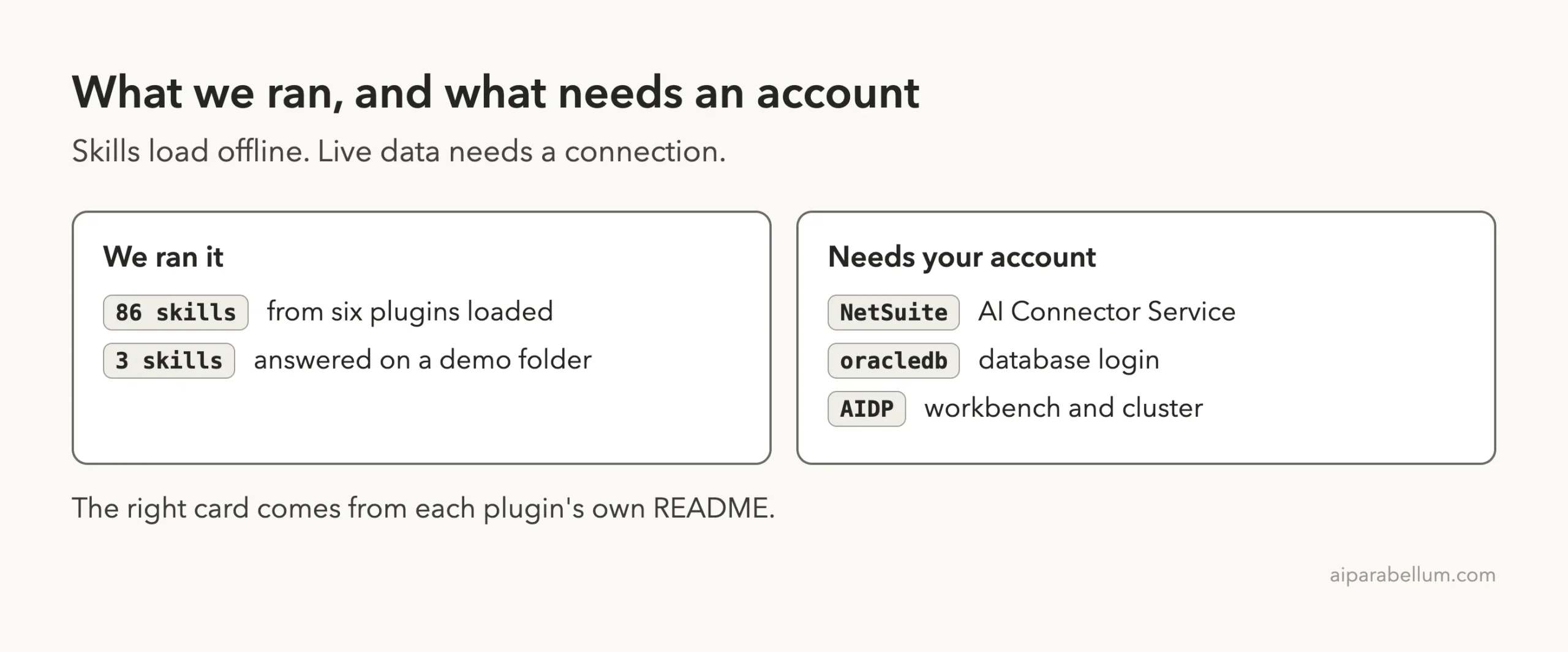
We loaded six of the seven plugins in a sandbox and ran three of their skills on a made-up demo folder. We did not run the oracledb server, and we never signed in to NetSuite, a database or the AI Data Platform. Everything about live data comes from each plugin’s own README, and we say so each time.
Quick Summary: The Seven Oracle and NetSuite Plugins
| Plugin | Maker | What it does | Account needed? | Install command |
|---|---|---|---|---|
| netsuite-suitecloud | Oracle NetSuite | 8 skills for SuiteScript, SDF and secure coding | No, for the skills | /plugin install netsuite-suitecloud@claude-plugins-official |
| netsuite-ai-companion | Oracle NetSuite | Rules for how Claude queries NetSuite | Yes, AI Connector Service | /plugin install netsuite-ai-companion@claude-plugins-official |
| netsuite-finance-analyst | Oracle NetSuite | Finance reviews on live NetSuite data | Yes, AI Connector Service | /plugin install netsuite-finance-analyst@claude-plugins-official |
| oracledb | Google LLC | Query and inspect an Oracle Database | Yes, a database login | /plugin install oracledb@claude-plugins-official |
| AIDP engineer agent | Oracle | 37 skills to run the AI Data Platform lakehouse | Yes, an AIDP workbench | /plugin install oracle-ai-data-platform-workbench-engineer-agent@claude-plugins-official |
| AIDP Spark connectors | Oracle | 29 skills to connect Spark notebooks to data sources | Yes, an AIDP workbench | /plugin install oracle-ai-data-platform-workbench-spark-connectors@claude-plugins-official |
| AIDP Databricks migrator | Oracle | Move Databricks notebooks, jobs and catalogs to AIDP | Yes, an AIDP workbench | /plugin install oracle-ai-data-platform-workbench-databricks-migrator@claude-plugins-official |
What Is a Claude Code Plugin for Oracle or NetSuite?
A plugin is a bundle that can hold skills, commands, agents, hooks and MCP servers. Skills are written guidance that Claude loads when your request matches. An MCP server is a small program that gives Claude extra tools, such as running a query.
If plugins are new to you, start with our plugin install guide. Anthropic’s docs on discovering plugins and creating plugins explain the basics.
Six of these seven are skills-heavy, so they only change what Claude knows. The seventh, oracledb, is an MCP server, so it gives Claude new tools to call.
Which Plugin Fits Which Job?
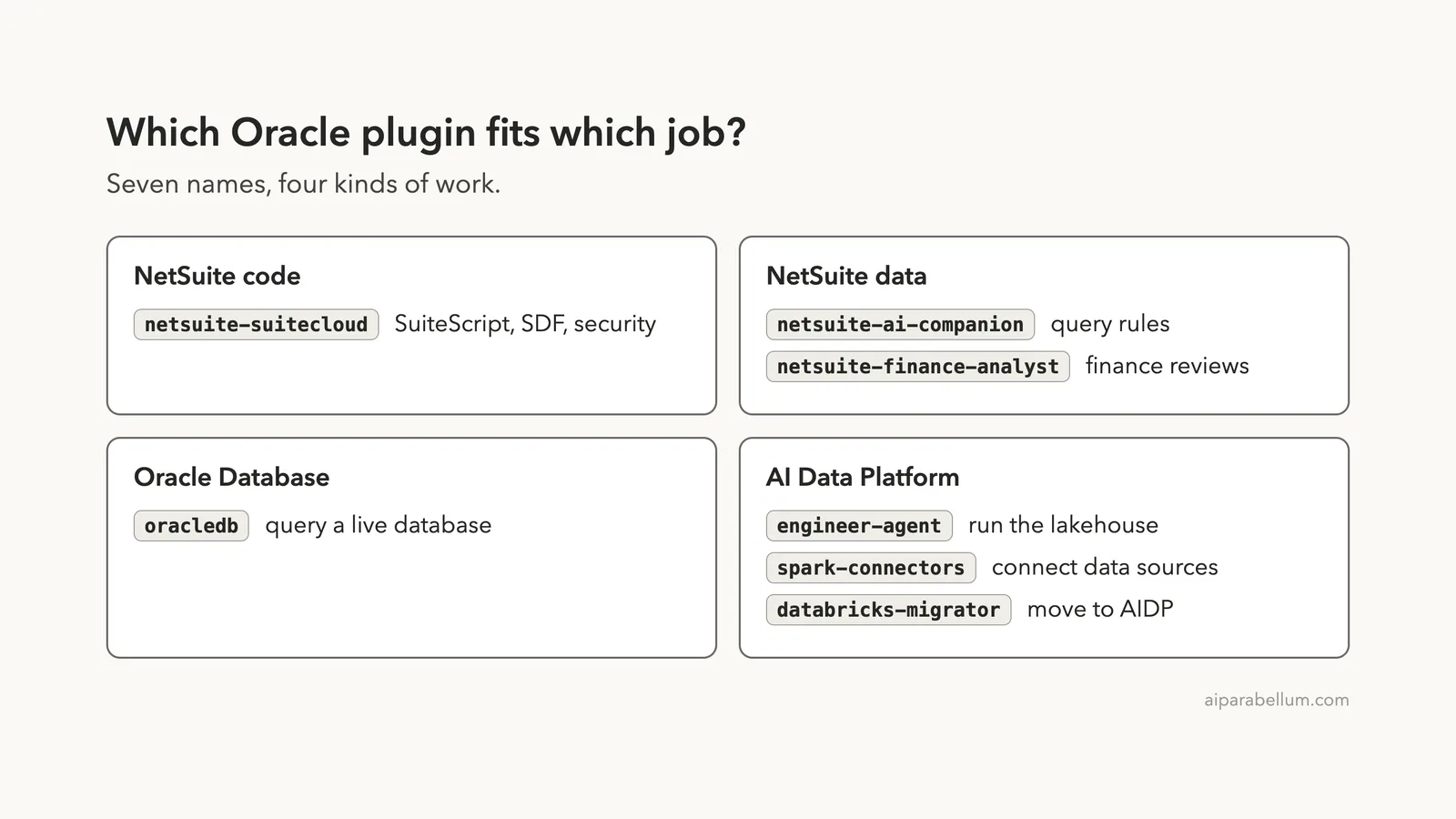
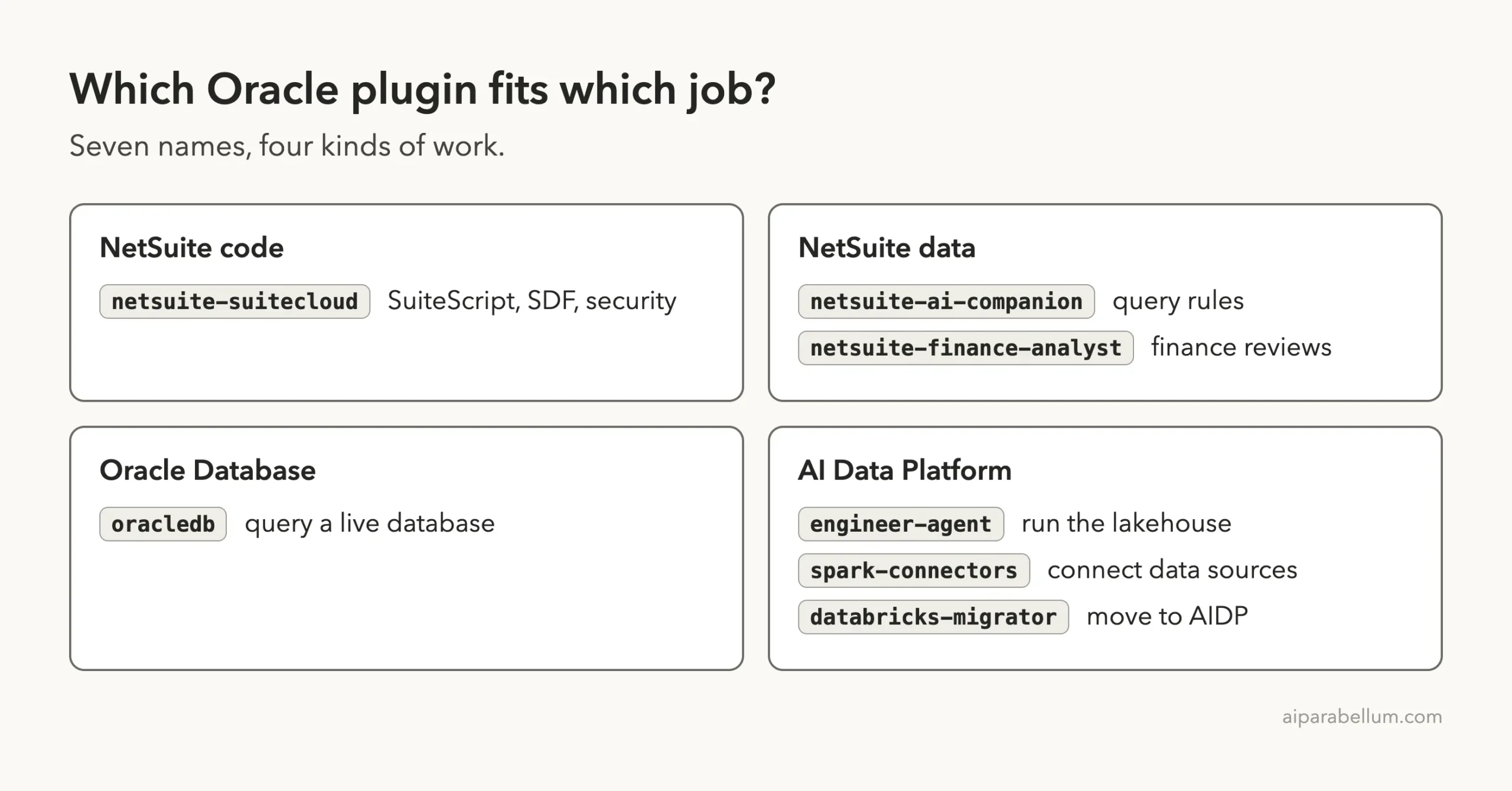
Seven names fall into four kinds of work. NetSuite has one plugin for developers and two for people who work with its data. Oracle Database has one plugin, and the AI Data Platform has three.
How We Tested Without Touching Our Setup
Hooks run commands on your machine, and MCP servers run programs. So we read before we ran. We cloned the repositories into a throwaway sandbox and read every plugin manifest, hook and script.
The three NetSuite plugins had no hooks, no MCP config and no scripts. The only code-like files were type definition files for UIF reference. The Spark connectors and Databricks migrator plugins ship Python helper code, which only runs when a migration or test is started, and we never started one.
The engineer agent has one hook. It runs a Python script named check_env.py when a session starts.
We read it: it checks whether a few Python packages and the OCI command line tool exist, and prints a status line. According to its own comments it installs packages only if you set AIDP_PLUGIN_AUTOINSTALL=1, which we did not.
We loaded the plugins with --plugin-dir and --setting-sources project, so nothing was installed into the normal Claude Code setup. The commits we tested were: NetSuite plugins d2190aa (2026-10-22), AI Data Platform plugins d006f1e (2026-10-29) and the Oracle Database plugin 8d24bdc (2026-09-23). The first two were active within the last few weeks, and the database plugin is the same commit the official marketplace pins.
What We Ran and What We Read From the Docs
The oracledb plugin starts a server with npx, which downloads a package from npm. It also needs database credentials, so we did not load it at all. The other six only needed their skills, and those load offline.
Loading Six Plugins in One Session
We started one session in plan mode, with six plugin folders. The command looked like this, with paths shortened:
claude --permission-mode plan --setting-sources project \
  --plugin-dir plugins/nssc \
  --plugin-dir plugins/nscomp \
  --plugin-dir plugins/nsfin \
  --plugin-dir plugins/aidp-eng \
  --plugin-dir plugins/aidp-conn \
  --plugin-dir plugins/aidp-mig
Inside the session, /skills showed 86 skills, each marked as locked by its plugin. That matches the sum we expected: 8 from SuiteCloud, 1 each from the companion and the finance analyst, 37 from the engineer agent, 29 from the Spark connectors and 10 from the migrator.
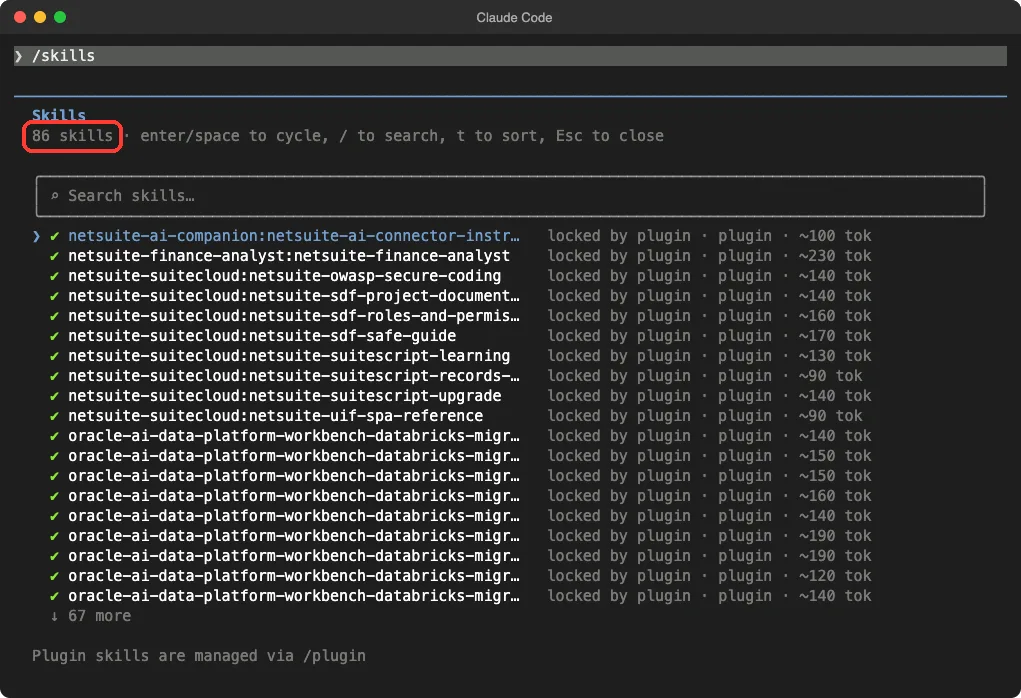
The screen also shows a rough token cost per skill, between about 90 and 230 tokens for the ones in view. That is the cost of having a skill listed, so a big bundle stays cheap until a skill actually loads.
NetSuite SuiteCloud Plugin: Eight Skills for Developers
This is the plugin for people who write code inside NetSuite. Its README lists SuiteScript and SDF best practices, custom roles and permissions, record and field lookups, UIF single-page apps, OWASP secure coding, project documentation and SuiteScript upgrades.
The eight skills are named netsuite-suitescript-upgrade, netsuite-suitescript-records-reference, netsuite-suitescript-learning, netsuite-sdf-roles-and-permissions, netsuite-sdf-safe-guide, netsuite-sdf-project-documentation, netsuite-owasp-secure-coding and netsuite-uif-spa-reference.
We tested one. We wrote a small SuiteScript 1.0 file with an afterSubmit function that reads an invoice total and sends an email when it is over 1000. Then we asked for the three most important changes, with no edits allowed.
The skill loaded and Claude gave three specific answers. First, wrap the code in an SS2.1 module and change @NApiVersion 1.0 to 2.1.
Second, swap the old nlapi calls for their modern equivalents, such as email.send. Third, turn the logging call into log.debug.
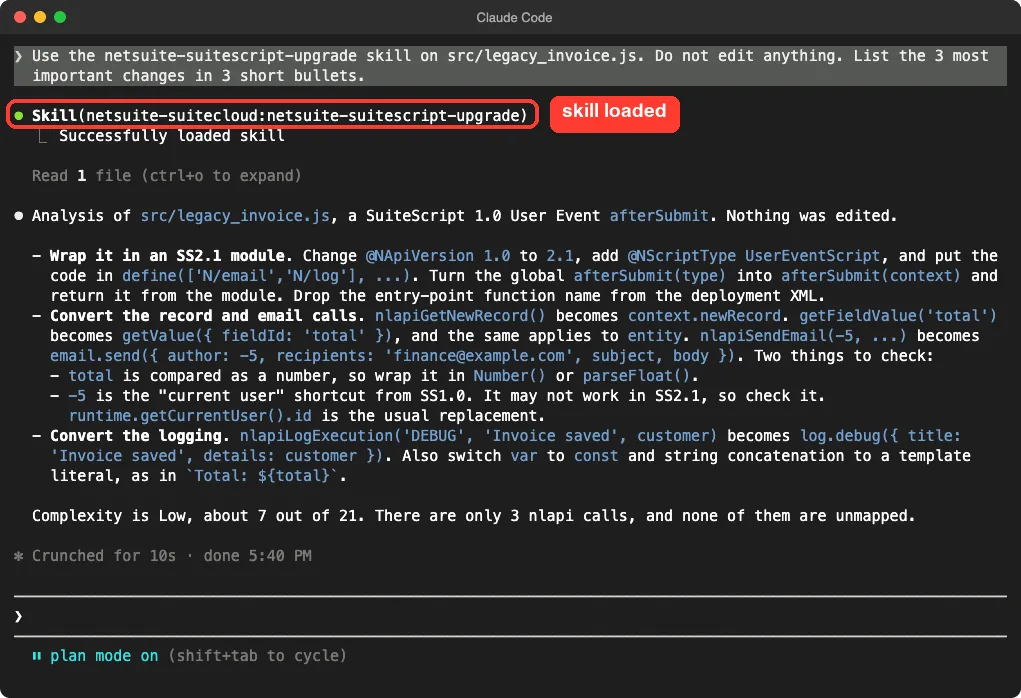
Claude also flagged two things to check, which is the kind of honesty we like. It said the -5 author shortcut from the old API may not work in the new one, and that the total should be wrapped in Number().
This was one small demo file, so we cannot judge how the skill handles a large, messy account. For the general method, see our guide to safe refactoring.
NetSuite AI Companion: Rules for Querying Live Data
The next two plugins both depend on something called the NetSuite AI Connector Service. Their READMEs say each one requires it to reach NetSuite data. We do not have a NetSuite account, so this part comes from the docs.
The companion plugin has one skill, netsuite-ai-connector-instructions. According to its README, it tells Claude which data source to try first: standard reports, then saved searches, then record lookups, and SuiteQL only when a safer option is missing.
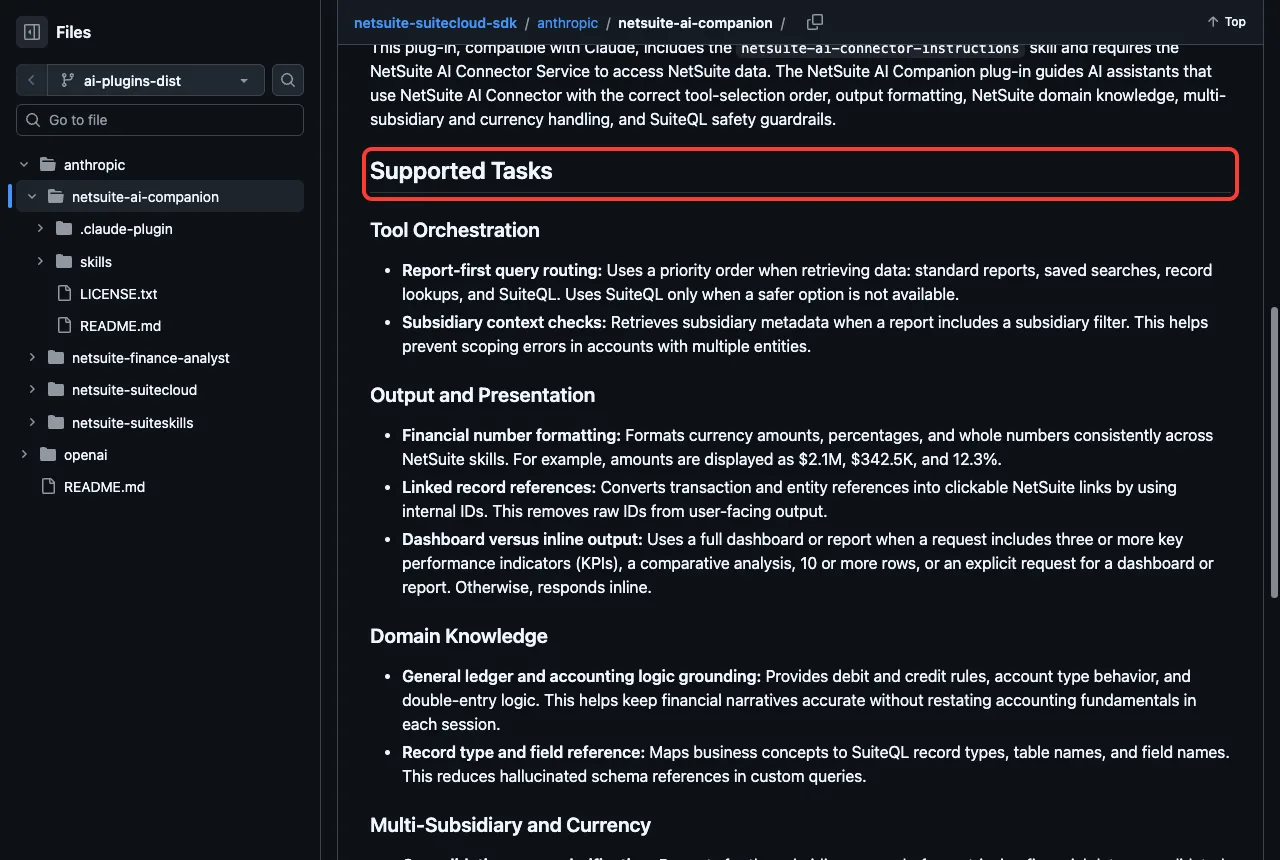
The README also lists a few more jobs. It asks which subsidiary scope you want before pulling financial data, such as consolidated or a single entity.
It runs a SuiteQL pre-query checklist covering row limits, null handling and explicit column lists. It also corrects common SQL mistakes, such as SELECT *, into forms NetSuite accepts.
Think of it as a rulebook for the connector rather than a feature on its own. If you use the connector with Claude, this is the plugin that keeps queries careful.
NetSuite Finance Analyst: Director-Level Finance Reviews
This plugin has one skill, netsuite-finance-analyst. The README groups its jobs into executive reporting, financial statements and variance, close and controls, and cash and working capital. Examples include a CFO dashboard, budget versus actual review, month-end close readiness, AR and AP aging, and a board-ready narrative.
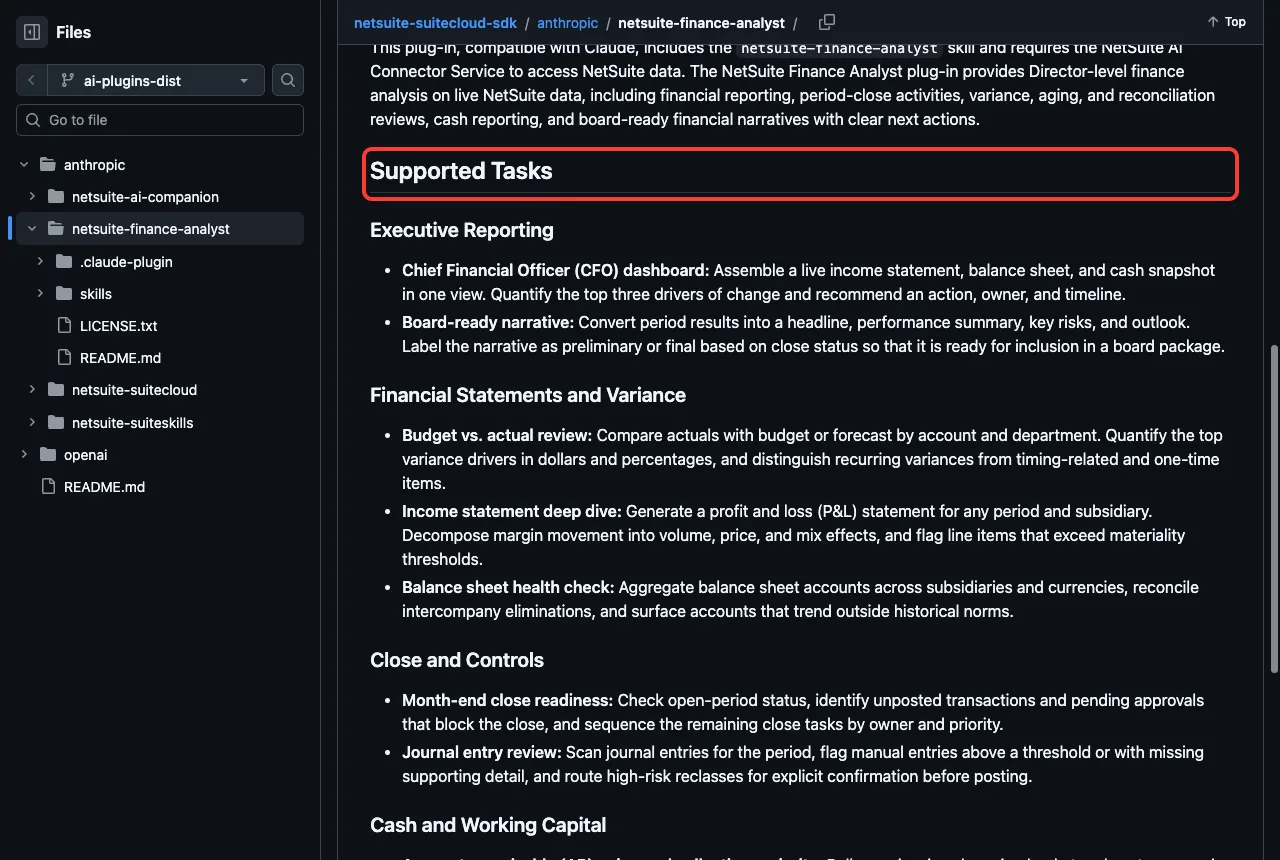
We could not connect it to NetSuite, but we could ask the skill what it needs. We loaded it and asked what it can do and what it needs before a month-end close check.
Claude said the skill is read-only finance analysis. To scope a close check it needs the period, the subsidiary, a comparison basis, the currency and the accounting book, and it uses defaults if you do not say. It also said it had no live NetSuite connection in our session, so it could only review data we pasted in, and any open-period result would be labeled preliminary.
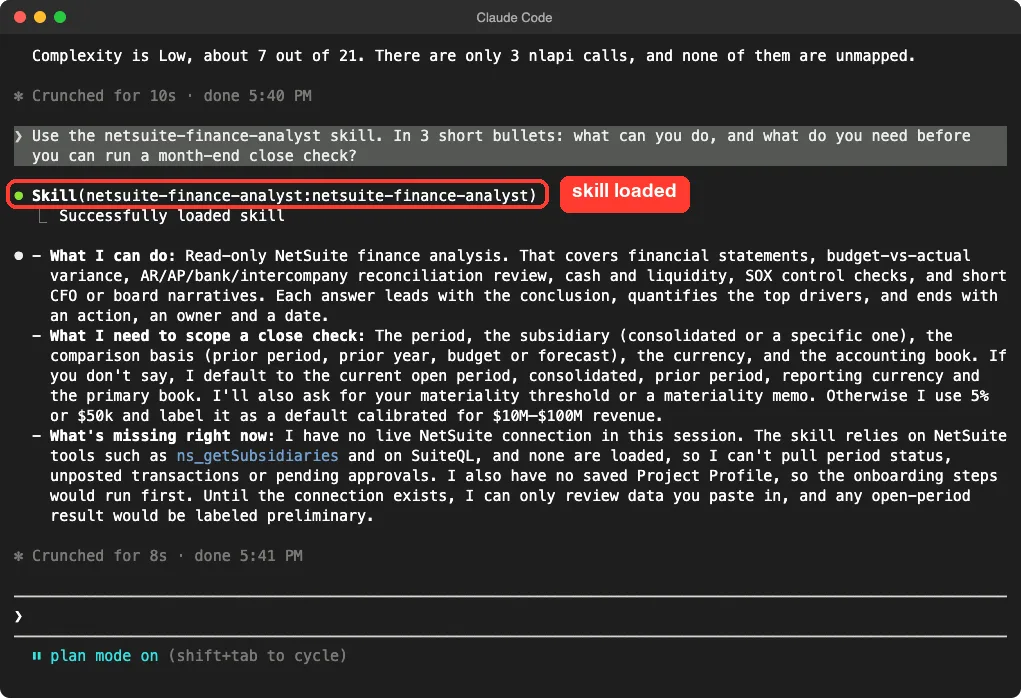
That answer matches the README. We did not see it pull any numbers, so we cannot say how good its analysis is on a real account. The skill loads and explains itself well, and that is all we tested.
Oracle Database Plugin: Query a Live Database
The oracledb plugin comes from Google, not Oracle. Its README says it packages the prebuilt Oracle server from MCP Toolbox as a plugin, and that it is in beta before version 1.0. It can run SQL, explore schema details, look at query performance and check sessions and tablespace use.
You need your own database. The README lists five settings to keep handy, and the plugin asks for them when you install it.
ORACLE_CONNECTION_STRINGfor the host, port and service name or a TNS alias.ORACLE_USERNAMEandORACLE_PASSWORDfor the login.ORACLE_WALLET, optional, for the folder with wallet files.ORACLE_USE_OCI, optional, to use the thick client driver.
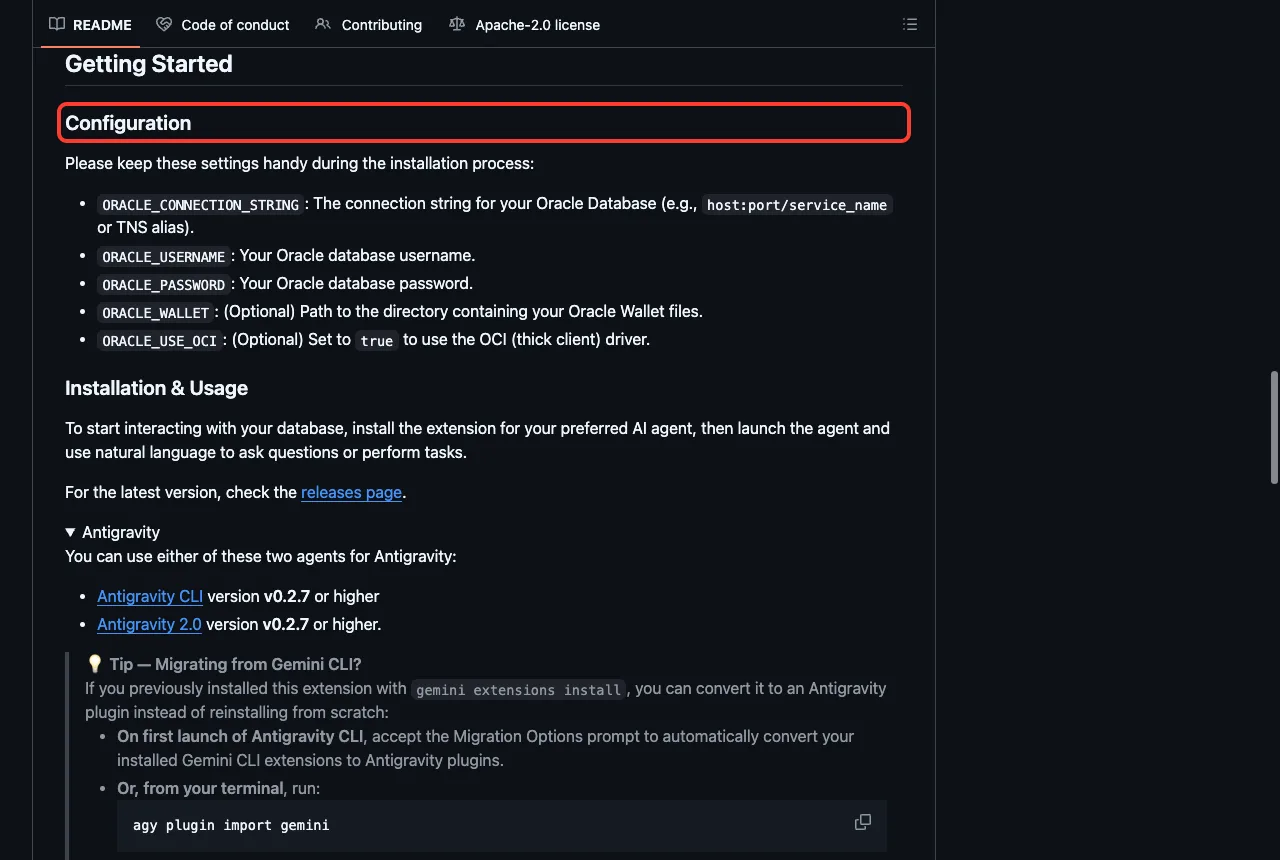
The prerequisites also say Claude Code version 2.1.94 or newer, and database permissions. You need CREATE SESSION to connect and SELECT on V$ and DBA_ views for the monitoring features.
Two safety notes from reading the files. The server starts with npx -y @toolbox-sdk/[email protected], which is pinned to one version, so you do not get surprise updates. But the plugin manifest marks every setting, including the password, as "sensitive": false, so treat the password with care and prefer a read-only account.
The plugin manifest lists Read and Write as capabilities for its Codex entry, so do not assume this plugin only reads. Use a development database first. Our tested MCP servers guide explains how to review tool calls before you approve them.
AI Data Platform Engineer Agent: 37 Skills for the Lakehouse
Oracle AI Data Platform, called AIDP in the READMEs, is Oracle’s data and AI workbench. The engineer agent plugin is the biggest of the three. Its README says it turns plain English into Spark SQL, runs table lifecycle commands, ingests files, profiles data, builds pipelines, manages clusters and helps with governance.
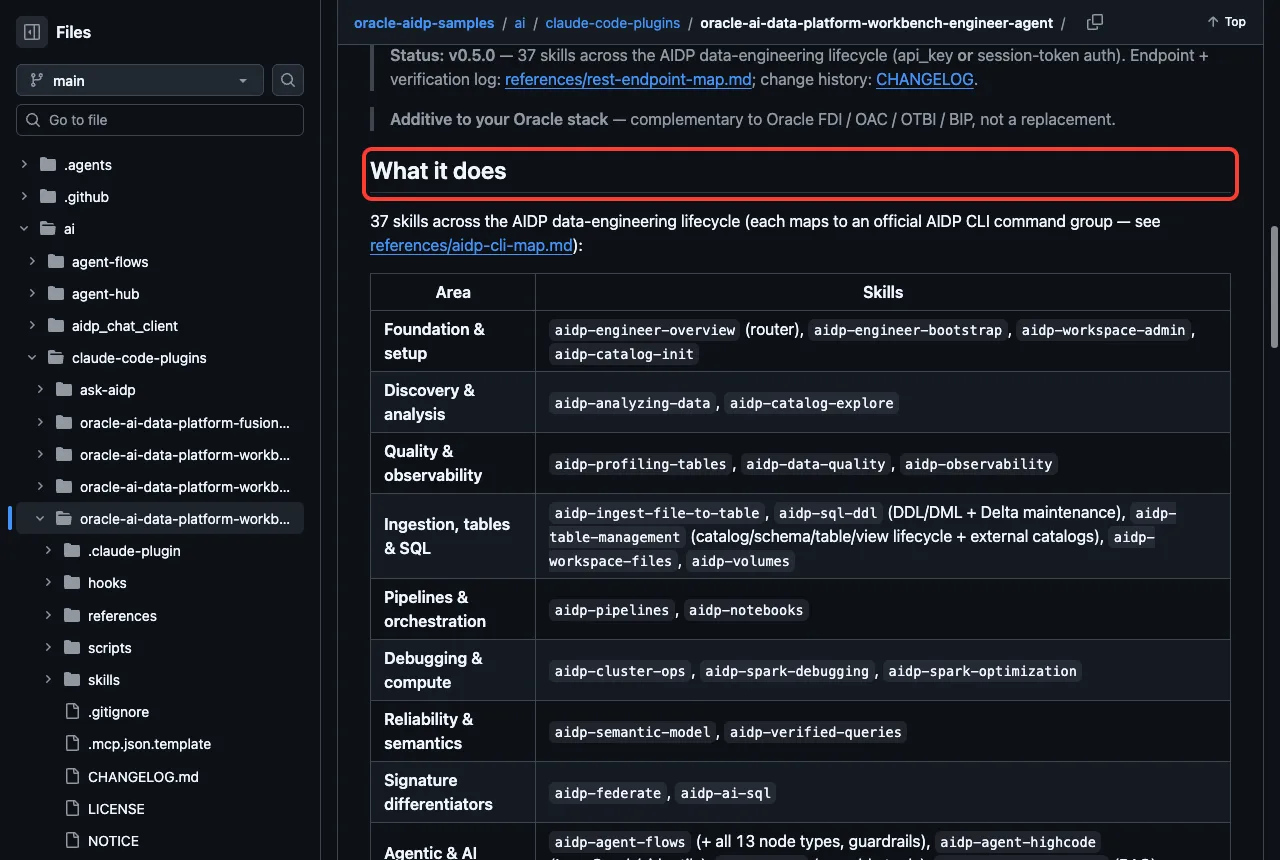
The README says control tasks prefer the official AIDP command line tool when it is installed, and fall back to oci raw-request otherwise. It also says it works with an API key or a session token for sign-in. All of that needs a real AIDP workbench and an Oracle Cloud login, so we did not run it.
We did load all 37 skills, and the session start hook ran its environment check. Because we did not enable auto install, it only reported status. That is a good pattern to look for in any plugin with a start hook: check first, install only when you opt in.
AI Data Platform Spark Connectors: 29 Skills for Data Sources
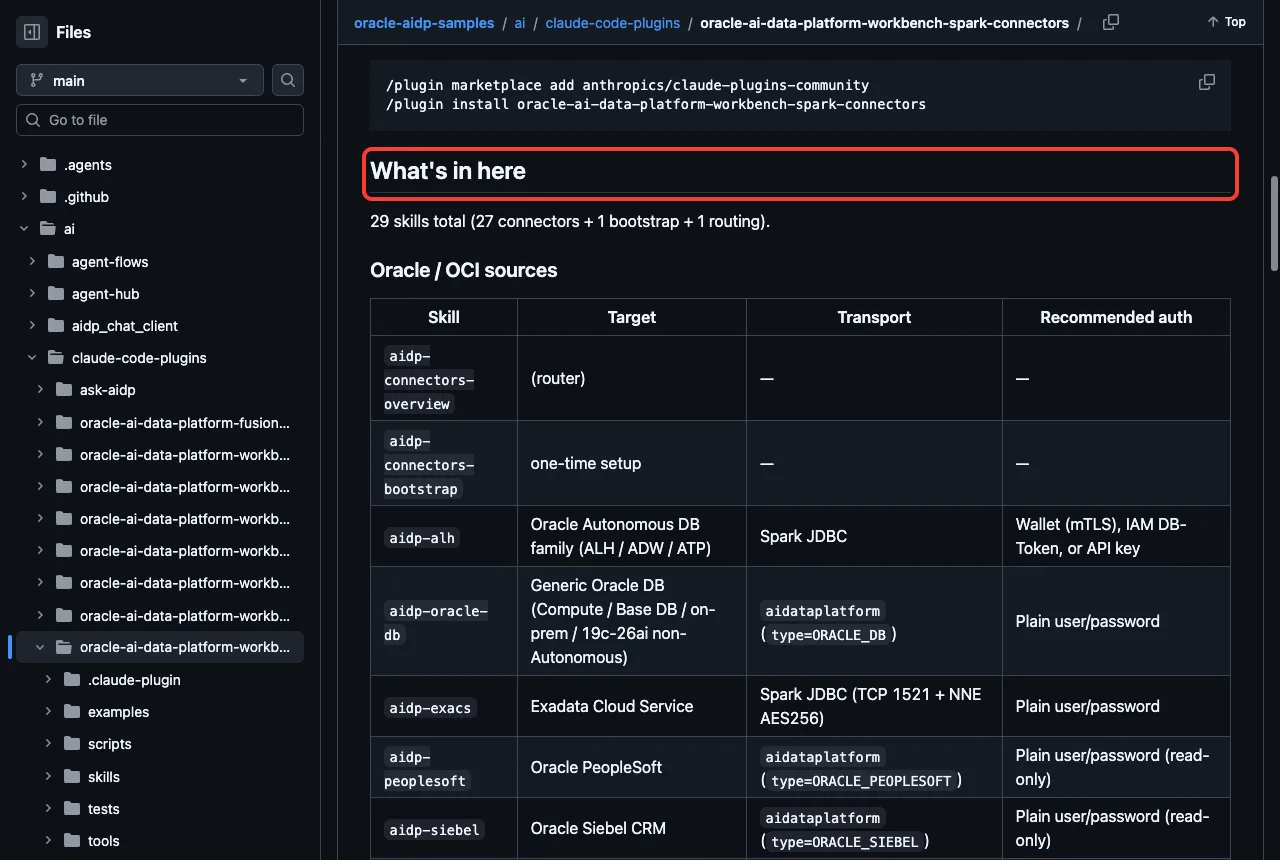
This plugin helps you write the notebook code that connects Spark to a data source. Its README lists 29 skills, which it describes as 27 connectors plus one bootstrap skill and one routing skill. The marketplace description in the catalog gives a smaller number, so check the version you install.
The sources include Oracle databases, Exadata, Fusion and EPM Cloud, OCI Object Storage and Streaming, PostgreSQL, MySQL, SQL Server, Snowflake, Azure and AWS storage, generic REST and Excel. Each skill produces plain Python for the right connection method.
We ran one of these. We asked the aidp-oracle-db skill what you need to connect a Spark notebook to an Oracle database. It loaded, and Claude answered in three parts.
Connection details are the host, port, service name, user and password, with a note that this path suits non-Autonomous Oracle and points Autonomous users to a different skill. Notebook setup runs the bootstrap skill first, then builds the options and reads with the AIDP format, keeping credentials in environment variables. Network reachability says the cluster must be able to reach the database port, and a socket test tells you if a failure is a network problem or a login problem.
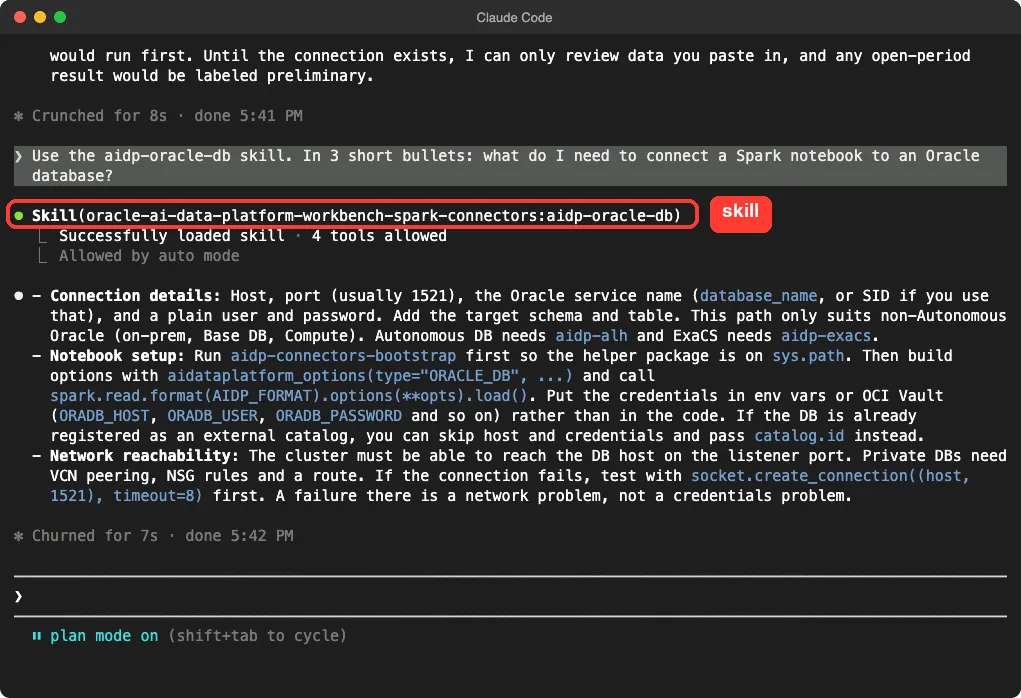
This was guidance only. We did not run a notebook or connect to a database, so we cannot confirm the code works on a live cluster.
AI Data Platform Databricks Migrator: Move Notebooks and Catalogs
The migrator is for teams moving from Databricks to AIDP. Its README says it ships 10 skills, 4 commands and 2 agents, and bundles a Python engine so you do not need a separate clone. We saw the commands check-data, migrate-catalog, migrate-job and migration-status, and the agents databricks-notebook-analyzer and migration-reviewer.
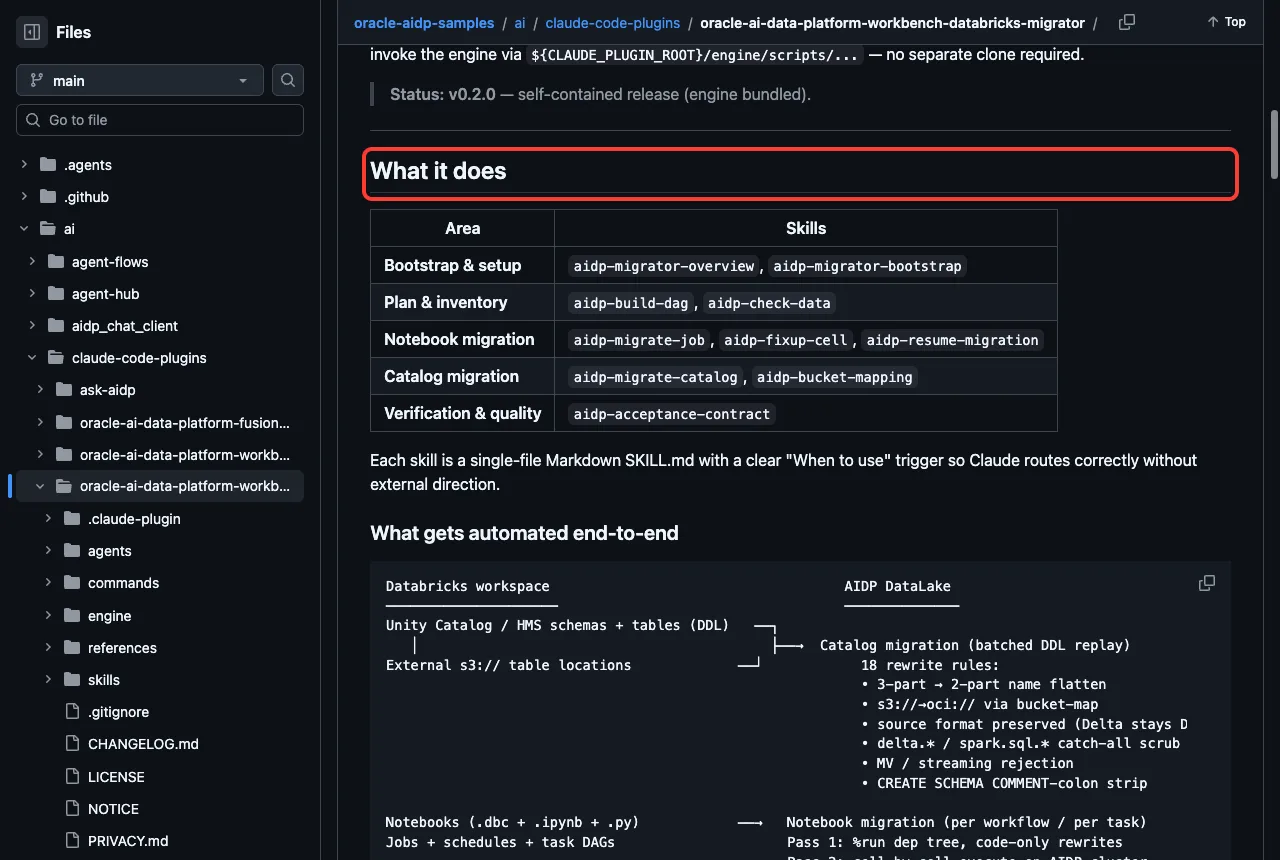
The README describes two passes for notebooks. Pass 1 rewrites dependencies, and Pass 2 runs each cell on a live AIDP cluster, verifies it and tries to fix problems. That second pass needs a cluster and a source workspace, so it is the part we did not run.
Because it is a migration tool with executable code, treat it carefully. Read the engine scripts, try it on a copy of a small notebook first, and never point it at production data on your first run.
Safety Notes Before You Install
- The NetSuite plugins had no hooks and no MCP config, so they are the lowest risk of the group.
- The engineer agent runs a check script at session start. It is check-only unless you turn on auto install.
- The
oracledbserver usesnpxwith a pinned version, but it marks the password as not sensitive in its manifest. - The migrator and connectors bundle Python helpers. Read them before you run a migration or a live test.
- Skills that touch finance or databases should start in plan mode.
For another vendor’s plugins tested the same way, see our SAP plugin test and the Azure plugin test.
Try It Yourself
The easiest first step needs no Oracle account. Make a tiny SuiteScript 1.0 file in an empty demo folder, load only the SuiteCloud plugin, and ask for a review without edits.
claude --permission-mode plan --setting-sources project --plugin-dir path/to/netsuite-suitecloud

Use the netsuite-suitescript-upgrade skill on src/legacy_invoice.js.
Do not edit anything. List the 3 most important changes in 3 short bullets.
Replace path/to/netsuite-suitecloud with the folder of a cloned copy. Plan mode keeps Claude from changing files while you learn what the skill does.
Common Mistakes
- Installing the companion or finance plugin and expecting data, when they need the NetSuite AI Connector Service.
- Thinking
oracledbcomes from Oracle. Its maker is Google LLC. - Skipping
/skillsafter install, so you never see which pieces loaded. - Connecting
oracledbto a production database with a powerful account. - Running a migration on real notebooks before testing a small copy.
Pro Tips
- Start with the SuiteCloud plugin. It needs no account and has no server.
- Use plan mode for the first run of any new skill.
- Ask a skill what it needs before you connect anything. Ours answered that clearly.
- Use a read-only database account for the first
oracledbtest.
Skills load fast and offline. Live data is where the account setup begins.
Cheat Sheet
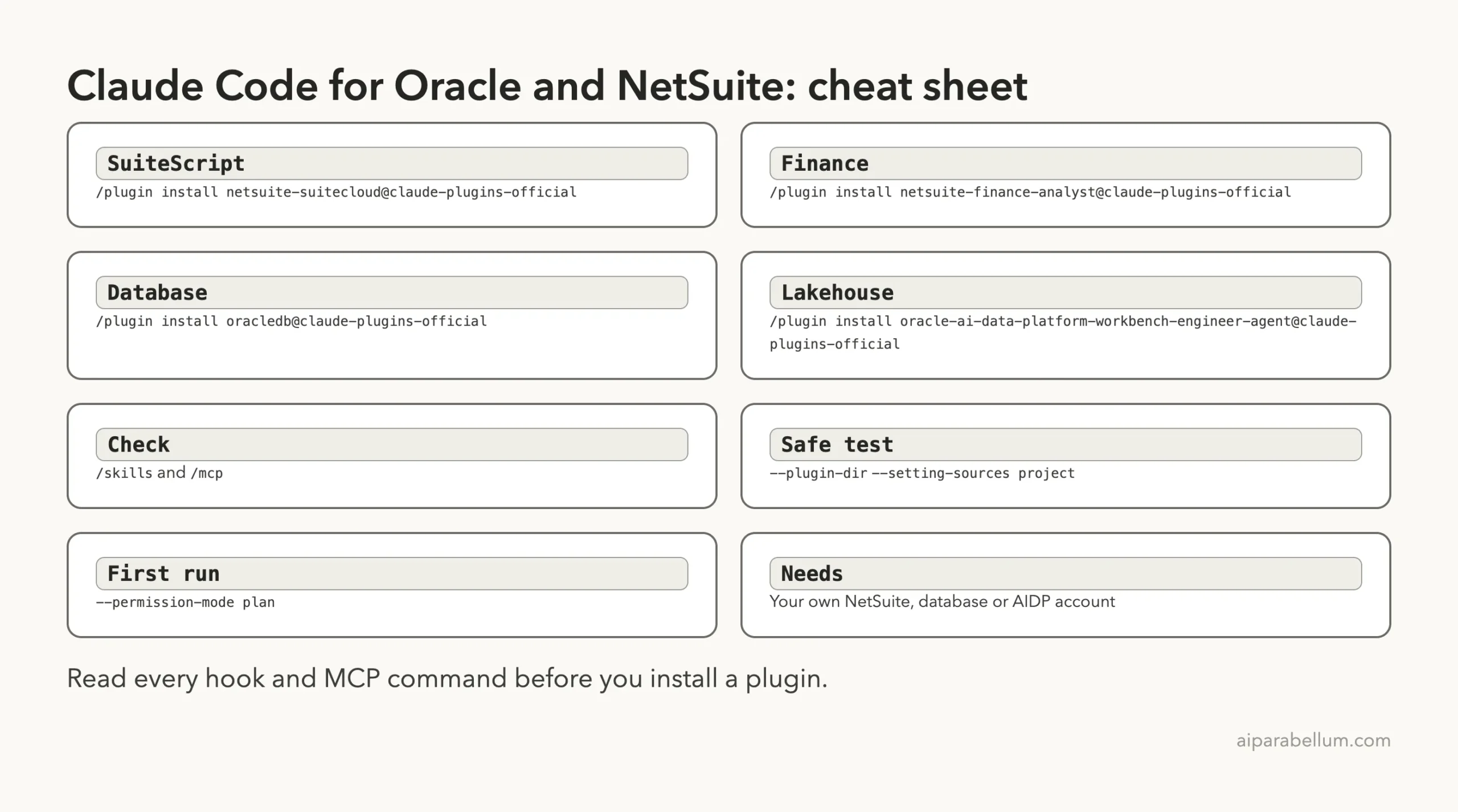
Frequently Asked Questions
Do I need a NetSuite account to use these plugins?
Not for all of them. The SuiteCloud skills work on local code files. The companion and finance analyst plugins both say in their READMEs that they require the NetSuite AI Connector Service.
Who makes the oracledb plugin?
The marketplace lists Google LLC as the author. It wraps the prebuilt Oracle server from MCP Toolbox, and its README says it is in beta.
Which plugin should I install first?
If you write NetSuite code, start with netsuite-suitecloud. If you work with Oracle data, try oracledb against a development database. If you use AI Data Platform, start with the Spark connectors skills.
Can I use these plugins on Windows or Linux?
We tested on macOS. The Windows and Linux steps follow Anthropic’s official instructions, and the skills themselves are plain files.
Are the plugins safe to install?
We found no hooks in the NetSuite plugins and one check-only hook in the engineer agent. Read every hook and MCP command first, and use plan mode while you learn.
Conclusion
Oracle and NetSuite plugins for Claude Code cover SuiteScript development, NetSuite finance work, Oracle Database queries and the AI Data Platform, and most of the live features need your own account. We loaded 86 skills in one session and ran three of them on a demo folder, while NetSuite data, the database server and the AIDP workbench come from the READMEs. Start with the SuiteCloud plugin, read every hook before you install, and browse more add-ons in our Claude guide and the Skills Directory.