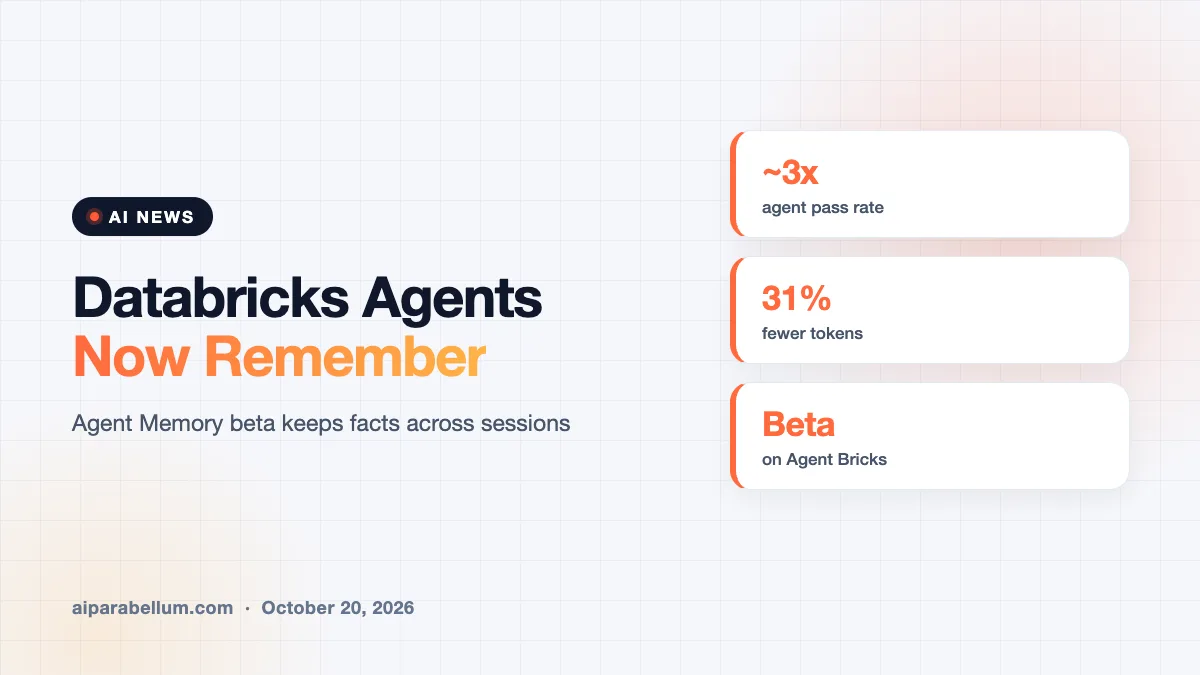
Databricks has launched Agent Memory, a new beta feature that lets AI agents remember facts, user preferences and past fixes from one session to the next. Databricks Agent Memory is part of Agent Bricks, the company’s platform for building and running custom agents. Databricks says it makes agents better at their jobs while also cutting cost and wait times.
The idea is simple. Most agents today start every conversation from scratch, so they keep relearning the same things. Databricks wants its agents to pick up where they left off.
What Databricks Agent Memory Does
Agent Memory stores the things an agent should not have to figure out twice. That includes a user’s profile and preferences, team-specific definitions, domain knowledge and workflows that worked before. When a new session starts, the agent loads an index of what it already knows, then searches for details as it needs them.
Databricks splits the feature into three parts:
- Managed sessions, which keep an ordered record of each conversation, including messages, tool calls and results.
- Managed memory, which holds the distilled facts worth keeping, searchable with a mix of keyword and semantic search.
- Memory pipelines, which run in the background to pull durable facts out of sessions, remove duplicates and replace facts that newer conversations contradict.
Everything runs on Lakebase, the company’s serverless Postgres database. Databricks provisions it inside the customer’s own workspace and runs it for them.
The Research Behind It
The feature is a production version of MemCurrent, a memory design from Databricks Research. Its main finding is that memory works best in two layers: a raw log of what happened and a cleaned-up record of what matters. A background “dreaming” process keeps that second layer current, instead of the agent writing notes in the middle of a task.
Our take: the background cleanup step is the interesting part, since stale or conflicting memories are exactly what make homemade agent memory go wrong.
Why Stateless Agents Cost More
Databricks frames the problem around two pain points. First, an agent without memory keeps paying to rediscover things, like which table holds usage data or what an internal acronym means. Second, it never gets personal, so users have to repeat preferences and corrections every time.
The company gives a concrete example from its research. One agent needed 11 tool calls, 8 subagents and nearly six minutes to answer a question about a product’s top customers. After that workflow was saved to memory, a related follow-up took 2 tool calls and 41 seconds.
Agent Memory Claims by the Numbers
These are Databricks’ own figures from internal and open-source benchmarks, not independent tests. Still, they show what the company is promising.
| Claim | What Databricks Reports |
|---|---|
| Task success | About 3x higher agent pass rate on real enterprise tasks |
| Token use | 31% fewer tokens in internal benchmarks |
| Full history vs. memory | Replaying full history used about 12x more input tokens at the same accuracy |
| Example follow-up | 11 tool calls and ~6 minutes cut to 2 tool calls and 41 seconds |
| Availability | Beta, on Agent Bricks |
Databricks also notes that replaying the whole chat history actually scored worse on the longest histories. Irrelevant old turns confused the agent.
Control Over What Agents Remember
Memory raises fair questions about privacy and accuracy, and Databricks addresses some of them. Sessions and memories live in the customer’s own Lakebase project, and memories are scoped to each user. Developers can read, export and delete the entries an agent keeps about any user.
Teams can also give a memory pipeline plain-language instructions about what to keep. Databricks’ example is telling it to keep durable customer preferences but ignore one-off debugging notes. That matters if you are worried about agent governance inside a company.
The storage is also independent of any single agent framework. Databricks says Agent Bricks works with any model, framework or harness.
Where It Fits in Agent Bricks
Agent Memory joins a growing set of Agent Bricks tools. These include agent hosting, Databricks Sandbox, Unity Gateway for model access, pre-built MCP servers, and tracing and evaluation. The same memory infrastructure already powers Genie, Databricks’ natural-language tool for business users.
Developers can deploy an agent with memory using the Agent Bricks CLI, which Databricks says takes minutes. There is also a path for adding memory and sessions to an existing agent. It is part of a wider push to make AI agents work outside of demos, similar to recent work on agent tracing tools.
What This Means for You
If your team builds agents on Databricks, this could save real time and money. Here is what to keep in mind:
- Try it on a repetitive workflow first, where rediscovery costs are easy to measure.
- Write clear pipeline instructions so the agent keeps useful facts and drops noise.
- Plan how you will review and delete user memories, since it is now stored data about people.
- Treat the 3x and 31% figures as vendor claims and run your own tests.
- Remember it is still beta, so expect changes before general release.
If you are not on Databricks, the design is still worth studying. The two-layer approach is a useful pattern for anyone building data analytics tools with agents.
Sources
Primary source: Databricks’ Agent Memory announcement.
Conclusion
Databricks Agent Memory tackles one of the most annoying limits of today’s AI agents: they forget everything when a session ends. By pairing a raw session log with a curated memory that updates in the background, Databricks says agents get more accurate, faster and cheaper at the same time. The numbers come from the company itself and the feature is still in beta. But for teams already building on Agent Bricks, it is an easy thing to test on a real workflow.