Dembrandt is a local MCP server that opens a website in a real browser and reads its colors, fonts, spacing and radii, so Claude Code can build with them. We added it to Claude Code, pulled the design tokens from a public site, and had Claude build a small page from the result. This guide shows what worked, what it cost in context, and one gotcha that can flood your session with a quarter of a megabyte of data.
This guide is part of our Claude Code tutorials. Find more servers in our MCP servers directory.
Tested with Claude Code v2.1.322 on November 12, 2026, using dembrandt 0.39.2 from github.com/dembrandt/dembrandt at commit 90e2691. That is the repository the npm package lists.
The repo uses the MIT license, was not archived, and its latest commit was from October 22, 2026. We read the package scripts and the MCP server file before running anything, and we saw no install-time hook.
The server is local and needs no account or key. The tool definitions cost about 1.8k tokens once used, but one wrong polling call can return a result of about 249 KB, so tell Claude how to wait.
Quick Summary: What We Tested
| Question | Answer |
|---|---|
| What is it? | An MCP server with 21 tools that extracts design tokens from live websites |
| Does it need an account or key? | No. It runs on your machine with npx. An optional DEMBRANDT_KEY syncs results to the maker’s service, and we did not set it |
| What did we run? | Adding the server, listing tools, one extraction, one brand guide export, one page built from it, and a /context check |
| Full extraction size | 248,789 bytes of JSON for one site, as measured with the command line version |
| Brand guide size | A 10,004-byte DESIGN.md file |
| Context cost | 1.8k tokens for the three tools we used, as measured with /context |
| Our verdict | Works well for your own site or a client site. Tell Claude how to poll, or it may pull the whole result |
One honest note. We ran each step once on one site, so treat the numbers as one demo and not a benchmark.
What Dembrandt Is and Why It Exists
Dembrandt started as a command-line tool. You give it a web address, and it returns the design system the page uses: color palette, type scale, spacing, border radii, shadows and component styles.
The MCP mode wraps the same engine as a server. MCP is the Model Context Protocol, a standard way to give Claude extra tools. If it is new to you, our MCP guide explains it.
Why would you want this? Say a client sends you their website and asks for a matching landing page. Instead of picking colors with an eyedropper, you ask Claude to read the real values from the live page and build from them.
How to Add the Dembrandt MCP to Claude Code
We worked in a throwaway demo folder and used local scope, so the server exists only in that folder. We also pinned the version, so a later release cannot change what runs. Your normal setup stays unchanged.
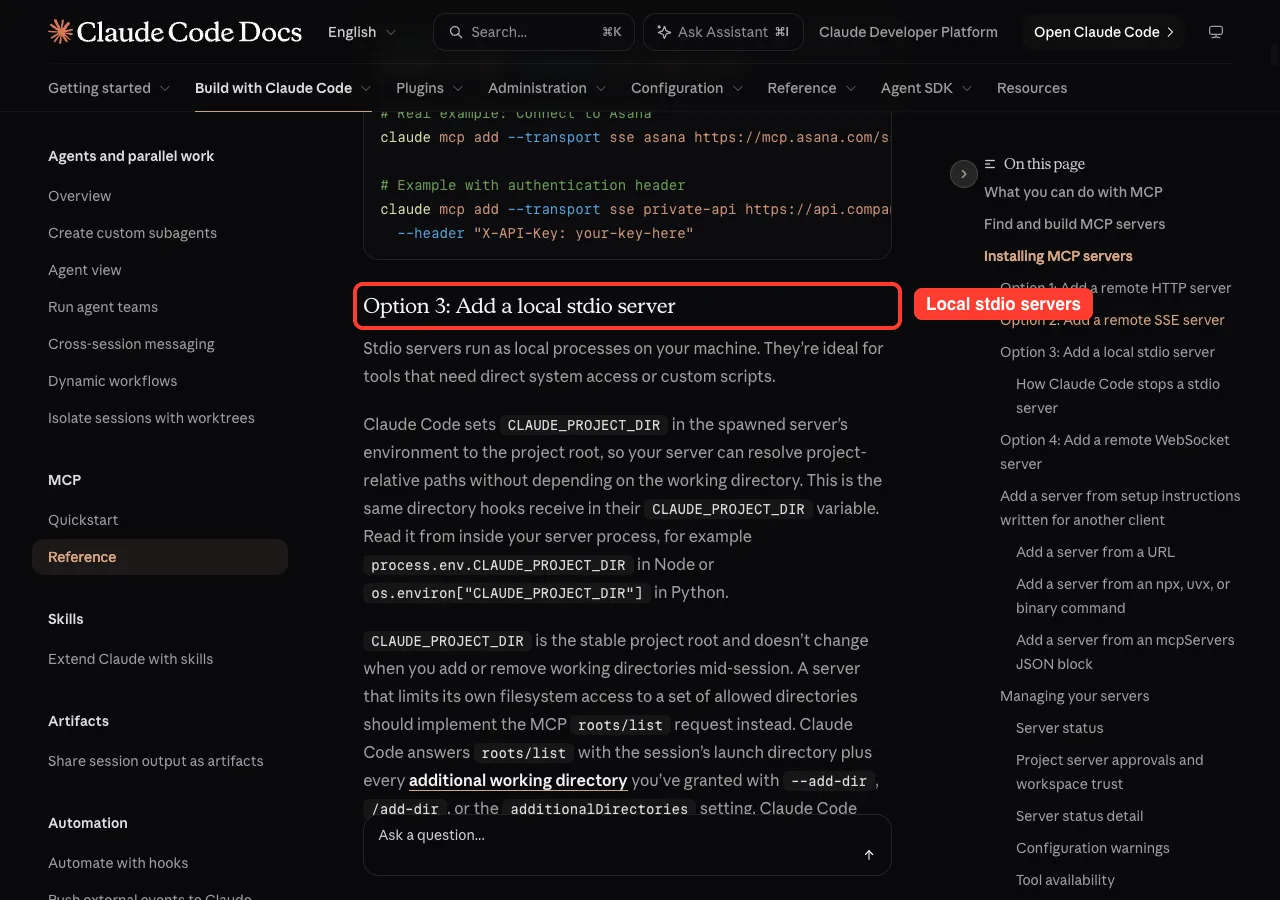
claude mcp add --scope local --transport stdio dembrandt -- npx -y [email protected] mcpThe part after -- is the command Claude Code runs to start the server. This is the same command the project’s README shows, with the version added. Stdio servers run as local processes on your machine, as the MCP docs explain, and the general steps are in the MCP quickstart.
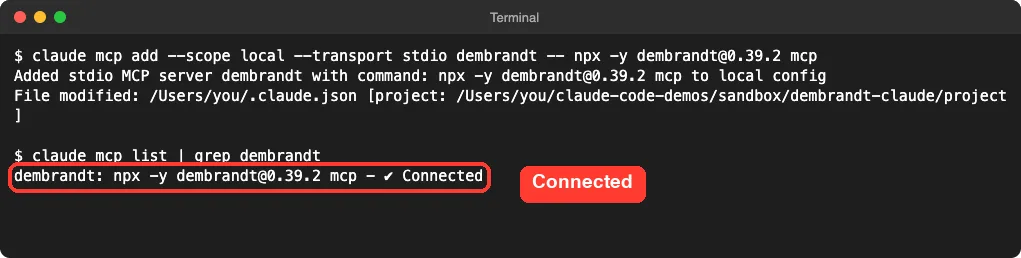
No sign-in prompt and no key. The first start of npx took about 17 seconds on our Mac while it fetched the package, and later starts were quicker.
One setup detail from the project’s code:
Dembrandt drives a browser through the playwright-core library, which does not download a browser by itself. The project ships an install-browser script for that. Our Mac already had a matching Playwright Chromium, so we did not test the fresh install, and you may need that extra step.
The 21 Tools Claude Code Sees
We started claude in the folder and ran /mcp. The server appeared under local MCPs with 21 tools.
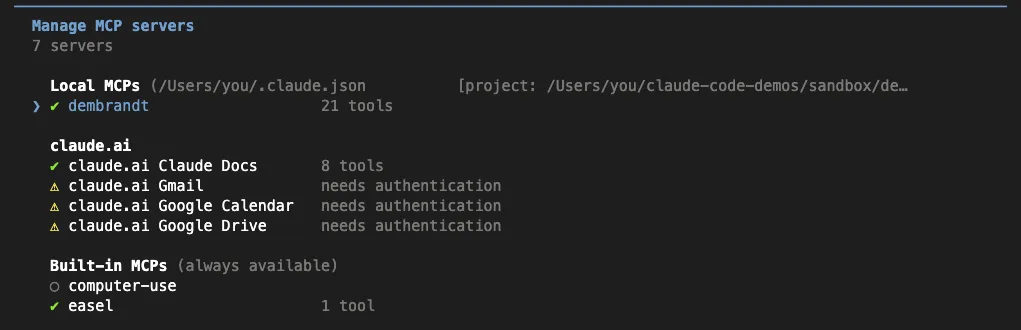
Opening the server and choosing the tools view listed them. The first ones are the extraction tools.
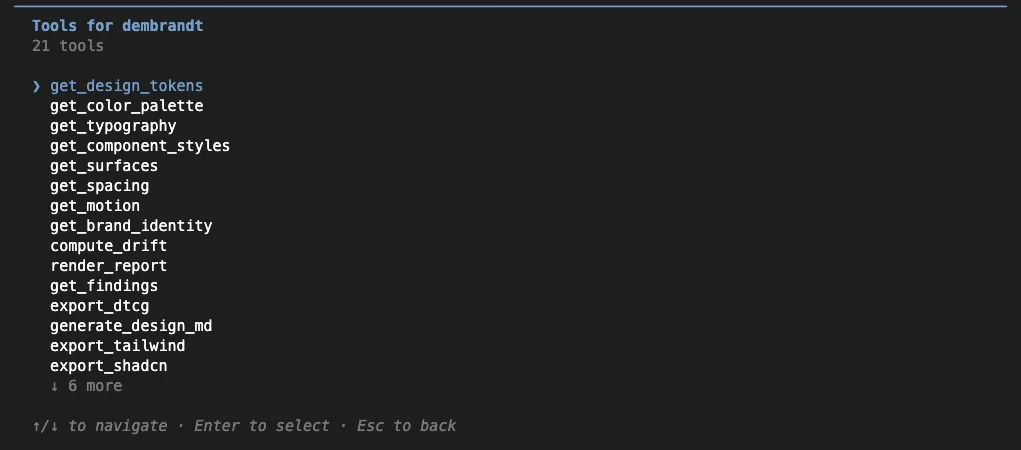
From the project’s tool descriptions, they fall into three groups.
| Group | Tools | What they do |
|---|---|---|
| Extract from a site | get_design_tokens, get_color_palette, get_typography, get_component_styles, get_surfaces, get_spacing, get_motion, get_brand_identity | Open a real browser and read one slice of the design |
| Convert and check | generate_design_md, export_tailwind, export_shadcn, export_dtcg, validate_dtcg, check_contrast, compute_drift, get_findings, render_report | Work on a finished extraction without a browser |
| Jobs and rules | get_job_status, list_jobs, cancel_job, check_robots | Track extractions and check a site’s robots.txt |
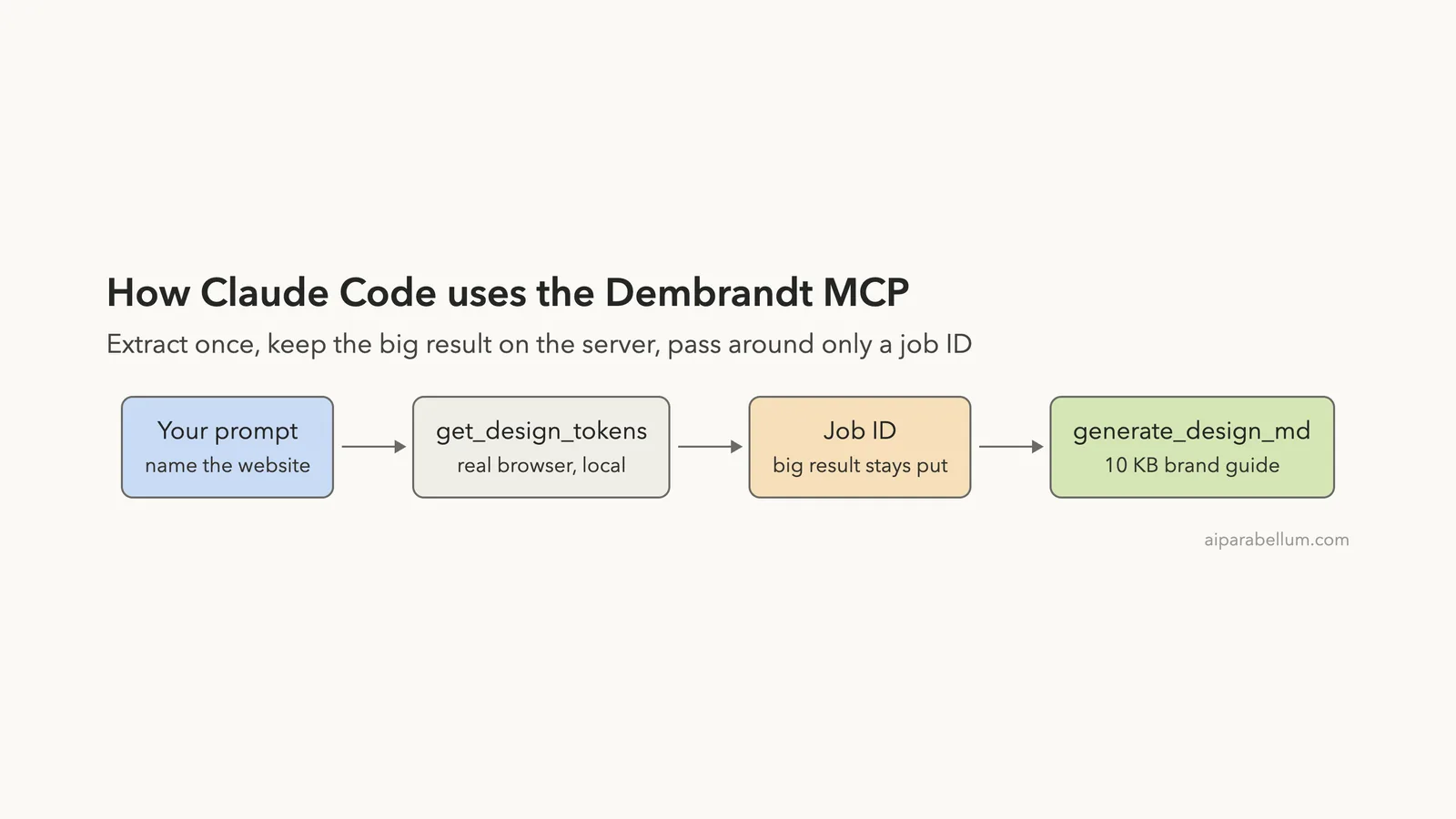
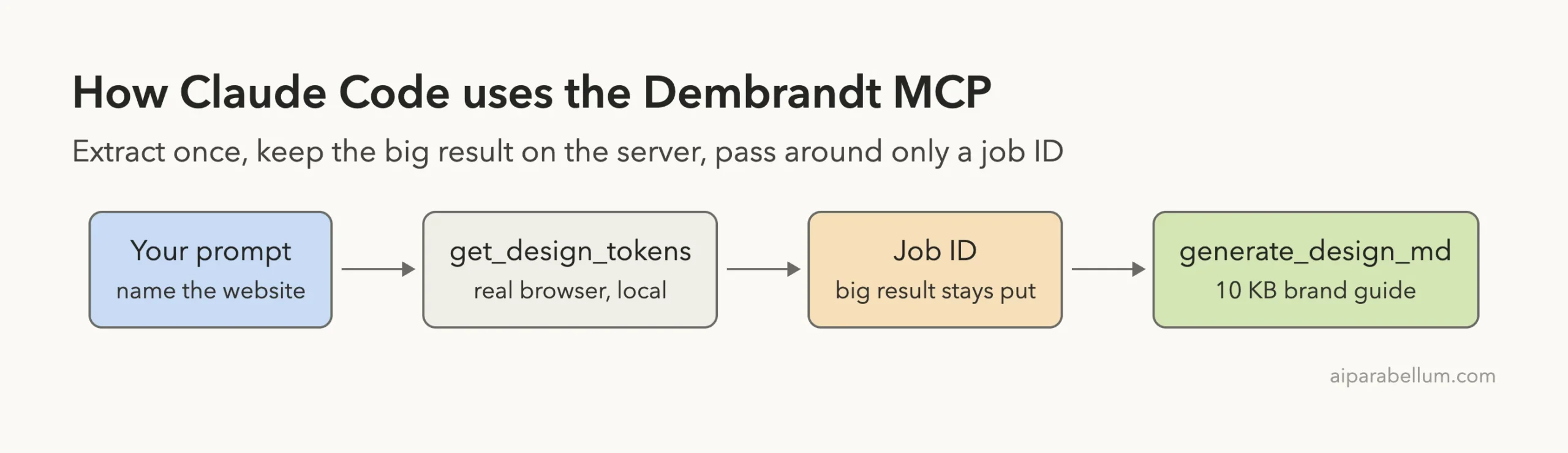
Extraction tools return a job ID by default, because a real page load can take a while. The tool description says a single page can take 15 to 40 seconds when you wait for it directly. You then hand that job ID to the conversion tools instead of pasting the data back.
Is the Dembrandt MCP Safe to Add?
It runs locally through npx, so there is no hosted service in the middle of an extraction. It does visit the website you name, from your machine, with a headless browser.
The README says the server honors robots.txt the same way the command line does, and the project’s CI doc describes a DEMBRANDT_ENFORCE_ROBOTS setting to refuse disallowed pages. We left it at the default and did not test it. The check_robots tool exists if you want to look before you extract.
The README also carries a clear request. It says to run Dembrandt only against sites whose terms permit automated access, or against your own properties, and not to use extracted material to reproduce third-party brand identities, logos or trademarks.
We took that seriously. Our demo used a big public site for the extraction, but the page we built is for a made-up product, and we are not publishing it. For real work, point the tool at your own site or a client who asked for it.
Test 1: Extract the Design Tokens
For the first run, we asked Claude to extract the tokens from stripe.com and used get_job_status to wait. That went badly, and it taught us the most useful thing in this guide.
The status tool returns the full result once the job is done.
When we measured the same extraction with the command line version, the JSON came to 248,789 bytes. Colors alone were 114,335 bytes. That is far more than you want pasted into a chat.
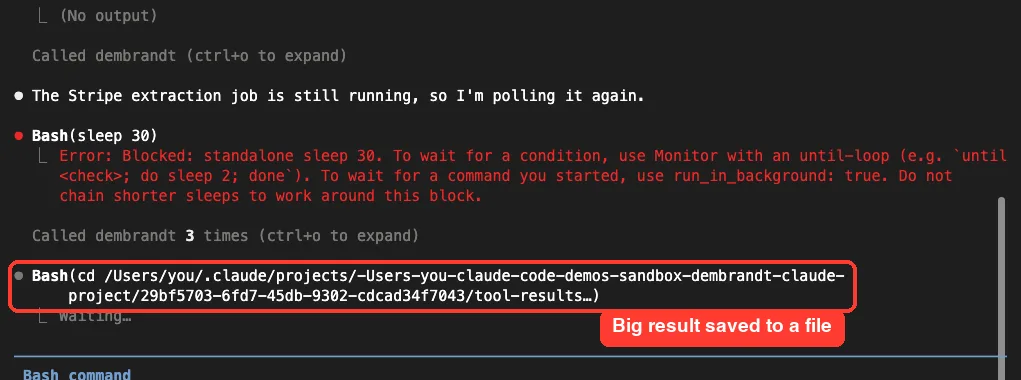
In our first attempt, Claude Code did not drop the whole payload into the chat. It saved the result to a file and then asked permission to run a Bash command to look inside it. That is a sensible safety net, but it still turns one request into a pile of extra steps.
So we started over with a prompt that tells Claude how to wait without pulling the data.
Use the dembrandt get_design_tokens tool on stripe.com; it returns a job id. Do NOT call get_job_status because it returns the whole huge result. Instead wait by calling list_jobs until the job is completed, then call generate_design_md with that job id and save the output as DESIGN.md here. Reply with one line when saved.The list_jobs tool returns only job names and statuses, so it is a cheap way to wait. The generate_design_md tool takes the job ID and turns the stored result into a short markdown guide.
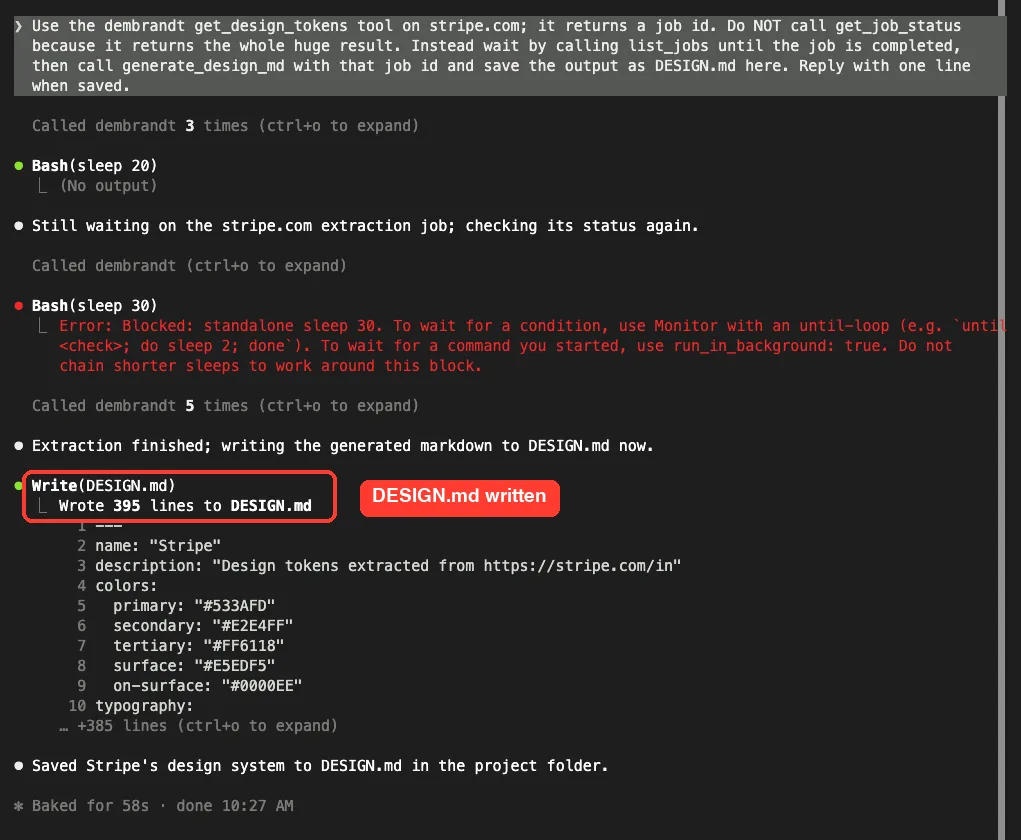
It worked.
Claude called the tools, waited, and wrote a 395-line DESIGN.md. Our CLI export of the same site measured 10,004 bytes, so the guide is about 4% of the full data.
Claude Code also tried a plain sleep command to wait once, and the tool blocked it. It then carried on using the server tools.
The guide starts with the main colors. For this site it listed a primary of #533AFD, a secondary of #E2E4FF and a tertiary of #FF6118. The site redirected to its India page during our run, and the guide says so in its description, so check which page you actually measured.
Test 2: Build a Page From the Tokens
Next, we asked Claude to use the guide and nothing else.
Now create index.html in this folder: a clean pricing-card page for a made-up product called Orbit, built only from the colors, fonts and radii in DESIGN.md. No external files. Reply with one line when done.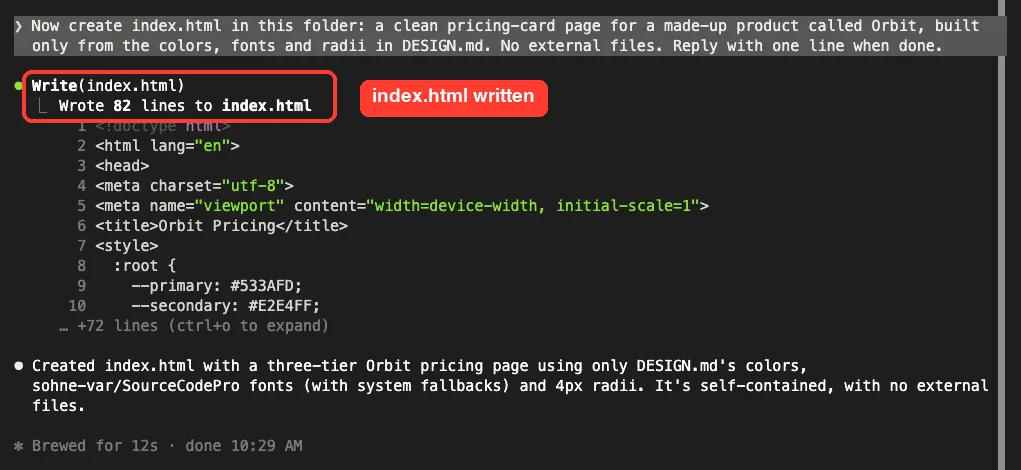
It took 12 seconds and wrote an 82-line, self-contained HTML file. We opened it in a headless browser to see the result.
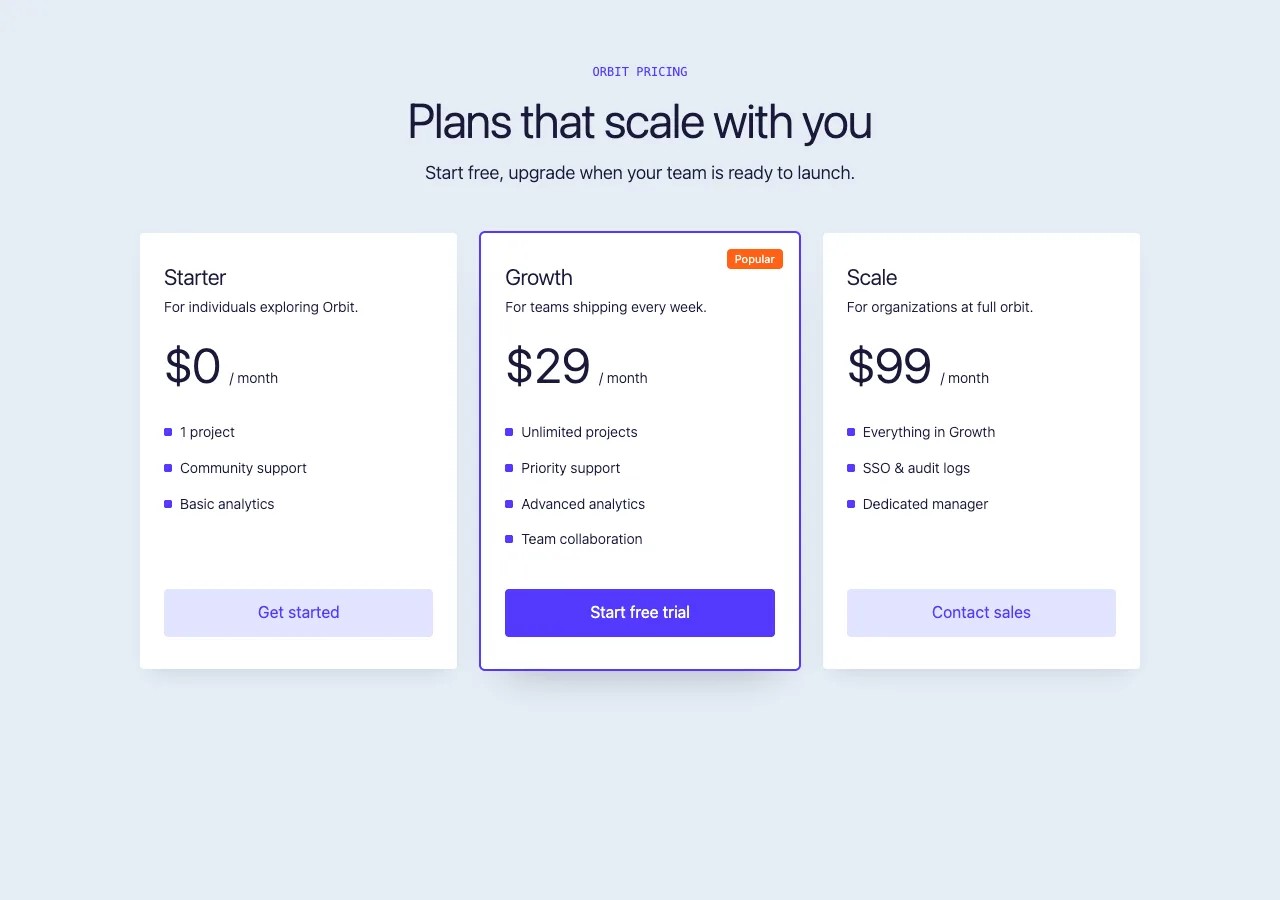
The page uses the purple primary for the main button and highlighted card, the pale secondary for the other buttons, and the orange tertiary for the Popular badge. Claude said it used a 4px radius.
One limit to know about:
The guide names the original font, sohne-var, which is a custom font we do not have. The page falls back to a system font, so the type looks close in weight but not identical. Tokens tell you what a site uses, not that you can use it.
What It Costs in Context
Every MCP server adds tool definitions to your session. We ran /context at the end of the session to see what Dembrandt added.
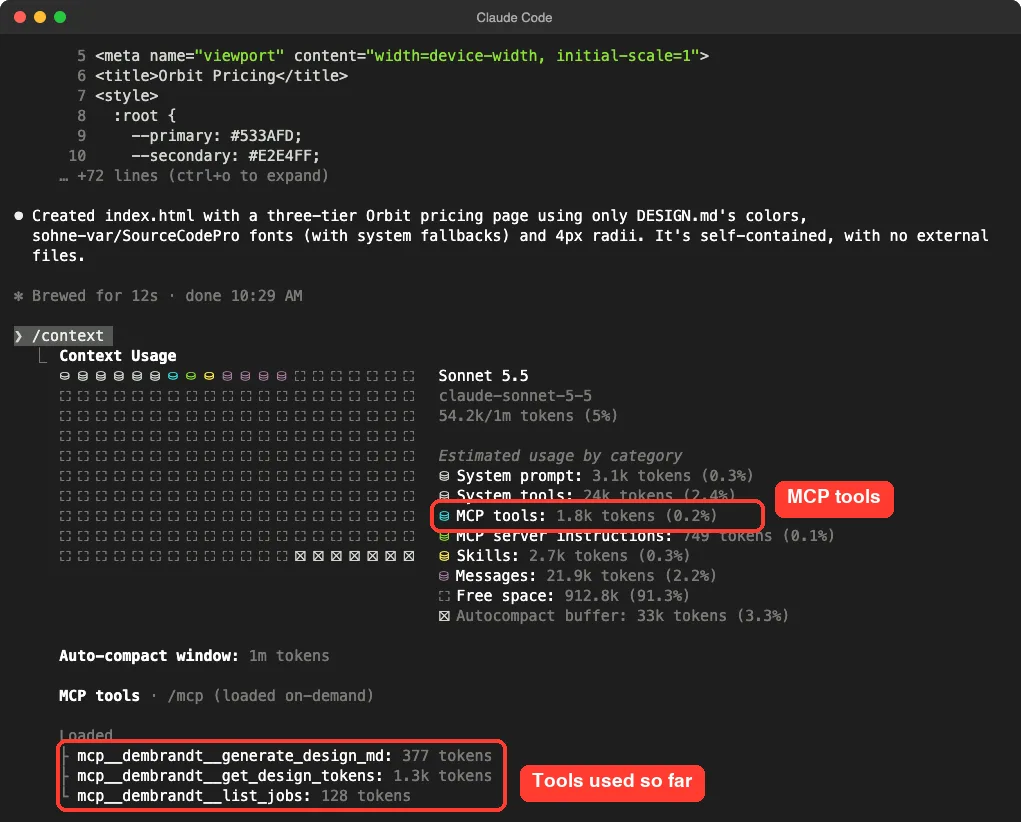
The screen lists MCP tools as loaded on demand. Under Loaded, it showed three Dembrandt tools: generate_design_md at 377 tokens, get_design_tokens at 1.3k tokens and list_jobs at 128 tokens. The category total was 1.8k tokens, or 0.2% of a 1m-token window.
The other 18 tools sat under Available with no token count, because they were never loaded in that session. We cannot say what they would cost if loaded, and we did not add them up.
The bigger number was Messages, at 21.9k tokens.
Both the guide and the page code went through the chat, and that is the real price of the workflow. A short DESIGN.md keeps it small, but a full dump would have been far worse. Our context window guide explains how to read these numbers.
What We Could Not Test
We stayed inside what one run on one machine can show.
- We tried one site only. Other sites, especially ones that block automated visitors, may behave differently.
- We did not test multi-page crawls, dark mode, mobile mode or sites that need a login.
- We did not run
export_tailwind,export_shadcn,export_dtcg,compute_driftorrender_report. - We did not set
DEMBRANDT_KEY, so we do not know what the sync feature does. - We did not test a fresh install of the browser on a clean machine.
- We did not check how closely the page matches the real site beyond looking at the colors and shapes.
Who Should Add the Dembrandt MCP to Claude Code?
| Your situation | Our advice |
|---|---|
| You build pages for your own site or a client who asked for a match | Add it. Real values beat guessing from a screenshot |
| You want to keep a design record for your own product | Good fit. Save the DESIGN.md in your repo and point Claude at it |
| You want to copy a competitor’s look | Do not. The README itself asks you not to reproduce other brands |
| You only need a few colors from one page | Probably skip it. A browser inspector is faster |
Common Mistakes
- Letting Claude poll with
get_job_status. It returns the whole result, which was about 249 KB for our site. - Adding the server at user scope for a quick test. Use
--scope localto keep it in one folder. - Leaving the version unpinned, so
npxcan pull a newer release later. - Running it on sites that do not allow automated access.
- Forgetting to remove the server when the test is done.
Pro Tips
- Say in the prompt how to wait: use
list_jobs, then a conversion tool with the job ID. - Save the guide as
DESIGN.mdin your project, so later sessions read ten kilobytes and not a live extraction. - Run
/mcpto confirm the server is connected before you start. - Ask Claude to check which page address was measured, since sites often redirect.
- Look at the page it builds, and check the fonts. Custom fonts will not load without the files.
Try It Yourself
Run this in a throwaway folder, on a website you own. Remove the server when you are done.
claude mcp add --scope local --transport stdio dembrandt -- npx -y [email protected] mcp
claude
# inside Claude Code:
Use the dembrandt get_design_tokens tool on my-site.example; it returns a job id. Do NOT call get_job_status. Wait by calling list_jobs until the job is completed, then call generate_design_md with that job id and save the output as DESIGN.md. Then list the primary color, the font and the border radius.
# when finished:
claude mcp remove dembrandt -s local
Cheat Sheet
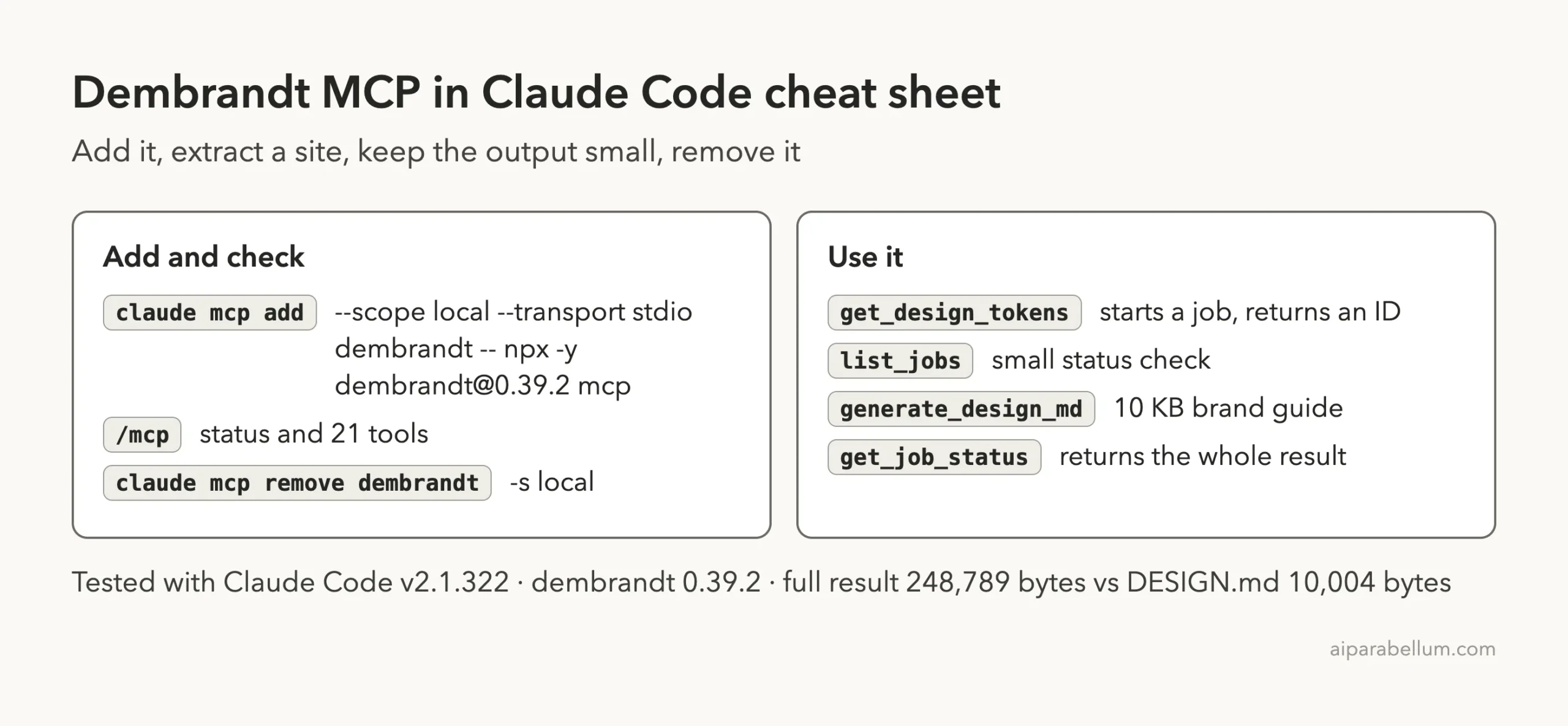
Frequently Asked Questions
Does the Dembrandt MCP need an account or API key?
No. It runs locally through npx, and we entered no key. An optional key syncs results to the maker’s service.
How much context does it use?
The three tools we used added up to 1.8k tokens in our /context output. The tools are loaded on demand.
Why did my extraction fill the chat or end up in a file?
The get_job_status tool returns the entire result. Ask Claude to wait with list_jobs and then use generate_design_md or another export tool with the job ID.
Can I use it on any website?
Technically it opens public pages, but the README asks you to use it only where automated access is allowed, or on your own sites. Do not use it to copy another brand.
How do I remove it?
Run claude mcp remove dembrandt -s local from the folder where you added it.
Conclusion
The Dembrandt MCP is easy to add, needs no account, and turned a live website into a 10 KB brand guide that Claude used to build a page in 12 seconds. The context cost was small at 1.8k tokens, but the full extraction was about 249 KB, so you need to tell Claude how to wait. The other trade-offs are that you must respect the sites you point it at and that fonts do not come along with the tokens. If you build pages for your own brand, try it on your site first.
Next, browse more tested add-ons in our skills directory, or read our Claude overview.