The draw.io MCP is a hosted server from the draw.io team that lets an AI assistant create diagrams from text. We added it to Claude Code, gave it a small login flow written as plain notes, and asked it to draw. This guide shows what came back, what worked well, and the one thing that surprised us.
This guide is part of our Claude Code tutorials. Find more servers in our MCP servers directory.
Tested with Claude Code v2.1.322 on November 12, 2026, using the hosted draw.io MCP server from jgraph/drawio-mcp at commit cfc1b91. It lives at https://mcp.draw.io/mcp, so there is no package to install or pin. It comes from github.com/jgraph/drawio-mcp,, which is the repository the draw.io team lists for it.
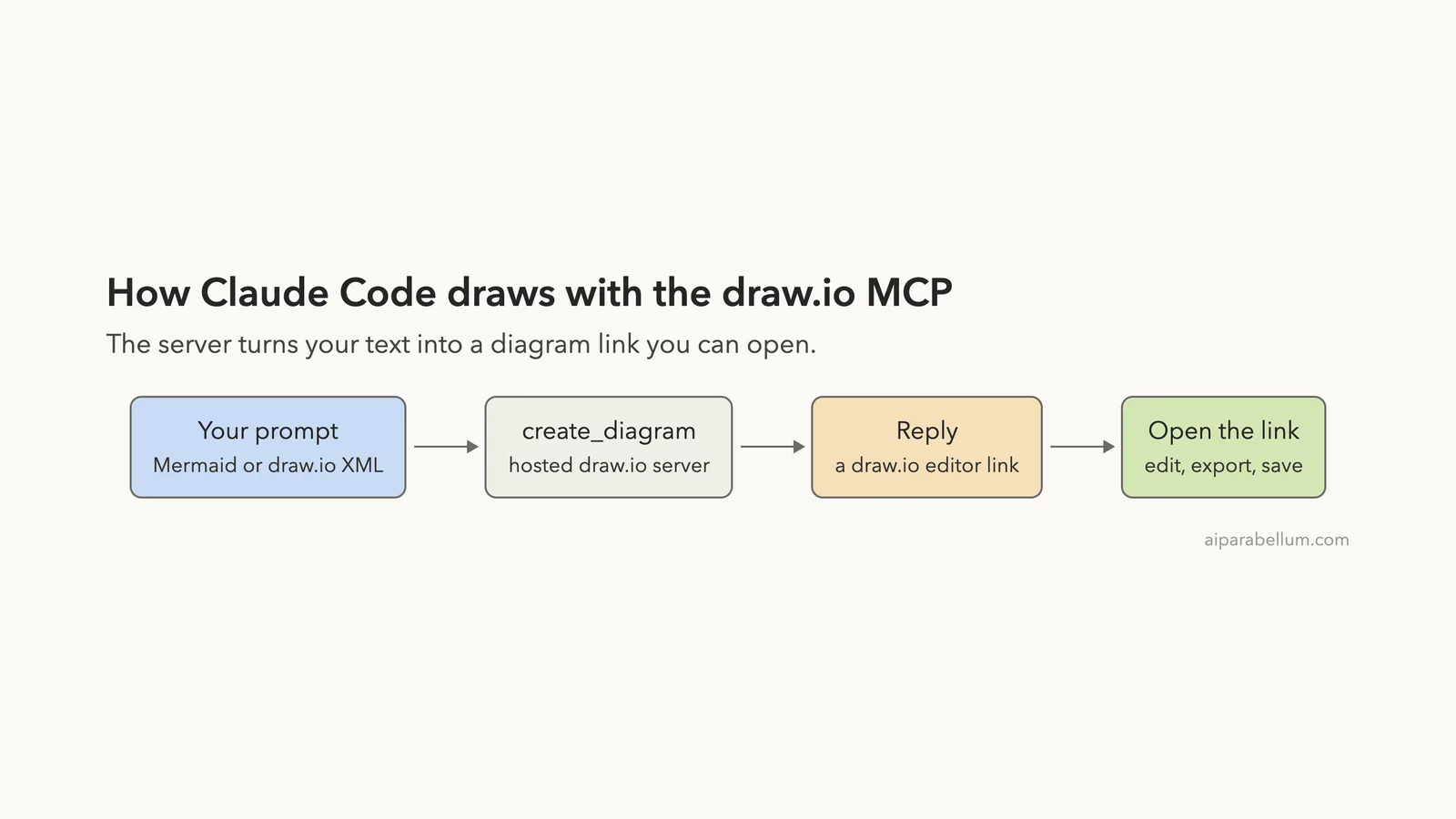
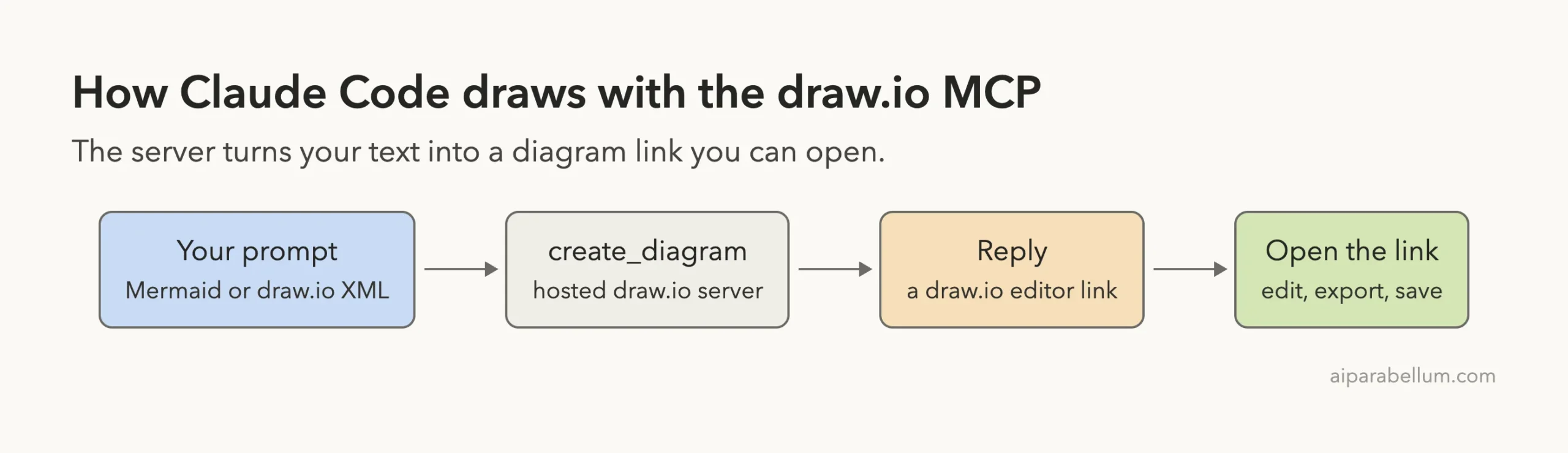
The server connected with no sign-in and turned Mermaid and draw.io XML into diagrams. In the terminal, you get an editor link, not a picture.
Quick Summary: What We Tested
| Question | Answer |
|---|---|
| What is it? | The official hosted draw.io MCP server, with three tools |
| Does it need an account? | No. /mcp showed “connected” and “Auth: not signed in” |
| What did we run? | Adding the server, listing its tools, one Mermaid diagram and one draw.io XML diagram with shape search |
| What did we see? | Both runs returned a draw.io editor link, and both diagrams opened correctly |
| Context cost | 3,773 tokens for the three tool definitions, as measured for our directory |
| Our verdict | Easy to add and it works. Worth it if you want editable diagrams |
One honest note. We ran each test once, so treat it as one demo and not a benchmark.
What the draw.io MCP Is and Why It Exists
draw.io is a popular free diagram editor, also known as diagrams.net.
Its team publishes an official MCP server so that AI tools can create diagrams for you. MCP is the Model Context Protocol, a standard way to give Claude extra tools. If it is new to you, our MCP guide explains it.
The README lists several ways to use draw.io with AI. The one we tested is the hosted app server.
Per the README, it renders diagrams inline in chat apps that support the MCP Apps protocol, such as Claude.ai. A terminal cannot show that, so the README says tools like GitHub Copilot CLI get a link that opens each diagram in draw.io instead.
That matches what we saw in Claude Code. If you want a ready-made skill and not a server, we covered that in our diagram skills comparison.
How to Add the draw.io MCP to Claude Code
We worked in a throwaway demo folder and used local scope, so the server exists only in that folder. Your normal setup stays unchanged.
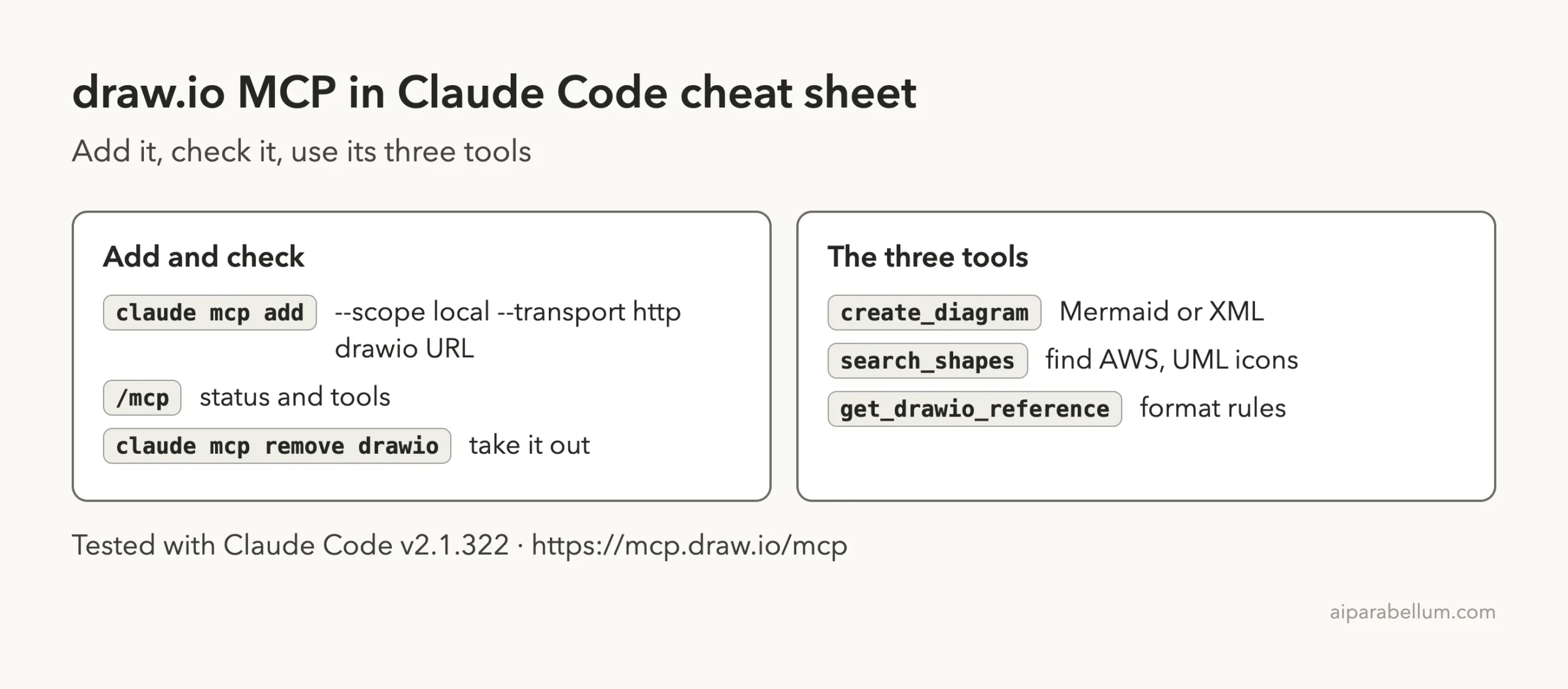
claude mcp add --scope local --transport http drawio https://mcp.draw.io/mcpClaude Code printed that it added the server to the local config for the folder. We started claude there and ran /mcp.
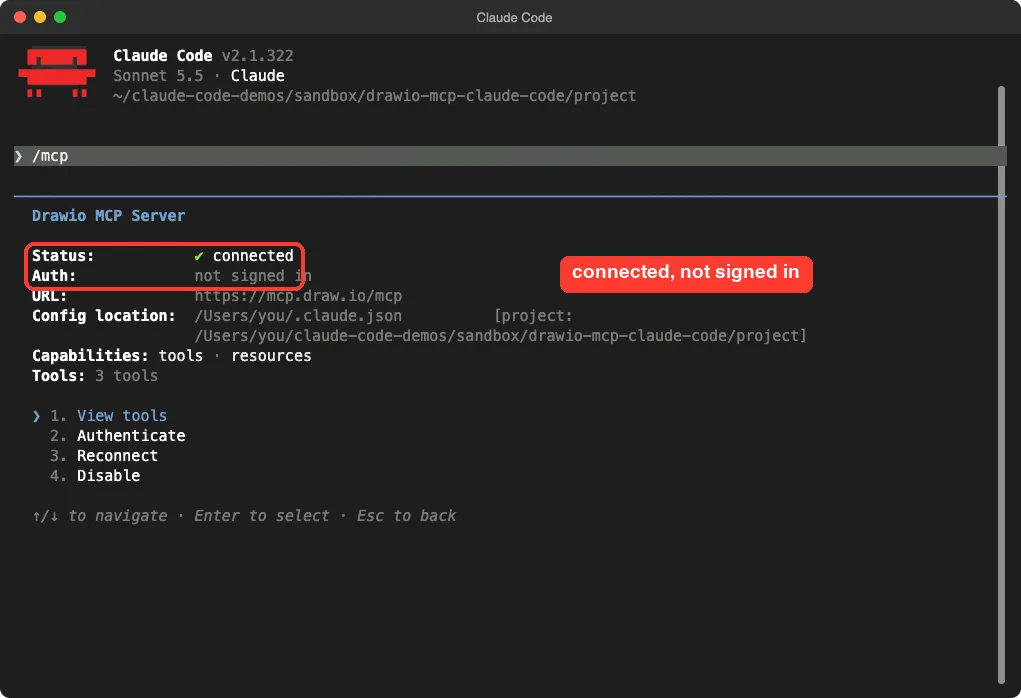
No sign-in prompt, no key, and no install. The general steps for any server are in the MCP quickstart, and scopes are explained in the MCP docs.
The Three Tools Claude Code Sees
The detail screen said “Tools: 3 tools”. Opening the list showed their names, and each one is labeled read-only.
| Tool | What the README says it does |
|---|---|
create_diagram | Renders draw.io XML or Mermaid (28 diagram types) as a diagram |
search_shapes | Searches 10,000+ shapes across draw.io libraries, such as AWS, Azure, UML and BPMN, and returns exact style strings |
get_drawio_reference | Returns the XML or Mermaid generation reference, which the model reads once before its first diagram |
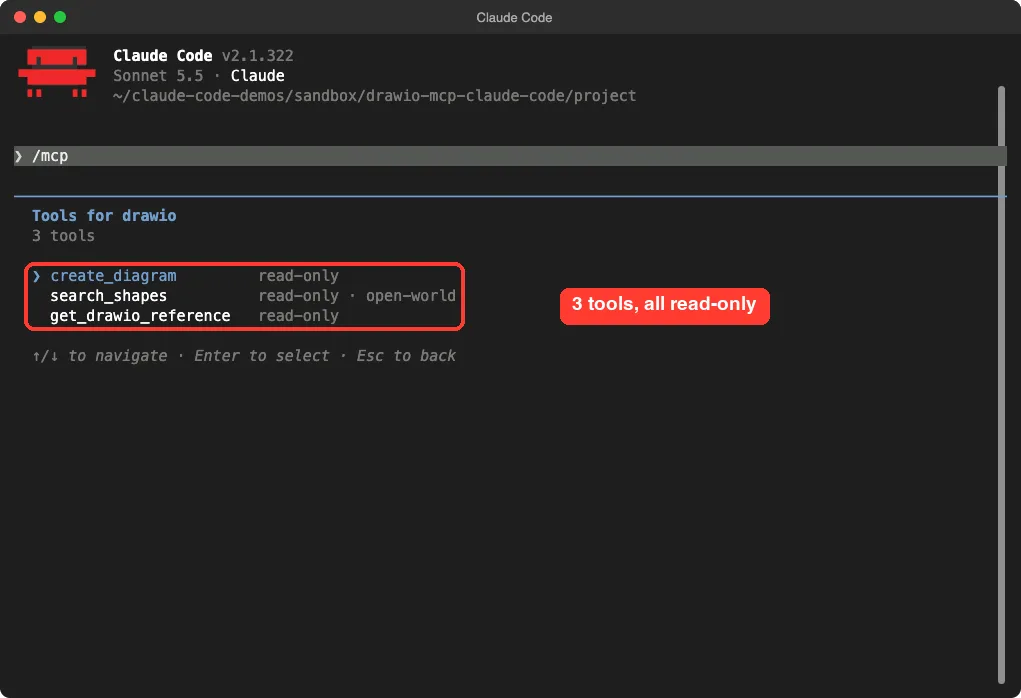
The “open-world” label on search_shapes fits the README, which says it queries the draw.io icon service for icons when the built-in libraries have no good match. Our directory measured the cost of all three definitions at 3,773 tokens. That is a small, fixed price for every session where the server is on.
Is the draw.io MCP Safe to Add?
Ask what a server can do and where your data goes. This one is hosted, so any diagram text Claude sends goes to the draw.io team’s server. Do not put confidential details in a diagram.
The README has a section on data handling. It says the servers do not write diagram content to their logs by default, only request metadata.
It also says the diagram viewer loads draw.io code from viewer.diagrams.net. We read this and did not verify it.
The tool list showed no tool that edits your files. The server draws and returns a result, and Claude Code asks you before using tools unless you allow them. We allowed only this server for our tests with --allowedTools mcp__drawio.
Test 1: Turn Notes Into a Mermaid Diagram
We made a small notes.md file in the demo folder that described a login flow: open the Login page, send the password to a check, go to the Dashboard if it is correct, and go back to Login if it is wrong. Then we asked Claude to draw it.
Read notes.md, then use the draw.io MCP create_diagram tool to draw that login flow as a Mermaid flowchart. Keep your answer short and tell me exactly what the tool returned.Claude read the notes and called the draw.io server twice. Our transcript shows it called create_diagram with a Mermaid flowchart and chose a layout setting called postLayout: "elk", because the wrong-password path loops back.
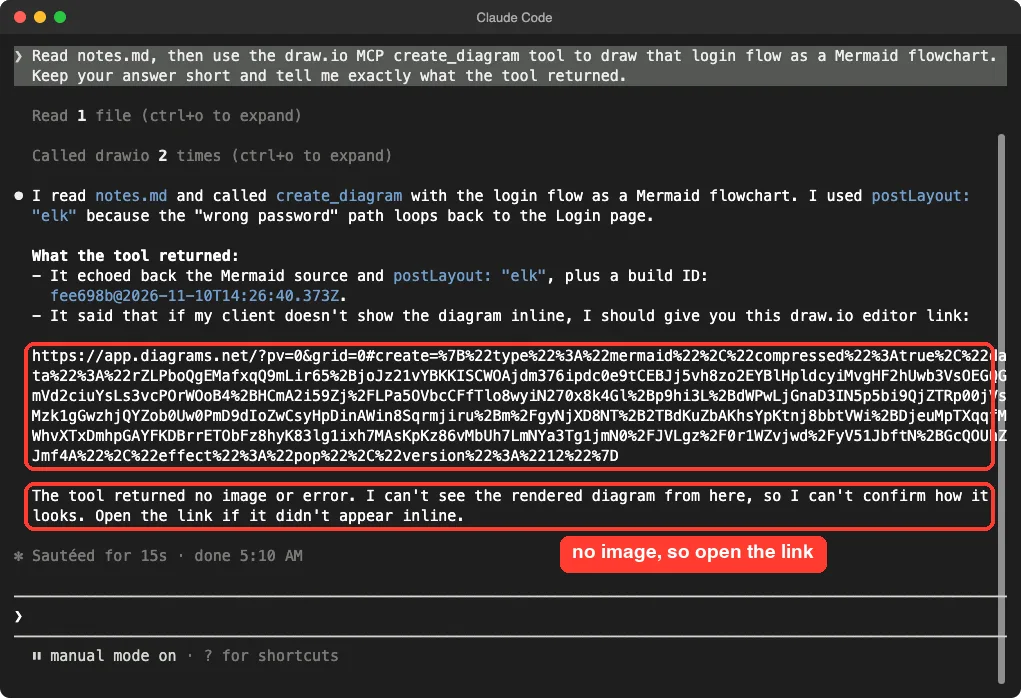
The tool returned the Mermaid source, a build ID, and a message telling Claude to give us a draw.io editor link if the client does not show the diagram inline. Claude said plainly that it could not see the rendered diagram and that we should open the link.
What the Link Opened
We opened the exact link Claude Code returned in a headless Chrome browser. It loaded the draw.io editor with our diagram already on the page, titled “Login flow”.
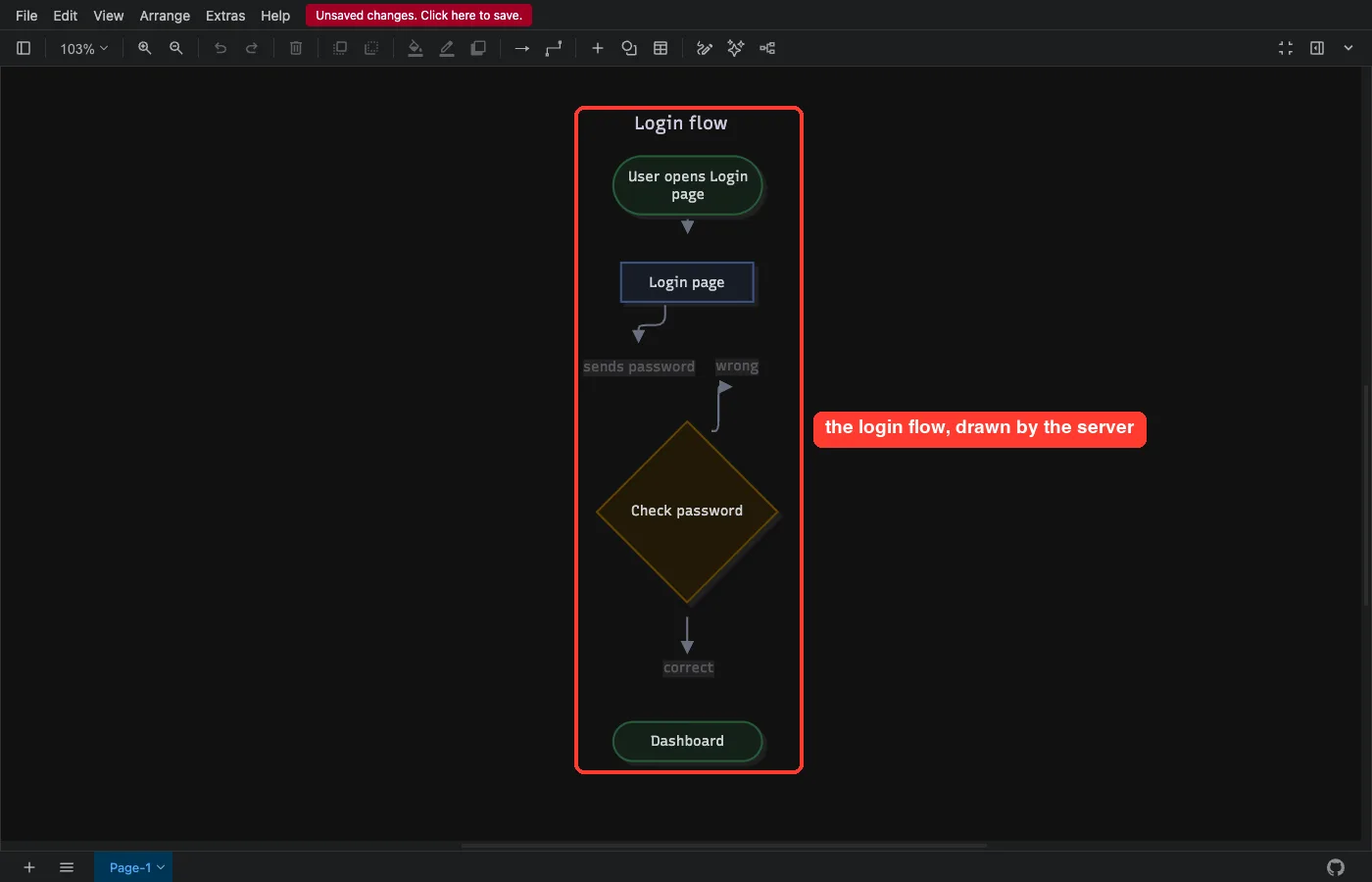
The boxes were right: a start step, Login page, a Check password decision, and Dashboard, with “sends password” and “correct” labels on the arrows. The editor also showed an “Unsaved changes” notice, which makes sense because nothing is saved until you save it.
One flaw.
The “wrong” arrow that should loop back to the Login page rendered as a short stub that ends in a flag shape, so the loop was not clear in our capture. We did not try to fix it. You can drag the connector in the editor, or ask Claude to redraw it with simpler wording.
Test 2: Draw.io XML With Real AWS Shapes
Mermaid is quick, but draw.io XML lets you use proper icons. So our second prompt asked Claude to look up shapes first and then draw.
Use the draw.io search_shapes tool to find an AWS Lambda shape and an AWS S3 shape. Then call create_diagram with draw.io XML showing Lambda writing to S3. Tell me in under 8 lines what search_shapes returned and what create_diagram returned.The server was called three times: two shape searches and one diagram. Claude reported that the Lambda search returned 5 shapes in three AWS styles and it picked the orange one. The S3 search returned 5 shapes too, but none was the official AWS S3 icon in the style it wanted, so it used a different S3 logo from the library.
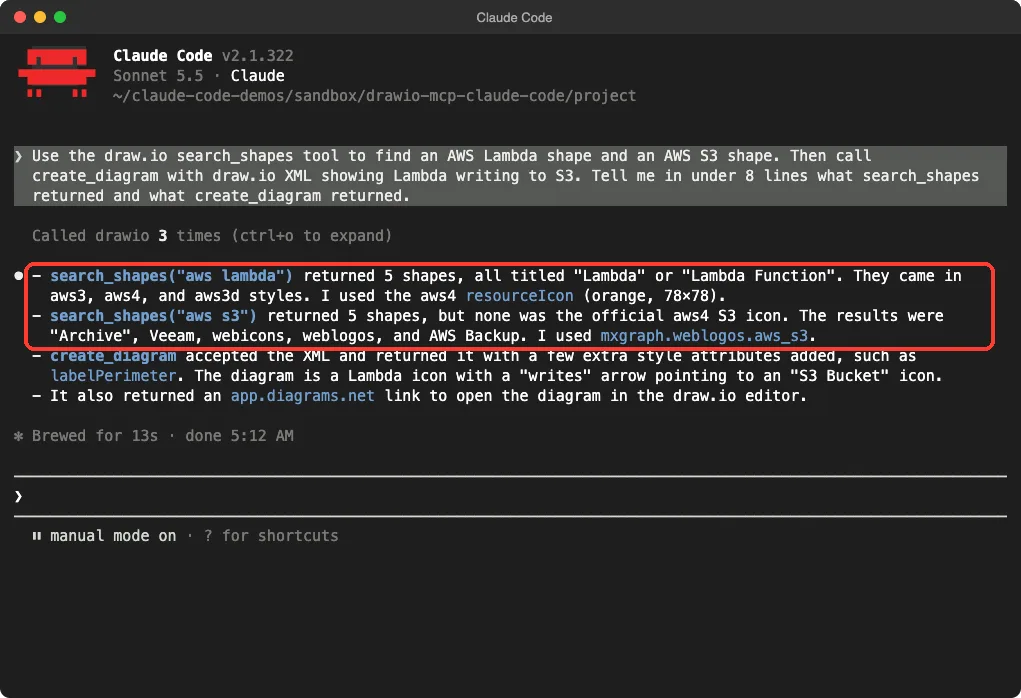
Claude also said create_diagram accepted the XML and gave it back with a few extra style attributes added. It returned another editor link, which we opened.

This is the useful half of the server. The shape search gave Claude real icon style strings, so it did not need to guess them. Note the S3 result, though: a search can return close matches and not the exact icon you wanted.
What We Could Not Test
We stayed inside what a terminal can do.
The inline viewer works in apps like Claude.ai, and we did not test it. We also did not test the other routes in the README, such as the npm tool server @drawio/mcp or the plugins. We did not export to PNG or PDF either.
The README says that export is done by the assistant plugins with the draw.io desktop app, not by this hosted server. the README says that export is done by the assistant plugins with the draw.io desktop app, not by this hosted server.
The draw.io skill is a different thing from this server, and our earlier comparison tested it. Keep in mind that links open on app.diagrams.net, so the diagram data is in the link you share.
Who Should Add the draw.io MCP to Claude Code?
| Your situation | Our advice |
|---|---|
| You want editable diagrams from notes or code | Add it. The link opened a real editor with the diagram ready |
| You need an image file inside the terminal | Not from this server. Look at the plugin route in the README |
| You need exact cloud icons | Use search_shapes, then check each icon. Ours missed the official S3 one |
| You work with private architecture | Think twice. The diagram text goes to a hosted server |
Common Mistakes
- Expecting a picture in the terminal. You get a link, so open it in a browser.
- Skipping
search_shapeswhen you want cloud icons. Without it, Claude has to guess style names. - Adding the server at user scope for a quick test. Use
--scope localto keep it in one folder. - Forgetting to remove it afterward with
claude mcp remove drawio.
Pro Tips
- Start with Mermaid for flows and sequences, then move to XML when you need icons or exact layout.
- Ask Claude to quote what the tool returned. It caught for us that no image came back.
- Run
/mcpto confirm the server is connected and to see which tools are read-only. - Keep the prompts small. One diagram per request is easier to fix than a big one.
Try It Yourself
Run this in a throwaway folder. Open the link Claude gives you, and remove the server when you are done.
claude mcp add --scope local --transport http drawio https://mcp.draw.io/mcp
claude
# inside Claude Code:
Use the draw.io create_diagram tool to draw a Mermaid flowchart of how a customer places an order: cart, payment, confirmation. Tell me exactly what the tool returned.
# when finished:
claude mcp remove drawio
Cheat Sheet
Frequently Asked Questions
Does the draw.io MCP need an account or API key?
No. In our test, /mcp showed it connected with “Auth: not signed in”, and we entered no key.
Can Claude Code show the diagram in the terminal?
Not in our test. The tool returned a draw.io link, and we opened it in a browser to see the diagram.
Which formats does it accept?
The README says create_diagram takes draw.io XML or Mermaid. We tested both, once each.
Does it send my data to a server?
Yes. It is hosted, so the diagram text goes to the draw.io team’s server. Avoid confidential content.
How do I remove it?
Run claude mcp remove drawio from the same folder where you added it at local scope.
Conclusion
The official draw.io MCP is easy to add, needs no account, and costs only three tools of context. In our two runs, Claude turned plain notes into a Mermaid flow and used shape search to build a Lambda to S3 diagram, and both links opened as editable diagrams. The trade-offs are that a terminal gets a link and not a picture, one arrow looked off, and the S3 icon match was not the official one. If you want diagrams you can keep editing, it is a good add-on to try for yourself.
Next, browse more tested add-ons in our skills directory, or read the Claude overview.