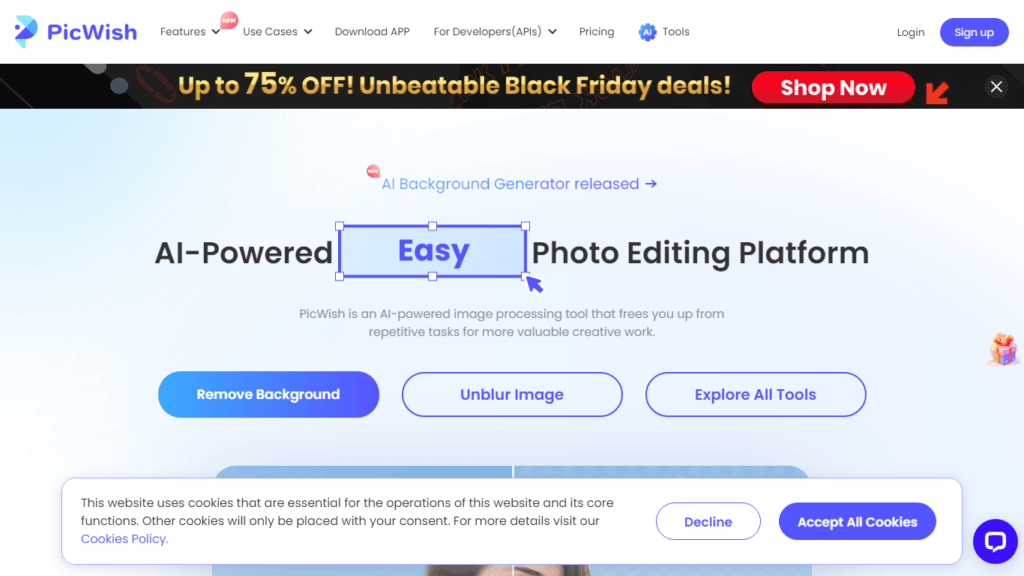
Welcome to the world of AI-powered photo editing! In an era where visuals are paramount, PicWish has emerged as a significant player in the realm of photo editing tools. Whether you are a professional photographer, a graphic designer, or someone who simply enjoys enhancing images for social media, PicWish offers a suite of tools designed to streamline the editing process and elevate the quality of your photos. With its user-friendly interface and powerful AI algorithms, PicWish is revolutionizing the way we approach photo editing.
PicWish
Discover PicWish AI Photo Editor's features, benefits, and how it simplifies photo editing with AI-powered tools for professionals and enthusiasts alike.
Reviewed by the AI Parabellum team · Updated March 20, 2024

Overview
Features
- AI Background Generator Automatically create backgrounds for your images.
- Remove Background Quickly remove the background from any photo.
- Unblur Image Sharpen images that are blurry or out of focus.
- Photo Retouch Magic Retouch feature to eliminate blemishes while keeping the background intact.
- Photo Enhancer Enhance the resolution and crispness of your images.
- Image to Text Extract text from images automatically.
- White Background Easily add a white background to product photos.
- Face Enhancement Improve the quality of portrait images.
- AI Art Generator Turn your imagination into art with AI.
- Photo Colorizer Colorize black and white photos to bring them to life.
- JPG Converter Convert various image formats into JPG.
- Comprehensive Editing Tools Offers tools for compressing, cropping, and resizing images.
How It Works
- Choose a Tool: Select the desired photo editing tool from the PicWish platform.
- Upload Your Image: Drag and drop or upload your image onto the platform.
- Automatic Processing: The AI algorithms will automatically process your image based on the selected tool.
- Review and Download: Review the results and make any additional adjustments if necessary, then download the edited image.
Benefits
- Ease of Use No steep learning curve, making it accessible to users of all skill levels.
- Boosted Productivity Quickly receive professional-quality edits.
- Enhanced Creativity Rich tools that simplify the creation process.
- Time-Saving Automated processes save hours of manual editing.
- Versatility Suitable for various industries like eCommerce, graphic design, and marketplaces.
- Developer-Friendly Offers a suite of APIs for integration into custom workflows.
Pricing
- Free Trial Get started with a free trial to explore the capabilities of PicWish.
- Subscription Plans For extended features and professional use, PicWish offers various subscription plans that cater to different user needs.
- Pay-As-You-Go Certain features may offer pay-as-you-go pricing, allowing users to only pay for what they use.
- API Credits Developers can purchase API credits for integrating PicWish’s functionalities into their projects.
Review
PicWish has garnered positive reviews from its users. The platform is praised for its ease of use, intuitive interface, and the effectiveness of its AI-powered tools. Users have highlighted the background removal feature and the photo enhancer as particularly impressive. The free version is appreciated for being robust, while the PRO version offers advanced features that are deemed worth the investment. With a high user rating and favorable testimonials, PicWish stands out as a reliable and efficient photo editing solution.
Conclusion
PicWish AI Photo Editor is a comprehensive and accessible platform that meets the photo editing needs of various users. With its array of powerful tools, AI-driven capabilities, positive user feedback, and flexible pricing options, it proves to be an invaluable asset for anyone looking to improve their images with ease and precision. Whether for personal use or professional integration, PicWish is a worthy addition to your digital toolkit.
Featured tools
Clever AI Detector Verified
How Clever AI Detector analyzes text to estimate AI authorship with sentence-level…
AI Toolbox Verified
How AI Toolbox brings folders, search, and prompt libraries to ChatGPT, Gemini,…
Similar Photo Editor tools
Background Remover AI
Remove image backgrounds in seconds with Stockphotos.com's AI Image Background Remover -…
AI Photo Editor
Discover PhotoEditor.ai, the AI-powered photo editor that simplifies your editing tasks with…
AI Image Upscaler By Nero
Explore how Nero AI Image Upscaler transforms images with AI technology, offering…
Cleanup Pictures AI
Cleanup Pictures by Pixelcut: Free online tool to remove objects, text, blemishes…
Img Sharpen AI
Discover how Media.io AI Img Sharpen enhances your images with ease, offering…
ImgUpscaler
Enhance and upscale images online easily with AI Image Upscaler. Get high-resolution…
RemoveBG AI
Remove image backgrounds in seconds for free with RemoveBG, a user-friendly, AI-powered…