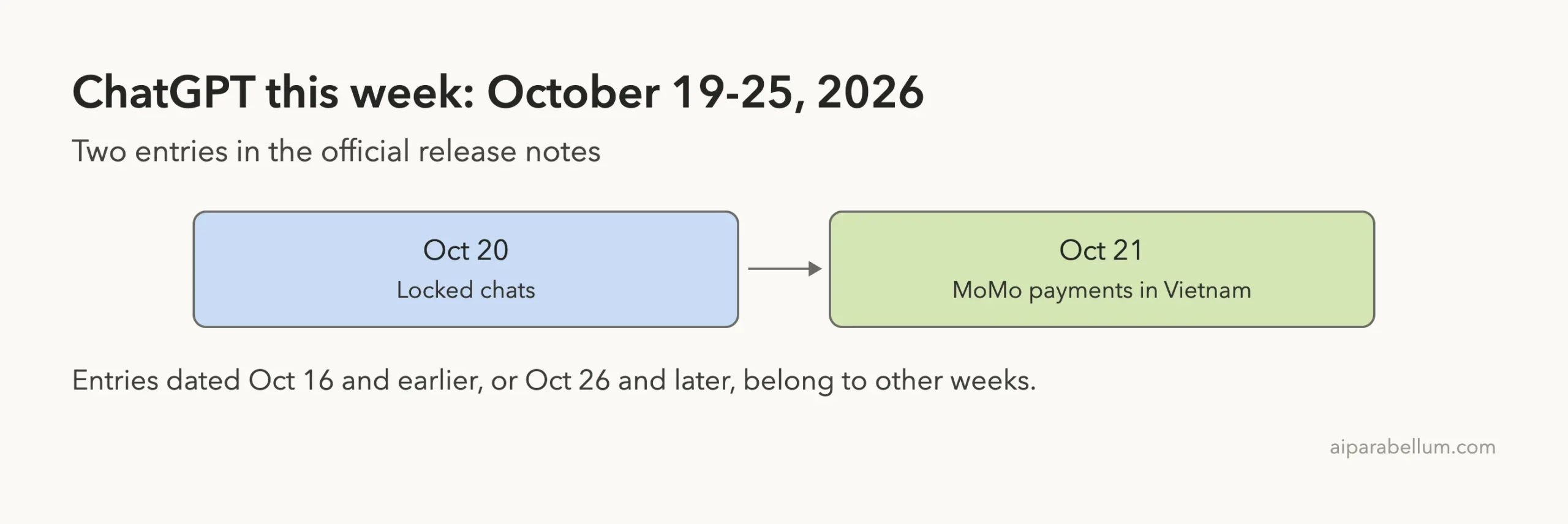
If you want to know what’s new in ChatGPT this week, the short answer is that it was a quiet one. OpenAI’s official release notes list two entries dated between October 19 and October 25, 2026. One adds locked chats, a way to hide private conversations behind a PIN, and the other adds MoMo as a payment option in Vietnam.
We read the release notes, then opened OpenAI’s separate help article on locked chats to check the details. Everything below comes from those two official pages and nothing else. We could not use ChatGPT’s own screens for this roundup, so the screenshots are highlighted captures of the official pages.
You can find the rest of our ChatGPT coverage on our ChatGPT tool page, and our earlier news story on locked chats has more background.
What’s New in ChatGPT: The Week at a Glance
Here is every entry the release notes dated inside the week, with who gets it and where.
| Date | Change | Who gets it | Where |
|---|---|---|---|
| October 20 | Locked chats | Free, Go, Plus and Pro, rolling out gradually | Web, iOS, Android and the new desktop app for macOS and Windows |
| October 21 | MoMo payments | Go, Plus and Pro subscriptions bought on chatgpt.com | Vietnam |
The release notes page also shows newer and older entries. An entry dated October 26 and a few from October 16 sit just outside this window, so we leave them for other weeks. That keeps this roundup honest about what actually landed between October 19 and 25.
Only two official entries fall in this week, so the useful question is which one matters to you.
New in ChatGPT: Locked Chats Hide Private Conversations
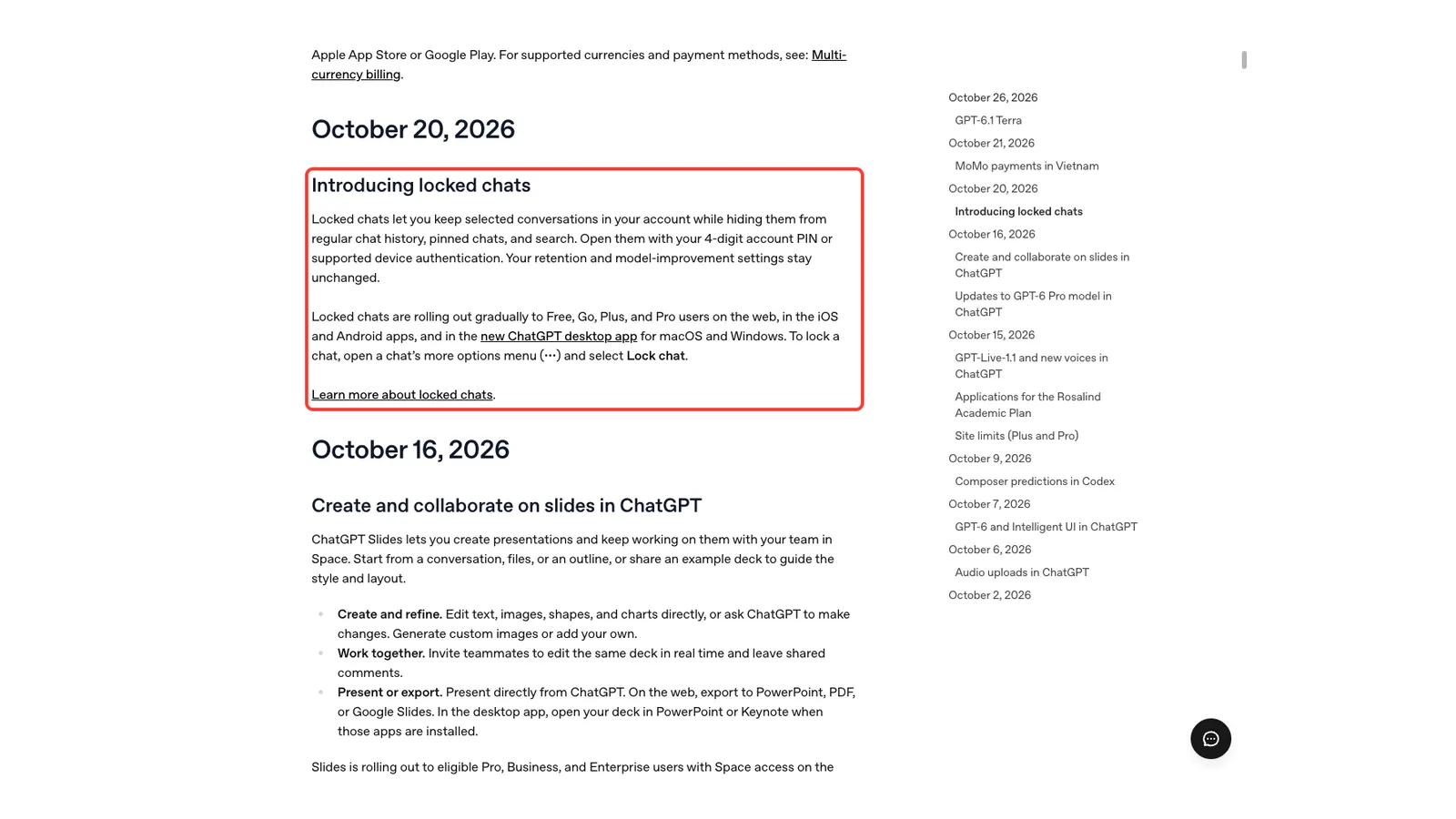
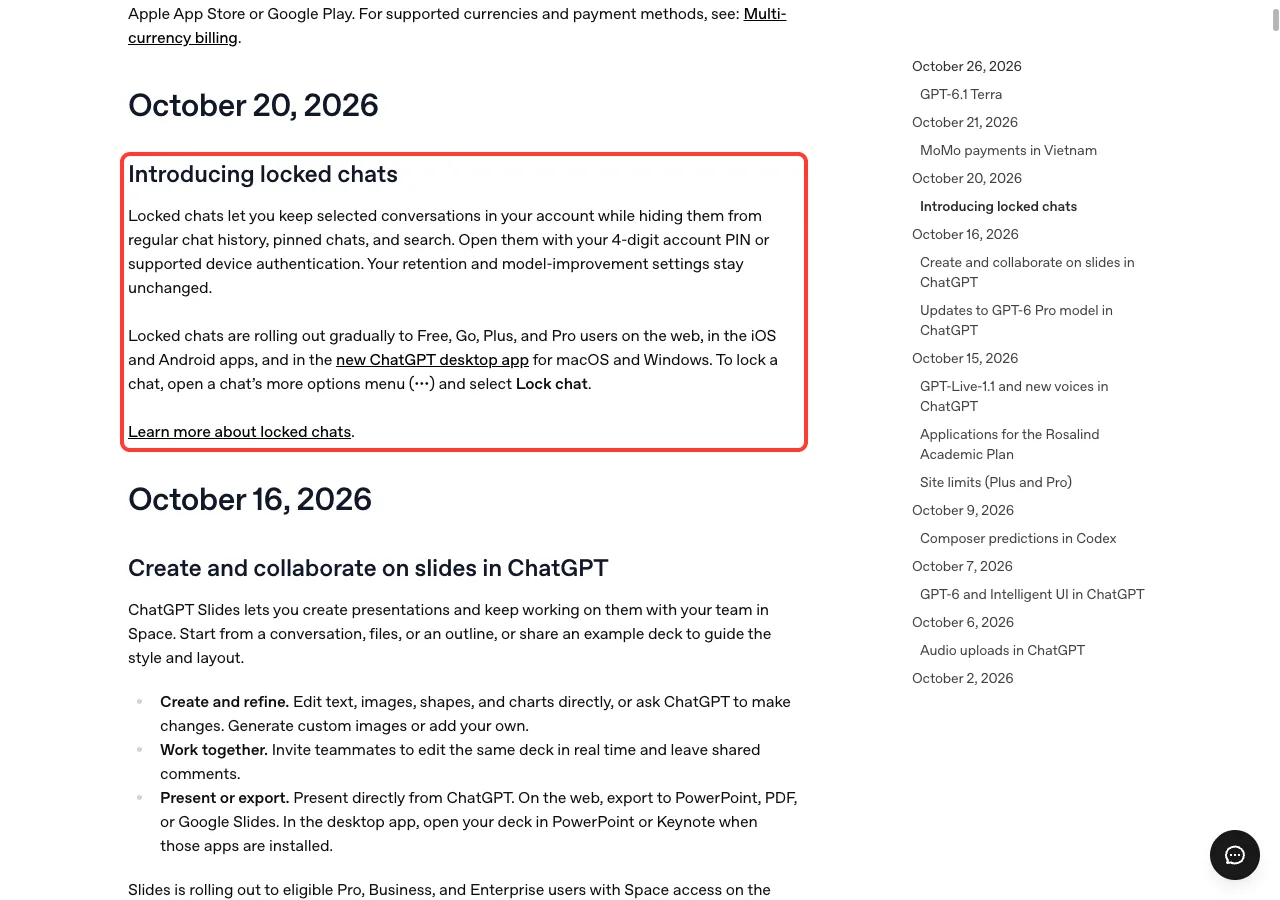
Locked chats let you keep selected conversations in your account while hiding them from regular chat history, pinned chats and search. You open them with a 4-digit account PIN or with supported device authentication. The release notes say your retention and model-improvement settings stay unchanged.
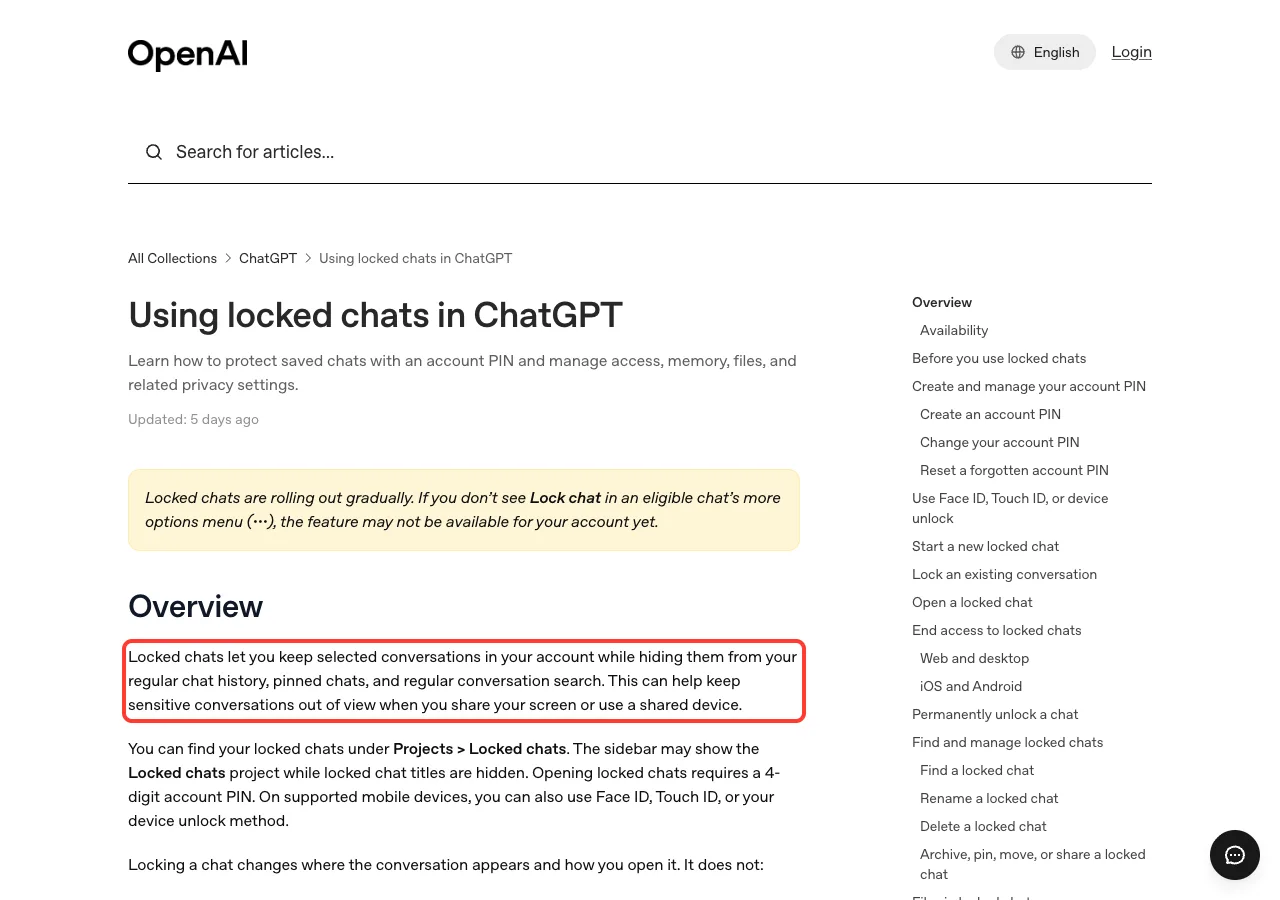
The help article gives the practical reason. Locking can help keep sensitive conversations out of view when you share your screen or use a shared device. Think of the moment you present on a call and your sidebar shows a chat title you would rather not show.
Who gets locked chats
The release notes say locked chats are rolling out gradually to Free, Go, Plus and Pro users. They work on the web, in the iOS and Android apps, and in the new ChatGPT desktop app for macOS and Windows. The help article also lists Business, Enterprise and Edu as available plans.
Because the rollout is gradual, you may not see the option yet. OpenAI says that if Lock chat is missing from an eligible chat’s more options menu, the feature may not have reached your account. Check again in a few days rather than assuming something is broken.
How to lock a chat
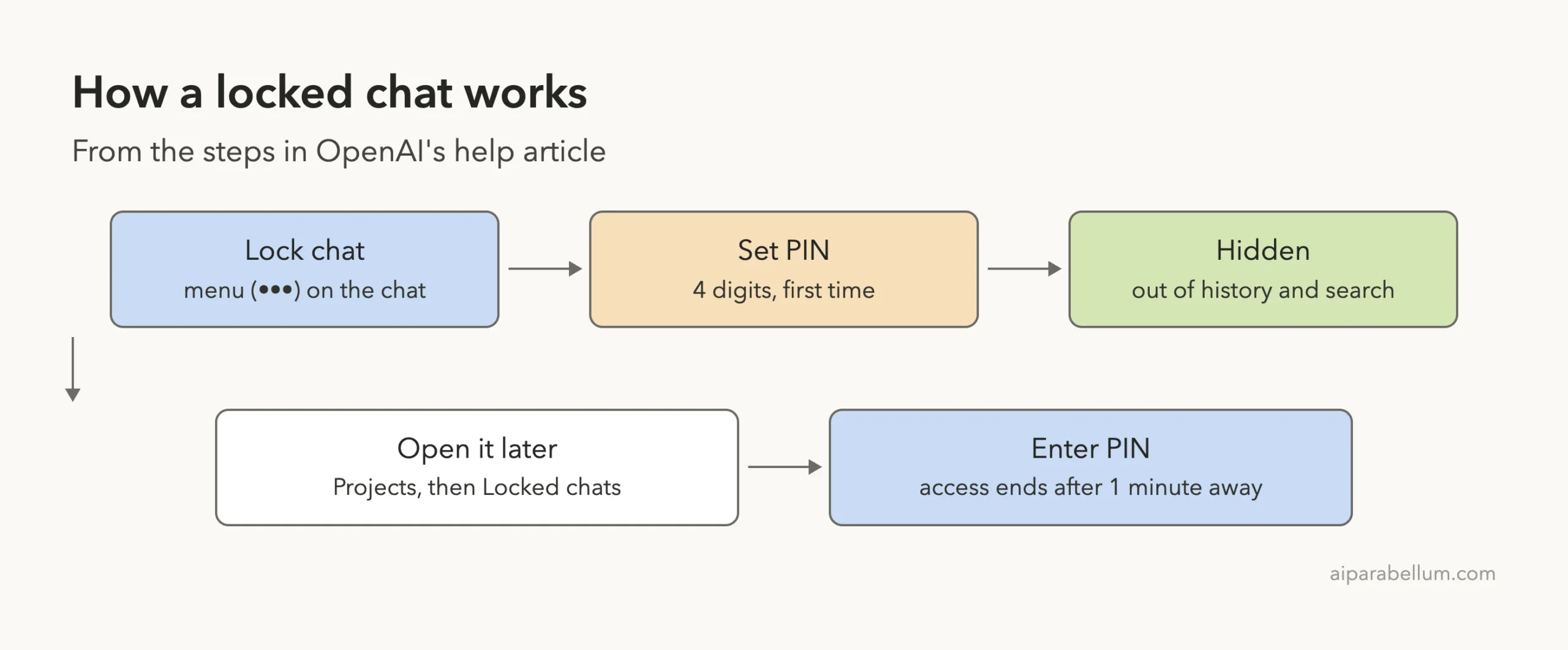
The release notes give the short version. Open the chat’s more options menu, shown as three dots, and select Lock chat. The first time, ChatGPT asks you to create your account PIN.
- Open the chat you want to hide.
- Open its more options menu (the three dots).
- Select Lock chat.
- Create or enter your account PIN when asked.
After that, the chat moves into locked chats. Its title and content leave your regular history and search, though the help article warns that search results can take a little time to update. You can also start a brand-new conversation inside the locked area.
How to open it again
You find locked chats under Projects, then Locked chats. Opening one needs your PIN, or Face ID, Touch ID or your device unlock method on supported phones. The sidebar may show the Locked chats project while the titles inside stay hidden.
What Locked Chats Do Not Do
This is the part most people will skim past, so it is worth slowing down. The help article is clear that locking changes where a conversation appears and how you open it. It is not a vault.
According to the article, locking a chat does not do any of these things:
- create end-to-end encryption or a separate encrypted vault
- change how long OpenAI retains the chat
- change your Improve the model for everyone setting
- remove information ChatGPT remembered before you locked the chat
- override workspace policies, safety requirements, or legal and compliance obligations
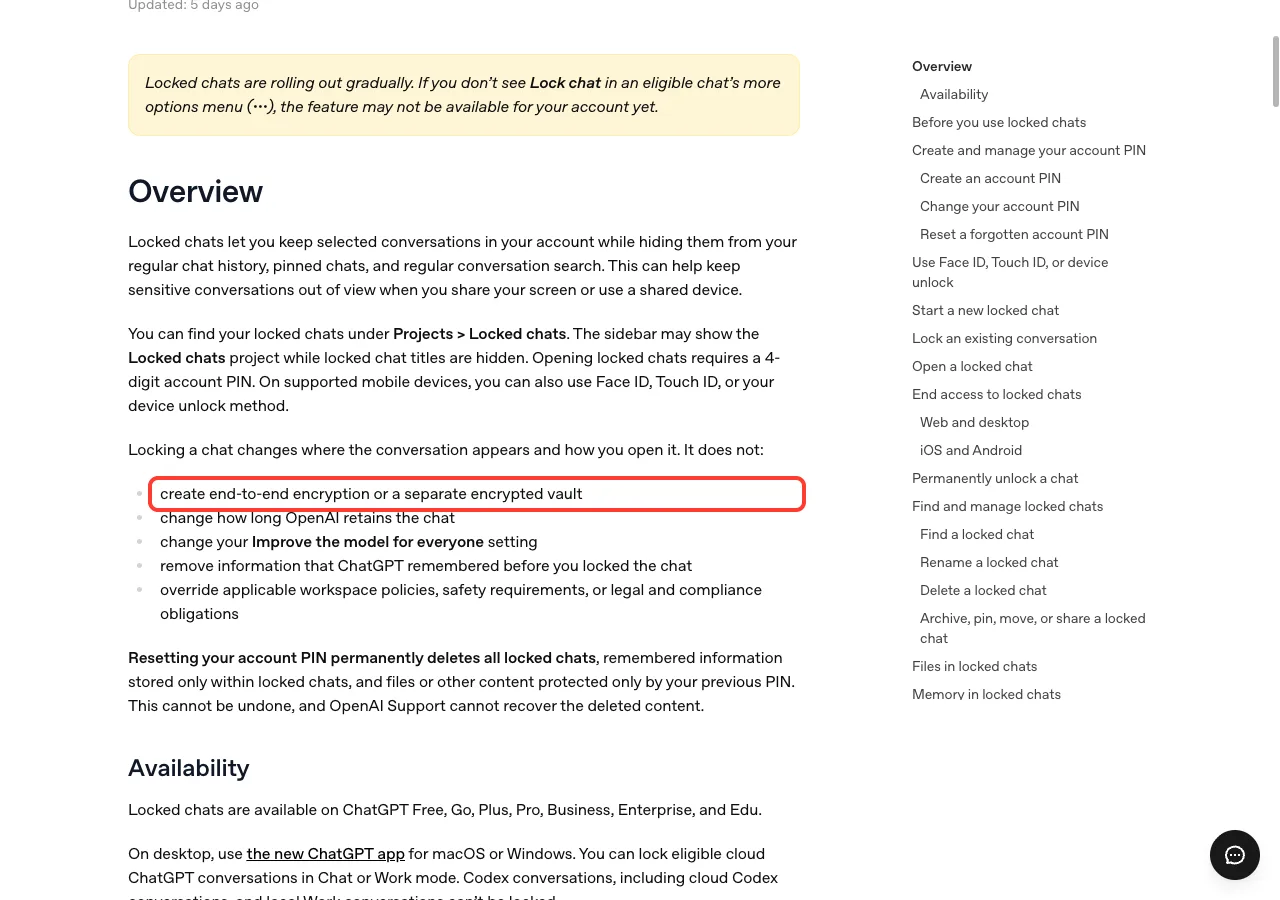
In plain English, a locked chat hides a conversation from view, which is about privacy from people looking over your shoulder. It does not make the conversation secret from the service itself. If you wanted a truly private tool, this is not that, and OpenAI says so directly.
Locked Chat Rules You Should Know
The help article lists a number of behaviors worth reviewing before you lock something important. Here are the ones most likely to surprise you.
Access ends quickly
Opening a locked chat gives you temporary access. On iOS and Android, access ends automatically after 1 minute away from a locked chat or the Locked chats area, or after 1 minute in the background. On the web and desktop, access applies to the tab or window where you entered your PIN, and refreshing or closing the tab also ends it.
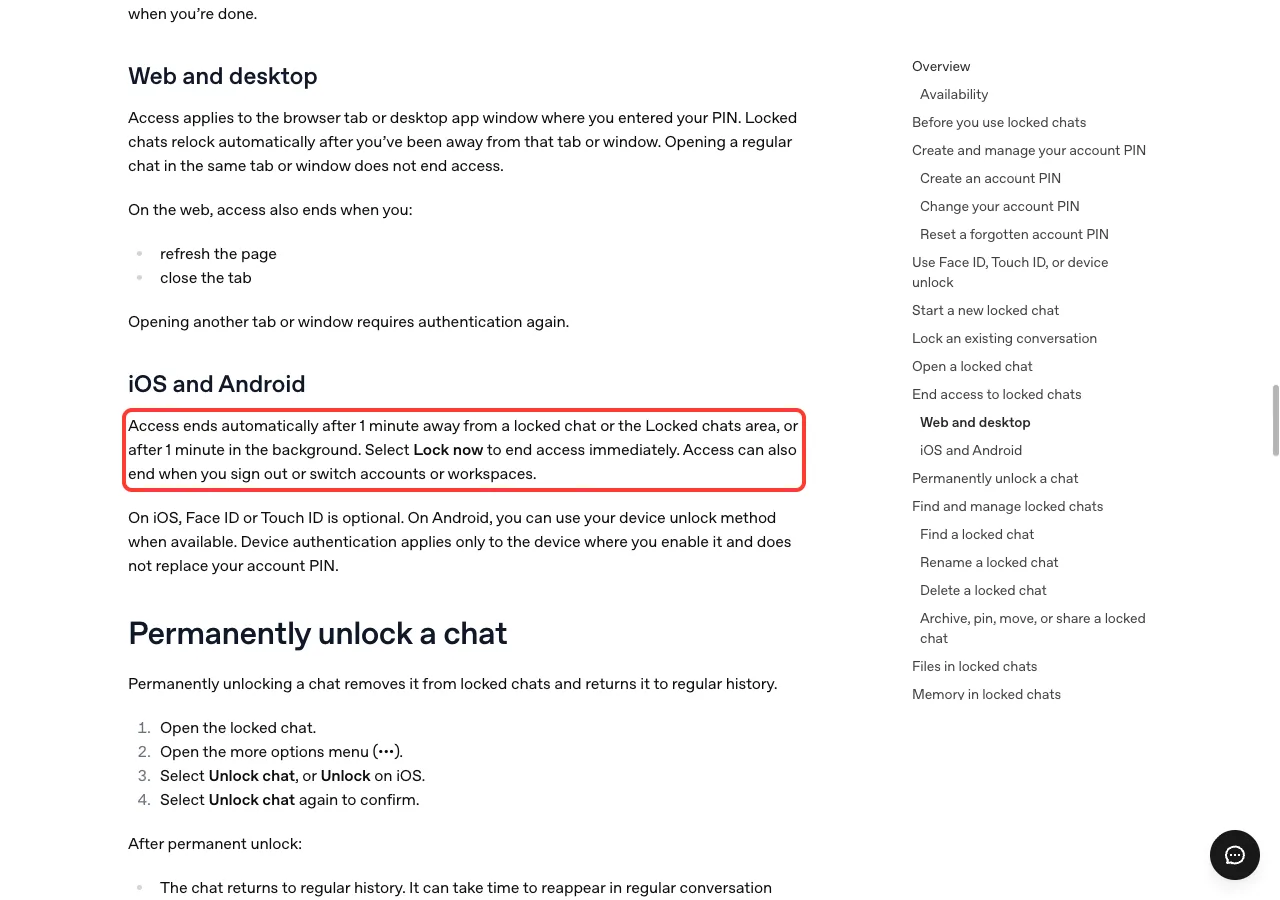
You can also select Lock now to end access immediately and hide the titles again. That is a good habit before you start sharing your screen.
Files, projects and shared links
Files uploaded or created in a chat are protected when you lock it. If they were saved to Space, they are hidden there until you permanently unlock the chat. Files you brought in from elsewhere keep their existing access rules.
If you lock a chat that belongs to a project, it leaves that project and stops using its instructions, files and memory. A chat that already has a shared link can still be locked, but the link is not deleted. Its earlier content stays available, so delete the link yourself if you want to cut off access.
What you cannot do with a locked chat
You cannot archive, pin, move or share a locked chat. You also cannot search across all your locked chats. If you need one of those actions, permanently unlock the chat first, which returns it to regular history.
Where it is not available
On desktop you need the new ChatGPT app. You can lock eligible cloud conversations in Chat or Work mode, but Codex conversations and local Work conversations cannot be locked. Locked chats are not available on ChatGPT for Healthcare, and Voice in locked chats works on the web and mobile apps but not in the desktop app.
The PIN: Do Not Forget It
Your account PIN belongs to your OpenAI account, not to one workspace. If you use a different account, you set up its PIN separately. The same PIN works on your other devices when you are signed in to the same account, while Face ID or Touch ID is set up per device.
Changing the PIN does not delete your locked chats, but you must enter the current PIN first. Forgetting it is the real danger. Resetting a forgotten PIN permanently deletes all locked chats, anything remembered only inside them, and files protected only by the old PIN.
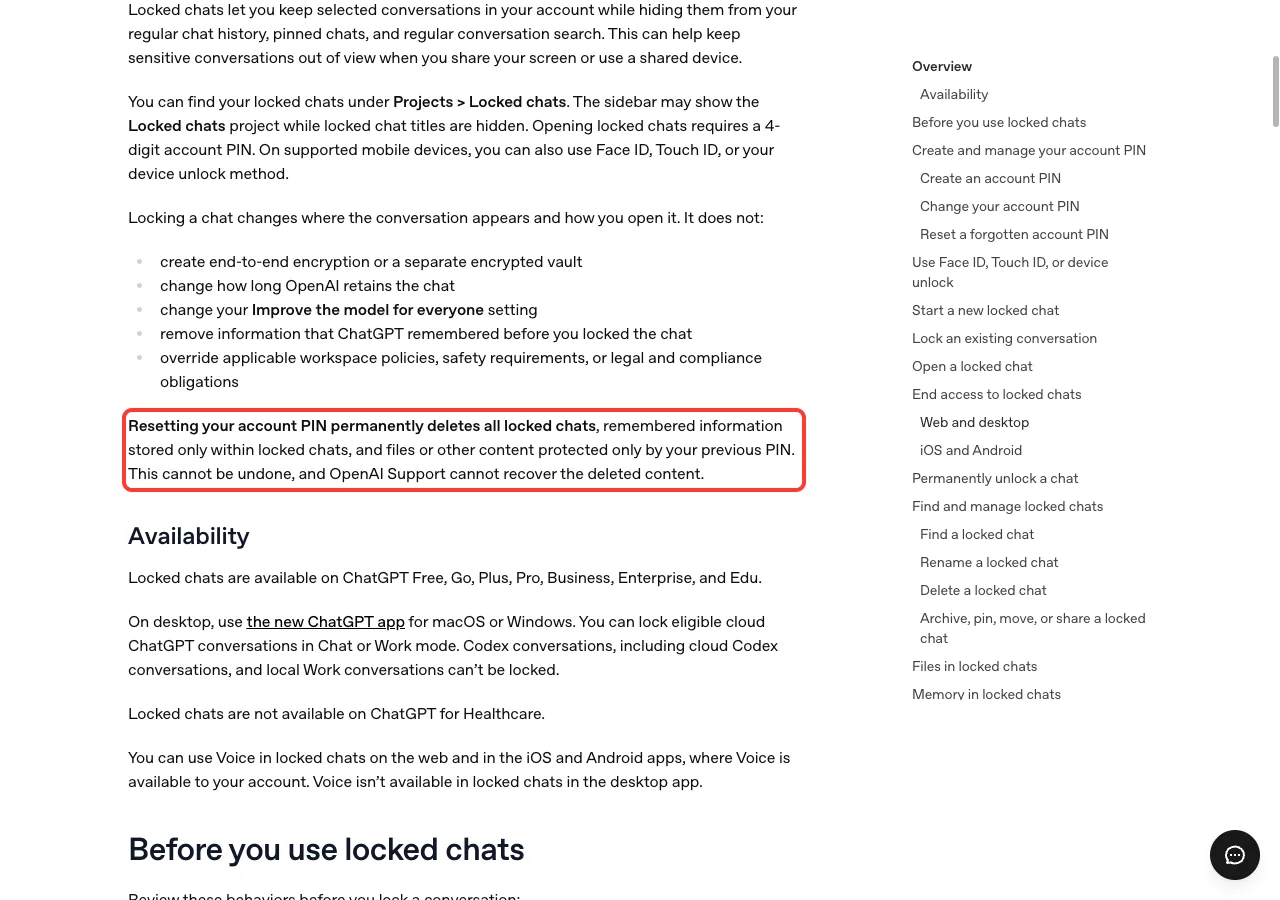
The article adds that a workspace administrator cannot reset your PIN or unlock your chats for you. Write the PIN down somewhere safe, or pick one you will remember.
MoMo Payments in Vietnam
The second entry is small but useful if you live in Vietnam. You can now use MoMo to pay for ChatGPT Go, Plus and Pro subscriptions purchased on chatgpt.com. The release note is dated October 21, 2026.
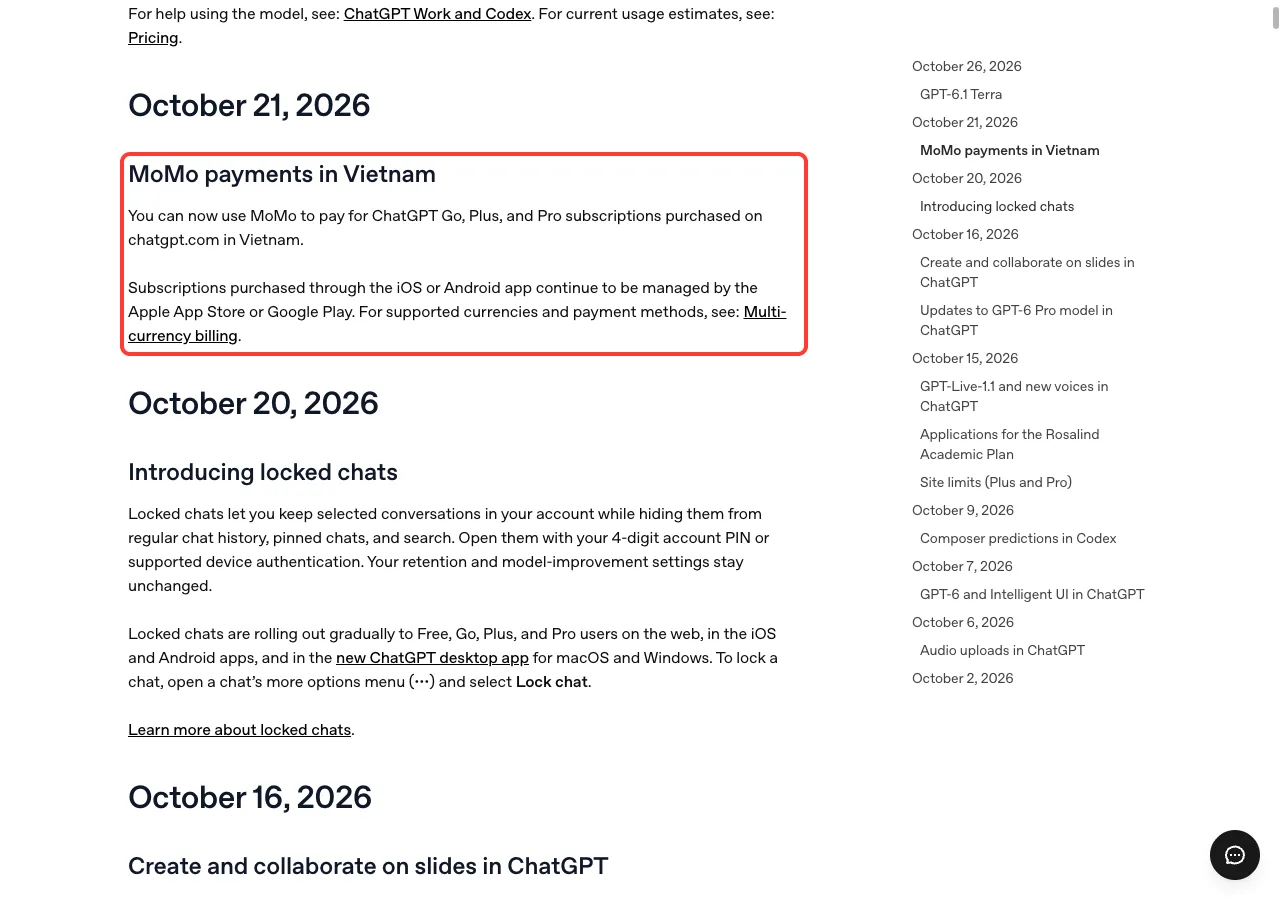
There is one limit to remember. Subscriptions you buy through the iOS or Android app are still managed by the Apple App Store or Google Play. For supported currencies and payment methods, OpenAI points to its multi-currency billing page.
If you are outside Vietnam, this one does not change anything for you. It is still a good sign that OpenAI keeps adding local payment options for the paid plans.
What This Means for You
For most people, locked chats are the headline. If you share your screen, work on a shared computer, or simply keep a few personal conversations in your account, the feature gives you a quick way to keep them out of sight. It is a convenience for privacy in front of other people, not a security product.
Here is a simple way to decide what to do:
- If you present or screen-share often, lock chats with sensitive titles and use Lock now before you start.
- If you share a device, lock anything personal and remember that anyone who can open a locked chat can still copy its contents.
- If you need real confidentiality, remember that locking is not encryption and does not change retention.
- If you live in Vietnam and pay on chatgpt.com, check whether MoMo appears at checkout.
If you want to get more from the app in general, see our guide to ChatGPT tips. And if you are comparing assistants, our three-way comparison is a good place to start, or you can look at Claude as another option.
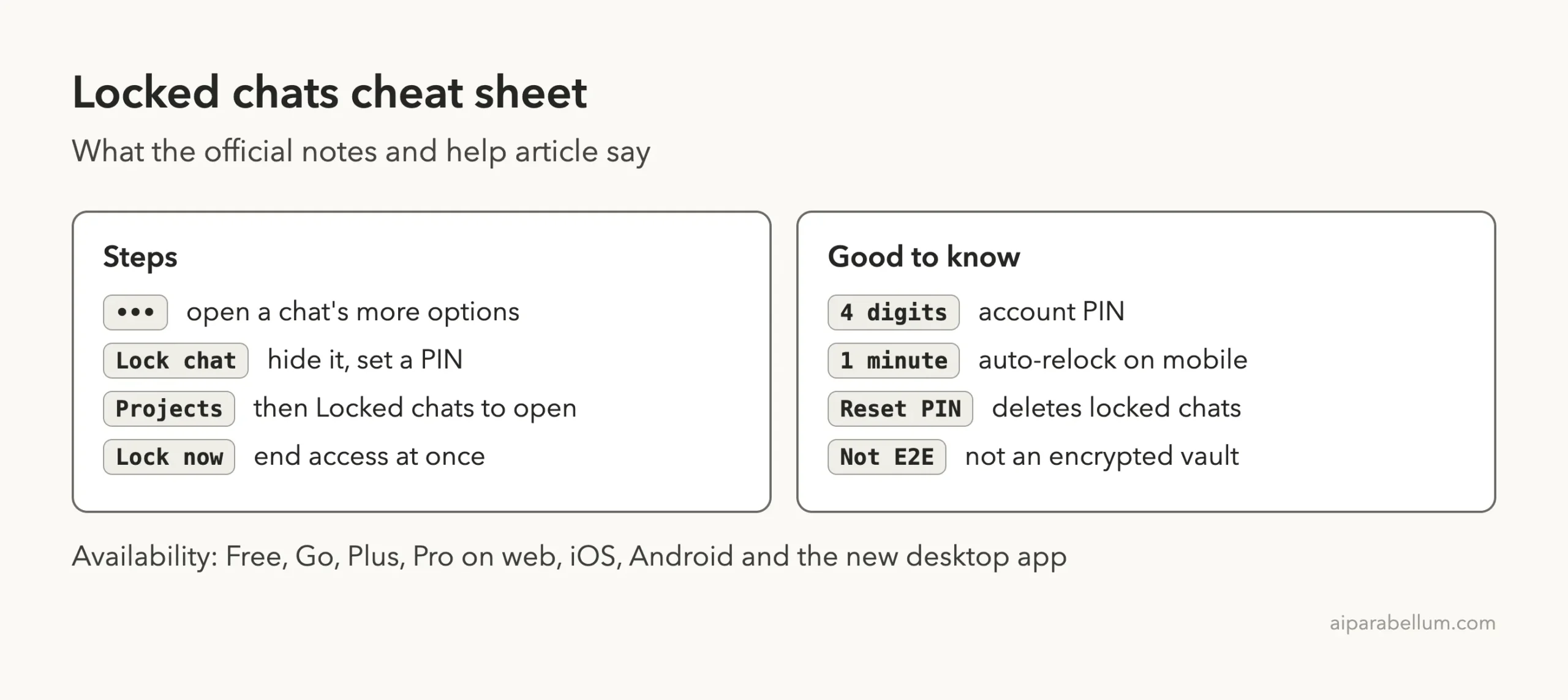
Cheat Sheet: Locked Chats
Keep this card handy. It collects the steps and the main limits from the official pages.
Frequently Asked Questions
What’s new in ChatGPT this week?
The official release notes list two entries for October 19-25, 2026. Locked chats arrived on October 20, and MoMo payments for Vietnam arrived on October 21.
Where do I find locked chats?
Go to Projects, then Locked chats. If you do not see Lock chat in a chat’s more options menu, the feature may not have reached your account yet.
Are locked chats encrypted?
No. OpenAI’s help article says locking does not create end-to-end encryption or a separate encrypted vault. It also does not change retention or your model-improvement setting.
What happens if I forget my PIN?
Forgetting it does not delete anything by itself. Resetting it does, because a reset permanently deletes all locked chats and content protected only by the old PIN, and support cannot recover it.
Does the MoMo option work in the mobile app?
The release note covers subscriptions purchased on chatgpt.com in Vietnam. Subscriptions bought through the iOS or Android app stay with the Apple App Store or Google Play.
Conclusion
This was a small week for ChatGPT, with locked chats as the one feature most people will care about and MoMo as a regional payment update. Locked chats hide conversations from history and search behind a PIN, but they are not encryption, so treat them as privacy in front of others rather than a vault. For the full text, read the official release notes and the locked chats help article, and check back next week for the next roundup.