Claude Code research skills turn a one-line question into a structured investigation: an outline, a web search, a report, or a set of ideas you can test. Five open source add-ons now offer this, and they work very differently. We loaded four of them in a sandbox, ran real prompts, and read the fifth.
You will see what each one did on our screen, where it stopped, and which one fits your job.
This guide is part of our Claude Code tutorials. Find more add-ons in our Claude skills directory.
Tested with Claude Code v2.1.319 on 2026-11-10 (macOS). Tools we cloned: Deep-Research-skills at commit 6ce38f6, AI-Research-SKILLs at commit 773a529, Auto-claude-code-research-in-sleep (ARIS) at commit 8f31107, engram at commit 0590eb8 and notebooklm-py at commit 85143f0. We tested on macOS; the Windows and Linux steps follow Anthropic’s official instructions.
The Five Claude Code Research Skills at a Glance
| Tool | What it does | What we ran | Account or extras |
|---|---|---|---|
| Deep-Research-skills | Outline, parallel web search and a report, with you approving each stage | Ran /research through the outline and started the web search agent | Python with pyyaml for the validator |
| AI-Research-SKILLs | A library of AI research skills, including ideation frameworks | Loaded the ideation skill and ran one prompt | None for the ideation skills |
| ARIS | Markdown skills for machine learning research, from papers to experiments | Loaded it as a plugin and listed its skills | A Codex reviewer for the full loop, plus GPUs for experiments |
| engram | A tutor that tests your recall and schedules reviews | Ran /engram:learn and answered its intake questions | Python 3 only |
| notebooklm-py | Controls Gemini Notebook from the command line and from Claude Code | Loaded its skill file only | A Google account and the Python package |
Short sessions show how a skill starts, not how it finishes a long project.
One note on scope: we ran short sessions, not long research jobs. Our verdicts describe what we saw, not how each tool performs on a week-long project.
How We Tested Without Touching Our Own Setup
Every session ran in a throwaway sandbox folder. We started Claude Code with --setting-sources project so only that folder’s settings loaded.
Plugins loaded for one session with --plugin-dir. Skills that install by copying files went into the demo project’s own .claude folder instead of the global one, so nothing touched the user-level Claude Code setup.
Before running anything, we read each repo’s hooks. Engram has a session-start hook that prints due reviews, and its state folder defaults to a global path, so we pointed it at a sandbox folder with the ENGRAM_HOME variable. ARIS and AI-Research-SKILLs have no hooks.
We did not install the notebooklm-py package. It signs in to a Google account, so we only loaded its skill text and read its README.
Deep-Research-skills: Outline First, Then Search
This is the closest thing to a classic deep research workflow. It gives you five commands and keeps you in the loop at every stage.
The README tells you to copy the skills and an agent into the global ~/.claude folder. We copied them into the demo project’s .claude folder instead, and edited one path in the agent file so it read its search modules from the project. Everything loaded.
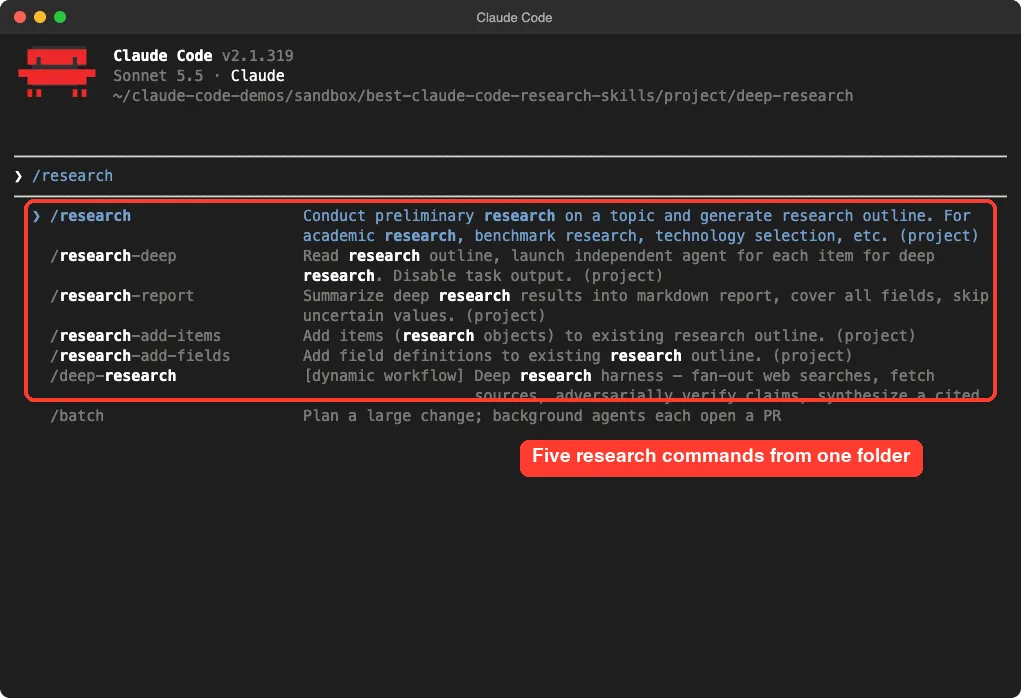
We typed /research open source note taking apps. Claude first drew up a list of 24 candidate apps and a framework of fields to collect, then stopped to ask us two questions.
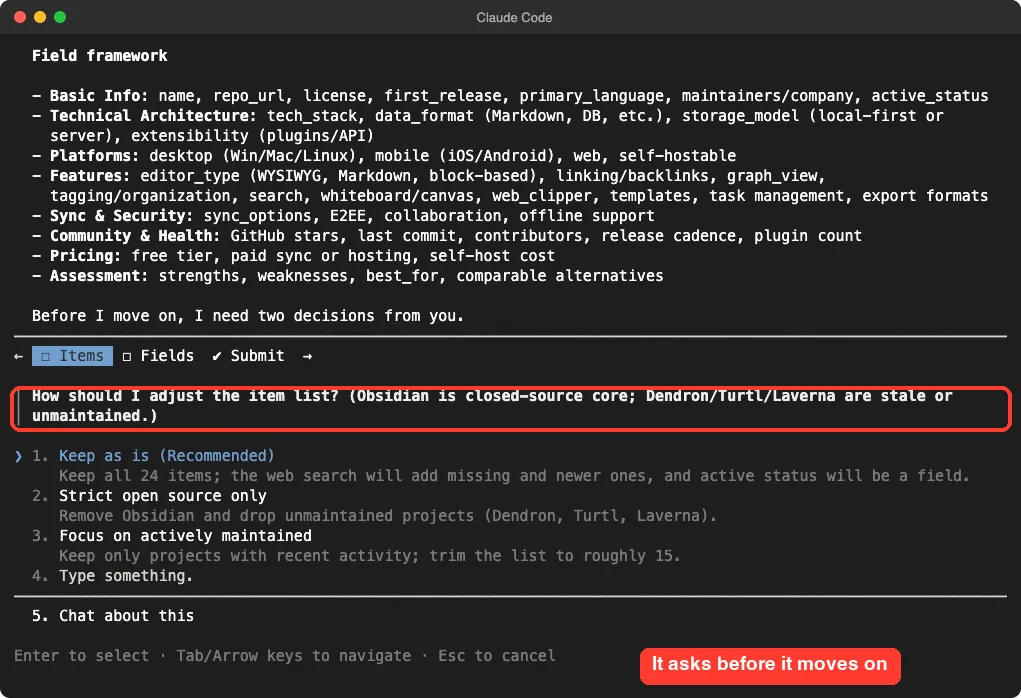
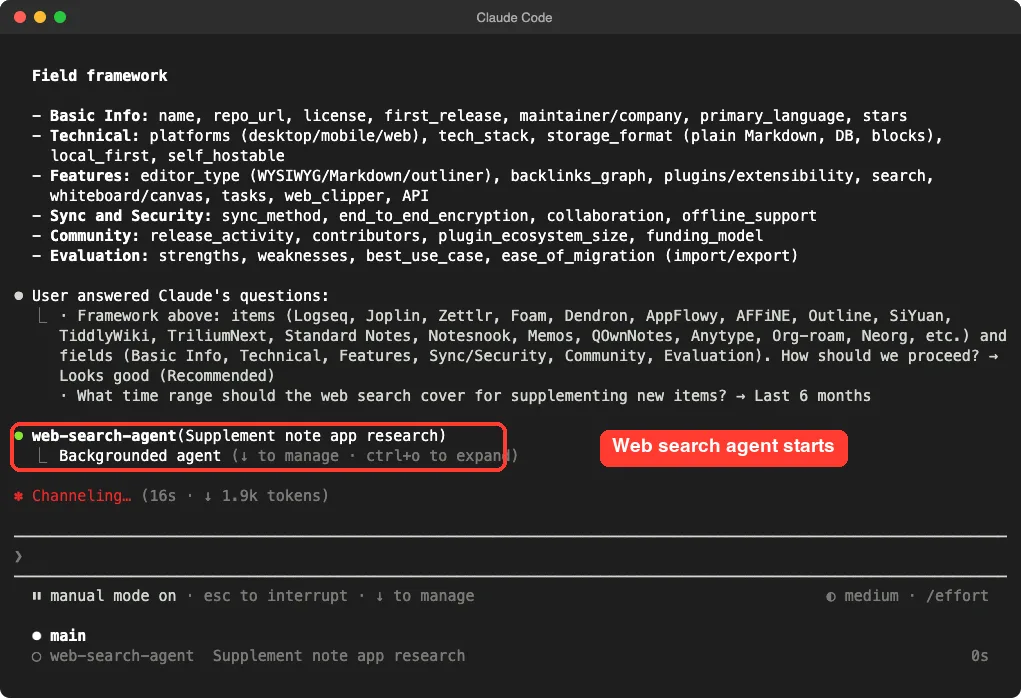
We kept the list as is and picked a six-month window. Claude then launched a web search agent in the background to add missing and newer items.
We stopped there. We did not run /research-deep or /research-report, so we cannot tell you how complete the final report is. According to the README, the deep step researches each item with parallel agents and the report step writes a markdown file.
What to know before you try it
- The agent file is set to the
opusmodel, so a full run costs more than a sonnet run. - The JSON validator needs
pyyaml, which was not installed on our machine. - The README’s own example uses 17 AI agents as the topic, so it is built for lists of comparable things, not one open question.
Claude Code Built-In Deep Research Command
One surprise from our screenshots: our Claude Code version already lists a /deep-research command described as a dynamic workflow. It fans out web searches, fetches sources and checks claims.
We did not run it, so we cannot compare results.
The difference we can state is design: the add-on asks you to approve the outline and fields first, while the built-in command describes a fully automatic harness. If you want control, pick the add-on. If you want speed, try the built-in one first.
AI-Research-SKILLs: Ideas With an Honest Objection
AI-Research-SKILLs is a large library from Orchestra Research. Its marketplace file groups the skills into 25 plugins, covering topics from model architecture to inference serving.
We took only three skills from the research ideation area: brainstorming-research-ideas, creative-thinking-for-research and autoresearch. Each is a single folder with a SKILL.md, so we copied them into the demo project’s .claude/skills folder.
We ran /brainstorming-research-ideas with the request “ideas for making small language models cheaper to evaluate”. It worked for 23 seconds and returned ranked candidates.
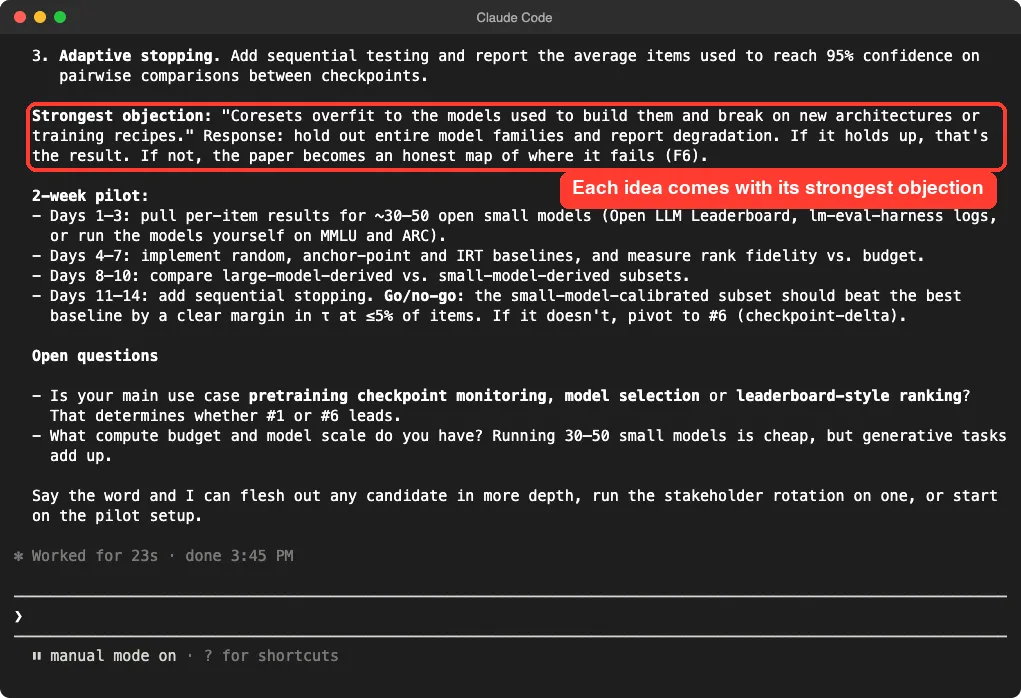
What we liked: the answer did not stop at ideas. It named the strongest objection to the top candidate, planned a two-week pilot with a go or no-go rule, and asked two questions about our budget and goal.
What we cannot judge: whether the ideas are novel. We are not researchers in this field, and one session cannot show that.
Who should install it
Machine learning researchers and students who want a structured way to think through directions. The other skills in the library need frameworks such as training libraries, which we did not test.
ARIS: A Full Research Pipeline for Machine Learning
ARIS (Auto-Research-In-Sleep) is the biggest of the five. Its repo holds about 90 skills, and it loads as a real Claude Code plugin named aris.
We loaded it with --plugin-dir and typed /aris to see the list. The skills include arxiv, alphaxiv, openalex, rebuttal and a one-time setup command.
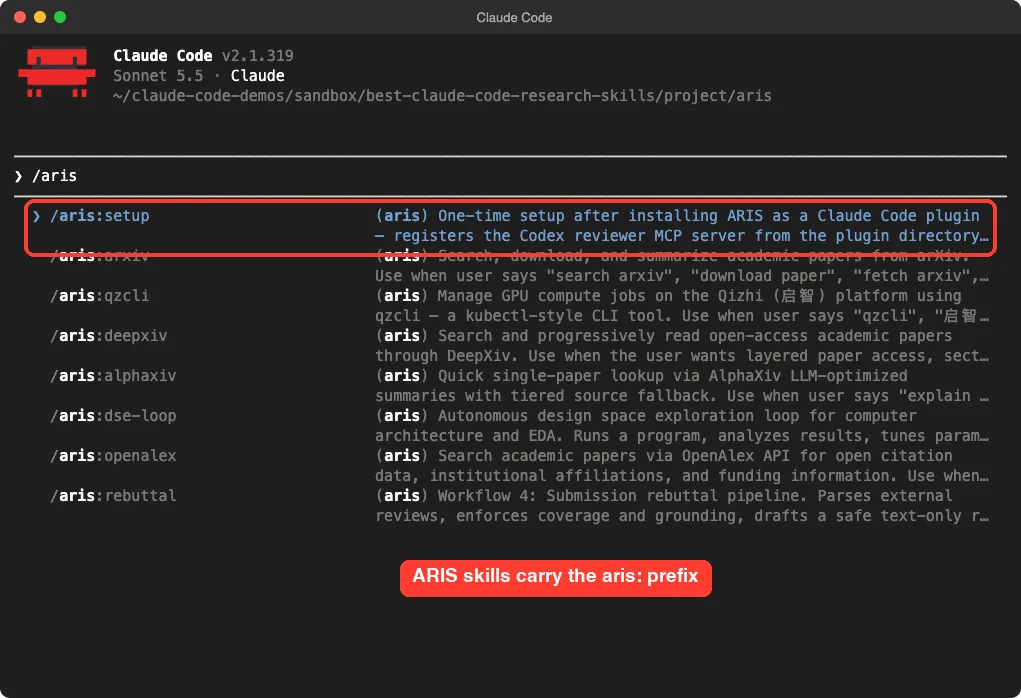
We did not run any of them. The setup skill registers a Codex reviewer, and the idea discovery skill uses a second model as a reviewer through an MCP server.
Its constants also mention GPU budgets for pilot experiments. We have no Codex setup or GPU in the sandbox, so a fair test was not possible.
The arXiv, OpenAlex and AlphaXiv skills look like the easiest place to start, since searching papers needs no GPU. We did not confirm that they work without keys.
Who should install it
Researchers who already use Codex and have compute. Everyone else should pick one or two paper-search skills, not the whole pipeline.
Engram: Learn Something and Keep It
Engram is not an agent memory tool, and its README says so clearly. It is a learning system for you. Claude becomes a tutor, a blind examiner and a review scheduler.
We loaded it with --plugin-dir and ran /engram:learn binary search. Claude read the plugin’s own files, which Claude Code asked us to approve one by one, and then asked how much we knew and how long we wanted to study.
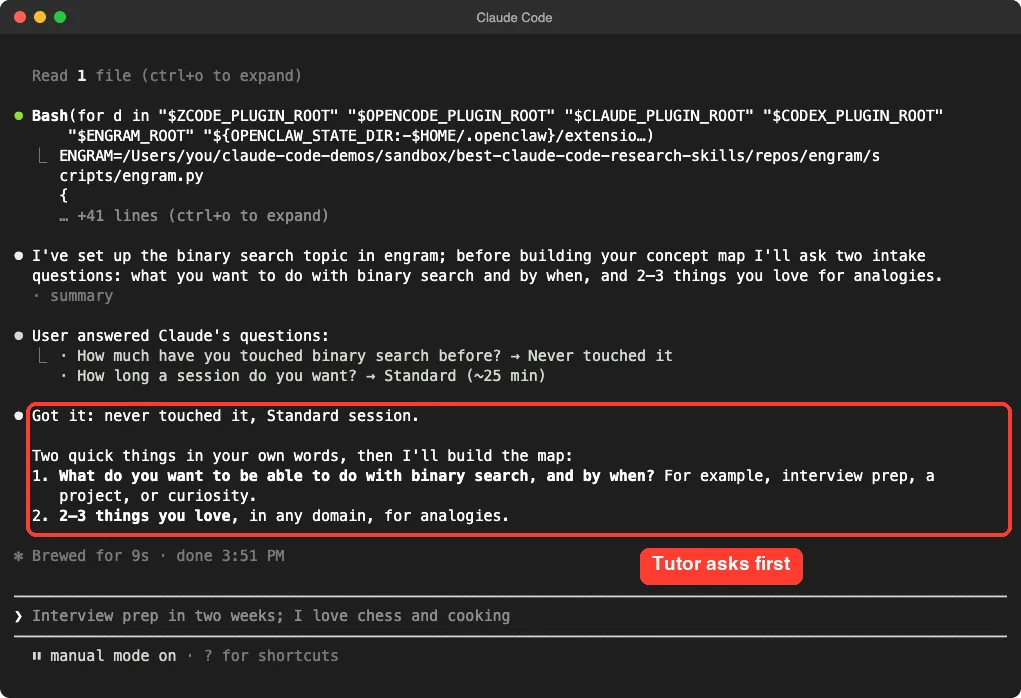
That is the design: it makes you answer first. We answered “interview prep in two weeks; I love chess and cooking” but ended the session there, so we did not see the recall tests or the review schedule.
The state files landed in our sandbox folder because we set ENGRAM_HOME. The default is a folder inside ~/.claude. Its README says the data stays local and that it needs only stock Python 3.
notebooklm-py: Powerful, but Needs a Google Account
This project is an unofficial Python library and command-line tool for Gemini Notebook, which was called NotebookLM until Google renamed it. It also ships a skill so Claude Code can drive it.
We copied the skill file into a demo project and confirmed it loads as /notebooklm.
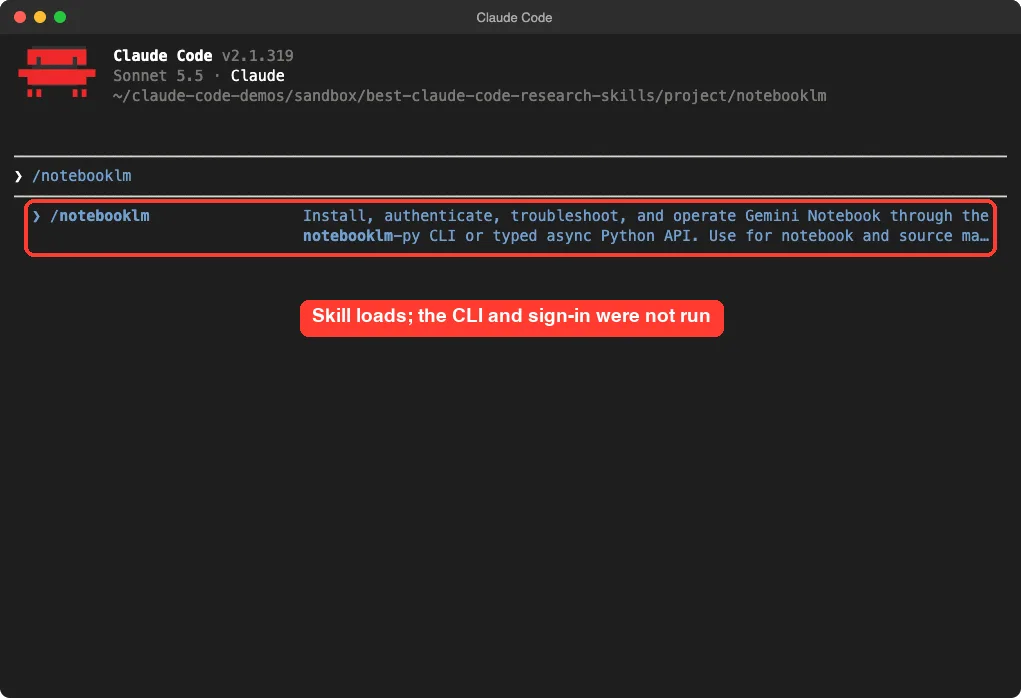
We stopped there. We did not install the package, did not sign in, and did not create notebooks. Everything else below comes from the project’s README and skill file, not from our own run.
- The README says it uses undocumented Google APIs that can change without notice.
- It describes itself as unofficial and not affiliated with Google.
- The skill tells Claude to check real authentication before any workflow.
If you want a source-grounded notebook with your own documents, this is the one to read about. Treat the unofficial warning as real.
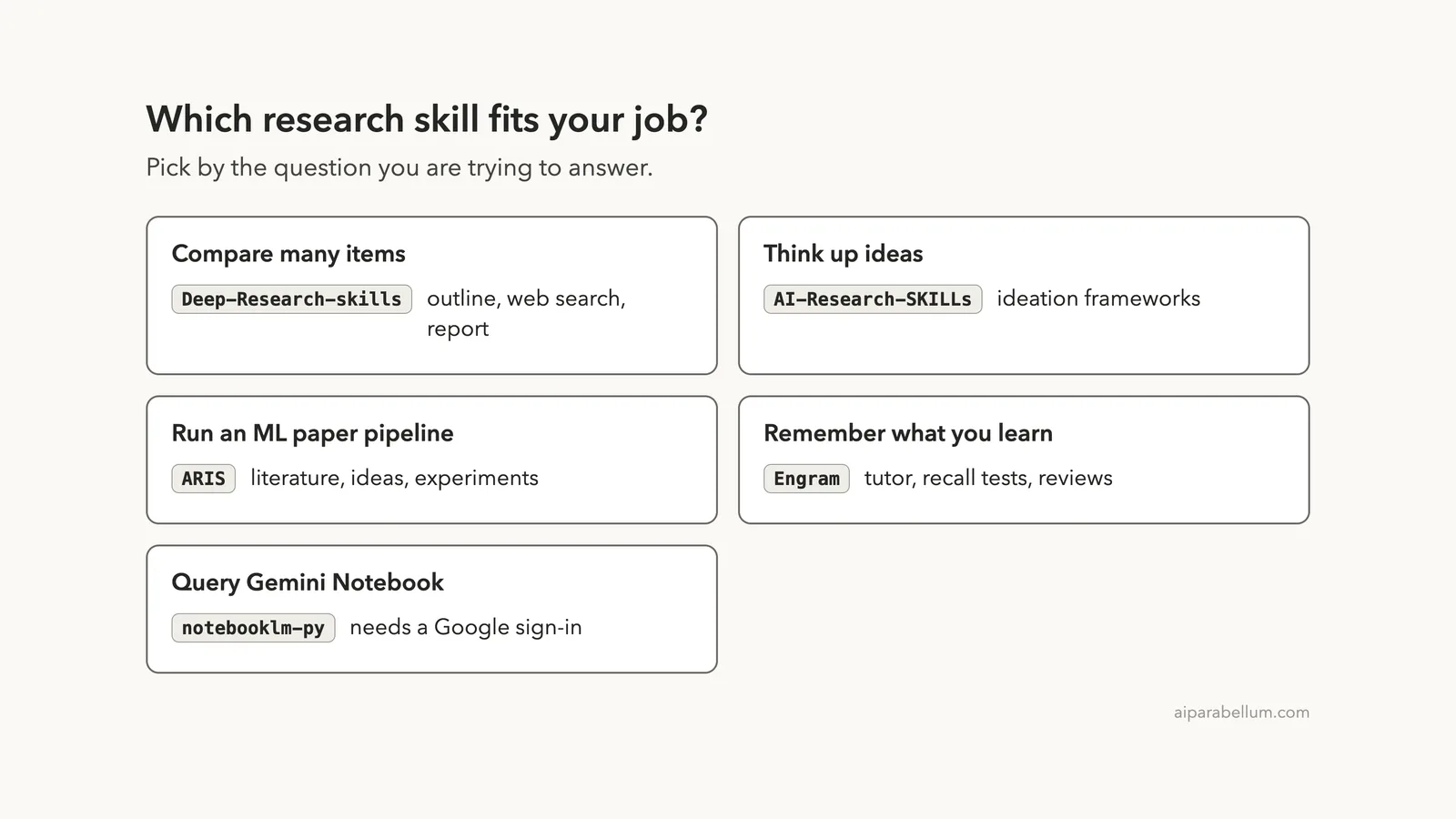
Which Research Skill Should You Pick?
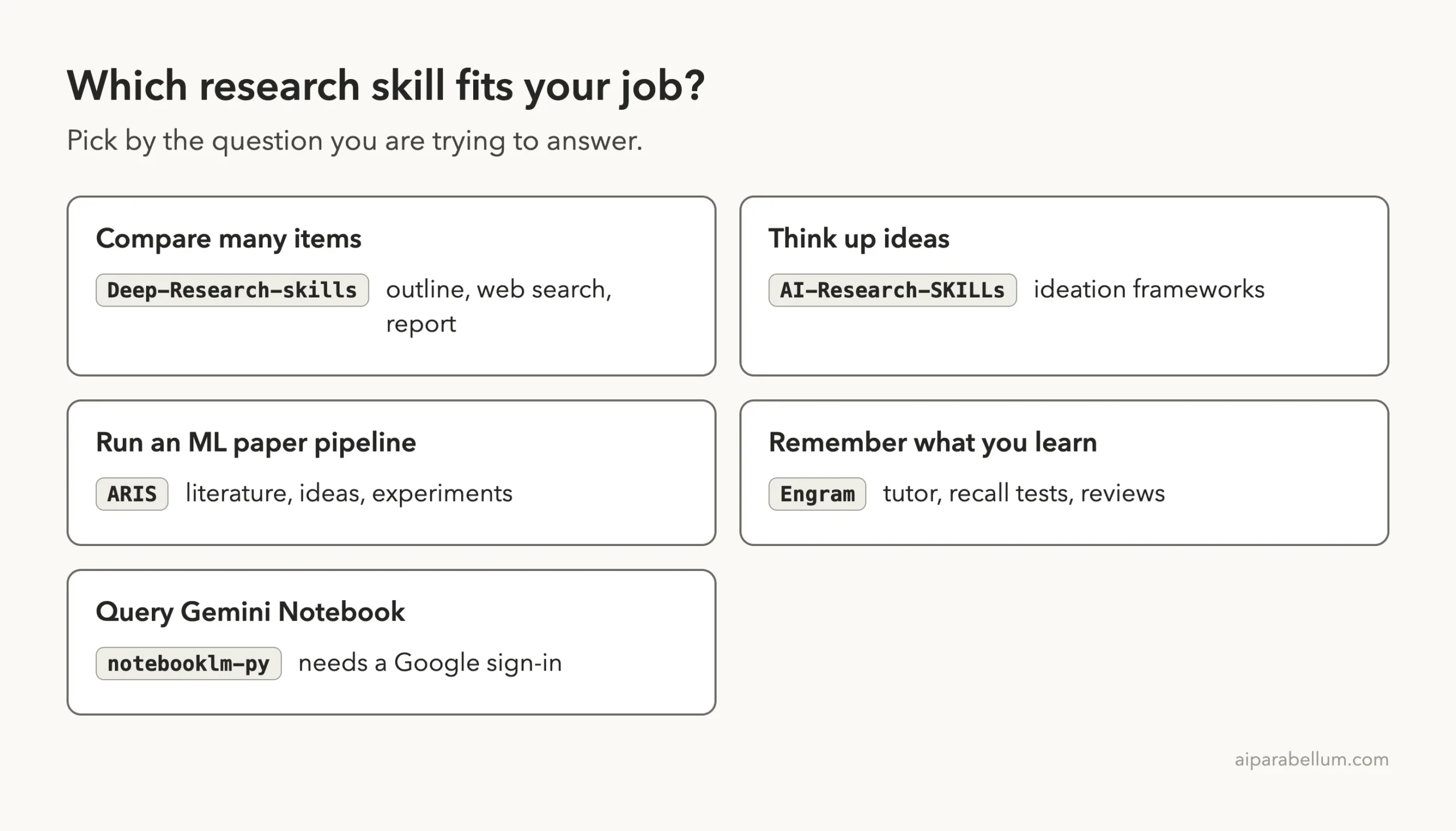
| Your job | Start with | Why |
|---|---|---|
| Compare a list of tools or products | Deep-Research-skills | You approve the outline and fields, then it searches each item |
| Brainstorm research directions | AI-Research-SKILLs ideation | It gave objections and a pilot plan in one short session |
| Machine learning papers and experiments | ARIS | The widest set of paper and experiment skills |
| Learn a topic and remember it | engram | It asks you first and plans reviews |
| Work with Gemini Notebook | notebooklm-py | Only if you accept an unofficial library and a Google sign-in |
If you are new to add-ons, our guide on skills versus plugins explains the difference. The plugin marketplace guide shows the safer install paths, and our post on scientific agent skills covers another research-focused set.
Try It Yourself
Make an empty demo folder, copy the Deep-Research-skills skills into its .claude/skills folder, and start Claude Code there. Then paste this prompt:
/research free tools for transcribing meetingsAnswer its two questions, then stop after the outline looks right. Only run /research-deep once you are happy with the list.
To try Engram safely, set the state folder first:
export ENGRAM_HOME=$HOME/demo/engram-home
claude --setting-sources project --plugin-dir /path/to/engram
Common Mistakes
- Copying skills into the global
~/.claudefolder before you have read them. - Running a full pipeline without checking which model it uses, which can raise your bill.
- Expecting a polished report from a tool you only tested at the outline stage.
- Treating generated sources as verified; always open the links Claude gives you.
Pro Tips
- Run
/skillsor type the command name to confirm a skill loaded. - Keep research folders separate so each project has its own files.
- Answer the approval questions carefully; they steer everything after them.
- Ask Claude to cite where each fact came from, then spot-check two or three.
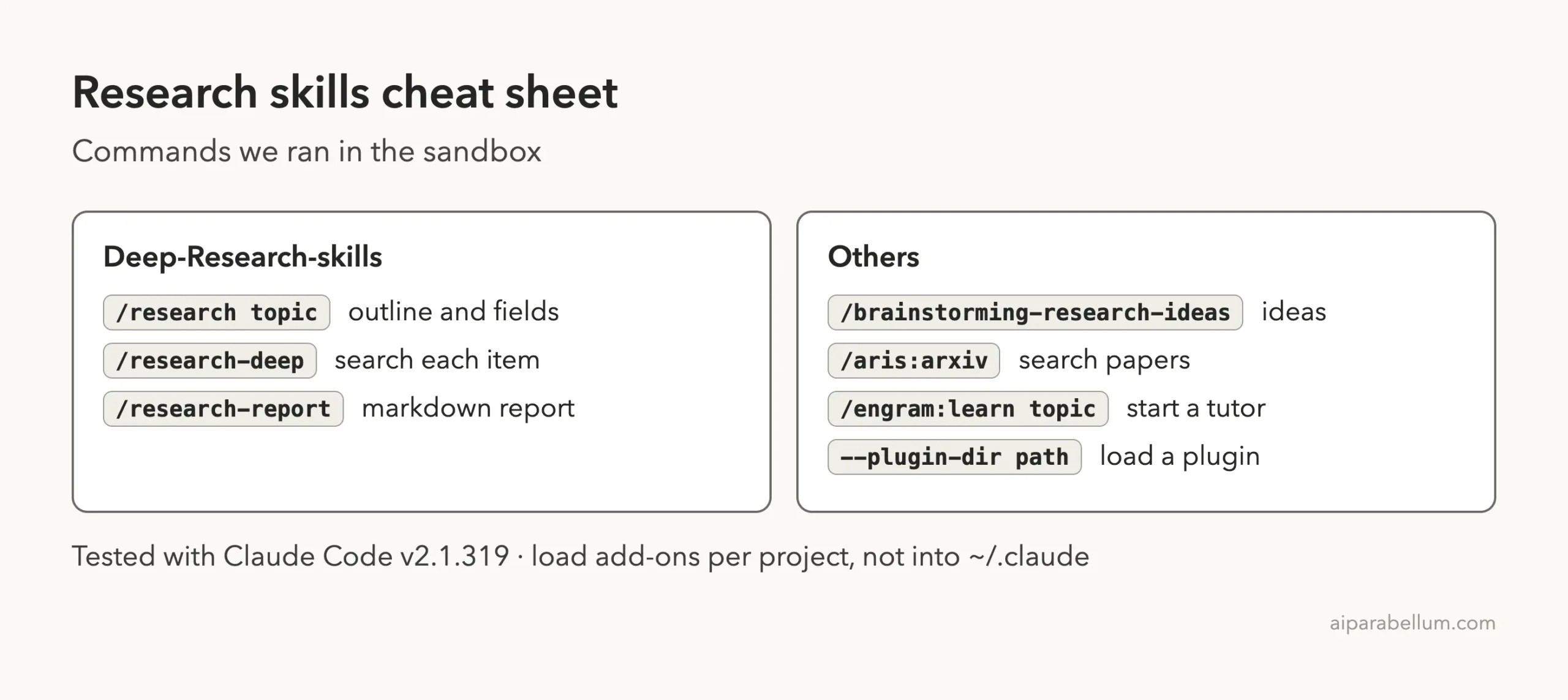
Cheat Sheet
Frequently Asked Questions
What is the best Claude Code research skill?
It depends on the job. Deep-Research-skills fits list comparisons, and engram fits learning. ARIS has the most skills for machine learning papers.
Do these skills work without an account?
Four of the five ran in our sandbox with only Claude Code. notebooklm-py needs a Google account, and the full ARIS loop needs a Codex reviewer.
Is it safe to install them?
Read the hooks first and load them with --plugin-dir or a project folder. Engram has a session-start hook; the others we loaded had none.
Does Claude Code have its own deep research?
Our version listed a built-in /deep-research workflow. We did not run it, so check its description in your own slash menu.
Can I trust the sources they find?
Not blindly. A web search agent can pick weak pages. Open the links and check the key claims yourself.
Conclusion
The best Claude Code research skills are not interchangeable: Deep-Research-skills gives you a controlled outline-to-report workflow, AI-Research-SKILLs helps you think through ideas, ARIS targets machine learning pipelines, engram helps you remember what you learn, and notebooklm-py reaches into Gemini Notebook. We ran the first, second and fourth for real, only listed the third, and read the fifth, so treat our verdicts as first impressions. Start in a sandbox, approve each step, and check every source. For more on Claude, see our Claude guide.