If you have tried to extend Claude Code, you have probably asked the same question as everyone else: when should I pick Claude Code skills vs subagents vs plugins? The three names sound alike, and the docs describe each one on a separate page. We built one of each in a throwaway project, ran them in real sessions and checked every claim against Anthropic’s documentation.
This is Part 4 of 45 in our Claude Code Deep Dives, part of our Claude Code tutorials. Before this, read Part 3.
Tested with Claude Code v2.1.316 on November 3, 2026. We tested on macOS, with a skill, a subagent and a plugin in a demo folder, so nothing in our personal setup changed.
Quick Summary: Skill, Subagent or Plugin?
| Option | What it is | Where it runs | Best for |
|---|---|---|---|
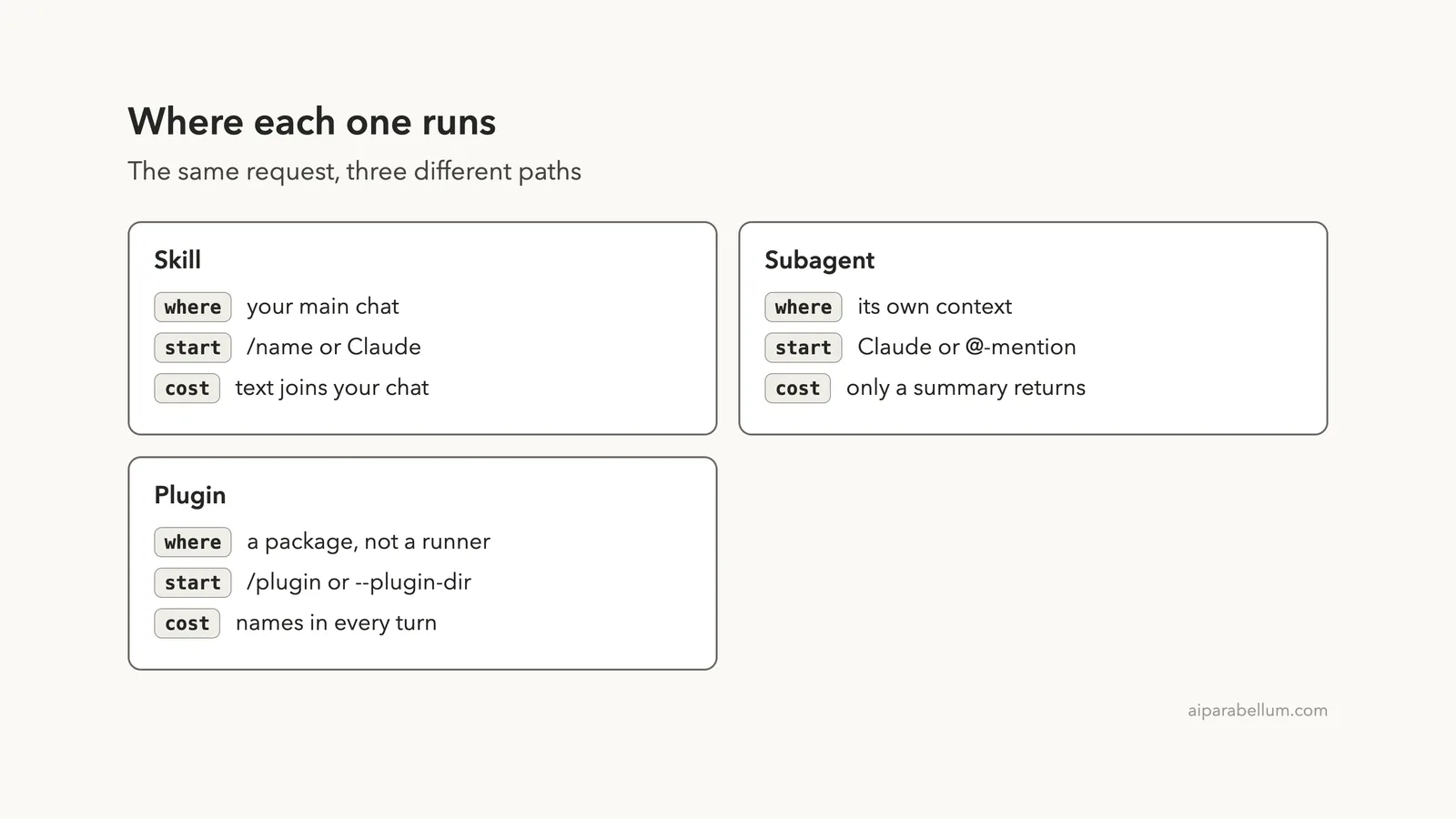
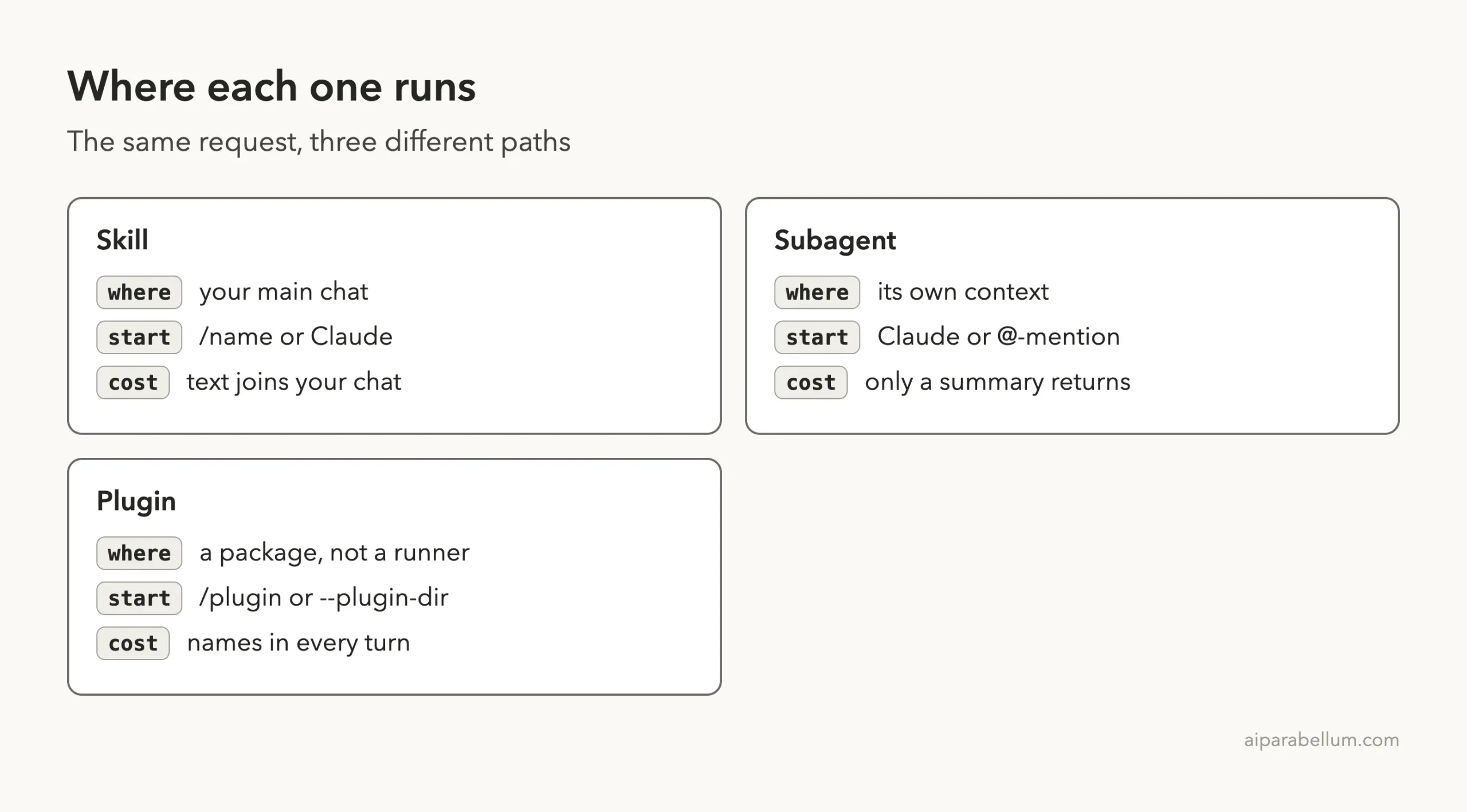
| Skill | A SKILL.md file of instructions | Your main conversation | A repeatable recipe you call by name |
| Subagent | A Markdown file that defines a helper | Its own separate context | Work that is noisy or needs limited tools |
| Plugin | A package with a manifest | It runs nothing itself | Sharing skills, agents and hooks |
A skill is a recipe, a subagent is a helper, and a plugin is the box that carries both to other people.
Claude Code Skills vs Subagents vs Plugins: What Each One Is
All three exist for the same reason: you do not want to type the same long instructions every day. They differ in how the work is done and who gets to reuse it.
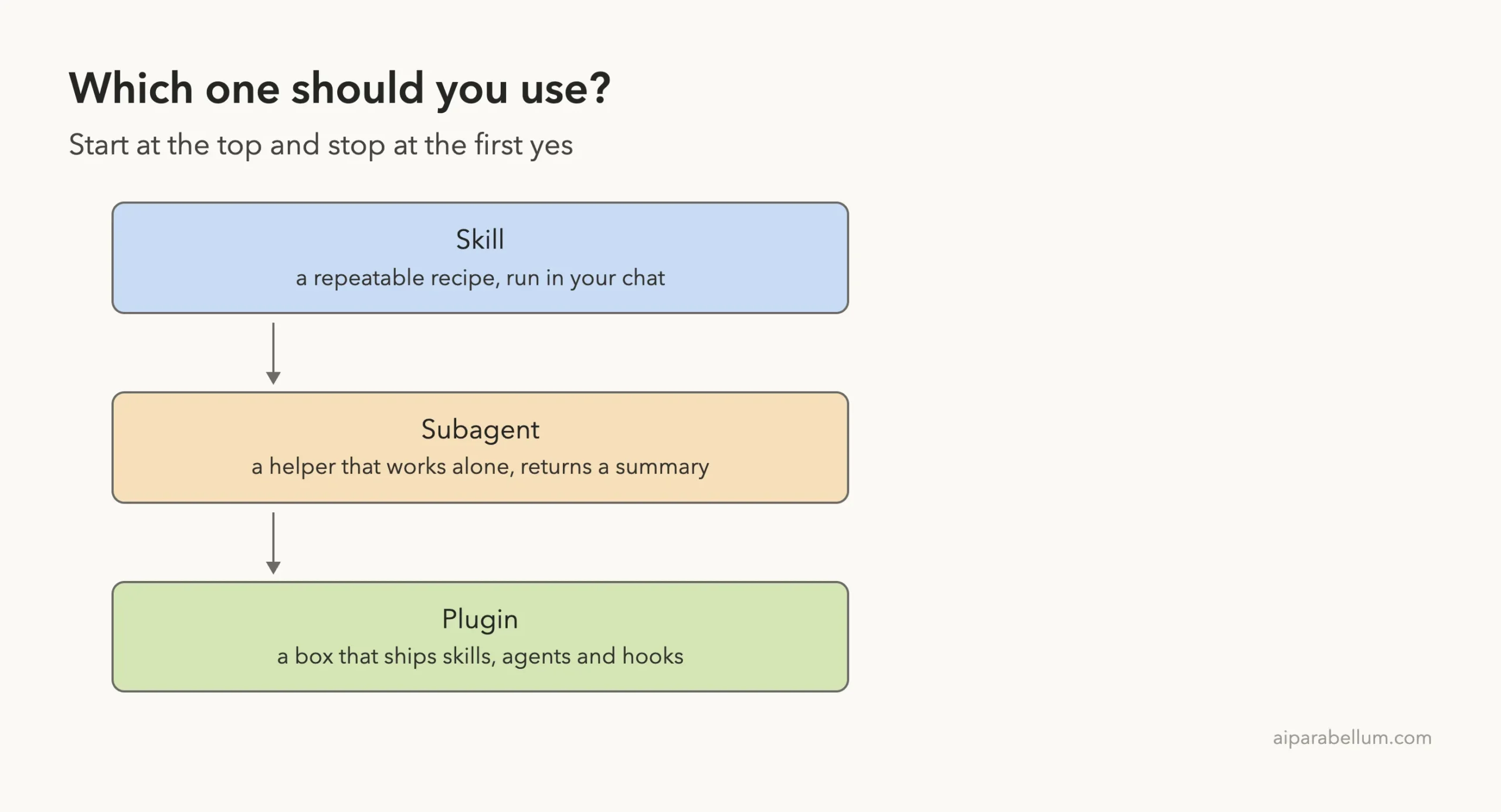
Skills: A Recipe You Can Call by Name
A skill is a folder with a SKILL.md file. Claude loads it when it is relevant, and you can also run it yourself as a command.
Because it runs in your main chat, you see every step and can steer it.
Our skills guide covers the basics, and the official skills documentation has the full reference.
Subagents: A Helper With Its Own Workspace
A subagent is a specialized assistant with its own system prompt, its own tool list and its own context. According to the subagents documentation, the benefits are to keep exploration and implementation out of your main conversation, to enforce constraints by limiting tools, to reuse configurations across projects, and to control costs by routing tasks to faster, lower-cost models like Haiku.
When it finishes, it returns a summary. We go deeper in our subagents tutorial.
Plugins: A Package for Sharing
The plugins documentation lists what a plugin can hold: skills, agents, hooks, a hooks module and MCP servers.
A plugin does not do work by itself. It is how you bundle those pieces and hand them to a team or the public. See our plugins guide for installing them.
Our Demo Project
We made a small folder with a tiny app.py, a CHANGES.md list and one of each extension. The layout looked like this:
skills-vs-subagents-vs-plugins/
├── app.py
├── CHANGES.md
├── .claude/
│   ├── skills/release-note/SKILL.md
│   └── agents/code-reviewer.md
└── team-kit/
    ├── .claude-plugin/plugin.json
    └── skills/standup/SKILL.md
We started Claude Code with claude --setting-sources project --plugin-dir ./team-kit. The first flag kept our personal settings out of the demo, and the second loaded the plugin from a folder without installing anything.
Skills in Action
Our skill is a short recipe. It reads CHANGES.md and writes a release note for the version you type after the command name.
---
description: Turn CHANGES.md into a short release note. Use when the user asks for a release note.
argument-hint: [version]
---

Read CHANGES.md and write a release note for version $ARGUMENTS.
Use a one-line headline and exactly three short bullets. Do not edit any files.
We typed /release-note v1.2. Claude read one file and answered in the main chat with a headline and three bullets, exactly as the recipe asked.
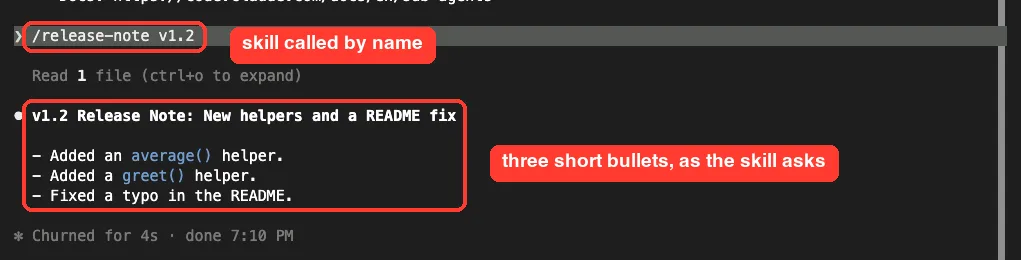
The key point is that the skill text and the result both live in your conversation. That is great when you want to read and adjust the output. It is a poor fit when the job reads dozens of files, because all that text stays in your chat.
Subagents in Action
Our subagent is a code reviewer. It is limited to Read, Grep and Glob, so it cannot change files, and it uses the haiku model.
---
name: code-reviewer
description: Reviews Python files for bugs and risky code. Use after code changes.
tools: Read, Grep, Glob
model: haiku
---

You are a careful code reviewer. Read the file you are given and list up to three problems, most serious first.
Reply with a short numbered list. Do not change any files.
We asked Claude to use the code-reviewer agent to review app.py. Claude started it in the background, waited for it, and then reported three issues: a divide-by-zero on an empty list, a failure when you pass a generator, and a failure when greet gets a non-string.
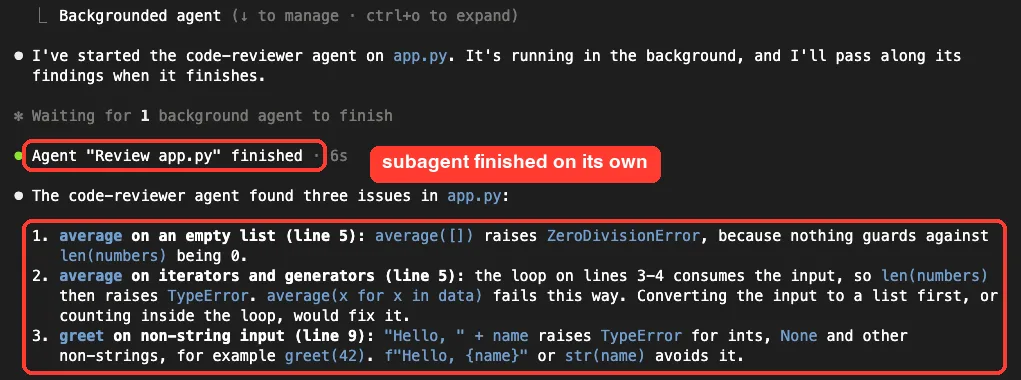
Notice what you did not see: every file read and search the helper made. Only the summary came back, which keeps your main chat small.
Creating Subagents in This Version
One surprise from our test: in v2.1.316 the /agents command no longer opens a wizard. It prints a message that the wizard has been removed and tells you to ask Claude to create the subagent, or to edit the files in .claude/agents/ or ~/.claude/agents/.
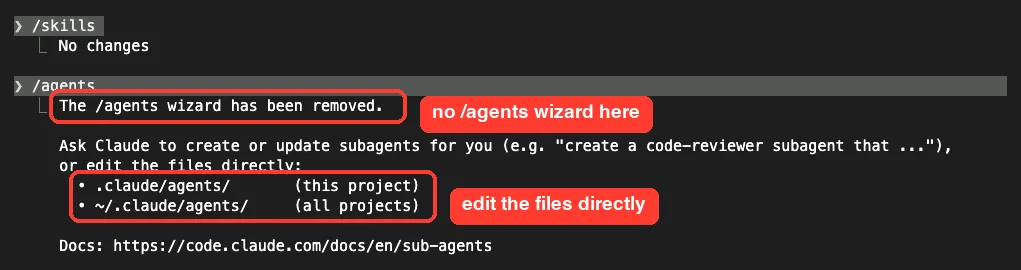
/agents points you to the agent foldersThe docs add that the file watcher covers only directories that existed when the session started. After creating the first agent file in a new agents folder, restart Claude Code to load it.
Plugins in Action
Our plugin, team-kit, holds one skill called standup and a tiny manifest:
{
  "name": "team-kit",
  "description": "Small demo plugin with one skill",
  "version": "1.0.0"
}
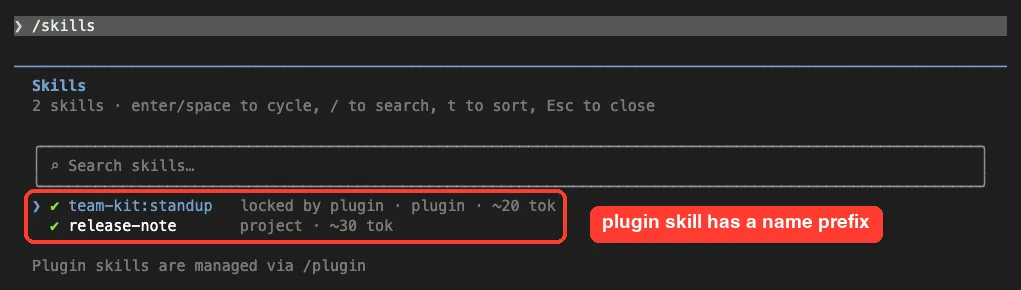
The first thing we noticed is the name. A plugin skill gets the plugin name in front of it. In the /skills list, our project skill showed as release-note, while the plugin skill showed as team-kit:standup, marked as locked by the plugin.
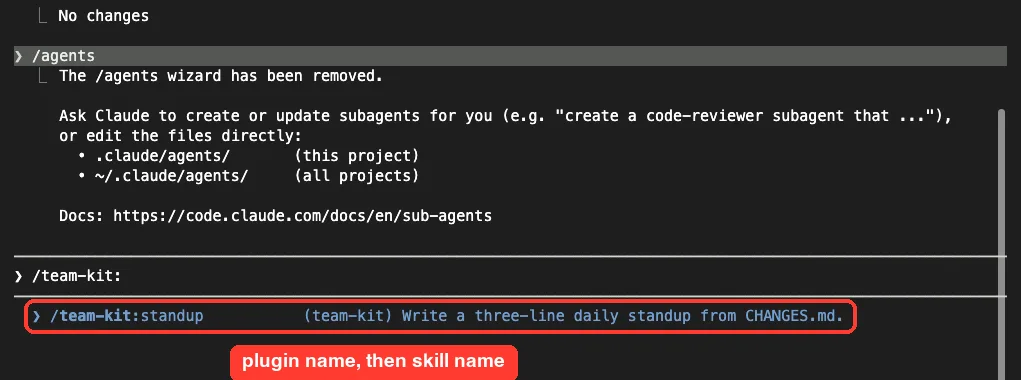
The prefix also shows up in the command menu. Typing /team-kit: listed the skill with its description.
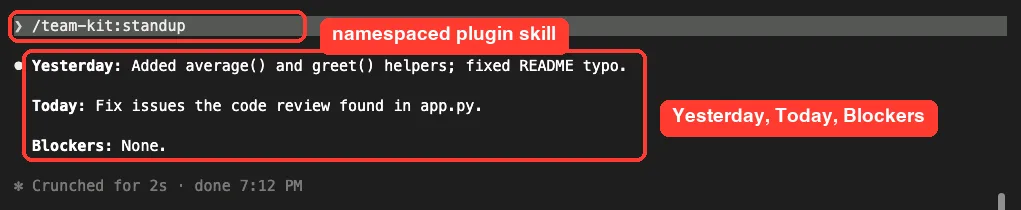
Running /team-kit:standup gave a three-line standup with Yesterday, Today and Blockers lines, as the skill asks.
In other words, a plugin did not change how the skill runs. It only changed how the skill travels and what it is called.
Skills vs Subagents vs Plugins: Side-by-Side Comparison
| Question | Skill | Subagent | Plugin |
|---|---|---|---|
| Own context window? | No, main chat | Yes | Not applicable |
| Can limit tools? | Yes, with allowed-tools to skip prompts | Yes, with tools | Not applicable |
| Can pick a model? | Not in our demo | Yes, with model | Not applicable |
| You can start it with | /name | Natural language or an @-mention | /plugin or --plugin-dir |
| Shareable by itself? | Via project files | Via project files | Yes, that is its job |
The docs describe three ways to start a subagent. You can name it in your prompt and let Claude decide, you can @-mention it to guarantee it runs for one task, or you can run the whole session as that subagent with the --agent flag.
How to Choose
Ask these questions in order, and stop at the first yes.
- Do you want to repeat a set of instructions? Write a skill.
- Will the job read lots of files or produce long output you do not need to keep? Use a subagent.
- Do you need to restrict what the helper can touch? Use a subagent with a short
toolslist. - Do others need the same setup? Put your skills and agents in a plugin.
- Must a rule hold every single time? Use a hook, not a skill. The skills docs say a hook runs every time its event occurs, whether or not Claude follows the skill.
The docs also say when to stay in the main conversation. Choose it when the task needs frequent back-and-forth, when several phases share a lot of context, or when speed matters, because a subagent starts fresh and may need time to gather context.
What Plugins Cost You
A plugin is not free just because it is idle. The docs explain that for each skill, agent and command Claude can invoke on its own, the name and description sit in Claude’s context on every turn. Those tokens count toward your usage even in sessions where nothing from the plugin runs.
The full text loads only when it is used.
In our /skills list, the plugin skill showed about 20 tokens and the project skill about 30. That is tiny, but a large plugin multiplies it. Plugins in Anthropic’s official marketplace show a context cost estimate before you install, and the Installed tab lists plugins you have not used recently.
Also remember that what a plugin runs, it runs as you. Review a third-party plugin before you enable it.
Try It Yourself
Make a folder, add the three small files from this guide and start Claude Code with the plugin loaded. Then try this prompt to see all three in one session:
Run /release-note v1.0, then use the code-reviewer agent on app.py, then run /team-kit:standup.Ask yourself which result you would want to keep in your main chat, and which you only wanted a summary of. That answer tells you what should be a skill and what should be a subagent.
Common Mistakes
- Writing a subagent for a job you need to steer step by step. A skill in your main chat is easier to guide.
- Expecting a plugin to run things. It only packages skills, agents, hooks and servers.
- Typing a plugin skill without its prefix. Use
/team-kit:standup, not/standup. - Creating the first agent file in a new folder and not restarting. The watcher covers only directories that existed at startup.
- Installing large plugins you never use. Their names and descriptions still take space on every turn.
Pro Tips
- Test a plugin with
--plugin-dirbefore you install it anywhere. - Limit a reviewer subagent to
Read,GrepandGlobso it cannot edit files. - Use the
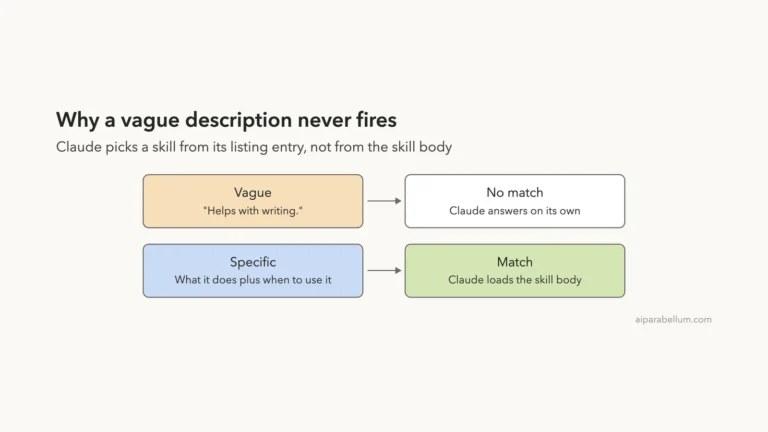
haikumodel for simple helpers to control cost. - Write clear descriptions. Both skills and subagents rely on them to be picked, as we showed in our skill best practices guide and in the SKILL.md format reference.
- Use
/skillsto see every skill, its source and its token cost.
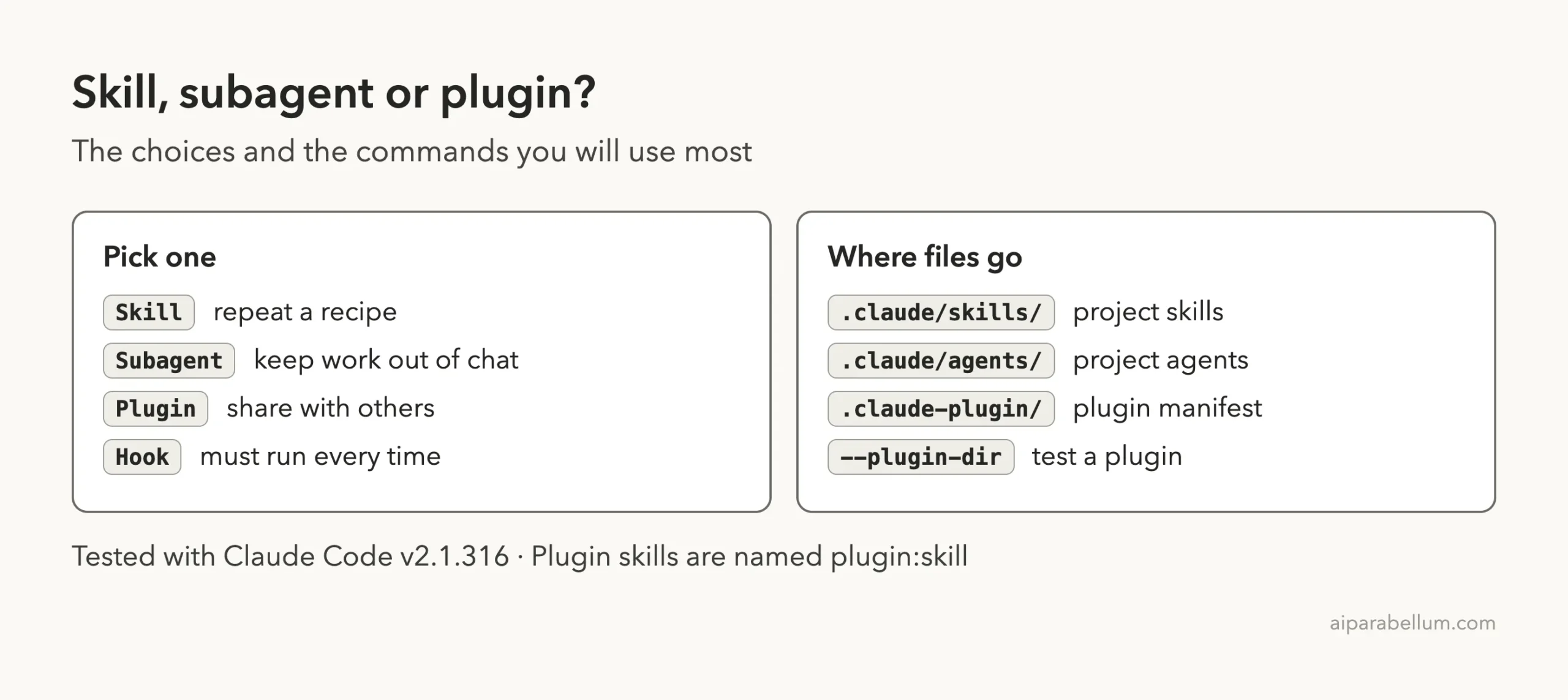
Cheat Sheet
Frequently Asked Questions
Can a plugin contain skills and subagents?
Yes. The docs list skills, agents, hooks, a hooks module and MCP servers as the things a plugin can add.
Is a subagent just a skill that runs somewhere else?
Not exactly. A subagent has its own system prompt, tools and context, and it returns a summary. A skill is instructions that run in your current conversation.
Why does my plugin skill have a prefix?
Claude Code names plugin skills as plugin-name:skill-name. In our test, the project skill had a plain name and the plugin skill did not.
Where do I put a subagent file?
Put it in .claude/agents/ for one project or ~/.claude/agents/ for all projects. Our Claude AI page explains the wider tool family.
Which one saves the most context?
A subagent keeps its file reads and searches out of your main chat. A skill adds its text to your chat, and a plugin adds names and descriptions each turn.
Conclusion
Use a skill when you want a repeatable recipe in your own chat, a subagent when you want a helper that works alone and returns a short answer, and a plugin when you want to share either with other people. In our real sessions, the skill answered in the main chat, the subagent returned only a summary, and the plugin skill worked the same way with a prefix on its name. Start with a skill, move heavy work into a subagent, and package both as a plugin only when someone else needs them. Browse all our Claude Code tutorials for the next part.
Previous in the series: Part 3: Claude Code Skill Not Triggering? How to Find Out Why
Next in the series: Part 5, Custom Slash Commands vs Skills in Claude Code, is coming soon.