A Claude Code video skill teaches Claude how to plan, draw and render a video instead of just chatting about one. Nine open source add-ons now claim to do this job, from launch videos to hand-drawn animation to CapCut editing. We loaded the ones that are safe to load and read the rest.
Some of these add-ons install global tools or start background servers when they load. We did not run those. Below you will see exactly what we ran, what we only read, and which skill fits which job.
This guide is part of our Claude Code tutorials. Find more add-ons in our Claude skills directory.
Tested with Claude Code v2.1.319 on 2026-11-10 (macOS). Tools we cloned: video-shotcraft at commit 3ac67b7, animate at commit 7e5eb56, brag at commit 669ab92, lemo-opuscar at commit 9eb7739, auteur at commit 9bca227, capcut-cli at commit 69b2a03, claude-video-vision at commit 4a4f990, framekeeper at commit 2fd3b5d and claude-ai-music-skills at commit 597d928. We tested on macOS; the Windows and Linux steps follow Anthropic’s official instructions.
The Nine Claude Code Video Skills at a Glance
| Skill | What it does | What we ran | Needs to render |
|---|---|---|---|
| video-shotcraft | Product promos built with Remotion from 124 shot recipe cards | Loaded it, read its README and requirements | Node.js, ffmpeg, uv for beat analysis |
| animate | Short canvas animations in seven built-in styles | Loaded it and asked about styles and tools | Node 18+, Playwright with Chromium, ffmpeg |
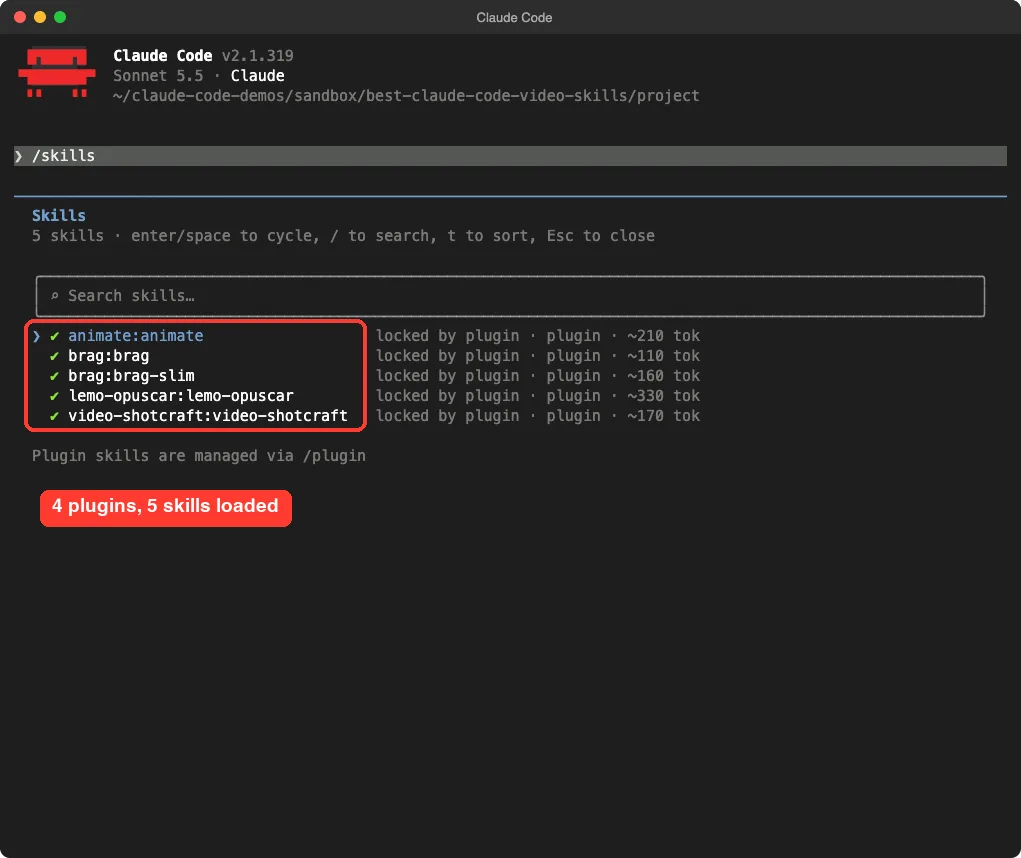
| brag | Turns your project into a launch video | Loaded both of its skills, read its README | Hyperframes for the full version |
| lemo-opuscar | 66 film styles made in code | Loaded it, read its requirements | Node 20+, ffmpeg 7+, Python 3.11+ |
| auteur | Directs a website like a film | Loaded the skill as a project skill | Node and Playwright |
| capcut-cli | Edits CapCut and JianYing drafts | Loaded the skill text, read the README | The capcut-cli npm package |
| claude-video-vision | Lets Claude watch a video | Loaded the skill text, read the README | An MCP server, ffmpeg, a speech backend |
| claude-ai-music-skills | Album and song workflow for Suno | Loaded all 53 skills | Python tools and a Suno account for the full flow |
| framekeeper | Keeps image-heavy chats light | Read the README only | A local proxy plugin |
None of these produced a finished video in our test. We say so up front because the READMEs show impressive results, and we cannot confirm those from a skill-loading session alone.
How We Tested Without Touching Our Own Setup
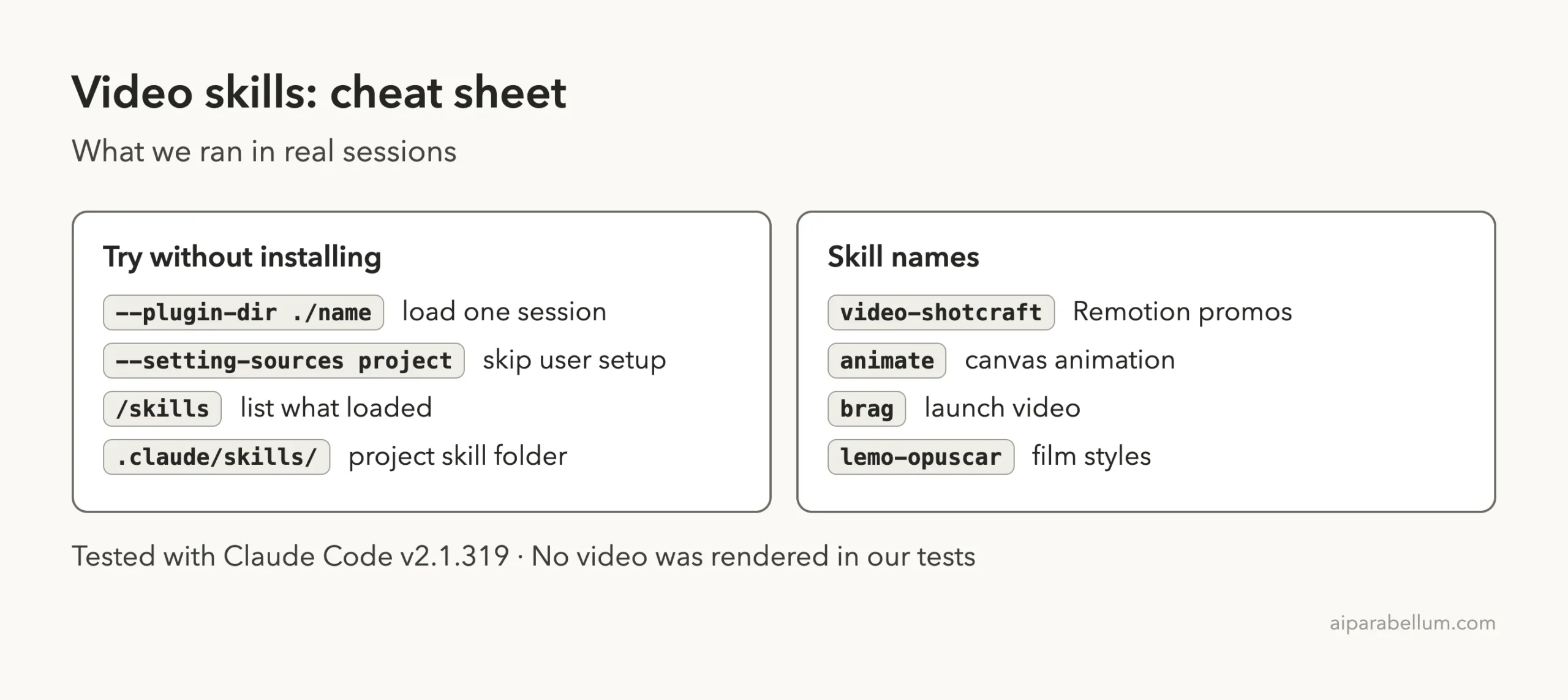
Every session ran in a throwaway sandbox folder. We started Claude Code with --setting-sources project and loaded plugins for one session only with --plugin-dir, so nothing was installed into the global Claude Code folder.
Before loading anything, we read each plugin’s manifest.
Four of the nine start code on their own: capcut-cli has a session-start hook that runs npm i -g capcut-cli if the package is missing, claude-video-vision starts an MCP server through npx, claude-ai-music-skills ships an MCP server plus file-check hooks, and framekeeper runs a local server. We did not load those four as plugins. For the first three we copied only the skill text into a project .claude/skills folder, which loads instructions without running anything.
The official plugin docs explain --plugin-dir, and the discover plugins guide covers marketplaces. If you are new to the topic, read our guide to plugin marketplaces first.
Video Shotcraft: Cinematic Product Promos
Video Shotcraft is the biggest of the group. Its README says it turns your real pages into a finished promo with Remotion, using 124 shot recipe cards, beat sync and sound design. It says plainly that it is not a video generator: every frame is drawn by code from your own screenshots and copy.
The requirements are Node.js and npm, ffmpeg, and uv for the music beat analysis. Remotion downloads its own headless Chrome on the first render. We loaded the skill and it appeared in /skills with the name video-shotcraft, but we did not render a film.
The skill file is written mostly in Chinese with English summaries, and the repo also has Chinese, Japanese, Russian and Taiwanese READMEs. English readers can still use it by prompting in English.
Choose it when you want a polished product promo and are happy to let Claude run Remotion on your machine. For a smaller example of Claude making video from code, see our earlier video test.
Animate: Short Canvas Animations in Seven Styles
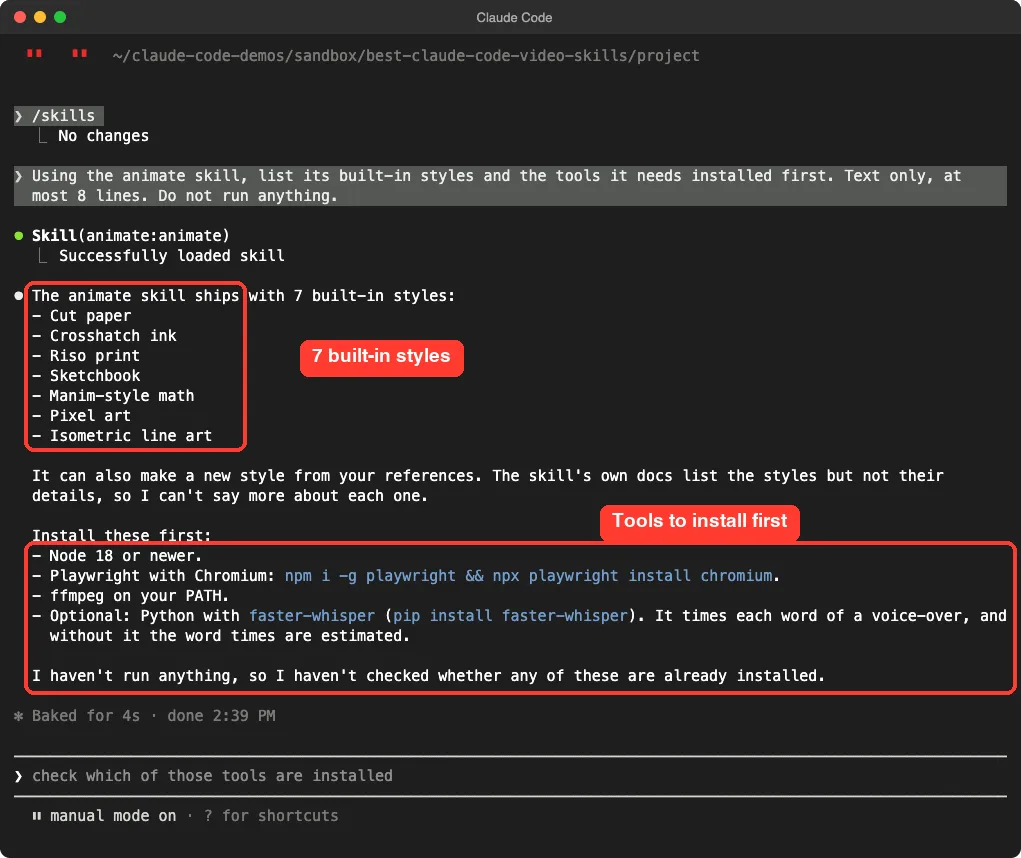
Animate makes a short animation as a single canvas file, scores it with synthesized music, and renders an MP4 with a headless browser and ffmpeg. When we asked Claude about it, the answer came straight from the loaded skill.
It named seven built-in styles: cut paper, crosshatch ink, riso print, sketchbook, manim-style math, pixel art and isometric line art. It also said you can make a new style from your own references.
Claude listed what to install first: Node 18 or newer, Playwright with Chromium, ffmpeg, and optionally Python with faster-whisper for voice-over timing. The skill itself says to stop and tell you the install command if one of these is missing.
This is a good first pick if you want a short explainer, a history clip or a little story, and you like a hand-made look.
Brag: A Launch Video for What You Just Built
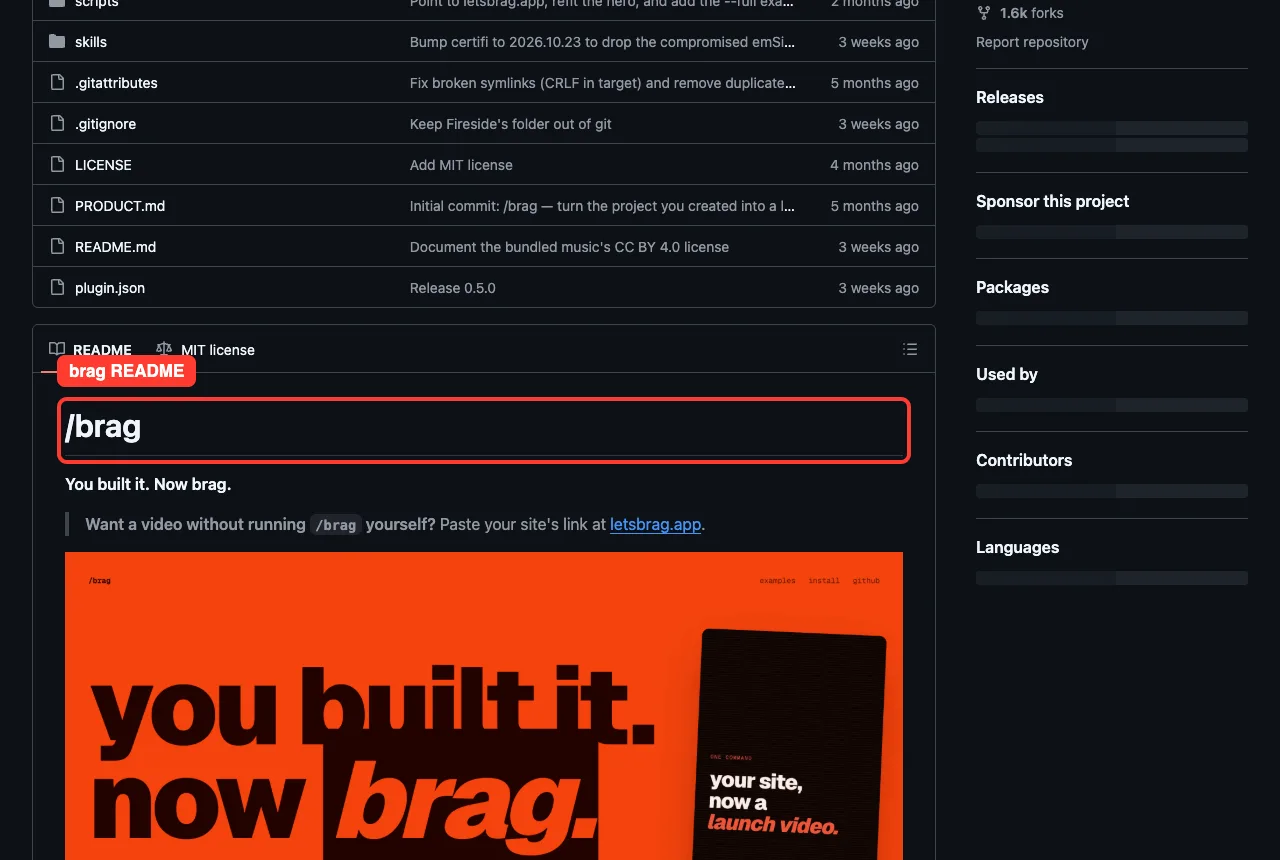
Brag has one clear promise: after you build something, run /brag and get a short launch video with music, motion and share copy. The README says it reads your project code directly, so no live URL or screenshots are needed.
Two skills loaded from the plugin: brag and brag-slim. The README says that on Opus 5.5 it switches to brag-slim automatically, which builds the video with tools already on the machine. Run /brag --full to keep the classic workflow, which uses Hyperframes.
If you want to see what Hyperframes does by itself, read our HyperFrames guide.
Lemo Opuscar: A Toolbox of Film Styles
Lemo Opuscar describes itself as 66 ready-to-use film styles made in code, such as impasto oil painting, watercolor brush and ukiyo-e. Each style is a style prompt plus a demo film that its README says was made entirely in code, with no video model.
The skill is a thin loader. Its own text says the styles and tools live in the library repo and the skill fetches it.
A real run downloads more code, so we loaded the skill and stopped there. The README lists Node 20+, ffmpeg 7+ and Python 3.11+ as the base needs.
Typing /lemo-opuscar:lemo-opuscar by itself is meant to ask which language you want and what kind of film you would like to make.
Auteur: Directing a Website Like a Film
Auteur is the odd one out. It builds web pages, not videos, but it borrows film thinking: a commit sheet, generated assets, and an anti-slop linter that checks before anything ships. Its skill allows node scripts/* and Playwright commands, so it runs code when you use it.
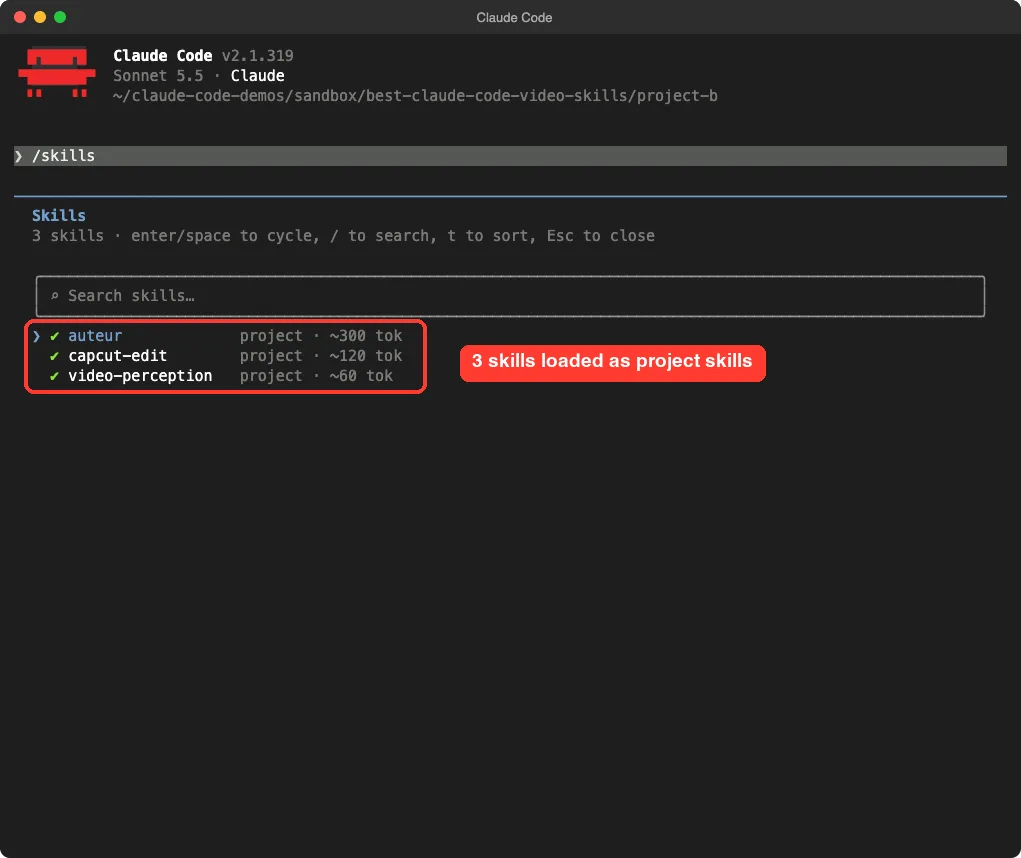
We loaded only the skill text, with its reference folder, as a project skill. It showed up as auteur next to two other skills in the same session.
capcut-cli and Video Vision: Edit or Watch Real Video
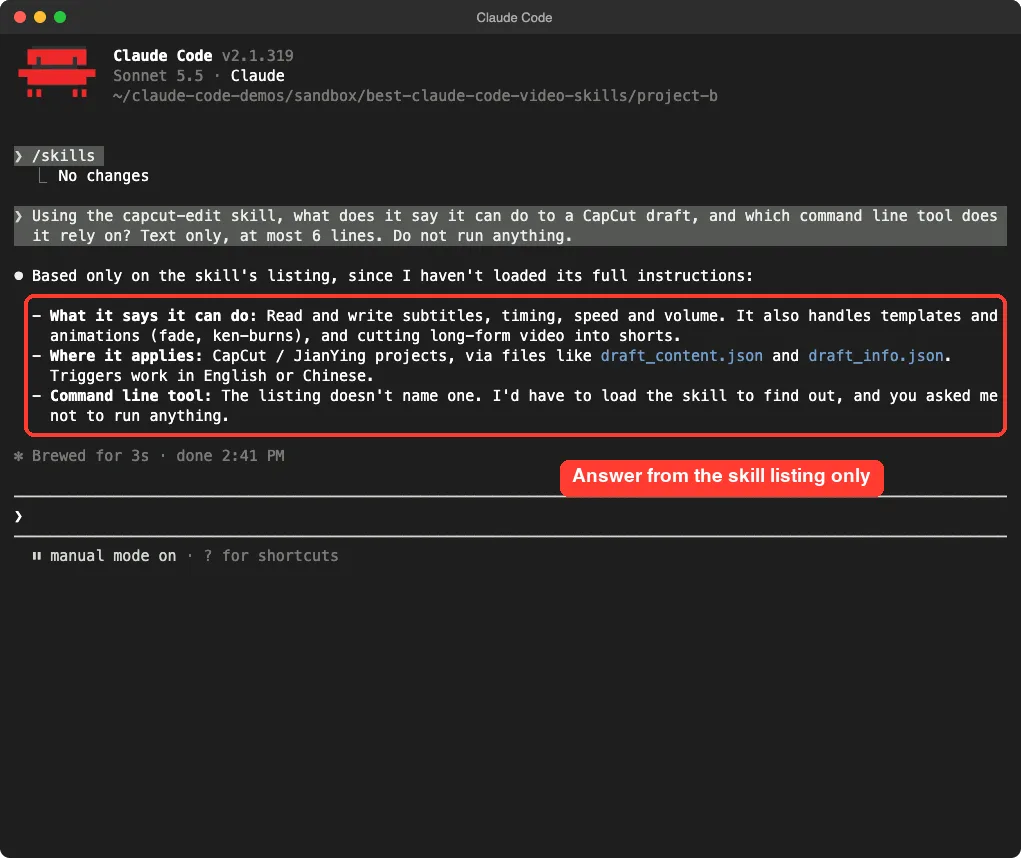
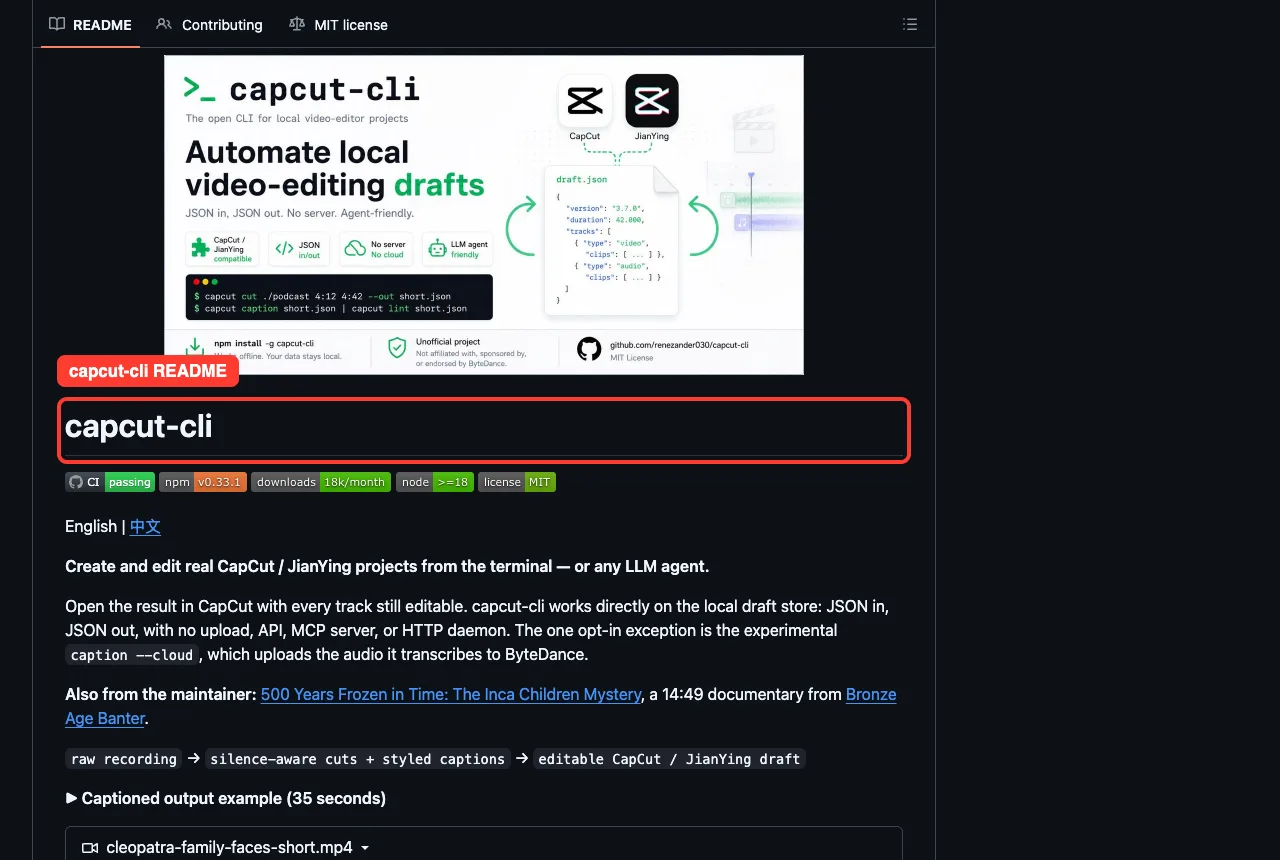
These two work with video you already have. capcut-cli edits CapCut and JianYing project drafts from the terminal: subtitles, timing, speed, volume, templates and cutting long videos into shorts. Its README says it works on the local draft files with no upload, API or server, except one experimental cloud caption option that uploads audio.
Its plugin runs npm i -g capcut-cli at session start when the package is missing. We did not allow that. When we asked the loaded skill what it could do, Claude answered from the skill summary only and said the listing did not name the command line tool.
Claude Video Vision goes the other way. Its README says it extracts frames with ffmpeg and transcribes audio through Gemini, local Whisper or the OpenAI API.
Claude gets both, so it can answer questions about a video, and YouTube links work through yt-dlp. The MCP server is fetched with npx on first use, which is why we only loaded its skill text, and the audio backends may send audio to a cloud service you choose.
Music Skills and Framekeeper: Close Neighbors
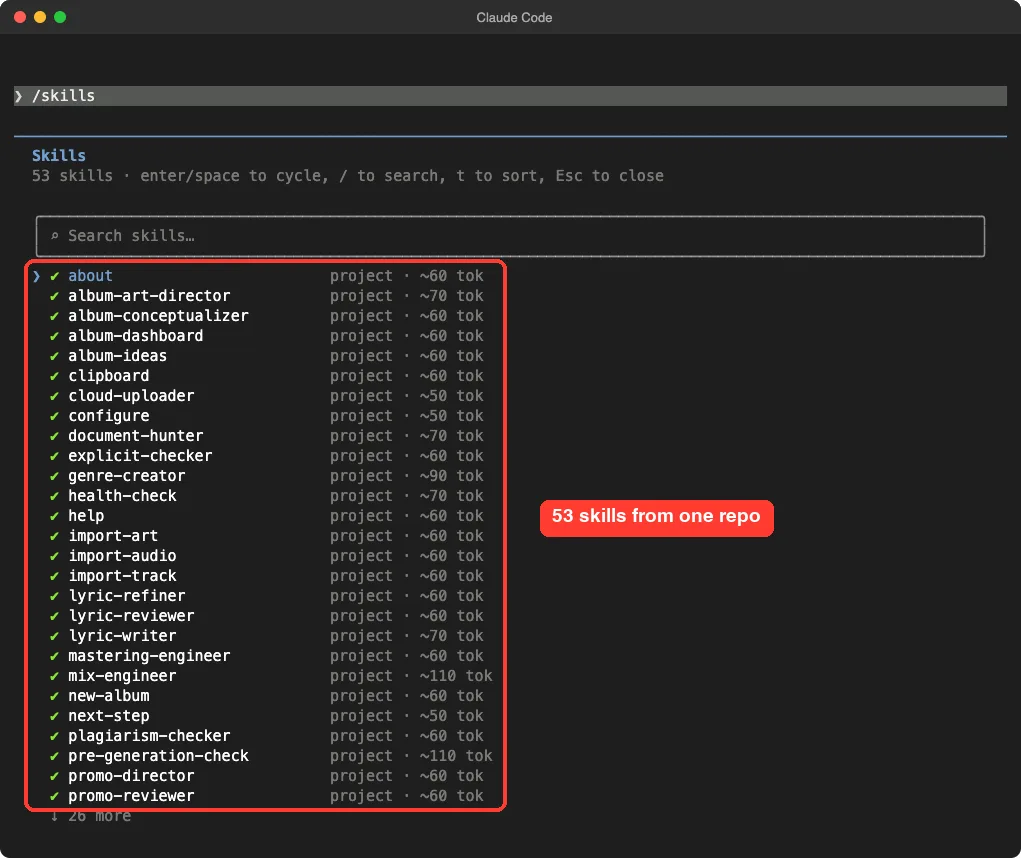
Two more entries sit next to video work. claude-ai-music-skills is a full album workflow for Suno with lyrics, prompts, mastering and promo steps. All 53 skills loaded from a project folder, which is the biggest list in this post.
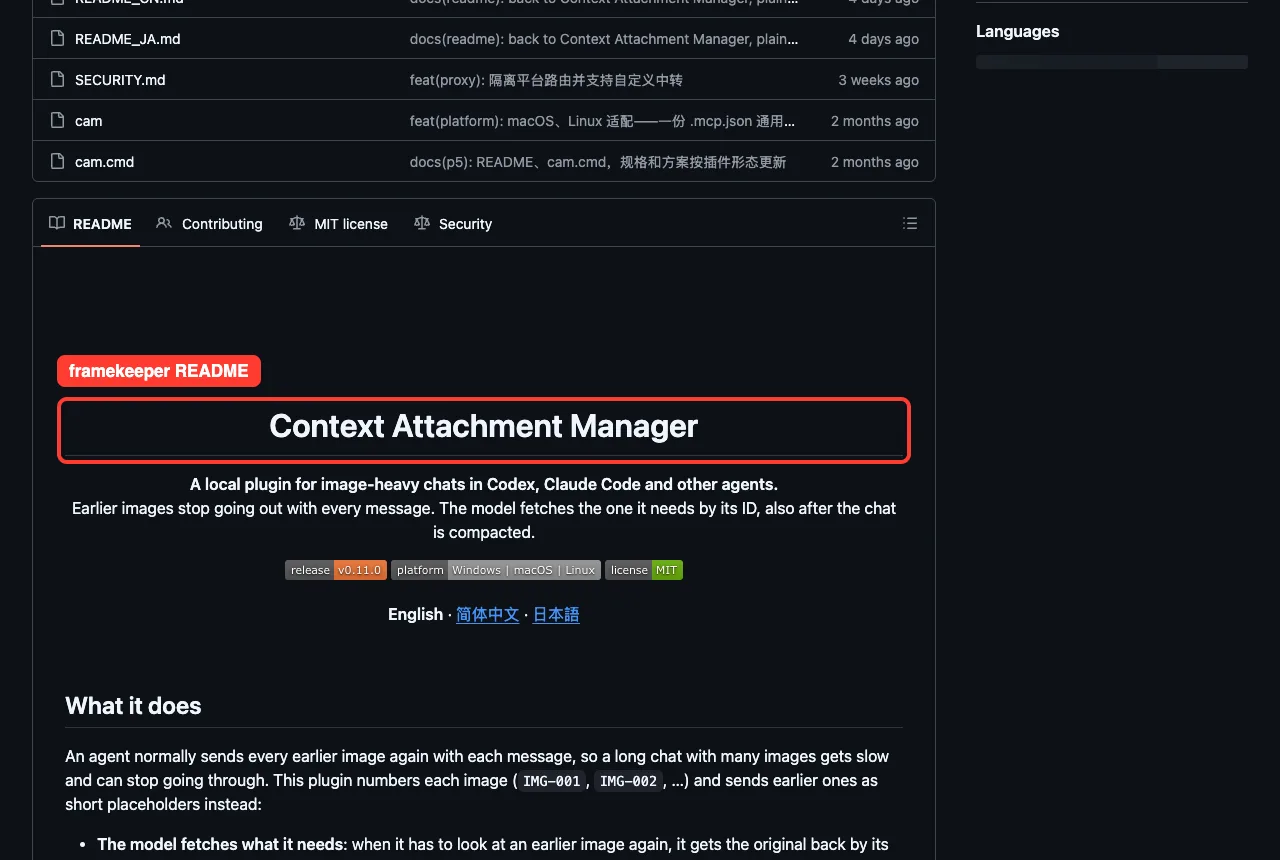
Framekeeper is not a video maker. Its README calls it a Context Attachment Manager.
Earlier images stop going out with every message, and the model fetches the one it needs by ID. That helps in long chats full of screenshots or video frames. It runs a local plugin server, so we read it and did not load it.
Which Video Skill Should You Pick?
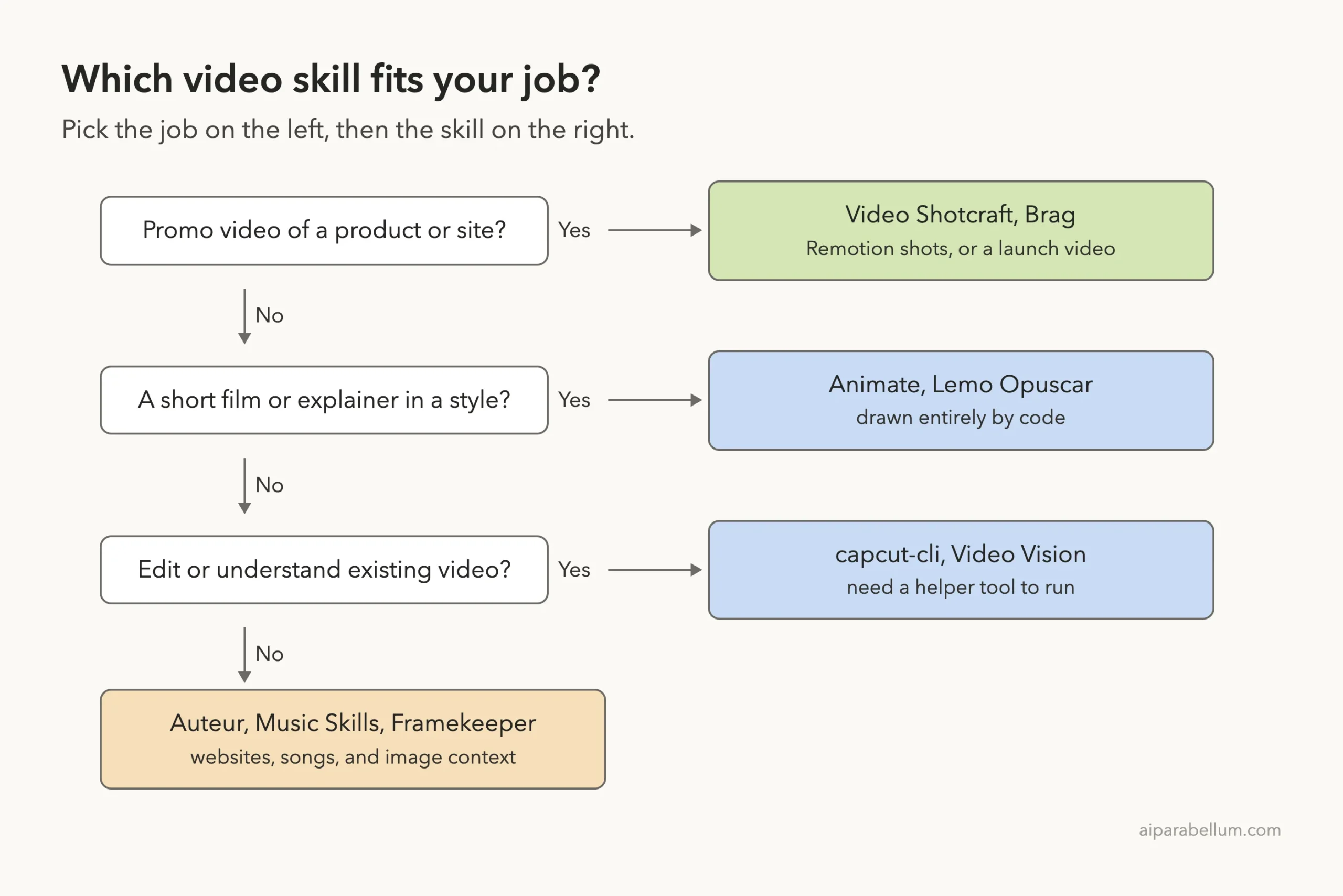
Start from the job, not the name: the right video skill is the one whose helper tools you are willing to run.
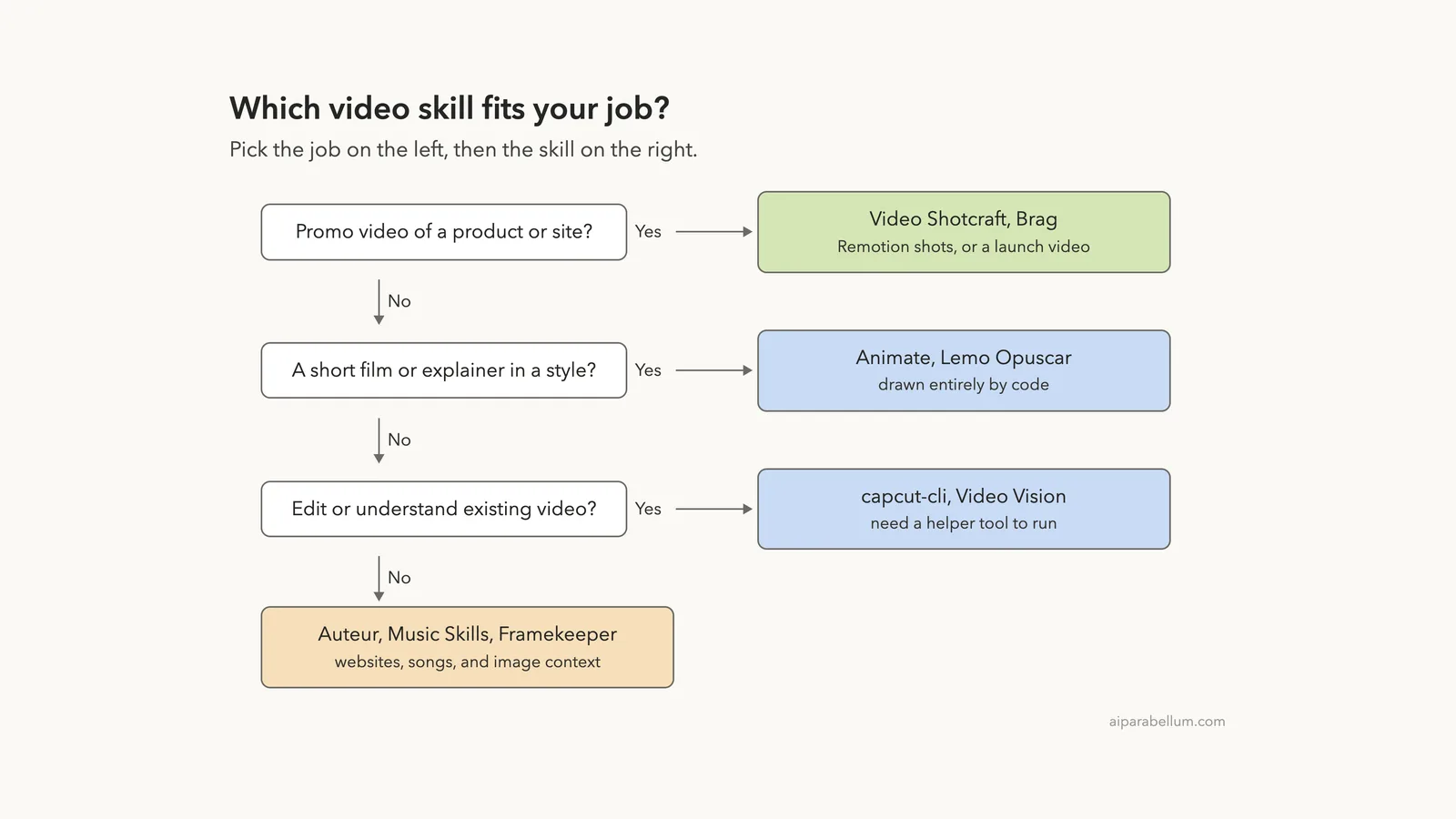
Start with the job. Use the ladder below, then check the requirements for your pick before you let it run.
- Not sure which assistant fits? Our Claude AI guide covers the basics.
- Product launch clip: Brag for speed, Video Shotcraft for control.
- Explainer or story: Animate or Lemo Opuscar.
- Subtitles and shorts from a CapCut project: capcut-cli.
- Ask questions about a video file: Video Vision.
- Landing page with film pacing: Auteur.
Try It Yourself
You can check any of these in a throwaway folder without installing anything. Clone the repo next to an empty demo folder, then load it for one session.
mkdir demo && cd demo
claude --setting-sources project --plugin-dir ../animate/plugins/animate

Using the animate skill, list its built-in styles and the tools it needs
installed first. Text only, at most 8 lines. Do not run anything.
If the answer shows tools you do not have, stop there and decide whether you want them on your machine.
Common Mistakes
- Installing a video plugin globally before reading its hooks. One of these runs an npm global install at session start.
- Expecting a finished MP4 from a skill alone. These skills direct Claude, and rendering needs tools such as ffmpeg and Node.
- Skipping the requirements table. Versions matter, for example ffmpeg 7+ for Lemo Opuscar.
- Sending private recordings to a cloud transcription backend without reading the privacy notes.
Pro Tips
- Run
/skillsright after launch to confirm what loaded. - Ask for a plan first with “do not run anything” before allowing a render.
- Use your own demo project for a first video, never a real client site.
- Check free disk space and memory before a render; video work is heavy.
Cheat Sheet
Frequently Asked Questions
Can Claude Code make a video by itself?
Claude writes the code and plans, and helper tools render the file. Each skill here lists what it needs, such as ffmpeg, Node or a headless browser.
Did you render a video with these skills?
No. We loaded skills and read the READMEs. Any claim about finished videos comes from those READMEs, not from our own render.
Are these video skills free?
The repos are open source, but some services around them cost money, such as speech backends or Suno. Check each README.
Which one is best for beginners?
Brag has the simplest idea, one command from project to video, and Animate lists its tools clearly. Both still need local tools installed.
Are they safe to install?
Read each plugin’s hooks and MCP files first. Load plugins with --plugin-dir for a trial and keep them out of your global setup until you trust them.
Conclusion
The best Claude Code video skills split into clear groups: Brag and Video Shotcraft for promos, Animate and Lemo Opuscar for styled films, and capcut-cli and Video Vision for existing footage. We confirmed that the ones we loaded show up with the right names and answer from their own instructions, but we did not render a film, so judge the visual results from each repo’s own gallery. Try one in a sandbox, read what it wants to install, and only then let it render.