Can Claude Code make a real product demo video from one prompt? A new open-source skill called Video Studio says it can, so we pointed it at our own website.
Eight minutes later, we had a 30-second 1080p video with a title card, chapters, an end screen and background music. You can watch it below.
It wasn’t perfect, and it needs more setup than a typical skill. Here’s how it works, what Claude caught on its own, and what you should know before you try it.
What the Video Studio Skill Does
Video Studio is a free, MIT-licensed Claude Code skill. You run it with the /devrel-video command, and it turns a web page into a short walkthrough video.
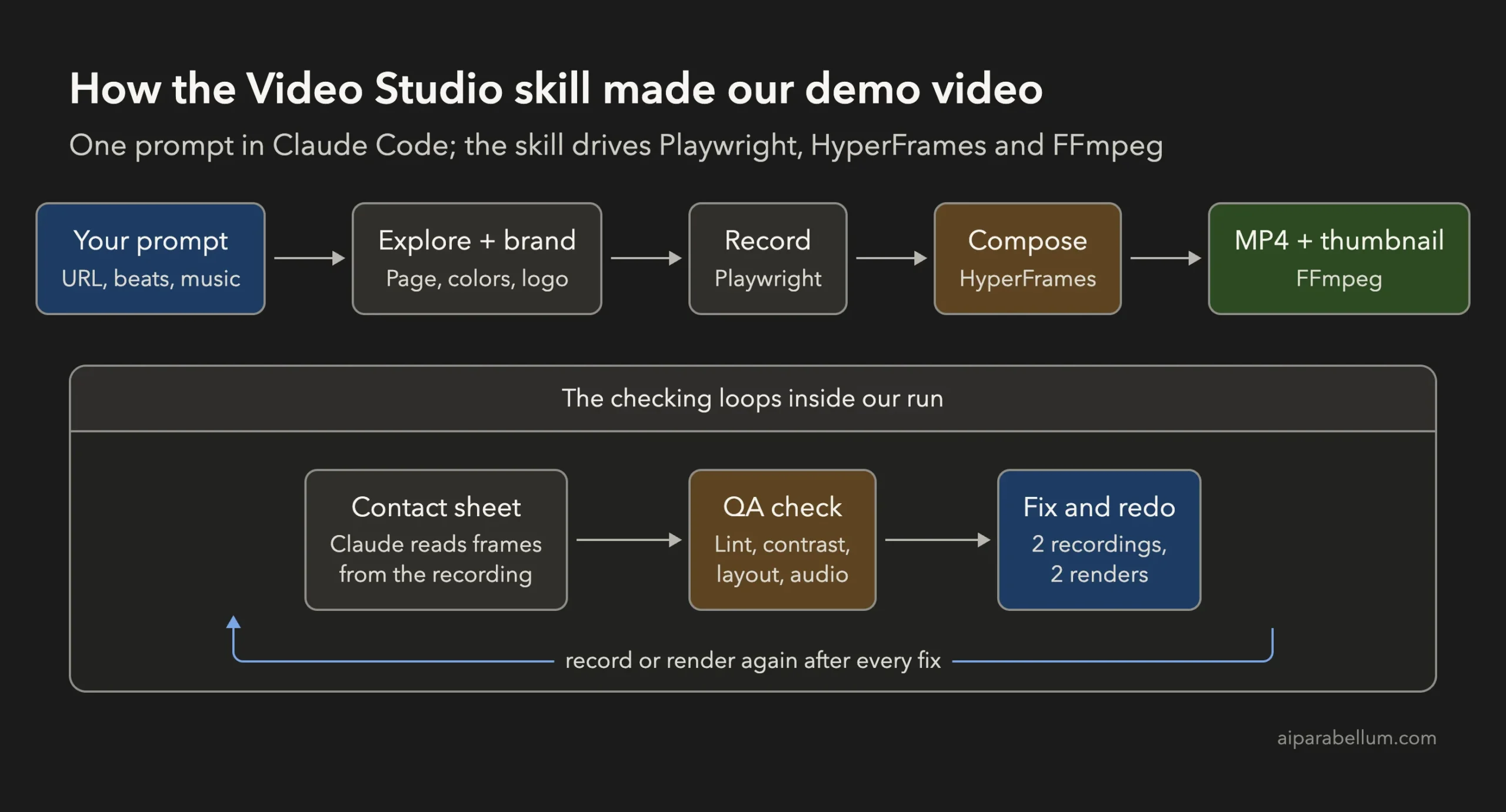
The skill doesn’t make video by itself. Its own instructions call it “a thin orchestrator” that drives three other tools:
- Playwright records a real browser using your product.
- HyperFrames builds the video from HTML, adding the title card, browser frame, chapter labels and end screen.
- FFmpeg converts, checks and compresses the final MP4.
It can also add music, subtitles, narration and even a talking avatar. But narration and the avatar need your own voice service or GPU server, so most people will start with music only, as we did.
How We Tested It
We installed the skill in a throwaway folder and ran a single Claude Code session. Here was our setup:
- Claude Code 2.1.316 in print mode, on Opus 5.5
- Video Studio v1.0.1, pinned to HyperFrames 0.9.7 and Playwright CLI 0.1.23
- No MCP servers, plugins or user settings
- A fixed list of allowed commands, such as the skill’s scripts, FFmpeg and Python
The project’s author built it on Linux, so we first rendered the repo’s sample video on a Mac. It worked and took about a minute, which told us the toolchain was fine before Claude got involved.
Then we gave Claude our real test: a video of our own Claude Code tutorials page. We asked for three beats, which are the steps the video shows:
- The top of the page and its where-to-start choices
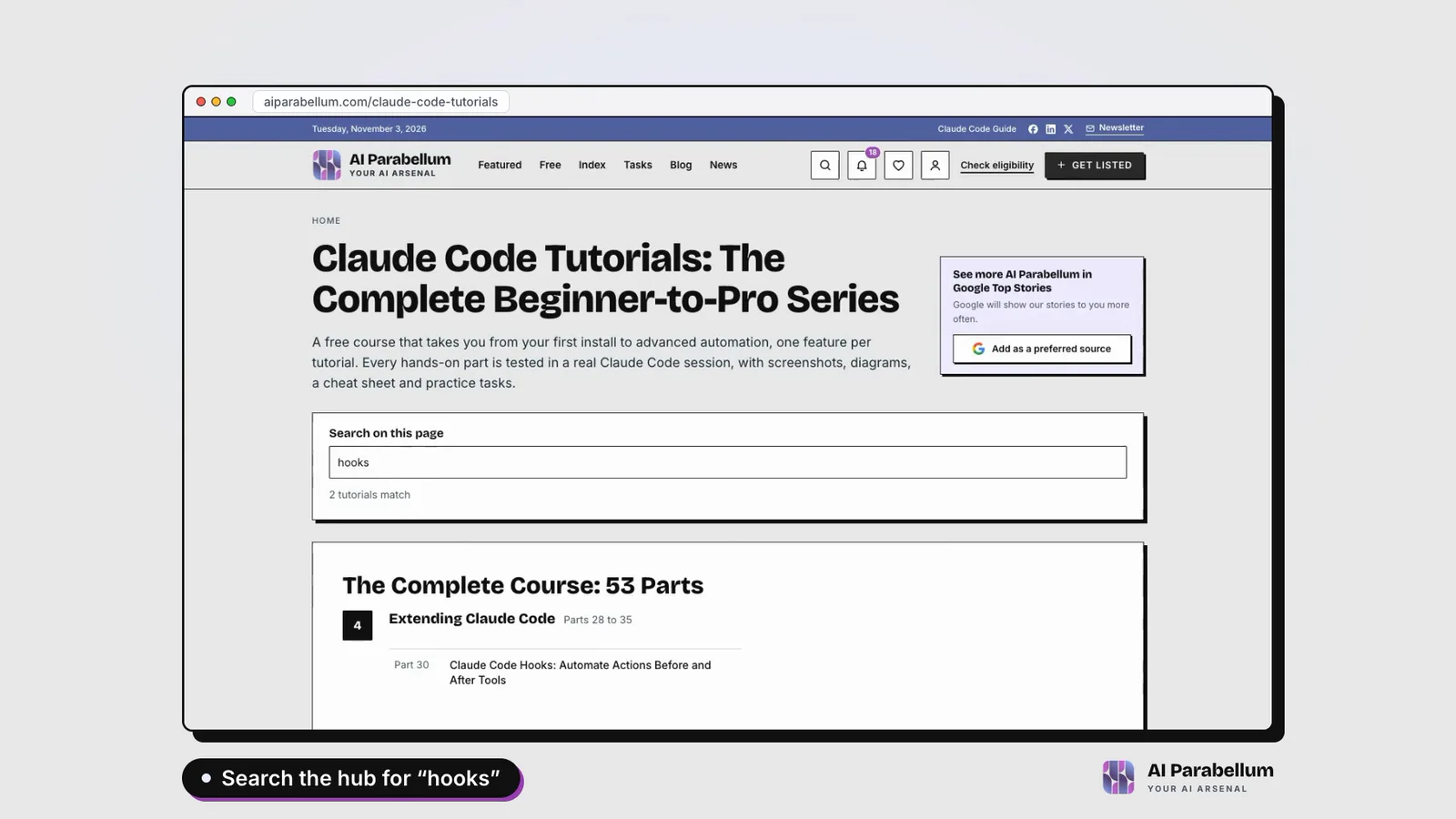
- A search for “hooks” that filters the list
- Opening one tutorial from the results
We also asked it to take our brand colors from the site, add background music, skip the voice and use only claims it could see on the page.
What Claude Made
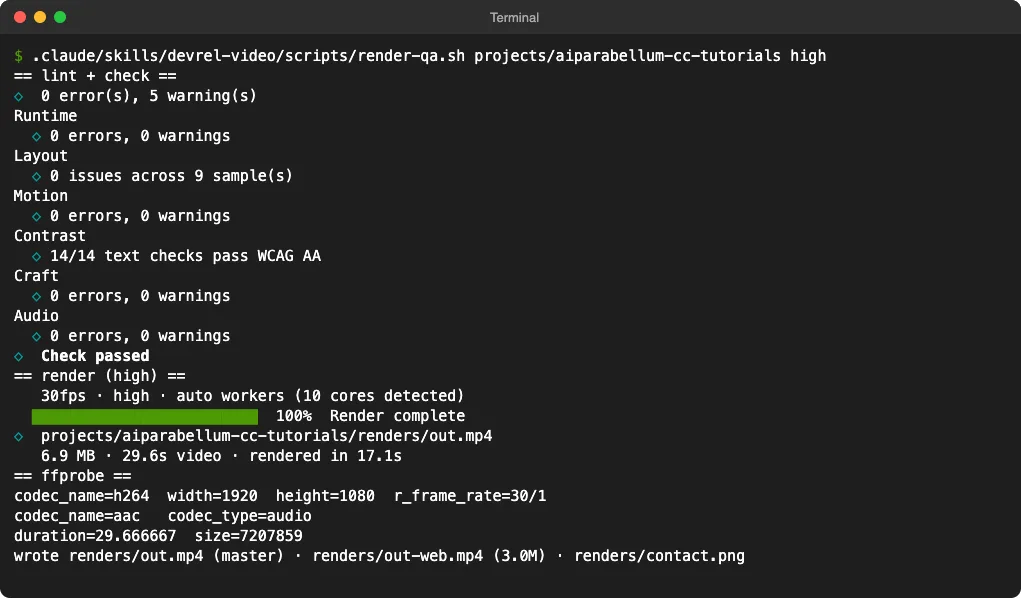
Claude finished in 8 minutes and 16 seconds, with no help from us. The final video runs 29.7 seconds at 1920 x 1080 and 30 frames per second.
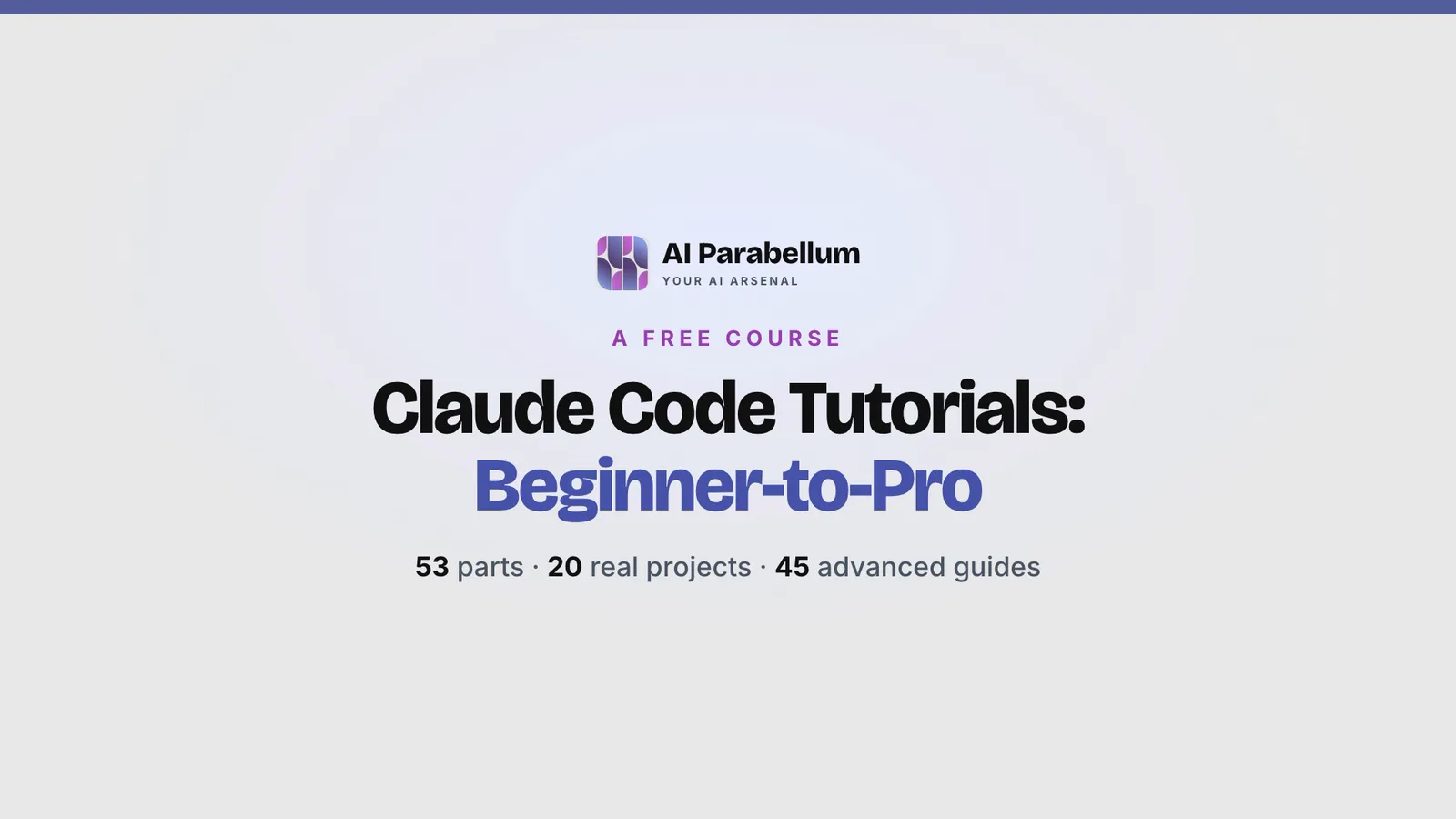
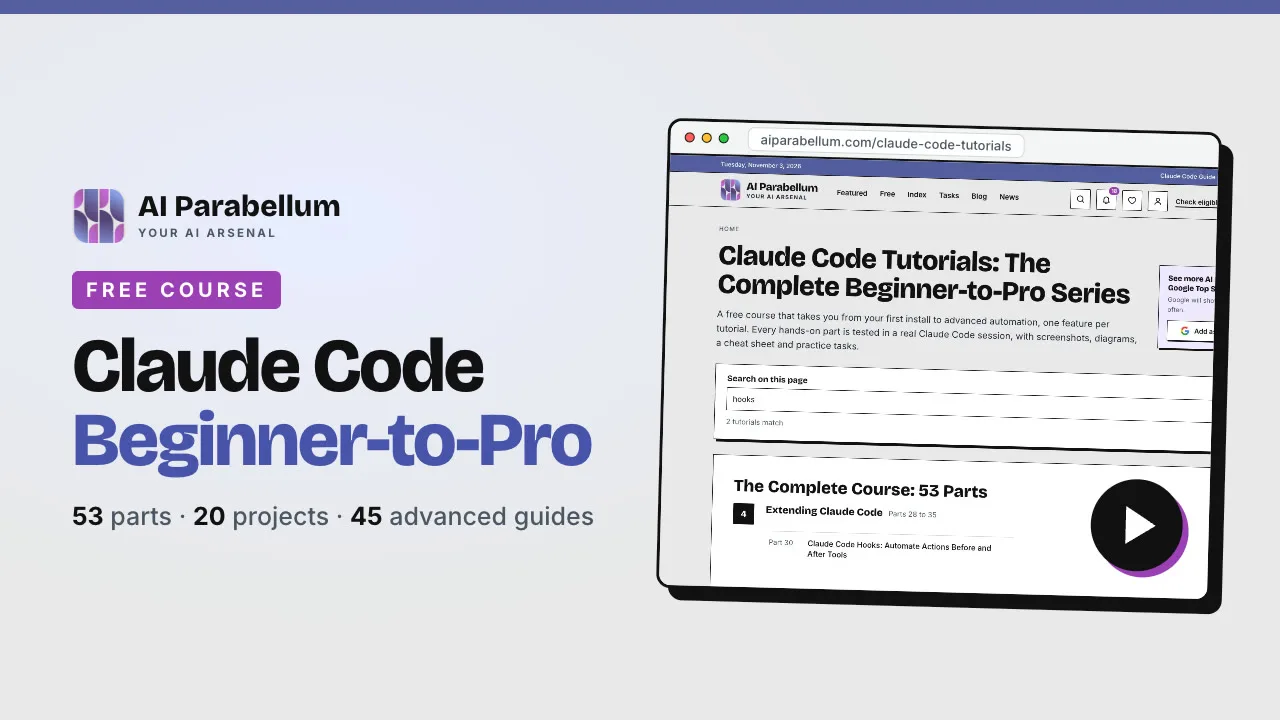
It opens on a title card in our site’s colors and fonts. Every number on it, such as “53 parts” and “45 advanced guides,” came straight from the page.
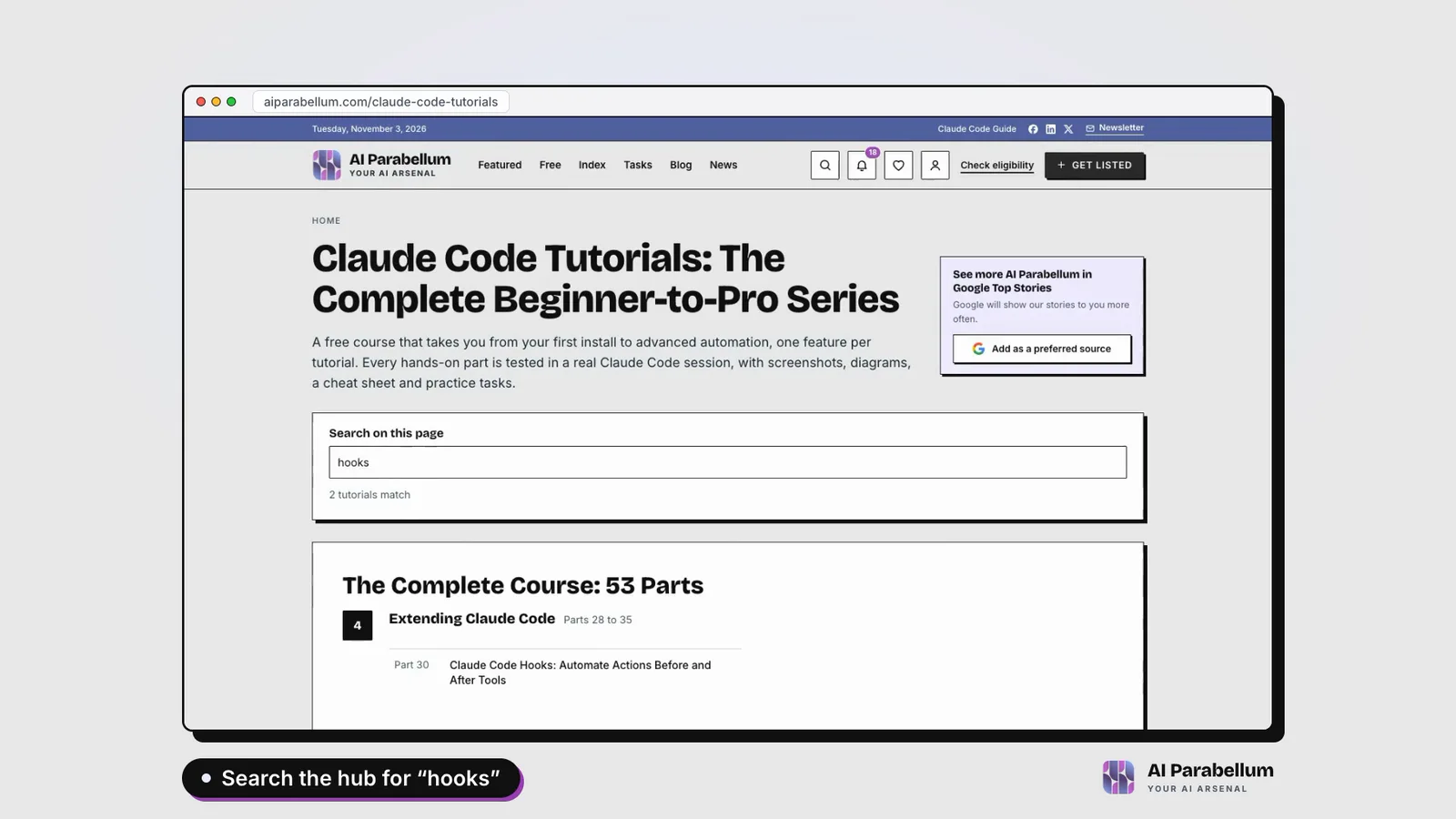
Next, the real page appears inside a browser frame, with a chapter label for each beat. The search beat types “hooks” and the page shows “2 tutorials match.”
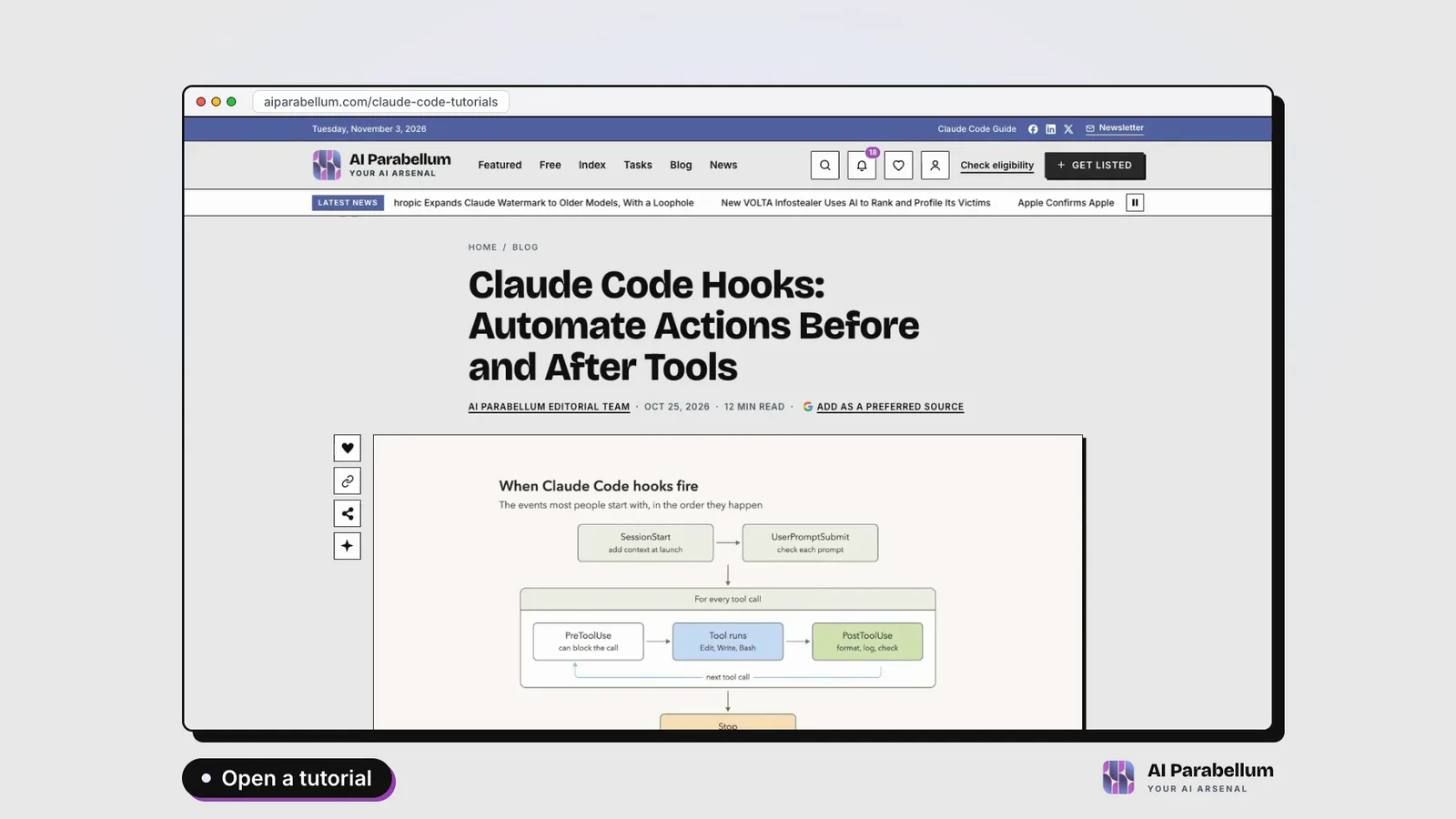
The last beat opens Part 30, our guide to Claude Code hooks. The video ends on a “Start the free course” card with the page address.
Claude picked the lo-fi music style, calling it a good fit for a study site. The skill makes this music on your computer with a small Python script, so there’s no account and no license to worry about.
What Claude Caught and Fixed on Its Own
The most useful part of the skill is its checking. Claude looked at frames from its own recording and fixed several problems before it handed anything over:
| Problem | What Claude did |
|---|---|
| A third-party ad with a person’s face scrolled into view at the end | Shortened the scroll and recorded again |
| The brand tool grabbed a generic “+” icon instead of our logo | Pulled the real icon from the site and rebuilt the logo |
| The quality check flagged an empty first frame | Fixed it before the final render |
| A stats line didn’t stay on screen long enough to read | Held it longer |
| Some text was too small | Made it bigger |
The ad catch matters. The skill’s instructions tell Claude to check every recording for personal information, and that’s exactly what it did.
After the fixes, the HyperFrames check passed, including 14 out of 14 text contrast checks at the WCAG AA level. The final render itself took just 17 seconds.
It also made a 1280 x 720 YouTube thumbnail, which you can upload along with the video.
Claude Code Demo Video Test Results
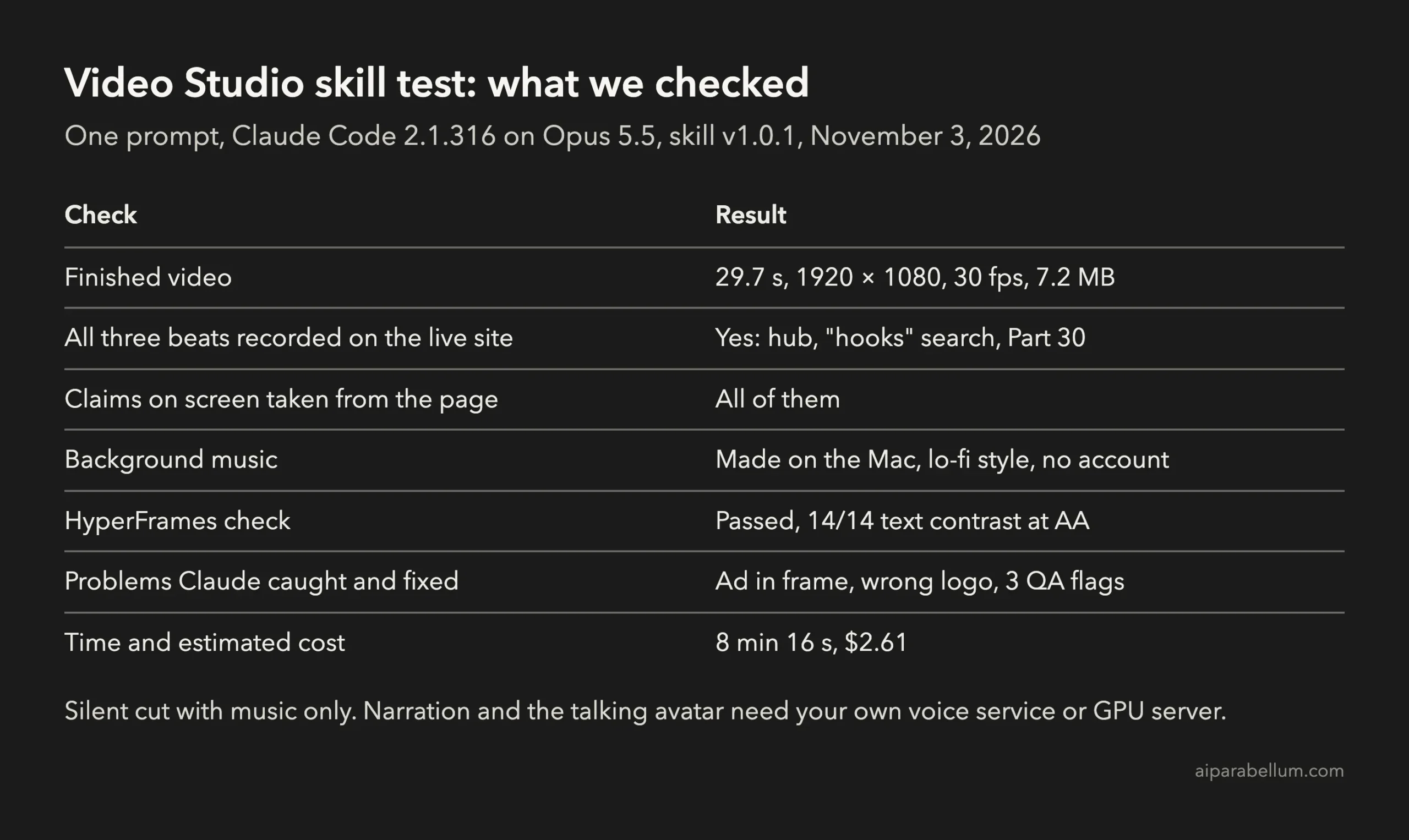
The whole run cost $2.61 in Claude Code’s estimate. Most of the 4.9 million input tokens were cache reads, which cost much less than new input.
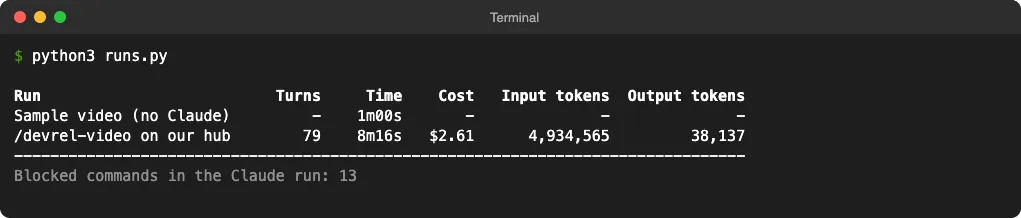
These are estimates, and your plan may bill differently. To watch your own numbers, see our guide on token usage in Claude Code.
What Didn’t Work So Well
The video is good enough to post, but we noticed a few rough edges:
- The browser frame’s address bar always shows the hub’s address, even after the video moves to the tutorial page.
- The tilted screenshot on the thumbnail has faint jagged lines across it.
- Claude left six scratch files in the project because our setup didn’t allow it to delete files.
- Thirteen of Claude’s commands were blocked by our allowed list, mostly long commands chained with
&&. It found a way around most of them, but that cost extra turns.
There are setup points too. The skill’s scripts download the latest HyperFrames and Playwright CLI every time unless you pin them. The video also loads its fonts and animation library from the internet when it renders.
HyperFrames also saves a headless Chrome and fonts in ~/.cache/hyperframes, about 193 MB in our test. It does this even if you point other caches elsewhere, so remember it when you clean up.
How to Make Your Own Claude Code Demo Video
You need Claude Code first. If you’re new, start with our guide to install Claude Code. Then check these tools:
| Tool | Why the skill needs it |
|---|---|
| Node.js 22 or newer | Runs Playwright CLI and HyperFrames |
| FFmpeg and ffprobe | Converts and checks the video |
| Python 3.10 or newer with NumPy | Runs the helper scripts and makes the music |
| Git | Clones the studio |
HyperFrames downloads its own headless Chrome the first time. Playwright CLI used the Chrome already on our Mac, but our first recording failed until we added Playwright’s small FFmpeg build, a 1.4 MB download.
Now follow these steps:
- Clone the studio at the release tag and open Claude Code inside it.
- Install NumPy if you want music, ideally in a virtual environment.
- If recording stops with a missing FFmpeg error, run the install command it prints.
- Ask
/devrel-videofor your video, with the URL, beats, music and call to action. - Watch
renders/out.mp4and look atrenders/contact.pngbefore you share anything.
git clone --branch v1.0.1 --depth 1 https://github.com/aaitor/skill-video-studio.git
cd skill-video-studio
claude
The skill lives in the repo’s own .claude/skills folder, so it only works inside that folder. That’s a plus, because it never touches your other projects. Our guide to Claude Code skills explains how project skills work.
Here’s a shortened version of the prompt we used:
/devrel-video Make a 30-second product walkthrough video of
https://example.com/your-page/. Beats: 1) the top of the page,
2) search for "pricing", 3) open one result. Extract the brand from
the site. No narration or voice. Add the local background music bed.
CTA: example.com. Use only claims you can see on the page. Render
the final video with the QA checks and make the YouTube thumbnail.
Tips Before You Run It
- Allow the skill’s scripts, FFmpeg and Python up front, so Claude doesn’t waste turns on blocked commands. Our guide to Claude Code permissions shows how.
- Pick pages with no login, so no personal data ends up on screen.
- Name your beats clearly. Claude used them for the chapter labels.
- Try a music style by name if you don’t like the default. There are six, including corporate, lofi and uplift.
How to Remove It
Delete the cloned folder, then clear what the tools saved outside it. On a Mac, that was ~/.cache/hyperframes and three small Playwright CLI items in ~/Library/Caches/ms-playwright: b, daemon and cli-update-check.json.
Is Video Studio Worth It?
If you make product demos or launch videos for a website, yes, it’s worth trying. It turned one prompt into a usable video for under $3, and it checked its own work better than we expected.
It’s less useful if you need a voiceover today, since that means running your own voice service. Our earlier test of Vercel Agent Desktop is a better fit if you want Claude to work desktop apps instead of web pages.
Conclusion
The Video Studio skill turned one Claude Code prompt into a 30-second product demo video of a live website, with our brand colors, chapter labels, lo-fi music and a YouTube thumbnail, in about eight minutes and $2.61. Claude caught an ad in the recording, fixed a wrong logo and cleared three quality flags on its own. Expect some setup, a few rough edges and extra steps for narration, but for a silent demo with music, it already does the job.