If you want a Claude Code web search plugin, the official marketplace already lists several: Firecrawl, Tavily, Exa, Bright Data, Zyte, Nimble, Browser Use and You.com. This guide explains what each one adds, which parts we ran on a Mac, and which parts need your own account, because none of them can search or scrape for you until you sign in.
This guide is part of our Claude Code tutorials. Find more add-ons in our Skills Directory.
Tested with Claude Code v2.1.319 on 2026-11-10 (macOS).
We read every manifest, hook and connection file first. Then we loaded six plugin folders into a throwaway sandbox and asked two short questions. We never signed in anywhere and never typed a key, so anything about live search results, crawl limits or prices comes from each plugin’s own files and README, not from our test.
Quick Summary: Web Search and Scraping Plugins at a Glance
Most of these plugins add a connection (an MCP server) to a hosted service, plus skills that teach Claude how to use it. The connection is what fetches real web data, and it nearly always needs your login or an API key.
| Plugin | Maker | What it adds | Account needed? | Install command |
|---|---|---|---|---|
| firecrawl | Firecrawl | 19 skills, 6 commands and a hosted connection | Yes, connect from /mcp | /plugin install firecrawl@claude-plugins-official |
| tavily | Tavily | 8 skills built around the Tavily command-line tool | Yes for map, crawl and research; search and extract work keyless with a rate cap, per its README | /plugin install tavily@claude-plugins-official |
| exa | Exa | 2 skills and a hosted connection | Yes, OAuth sign-in | /plugin install exa@claude-plugins-official |
| brightdata-plugin | Bright Data | 21 skills for scraping, search and structured data | Yes, an API key | /plugin install brightdata-plugin@claude-plugins-official |
| zyte-web-data | Zyte | 5 skills for building Scrapy spiders, plus 1 hook | Not for local spiders; yes for Zyte API and Scrapy Cloud | /plugin install zyte-web-data@claude-plugins-official |
| nimble | Nimble | 15 skills, 1 command and a hosted connection | Yes, OAuth or an API key | /plugin install nimble@claude-plugins-official |
| browser-use | Browser Use | A browser connection started with uvx | Not tested | /plugin install browser-use@claude-plugins-official |
| youdotcom-agent-skills | You.com | 5 skills and 3 hosted connections | Yes for most; a keyless basic search profile exists | /plugin install youdotcom-agent-skills@claude-plugins-official |
| ego-lite | citrolabs (community) | 3 skills and a desktop browser app | Not tested | /plugin marketplace add citrolabs/ego-lite then /plugin install ego@ego-agent-skills |
| terminal-browser | zenbu-labs (community) | A browser inside your terminal and a Claude Code plugin | None mentioned in its README | /plugin marketplace add zenbu-labs/terminal-browser then /plugin install terminal-browser@terminal-browser |
| unbrowse | unbrowse-ai (community) | Skills plus hooks that redirect web tools to a hosted service | Yes, OAuth sign-in | /plugin marketplace add unbrowse-ai/unbrowse then /plugin install unbrowse@unbrowse |
What Is a Claude Code Web Search Plugin?
Claude Code already has built-in web fetch and search tools. A web data plugin adds something on top: cleaner page text, whole-site crawling, search with citations, or a way past sites that block simple requests.
A plugin is a folder that can hold skills, commands, agents, hooks and connections to outside servers. A skill is a set of instructions Claude loads when your question matches it.
The connection, called an MCP server, is what actually talks to the service. Our MCP guide explains that layer, and our plugin install guide covers scopes and updates.
Anthropic’s docs on discovering plugins and building plugins describe how the pieces fit together.
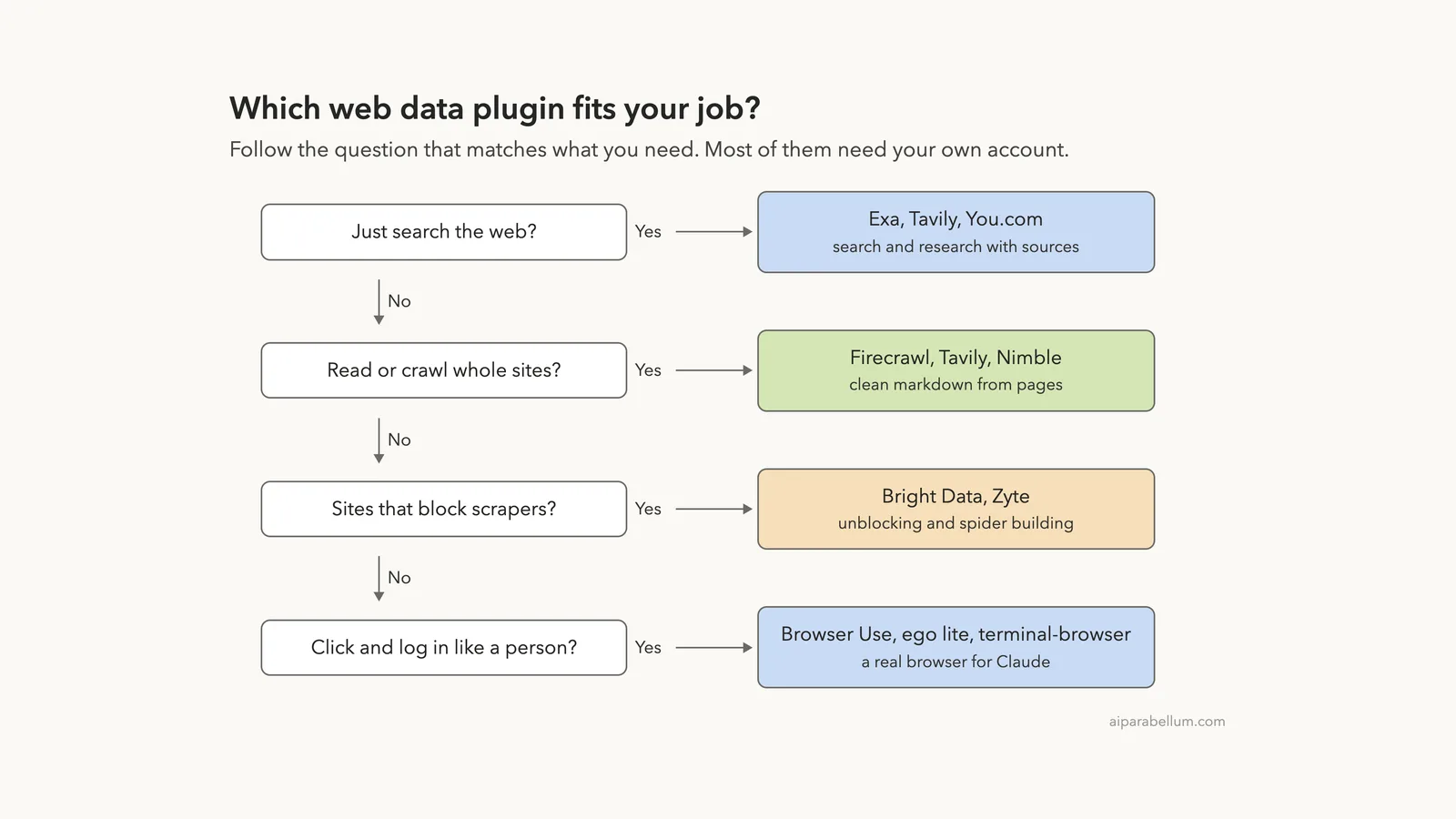
Which Web Data Plugin Fits Which Job?
Start from the job, not the brand. If you only need answers with sources, pick one search plugin. If you need the text of many pages, pick a crawler.
If a site blocks you, look at the unblocking services. If you need to click and sign in like a person, you need a real browser.
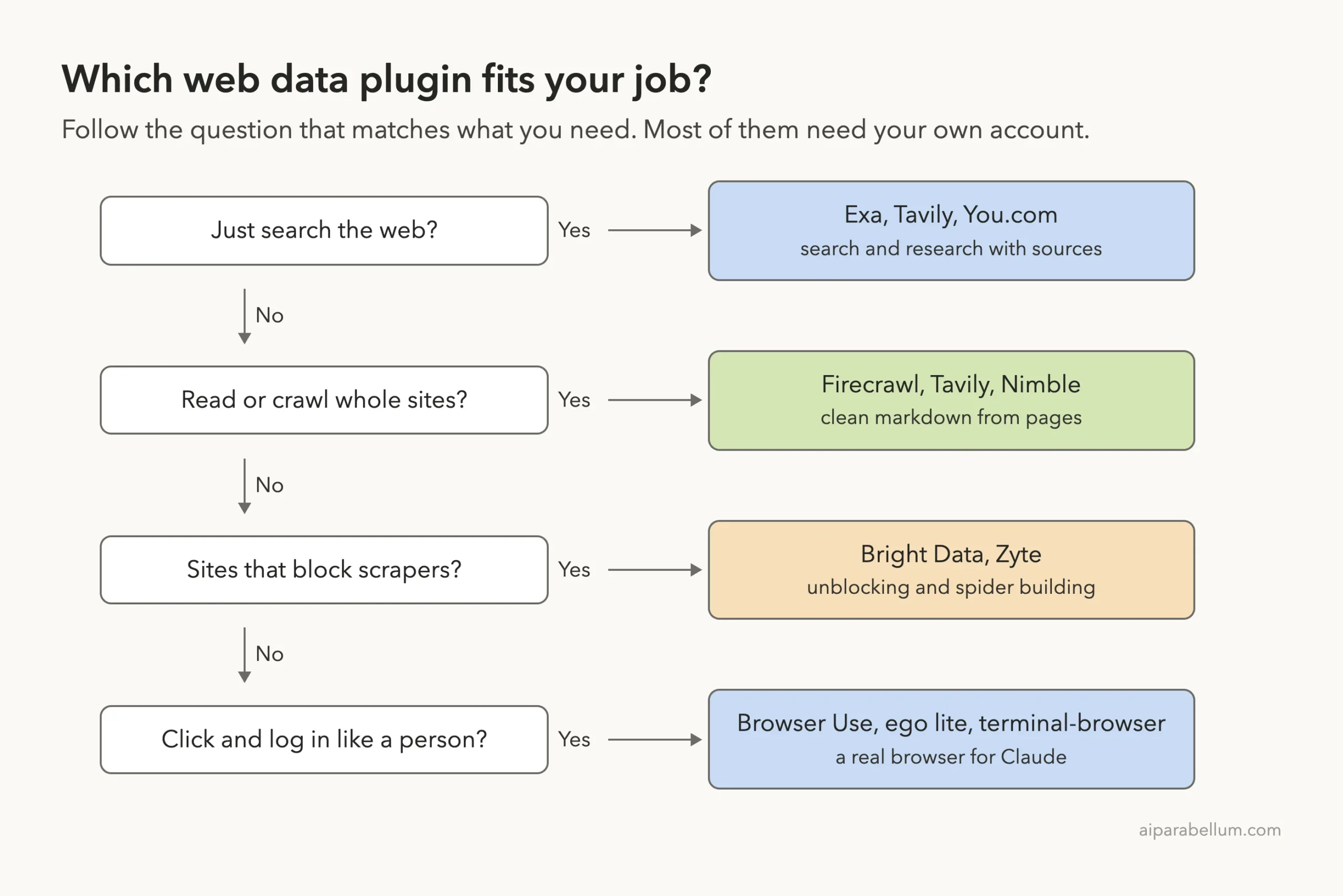
How We Tested Without Touching Our Setup
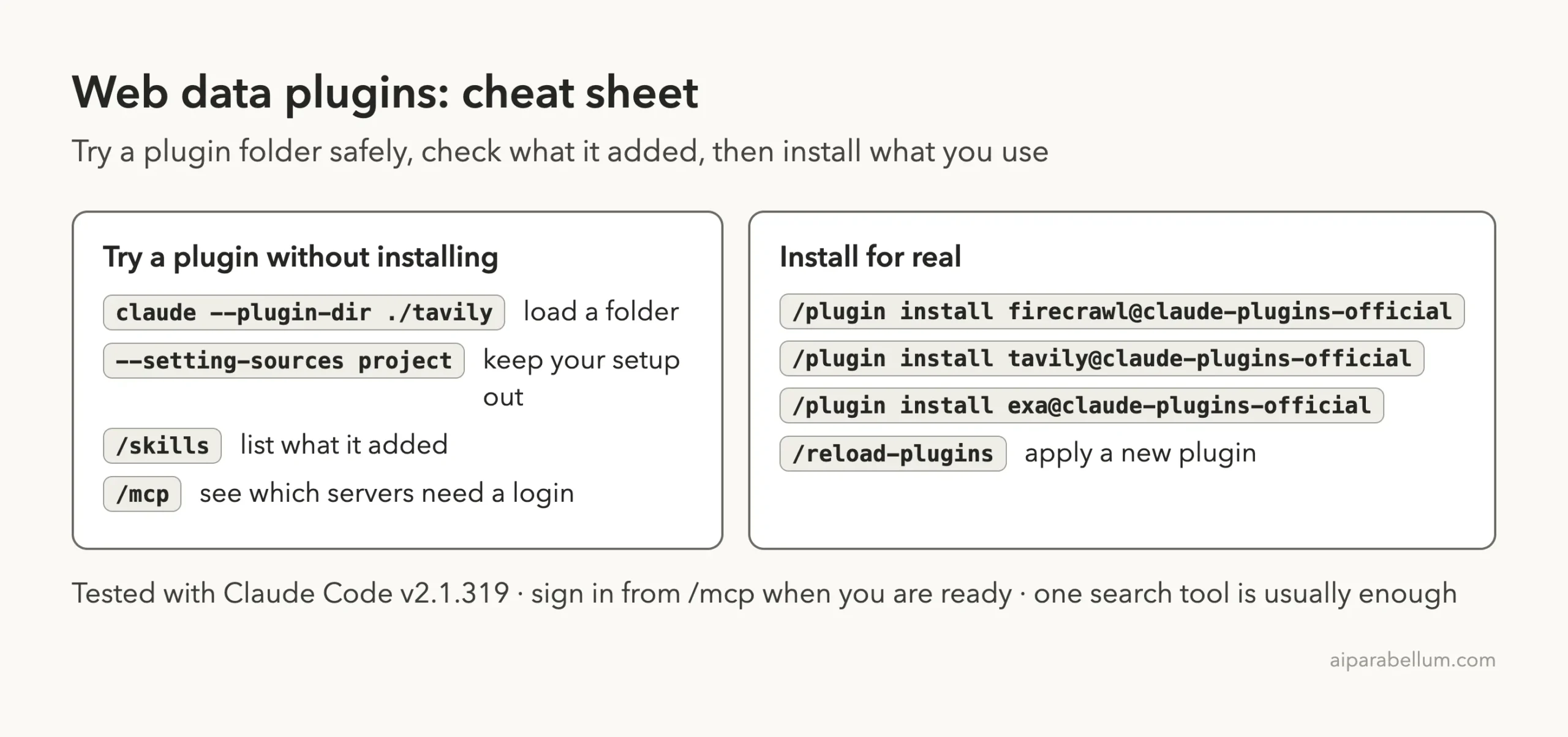
We cloned each plugin’s repository at the commit the official marketplace points to. Then we started Claude Code in an empty demo project with one --plugin-dir flag per plugin and --setting-sources project, so nothing from our own Claude setup mixed in. We never ran /plugin install.
One exception: Firecrawl’s repository has moved on since the marketplace commit, so we loaded its newest commit instead. The table lists exactly what we ran.
| Plugin | Version | Commit | Commit date |
|---|---|---|---|
| firecrawl | 2.4.0 | 9711154 (newest, not the marketplace pin) | 2026-11-06 |
| tavily | 1.0.0 | 778122e | 2026-09-04 |
| exa | 3.4.1 | 15ffb50 | 2026-08-20 |
| brightdata-plugin | 1.9.0 | 37503c1 | 2026-10-15 |
| nimble | 1.7.0 | fdb077c | 2026-10-08 |
| youdotcom-agent-skills (named you) | 0.6.0 | a692b6f | 2026-09-18 |
A web plugin installs in seconds, but it does nothing useful until you connect it to your own account.
What We Read Before Running Anything
Hooks run commands on your computer on their own, so we looked for them first. Only some of these projects have any.
- Zyte: one Stop hook that runs a small
uvscript when a session ends. The script shows a feedback link at most once every 14 days and keeps its state in a.scraping-agent-skillsfolder in your home directory. Because that writes outside the sandbox, we did not load Zyte. - Unbrowse: a session-start hook and a hook that blocks Claude’s built-in web fetch and web search, telling Claude to use Unbrowse instead. You can opt out with
UNBROWSE_ALLOW_BUILTIN_BROWSER=1. It needs an OAuth sign-in, so we did not load it. - Browser Use: its connection file starts
uvx browser-use@latest --cli-mcp, which downloads and runs the latest release every time. We left it unloaded. - terminal-browser: its README asks you to install a program with a
curlcommand and to add a setting to your own~/.claude/settings.json. We never edit that file, so we left it unloaded. - ego lite: a desktop app you download, and its README says it can import your Chrome logins. We did not install it.
- Firecrawl, Tavily, Exa, Bright Data, Nimble and You.com: skills, commands and connection files with no hooks in the folders we loaded.
What We Ran and What Comes From the Docs
| Item | Status |
|---|---|
| Loading six plugins and listing their skills | We ran it |
| Seeing which connections need a login | We ran it |
Tavily tavily-best-practices skill | We ran it, without a Tavily account |
| An Exa search request | We ran it; it stopped at the sign-in step |
| Live search, crawl and scrape results | Not tested, because we never signed in |
| Zyte, Browser Use, ego lite, terminal-browser, unbrowse | Read only, not loaded |
| Prices, limits and speed claims | From each README, not tested |
Loading Six Plugins in One Session
The /mcp screen showed six plugin servers, and every one said “needs authentication”: exa, firecrawl, nimble, you, you-finance and you-research. That matches what the files promised. These plugins give Claude the instructions right away, but the data only flows after you sign in.
Tavily and Bright Data showed no server at all. Their folders have no connection file we could find, because they work through a command-line tool and an API key instead.
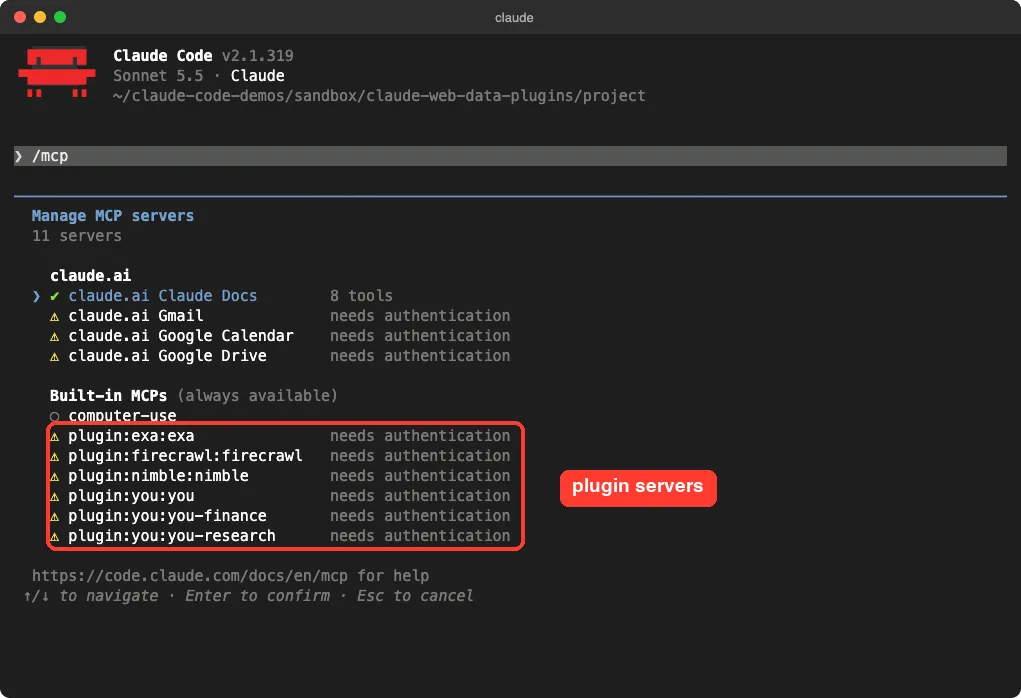
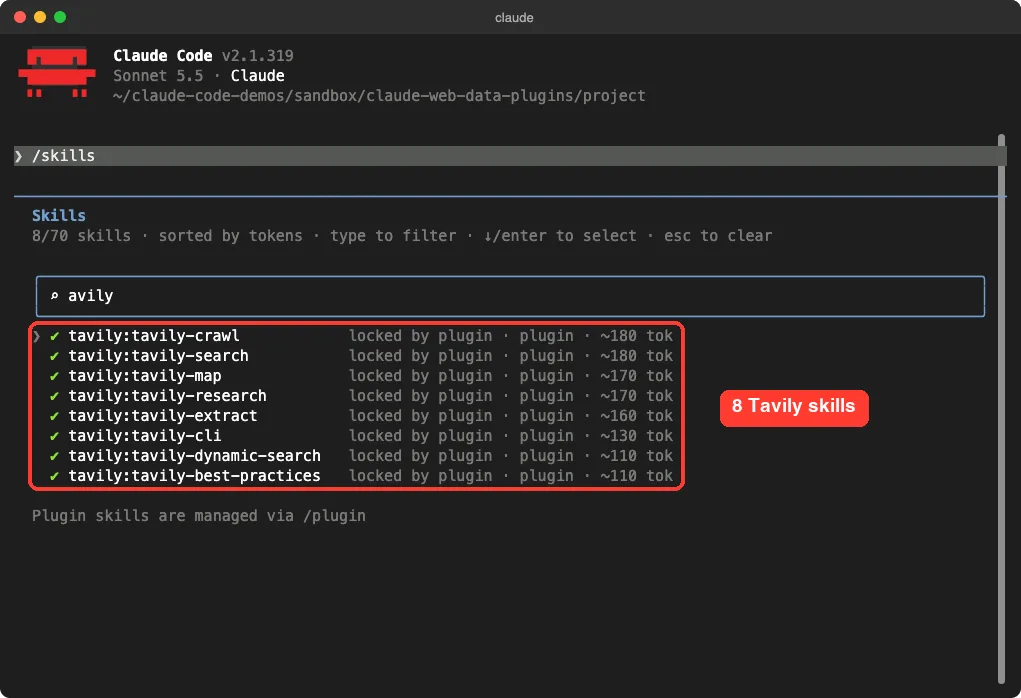
Claude Code Tavily Plugin: Eight Skills for Search and Research
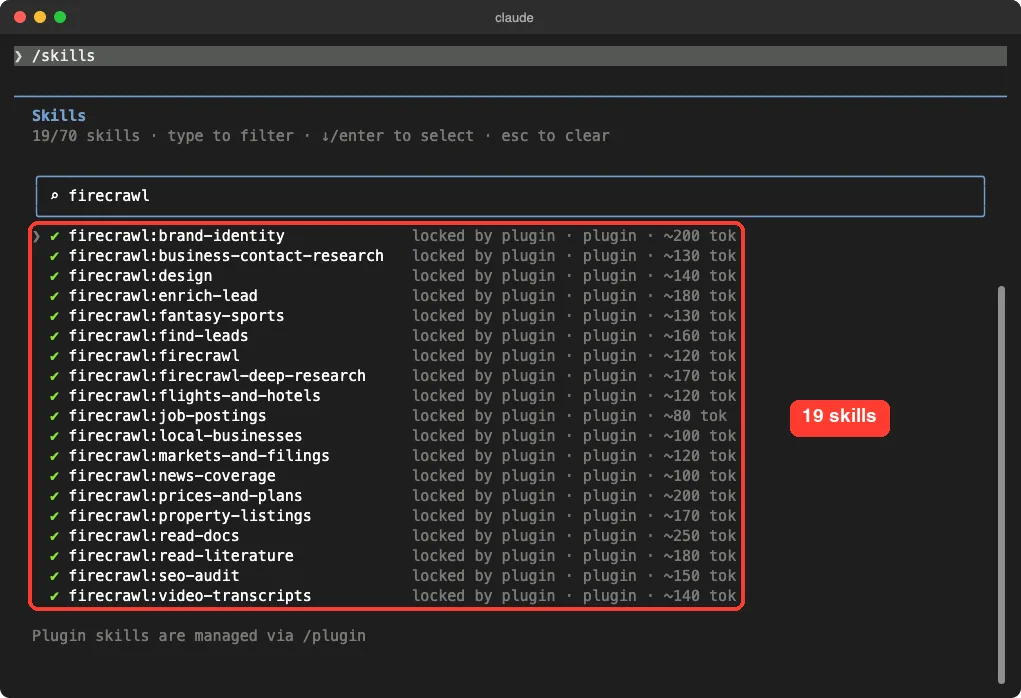
The /skills screen showed 70 skills across the six plugins: Bright Data 21, Firecrawl 19, Nimble 15, Tavily 8, You.com 5 and Exa 2. Each shows a rough size, such as 110 or 180 tokens, which is what its name and description cost in Claude’s context.
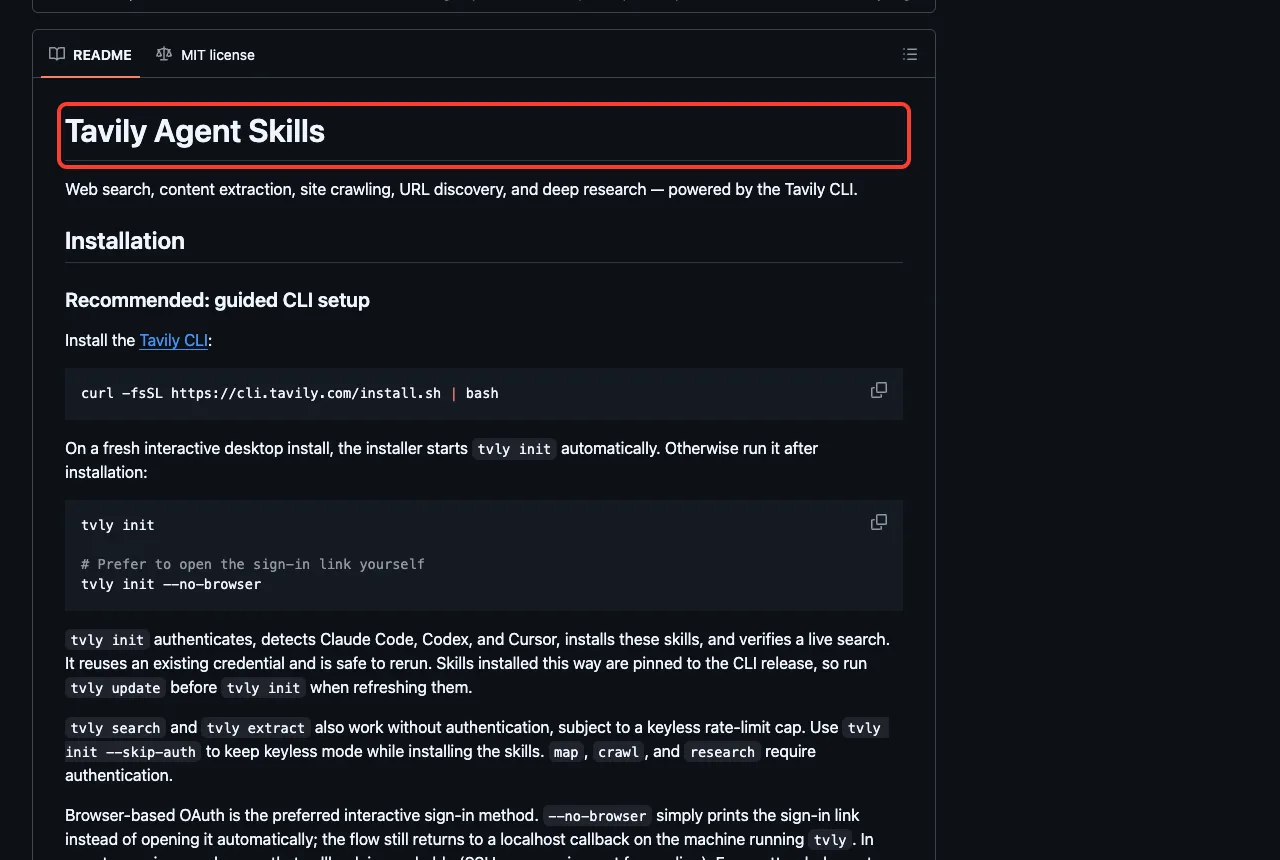
Tavily’s eight skills are tavily-search, tavily-extract, tavily-crawl, tavily-map, tavily-research, tavily-cli, tavily-dynamic-search and tavily-best-practices.
We asked Claude to use tavily-best-practices and tell us when to use search, extract, crawl and research, with no other tools. It loaded the skill and answered in four bullets. Search is for questions when you have no URLs, and extract is for up to 20 known URLs.
Crawl is for many pages on one site, with map first if you only need the URLs. Research is for multi-source answers with citations and runs asynchronously.
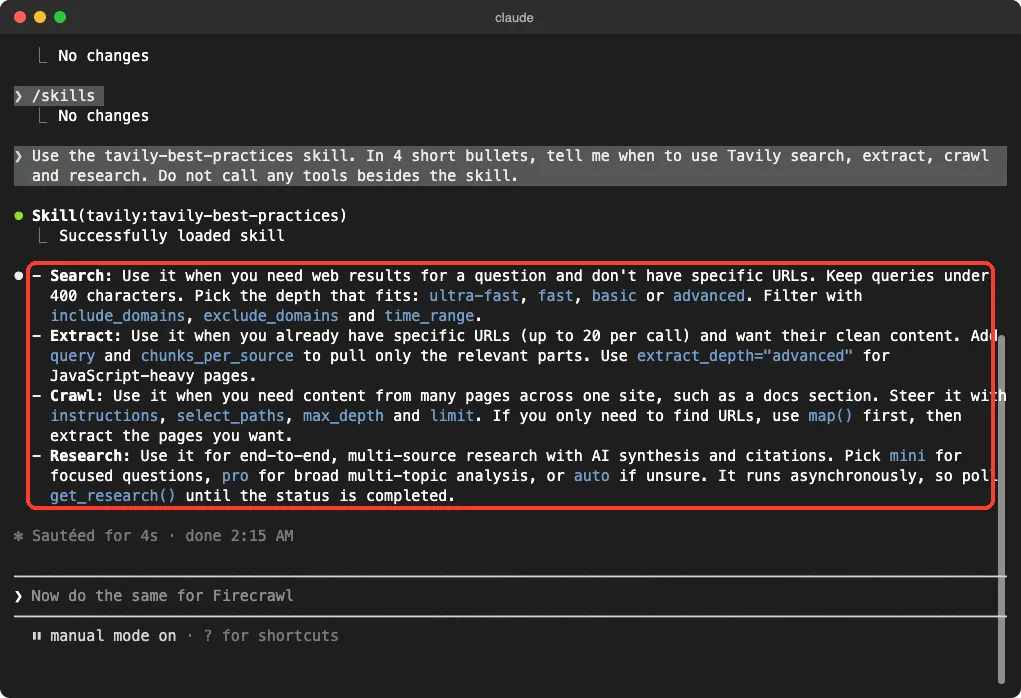
That answer comes from the skill’s own text, so it shows what the plugin teaches Claude, not what Tavily returns from the web. The README adds that tvly search and tvly extract work without authentication within a rate cap, while map, crawl and research require it.
Claude Code Firecrawl Plugin: Nineteen Skills on One Connection
Firecrawl has the most task-shaped skills of the group. Beyond the general firecrawl and firecrawl-deep-research skills, it ships ones such as find-leads, enrich-lead, seo-audit, read-docs, read-literature, video-transcripts, job-postings, property-listings and prices-and-plans.
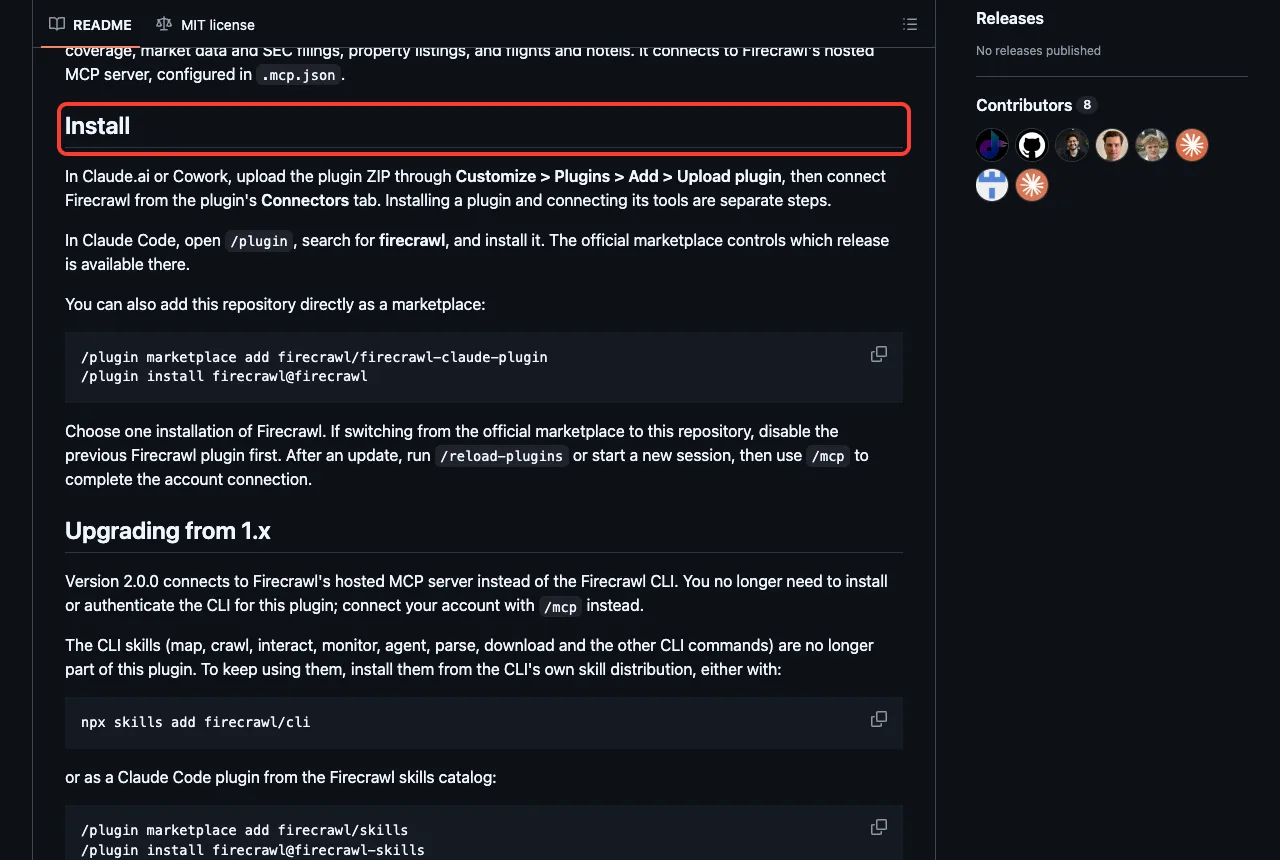
Its README describes a change worth knowing. Version 2.0.0 moved to Firecrawl’s hosted connection, so you connect your account with /mcp instead of installing the command-line tool. The older command-line skills now live in a separate Firecrawl skills catalog.
Claude Code Exa Plugin: What Happens When You Ask for a Search
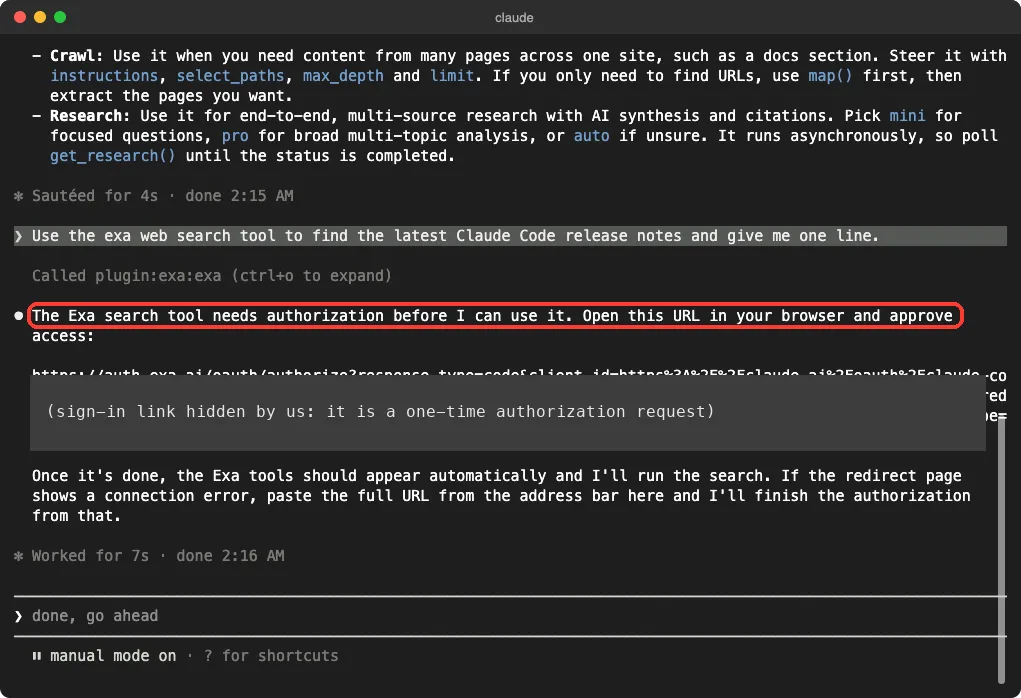
Exa is the smallest plugin here, with two skills and one connection. We asked Claude to use the Exa tool to find the latest Claude Code release notes in one line.
Claude called the plugin and answered that the Exa tool needs authorization first. It printed a sign-in link and said it would run the search once we approved. We stopped there, so we cannot tell you how good the results are.
Bright Data, Nimble, You.com and Zyte: What the Files Say
We loaded the first three and read all four, but did not call their tools. Here is what each folder holds.
- Bright Data: 21 skills, including
scrape,search,data-feeds,proxy,competitive-intelandrag-pipeline. Its README says you need a Bright Data API key, from the dashboard or frombdata login. One oddity: its README badge says 11 skills, while the folder we loaded held 21. - Nimble: 15 skills such as
competitor-intel,company-deep-dive,meeting-prepandseo-intel, plus a/searchcommand. Its connection uses OAuth, and the README also describes an API key. - You.com: 5 skills (
you-web,you-research,you-finance,you-discover,you-free) and three connections. The README lists a keyless basic search profile, and theyou-freeskill is for that. - Zyte: 5 skills for scraping with Zyte API and generating Scrapy spiders. Its README says an account is not required for a spider that runs locally with
uv, only for Zyte API or Scrapy Cloud.
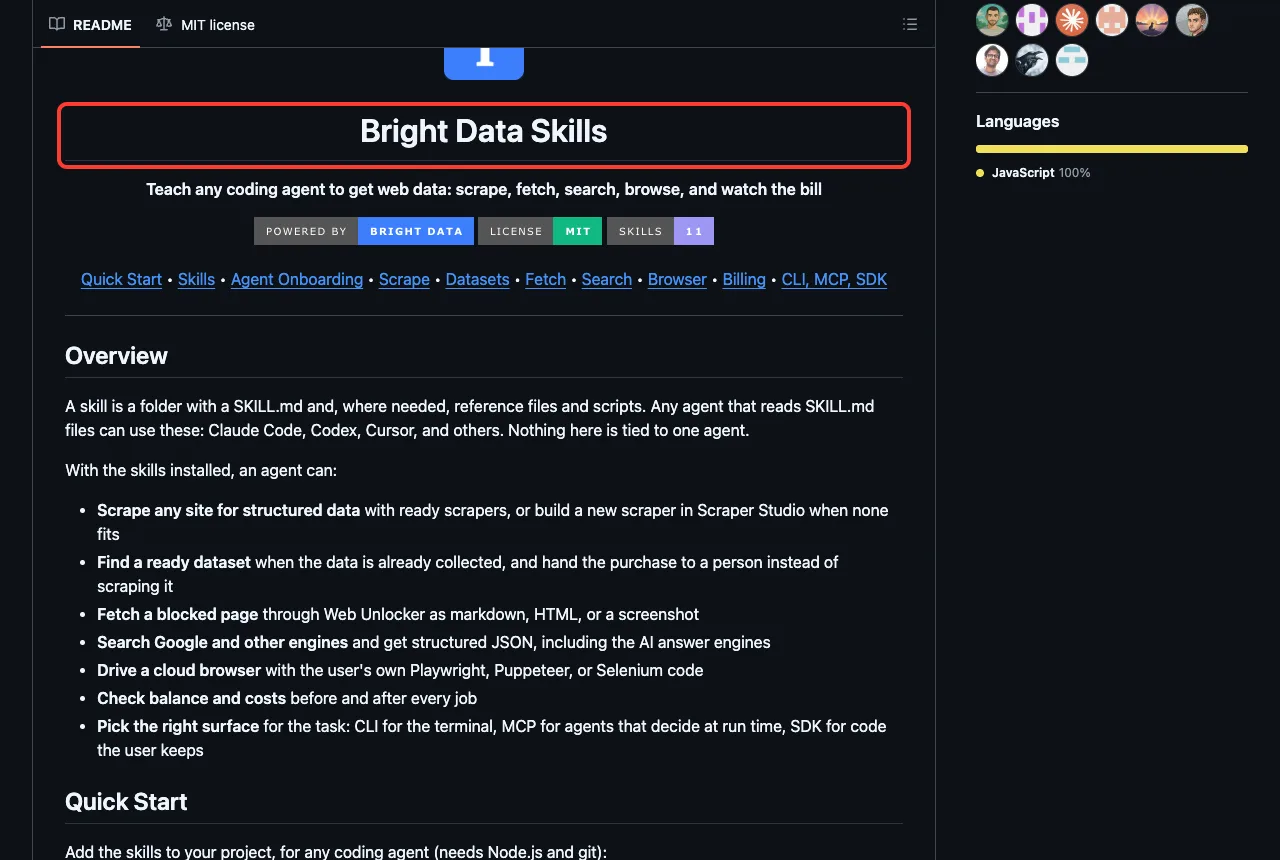
Real Browsers for Claude: Browser Use, ego lite and terminal-browser
Search and scraping tools read pages. A browser plugin lets Claude click, type and sign in. We did not run any of these three, so this section follows their READMEs.
Browser Use gives Claude your Chrome or a Browser Use Cloud browser through an MCP server that uvx installs and updates itself. Its marketplace entry also lists a qa skill that runs a quality check on a site.
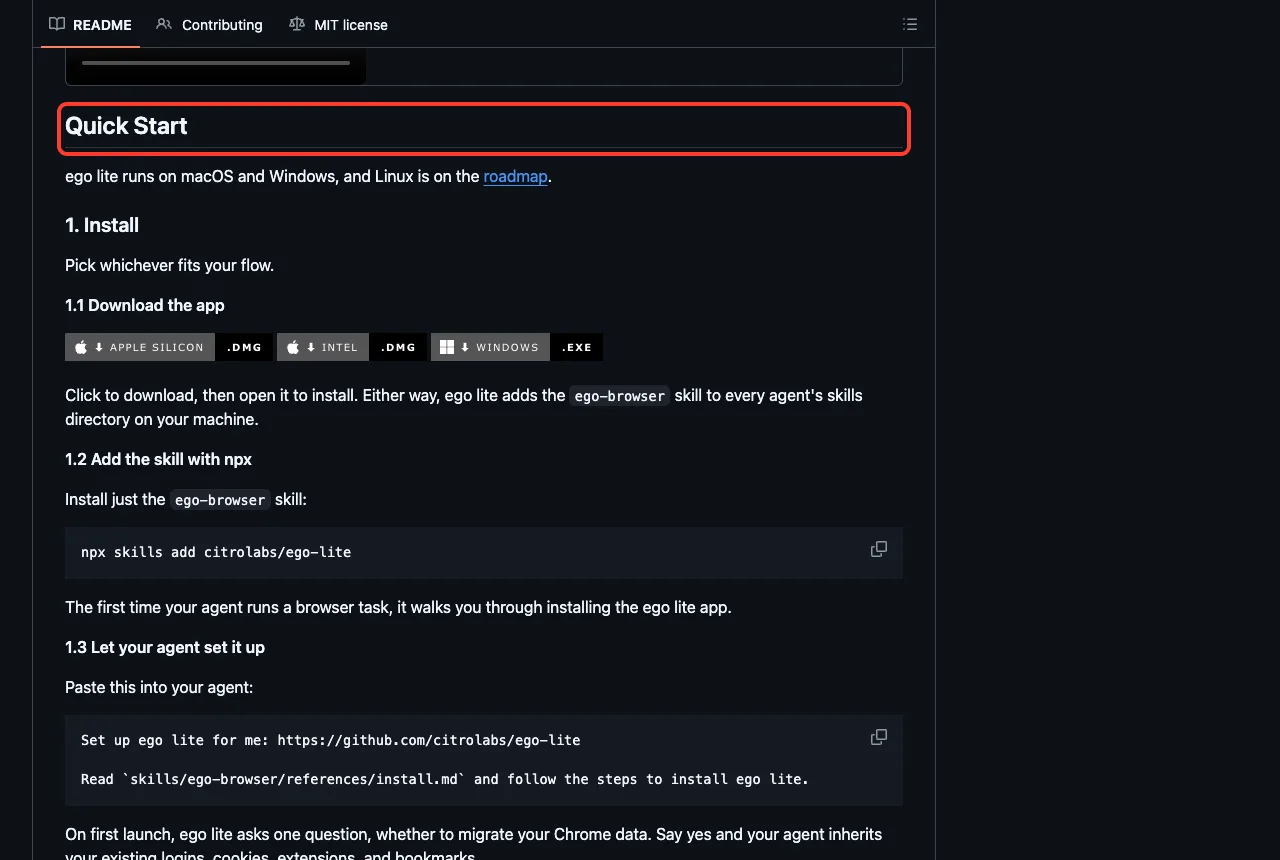
ego lite is a browser app for macOS and Windows. Its README says agents work in their own isolated Spaces, so you keep browsing while they run, and that on first launch you can choose to import your Chrome data so the agent inherits your logins. Think hard before saying yes to that.
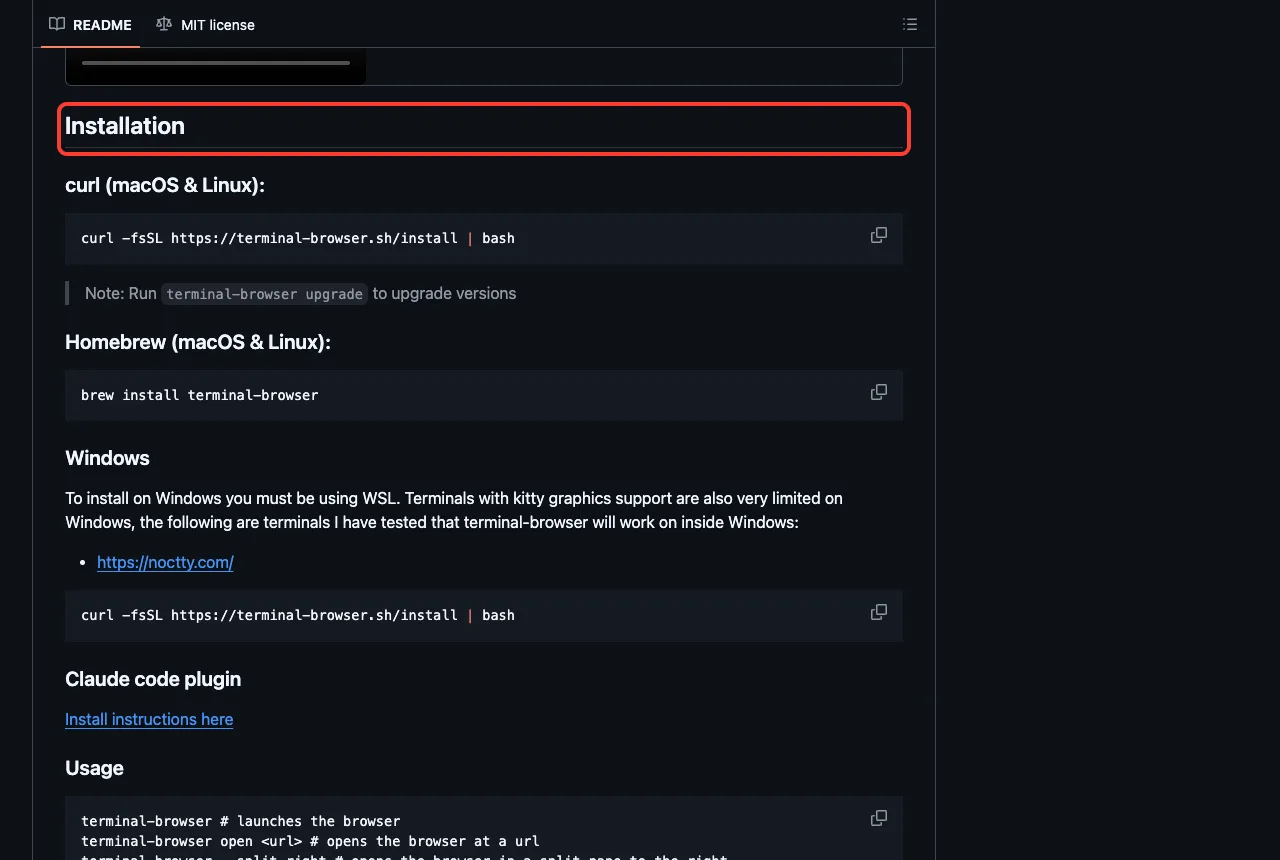
terminal-browser renders a real browser inside your terminal, and its Claude Code plugin is marked experimental in its own README. It can open a page next to your agent in a split pane, which is handy for previews.
Unbrowse takes a different approach. It turns sites into learned APIs and, through its hooks, replaces Claude’s built-in web tools. That is a big change to how your session behaves, so read its README before you try it.
Try It Yourself
You can repeat our approach with any plugin and no account. Clone the plugin, load it with --plugin-dir, and ask one skill what it would do. Paste this prompt after loading Tavily:
Use the tavily-best-practices skill. Do not call any tools.
In 4 short bullets: when should I use search, extract,
crawl and research?
Then open /mcp to see which connections still wait for a sign-in. Our marketplace guide shows how to add the community ones.
Common Mistakes
- Installing three search plugins that do the same job. Pick one first.
- Expecting results before you sign in from
/mcp. - Importing your real Chrome logins into a browser plugin without reading what the agent can then reach.
- Pasting an API key into a chat message instead of the place the README names.
- Running a plugin’s installer or
curl | bashline before you read it.
Pro Tips
- Use
/skillsto see how many tokens each plugin adds to your context before you keep it. - Read the hooks folder first. Only a few of these plugins have one, and they matter.
- Test a new plugin in a throwaway folder with
--setting-sources project. - Check the price page of the service before a big crawl, because crawls can use many credits.
Cheat Sheet
Frequently Asked Questions
Which Claude Code web search plugin should I install first?
Start with one search plugin from Exa, Tavily or You.com. Add Firecrawl only if you need whole pages or sites as clean text.
Do these plugins cost money?
The plugins are free to install, but each connects to a service with its own plan. Check each service’s pricing, because we did not test any paid features.
Is Claude Code’s built-in web search not enough?
For quick questions it may be. These plugins add things like citations, crawling and unblocking, and we only tested that they load, not that they beat the built-in tools.
Can I use one without any account?
Some READMEs mention keyless modes: Tavily search and extract with a rate cap, a basic You.com profile, and local Zyte spiders. We did not test them.
Is it safe to let an agent use my logged-in browser?
It carries real risk, because the agent can reach whatever you are signed in to. Prefer a separate profile or a plugin that does not import your logins.
Conclusion
Claude Code web plugins mostly add a connection plus skills, and the connection is where your account comes in. In our test, six plugins loaded 70 skills, all six servers asked for a sign-in, and an Exa search stopped at that step. Pick one plugin for your job, try it in a throwaway folder, and read any hooks before you trust it. See our Claude guide for the wider picture.