The Claude Code project artifact plugin turns a pile of project notes into one tidy status page. You point it at your docs, it builds a tabbed page, and it publishes the page as a private link you can share. We loaded it in a throwaway sandbox, fed it a small made-up project, and watched what it did.
This guide is part of our Claude Code tutorials. Find more add-ons in our Skills Directory.
Tested with Claude Code v2.1.322 on November 11, 2026, using the plugin at commit 43fd1f9 from Anthropic’s public plugin repository.
Quick Summary
| Question | Answer |
|---|---|
| What is it? | An official Anthropic plugin with one skill, /project-artifact |
| What does it make? | A single self-contained page.html with tabs, published as a private claude.ai page |
| What do you need? | Claude Code with the built-in Artifact tool, which needs a claude.ai login |
| Does it cost extra? | The plugin is free and open; it runs inside your normal Claude Code session |
| Did it work for us? | Yes, the first build and publish worked. We did not test the refresh step |
What the Claude Code Project Artifact Plugin Does
Big projects need a place where everyone can see the state of things. A migration, a launch, or a research effort has several workstreams, each with an owner and a status. Writing that up by hand gets old fast.
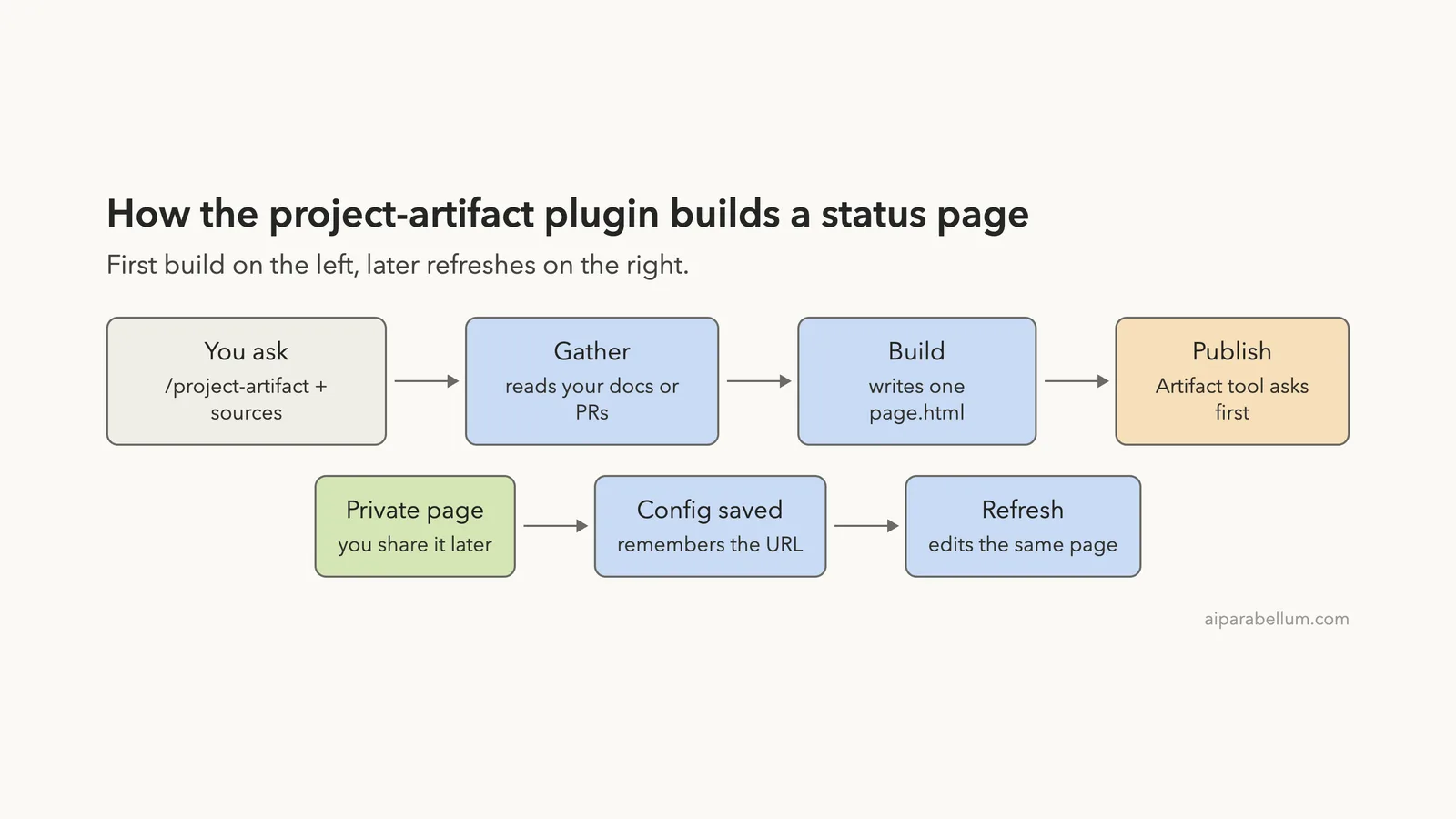
The plugin does the writing for you. It reads the sources you give it, such as a README, a design doc, or pull requests, and builds a status page.
The page has an Overview tab with success criteria and a Workstreams tab with one row per task. A “Next steps” strip sits above the tabs so it is always visible.
The finished page is published with Claude Code’s built-in Artifact tool. It stays private to you until you share it from the claude.ai viewer. You can read the official notes on the plugins page and the discover plugins page.
A status page is only useful if someone keeps it current, so the plugin is built around refreshing, not just creating.
How the Plugin Works
We read the whole plugin before running it. It has a short README.md, a plugin.json, one skill file, an HTML template, and a software-specific guide called swe.md. There are no hooks and no scripts, so nothing runs on its own.
The skill file tells Claude to follow a fixed workflow. It finds or creates a small config for the project, gathers live state, picks only the tabs that have real content, fills the template, checks for clipped text, and publishes.
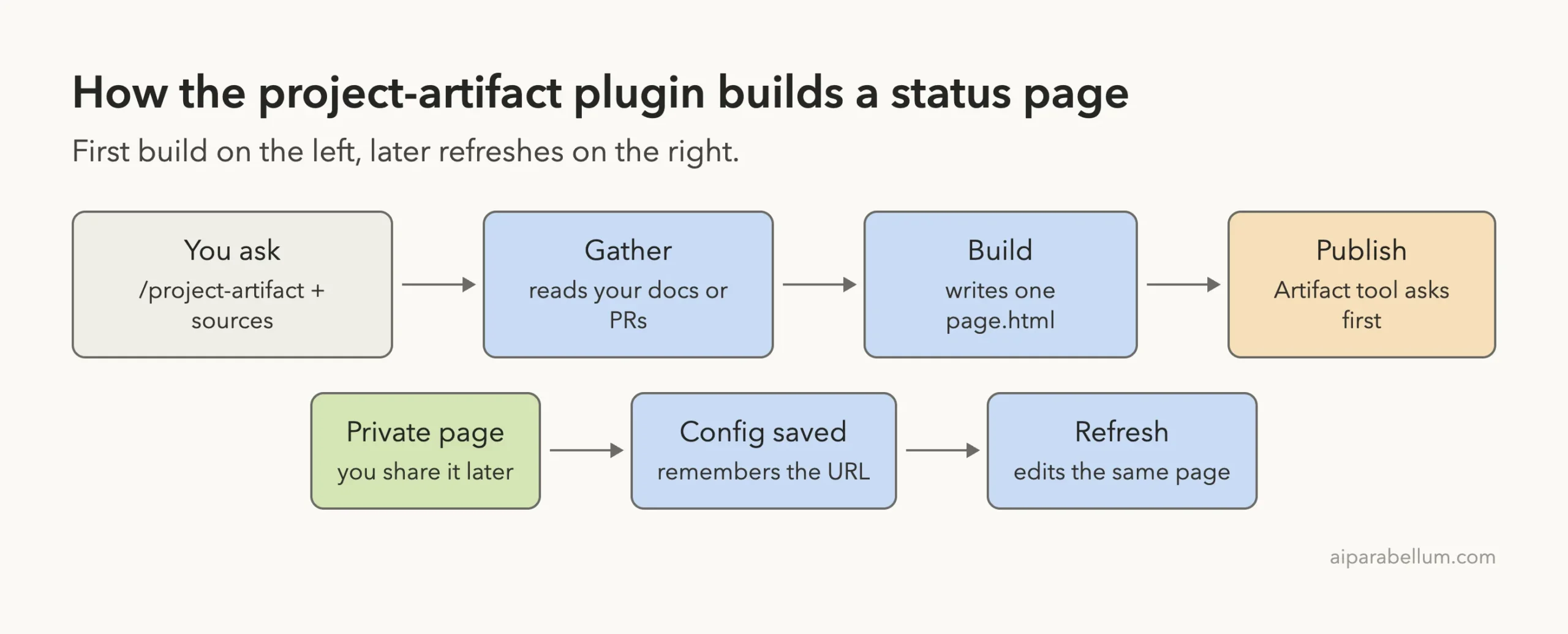
Two design choices stand out. First, the page is one file with all styles inlined, because the Artifact page blocks most outside resources.
Second, the page carries a hidden state block. That block lets a later refresh compare old and new statuses and report only what changed.
Set Up the Demo Project
We never run plugins in a real project, so we made a tiny one in a sandbox folder. It is a made-up website move for a bakery, with a README and a workstreams table.
# Bakery Site Move
We are moving the Sunrise Bakery website to a new static host.
Goal: live by December 15 with no lost pages and the same order form.

| ID | Workstream                         | Owner | Status      |
| 1  | Copy all pages and photos          | Maya  | done        |
| 2  | Rebuild the order form             | Dev   | in progress |
| 3  | Set up redirects for old links     | Maya  | next        |
| 4  | Switch the domain name             | Sam   | blocked     |
We kept the plugin outside our real setup. Instead of installing it, we loaded the folder for one session with the --plugin-dir flag and told Claude Code to read only the project’s settings.
claude --permission-mode default --setting-sources project \
  --plugin-dir ./repos/claude-plugins-public/plugins/project-artifact
Load the Plugin and Find the Skill
Once Claude Code opened, we typed /project- and the skill showed up in the menu. That confirmed the folder loaded as a plugin.
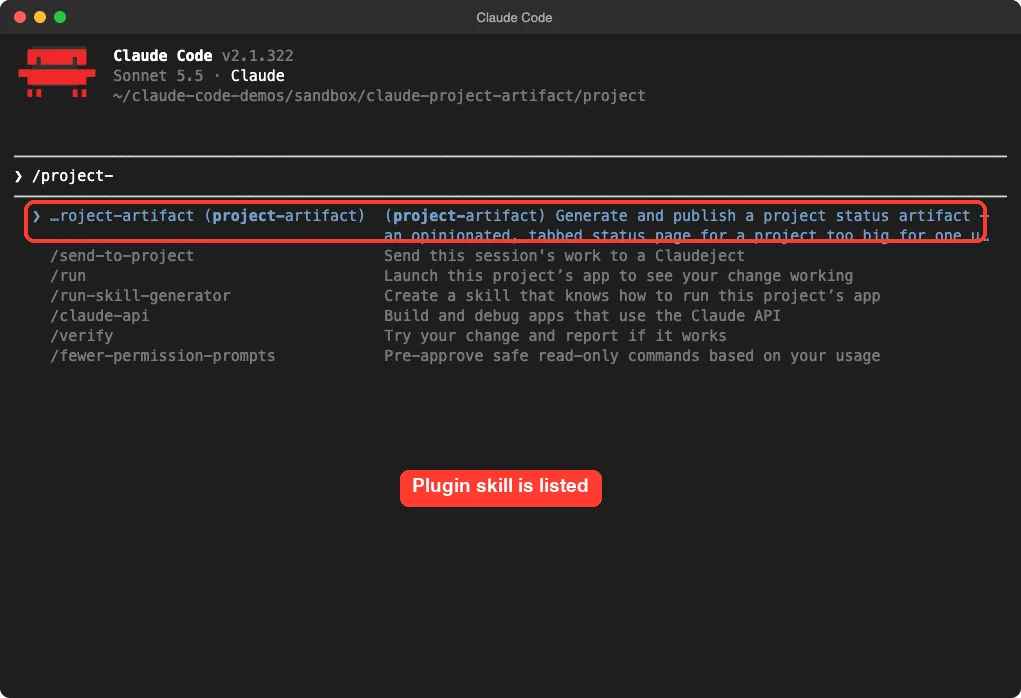
project-artifact skill appears in the slash menuNotice that the skill is namespaced as project-artifact:project-artifact when you run it. That is normal for plugin skills loaded this way.
Run /project-artifact on the Demo Project
Next we ran the skill with a plain-English request. We asked for a status page built from the two files, limited to the Overview and Workstreams tabs.
/project-artifact Build a status page for this project from README.md and docs/workstreams.md. Keep it to the Overview and Workstreams tabs.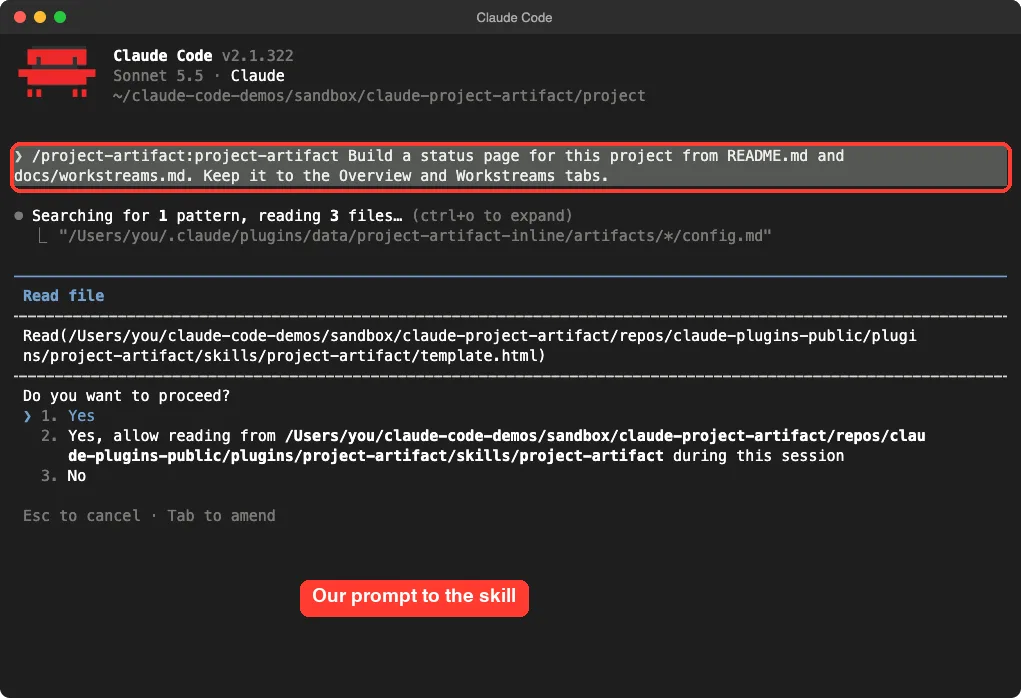
Claude first searched for an existing config. It found none, so it treated this as a first build. It then asked permission to read the template file inside the plugin folder, which is normal because that folder sits outside our project.
Where the plugin keeps its files
The skill stores each project’s config and latest page in the plugin’s data folder under your .claude directory. We saw Claude check that folder with a shell command.
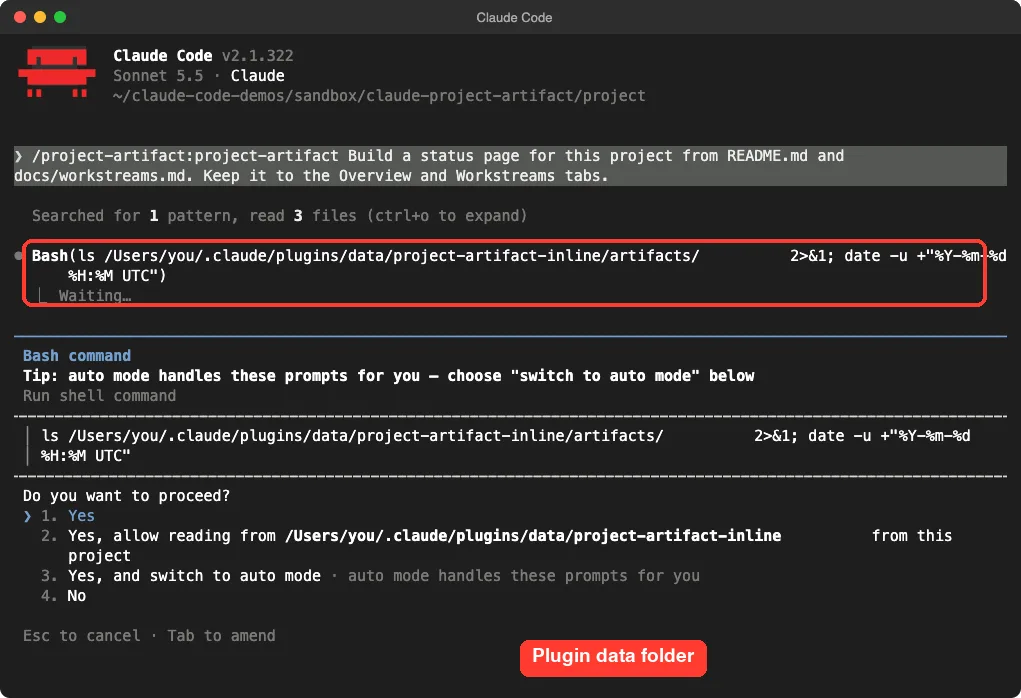
This matters for cleanup. Even with --plugin-dir, the plugin wrote into ~/.claude/plugins/data/. If you want zero footprint, plan to delete that folder after your test.
The Publish Step Asks First
After writing page.html, Claude loaded the built-in artifact-design skill and then called the Artifact tool. Claude Code stopped and asked before uploading anything.
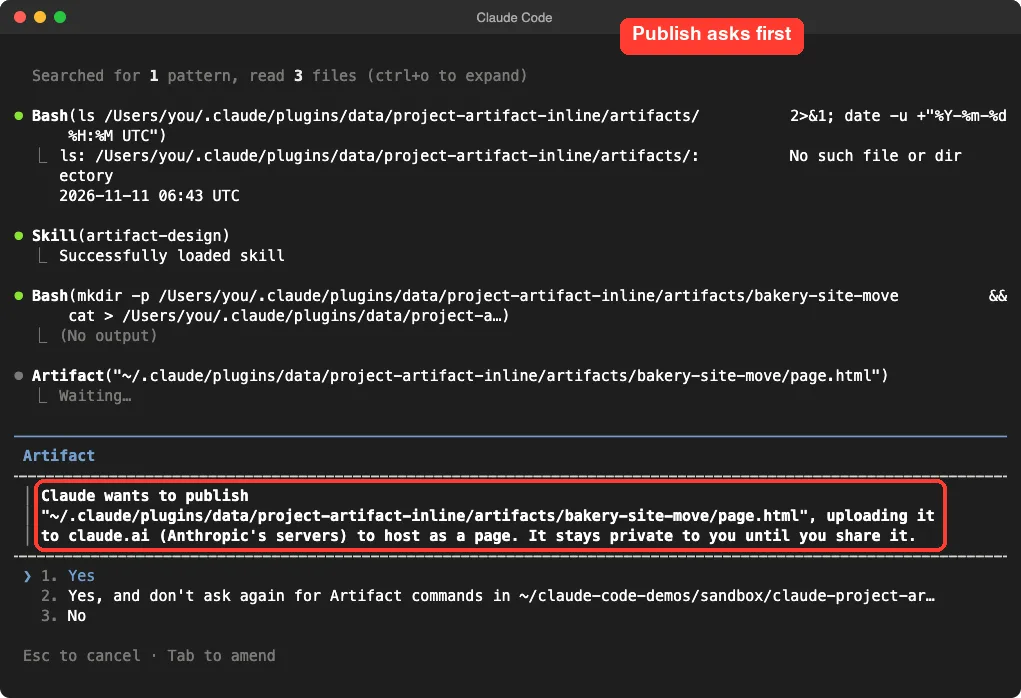
We approved this prompt, so the demo page was published as a private artifact. Read that prompt carefully in your own session, because approving it sends the file to Anthropic’s servers.
What the Finished Page Looks Like
We opened the generated page.html in a headless browser to check it. The result was a clean, readable page in the plugin’s house style.
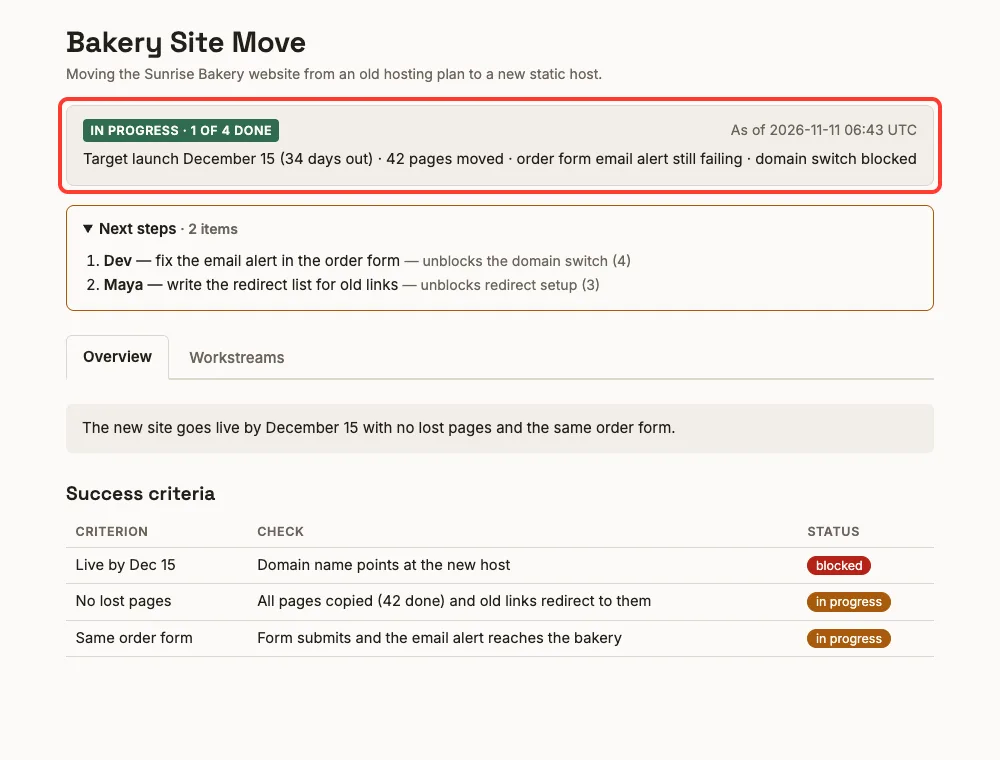
The banner reads “In progress, 1 of 4 done” with an as-of time in UTC. It also worked out that the December 15 launch was 34 days away, which we checked and found correct.
The Next steps strip
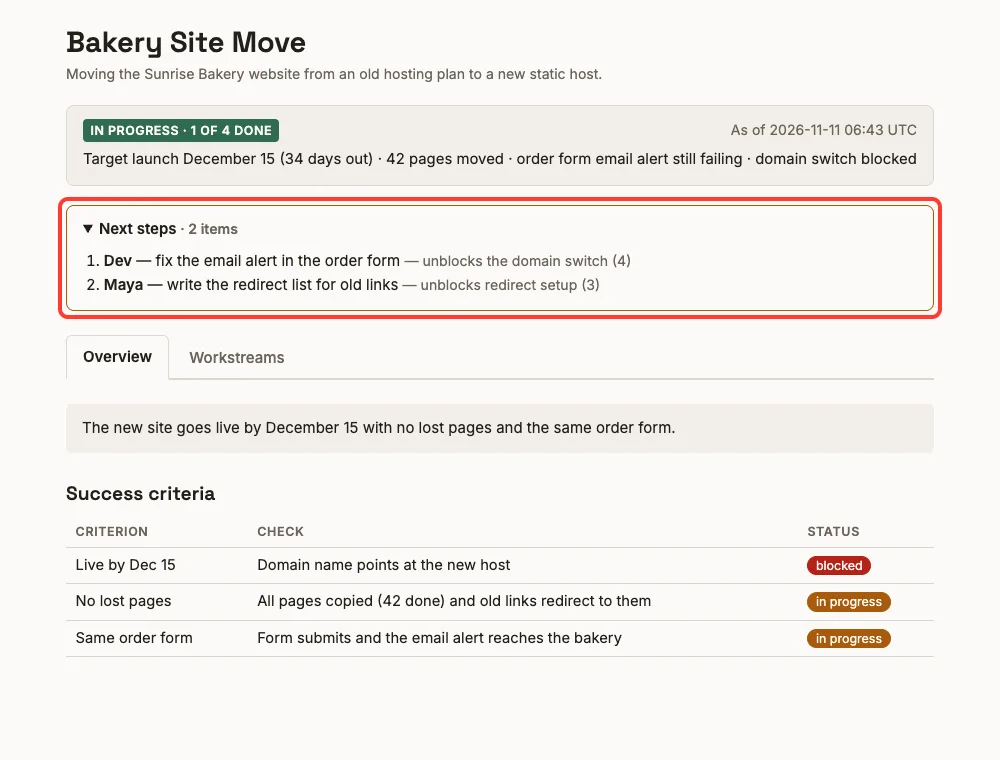
This strip is the most useful part. It did not just repeat the remaining tasks.
It pointed out that fixing the email alert unblocks the domain switch, and that the redirect list unblocks the redirect setup. That matches how our demo notes were written.
The Workstreams tab
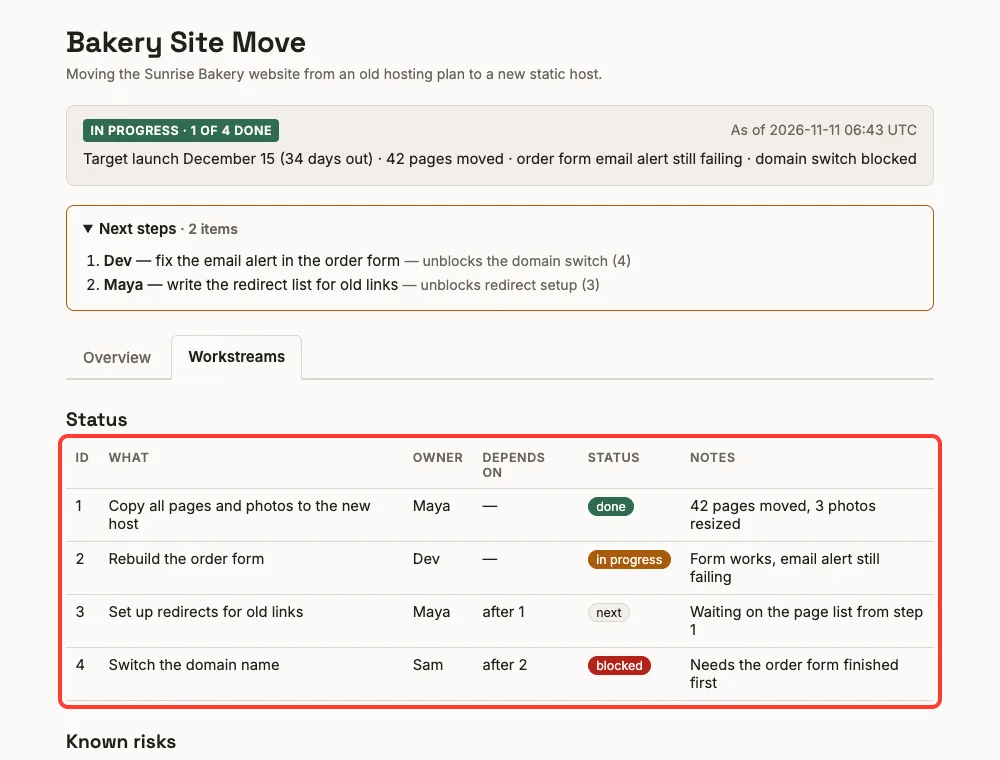
The table kept our four workstreams, owners, and notes. It added a “Depends on” column on its own, so you can see that step 4 waits on step 2. It also added a short “Known risks” list from our notes.
The page used light and dark colors that follow your system theme, and the tabs worked without any outside scripts.
What We Did Not Test
We want to be clear about the limits of this test. It was one small demo, not proof that the plugin handles every project.
- We stopped before the config file was saved, so we did not run the “refresh the artifact” step.
- We did not use pull requests, so the software mode in
swe.mdand theghCLI were not part of the test. - We did not share the page with another person.
The README says the plugin records the published URL in the config so later refreshes land on the same address. That part comes from the docs, not from our run.
Requirements and Gotchas
| Item | What to know |
|---|---|
| Login | The Artifact tool needs a claude.ai login; API key, Bedrock, and Vertex sessions do not have it |
| Availability | The README says Claude Code Artifacts are in beta on Team and Enterprise plans |
| Headless runs | claude -p can build a page but cannot publish it |
| Data folder | Config and the latest render live in the plugin data directory on your machine |
| Sharing | Private until you share it from the viewer; the link is hard to guess, so add it to a hub or bookmark |
| Safety | Fetched text is treated as data, not instructions, and is escaped before it lands in the page |
Verdict: Who Should Use It
This plugin is a good fit if you run a project with several moving parts and keep answering “where are we on this?” The page it made was clear, correctly worded, and ready to share in about a few minutes of work.
It is less useful for a single small task or a one-pull-request change. The skill itself says it is not meant for those. If you want a broader look at add-ons, see our guide to Claude Code plugins, our comparison of skills versus plugins, and our earlier roundup of Anthropic’s niche plugins, which covered this one briefly.
It also helps to know the basics of Claude itself before you rely on shared pages.
Try It Yourself
Make a small demo folder with a README and a table of three or four tasks. Then load the plugin for one session and run this prompt.
/project-artifact Build a status page for this folder from README.md. Keep it to Overview and Workstreams. Do not publish until I say so.Adding the last sentence gives you a chance to look at page.html first. Open the file in your browser and check the banner, the next steps, and the table before you approve any upload.
Common Mistakes
- Pressing Enter on every permission prompt without reading it. The publish prompt uploads your page to claude.ai.
- Expecting it to publish from
claude -p. It cannot. - Pointing it at a real project before testing on a small one.
- Forgetting that the data folder lives under
~/.claudeand survives your test. - Using it for one tiny change where a normal pull request description is enough.
Pro Tips
- Give it dated, trustworthy sources such as a tracker or PR list, so the as-of time means something.
- Ask for fewer tabs. We asked for two, and a simple project does not need more.
- Keep the page title stable, because the claude.ai gallery uses it as the name.
- After the first publish, say “refresh the artifact” in later sessions instead of rebuilding.
- Read the template and the skill file before you run any plugin. They are short.
Cheat Sheet
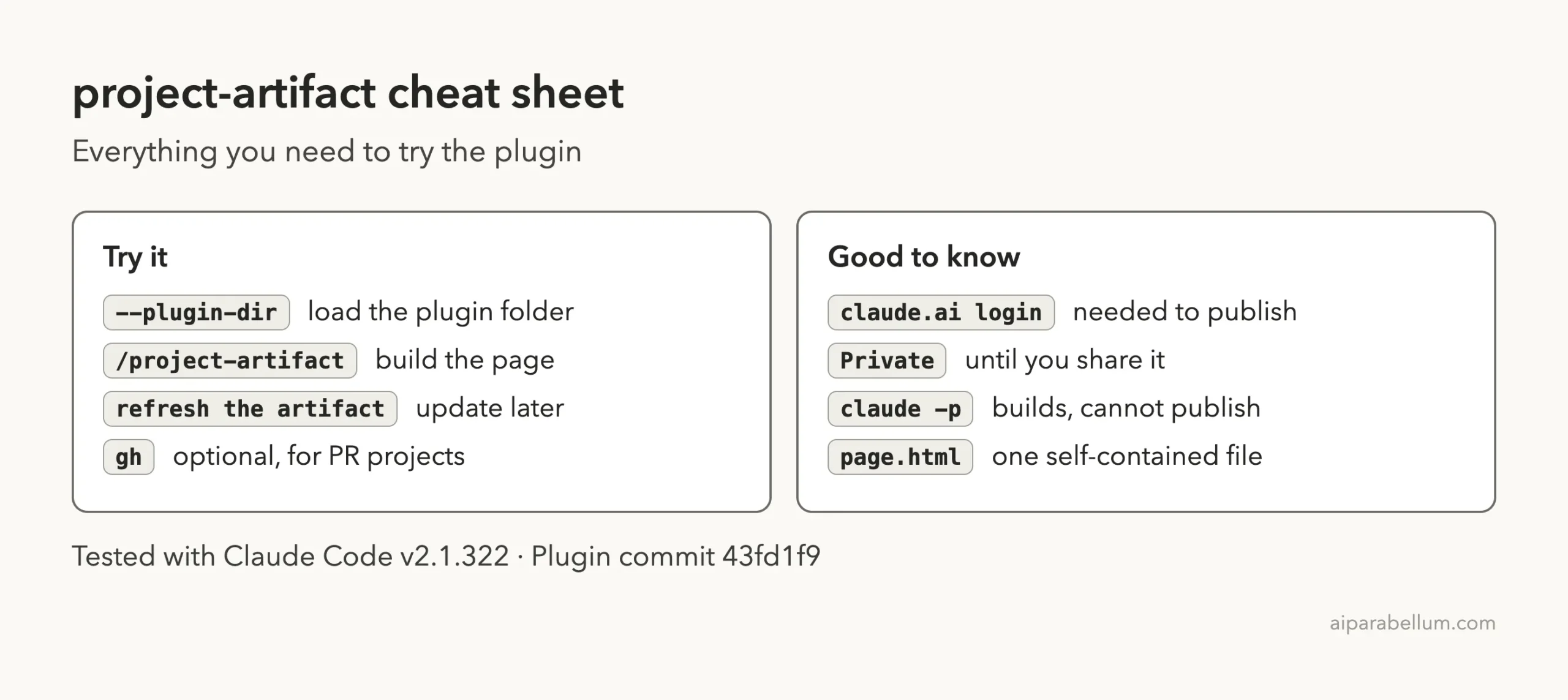
Frequently Asked Questions
Is the project-artifact plugin free?
The plugin itself is free and open. It runs inside Claude Code, so your normal Claude Code usage applies, and publishing needs a claude.ai login.
Is the published page public?
No. The publish prompt says the page stays private to you until you share it. Teammates cannot open it until you share it from the claude.ai viewer.
Can I use it without publishing?
Yes. The skill builds a local page.html first, and you can decline the publish prompt. Headless runs build the file but cannot publish.
Does it work for projects that are not software?
Yes. Our demo was a website move for a bakery, and the base skill is domain-neutral. The extra software guide only applies when your workstreams are pull requests.
Do I need the GitHub CLI?
No. The gh CLI is optional and only helps for pull-request projects. Our test did not use it.
Conclusion
The Claude Code project artifact plugin did what it promised in our test: it read two small files, built a clear two-tab status page with sensible next steps, and asked before publishing it as a private page. We did not test refreshes, pull-request mode, or sharing, so treat this as a good first impression rather than a full review. If you keep tracking a multi-part project by hand, it is worth a try on a small copy first.