If you build search or RAG apps, a Claude Code vector database plugin can save you from reading pages of docs before every task. Five plugins in the official marketplace cover this area: Pinecone, Qdrant, Zilliz, FiftyOne and Pixeltable. We loaded all five in a sandbox and ran one real skill.
Here is what each plugin does, what we ran ourselves, and which parts need an account.
This guide is part of our Claude Code tutorials. Find more add-ons in our Skills Directory.
Tested with Claude Code v2.1.318 on 2026-11-07, on macOS.
Quick Summary of the Five Plugins
| Plugin | Maker | What it adds | Account needed | Install command |
|---|---|---|---|---|
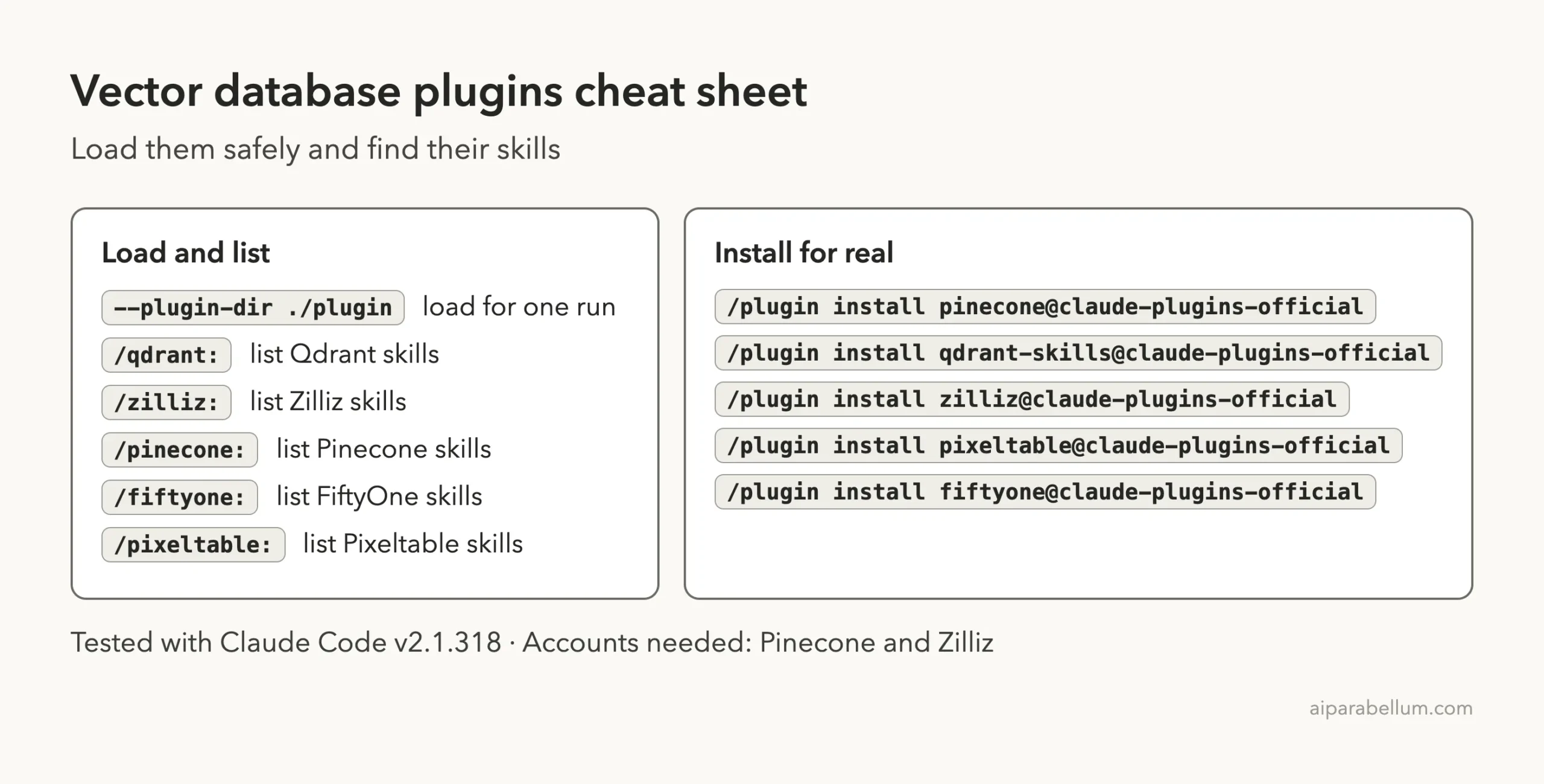
| Pinecone | Pinecone | 9 skills, 1 command, a startup hook and an MCP server config | Yes, a Pinecone API key | /plugin install pinecone@claude-plugins-official |
| Qdrant skills | Qdrant | 13 skills for sizing, scaling, search quality and upgrades | No | /plugin install qdrant-skills@claude-plugins-official |
| Zilliz | Zilliz | 22 skill folders and 2 commands for Zilliz Cloud and Milvus | Yes, a Zilliz Cloud account | /plugin install zilliz@claude-plugins-official |
| FiftyOne | Voxel51 | 18 skills and 2 commands for computer vision datasets | Not for the skills; its MCP server is a separate install | /plugin install fiftyone@claude-plugins-official |
| Pixeltable | Pixeltable | 1 skill, 2 commands, 2 agents and 2 hooks | Not for loading; AI providers you wire in have their own keys | /plugin install pixeltable@claude-plugins-official |
The counts come from the repository folders we loaded. The install commands come from the marketplace entries.
What a Vector Database Plugin Does
A vector database stores embeddings, which are lists of numbers that describe the meaning of text, images or audio. You search it by meaning instead of by exact words. That makes it the backbone of semantic search and RAG apps.
A Claude Code plugin bundles skills, commands, agents, hooks and MCP servers. The official plugin discovery docs say that installing a plugin adds these pieces to Claude Code on your machine. For a database vendor, that usually means the vendor’s own advice, packaged so Claude reads it at the right moment.
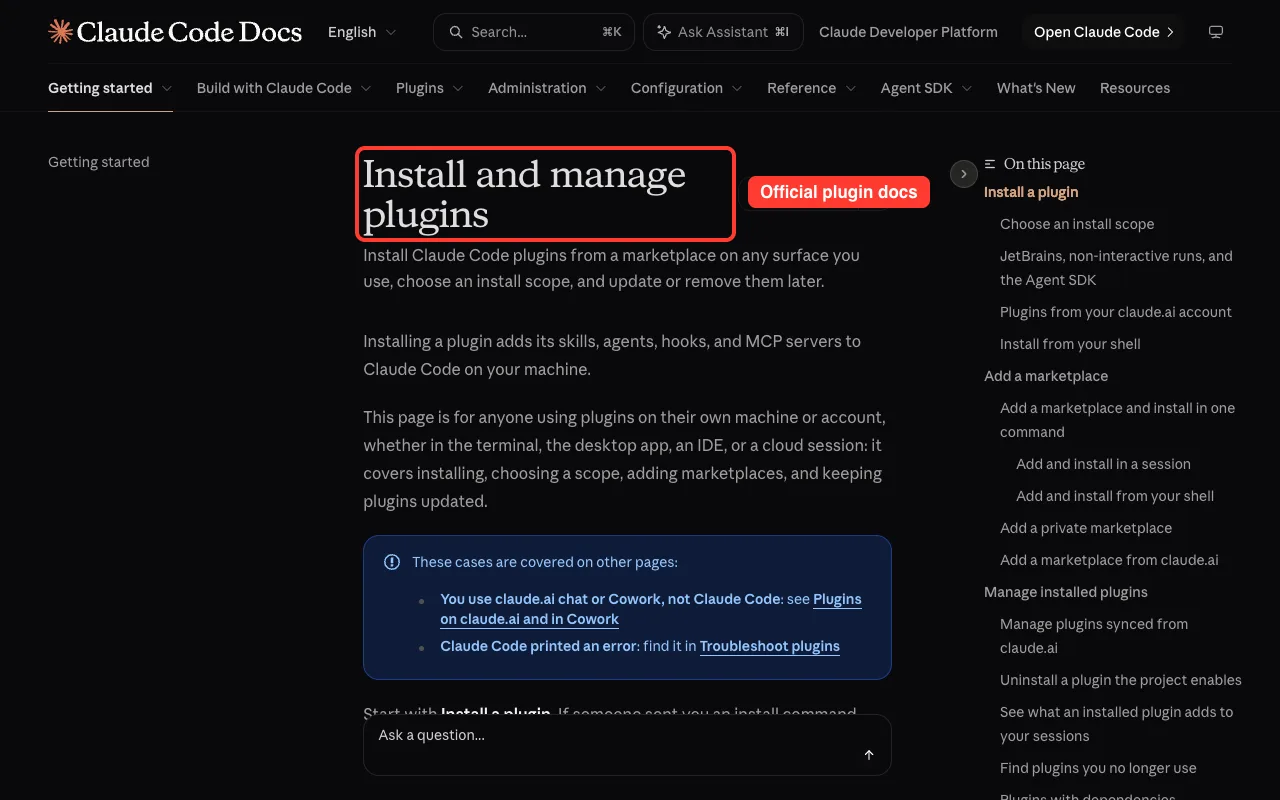
If you are new to plugins, start with our guide to Claude Code plugins. It covers finding, installing and managing them.
How We Tested Without Touching Our Setup
We did not install anything into our normal Claude Code setup. We cloned each plugin into a throwaway sandbox folder and loaded it for one run with --plugin-dir. We also started Claude Code with --setting-sources project, so no personal settings were involved.
Before loading anything, we read the hooks and config files. Two of them needed care.
- Pinecone ships an
.mcp.jsonthat starts a server withnpx -y @pinecone-database/mcp. That downloads and runs a package, and it needs an API key anyway, so we removed that file from our sandbox copy. - FiftyOne ships an
.mcp.jsonthat starts afiftyone-mcpprogram. We removed it from our copy too, because that program is not part of the plugin.
We never created an account and never entered a key. So everything below that talks to a cloud service comes from each plugin’s own files and README, and we say so each time.
| Plugin | Tested version or commit |
|---|---|
| Pinecone | 1.7.1, commit c383d38 |
| Qdrant skills | manifest 1.0.0, commit d2127f6 |
| Zilliz | 1.5.0, commit 35c86c0 |
| FiftyOne | 1.0.3, commit 8b87bef |
| Pixeltable | 2.12.0, commit c471dbb |
These are the commits the official marketplace pointed to at the time of testing.
Pinecone Plugin for Claude Code
Pinecone is a managed vector database. Its plugin is the most hands-on of the five, because it wires Claude to your Pinecone project.
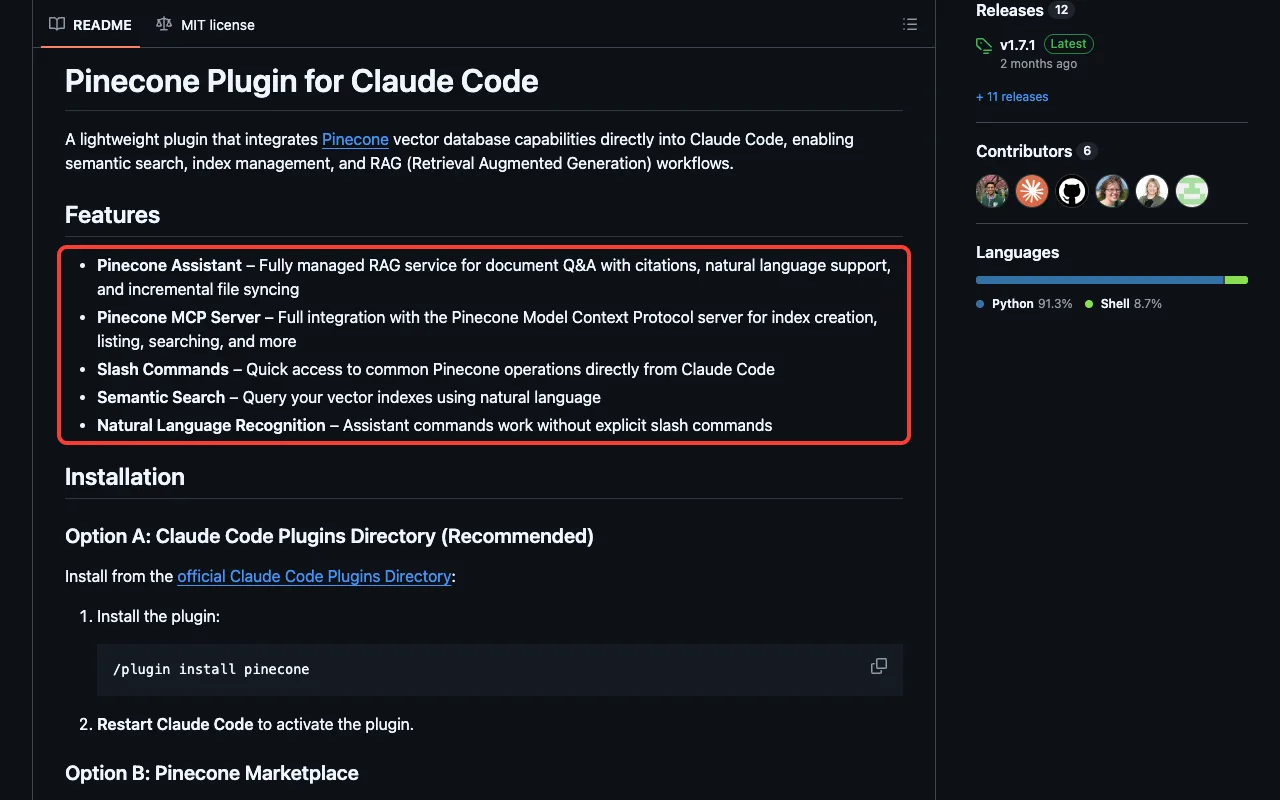
What we saw when it loaded
The moment Claude Code started with the plugin, a startup hook ran. It printed that the plugin was active but no API key was available, and it pointed to the pinecone:quickstart skill. We read the script first: it only checks whether PINECONE_API_KEY is set and whether the pc command exists, then prints a message.
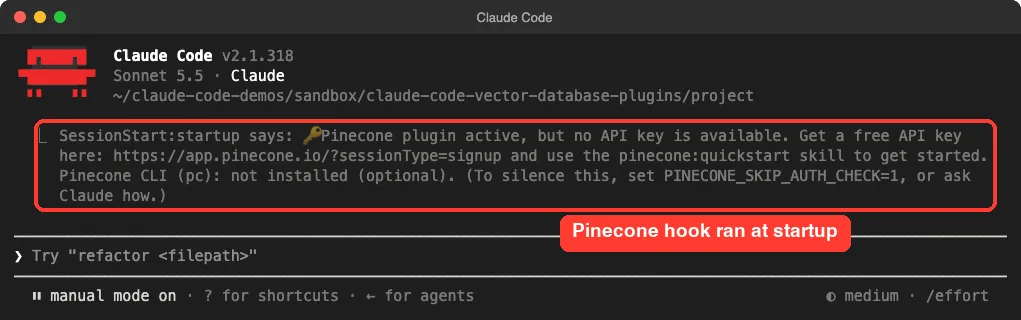
The script also has an opt-out. Set PINECONE_SKIP_AUTH_CHECK=1 in your shell and the message goes away.
Skills and commands
Typing /pinecone: listed the skills. Here is what each one is for, based on its description.
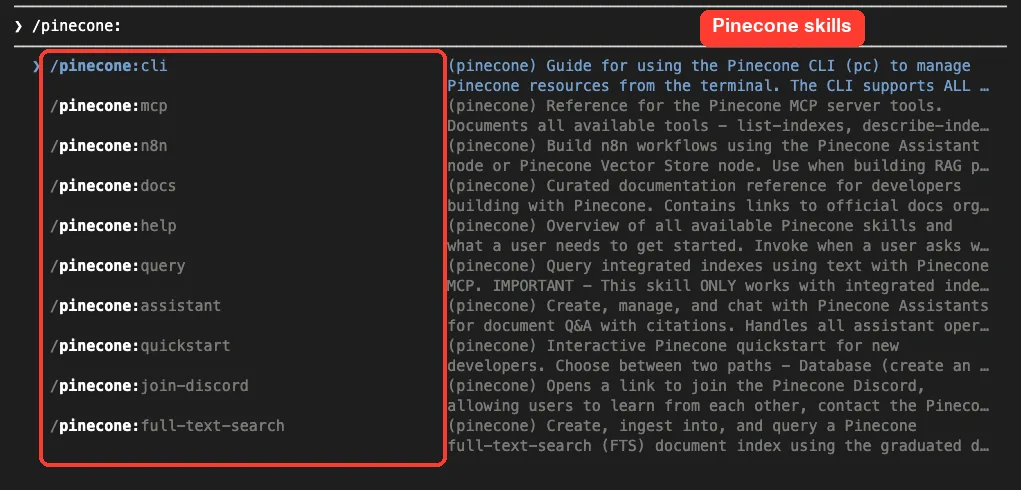
quickstart: a guided path for new developers, either a database or an Assistant.query: searches integrated indexes with text through the MCP server. It does not work for standard indexes.assistant: creates and chats with a Pinecone Assistant for document Q&A with citations.cli: guides thepccommand line tool, which covers all index types.full-text-search,mcp,n8n,docsandhelp: reference and setup helpers.
There is also a join-discord command. We did not run any Pinecone skill that touches an index, because that needs a key. The README says the Assistant commands also need uv installed.
Qdrant Skills: Advice Without an Account
Qdrant is an open-source vector search engine. Its plugin is different: it holds 13 skills and no hooks or MCP server. It is pure guidance, so it works with no account at all.
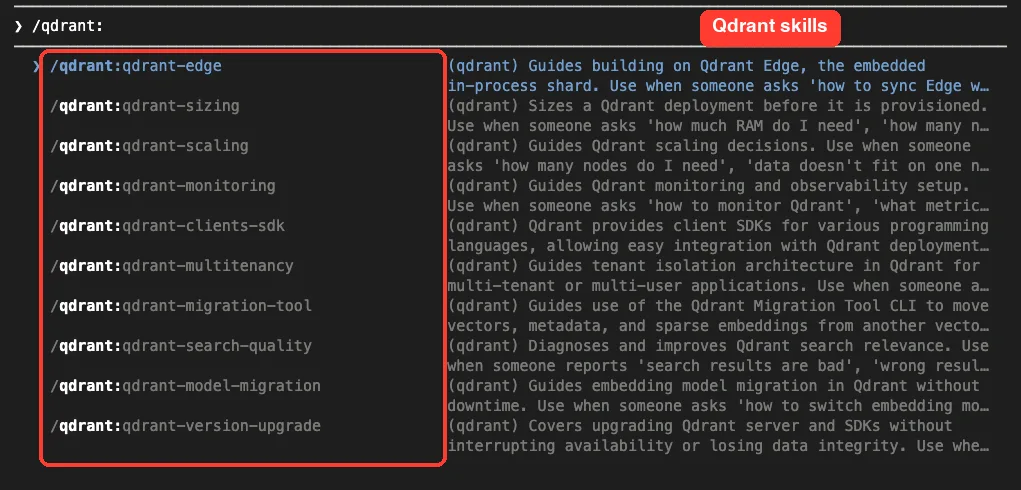
The names tell you the scope: edge, sizing, scaling, monitoring, clients SDK, multitenancy, migration tool, search quality, model migration, version upgrade, deployment options, hybrid cloud setup and performance optimization.
Our real run: the sizing skill
We wrote a one-line notes.txt saying we wanted to store 1,000,000 product descriptions as 768-dimension vectors. Then we ran the sizing skill and asked how much RAM we would need. We added “no web lookups” to the prompt to keep the run small.
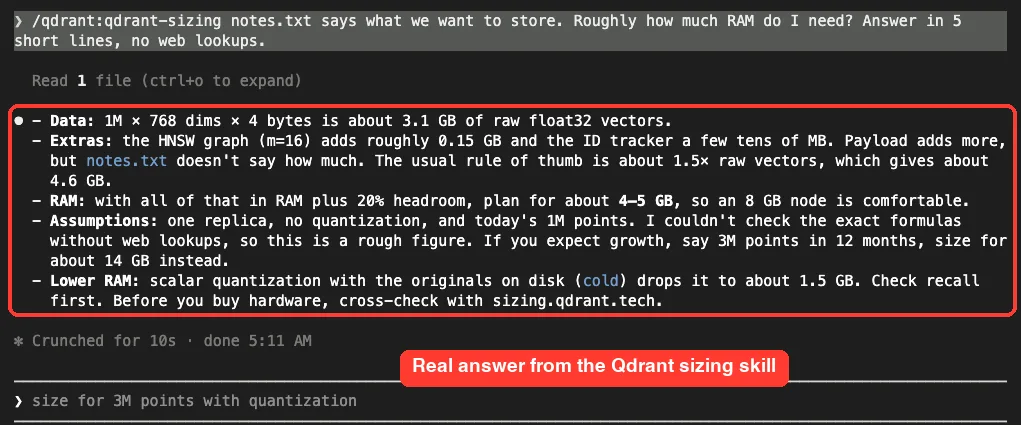
Claude read our file and answered in five short lines. It worked out about 3.1 GB for raw vectors, added overhead for the index, and suggested planning for 4 to 5 GB, so an 8 GB node. It also noted that growth to 3 million points would need about 14 GB, and that quantization could cut RAM sharply.
Here is the honest part. Claude said it could not check the exact formulas without a web lookup, so the number was a rough figure.
The skill itself tells Claude to read Qdrant’s capacity planning page and not to estimate from memory. Because we blocked lookups, we got a rough answer, and Claude told us so. This is one demo, not a benchmark, and we did not compare the number against a real Qdrant node.
Zilliz Plugin for Milvus and Zilliz Cloud
Zilliz runs Zilliz Cloud, a managed service built on Milvus. Its plugin is a command center for that service. The marketplace listing describes cluster lifecycle, collection schema, vector search, index tuning, bulk import, access control, backups and monitoring.
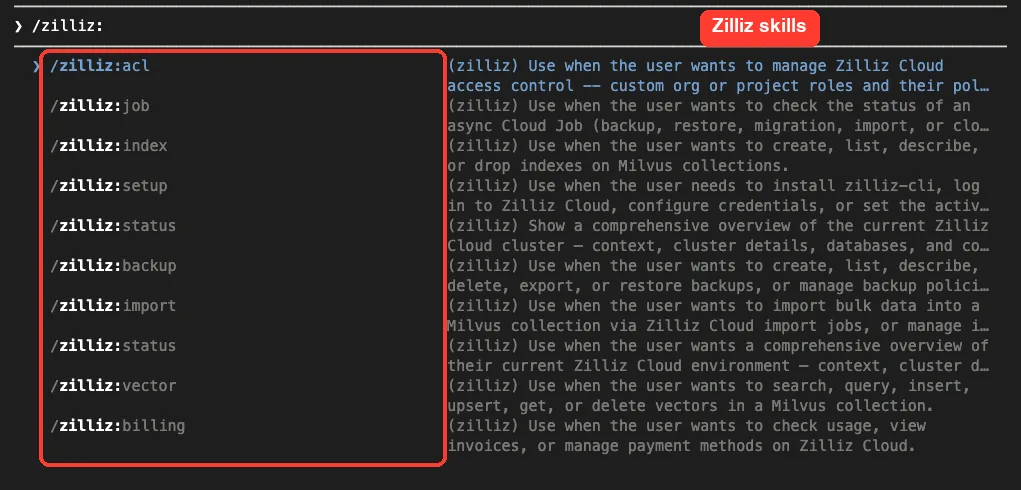
In our pinned commit the plugin folder holds 22 skill folders and two commands, quickstart and status. That is more than the 14 skills the marketplace text mentions, so the plugin has grown since that description was written. The list shows status twice because there is both a command and a skill with that name.
What needs an account
Almost everything. The skills drive the zilliz-cli tool against your cluster.
Its setup skill tells Claude to install that CLI by piping a script from the web into a shell. We did not run it, and we suggest you read that script yourself before letting any agent run it.
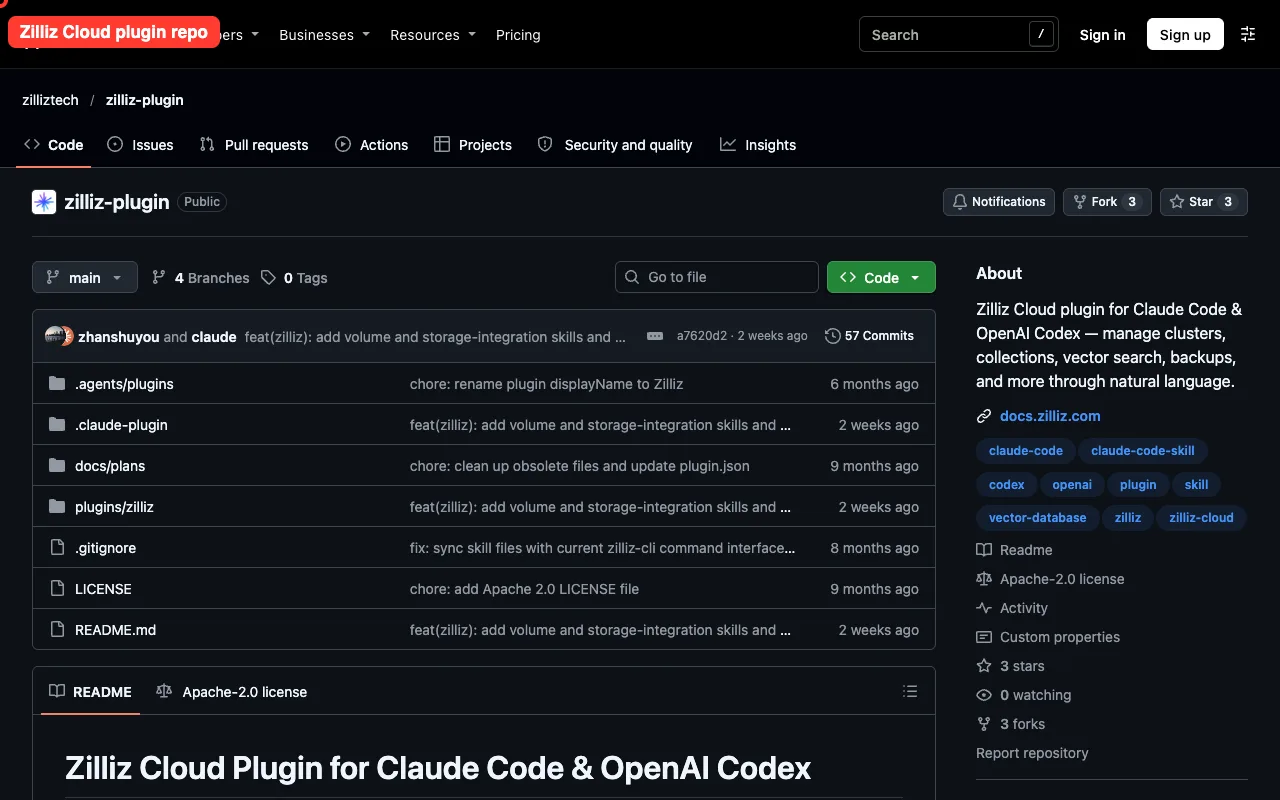
Because we have no Zilliz account, we did not test cluster, backup or search skills. What we ran was the loading step and the skill list.
FiftyOne Skills for Computer Vision Datasets
FiftyOne, from Voxel51, is a tool for building and inspecting image and video datasets. Its plugin adds 18 skills and two commands, help and quickstart.
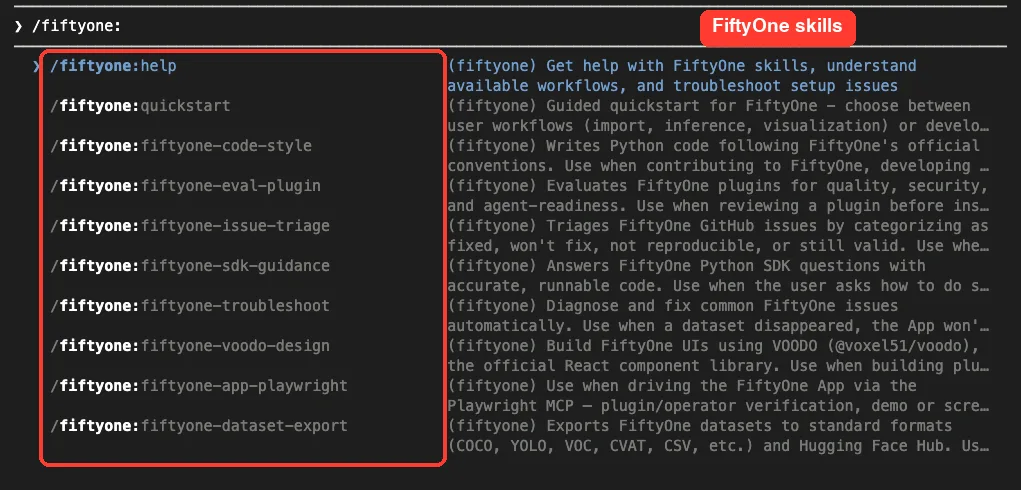
The README lists workflows such as importing and exporting datasets, finding duplicate images, running model inference, and visualizing embeddings. Many of those skills expect the separate FiftyOne MCP server, which is why we removed the config that tried to launch it. Without it, we only confirmed that the skills load and show up.
Pixeltable Plugin for Multimodal Apps
Pixeltable is a Python tool for building multimodal AI apps, with tables, computed columns and embedding search. Its plugin ships one skill, two commands (scaffold and add-provider), two agents and two hooks.
We read both hooks before loading. One runs at session start and stays silent unless your project uses Pixeltable.
The other runs after file edits and gives non-blocking advice about deprecated Pixeltable APIs. Both are small Python scripts that read the hook input and print guidance.
We confirmed the commands and skill appear in Claude Code, but we did not build a Pixeltable app, so we cannot tell you how well the guidance works in practice.
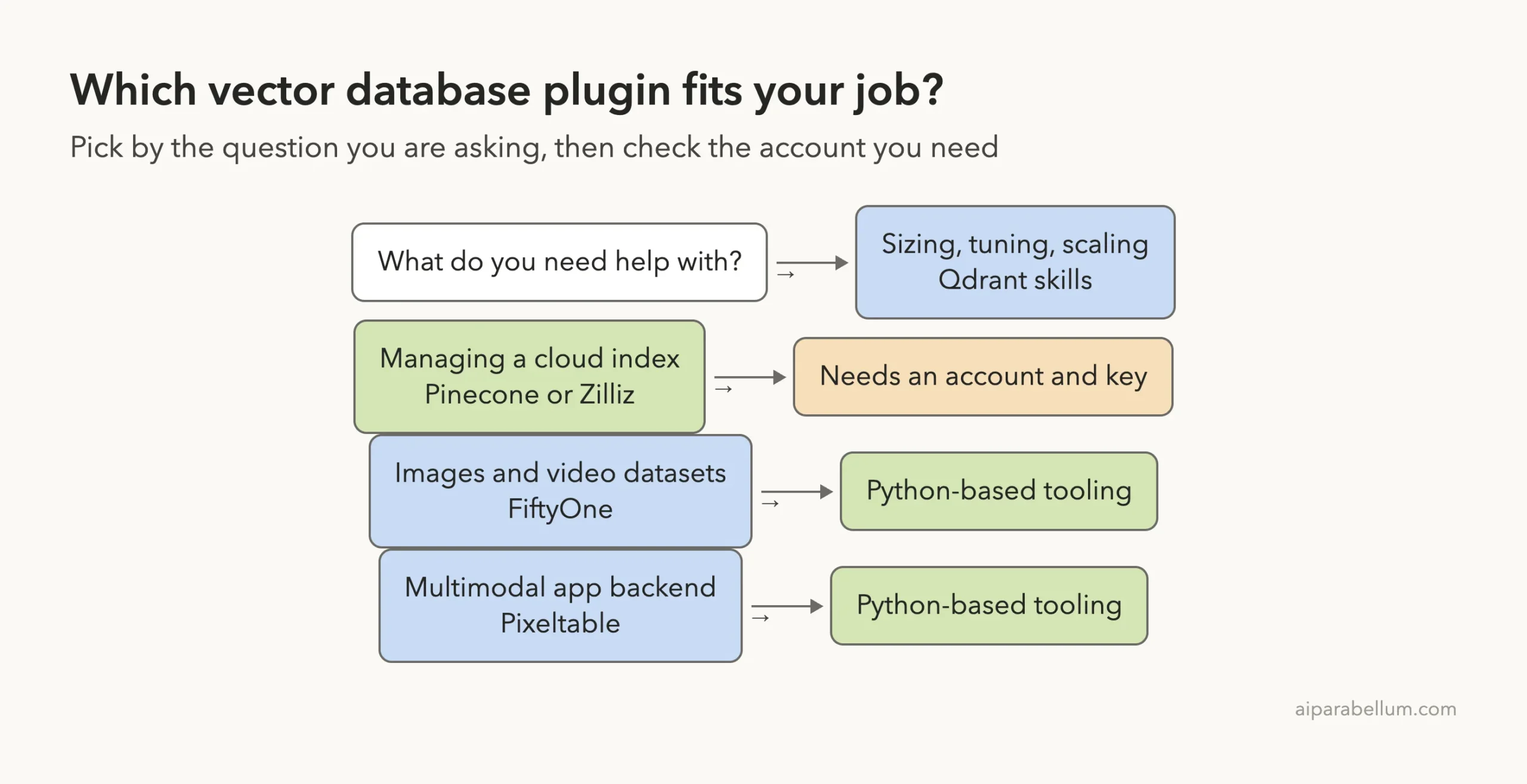
Which Plugin Should You Pick?
Our honest verdict
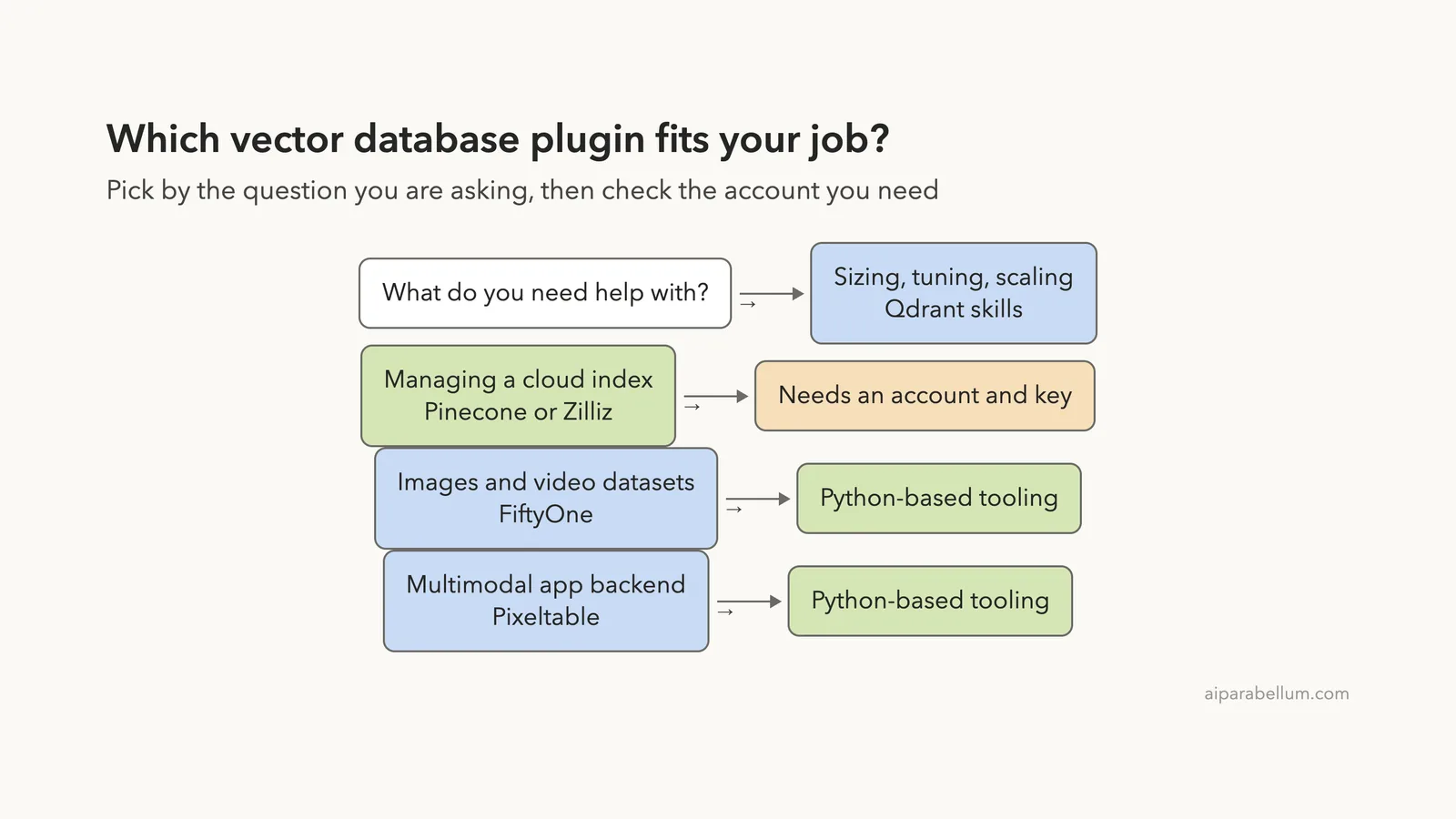
- Pick Qdrant skills if you want useful vector database advice today with no signup. It is the only one of the five we could use fully without an account.
- Pick Pinecone if you already have a Pinecone key. The hook, skills and MCP setup are neat, but we only saw the startup check.
- Pick Zilliz if you run clusters on Zilliz Cloud and want Claude to manage them by name. Review its CLI install step first.
- Pick FiftyOne if your data is images or video, not text.
- Pick Pixeltable if you want Claude to follow one opinionated way of building multimodal apps.
For plain SQL databases rather than vector ones, see our roundup of database plugins. For another example of a data skill we ran for real, read our DuckDB skills test.
Qdrant skills were the only one of the five we could use fully without an account.
Try It Yourself
You can repeat our safe loading test with any one of these plugins. Clone the plugin into a throwaway folder, start Claude Code inside an empty demo folder, and load the plugin for that run only.
git clone https://github.com/qdrant/skills.git qdrant-skills
mkdir demo && cd demo
claude --plugin-dir ../qdrant-skills --setting-sources project
Then type /qdrant: to see the skills, and try this prompt.
/qdrant:qdrant-sizing I will store 500,000 vectors with 384 dimensions. How much RAM should I plan for? List your assumptions.Common Mistakes
- Installing a plugin into your main setup just to try it. Use
--plugin-dirfor a one-run test instead. - Running a plugin’s setup script without reading it first.
- Expecting cloud skills to work with no key. Pinecone and Zilliz both need an account.
- Trusting one sizing estimate. Treat it as a starting point and check it against the vendor’s own calculator or docs.
Pro Tips
- Type the plugin name followed by a colon to list its skills in one glance.
- Set
PINECONE_SKIP_AUTH_CHECK=1if the Pinecone startup message gets in the way. - Let skills read the live docs when you can. Our Qdrant answer was rougher because we blocked lookups.
- Check a plugin’s hooks folder first. Hooks run commands on your machine.
Cheat Sheet
Frequently Asked Questions
Do I need a vector database account to use these plugins?
Only for Pinecone and Zilliz. The Qdrant skills worked without any account in our test.
Are these plugins official?
They are listed in Anthropic’s official plugin marketplace, and each comes from the database company’s own repository.
Is it safe to load them?
We read each hook and config file first and found nothing alarming. Still, plugins can run commands, so review them and test in a sandbox as we did.
What is the difference between a skill and an MCP server here?
A skill is written guidance Claude reads. An MCP server is a program that lets Claude call a service directly. Pinecone and FiftyOne ship MCP configs; Qdrant ships skills only.
Which one should I try first?
Qdrant skills, because you can test them right now with no signup, then add a cloud plugin when you have a project that needs it.
Conclusion
The Claude Code vector database plugins from Pinecone, Qdrant, Zilliz, FiftyOne and Pixeltable all loaded cleanly in our sandbox, and the Qdrant sizing skill gave a useful rough answer from a single prompt. The cloud-heavy parts for Pinecone and Zilliz need your own account, which we did not use, so treat those sections as a guide from each project’s own docs. Start with a one-run --plugin-dir test, read the hooks, and add the plugin that matches your data. Learn more about the assistant behind it all on our Claude AI page.