The humanizer skill for Claude Code promises to take stiff, chatbot-style text and make it sound like a person wrote it. We loaded it into a throwaway setup, ran it on a fake product announcement packed with AI habits, and checked what it changed. Here is what worked, what did not, and who should bother with it.
This guide is part of our Claude Code tutorials. Find more add-ons in our skills directory.
Tested with Claude Code v2.1.318 on November 7, 2026. We tested the Humanizer repository at commit 0ef9fe5 (plugin version 3.1.0, last updated October 28, 2026).
Humanizer Skill at a Glance
| Question | Short answer |
|---|---|
| What is it? | A skill (a set of written instructions) that rewrites AI-sounding prose |
| Who makes it? | The open source repo blader/humanizer, MIT license |
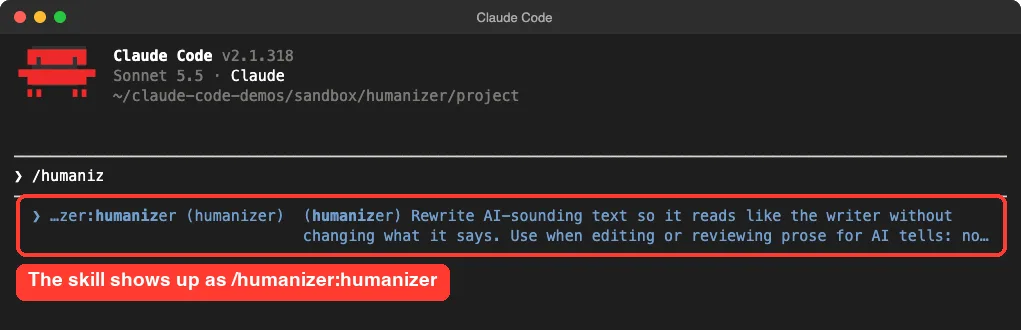
| How do you run it? | /humanizer:humanizer in Claude Code |
| What does it check? | 26 patterns taken from Wikipedia’s “Signs of AI writing” guide |
| Does it beat AI detectors? | No. The README says that is not a goal |
| Does it cost extra? | The skill is free. Your normal Claude usage applies |
| Our verdict | Useful as a second pair of eyes on drafts. Always read the result |
What the Humanizer Skill Is
A skill is a folder with a SKILL.md file. Claude reads those instructions when you call the skill, then follows them. Humanizer is one long instruction file about how not to sound like a chatbot.
Its README says the guide is built on Wikipedia’s page on signs of AI writing, the list editors use to spot machine text. The author’s idea is simple. A language model picks the most likely next words, so it drifts toward phrases that fit every subject and every reader.
A person writes for one reader about one subject. Humanizer tries to push Claude back toward that. If you want the basics of how skills differ from other add-ons, our guide to commands versus skills covers it.
Humanizer edits for human readers. It is a style editor, not a disguise.
The 26 Patterns It Looks For
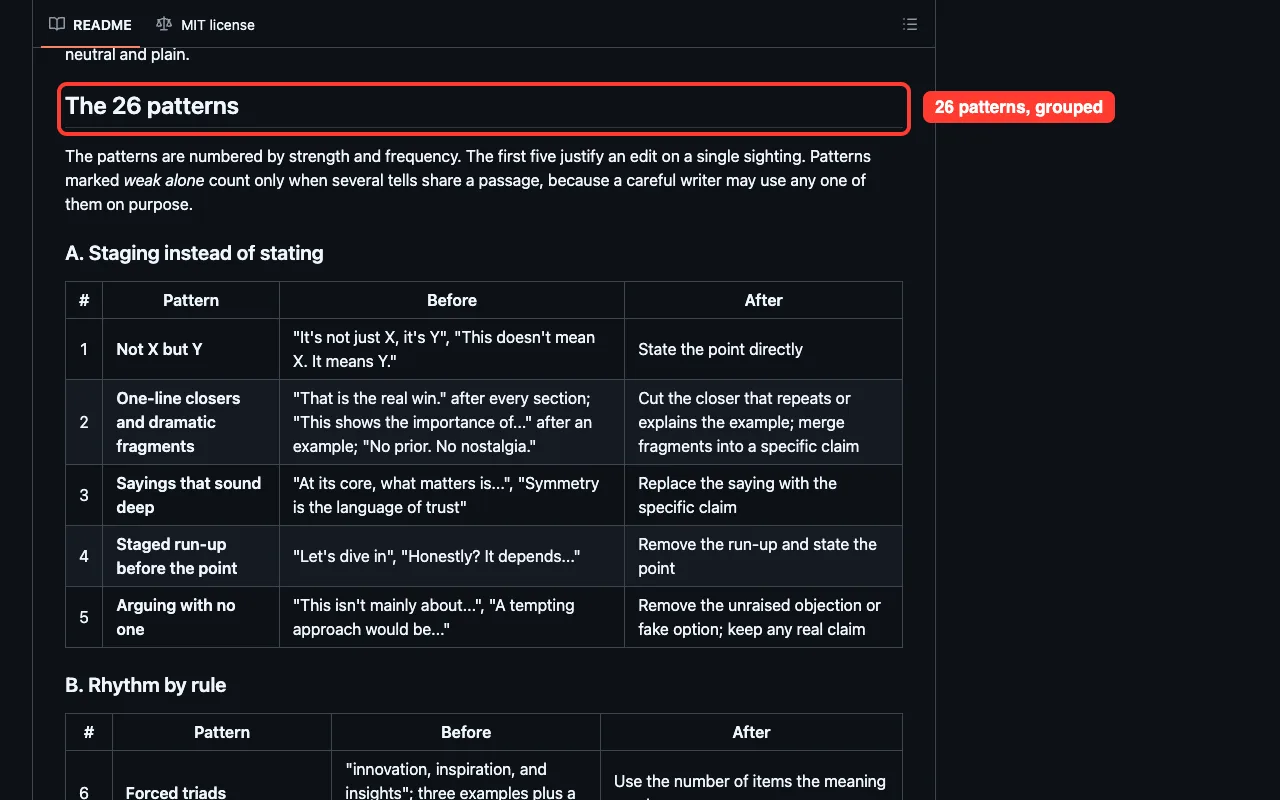
The skill groups its patterns into families. The README lists the five strongest tells first, and any one of them justifies an edit on its own.
- Not X but Y: “It’s not just a feature, it’s a shift.”
- One-line closers: “Let that sink in.”
- Sayings that sound deep: “At its core, what really matters is…”
- A staged run-up: “Here’s the thing.”
- Arguing with no one: “I’m not saying X, but…”
The rest cover forced triads, repeated sentence openings, overused words like “testament” and “landscape,” inflated importance, sales language, and formatting applied by rule. Some patterns are marked weak alone, which means they only count when several tells appear in the same passage.
How Humanizer Works Step by Step
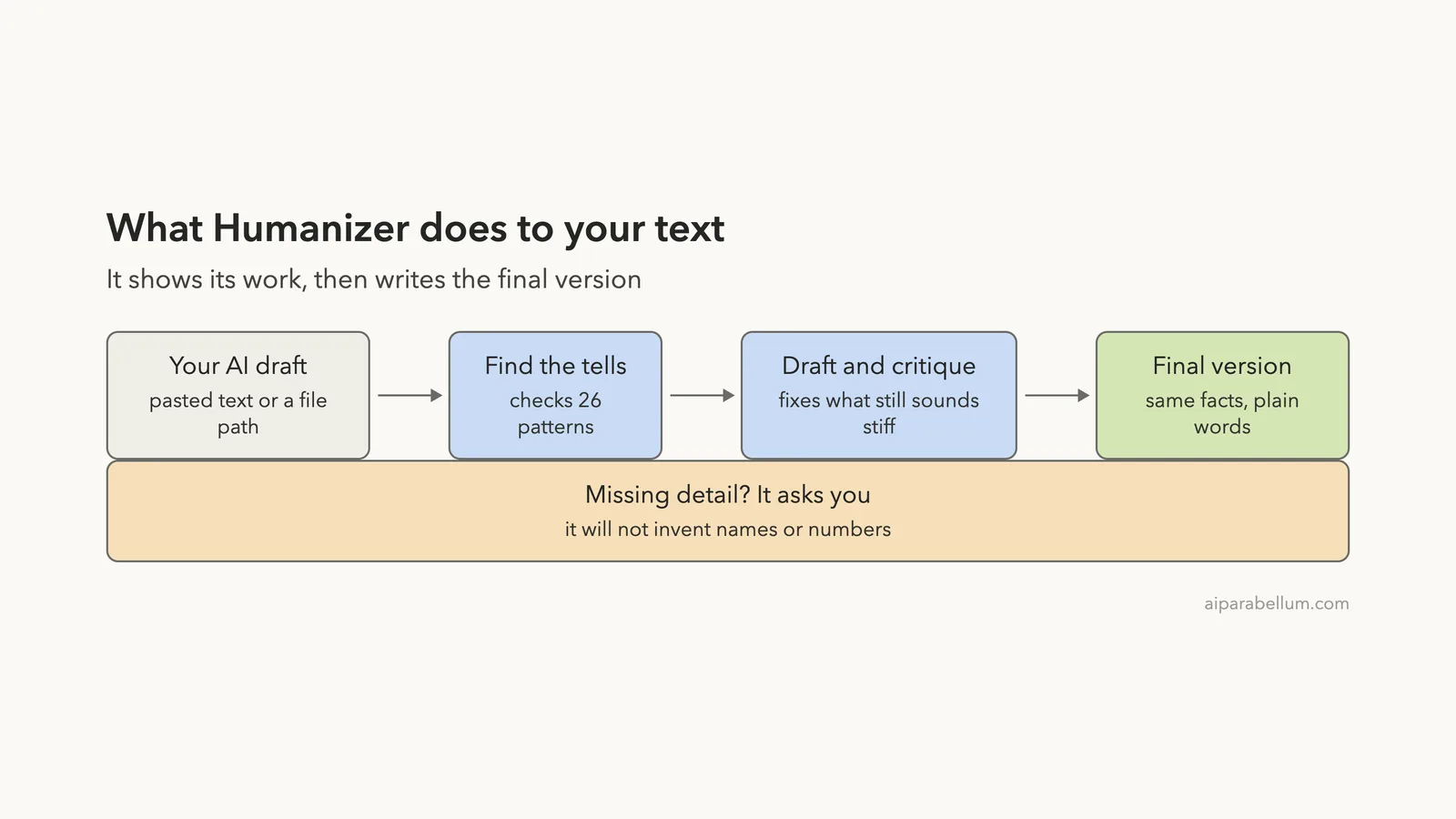
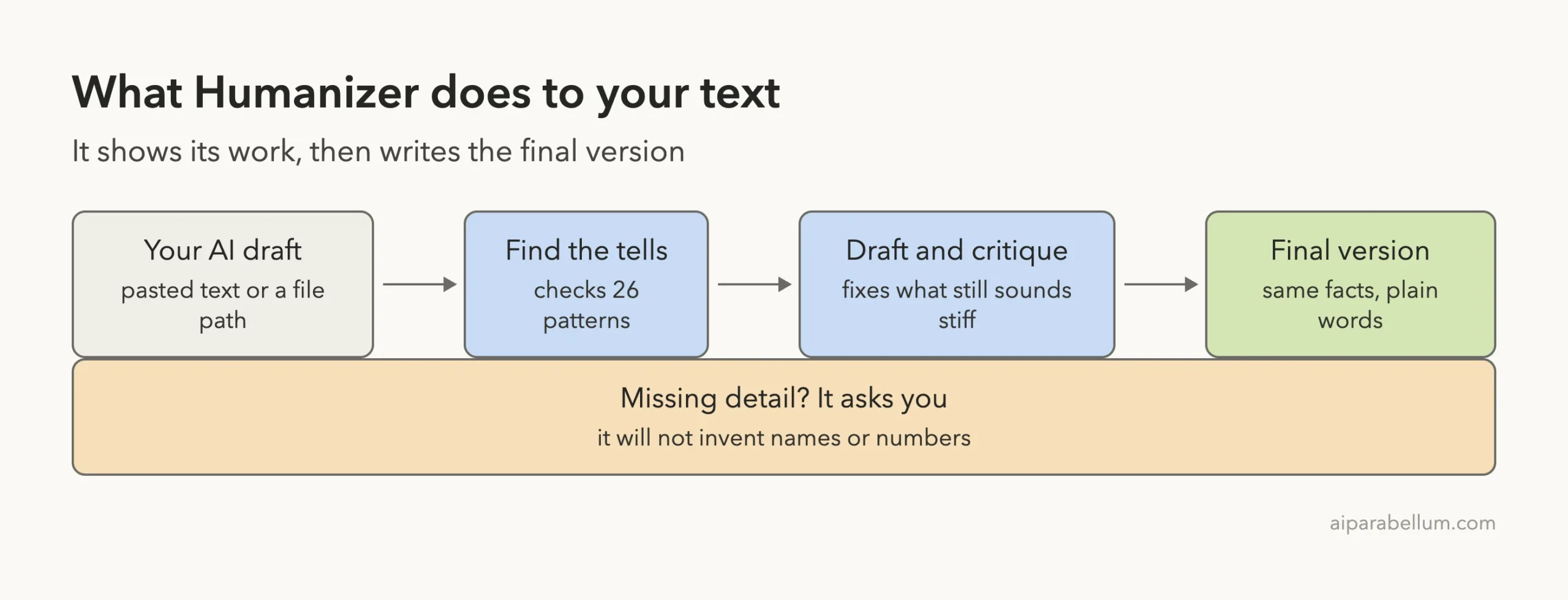
According to the README, the skill marks every tell it finds, strongest first. It writes a draft, critiques that draft against the patterns and the original claims, and then writes a final version.
It also has a rule we liked. A name, number, date, quote or other fact has to come from your source. If a sentence needs a detail that is missing, the skill is supposed to ask you instead of making one up.
How to Install the Humanizer Skill in Claude Code
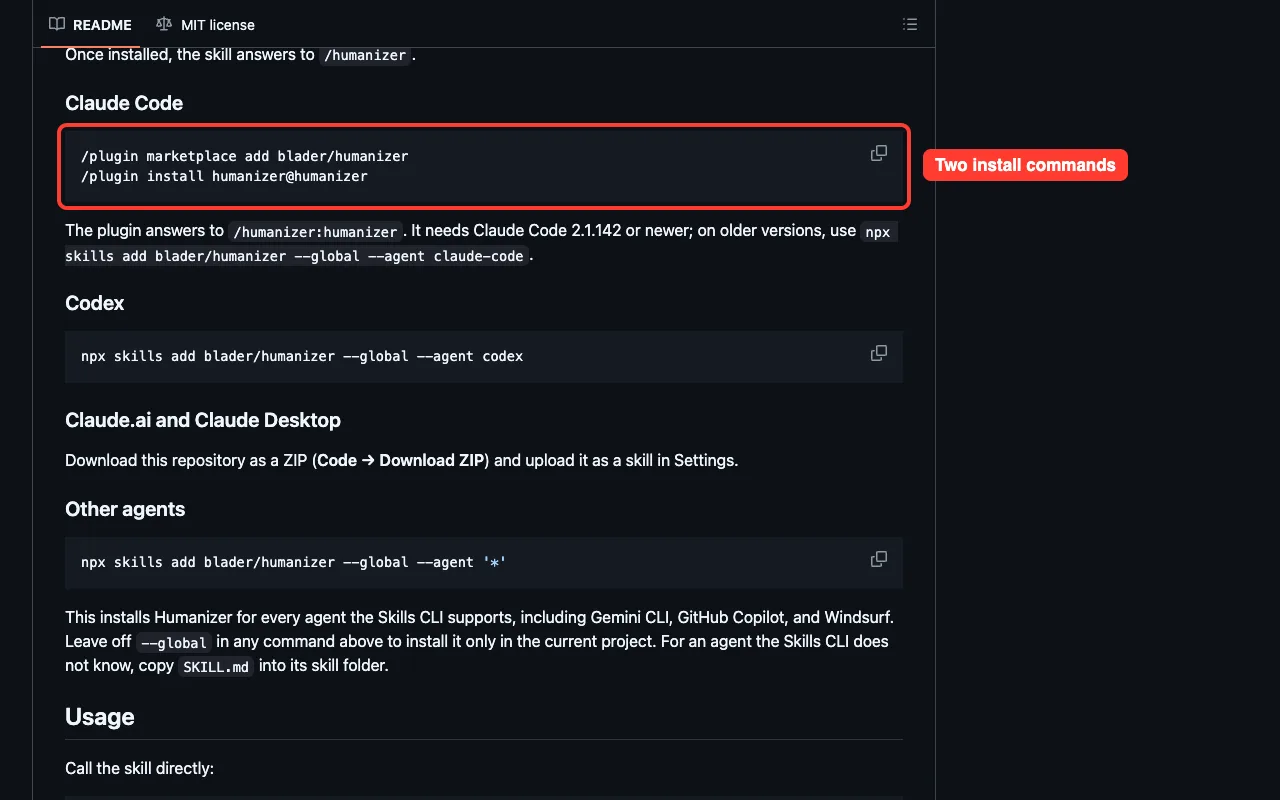
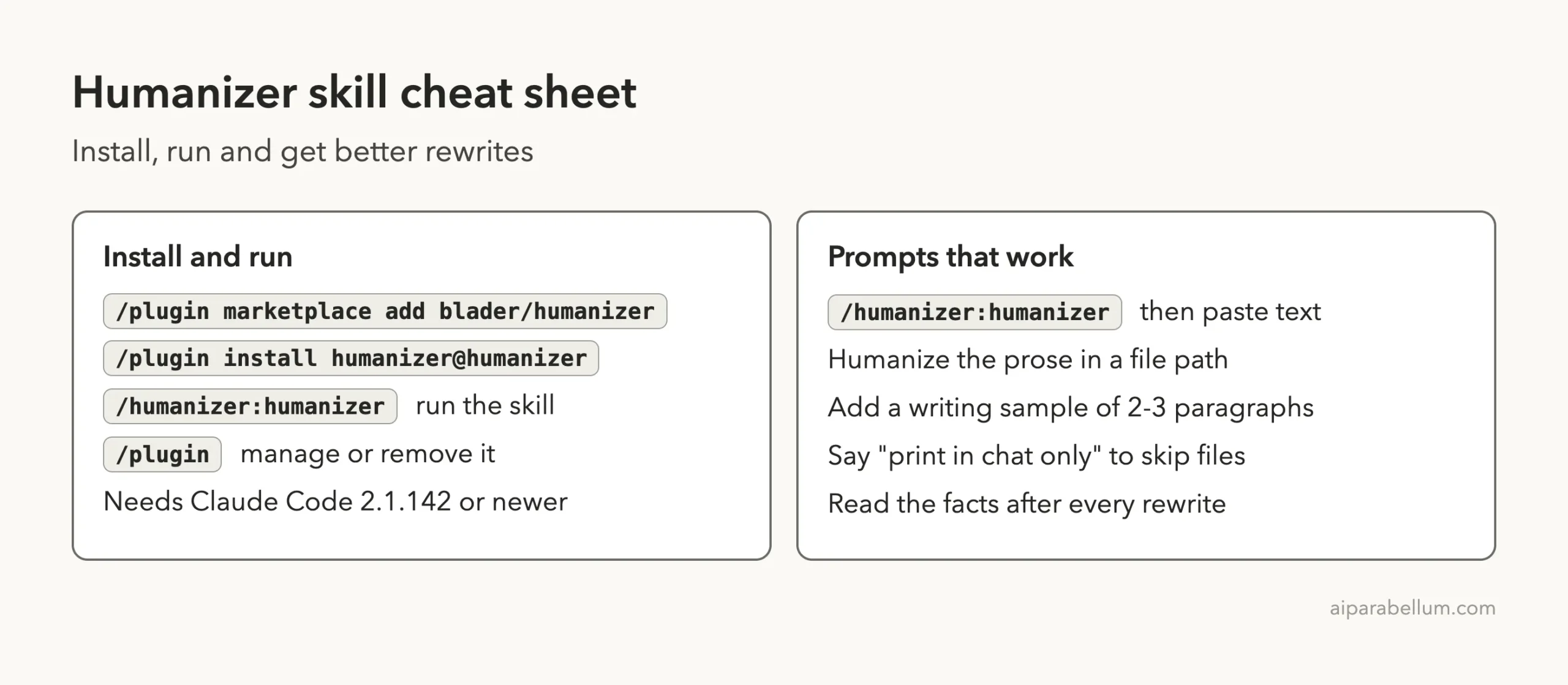
The README gives two commands for Claude Code. Run them inside a session. The plugin needs Claude Code 2.1.142 or newer.
/plugin marketplace add blader/humanizer
/plugin install humanizer@humanizer
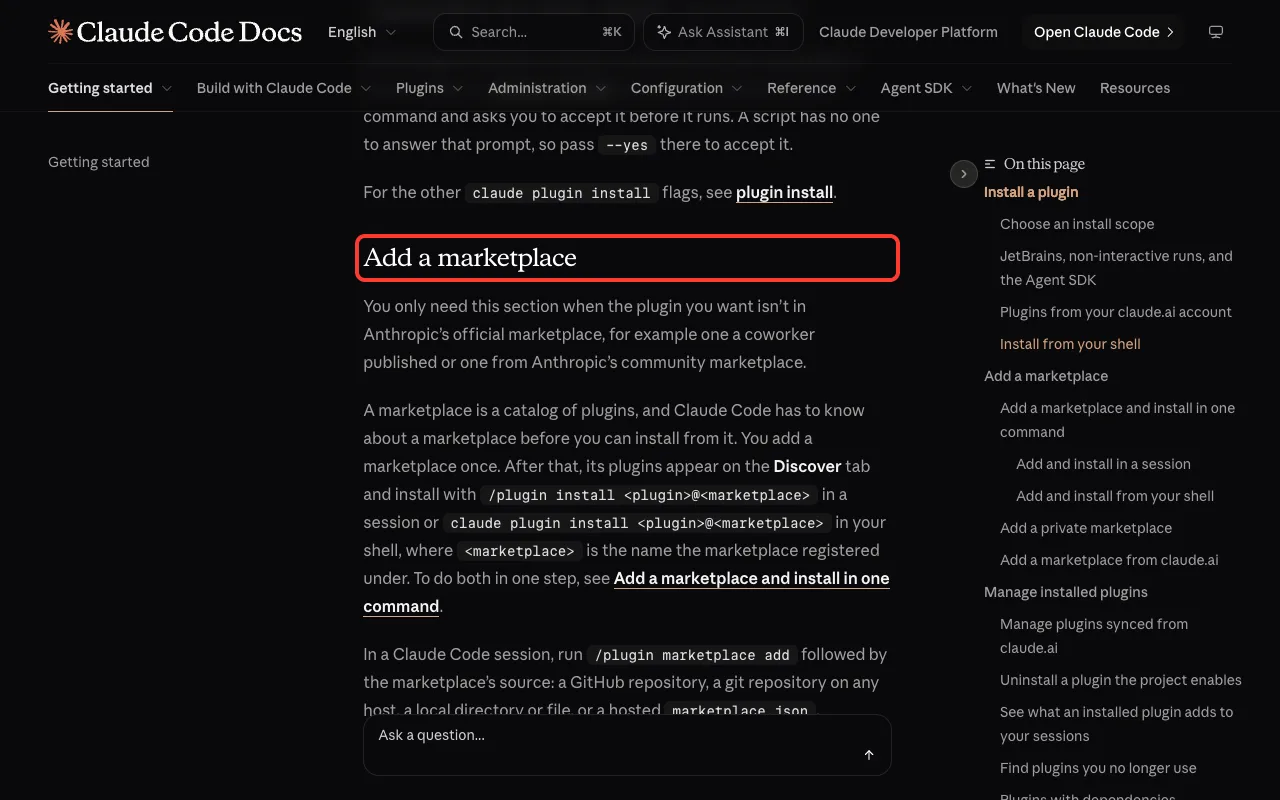
After that, the skill answers to /humanizer:humanizer. For older versions, the README suggests npx skills add blader/humanizer --global --agent claude-code. You can read more about adding marketplaces in the official plugin discovery guide.
How we loaded it for the test
We did not install it into our everyday setup. We cloned the repository into a throwaway folder.
Then we started Claude Code with --plugin-dir pointing at that clone, plus --setting-sources project. This loads the plugin for one session only, so nothing is saved to your user settings. The plugins docs describe this flag for local testing.
Before running it, we read the repo. It has no hooks and no scripts that Claude runs.
The only script is a validation helper used by the project’s own checks. The skill itself is plain text instructions.
/humanizer:humanizerTest 1: Rewriting a File Full of AI Habits
We made a small demo folder with one file, launch-announcement.md. We wrote it ourselves to be packed with tells: an excited opener with an emoji, “fast-paced digital landscape,” “not just a to-do app,” “serves as a testament,” a triple of adjectives, “Here’s the thing,” and “Let that sink in.”
Then we ran this prompt:
/humanizer:humanizer Rewrite the prose in launch-announcement.md. Show the patterns you found, then write the final version into launch-announcement.humanized.md. Keep it short.Claude read the file and proposed a new one. As usual in Claude Code, it asked permission before creating the file, so nothing was written until we approved.
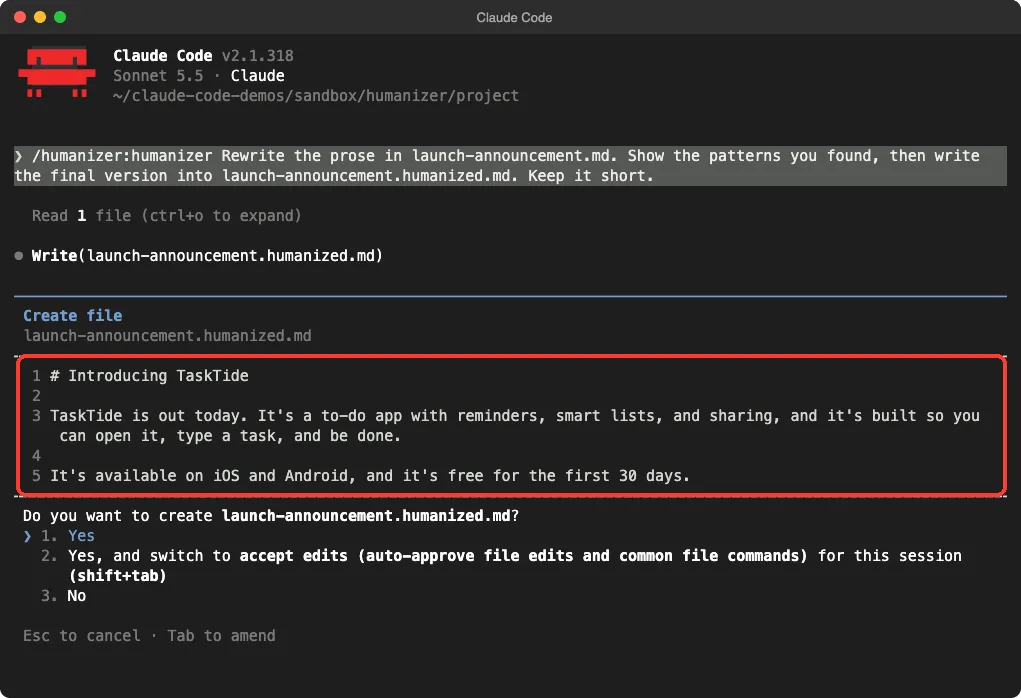
What came out
The result was three short lines. The excited opener, the emoji, the “digital landscape” line, the “not just an app” line and both dramatic closers were gone.
| Before | After |
|---|---|
| I’m thrilled to announce that TaskTide is finally here! | TaskTide is out today. |
| It’s not just a to-do app; it’s a whole new way to stay organized. | It’s a to-do app with reminders, smart lists, and sharing |
| serves as a testament… offering seamless reminders | (cut) |
| Here’s the thing… Let that sink in. | (cut) |
| available today on iOS and Android, and it is free for the first 30 days | It’s available on iOS and Android, and it’s free for the first 30 days. |
The facts we put in the original survived: the two platforms, the 30-day free period, and the three features. Claude did not add any numbers or claims of its own.
The patterns report
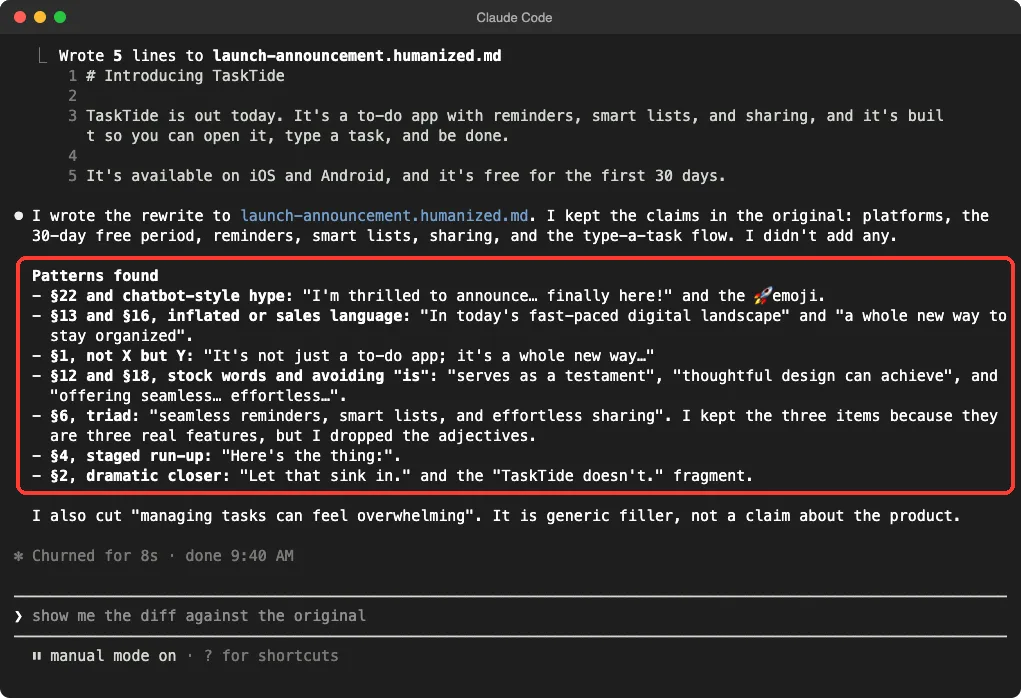
After the file was written, Claude listed what it found.
It tied each tell to a pattern number: hype and the emoji, inflated or sales language, “not X but Y,” stock words, the staged run-up, and the dramatic closer. It even explained one judgment call. It kept the three-item list because those were three real features, but removed the adjectives.
It also said it cut “managing tasks can feel overwhelming” as generic filler. That is a choice you may or may not agree with, which is a good reason to read the diff.
Test 2: Matching Your Own Voice
The README says you can give the skill a writing sample so the rewrite follows your rhythm and word choice. We created my-voice.txt, a few short sentences in a plain, dry style, and asked for a rewrite of a short, stiff paragraph about a backup tool. We asked for the answer in chat only, so no file was written.
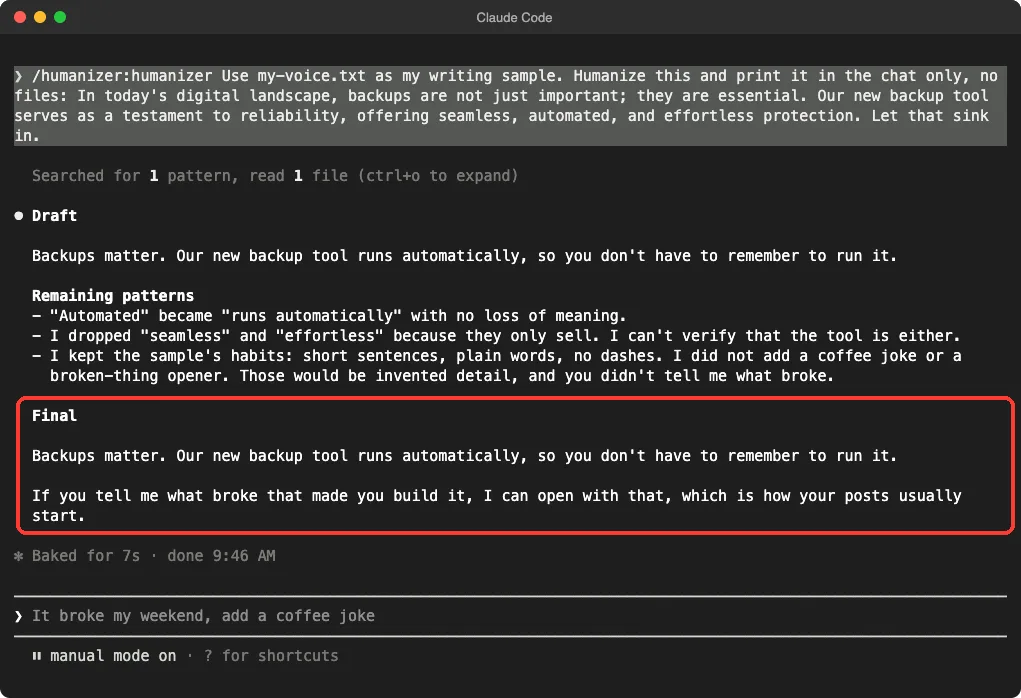
/humanizer:humanizer Use my-voice.txt as my writing sample. Humanize this and print it in the chat only, no files: In today's digital landscape, backups are not just important; they are essential. Our new backup tool serves as a testament to reliability, offering seamless, automated, and effortless protection. Let that sink in.Claude first asked to run a file search to locate the sample, which we approved. Then it showed a draft, a list of remaining patterns, and a final version.
The final text was: “Backups matter. Our new backup tool runs automatically, so you don’t have to remember to run it.”
Two details stood out.
It dropped “seamless” and “effortless” because it could not verify them. And it did not add a coffee joke or a “something broke” opener, even though our sample mentioned both habits. It said those would be invented detail, and offered to open with what broke if we told it.
Does It Really Remove Signs of AI Writing?
On our two samples, yes for the obvious tells. Every phrase we planted was found and fixed, and the output read like a short, plain note. We did not run any AI detector, and we cannot say how a detector would score the results.
The README is also upfront here.
It says Humanizer is for human readers, that beating AI detectors is not a goal, and that detectors still flag most of its output. It also reports that judges preferred its rewrite over the original AI text 16 times out of 16 in one blind test. That is the project’s own claim from a single example, so treat it as a data point, not proof.
| What we saw | Verdict |
|---|---|
| Planted tells found and removed | Worked |
| Facts from the original kept | Worked in both tests |
| Refused to invent details | Worked, and asked instead |
| Showed its reasoning | Worked, with pattern numbers |
| Cut some content on its own | Mixed. Check what disappears |
| Tested on long documents | Not tested. Our samples were short |
| Passing AI detectors | Not tested, not a stated goal |
Who Should Install It
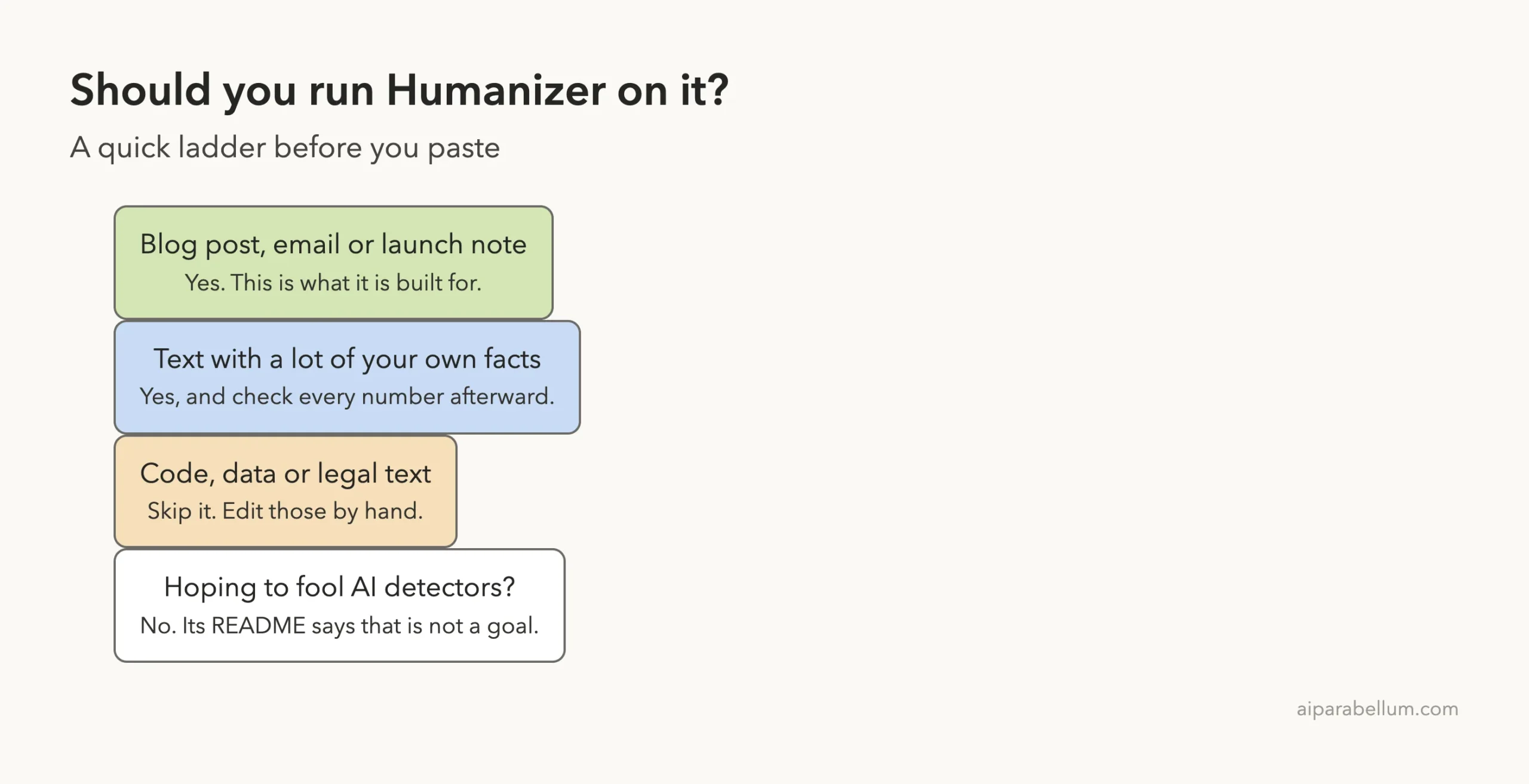
It suits anyone who drafts with AI and edits by hand: bloggers, marketers, founders writing launch notes, and students polishing their own work. It is a quick way to catch habits you have stopped noticing.
It is a poor fit for code, data tables, legal text and anything where wording must stay exact. The README says that when you point it at a file, it changes only the prose and leaves code, data, frontmatter and link targets alone, but you should still review the diff.
If you are comparing writing add-ons, we also tested the Hallmark skill, which takes a different approach to the same problem. For a wider look at what skills can do, see our guide on how to build useful skills.
Try It Yourself
Make a throwaway folder, write a short paragraph full of AI habits, and run the skill on it. Start with this prompt after loading the plugin:
/humanizer:humanizer Rewrite the prose in draft.md. List the patterns you found first. Do not add any facts that are not in the file. Print the result in chat only.Then compare the result with your original line by line. Ask yourself whether any fact changed, and whether anything you cared about was cut.
Common Mistakes
- Pasting text with no facts. If your draft is vague, the rewrite will be short and vague. Add real details first.
- Trusting the result without reading it. The skill cut a sentence in our test. It was filler, but you should decide that yourself.
- Expecting it to fool detectors. The README says it does not aim for that.
- Running it on code or data files. Point it at prose only.
- Skipping a voice sample. Without one, you get a plain neutral style, not yours.
Pro Tips
- Add two or three paragraphs of your own writing as a voice sample for a closer match.
- Say “print in chat only” while testing, so no files are written.
- Ask it to list the patterns first. Seeing them teaches you to spot them yourself.
- Answer its questions about missing details. That is how the rewrite stays honest.
- Pair it with a read-aloud pass. If a sentence sounds odd out loud, change it.
Humanizer Cheat Sheet
Frequently Asked Questions
What is the humanizer skill for Claude Code?
It is an open source skill that rewrites AI-sounding text so it reads more naturally without changing the meaning. It checks 26 patterns and shows what it found.
How do I run it after installing?
Type /humanizer:humanizer and paste your text, or ask it to rewrite a file by path. You can also ask in plain language, such as “humanize this text.”
Will it get my text past AI detectors?
Do not count on it. The README says detectors still flag most of its output and that passing them is not a goal.
Does it make up facts?
The skill says every name, number and date must come from your source, and that it should ask when a detail is missing. In our two tests, it added no facts of its own.
Does it work outside Claude Code?
The README lists installs for Codex and other agents using the Skills CLI, and says you can upload the repository as a skill in Claude.ai and Claude Desktop. We only tested it in Claude Code. You can read about the main chat app on our Claude AI page.
Conclusion
The Humanizer skill does a solid job of stripping the obvious signs of AI writing, and it does so without inventing facts, which is the part that matters most. It is not magic and it is not a detector shield, so read every rewrite and keep your own voice in charge. If you draft with AI and care how it sounds, it is a free and low-risk add-on to try in a throwaway session first.