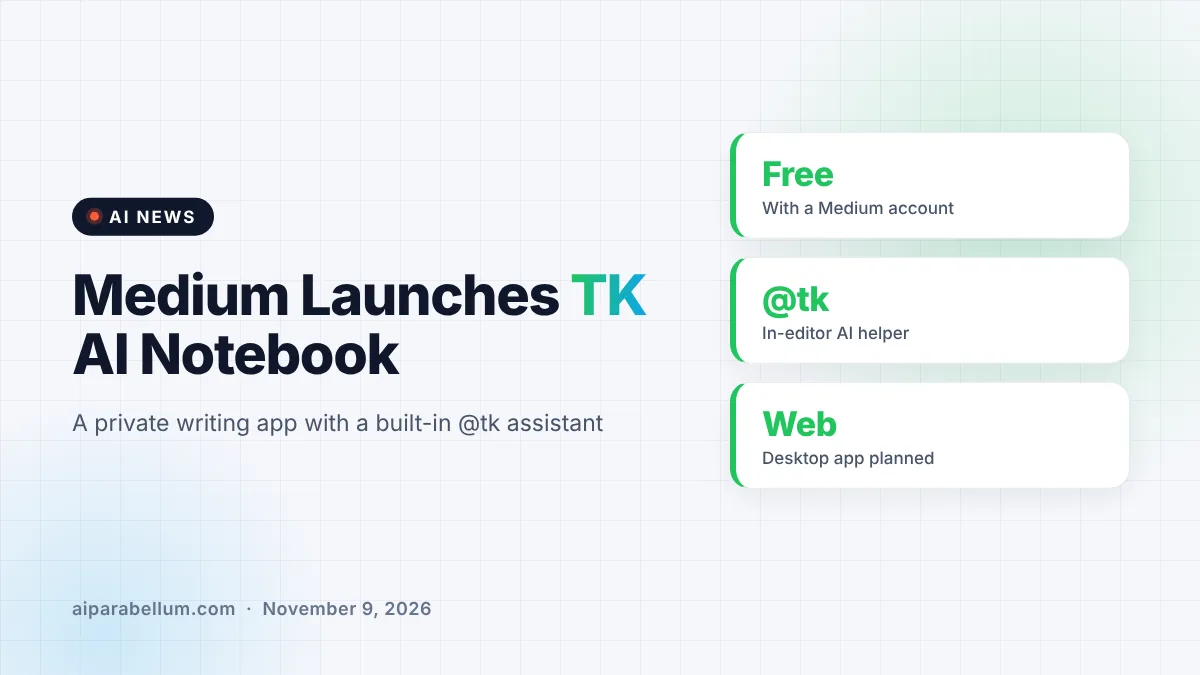
Medium has launched TK, a new AI writing notebook app that puts an assistant right inside the editor, so you can ask for help without leaving your draft. The free app mixes daily note taking, private sharing with small groups, and an AI helper you call up by typing “@tk.” It is the company’s biggest product launch in years, and it arrives at a tense moment for AI in writing and publishing.
What the TK AI Writing App Does
At its core, TK is a minimalist notebook built around daily notes and longer pieces of writing. Each morning it offers a fresh writing prompt to help you build a habit. You can write in scraps and let the app help you find and organize them later.
The name comes from an old publishing trick. Writers type “TK,” short for “to come,” as a placeholder for a fact they will fill in later, because those two letters rarely appear together in normal English. In Medium’s app, that placeholder now does some of the work for you.
How the @tk Assistant Works
Type “@tk” followed by a request, and the assistant answers in place. Medium’s own example is asking for the year a law passed while you keep typing. The assistant can also dig up something you wrote weeks ago, or help when you feel stuck.
Beyond the editor, the AI helps in a few other spots:
- Feedback: get a quick read on a draft’s structure or a second opinion on a headline before anyone else sees it.
- Archive: it organizes and summarizes your notes so older ideas are easier to find.
- Style: Medium says TK ships with skills for editorial feedback, headline feedback and matching drafts to the style guides of Medium publications.
- Your own agent: TK can connect to an outside AI agent through its MCP server or a Claude skill, so that agent can understand your projects and ideas.
That last option will interest anyone already using Claude for work, since it lets the notebook plug into tools you may already rely on.
Private Blogging and Libraries in TK
The social side of TK may matter as much as the AI. You can share a draft by link or email, much like a shared document, and collaborators can write, comment and react. You can also add work to “Libraries,” which are small private groups built around a topic.
Medium CEO Tony Stubblebine describes Libraries as “private blogging.” Early groups include people sharing book projects, recipes and poetry drafts, visible only to members. TK does not track pageviews or reward traffic, which is a clear break from the attention-driven web.
There is a business reason behind this shift. Search engines and chatbots are sending less traffic to websites, and Stubblebine has said Medium plans to move more writing into private spaces that do not depend on Google referrals. He also says features from TK are coming to the main Medium platform soon.
TK at a Glance
| Feature | What Medium Says |
|---|---|
| Price | Free for anyone with a Medium account |
| Platforms | Web at launch, desktop app on the roadmap |
| AI assistant | Called with “@tk” inside the editor |
| Sharing | Private by default, shared by link, email or Libraries |
| File support | Imports and exports Markdown |
| Encryption | Not encrypted, but with access controls |
| AI disclosure | Optional notes explaining how AI was used |
Why AI in Writing Is a Touchy Subject
Medium is leaning into AI while the publishing world argues about it. Some authors have lost book deals over suspected AI use, and literary prizes have faced scrutiny for the same reason. Critics worry that an assistant’s suggestions can slowly become the writing itself.
Medium’s answer is transparency. TK lets authors publish notes that explain how AI was used in a piece, and the company describes this as a first step toward making the origin of writing clear, “right down to the prompting and source material.” The product page also promises that TK will not write your essay for you.
On privacy, Medium says your writing stays private until you share it, and that no AI company trains on it or uses it without your permission. Those claims come from the company, so it is worth reading the terms yourself before moving sensitive notes into any new app.
What This Means for You
If you write regularly, TK is a low-risk tool to try because it is free and runs in a browser. Here is how to think about it:
- Use it for habit building. The daily prompts and private notes suit journaling and early drafts more than polished posts.
- Keep the AI in a helper role. Fact lookups and headline checks save time, while the core ideas stay yours.
- Disclose AI help when you publish. TK’s AI notes make this easy, and readers tend to trust openness.
- Think twice about sensitive material. The app is built for collaboration, so notes are not encrypted.
If you are comparing options, our roundup of content creation tools covers other writing assistants. Writers who worry about sounding robotic may also like our guide on AI writing habits, and you can follow more launches like this on our AI news page.
Sources
Primary source: TK product page from Medium. Additional reporting from The Verge and TechCrunch.
Conclusion
TK shows Medium betting that the future of writing online is smaller, more private and quietly assisted by AI. The @tk assistant handles lookups, feedback and organizing, while Libraries swap public traffic for small trusted groups. Its AI disclosure notes are a thoughtful step in a heated debate. Whether writers embrace it will depend on how well it keeps the human voice in charge. For now, it is a free and easy way to see what an AI writing notebook feels like.