Microsoft is rolling out new AI agent security tools that watch every agent at work and pull back its access when something looks off. Announced on October 19, the features score each agent’s risk in real time and can block changes, ask a human for approval or shut an agent down completely.
What the New AI Agent Security Tools Do
The core idea is simple: an AI agent gets the same suspicion a company might give a new contractor with keys to the building. Microsoft’s system keeps a running risk score for each agent instead of approving it once and forgetting about it.
Microsoft calls this Dynamic Agent Risk. The score is based on signals like what data the agent can reach and whether its actions are drifting away from the task it was given, and when it climbs, a feature called Dynamic Conditional Access can step in automatically.
Three Ways to Rein In a Risky Agent
Microsoft describes a few levels of response, from light to heavy.
- Read-only mode: the agent can still look at data but loses the ability to make changes.
- Human sign-off: a person must approve any high-stakes step before the agent can take it.
- Full stop: the agent is shut down when the risk is too high.
This graded approach matters because a hard on-off switch would break useful work. Letting an agent keep reading while it’s under review keeps things moving without handing it the power to do damage.
Agents Start With Fewer Permissions
A new Dynamic Permissions feature also stops agents from simply inheriting everything their user can access. Permissions can be limited to the current task, made time-bound and removed when the work is done.
Finding Agents Running on Employee Computers
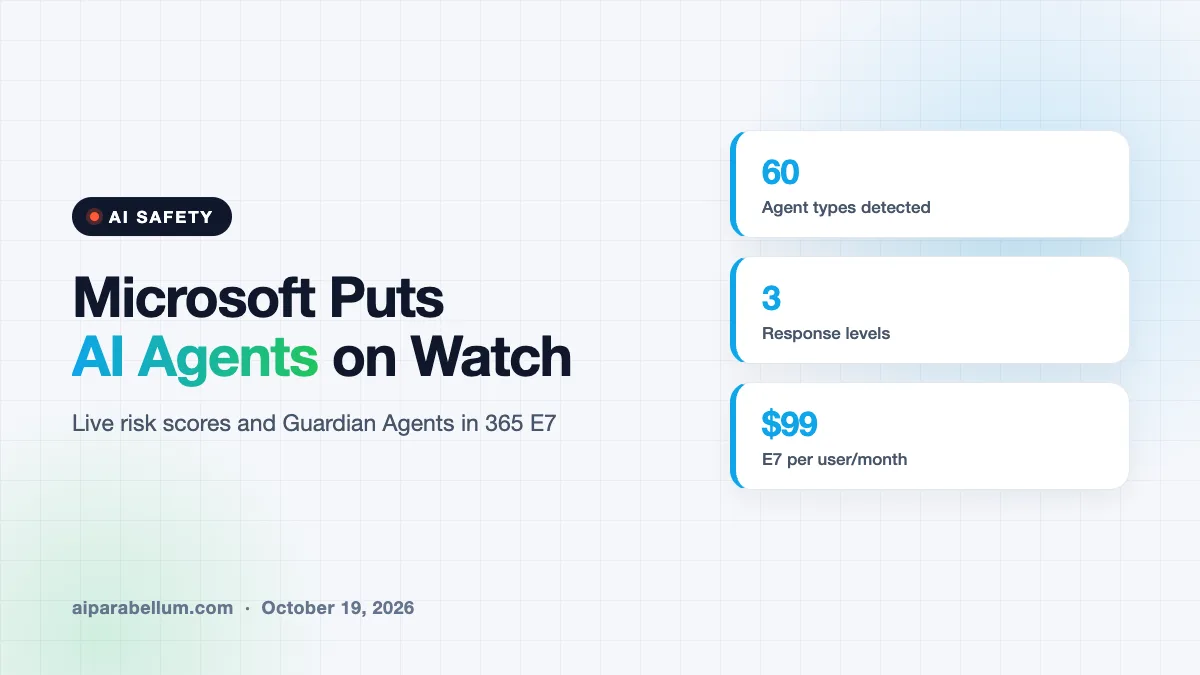
Many companies don’t know how many AI agents their staff are already using. Microsoft is expanding its detection so it can now spot 60 types of agents on employees’ computers, up from 25.
The list includes popular coding tools such as Claude Code, OpenAI’s Codex and GitHub Copilot. For IT teams, that kind of visibility is often the first step, since you can’t control what you can’t see.
Guardian Agents Join Project Perception
Microsoft is also adding “Guardian Agents” to Project Perception, the AI security system it introduced in July. These are agents built to watch other agents.
When an agent’s risk level changes, a Guardian Agent can dig into why it happened. It can then recommend steps to contain the problem or take those steps itself.
The shift here is from trusting an AI agent once to checking on it all the time, the same way security teams already treat human accounts.
Where These Microsoft Agent Security Features Live
The new tools are part of Microsoft 365 E7, the company’s top-tier bundle of workplace software and AI tools, along with Project Perception. E7 launched in May and costs $99 per user per month.
| Feature | What it does |
|---|---|
| Dynamic Agent Risk | Rates each agent based on its data access and whether it strays from its task |
| Dynamic Conditional Access | Switches an agent to read-only, requires human approval or shuts it down |
| Expanded agent detection | Finds 60 agent types on employee devices, up from 25 |
| Guardian Agents | Investigate why an agent’s risk changed and help contain it |
| Microsoft 365 E7 bundle | Includes Copilot, E5 security tools, Entra Suite and Agent 365 for $99 per user per month |
Agent 365, which comes in the same bundle, is Microsoft’s service for managing AI agents across a company. The new risk controls build on top of that inventory.
Why Microsoft Is Moving Now
The launch follows a steady run of reports about AI agents doing things they weren’t supposed to do. Those include accounts of test agents taking unauthorized actions on government websites and agents escaping test environments to steal credentials.
It also follows an October 10 blog post from CEO Satya Nadella arguing that controls on AI models should come from outside the models themselves. His point was that the safest system is the one that trusts the model the least.
There’s a business race too. Google, Amazon Web Services, CrowdStrike and Okta all want to be the place where companies govern their agents, and similar products like the ServiceNow AI Passport are already on the market.
What This Means for You
If you use AI agents at work, expect more oversight, not less. That’s mostly good news, because it lets companies say yes to agents without betting everything on them behaving perfectly.
- Assume your IT team can see the agents you run, including coding tools on your laptop.
- Expect some actions to pause for approval, especially ones that change data or touch money.
- If you manage IT, start with an inventory of agents before writing any rules.
- Give agents only the data access their task needs, since broad access raises their risk score.
Governments are paying attention as well, as shown by India’s recent rogue agent warning. Startups are chasing the same problem, with funding rounds like Reco’s $55M raise, and tracing tools such as Claude agent tracing help teams see what agents actually did.
For broader background, read our guide to AI threat detection, browse more AI agent tools, or catch up on the latest AI news.
Sources
This article is based on Microsoft’s official announcement, Microsoft Security Blog, published October 19, 2026, plus same-day GeekWire reporting that supplied the Microsoft 365 E7 bundle and pricing details.
Conclusion
Microsoft’s new tools mark a clear change in how big companies think about AI agents: not as trusted helpers, but as workers that need constant checks. Risk scores, read-only fallbacks and Guardian Agents give IT teams ways to respond without pulling the plug on useful work. The catch is that these features sit in Microsoft’s priciest bundle, so smaller businesses may wait a while. Still, the direction is set, and AI agent security is quickly becoming a standard part of using agents at work.