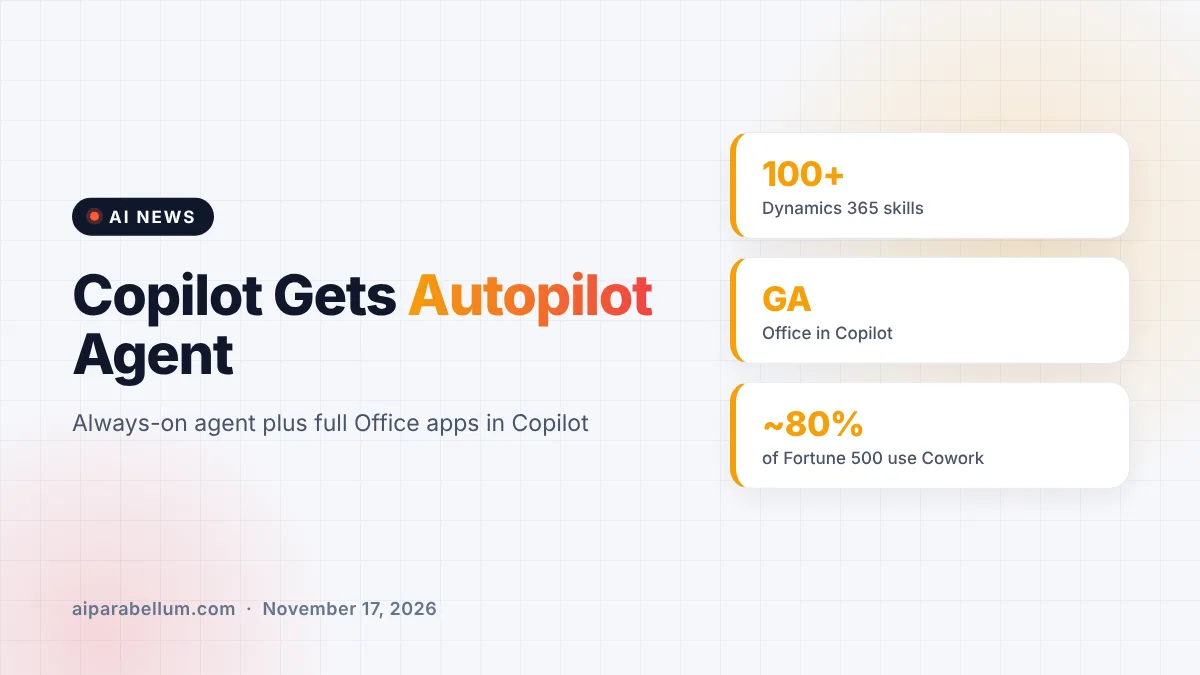
Microsoft is giving Copilot an always-on helper called Copilot Autopilot, a personal AI agent that can follow up on emails, watch Teams channels and run recurring work without waiting for a prompt. The company announced it on November 17 at its Ignite conference, where it also made the full Word, Excel and PowerPoint experience available inside the Copilot app. Together, the updates turn Copilot from a chat window into a place where AI agents do ongoing work next to you.
What Copilot Autopilot Can Do
Autopilot is an autonomous agent that is personal to each user and stays on in the background. It has its own identity, memory and tools, and it shows up where you already work, like Teams, Outlook, chats and documents. You can @mention it like a coworker.
Microsoft says it can watch Teams channels, follow up on emails, run repeat tasks and manage a project. One example the company gives is running a full supplier review, from building the schedule and plan to handling the follow-ups. Autopilot is starting to roll out to Frontier customers, Microsoft’s early-access program, today.
Built-in controls for IT teams
Handing work to an agent that acts on its own takes trust, and Microsoft is leaning on its existing security tools. Each Autopilot gets its own Microsoft Entra Agent ID and a named manager. IT can limit what it can access or block it at any time, and every sign-in and action is logged under the agent’s own name.
Office Apps Move Inside the Copilot App
The second big change is Office in Copilot, which is now generally available. It brings the full power of Word, Excel and PowerPoint into the Copilot app, so you can go from an idea to a finished document and co-author it with teammates. Files keep their Microsoft 365 permissions, sensitivity labels and compliance controls from the start.
Microsoft also made Home generally available. It is the new starting screen where Chat and Cowork, Copilot’s tool for handing off multi-step jobs, live together behind one prompt box.
Every Copilot Update From Ignite at a Glance
| Feature | What it does | Status |
|---|---|---|
| Autopilot | Always-on personal agent for email, Teams and projects | Rolling out to Frontier customers |
| Office in Copilot | Full Word, Excel and PowerPoint inside the Copilot app | Generally available |
| Home | One starting point for Chat and Cowork | Generally available |
| Today | Daily command center across mail, calendar and Teams | Private preview |
| Code | Builds apps and dashboards from plain language | Generally available in coming weeks |
| Copilot Managed Runtime | Securely hosts the apps you build | Generally available |
Inside Home, a new view called Today shows what you missed, what needs attention now and what can wait. It can even have a draft reply or a proposed schedule change ready for you. Workspaces, the next version of Copilot Notebooks, lets people and agents work on shared projects together.
New Copilot Plugins for Sales, Finance and Legal
Microsoft is also adding ready-made skills for specific jobs. Copilot’s Auto mode picks the right AI model and effort level for each task, and these plugins give it business know-how on top.
- Dynamics 365 in Copilot: more than 100 prebuilt skills for sales, service and finance work
- Sales: 44 skills for pipeline, forecasts and meeting prep, plus a Salesforce plugin
- Customer service: 13 skills for triaging cases and drafting replies
- Finance: 30 skills that combine Excel with ERP systems
- Legal: more than 20 skills for drafting and negotiating agreements
We have already covered the separate Salesforce partnership in more detail. Microsoft is also expanding Agent 365 so IT can track agents from Anthropic, Databricks, OpenAI and Salesforce, and adding new tools to measure and cap AI spending.
What This Means for You
If your company uses Microsoft 365, Copilot is moving from answering questions to doing work on your behalf. Microsoft says nearly 80% of Fortune 500 companies already use Cowork, so these agent features may reach your desk quickly.
- Expect Office in Copilot and Home to appear first, since both are generally available now.
- Ask IT whether your company is in the Frontier program if you want early access to Autopilot.
- Start with low-risk tasks, like follow-up reminders, before giving an agent bigger projects.
- Check that spending limits are set, since agent work can be billed by usage.
For ideas on getting started, see our guides to Excel with AI and organizing your inbox. You can also browse more updates on our AI news page.
Sources
Primary source: Microsoft’s Copilot at Ignite announcement. Additional details from the Microsoft Ignite live news blog.
Conclusion
Microsoft used Ignite to show where Copilot is heading: fewer chat boxes and more agents that work alongside you. Autopilot is the boldest piece, an always-on agent with its own identity and audit trail, while Office in Copilot and Home are the parts most people can use right away. The new plugins and spending tools are aimed at companies that want to scale AI without losing control. For workers, the big question is how much ongoing work you are comfortable handing to an agent. Microsoft is betting the answer will grow quickly.