If you’re trying to settle Perplexity vs Gemini for finding answers, you’re looking at two AI tools that both search the web but start from very different places. Perplexity is an answer engine, so nearly every question begins with a live search and ends with a short, cited summary. Gemini is Google’s all-purpose AI assistant, which can search the web, dig through your Gmail and Drive, write, create images, and run long research jobs.
Both tools show sources, both offer a free version, and both have a deep research mode for big questions. The real differences come down to how you like to search, how much you live in Google’s apps, and what you want to do once you have the answer. This guide walks you through each one so you can choose with confidence.
Perplexity vs Gemini at a Glance
Here’s a quick side-by-side before we dig in. Features and plans change often, so think of this as a picture of how each tool is designed rather than a price list.
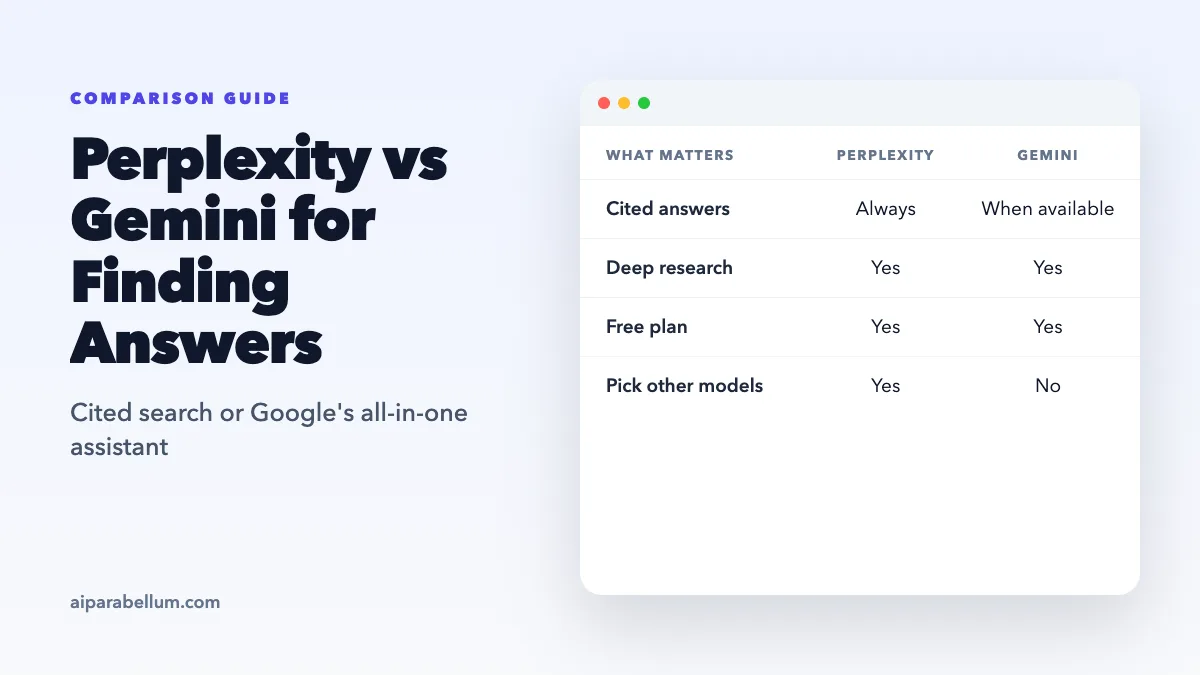
| Feature | Perplexity | Gemini |
|---|---|---|
| Made by | Perplexity AI | Google (formerly called Bard) |
| Core design | Search-first answer engine | General AI assistant with Google Search built in |
| Citations | Numbered citations on every answer | Sources button and inline links when sources are available |
| Deep research | Research mode that runs dozens of searches | Deep Research with an editable research plan |
| Model choice | Pro users can pick models from several AI companies | Google’s own Gemini models |
| Personal data | Search files you upload | Connected apps like Gmail, Drive, Calendar, and Keep |
| Paid plans | Pro and Max | Google AI Plus, Pro, and Ultra |
| Best at | Fast, sourced answers to factual questions | Answers that mix the web with your Google data |
How Perplexity Finds Answers
Perplexity treats every question as a search problem. You type a question, it searches the web in real time, and it pulls the most useful points into a short, conversational reply. Each answer carries numbered citations, so you can click straight through to the original pages.
Your questions and answers stay together in a thread, so follow-ups build on what you already asked. That makes Perplexity feel like a search engine that talks back, which is exactly what it’s going for.
Pro Search and Research Mode
Pro Search is the step up from a basic answer. It runs several searches across articles, academic papers, forums, and other pages, then shows you how it broke down your question before giving a fuller response. It also includes a code interpreter for quick data work.
Research mode goes further. Perplexity says it runs dozens of searches, reads hundreds of sources, and delivers a full report in roughly two to four minutes. That’s useful when you want a broad overview without opening a pile of browser tabs.
Model Choice and Focus Options
One standout feature is model choice. Pro subscribers can use Perplexity’s own Sonar model, pick top models from OpenAI, Anthropic, and Google, or let the default “Best” setting decide. You can also narrow a search to a focus like Academic or Finance when general web results would be too noisy.
Want to see it in action? Our guide on competitor research tips shows a real Perplexity workflow from start to finish.
How Gemini Finds Answers
Gemini comes at the job from the other direction. It’s a general assistant first, so it’s happy to chat, write, summarize files, and make images even without searching. When a question needs fresh information, it taps Google Search and can show the pages it used.
When sources are available, you’ll see a Sources button at the bottom of the response or links placed inline. Clicking it opens a side panel with the related pages, so you can check where an answer came from.
Deep Research in Gemini
Gemini’s Deep Research feature is built for big questions. You type what you want to research, and Gemini drafts a research plan that you can edit before it starts. Google says a report usually takes about 5 to 10 minutes, and longer for complex topics.
Google Search is the default source, but you can add your own Gmail or Drive, upload files, or add NotebookLM notebooks. When the report is done, you can turn it into an audio overview, export it to Google Docs, or share it straight from the Canvas panel.
Connected Google Apps
This is where Gemini really pulls ahead for some people. With connected apps turned on, it can find details in Gmail, summarize documents in Drive, check your Calendar, and work with notes in Keep and tasks in Google Tasks. You can ask things like “What dates did my coworker propose for the offsite?” and get an answer pulled from your own inbox.
Perplexity is built to answer the question you just typed. Gemini is built to answer it using everything Google already knows about your day.
For a closer look at the tool itself, check out our Gemini tool overview, which covers its history from the Bard days.
Perplexity vs Gemini: Key Differences
Now that you know how each one works, let’s compare them on the things that matter most when you’re hunting for answers.
Speed and Everyday Questions
For quick factual lookups, Perplexity usually feels more direct. You ask, it searches, and you get a tight, sourced answer in seconds. Gemini is fast too, but its replies can wander into broader explanations because it isn’t search-only.
Citations and Source Checking
Perplexity puts citations front and center on every answer, so checking a claim takes one click. Gemini shows sources when they’re available, but not every reply will have them, especially answers drawn from the model’s own knowledge. Google itself warns that Gemini can get things wrong, so open the key sources either way.
Deep Research Reports
Both deep research modes produce long, sourced reports. Perplexity’s tends to finish faster, in a few minutes. Gemini takes a bit longer but lets you edit the plan first, mix in your own Gmail or Drive, and turn the result into an audio overview or a Google Doc.
Working With Your Own Stuff
If your answers depend on your own emails, files, and calendar, Gemini has a clear edge. Perplexity can search files you upload, but Gemini’s deep ties to Google’s own apps are hard to match. Gemini can also handle very long documents, and Google says its 1 million token context window can take in roughly 1,500 pages of text.
Extras Beyond Search
Gemini does a lot more than find answers. It can create and edit images with Google’s Nano Banana models, build docs and simple apps in Canvas, and help across Android and Google’s apps. Perplexity stays focused on search, though Pro users get extras like file creation and simple apps.
Which Is Better for Finding Answers?
The right pick depends on what kind of answers you look for most often. Here’s an easy way to decide.
Choose Perplexity If You:
- Want fast, sourced answers to factual questions
- Like seeing numbered citations on every response
- Want to try models from different AI companies in one place
- Need focused searches for academic papers or finance
- Mostly use AI as a smarter search engine
Choose Gemini If You:
- Already live in Gmail, Drive, Calendar, and Docs
- Want research that blends the web with your own files
- Like editing a research plan before the report runs
- Want image creation and writing help in the same app
- Use an Android phone and want AI built into it
Plenty of people use both. A simple routine is to check quick facts in Perplexity, then turn to Gemini when the answer depends on your own email or documents. For even more options, browse our list of AI research tools or the AI search engines category.
Plans and Usage Limits
Both tools have a free version, which is the easiest way to test them on your own questions. Each also sells paid plans with more usage and extra features.
| Plan Detail | Perplexity | Gemini |
|---|---|---|
| Free plan | Yes, for everyday searches | Yes, with usage limits |
| Paid plans | Pro and Max | Google AI Plus, Pro, and Ultra through Google One |
| Deep research | Extended access on Pro | Higher report limits on Pro and Ultra |
| Limit style | Varies by plan and mode | Five-hour and weekly limits that refresh |
Keep in mind that deep research uses more of your limits on both tools. Google also notes that free users may lose access to Deep Research during busy periods, so a paid plan helps if you rely on it daily.
Tips to Get Better Answers From Either Tool
A few simple habits will improve your results no matter which assistant you pick.
- Be specific about what you want, including the time frame and the kind of sources.
- Ask for the answer in a useful format, like a table or a short bulleted list.
- Open the most important sources before you trust a key fact.
- Ask follow-up questions when an answer feels thin or one-sided.
- Save deep research for big questions so you don’t burn through your limits.
Still comparing other assistants? Our Perplexity versus ChatGPT breakdown, our take on Perplexity versus Claude, and our look at Claude versus Gemini can help you narrow it down. You can also visit the Perplexity tool page for a quick overview.
Conclusion
The Perplexity vs Gemini choice comes down to where your answers live. Perplexity is the faster, search-first option when you want clean, cited answers from the open web and the freedom to switch between models from several AI companies. Gemini is the better fit when your questions touch your own Gmail, Drive, and Calendar, or when you want research, writing, and image tools in one Google app. Try both free versions on a real question from your week, and you’ll quickly see which one earns a spot in your routine, or whether using them side by side makes the most sense.