Photo to Video

Freemium

Photo to Video

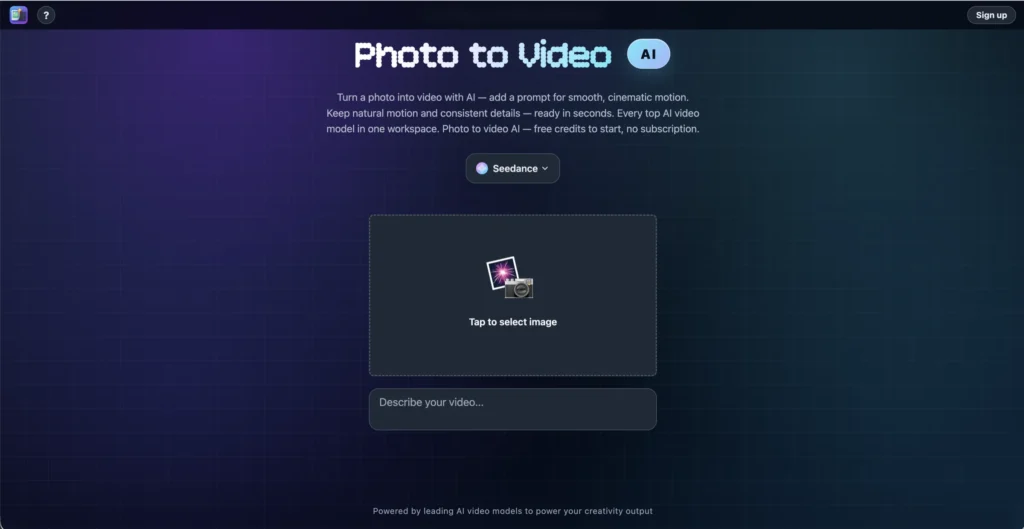
Photo to Video is an AI-powered platform that transforms static images into animated video clips with natural motion, camera movement, and preserved subject details. Upload a photo, describe the motion you want, and the tool generates a smooth, finished video without any timeline editing or video production experience.

Key Features of Photo to Video

  • Image-to-Video Generation – Turn still photos, illustrations, and artwork into smooth animated videos with realistic motion and lighting.
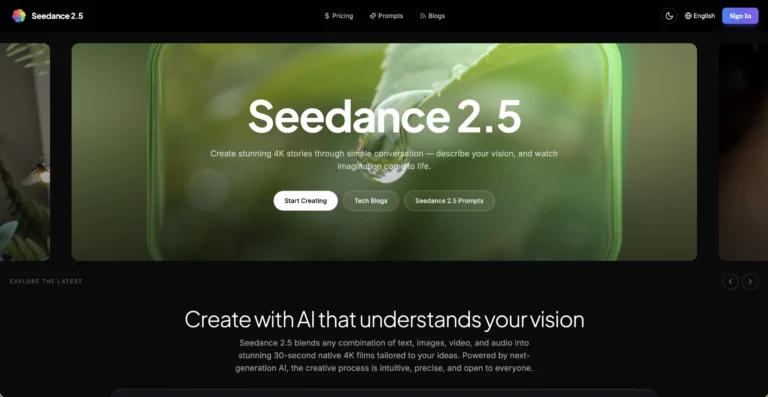
  • 12+ AI Models – Access multiple generation models including Seedance 2.0, Seedance 2.5, MiniMax H3, Kling 3.0, Wan 3.0, Vidu Q3, LTX 2.5, Hailuo, Veo, Sora 2, and more, each with different strengths and styles.
  • Motion Direction Control – Specify camera movements like push-in, pan, orbit, and zoom to direct exactly how the animation plays out.
  • Up to 8 Reference Images – Use multiple reference images to maintain character and subject consistency across sequences and related clips.
  • 4K Resolution Output – Export finished videos in up to 4K resolution in MP4 format, ready for professional use.
  • Multiple Specializations – Dedicated workflows for portrait animation, product rotation, background animation, and scene composition.
  • Text Prompt Support – Add optional text prompts describing the desired motion, mood, or action to guide the AI generation.
  • No Timeline Editing – The workflow goes straight from image input to finished video without requiring any video editing knowledge.

How Photo to Video Works

  1. Upload a Photo – Select a still image, illustration, or piece of artwork you want to animate.
  2. Add a Motion Prompt – Optionally describe the movement, camera angle, or action you want in the video using natural language.
  3. Choose an AI Model – Select from 12+ available models, each optimized for different styles and output qualities.
  4. Generate the Video – The AI analyzes depth, lighting, and motion behavior in your image, then generates new frames to create a natural-looking animated clip.
  5. Download – Export your finished video in up to 4K resolution as an MP4 file.

The Core Benefits of Using Photo to Video

  • No Video Skills Required – Anyone who can upload a photo and write a short description can create animated video content, regardless of their technical background.
  • Multiple Models, One Platform – Instead of signing up for separate services, access 12+ AI video models from a single interface and compare results across different engines.
  • Fast Generation – Most models produce results in one to two minutes, with the fastest options completing in seconds.
  • Consistent Sequences – Reference image support lets you maintain character and subject consistency when creating multiple related clips.
  • Pay Per Video – No mandatory subscriptions. Use credits only when you generate, so you pay for what you actually create.

Photo to Video Pricing and Plans

  • Free Starting Credits – New accounts receive complimentary credits to try the platform and test different AI models without paying upfront.
  • Pay-Per-Generation – Each video generation consumes credits based on the model and settings used. There is no mandatory monthly subscription.
  • Credit-Based System – Purchase credits as needed and use them across any of the available AI models on the platform.

Specific credit pack pricing is available after creating an account. For current pricing details, visiting the Photo to Video website directly is recommended.

An Honest Review of Photo to Video

Photo to Video takes a smart approach by aggregating multiple AI video models into one platform, letting users compare and choose the best engine for their specific needs.

What works well: The multi-model approach is the biggest advantage. Having access to Seedance 2.5, Kling 3.0, MiniMax H3, Veo, Sora 2, and others from a single interface saves time and lets you find the model that works best for your particular image and style. The no-timeline workflow keeps things simple, and the reference image support for consistency across clips is a practical feature for anyone creating a series of related videos. 4K output makes the results usable for professional and commercial projects.

Where it could improve: Pricing details are not prominently displayed on the website, which makes it harder for new users to estimate costs before signing up. The quality and style of results will vary significantly between models, so there is a learning curve in understanding which model works best for which type of content. Users looking for longer-form video or precise frame-by-frame control will need a different tool.

Who is it best for: Photo to Video is ideal for content creators, marketers, e-commerce sellers, and social media managers who want to turn product photos, portraits, or creative images into engaging video content without video editing expertise.

Final Thoughts on Photo to Video

Photo to Video gives you access to 12+ AI video generation models from one platform, making it easy to animate any still image with natural motion and up to 4K quality. If you want to turn photos into videos without learning video editing software or committing to a subscription, Photo to Video is a flexible and accessible solution.

Visit Site
Scroll to Top