The Prisma plugin for Claude Code lets Claude create database migrations with a real Prisma tool instead of guessing shell commands. If you searched for “prisma claude code”, you probably want to know what the plugin adds, whether it needs an account and whether it really works. We loaded it into a throwaway project, asked Claude to build a small bookshop schema, and watched two migrations run against a local SQLite database.
This guide is part of our Claude Code tutorials. Find more add-ons in our Skills Directory.
Tested with Claude Code v2.1.318 on November 6, 2026, using the prisma plugin from the official marketplace at commit 82edd74 (October 27, 2026) and Prisma 7.10.1. Everything ran in a sandbox folder with --plugin-dir and --setting-sources project, so nothing was added to the global Claude Code setup.
Quick Summary
| Question | Answer |
|---|---|
| What is it? | A Claude Code plugin that starts two Prisma MCP servers, one local and one remote |
| Where is it listed? | The official claude-plugins-official marketplace, as prisma |
| Install command | /plugin install prisma@claude-plugins-official |
| Tools on the local server | migrate-status, migrate-dev and Prisma-Studio |
| Account needed? | Not for the local server. The remote server showed “needs authentication” and we did not sign in |
| What we ran | Two models, two migrations and one status check on a SQLite database |
| Speed | Claude reported 8 seconds for the first migration, 9 for the second and 5 for the status check |
| What we did not run | The remote server and Prisma-Studio |
What the Prisma Plugin Does
Prisma is a popular toolkit for working with databases from JavaScript and TypeScript. You describe your tables in a file called prisma/schema.prisma, and Prisma turns changes to that file into SQL scripts called migrations.
The plugin does not contain any skills, hooks or commands. We read the whole repository, and it holds two small files: a plugin description and a .mcp.json file. That second file tells Claude Code to start two MCP servers, which are tool providers that Claude can call.
If MCP is new to you, our guide to Claude Code MCP explains it step by step. The plugin is simply a tidy way to bundle those two servers so you install them with one command. Our overview of Claude Code plugins covers how plugins work in general.
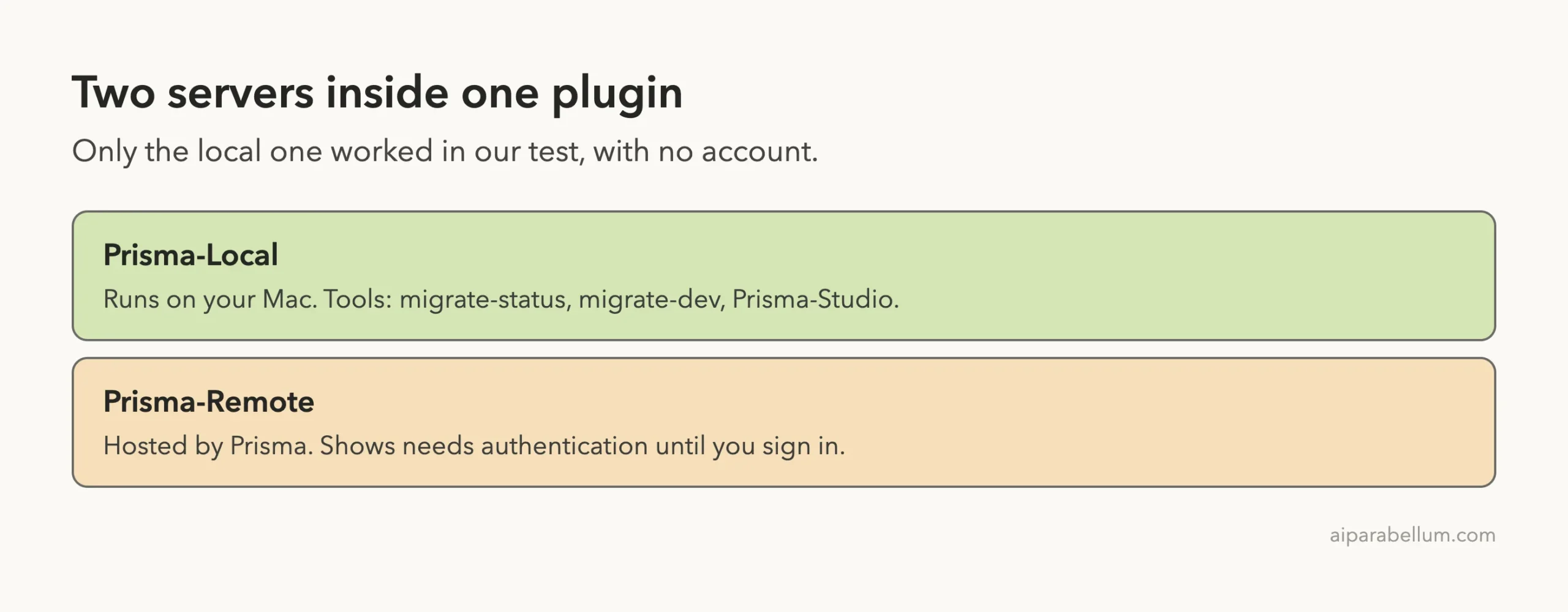
The two servers inside
The local server runs npx -y [email protected] mcp on your own machine. The remote server points to a hosted address at mcp.prisma.io. The plugin pins the local server to Prisma 7.10.1, so every user gets the same version of the tools.
Safety Check Before We Ran It
We read the plugin repository before loading it. There are no hooks and no scripts, only the two server entries. The local one downloads and runs the Prisma command line from npm, so you need Node.js and an internet connection the first time.
The remote server talks to a service run by Prisma. We never signed in to it, so we cannot say what it does in practice. Treat it like any hosted service: read what it asks for before you approve a sign-in.
Step 1: Set Up a Prisma Claude Code Demo Project
We made a folder called bookshop inside a sandbox, then ran npm init -y and installed Prisma and its client. After that we ran npx prisma init --datasource-provider sqlite. SQLite keeps the test simple because the whole database is one file.
Two details are worth knowing.
First, Prisma 7 reads the database address from a prisma.config.ts file, so we set the address there to file:./dev.db. Second, prisma init also dropped several agent skill folders into the project. We moved them out before the test, so the only Prisma help in our session came from the plugin.
import { defineConfig } from "prisma/config";

export default defineConfig({
  schema: "prisma/schema.prisma",
  migrations: { path: "prisma/migrations" },
  datasource: { url: "file:./dev.db" },
});
Step 2: Load the Plugin and Check the Servers
For a real install, you would run /plugin install prisma@claude-plugins-official and then /reload-plugins, as described in the official plugin discovery guide. We did not do that, because it would change our own Claude Code setup. Instead we started Claude Code with the --plugin-dir flag, which loads a plugin from a folder for one session.
claude --plugin-dir ./claude-plugin --setting-sources projectInside the session we typed /mcp. The list showed plugin:prisma:Prisma-Local with 3 tools and plugin:prisma:Prisma-Remote with a warning that it needs authentication. Claude Code also printed a banner saying one MCP server needs authentication, which is the remote one.
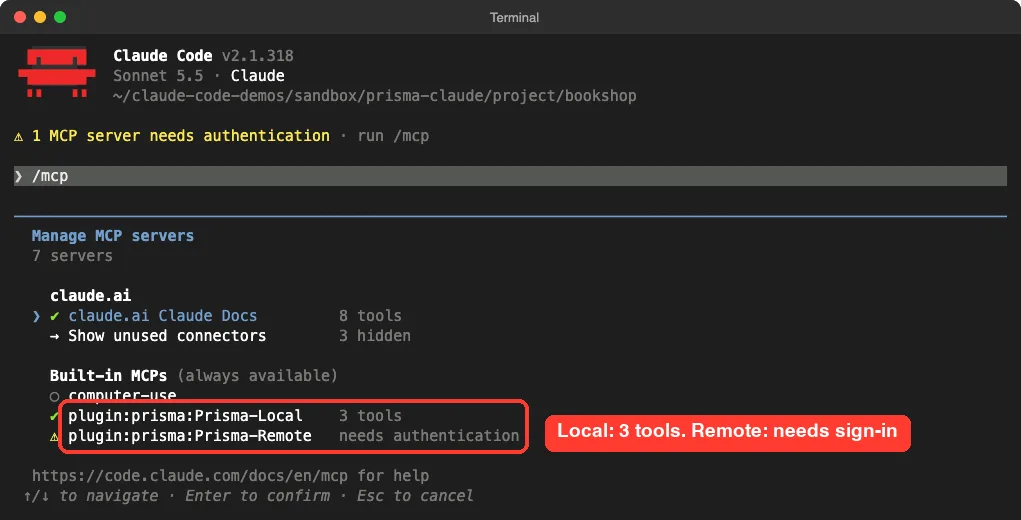
What the three local tools do
We also asked the local server for its tool list directly, outside Claude, using the standard MCP handshake. It reported three tools, and the descriptions come from Prisma itself.
| Tool | What it does | Needs |
|---|---|---|
migrate-status | Compares the files in prisma/migrations with the database history | The project folder path |
migrate-dev | Creates a migration from your schema changes, applies it and regenerates the client | A migration name and the project folder path |
Prisma-Studio | Opens Prisma Studio, a visual viewer for your data | The project folder path |
Notice that this version has no reset tool. If you want to wipe a development database, you still run that Prisma command yourself.
Step 3: Build a Schema and Run the First Prisma Claude Code Migration
Our first prompt asked Claude to add two models and then use the plugin tool. We told it not to run anything else, so the test stayed small.
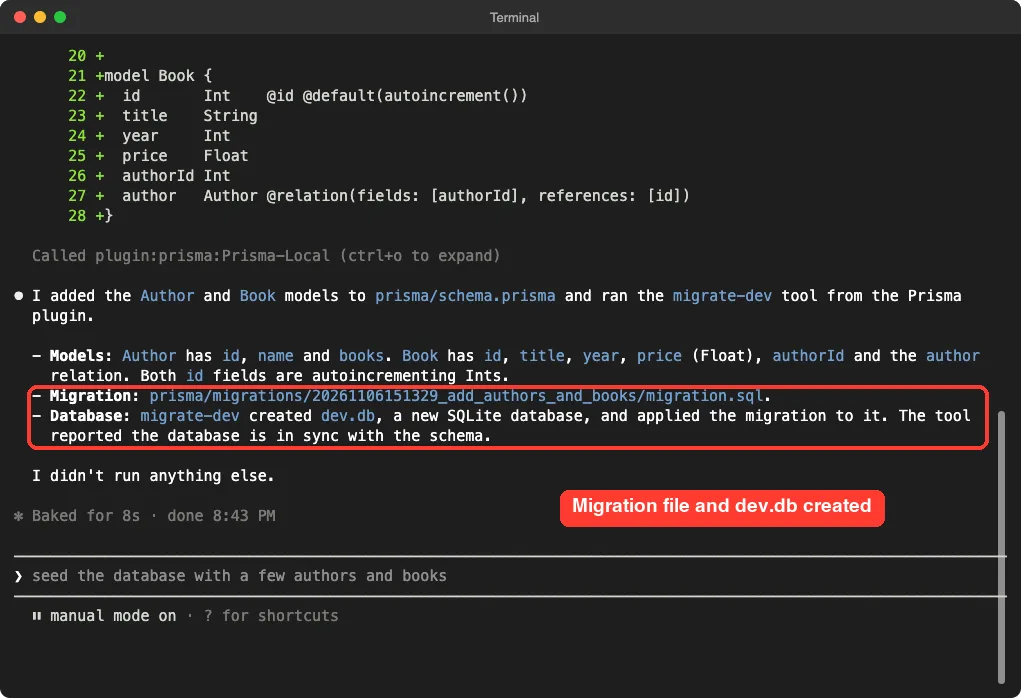
Add two models to prisma/schema.prisma: Author (id, name, books) and Book (id, title, year, price as Float, authorId, author relation). Keep it short. Then use the Prisma migrate-dev tool from the plugin to create a migration named add_authors_and_books. Do not run anything else.Claude first showed the file edit and waited for approval. The diff added an Author model with a list of books, and a Book model with a title, year, price and a link back to its author.
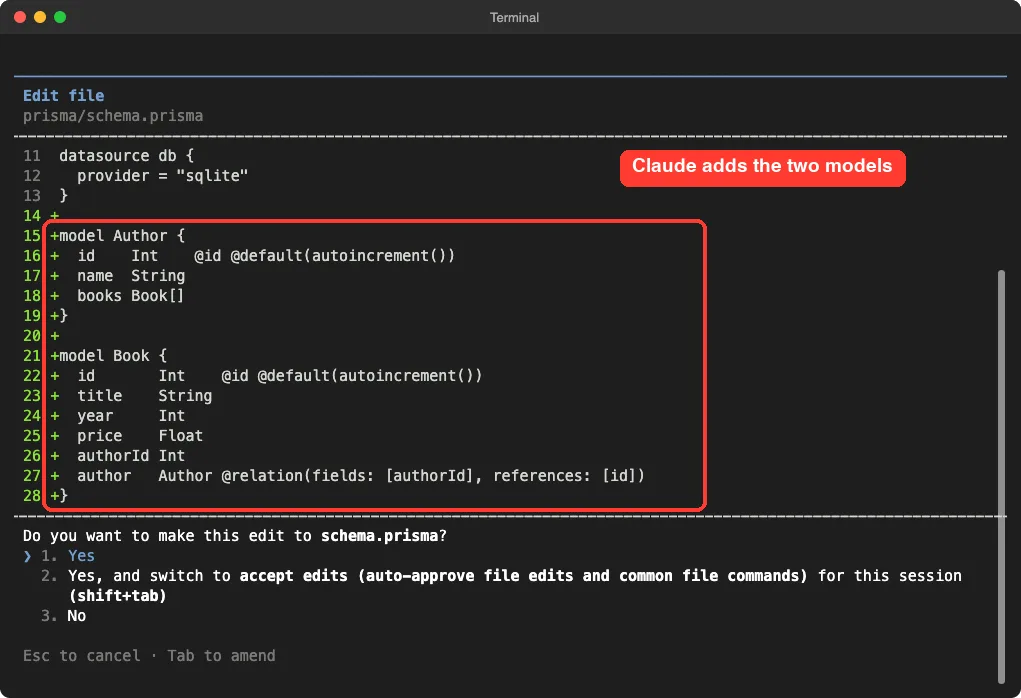
After we approved the edit, Claude called the plugin. A permission screen appeared with the tool name, the migration name add_authors_and_books and the project folder. The second choice on that screen would have remembered our approval for this folder, but we picked the plain “Yes”.
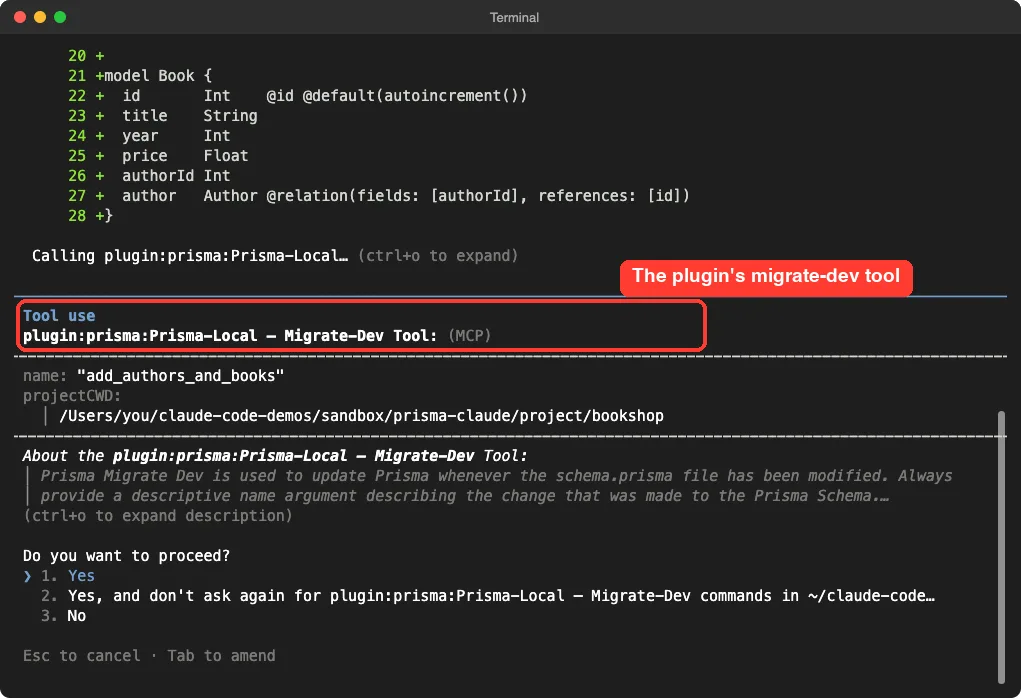
Claude reported that the tool created prisma/migrations/20261106151329_add_authors_and_books/migration.sql and a new SQLite file called dev.db. The whole round took 8 seconds by Claude’s own timer.
What the migration contained
We opened the file on disk to check Claude’s summary. It held two CREATE TABLE statements, and the Book table had a foreign key pointing to Author.
-- CreateTable
CREATE TABLE "Author" (
    "id" INTEGER NOT NULL PRIMARY KEY AUTOINCREMENT,
    "name" TEXT NOT NULL
);

-- CreateTable
CREATE TABLE "Book" (
    "id" INTEGER NOT NULL PRIMARY KEY AUTOINCREMENT,
    "title" TEXT NOT NULL,
    "year" INTEGER NOT NULL,
    "price" REAL NOT NULL,
    "authorId" INTEGER NOT NULL,
    CONSTRAINT "Book_authorId_fkey" FOREIGN KEY ("authorId") REFERENCES "Author" ("id") ON DELETE RESTRICT ON UPDATE CASCADE
);
Step 4: Change the Schema and Migrate Again
Real projects change all the time, so we tested a second migration. We asked Claude to add an optional rating field of type Int? to Book and run migrate-dev with the name add_book_rating.
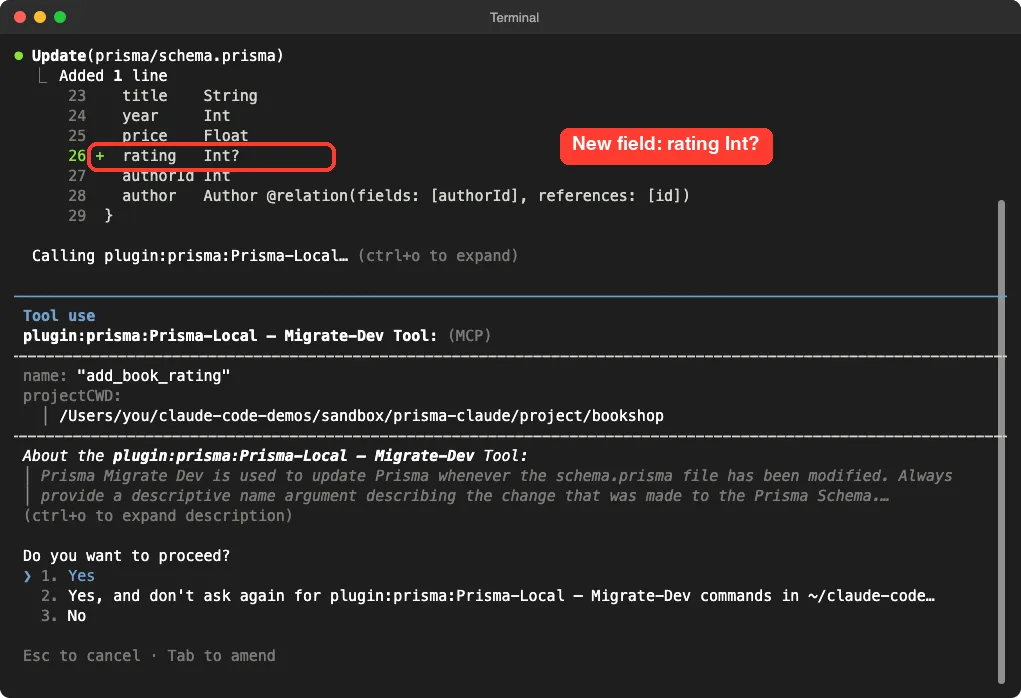
The result was a new folder named 20261106151759_add_book_rating. Its SQL file contained a single line, ALTER TABLE "Book" ADD COLUMN "rating" INTEGER;. Because the new column is optional, the existing table did not need a default value.
Claude reported 9 seconds for this round.
Step 5: Check the Migration Status
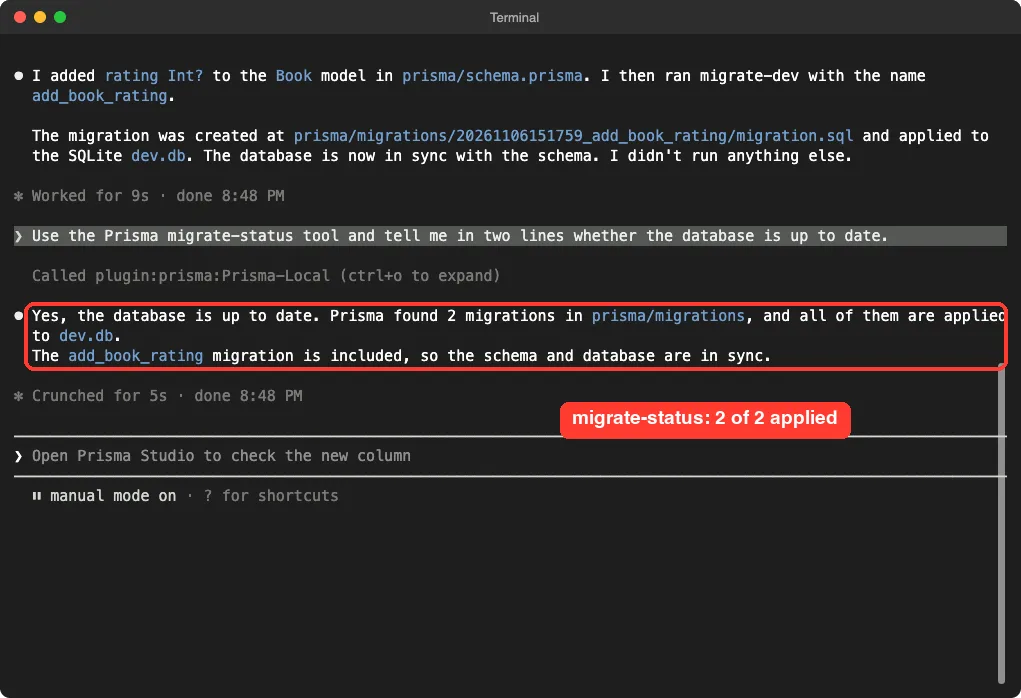
Our last prompt asked Claude to use the migrate-status tool and answer in two lines. It answered that the database is up to date, that Prisma found 2 migrations and that both were applied.
One thing surprised us.
This read-only tool ran without a permission screen, while migrate-dev asked every time. We did not dig into why, so treat that as an observation from our run and not a rule. The status check took 5 seconds.
How the Pieces Fit Together
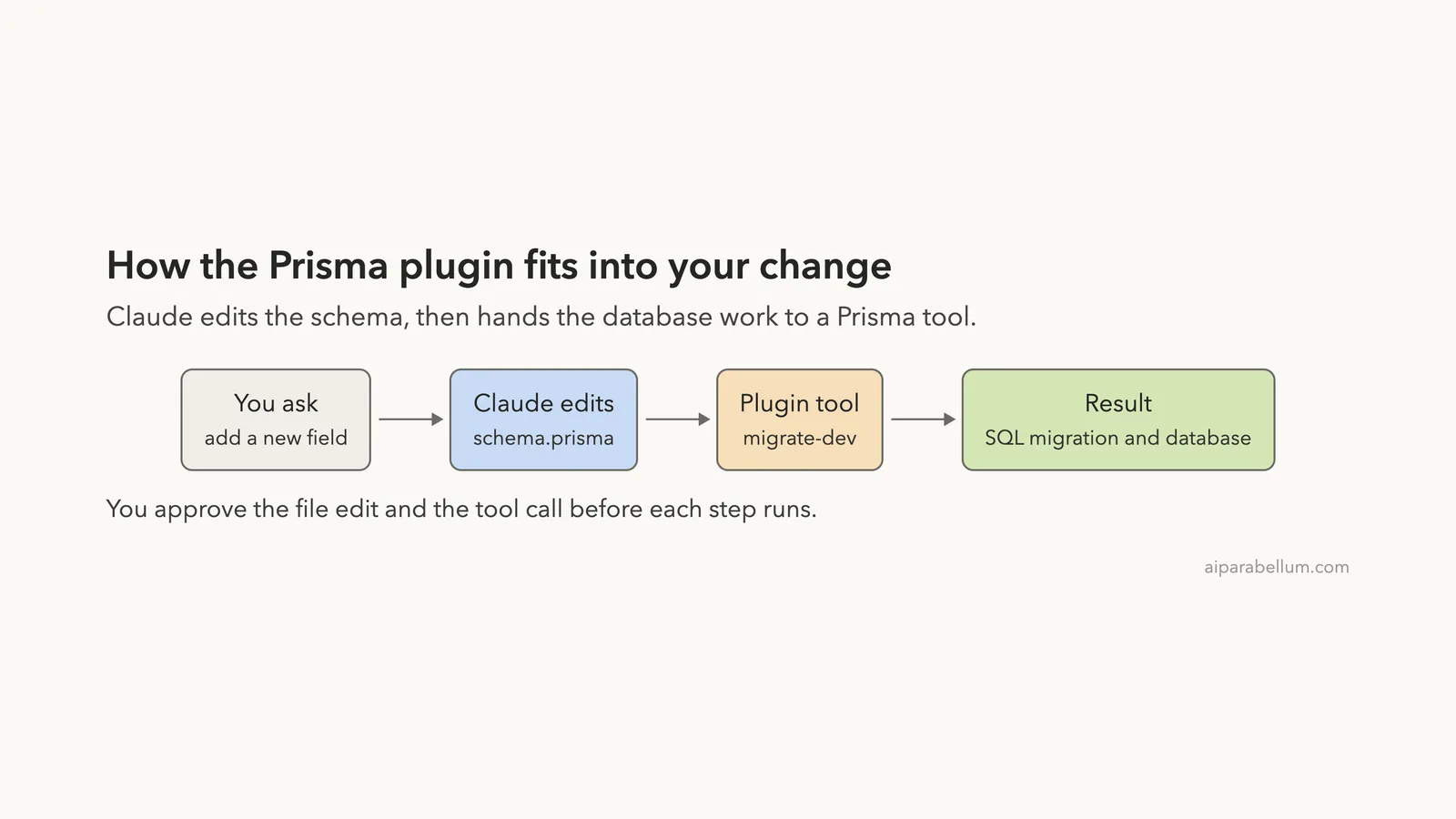
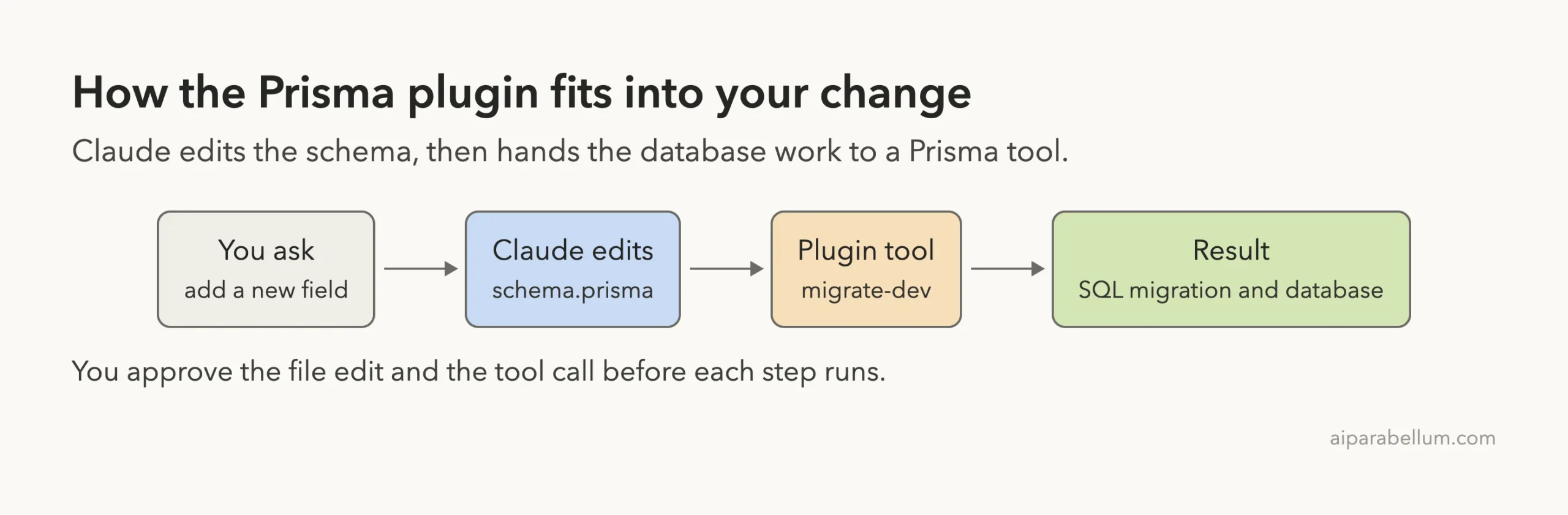
Claude edits the schema, the Prisma tool runs the migration, and you approve both steps.
The flow is simple, and it is the same each time. You describe a change, Claude edits the schema file, and then the plugin tool turns that edit into SQL and a database update. You approve the edit and the tool call before they run.
Is the Plugin Worth Installing?
Here is our honest verdict from one small test. The local tools did what their names promise, and the permission screens made each step easy to follow. Both migrations matched the schema changes we asked for.
The plugin does not make Claude smarter about your data model. Claude wrote the schema, and you still need to read it. The plugin only gives Claude a safe, named way to run Prisma migration commands.
| What worked | What to keep in mind |
|---|---|
| Local server started with no account | It needs Node.js and downloads Prisma from npm |
| Both migrations matched our schema edits | We tested SQLite only, not Postgres |
| Each tool call showed its exact arguments | Approving “don’t ask again” removes that check for the folder |
| Status check answered in one step | No reset tool in this version |
| Remote server listed clearly | It needs a sign-in, which we did not try |
Who should install it? People who already use Prisma and want Claude to run migrations without copying commands by hand. If you only build with another database library, it adds nothing for you.
Try It Yourself
Practice in a throwaway folder, never in a project with real data. Create a folder, run npm init -y, install prisma and @prisma/client, and run npx prisma init --datasource-provider sqlite. Then set datasource: { url: "file:./dev.db" } in prisma.config.ts.
Start Claude Code with the plugin loaded, or install it normally, and paste this prompt.
Add a Customer model (id, email, name) and an Order model (id, total as Float, customerId, customer relation) to prisma/schema.prisma. Then use the Prisma migrate-dev tool to create a migration named add_customers_and_orders. After that, use the Prisma migrate-status tool and tell me in two lines if the database is up to date.Afterward, open the new folder under prisma/migrations and read the SQL. If anything looks wrong, change the schema and run another migration.
Common Mistakes
- Skipping the migration name. The tool needs a name, so ask for a short one such as
add_book_rating. - Forgetting the database address. Prisma 7 needs it in
prisma.config.ts, and without it the migration cannot run. - Expecting the remote server to work at once. It shows “needs authentication” until you sign in.
- Approving “don’t ask again” too early. Keep the prompt on while you learn what the tool sends.
- Testing on real data. Migrations change your database, so use a copy.
Pro Tips
- Use the exact phrase “use the Prisma migrate-dev tool” so Claude calls the plugin and not a shell command.
- Add “do not run anything else” to keep a test small and the output easy to read.
- Read the generated SQL file before you trust a migration, especially when you rename or delete a column.
- Run
/mcpafter loading the plugin to confirm which server is ready. - Pair the plugin with the permission settings in our guide to Claude Code permissions if you want stricter control over tool calls.
Cheat Sheet
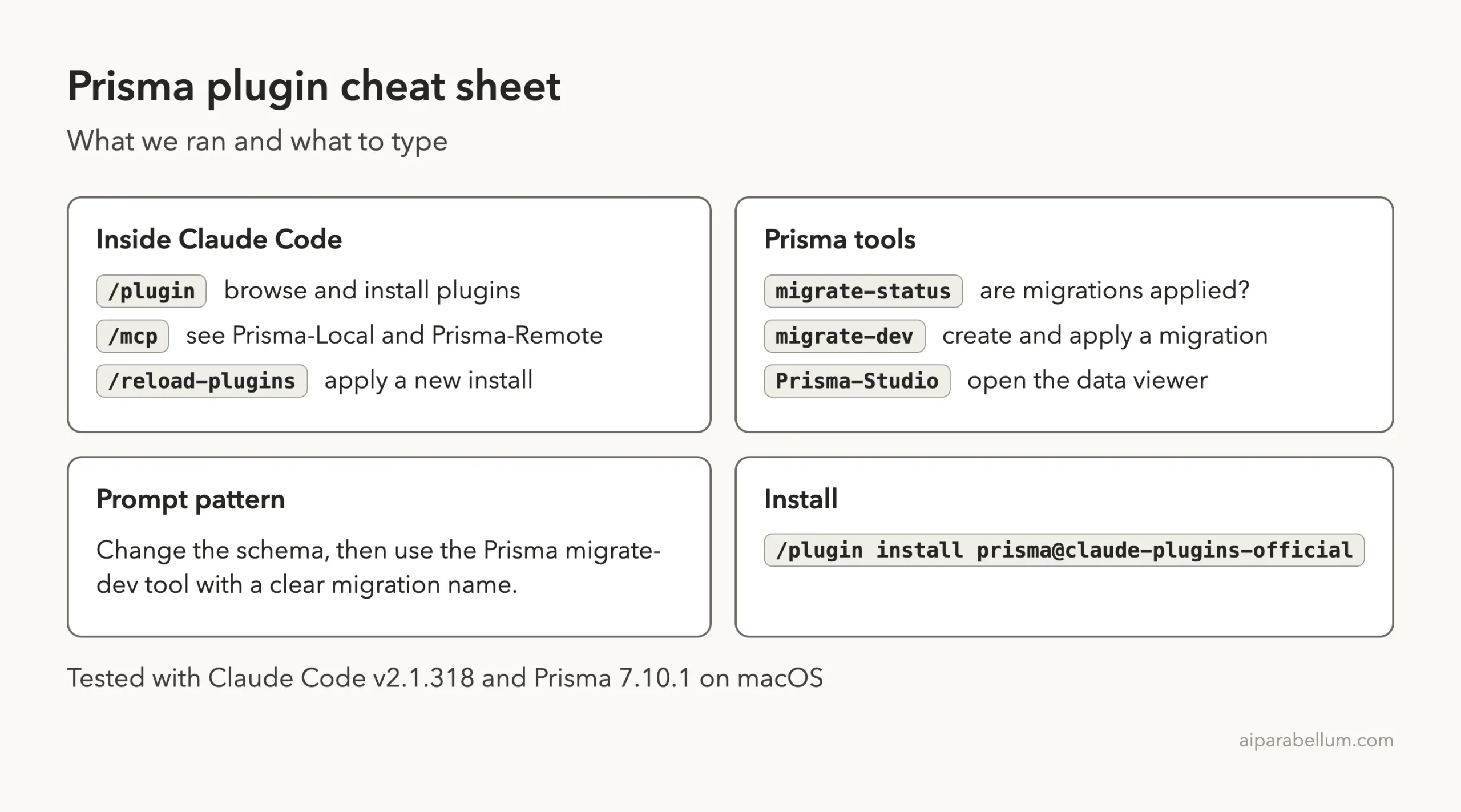
Frequently Asked Questions
How do I install the Prisma plugin for Claude Code?
Run /plugin install prisma@claude-plugins-official inside Claude Code, then /reload-plugins if the session was already open. We loaded it from a folder with --plugin-dir for the test, so we did not run the install command ourselves. The official plugins guide explains how plugins load.
Do I need a Prisma account?
Not for the local server, which ran without any sign-in in our test. The remote server showed “needs authentication”, and we did not sign in to it.
Which databases did you test?
Only SQLite. The plugin description mentions Postgres, but we did not test that, so check your own setup before you rely on it.
Does it open Prisma Studio?
The local server lists a Prisma-Studio tool that opens a visual viewer for your data. We did not run it, so we cannot show what it looks like.
Is it safe to let Claude run migrations?
Each migrate-dev call asked for approval and displayed its arguments in our test. Use a development database, read the SQL and keep backups of anything you care about.
Conclusion
The Prisma plugin for Claude Code is a small bundle with a clear job: it gives Claude three local Prisma tools, and the two we ran created and checked real migrations on a SQLite database. It is best for people who already use Prisma and want fewer copy-and-paste commands, and it is a poor fit if you use a different database tool. Before you rely on it, test it on a throwaway project, read each generated SQL file and decide whether the remote server is worth a sign-in. To learn more about the assistant behind it all, read our Claude overview.