If you want Claude to write GraphQL the way Apollo recommends, Apollo GraphQL skills for Claude Code are the shortcut. The plugin adds 14 skills that cover Apollo Server, Apollo Client, schema design, federation, the Rover CLI and more, so Claude follows Apollo’s own guidance instead of guessing.
We loaded the plugin in a throwaway folder, asked Claude to build a small book library API, and then asked it to review its own schema. Below you will see what the plugin contains, what happened on our Mac, the code it wrote, and where the advice helps most.
This guide is part of our Claude Code tutorials. Find more add-ons in our skills directory.
Tested with Claude Code v2.1.318 on November 8, 2026, using apollo-skills v1.2.9 from apollographql/skills at commit c288eb8.
Takeaway: the plugin does not run your API for you, it gives Claude Apollo’s rules and lets Claude apply them to your code.
Quick Summary
| Item | What we found |
|---|---|
| Maker | Apollo GraphQL |
| Where it lives | Anthropic’s official plugin marketplace, category development |
| Install command | /plugin install apollo-skills@claude-plugins-official |
| What you get | 14 skills, a GraphQL language server setting and a remote MCP server entry |
| Hooks | None in the plugin files we read |
| Our demo | A book library API with Apollo Server 5, then a schema review |
| Needs an account | Not for anything we ran |
| Verdict | Worth installing if you build or maintain GraphQL APIs |
What Are the Apollo GraphQL Skills for Claude Code?
A skill is a folder with a SKILL.md file that tells Claude how to do one kind of job. Claude reads the short description first and loads the full text only when your request matches. If skills are new to you, our guide to skills versus plugins explains the difference.
The Apollo plugin bundles 14 of them. Our /skills panel listed each one with a small token cost, between about 100 and 220 tokens.
| Skill | What it is for |
|---|---|
apollo-server | Building servers with Apollo Server 5.x |
apollo-client | Fetching data in front-end apps |
graphql-schema | Designing types, pagination and errors |
graphql-operations | Writing queries, mutations and fragments |
apollo-federation, apollo-router | Splitting one graph across services |
apollo-connectors | Putting REST APIs behind GraphQL |
rover | The Apollo command-line tool |
apollo-ios, apollo-kotlin | Mobile clients |
apollo-mcp-server, apollo-router-plugin-creator, rust-best-practices, skill-creator | Specialist and authoring tasks |
How We Loaded Apollo GraphQL in Claude Code Safely
You can install the plugin the normal way with /plugin install. The official plugin discovery docs explain scopes and the /reload-plugins step.
For our test we left our own Claude Code setup alone. We cloned the official marketplace, found the plugin’s pinned commit, and cloned that into a sandbox folder. Then we started Claude Code with --plugin-dir and --setting-sources project, so the plugin loaded for one session only.
claude --plugin-dir ./skills --setting-sources projectBefore running anything we read the repository. It holds skill text, reference pages, a .lsp.json file and a .mcp.json file. There are no hooks and no install scripts that run on your machine.
The two extra files
The .lsp.json file tells Claude Code to start a graphql-lsp language server for .graphql, .gql and .graphqls files. That program is not part of the plugin, so you would need to install it yourself for that feature to work. We did not test it.
The .mcp.json file lists a remote MCP server at mcp.apollographql.com named graphos-tools. It is a hosted service from Apollo. We did not sign in to it or use it, so we cannot say what it offers.
Step 1: Confirm the Skills Loaded
Once the session started we typed /skills. All 14 skills showed up with the apollo-skills: prefix, marked as locked by the plugin.
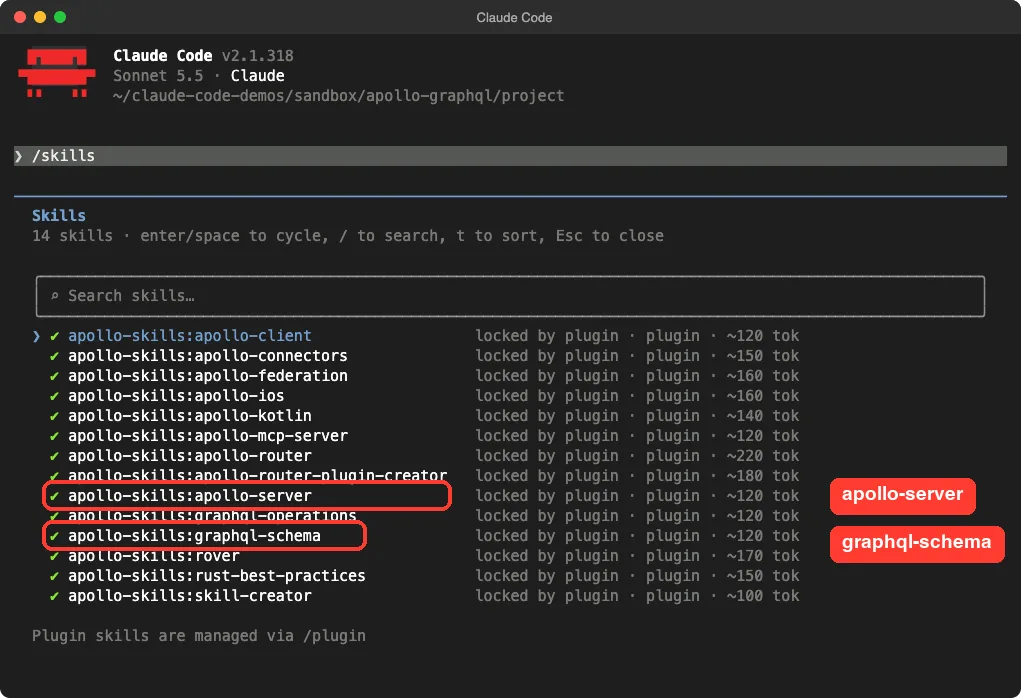
The small sizes matter. Only the short descriptions sit in Claude’s context until a task needs a skill, so having all 14 installed costs very little.
Step 2: Ask for a GraphQL Server
Our demo folder was empty. We typed one prompt and named the skill so the test would be clear.
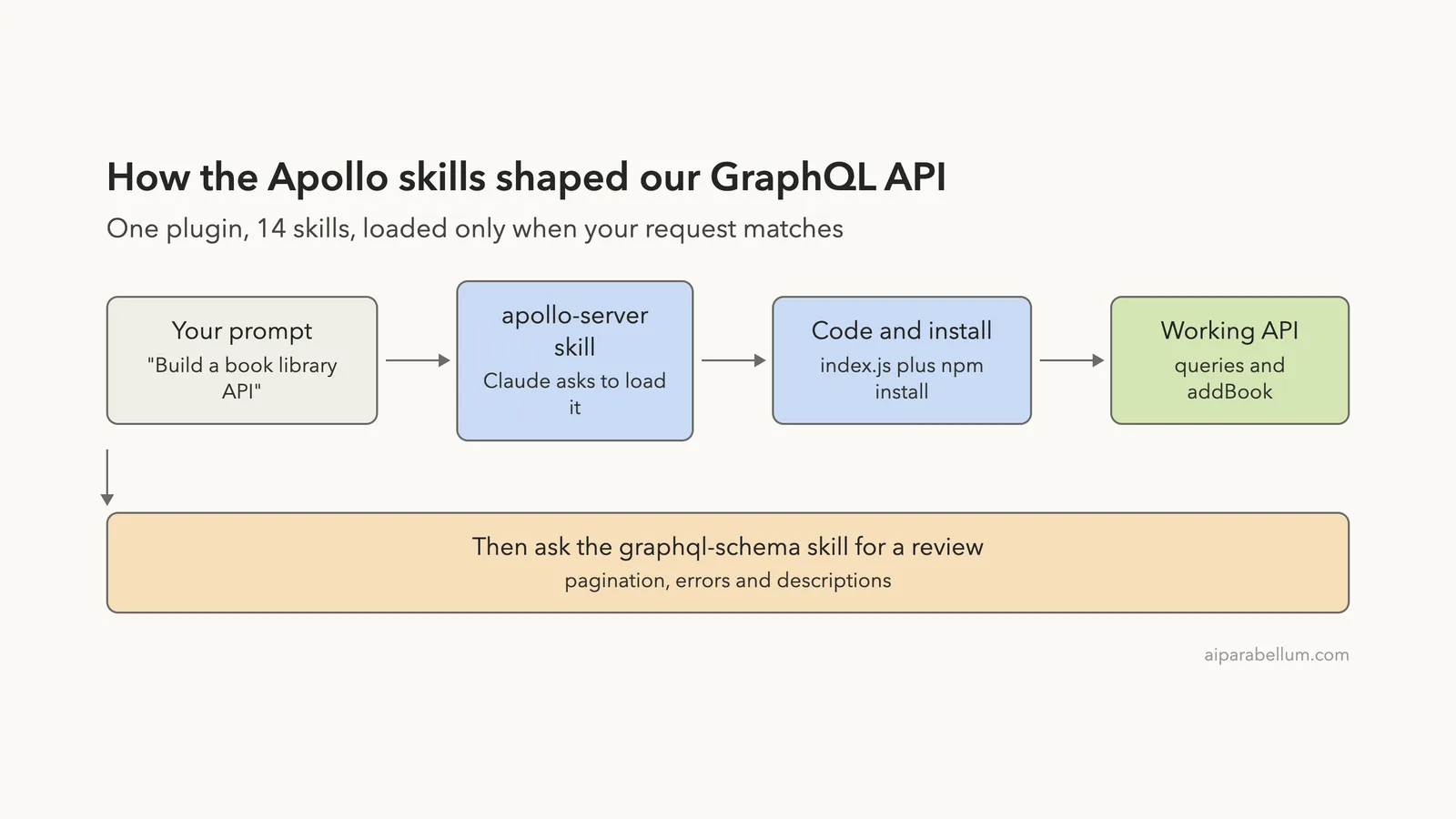
Use the apollo-server skill to build a small Apollo Server 5 GraphQL API for a book library in this folder. Books and authors, queries books and book(id), mutation addBook. Plain Node ESM JavaScript, keep it small, then install dependencies.Claude asked to load the skill before doing anything else. Claude Code shows the skill’s description and gives you three choices: yes, yes and do not ask again for this skill, or no.
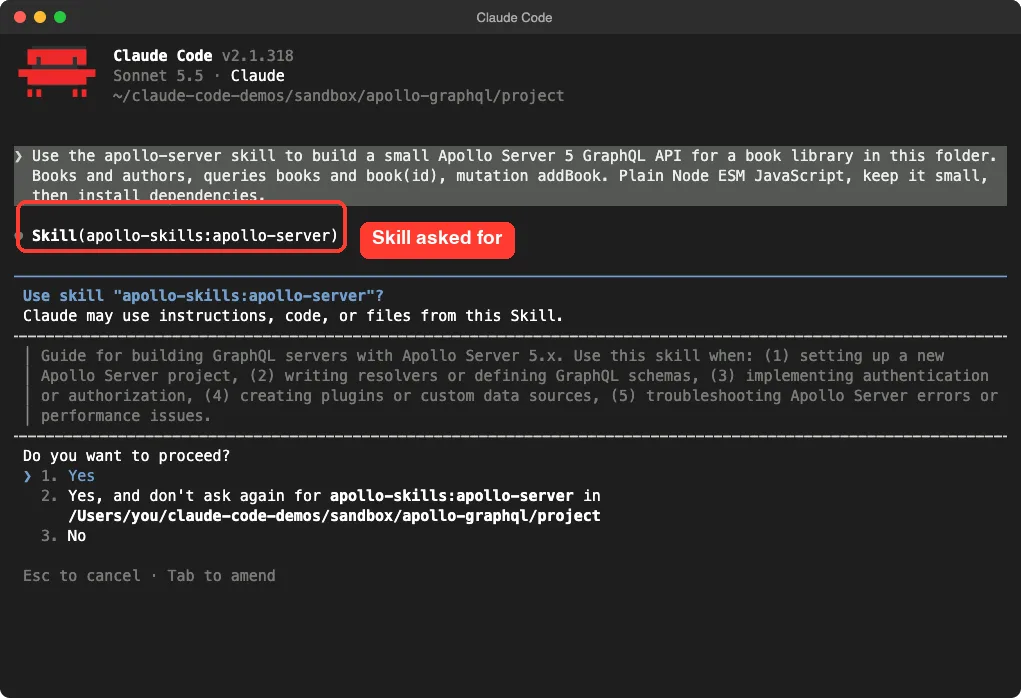
We chose yes. Claude then wrote the files, ran npm install and tested the server. Each of those steps was a separate approval in default permission mode.
What Claude built
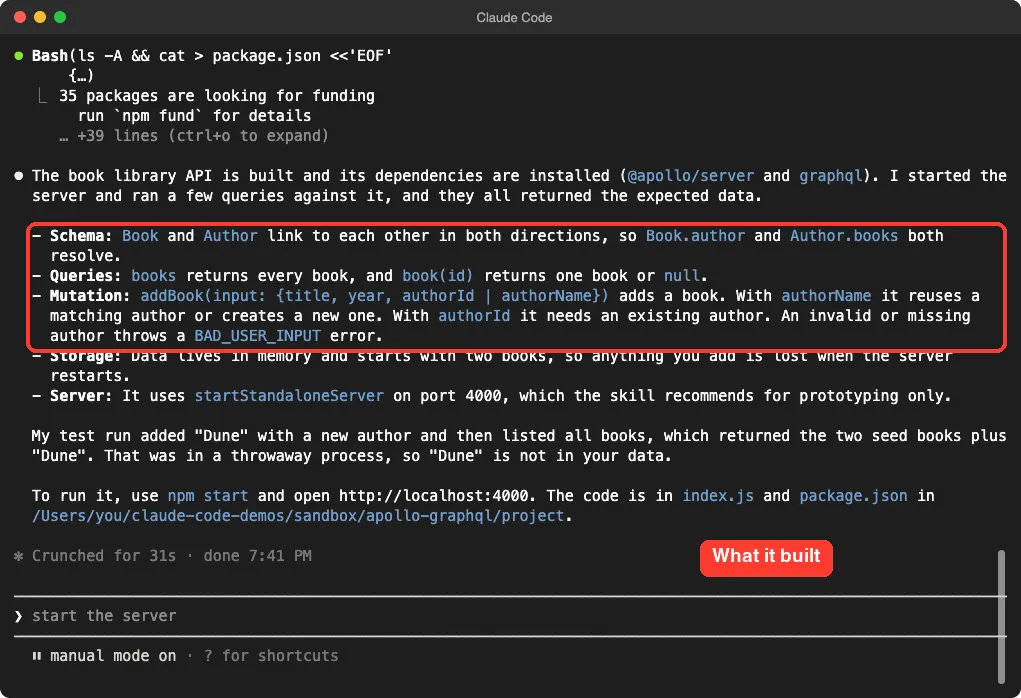
After about half a minute Claude reported what it made. It listed the schema, the two queries, the mutation, the in-memory storage and the use of startStandaloneServer on port 4000, which it said the skill recommends for prototyping only.
The Code It Wrote
The project is two files, package.json and index.js. The dependencies are @apollo/server and graphql. Here is the schema part of index.js.
const typeDefs = `#graphql
  type Author {
    id: ID!
    name: String!
    books: [Book!]!
  }

  type Book {
    id: ID!
    title: String!
    year: Int
    author: Author!
  }

  input AddBookInput {
    title: String!
    year: Int
    authorId: ID
    authorName: String
  }

  type Query {
    books: [Book!]!
    book(id: ID!): Book
  }

  type Mutation {
    addBook(input: AddBookInput!): Book!
  }
`;
Notice how lists use non-null items and a non-null list, and how fields that cannot be null are marked as required. Both match rules in the plugin’s graphql-schema skill.
The server start is short too.
const server = new ApolloServer({ typeDefs, resolvers });
const { url } = await startStandaloneServer(server, { listen: { port: 4000 } });
console.log(`Server ready at ${url}`);
The addBook resolver either reuses an author by name, creates one, or throws a GraphQLError with the code BAD_USER_INPUT when the author is missing or invalid. The data lives in memory and resets when the server stops.
Step 3: Run It and Query It
We asked Claude to start the server in the background and query all books with curl. It ran the server, waited two seconds and sent a real GraphQL request to localhost:4000.
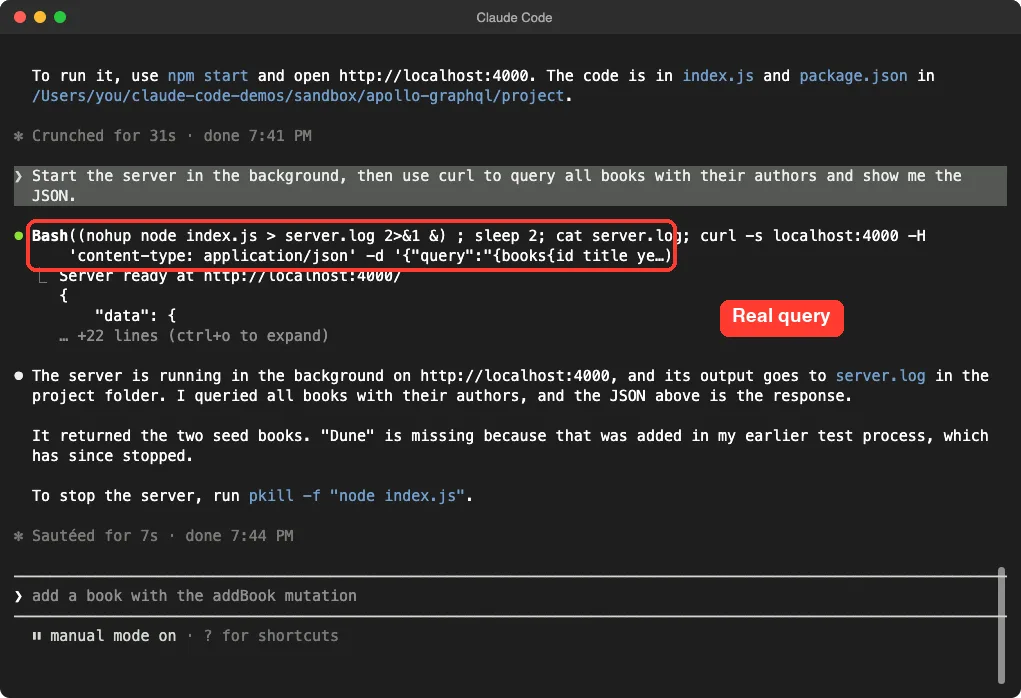
The server answered with the two starting books. We then checked the server ourselves from a normal shell, outside Claude. A mutation added a book called Dune with a new author, and a nested query returned all three books with each author’s own book list.
mutation {
  addBook(input: { title: "Dune", year: 1965, authorName: "Frank Herbert" }) {
    id
    title
    author { name }
  }
}
The reply was {"data":{"addBook":{"id":"3","title":"Dune","author":{"name":"Frank Herbert"}}}}. So the two-way links between Book and Author worked in our run.
Step 4: Ask for a Schema Review
Building is half the story. The graphql-schema skill is about design rules, so we asked Claude to apply them to its own work, without editing any files.
Use the graphql-schema skill to review the schema in index.js and list the 3 most important improvements. Do not edit any files.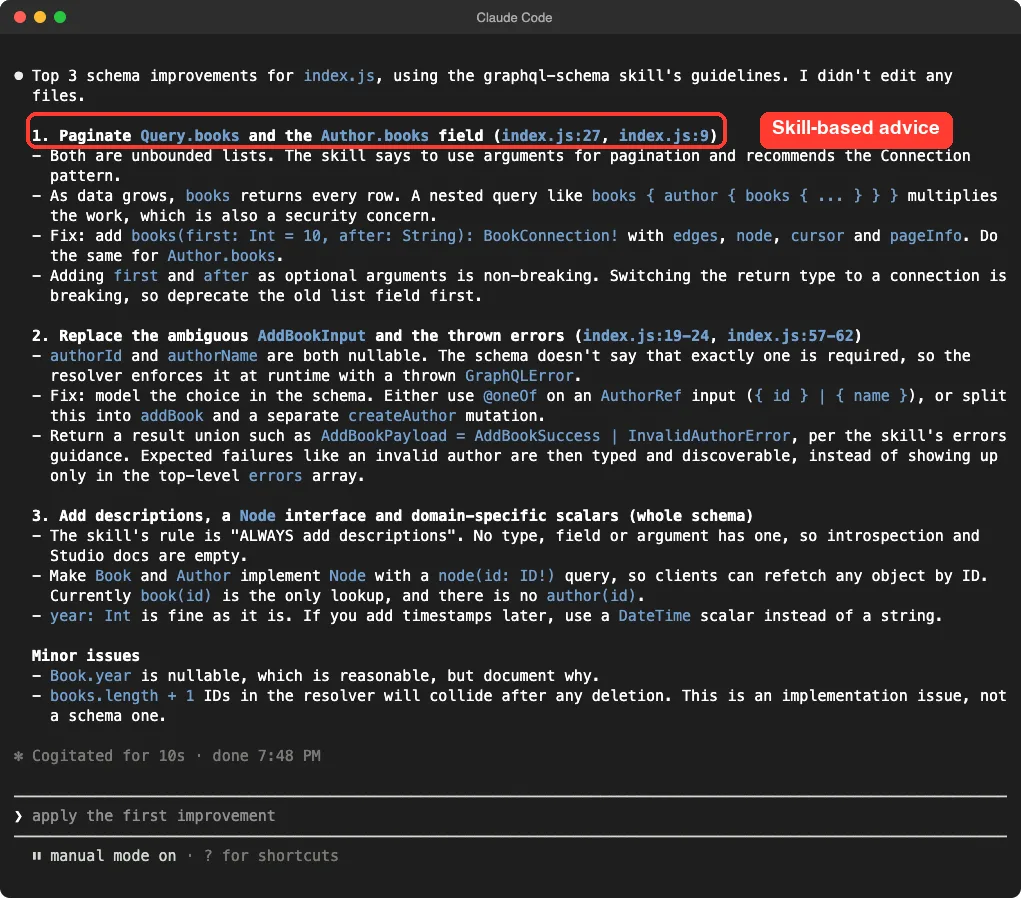
The three improvements were useful and specific.
- Paginate
Query.booksandAuthor.books, since both return unbounded lists. Claude suggested the Connection pattern and noted that adding optionalfirstandafterarguments is non-breaking. - Replace the ambiguous
AddBookInput, where bothauthorIdandauthorNameare optional, with a clearer input or a typed error result instead of a thrown error. - Add descriptions to every type and field, because the skill says to always add them, and consider a
Nodeinterface.
It also spotted a real implementation bug that is not a schema issue: ids built from books.length + 1 would collide after a deletion. That is the kind of catch you want from a review.
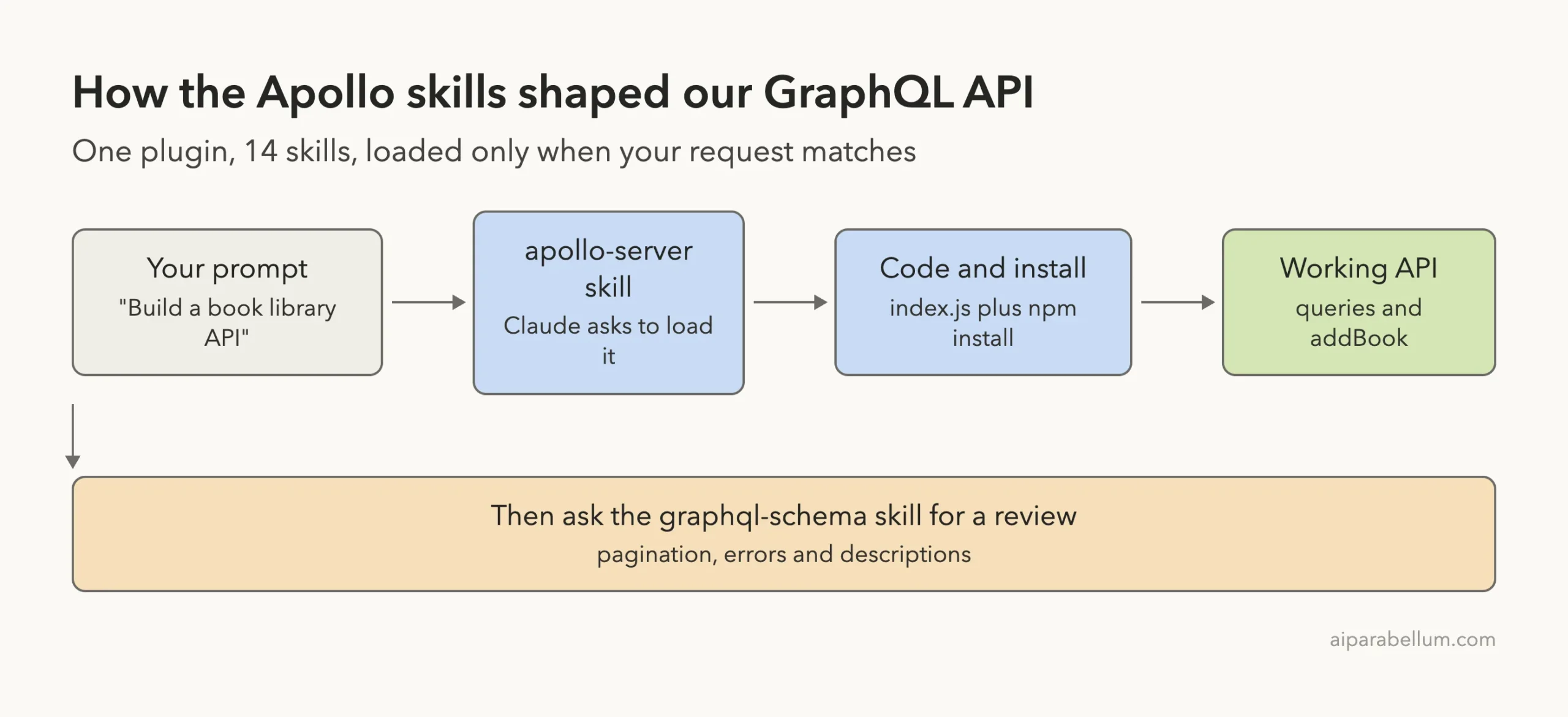
The Apollo GraphQL Claude Code Flow in One Picture
What to Watch Out For
You still approve every step
Loading a skill, writing files, installing packages and running the server each needed approval in default mode. That is Claude Code’s normal behavior, and it is a good thing. Read each prompt, especially npm install.
We tested two skills out of 14
We ran apollo-server and graphql-schema. We did not run apollo-client, apollo-federation, apollo-router, rover, the mobile skills or the remote MCP server, so we make no claims about them beyond their descriptions.
One demo is one demo
Our API is tiny and in memory. We did not test authentication, a real database or deployment. The skill itself says the standalone server is for prototyping, so plan a framework setup for production.
The language server needs its own install
The plugin points Claude Code at a graphql-lsp command but does not ship that program. Check the plugin’s README and the official plugins docs before you rely on it.
Who Should Install It?
| You are | Should you install it? |
|---|---|
| Building a GraphQL server with Apollo | Yes, the server and schema skills gave clear, usable output |
| Maintaining an existing schema | Yes, the review prompt is a quick way to find gaps |
| Using React with Apollo Client | Probably, though we did not test that skill |
| Not using GraphQL | No, the skills will simply never trigger |
If you want help writing a plugin of your own, see our guide to building a plugin. For code checks after Claude edits, our code review plugin post is a good partner.
Try It Yourself
Make an empty folder, start Claude Code with the plugin, and paste a prompt like this one. Then run the review prompt from Step 4 on the result.
Use the apollo-server skill to build a small Apollo Server 5 GraphQL API for a recipe box in this folder. Recipes and ingredients, queries recipes and recipe(id), mutation addRecipe. Plain Node ESM JavaScript, keep it small, then install dependencies.Ask Claude to add pagination next, and compare the result with the Connection pattern from the review.
Common Mistakes
- Forgetting
/reload-pluginsafter installing in a session that was already open. - Expecting skills to work on non-GraphQL tasks.
- Approving
npm installwithout checking which packages Claude chose. - Treating a skill review as final and skipping your own testing.
- Using the standalone server for production traffic.
Pro Tips
- Name the skill in your prompt when you want to be sure it loads.
- Run
/skillsfirst to confirm the plugin is active. - Ask for a review with
Do not edit any filesso you can read the advice before changing code. - Learn how the plugin system works in our plugins guide.
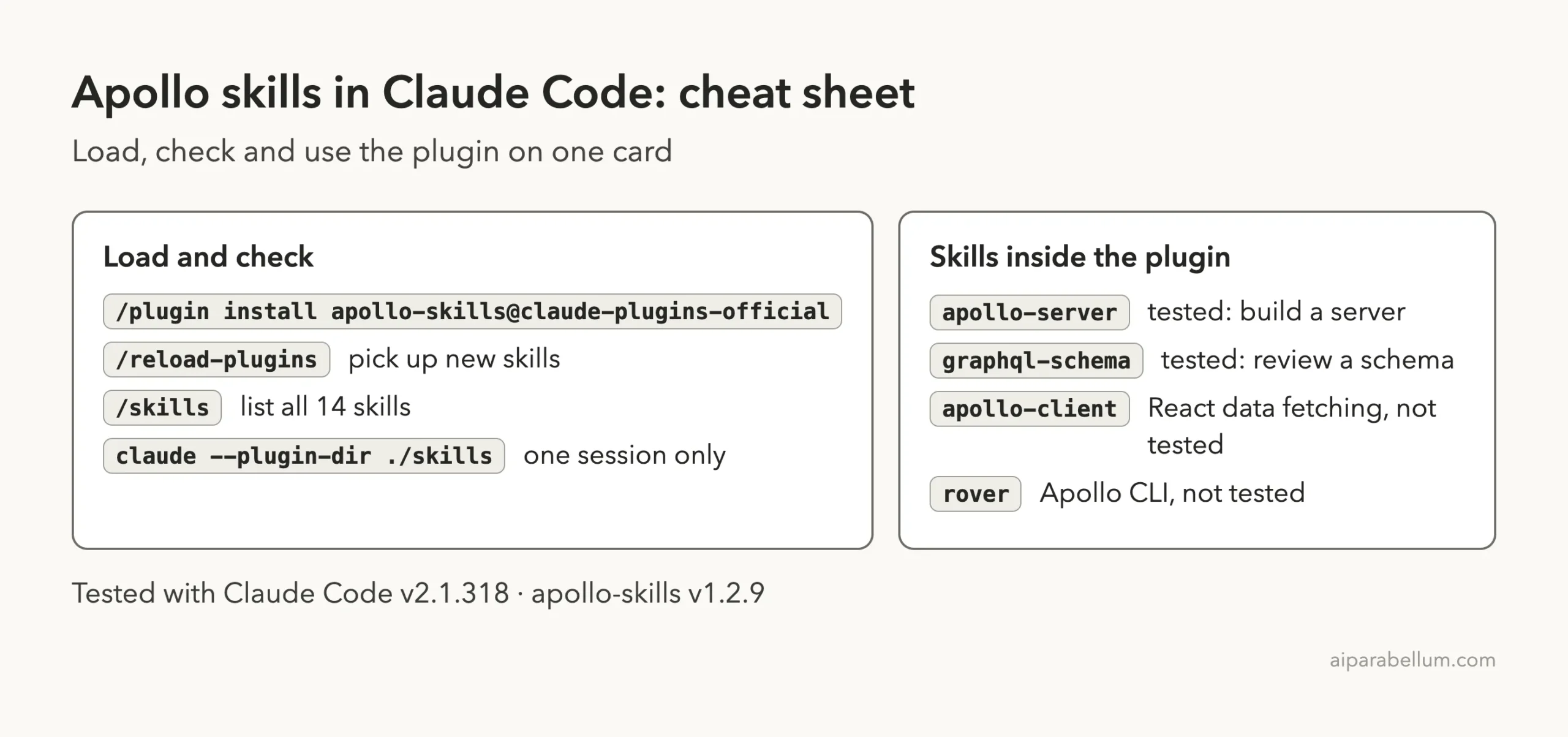
Cheat Sheet
Frequently Asked Questions
Are the Apollo GraphQL skills free?
We did not need an account or paid key for anything in this test. Claude Code itself still uses your normal plan or API billing.
Do I need to name the skill in my prompt?
We named it to keep the test clear. The skill descriptions list triggers such as setting up an Apollo Server project, so a plain request may load it on its own, but we did not test that.
Does it work with Apollo Client and React?
The plugin has an apollo-client skill, but we only tested the server and schema skills, so we cannot say how well it does.
Will it install anything on my computer?
The plugin itself is text files and settings. In our demo Claude ran npm install in the project folder after we approved it. We loaded the plugin with --plugin-dir, which leaves your normal setup alone.
Can Claude write GraphQL without the plugin?
Yes. The plugin adds Apollo’s recommended practices and reference pages, which helps most when you want consistent, current Apollo-style code.
Conclusion
Apollo GraphQL skills for Claude Code turned one short prompt into a working API with linked types, a mutation and sensible errors, and then produced a specific review of that schema with line numbers. Our test covered the server and schema skills only, on a small in-memory demo, so treat it as a good first look and not a full audit. If you build GraphQL with Claude, it is a low-cost add-on, since each skill adds only a small token cost until it is used.