The i have adhd skill for Claude Code is a free community add-on that changes how Claude writes its replies. Instead of opening with an explanation and ending with an offer to help more, it puts the next action first, numbers the steps and finishes with one small next step. We loaded it into a throwaway project, asked the same questions with and without it, and counted the words.
This guide is part of our Claude Code tutorials. Find more add-ons in our Skills Directory.
Tested with Claude Code v2.1.318 on November 7, 2026, using the i-have-adhd plugin version 0.4.1 from the ayghri/i-have-adhd repository (commit 1ecea19, October 11, 2026). Everything ran in a sandbox folder with --setting-sources project and the plugin loaded through --plugin-dir, so nothing was added to the global Claude Code setup. We tested on macOS.
Quick Summary
| Question | Answer |
|---|---|
| What is it? | A style skill that reshapes Claude’s answers: action first, numbered steps, one next step |
| Who makes it? | A community author (ayghri), MIT license, not an Anthropic product |
| What does it add? | One skill, /i-have-adhd, plus an optional session-start hook that does nothing unless you opt in |
| Install commands | /plugin marketplace add ayghri/i-have-adhd then /plugin install i-have-adhd@i-have-adhd |
| Our test | A tiny Python cart project with one failing test, two questions, each asked with and without the skill |
| Result | Answers were 36 percent and 35 percent shorter in our two runs and led with the fix |
| Main catch | It is a style rule, not a new ability. Two runs are a demo, not a benchmark |
What the I Have ADHD Skill Is
Claude Code answers are often correct but long. A typical reply opens with context, walks through the reasoning, and only then gets to the fix. If you struggle to hold a lot of text in your head, or you simply want the answer fast, that order works against you.
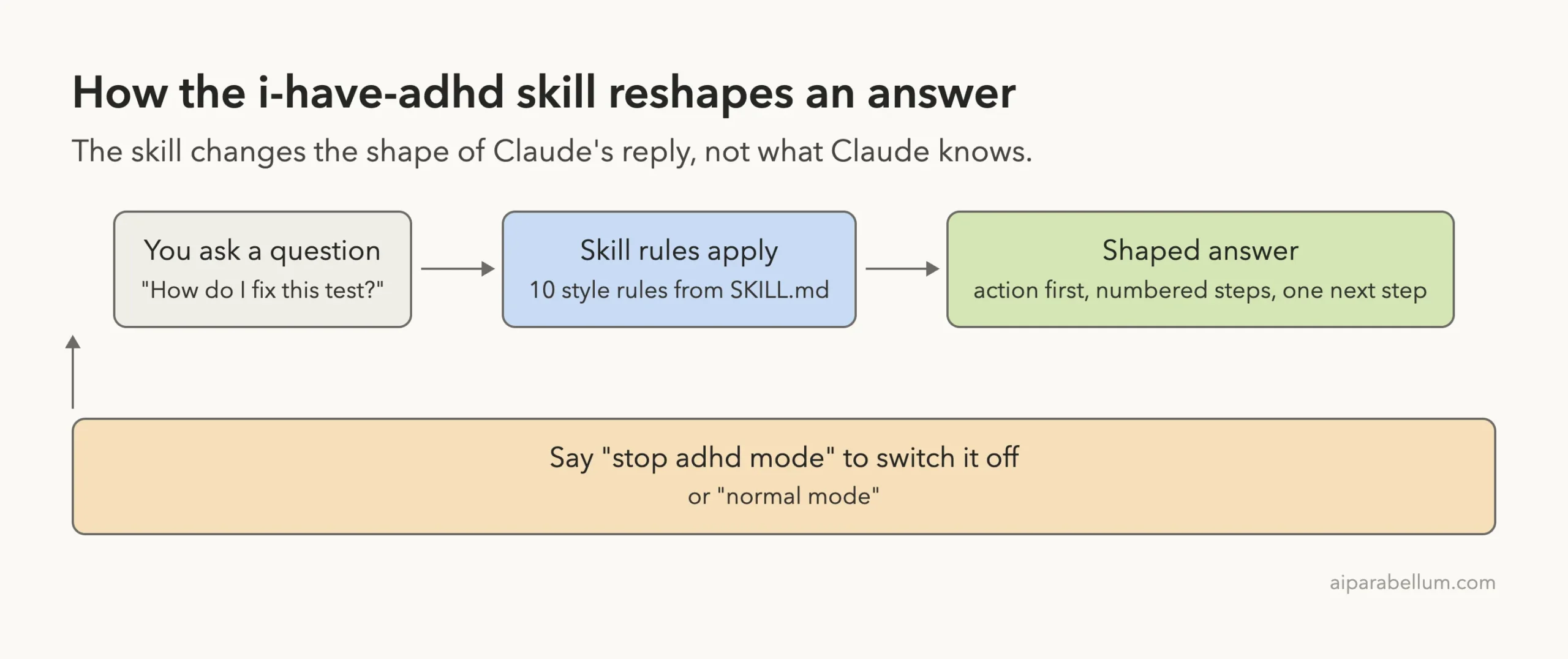
The i-have-adhd skill is a single SKILL.md file of instructions. When you turn it on, Claude follows ten response rules for the rest of the session.
The author says the skill is loosely based on a book about adult ADHD, adapted for how an AI should respond. It does not diagnose anything, and the README says no diagnosis is needed.
A skill is plain text that shapes behavior. To see how skills differ from other add-ons, read our guide to skills versus plugins.
This one only changes style. It does not read your files, call the network or run commands by itself.
The Ten Rules Inside the Skill
We read the full skill file before running anything. The rules are short and easy to follow, and they explain every change we saw in the answers.
- Lead with the next action. The first line is something you can do, not background.
- Number multi-step tasks, with one bounded action per step.
- End with one concrete next action that takes under two minutes.
- Suppress tangents. A second issue is offered as a separate question.
- Restate where you are every turn, such as “step 3 of 5 done”.
- Give specific time estimates in minutes, not “a bit of work”.
- Make finished work visible: what now works and how to try it.
- Use a matter-of-fact tone for errors: cause, then fix.
- Keep visible lists to five items. The skill says this shapes presentation only.
- No preamble, no recap and no closing pleasantries.
The file also lists when to break its own rules. If you say “explain” or “walk me through”, Claude explains fully. It also asks for confirmation before destructive actions, and it states that safety wins over brevity.
Is It Safe to Load? What We Checked First
Before loading any third-party repo, we read its hooks and scripts. This plugin ships one hook in hooks/hooks.json that runs when a session starts. It calls a small Node script, hooks/always-on.mjs, and sh and PowerShell versions sit next to it as fallbacks.
The script checks whether a flag file named .i-have-adhd-always exists in your Claude config folder. If it does not, the script exits without doing anything.
If you create that file, the script prints the skill text at the start of every session so the mode is always on. It only reads files, and it catches its own errors so it can never block a session.
We did not create the flag file, so the hook did nothing in our tests. The repo also contains test files and an evals folder, plus extensions for other tools such as OpenCode and Gemini. None of that loads in Claude Code.
How to Install the Skill in Claude Code
These are the install commands from the repo README. We did not run them, because we loaded the plugin from a folder to keep the global setup untouched.
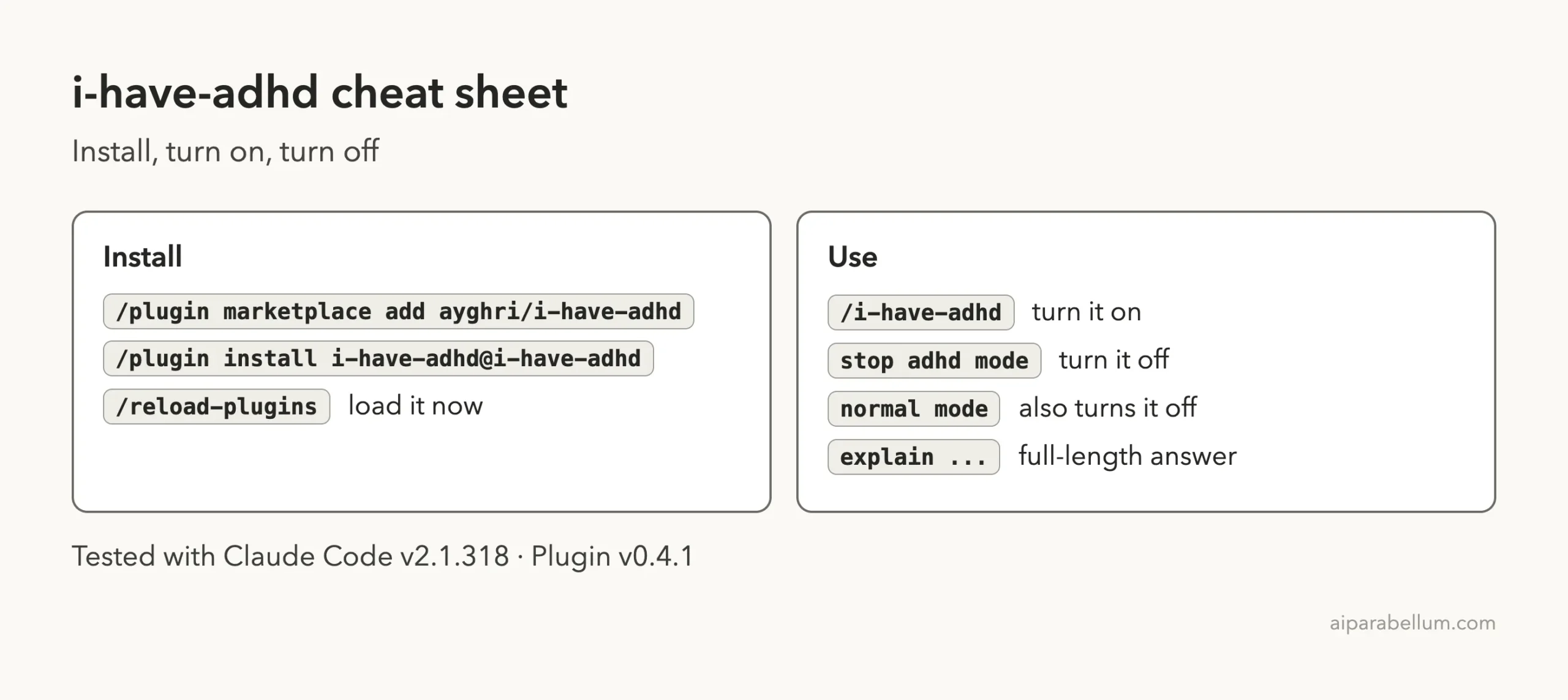
/plugin marketplace add ayghri/i-have-adhd
/plugin install i-have-adhd@i-have-adhd
/reload-plugins
The first command adds the repo as a plugin marketplace, and the second installs the plugin from it. The third applies the change to your open session.
Anthropic explains this flow on its discover plugins page, and our Claude Code plugins guide covers the basics.
To try it without installing anything, you can clone the repo and start Claude with claude --plugin-dir ./i-have-adhd. That is what we did. The plugins documentation describes this flag for testing a plugin from a local folder.
Turning ADHD Mode On and Off
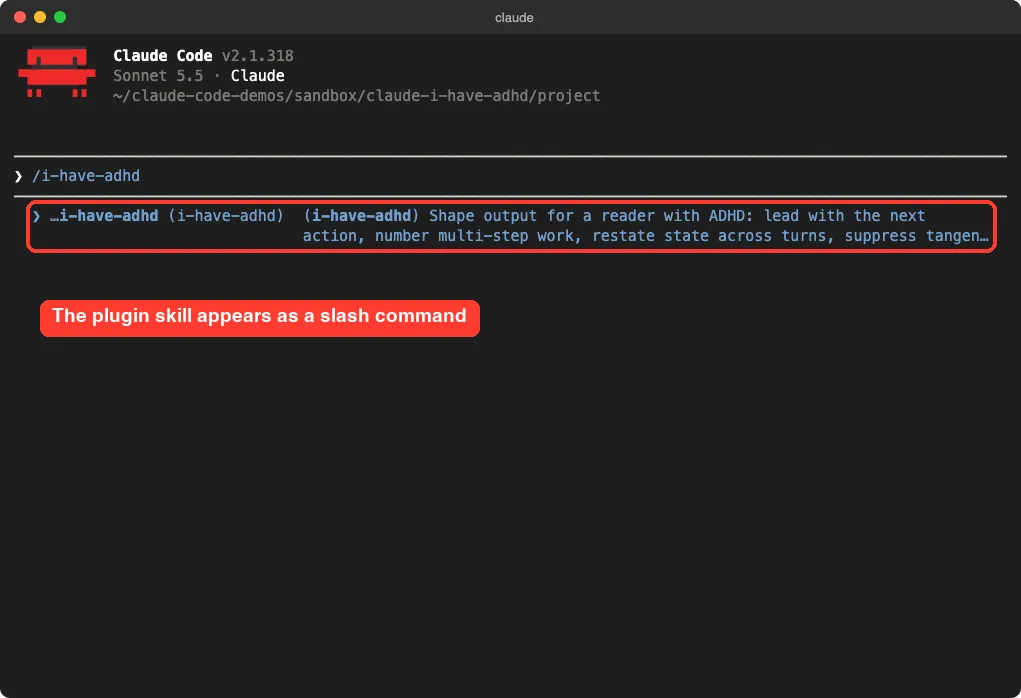
The skill is set to run only when you call it, so Claude will not switch it on by itself. In the menu it appears under a plugin-prefixed name, and selecting it runs it. Claude confirms in one short message.
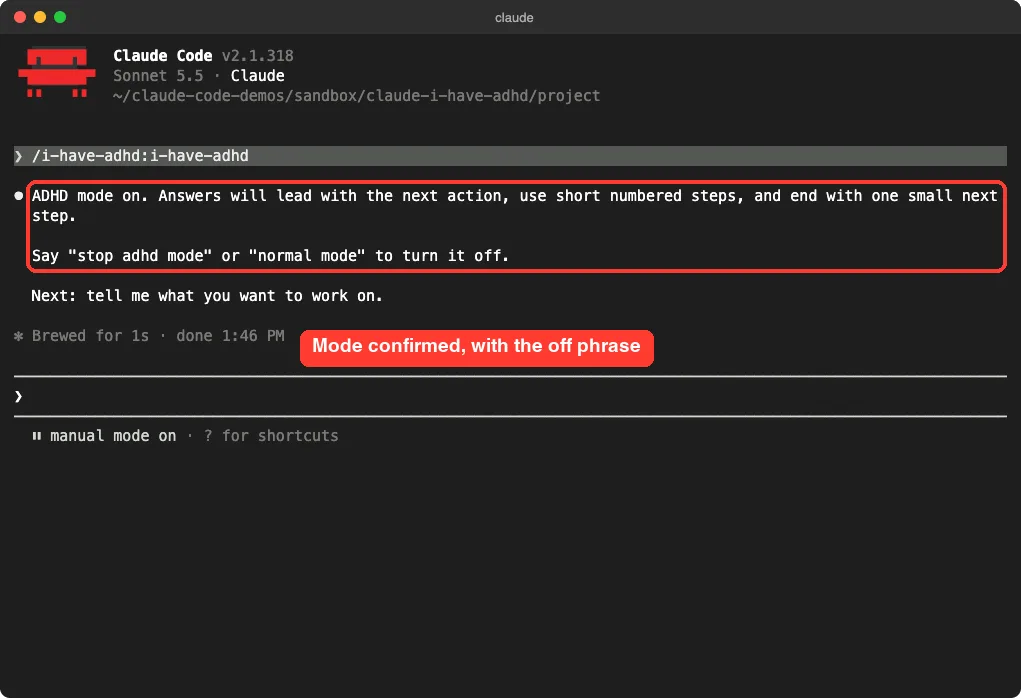
Once it is on, it stays on for the whole session, even when you change topics. To turn it off, type “stop adhd mode” or “normal mode”. Claude confirms in one line and goes back to its default style.
The confirmation wording changed between our runs. One time Claude only said the mode stays on until you use a stop phrase. Another time it described the style in more detail.
Test 1: A Failing Test, With and Without the Skill
Our demo project has two small files. src/cart.py has a total() function whose docstring says the discount is a percent, but the code subtracts it as a flat amount. test_cart.py expects 45 and gets 40.
We asked the same question twice: “The test in test_cart.py fails. How do I fix it?” Claude could only read files in both runs, so neither answer applied the fix. First, the plain answer.
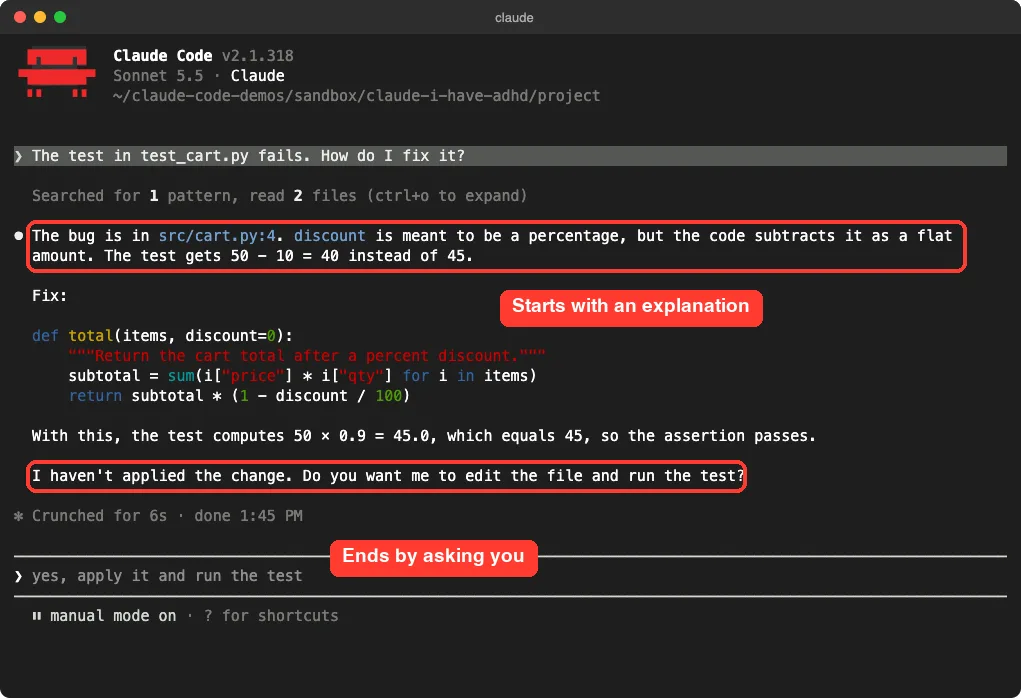
The plain answer is good. It finds the bug, shows a corrected function and checks the math. But it starts with a paragraph of explanation, repeats the whole function, and ends by asking whether you want it to edit the file.
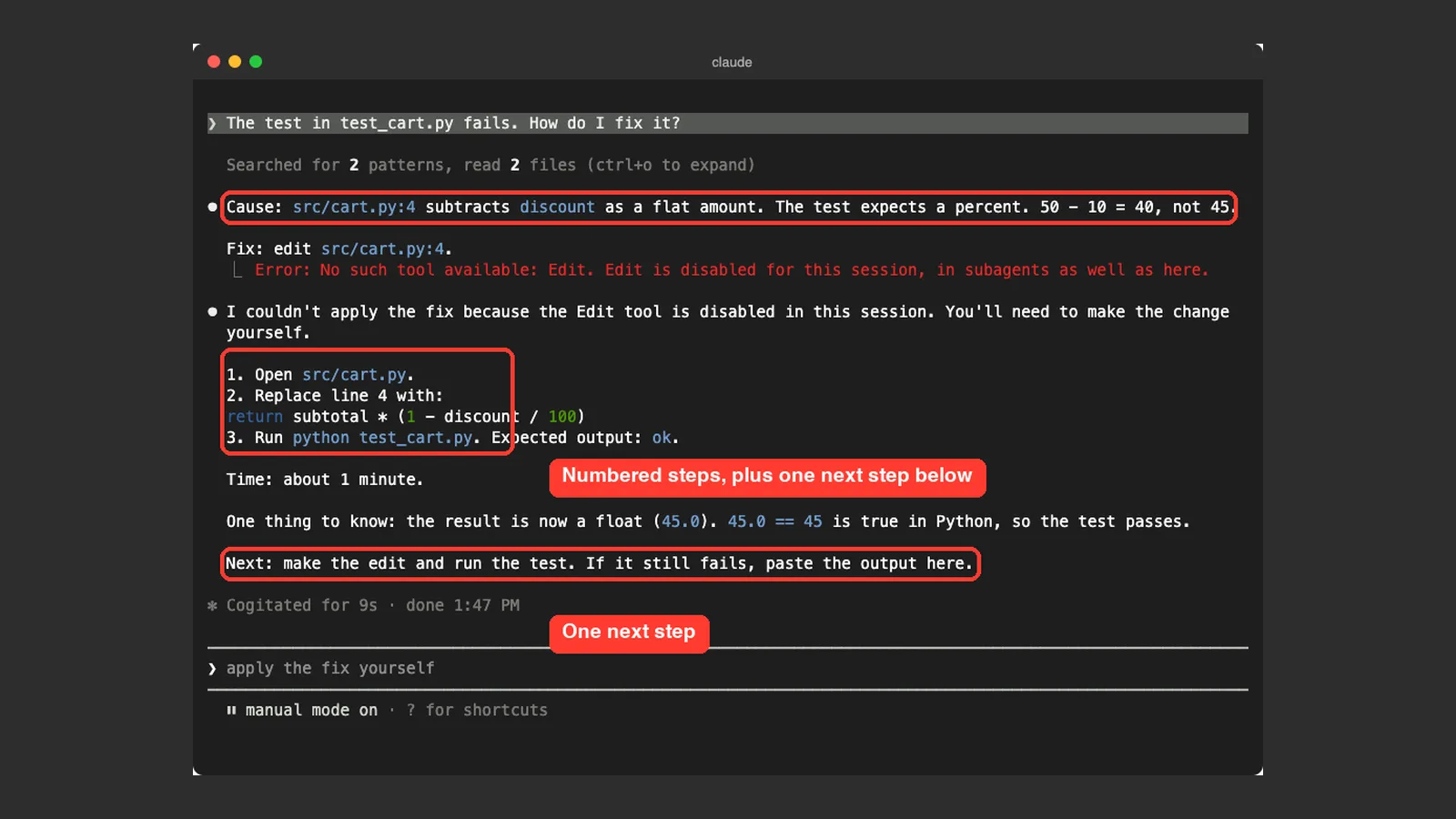
Now the same question with the skill on.
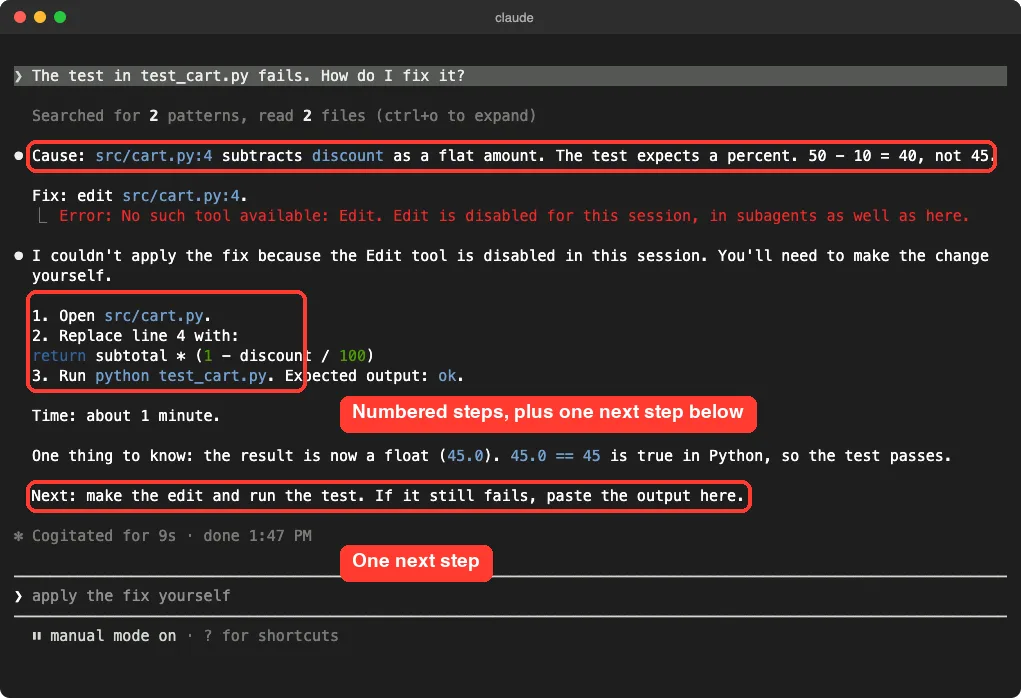
This answer names the cause in one line, then gives three numbered steps, then a time estimate of about one minute, then one next step. The red error line in the screenshot is real. We started Claude with only read tools so it could not edit our demo files, and it told us so plainly, as the skill’s error rule asks.
What the Numbers Showed
The screenshots show the look. To measure length, we also ran each question in print mode, with and without the skill.
We counted the words in each reply and used the same read-only tools for every run.
| Question | Plain answer | With skill | Change |
|---|---|---|---|
| Fix the failing test | 131 words | 84 words | 36 percent shorter |
| Add a 10-item limit and a second test | 306 words | 198 words | 35 percent shorter |
The second question was more open: add a rule that no cart can hold more than 10 of one item, and add a second test. The plain answer used headings and a long closing note. The skill answer led with the code, then gave three numbered steps, then flagged that the existing test already fails and would stop the new one from running.
Both answers caught that hidden problem, which matters. The skill did not drop useful information to be short.
The skill reorders an answer. It does not remove what you need.
These are two runs on a tiny project, so treat them as one demo, not a benchmark. Answers also vary from run to run.
The repo has its own evaluation notes in evals/RESULTS.md, where the author reports a higher weighted score for the skill across 14 cases. We did not re-run those, so we cannot confirm them.
What It Does Well, and Where It Falls Short
The best part is the order. The first line of every answer was something we could act on, and the last line was a single next step.
If you only read the top and bottom of the reply, you know what to do and what just happened. That is the exact check the skill asks Claude to run before sending.
The time estimates were also useful. “About 1 minute” tells you whether to do it now or later. Plain Claude does not usually give one.
There are some limits. The skill is a set of instructions, so Claude can drift from it in a long session, and it cannot make a hard task easy.
Shorter does not always mean better. If you want to learn why something broke, the terse style hides the background, so you have to remember to ask “explain”.
The skill also adds its text to your context, so it uses a small amount of your window every session. It is a single page of rules, so the cost is small. Our CLAUDE.md guide shows another way to keep standing instructions in a project.
Should You Install It?
It is worth a trial if Claude’s answers often feel long, buried or hard to start from. It costs nothing, you can switch it off with a phrase, and you can test it from a folder without installing.
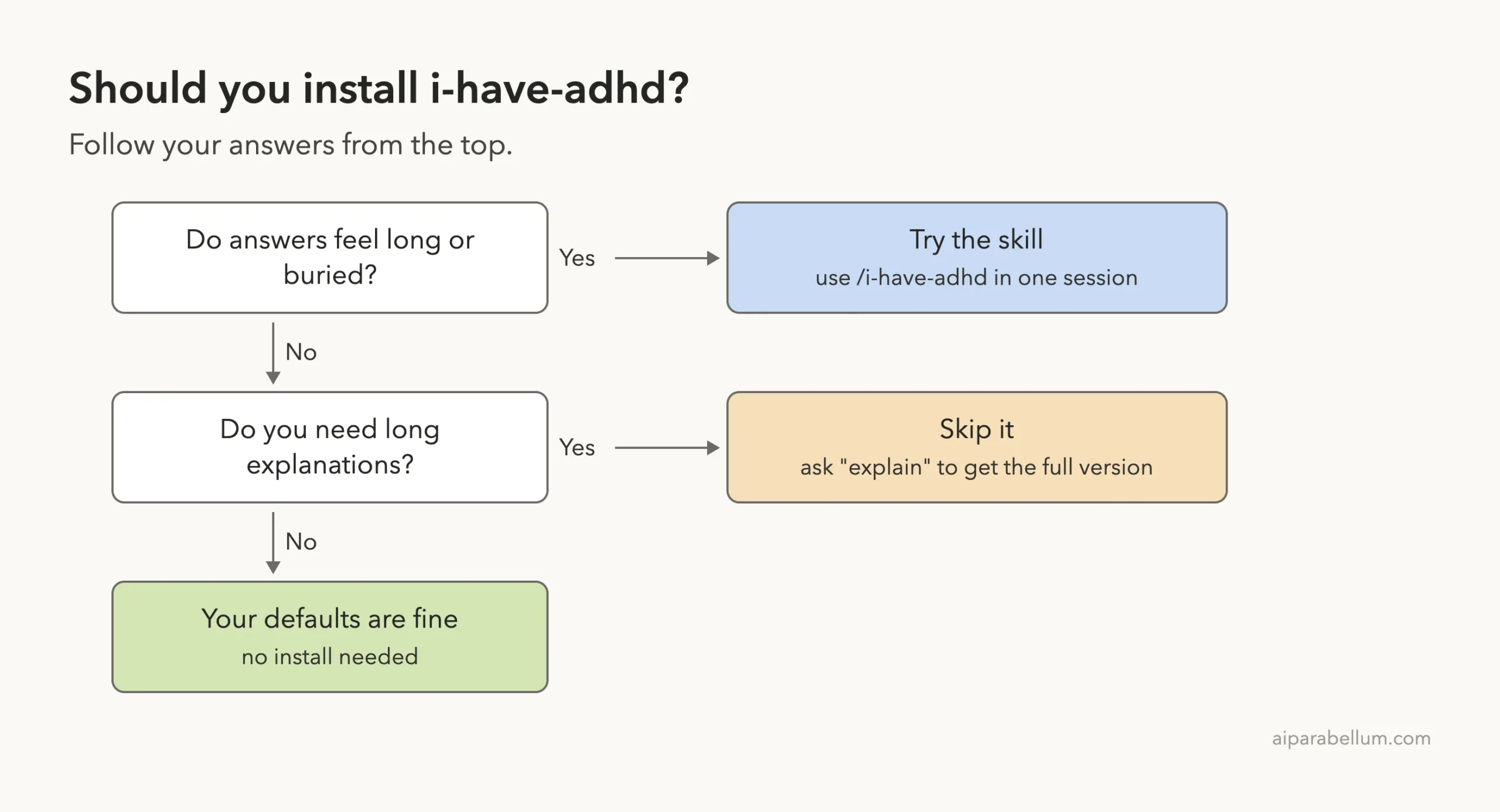
Skip it if you mostly use Claude to learn or to explore ideas, because you want the long explanations. Also remember it is community software. We read the hook and skill before loading them, and we suggest you do the same with anything from a GitHub repo.
Try It Yourself
Practice with a small project of your own. Make a folder with one tiny file that has a bug, start Claude with the plugin loaded from a cloned copy, and run the skill. Then ask this and compare it with a plain session.
/i-have-adhd
There is a bug in my code. What should I do first, and what is the smallest fix?
Count the lines before the first thing you can act on. Then type “stop adhd mode”, ask the same question and count again.
Common Mistakes
- Expecting it to turn on by itself. The skill only runs when you call
/i-have-adhd, unless you set up the always-on file. - Forgetting the off phrase. Say “stop adhd mode” or “normal mode” when you want long answers back.
- Judging it from one answer. Try three or four real questions.
- Using it for deep learning sessions. Ask to “explain” or switch the mode off.
- Installing without reading. Check
hooks/hooks.jsonand the skill file first.
Pro Tips
- Run it with
--plugin-dirfirst. You can try it for one session with no permanent install. - Use “explain” when you want depth. The skill is built to give the full version when you ask for it.
- Pair it with plan mode for big tasks. Our permission modes guide shows how to switch.
- Fork and edit the rules if one does not suit you. The README explains how to swap in your own copy.
Cheat Sheet
Frequently Asked Questions
Do I need an ADHD diagnosis to use it?
No. The README says no diagnosis is needed. It is a response style that anyone who likes short, action-first answers can use.
Does it work with Claude’s normal features?
Yes. It only changes how answers are written. Claude still asks permission as usual, and the skill says safety wins over brevity.
How do I make it always on?
Per the repo’s hook, create a file named .i-have-adhd-always in your Claude config folder. We did not try this, so check the repo’s install notes first. Delete the file to turn it off.
Can I get longer answers when I need them?
Yes. Ask Claude to “explain” or “walk me through” something, or say “stop adhd mode”. The skill is written to give a full explanation when you ask for one.
Is it an official Anthropic plugin?
No. It is a community project under the MIT license, so read its files before you install it. Learn more about Claude on our Claude AI page.
Conclusion
The i have adhd skill for Claude Code did what it promised in our demo: it cut two answers by about a third, led with the fix and ended on one small next step, without dropping the warning that mattered. It is a light, readable add-on with one opt-in hook, and you can try it from a folder and switch it off with a phrase. Try it on a few real questions, keep it if the shape suits you, and ask for “explain” whenever you want the long version. The skill’s own source is on GitHub.