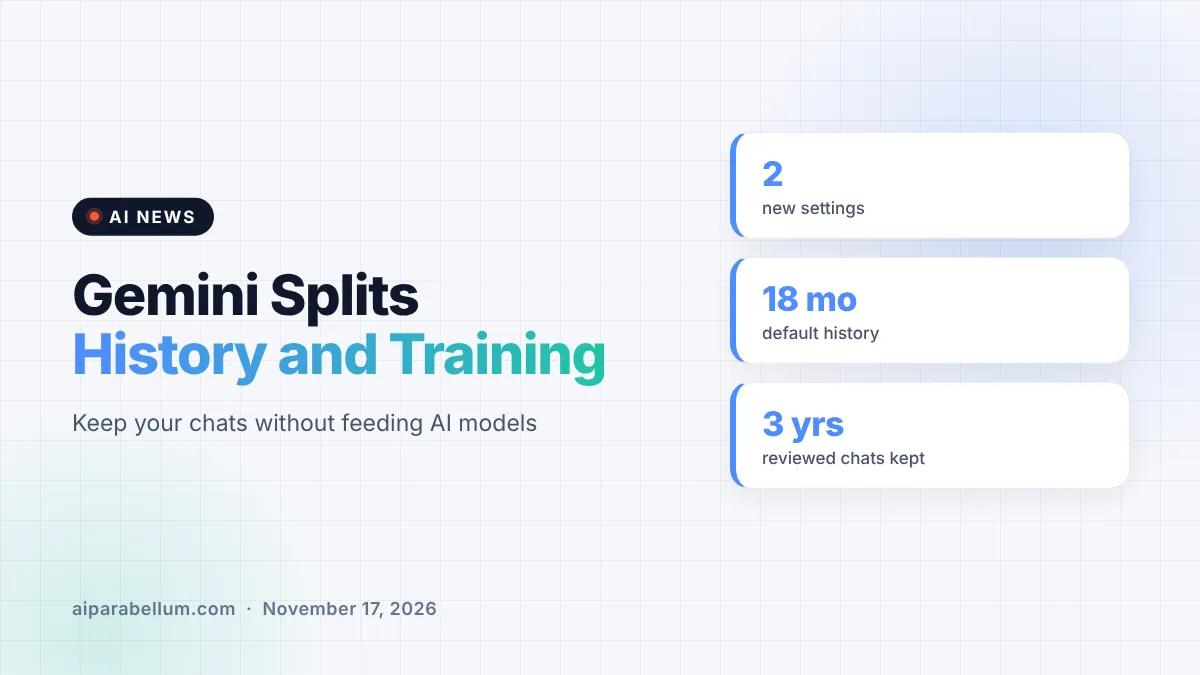
Google is splitting one of Gemini’s biggest privacy switches in two. The Gemini app’s new chat history and AI training settings let you save your conversations while separately deciding whether Google can use them to train its generative AI models. Until now, a single setting controlled both, so keeping your history usually meant your chats could feed model training too.
What Changed in Gemini’s Privacy Settings
Gemini used to rely on one control called Keep Activity. It decided how long your chats were saved and whether they were used to train Google’s models. If you wanted a searchable record of past chats, you generally had to accept training as part of the deal.
Google is now replacing that single switch with two separate options. Its updated Gemini Apps Privacy Hub describes a History setting and a separate control over whether your chat content, including text and attachments, is used to train generative AI models.
The two new controls
- History: controls whether your chats are saved to Gemini History and how long they stay there. By default, history is deleted automatically after 18 months, and you can change that period.
- Chat content training: controls whether your prompts, attachments and related usage data from future chats are used to train generative AI models.
Google says the change is rolling out over the coming weeks, and it is emailing users about it. If you already had Keep Activity turned off, both new settings will start out off as well.
How the Gemini History and Training Settings Compare
The split matters because the two settings now behave differently. Here is a quick look at what each one does, based on Google’s own privacy page.
| Setting | When it is on | When it is off |
|---|---|---|
| History | Chats are saved to Gemini History, auto-deleted after 18 months by default | New chats are hidden from History but still kept for around two months |
| Chat content training | Future chats, prompts and attachments can be used to train generative AI models | Future chats are not used for model training unless you send feedback |
| Temporary chats | Not used to train Google’s AI models | Same, regardless of other settings |
There is a separate control for audio and Gemini Live videos and screenshares. Google notes that if the chat content setting is on, it can still train on other history, like Gemini Live transcripts and attachments you share there.
The Fine Print You Should Know
Turning off training does not mean Google stops looking at your chats entirely. Google says it still uses chats to respond to you and to help protect Google, its users and the public, and that some chats are checked by human reviewers. Chats reviewed by service providers are separated from your account and kept for up to three years, even if you delete them later.
Retention is another detail worth watching. Google’s updated wording says that with History off, future chats are still saved for around two months. According to 9to5Google, the figure shown in the current setting is shorter, at 72 hours for protection purposes and 24 hours for chat context.
Feedback is the other exception. If you send feedback on a response, Google may collect the last 24 hours of that chat as context, and reviewed feedback can be kept for up to three years.
What This Means for You
For most people, this is a welcome change. You no longer have to give up a useful chat archive just to keep your conversations out of model training.
- Watch for Google’s email, then open Gemini’s settings and check both new switches once they appear.
- If you want history but no training, turn History on and switch the chat content training control off.
- Remember that turning training off does not stop human review for safety, so keep passwords, health details and work secrets out of your chats.
- Use a temporary chat for anything sensitive, since those are never used to train Google’s models.
- Check the separate audio and Gemini Live setting if you use voice or screen sharing.
If you have already followed our guide on how to stop Gemini training, it is worth a second look once the rollout reaches your account. The new layout gives you a cleaner way to get the same result without losing your chat history.
How Gemini Stacks Up on Privacy
Separating history from training brings Gemini closer to how many people expect an AI assistant to work. It also matters more as Gemini handles more personal data, from email to bank account details connected through other Google services.
If you are choosing between assistants, privacy controls are now a real point of comparison. Our Claude vs Gemini breakdown and the wider three-way comparison cover how the big chatbots differ, and our piece on differential privacy explains how companies try to protect data used in training.
Keep in mind that these settings apply only to Gemini History. Other Google settings, like Web and App Activity or Timeline, are managed separately and may keep saving data. For more updates like this, browse our latest AI news.
Sources
Primary source: Google’s Gemini Apps Privacy Hub. Additional reporting from 9to5Google.
Conclusion
Google’s decision to separate Gemini chat history from AI training fixes one of the app’s most frustrating privacy trade-offs. You can now keep a record of your conversations while telling Google not to train on them. The change rolls out over the coming weeks, and Google is emailing users when it arrives. Human review for safety still applies either way, and chats with History off are still kept for a while. Once the new switches show up, take two minutes to set them the way you want.