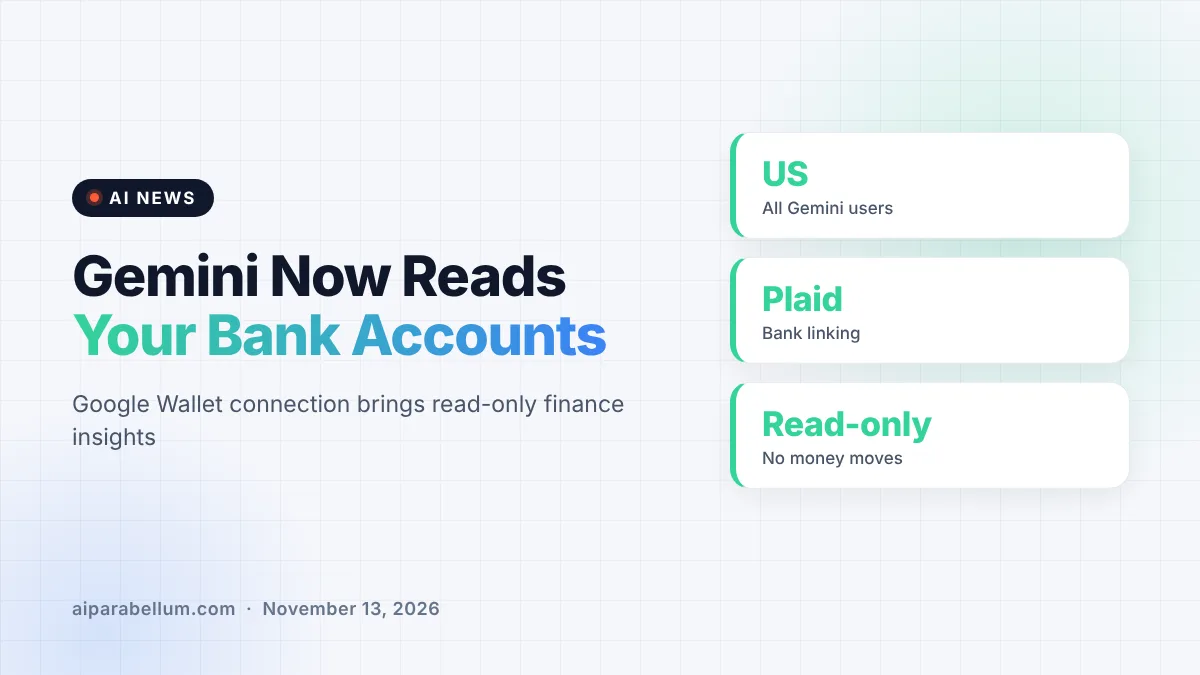
Google is letting Gemini connect to Google Wallet, so the chatbot can answer personal finance questions using your real spending data. The feature is rolling out now to all Gemini app users in the US, and you can also link bank and credit card accounts through Plaid for deeper insights. Google stresses that Gemini can only read your financial information; it cannot move, manage or invest any money.
What the Gemini Google Wallet Connection Does
The new connection is part of Personal Intelligence, the Gemini feature that already pulls context from apps like Gmail, Photos, YouTube and Search. Google Wallet is now on that list of connected apps. Once you turn it on, you can tag @Google Wallet in a chat and ask about budgeting, spending and recurring bills.
Google says the goal is “more tailored responses around personal finance.” In plain terms, Gemini can look at your transactions and turn them into charts, summaries and budget suggestions. That is something you could piece together from bank statements yourself, but the chatbot does the sorting for you.
Three examples Google gave
- Visualize spending: ask Gemini to review last quarter’s spending and help you save a set amount, and it can build charts for cash flow, asset allocation and budgets right in the chat.
- Find forgotten subscriptions: ask which subscriptions you still pay for and whether any went up in price, and Gemini looks for recurring charges and flags increases.
- Budget for the holidays: ask how much you spent on gifts and travel last year, and Gemini uses those transactions to suggest a holiday budget.
How Plaid Fits Into Gemini Personal Finance
Google Wallet on its own only knows about the cards and passes stored in it. To give Gemini a fuller picture, Google lets you link accounts from banks and credit card issuers to Wallet through Plaid, the fintech company that many budgeting apps already use for account connections.
Google did not share much detail about the partnership beyond saying it helps “unlock deeper insights.” If you have used a budgeting app before, the setup will likely feel familiar. You approve each linked account, and Wallet passes that data along to Gemini only when the connection is switched on.
| Detail | What Google says |
|---|---|
| Who gets it | All Gemini app users in the US |
| Platforms | Web, Android and iOS |
| Account linking | Banks and credit cards via Plaid |
| Access level | Read-only; no moving, managing or investing money |
| Control | Opt-in, can be turned on or off anytime |
Gemini Google Wallet Privacy Limits
Handing an AI chatbot your financial history is a big ask, and Google seems aware of that. The company says Gemini can only read information from your accounts. It cannot send payments, transfer money or make investments on your behalf.
The connection is also opt-in. You enable it under Connected Apps in your Personal Intelligence settings, and you can switch it off whenever you like. Still, chatbots can misread data or make mistakes, so it is smart to double-check any number before you act on it.
Alongside the Wallet news, Google highlighted Memory Summary, which shows what Gemini has saved about your preferences, interests and goals in one place. You can review, edit or remove those details from your profile, which helps you see how Gemini is tailoring its answers. If you want more control over your data, our guide on how to stop Gemini training on your chats is worth a look.
How It Compares to Other AI Money Tools
Google’s move lands in a busy week for AI and personal money. OpenAI just launched ChatGPT Wallet, which lets AI agents actually shop and check out for you. Anthropic also added a way for Claude to connect to bank accounts through Plaid.
Gemini’s version takes the more cautious road. It is about insight, not action, so it will not buy anything for you. That may make it an easier first step for people who want help with budgets but are nervous about letting AI touch their money.
It also builds on earlier Personal Intelligence work, such as bringing Gemini to Android Auto with personal context. You can see how the major assistants stack up in our assistant comparison of ChatGPT, Claude and Gemini.
What This Means for You
If you live in the US and use Gemini, you can try this today. Here is how to approach it sensibly:
- Start small: connect Google Wallet first and see if the answers are useful before linking every bank account through Plaid.
- Use it for patterns: subscription checks and spending summaries are where an AI helper can save real time.
- Verify the math: treat Gemini’s charts as a starting point, and confirm key figures in your bank app.
- Know the off switch: you can disconnect Wallet anytime in Personal Intelligence settings.
For more updates like this, keep an eye on our latest AI news page.
Sources
Primary source: Google’s Gemini and Google Wallet announcement. Additional reporting from 9to5Google and Engadget.
Conclusion
Gemini’s new Google Wallet connection turns the chatbot into a read-only personal finance helper for US users. It can chart your spending, spot forgotten subscriptions and suggest budgets, with Plaid linking for bank and card accounts. Google keeps it opt-in and blocks Gemini from moving money, which sets it apart from agent-style tools that can shop for you. If you are curious, start with a few simple questions and check the answers against your own records.