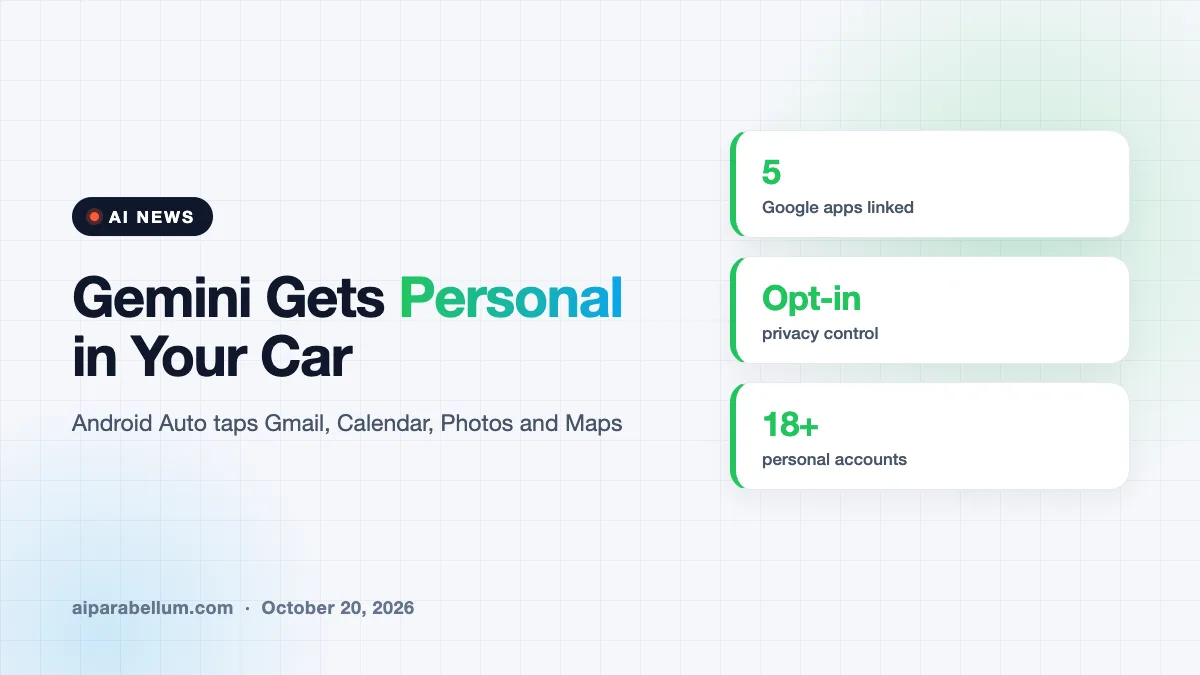
Google is rolling out Gemini Personal Intelligence on Android Auto, letting the in-car assistant pull details from your Gmail, Calendar, Photos and Maps to answer questions while you drive. Instead of saying a full address or digging for a confirmation email, you can ask something like “take me to my doctor’s appointment” and let Gemini fill in the gaps. The feature is opt-in, and Google says support for cars with Google built-in will follow in the coming months.
What Gemini Personal Intelligence Adds in the Car
Gemini already works on Android Auto and in cars with Google built-in as a hands-free assistant. You can talk to it naturally to send messages, get directions or brainstorm ideas on the road. What changes now is that Gemini can look into your own Google apps for context.
Google describes two main strengths. First, it can retrieve a specific detail, like a flight gate in an email or a place you saved in Maps. Second, it can reason across several sources at once to answer a more complex request.
The apps it can connect to
With your permission, Personal Intelligence links information from these Google services:
- Workspace apps, including Gmail and Google Calendar
- Google Photos
- Google Maps
- YouTube
- Google Search
This is the same Personal Intelligence feature that already exists in the Gemini app and in AI Mode. The car version brings that memory and context to a place where you can’t easily scroll your phone.
Example Requests You Can Try While Driving
Google shared a handful of example prompts that show how this works in practice. Each one replaces a task that would normally mean picking up your phone or pulling over.
| What you say | What Gemini does |
|---|---|
| “What’s my flight gate? And is my flight on time?” | Finds the booking email and checks for delays in one answer |
| “Take me to my doctor’s appointment.” | Pulls the location from your calendar and starts navigation |
| “Find me an indoor restaurant along my route that matches my usual vibe.” | Suggests places that fit your known preferences, such as vegetarian options |
| “Find the car wash from the photo I took last week and navigate there.” | Identifies the place from your photo and gives directions |
| “Take me to the coffee shop we were talking about yesterday.” | Recalls an earlier chat and routes you there |
The common thread is less explaining. You don’t need to remember a street address or repeat that you’re vegetarian every time you ask for food.
The real shift here is that your in-car assistant stops being a generic voice search and starts acting on what it already knows about your day.
Privacy Controls for Gemini on Android Auto
Handing an assistant your email and photos raises fair questions, especially in a shared car. Google says your apps stay disconnected until you turn the feature on, and you can switch it off at any time in your Gemini settings.
There are a few details worth knowing before you enable it:
- If you already turned on Personal Intelligence in the Gemini app on your phone, it carries over to Android Auto automatically.
- In cars with Google built-in, personalized answers only appear when you are in the car with your phone connected.
- If you skip the feature, navigation, music, calls and general questions still work, just without the personal touch.
That carry-over point matters. If you enabled it on your phone months ago and forgot, your car will now use it too, so it’s worth a quick check of your settings.
Who Can Get Gemini on Android Auto
The rollout to Android Auto starts now, while cars with Google built-in will get it over the coming months. Like most staged Google launches, it may take a while to reach every phone.
According to Google’s fine print, Personal Intelligence is limited to eligible personal Google accounts for users 18 and older. It is not available for Workspace business, enterprise or education accounts. It also excludes the European Economic Area, Switzerland, the United Kingdom and Nigeria, so US drivers are among the first to get it.
This is the latest in a steady run of Gemini expansions across Android. Recent updates have added features like scam message detection and arrived alongside new models such as Gemini 4 Argon.
What This Means for You
If you drive with Android Auto and already use Gmail, Calendar and Google Maps, this could cut down on the small moments that pull your eyes toward your phone. Here is how to approach it:
- Open your Gemini settings and check whether Personal Intelligence is already on, since it will follow you into the car.
- Connect only the apps you’re comfortable sharing; you choose which ones Gemini can see.
- Try simple requests first, like your next calendar appointment, before relying on it for travel days.
- If you share your car or phone, think about whether personal answers spoken aloud could reveal private details.
If you’re comparing assistants more broadly, our look at Claude vs Gemini and our roundup of AI personal assistants can help. You can also follow the latest updates on our AI news page.
Sources
Primary source: Google’s Personal Intelligence for Android Auto announcement. Additional reporting from 9to5Google.
Conclusion
Gemini Personal Intelligence on Android Auto turns the car assistant into something that understands your schedule, saved places and habits. It is opt-in and limited to personal accounts outside Europe, the UK and a few other regions for now. Cars with Google built-in will get it later in the coming months. If you already use Google’s apps every day, it’s worth trying, but take a minute to review which apps you connect. Small conveniences add up when they keep your hands on the wheel.