Kling AI has released Kling 4.0, a new AI video model that can generate up to 30 seconds of footage in a single pass. The Chinese company says the update is built for steadier fast motion, tricky camera moves, and much finer creative control. If you make short videos, ads, or social clips with AI, this is one of the bigger upgrades to land this fall.
What Kling 4.0 Changes for AI Video
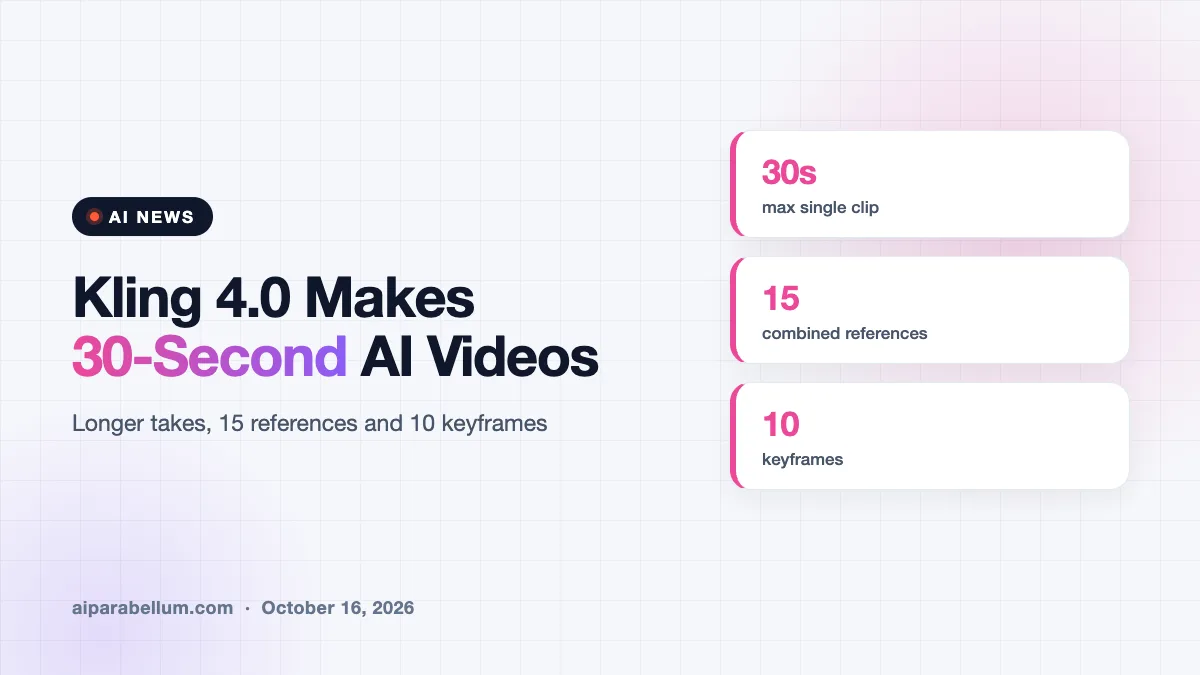
The headline feature is length. Kling’s own comparison with the previous generation shows the maximum single clip jumping from 15 seconds to 30 seconds. That means a character can move, react, and shift emotion in one continuous shot instead of being stitched together from several short pieces.
The company also says the model handles fast action and complex camera paths better. Shots that follow a person or circle around a subject are supposed to keep motion and framing consistent. Those have long been weak spots for AI video tools, where faces drift and objects melt halfway through a clip.
Kling says the full model became available to the public on October 15, after an earlier preview. Its launch note also mentions support for MCP and a command-line tool, which hints at use inside automated workflows and AI agents.
More ways to steer a scene
Kling 4.0 lets you combine up to 15 references in one job, up from seven before. Those can include images, video clips, characters, and voice samples. You can also set up to 10 keyframes ahead of time to guide how a story unfolds from beat to beat.
There are a few catches spelled out in the user guide. The multi-reference mode and the keyframe mode cannot be mixed in a single task. Audio uploads work as voice references, not as a way to drop in your own music track.
Kling 4.0 Features at a Glance
Here is a quick look at the main changes, based on the company’s release materials and independent reviews of them.
| Feature | Kling 4.0 | Why it matters |
|---|---|---|
| Max single clip | 30 seconds (was 15) | Fewer cuts and less stitching |
| Combined references | Up to 15 (was 7) | Keeps characters and products consistent |
| Keyframes | Up to 10 | More control over story beats |
| Audio | Stereo (was mono) | Fuller sound in finished clips |
| Color output | Up to 10-bit HDR | Richer color and contrast |
| Flash version | 20 seconds at 720p | A lighter, faster option |
Kling has also talked about a video extension feature that could push content to around two minutes. That piece is planned, not live, so treat it as a promise for now.
Filmmakers Are Already Testing It
The release lands with some real production use behind it. Korean director Kim Sung-su, known for the hit film 12.12: The Day, showed an AI short called Worm Train at a panel tied to the Busan International Film Festival. In it, a tired commuter turns into a giant worm inside a crowded subway car.
Kim had paused the project earlier this year because older AI could not show the worm bumping into passengers in a believable way. He restarted in late September once Kling 4.0 gave him smoother motion between frames and better control over shots. Other directors on the panel described hybrid setups, using live action for performances and AI for costly scenes like crowds and snowstorms.
The broader message from those filmmakers was simple. They see AI video as a tool a director can guide, not a replacement for human vision.
How Big Is Kling AI?
Kling is a serious player in the AI video race. The company says it has more than 100 million users across 224 countries and territories. It also claims more than 50,000 business customers and about $500 million in annual revenue.
That puts it in direct competition with tools like Sora, Runway, Veo, and Seedance. If you have been weighing Veo against Seedance, Kling 4.0 is now worth adding to your test list.
What This Means for You
Longer, steadier clips make AI video more practical for real work. Still, a launch post is not the same as proof that every 30-second take will come out clean.
- Run a small test first. Generate a few clips of the exact kind you need before buying a bigger plan.
- Check fine details. Product labels, logos, and hands can still drift, so review every frame of an important clip.
- Pick one control mode per job. Use multi-reference for consistency or keyframes for story beats, since they cannot be combined.
- Watch your credits. Kling’s policy gives subscription credits a one-month life, so unused credits can quietly expire.
- Keep backup footage. For shots that must be exact, real product photos or standard video are still the safer bet.
If faces or bodies look off in your results, our guide on distorted AI faces walks through common fixes. You can also learn how to keep characters looking consistent across scenes, which applies to video references too.
Marketers should pay attention as well. Longer single takes could make AI a better fit for short ads, and our roundup of video marketing tools shows where it can fit into a campaign. For more daily updates, browse the latest AI news coverage.
Sources
This article draws on reporting from Seoul Economic Daily, Deadline, and a release analysis by Kingy AI.
Conclusion
Kling 4.0 is a meaningful step for AI video, doubling single clips to 30 seconds and adding far more control through references and keyframes. Early use by established filmmakers suggests the upgrades are more than marketing talk. Even so, the company’s claims still need to hold up in everyday projects, and some features, like longer extensions, are still on the way. If you create video with AI, it is a good moment to run your own tests. Start small, check the details, and see whether longer takes really save you time.