Perplexity Computer can now run fully local on Mac, keeping the AI model, the agent harness and every step of a task on your own machine. The company announced on October 20, 2026 that its Mac app can plan, reason and process files on device, so private notes, emails and spreadsheets never have to leave your computer.
It is the latest step in a steady push toward on-device AI. Perplexity first brought Computer to local files and native Mac apps in May, then added a hybrid cloud-and-local mode in September. This update removes the cloud from the loop entirely, unless you choose to bring it back.
What Running Perplexity Computer Locally Means
Perplexity Computer is the company’s agent feature. Instead of just answering questions, it plans multi-step tasks, uses tools and produces finished work like documents, lists and spreadsheets.
Until now, the “brain” behind that agent lived mostly in the cloud. With the new fully local option, the orchestrator that plans the task, the model that reasons through it and the file processing all happen on the Mac itself.
The models doing the work
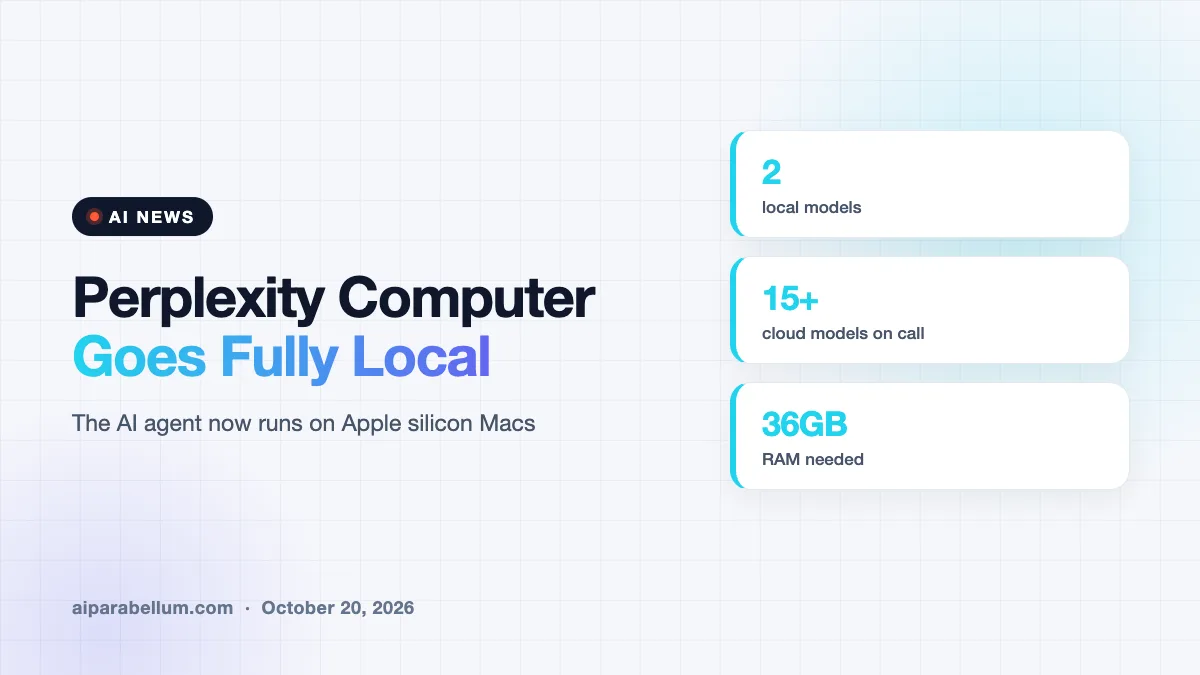
Local tasks run on one of two models. You can pick Qwen 3.6, an open model, or PPLX Pro, which Perplexity describes as its own post-trained version of Qwen tuned for Computer.
If a task needs fresh web information, browser use or connected apps, you can authorize Computer to reach out to the cloud. In that case the local orchestrator can call on one of more than 15 frontier models for heavier reasoning.
Local vs. Hybrid: How the Two Modes Compare
The Mac app now offers two ways to run Computer. The difference comes down to where a task starts and where your data stays.
| Feature | Fully local mode | Hybrid Compute |
|---|---|---|
| Where the task starts | On the Mac | In the cloud |
| Planning and reasoning | On device | Cloud, with local help on private files |
| Models | Qwen 3.6 or PPLX Pro | Frontier cloud models plus local models |
| Cloud access | Only when you authorize it | Built in |
| Best fit | Sensitive files and saving credits | Tasks mixing private data with web research |
Perplexity gives a simple example of each. A portfolio review built on private holdings and downloaded market data can stay entirely on device, while a deal review that blends live market research with confidential financials suits the hybrid mode.
Which Mac Apps Perplexity Computer Can Use Locally
With your permission, local Computer works across files and supported Mac apps, including Notes, Messages, Mail and Numbers. It can read a to-do list in Notes, spot a budget request in Messages, pull figures from a spreadsheet and draft a status update.
Perplexity lists a few sample workflows:
- Morning priorities: scan recent Messages and Mail, find requests and deadlines, and build an action list in Notes.
- Client proposals: turn private discovery notes and a rate sheet into a proposal with a budget in Excel and a draft cover email.
- Portfolio checks: compare private holdings against investment rules and flag risks in an Excel workbook and Keynote deck.
Code and tool execution still run inside isolated sandboxes with controlled access to files and apps. Perplexity says the same security protocols apply in the cloud version too.
Hardware you will need
The feature is limited to supported Apple silicon Macs. According to Engadget, you will need a recent Apple silicon Mac with at least 36GB of RAM, which rules out many base-model laptops.
Setup happens inside the latest Perplexity Mac app. You download a local model through the in-app steps, then choose the fully local option when you start a task.
Why On-Device AI Agents Matter
Running an agent locally speaks to two big worries: privacy and cost. Perplexity says the change gives users more control over sensitive data and over how they spend credits, since local work does not draw on cloud compute.
Local agents turn your own Mac into the place where private work happens, with the cloud as an opt-in extra rather than the default.
It also fits a wider trend. Chip makers and AI companies are pushing more agent work onto personal hardware, as we saw with local AI agents on Nvidia machines. If you already use Perplexity AI for research, this gives the same tool a privacy-first mode.
What This Means for You
If you handle client files, financial data or personal messages, fully local mode lets you try AI help without uploading that material. Just remember that local open models may not match the top cloud models on hard reasoning tasks.
- Check your Mac’s memory before you plan around this feature.
- Use local mode for private documents and hybrid mode when you need live web data.
- Grant app permissions carefully, one app at a time.
- Compare it with other ways to automate Mac tasks before you commit.
For more agent updates, browse our latest AI news coverage.
Sources
Primary source: Perplexity’s announcement. Additional reporting from Engadget.
Conclusion
Perplexity’s fully local mode moves its Computer agent onto Apple silicon Macs, with Qwen 3.6 or PPLX Pro handling planning and reasoning on device. Private files and apps like Notes, Mail and Messages can stay off the cloud unless you choose otherwise. The catch is hardware, since you need a well-equipped Mac to run it. For people who care about privacy and credit costs, it is one of the more practical local agent options so far.