PicWish made quick photo editing feel effortless. Background removal, image enhancement, object erasing, all without opening Photoshop. It carved out a loyal following among sellers, marketers, and anyone who needed clean product shots fast. But between credit limits, processing caps, and features locked behind the paywall, some users start wondering if there’s a tool that fits their workflow a little better. If you’re in that camp, these PicWish alternatives cover everything from background removal to full AI photo editing.
Where PicWish Falls Short
PicWish does several things well in one place. The background remover is fast, the enhancer sharpens blurry shots reliably, and the batch processing saves real time when you’ve got fifty product images to clean up.
The friction comes from the credit system. Free users run out quickly, especially during a product launch when you need volume. Some features, like higher resolution exports and batch mode, sit behind the premium tier. And if your main need is just one task, like removing backgrounds, paying for a full editing suite feels like renting a warehouse to store a suitcase.
William Morris put it well: “Have nothing in your houses that you do not know to be useful, or believe to be beautiful.” The same applies to your tool stack. If you’re paying for ten features and using two, something needs trimming.
Know Your Main Task Before You Browse
Not every alternative replaces every piece of PicWish. Nail down what you actually use before scanning the list below.
- If background removal is your main task, look for tools that do it with no per-image credit system.
- If you enhance blurry or low-res photos regularly, prioritize AI upscaling quality over feature count.
- If you process images in bulk for an online store, check batch limits and export resolution on the free tier.
- If you need object removal and retouching, look for tools with an AI-powered editor that handles inpainting cleanly.

PicWish
FreemiumWelcome to the world of AI-powered photo editing! In an era where visuals are paramount, PicWish has emerged as a significant player in the realm of photo editing tools.
We've ranked 36 PicWish alternatives in 2026, including 32 with a free plan. Rankings are based on how closely each tool matches PicWish and how recently it was added.
Top-rated alternatives include Remini, Magnific, and PicWish.
36 PicWish Alternatives & Competitors in 2026

In an age where visual content is king, having high-quality images and videos is paramount. Remini, an AI-powered photo enhancer, offers a cutting-edge solution for transforming low-quality visuals into stunning HD masterpieces.
Magnific AI offers a revolutionary tool for transforming and upscaling images to achieve stunning high-resolution results. This AI-driven software is designed to enhance photos, illustrations, and digital art with an impressive level of detail.
PicWish is an AI-powered photo editing platform designed to simplify the process of enhancing and manipulating images. Whether you're a professional photographer or just someone who enjoys editing photos, PicWish offers a wide range of tools to meet your needs.

Pixlr is a comprehensive online platform that provides an array of AI-powered photo editing, image generation, and design tools. Designed to cater to both beginners and seasoned professionals, Pixlr offers a user-friendly interface that operates seamlessly across various devices, including web browsers, smartphones, and desktops.

Photoroom is a cutting-edge AI photo editing platform that revolutionizes the way individuals and businesses enhance and utilize their digital images. With its advanced AI-driven tools, Photoroom enables users to quickly remove backgrounds, create stunning product photos, and generate professional-looking visuals perfect for e-commerce, social media, and more.
VanceAI is a comprehensive platform offering a suite of AI-powered tools designed to enhance, generate, and edit photos. With the integration of advanced deep learning technologies, VanceAI provides solutions for photo enhancing, upscaling, sharpening, denoising, background removal, and more.

In the digital age, image quality is paramount. Whether for professional use or personal satisfaction, having high-resolution images can make a substantial difference. AI Image Upscaler offers a cutting-edge solution for enhancing and upscaling your images.
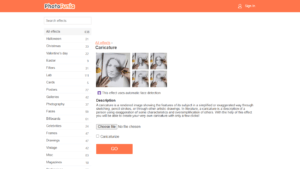
Caricature - PhotoFunia is a free online photo editor and effect tool that allows users to transform their photos into caricatures. A caricature is a rendered image that exaggerates certain features of its subject, either through sketching, pencil strokes, or other artistic methods.

Generatebg is an innovative tool designed to help users create high-resolution backgrounds effortlessly. With just one click, users can generate stunning and professional-grade backgrounds suitable for a variety of applications, including websites, presentations, and social media.
Welcome to SnapEdit, an AI-powered online photo editor designed to simplify photo editing with a plethora of advanced tools. Whether you're a professional photographer or a beginner, SnapEdit provides a seamless experience to transform your photos with a single click.

Welcome to Pixelcut, the free AI photo editor that is revolutionizing the way we edit photos. With a suite of easy-to-use AI tools, Pixelcut allows both amateurs and professionals to enhance their images with precision and ease.

Welcome to a comprehensive overview of Fotor, an all-encompassing online photo editor designed for both amateurs and professionals. Fotor offers an array of powerful tools that simplify the photo editing process, making it accessible and efficient.
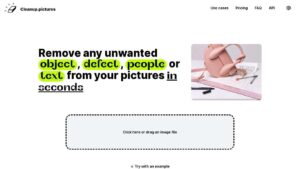
Cleanup.pictures is a revolutionary web application designed to enhance and retouch images effortlessly. Utilizing advanced artificial intelligence technology, it allows users to remove unwanted objects, people, text, and defects from photos with precision and ease.
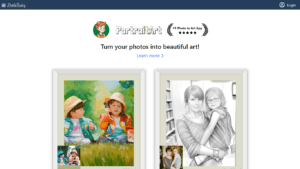
PhotoFairy is an innovative platform designed to transform your everyday photos into stunning pieces of art. Dubbed as the "#1 Photo to Art app," PhotoFairy offers a wide array of artistic transformations from oil paintings and pencil sketches to watercolor effects and coloring pages.

In the digital age, images play a crucial role in communication, marketing, and content creation. However, one common challenge is enlarging images without compromising their quality.

Welcome to Face Photo Restorer at restorePhotos.io, a state-of-the-art platform that leverages artificial intelligence to breathe new life into old and blurry face photos. With a user base of over 470,000 happy individuals, this tool stands as a testament to the power of AI in preserving and revitalizing cherished memories.
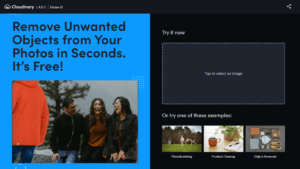
In the ever-evolving world of online content, visual media has become a cornerstone for engagement and communication. With the increasing need to manipulate and refine images for various purposes, AI tools have stepped into the spotlight.
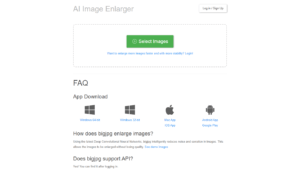
In today's digital age, image quality is paramount, whether for professional photographers, graphic designers, or casual users looking to enhance their personal photos. Bigjpg steps in as a solution, offering an AI Super-Resolution tool that upscales images losslessly, leveraging the power of Deep Convolutional Neural Networks.

In a world where visual content reigns supreme, having a powerful photo editing tool can make all the difference in enhancing and transforming ordinary images into breathtaking visuals. Luminar Neo, developed by Skylum, is a cutting-edge photo editing software designed for both Mac and PC users.
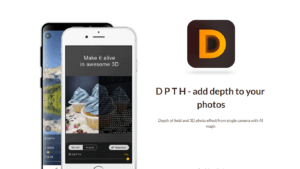
DPTH is a cutting-edge application that harnesses the power of AI to transform two-dimensional images into captivating visuals with depth. This sophisticated tool adds a depth of field and creates a 3D photo effect from a single-camera shot.

In today's digital era, content creation and video production are paramount for engaging with audiences, and Green Screen AI is at the forefront of this revolution. This innovative tool leverages artificial intelligence to enhance the capabilities of green screen technology, simplifying the production process for professionals and amateurs alike.
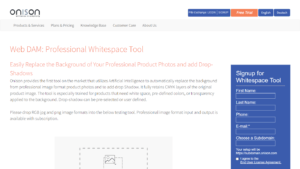
Onison's Professional Whitespace Tool is a cutting-edge solution designed for businesses and professionals who require high-quality product image presentations. This tool leverages Artificial Intelligence to automate the process of background removal and the addition of drop-shadows for professional product photos, ensuring that images retain their CMYK layers and meet the specific needs for whitespace, color, or transparency.

In the fast-paced world of digital content creation, the need for quick and efficient photo editing tools has never been more critical. PhotoEditor.ai steps in as a powerful ally, providing users with a suite of AI-powered photo editing tools designed to simplify and enhance the editing process.
In the ever-evolving landscape of technology, iMyFone EasifyAI emerges as an innovative AI toolbox designed to alleviate the workload of creative professionals across various industries including media, art, academics, and research. EasifyAI harnesses the power of artificial intelligence to enhance digital tasks, boosting efficiency, accuracy, and visual appeal.

Palette.fm is an innovative online tool that breathes new life into black and white photos by adding realistic colors with the help of advanced AI technology. It offers users the ability to transform their old photographs into vibrant, colorized images in just a few seconds.

Imagen AI introduces a revolutionary approach to photo editing for Lightroom Classic users. By leveraging the power of artificial intelligence, Imagen AI offers a personalized editing assistant that learns your individual style and delivers consistent, accurate edits at an unparalleled speed.

In today's visual-centric world, a clean and professional image can make all the difference. Cleanup Pictures by Pixelcut offers a powerful, free online photo cleaner that promises to transform your images by removing unwanted elements with ease.
In the digital age, where color photography is ubiquitous, black and white photos can seem like relics of the past. However, these monochrome images often hold historical significance and sentimental value.
In the realm of digital graphics, whether you're a designer, marketer, or content creator, the need to isolate subjects from their backgrounds is a common task that often requires precision and time. RemoveBG is a tool that harnesses the power of AI technology to remove image backgrounds quickly and effortlessly, without any cost.

In the realm of digital imagery, a clean, distraction-free background can make or break the visual impact of a photo. Stockphotos.com presents an AI Image Background Remover, a tool that leverages smart AI technology to remove backgrounds from images swiftly and effortlessly.

In today's digital age, images play a pivotal role in communication, storytelling, and branding. However, capturing the perfect shot isn't always possible, and photographs can often turn out blurry or lack detail.

In a world where images play a crucial role in digital communication, presenting the best version of a photograph is paramount. AI Face Retouch offers a powerful solution for enhancing portrait photos, ensuring that every face looks sharp and professional.

In the digital age where content is king, standing out from the crowd requires creativity and a touch of uniqueness. Unboring by Reface is an online face swapping and photo animation tool that brings a new level of entertainment and personalization to your digital content.

In the realm of digital photography, the power of post-processing can never be underestimated. InPixio stands out as a premier free online photo editing software that promises to transform your images with a single click.

In a digital age where visual content is king, image quality can make or break the impact of any graphic, photograph, or design. The AI Image Upscaler by Nero aims to revolutionize the way we enhance our images.
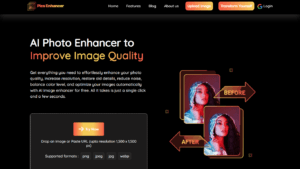
Welcome to Pics Enhancer, an online platform dedicated to transforming the quality of your images through the power of AI. With Pics Enhancer, enhancing image resolution, restoring old photos, reducing noise, balancing color levels, and optimizing images is made simple and free.
Matching Your Needs to the Right Type of Tool
The list above covers a wide range. Here’s a quick way to sort through what you just saw.
| Your Main Need | What to Prioritize |
|---|---|
| Background removal only | Tools that specialize in cutouts with clean edges, especially on hair and transparent objects |
| Image enhancement and upscaling | AI upscalers that preserve detail without adding artifacts or that plastic AI look |
| Bulk product photo editing | Platforms with batch processing, consistent output, and marketplace-ready export sizes |
| Object and blemish removal | Editors with smart inpainting that fill gaps naturally instead of smearing |
| All-in-one photo editing | Suites that bundle multiple features without nickel-and-diming each one with credits |
Run This Quick Trial Before You Pay
Switching photo editing tools sounds easy until you’re midway through a product shoot and the new app chokes on transparent PNGs. Save yourself the headache with a quick test run.
- Upload your hardest image first. The photo with wispy hair, the glass bottle, the white product on a white background. If the tool handles the worst case, everything else is easy.
- Check the export quality. Some tools process beautifully at screen size but compress aggressively on download unless you pay.
- Test the speed on your typical batch size. Processing one photo in two seconds means nothing if fifty photos take an hour.
- Look at what’s actually free. “Free with watermark” and “free with full resolution” are very different offers.
If you’re an online seller, your product photos are doing your sales pitch before a customer reads a single word. A tool that costs a few dollars more but nails the output quality will pay for itself in conversions you’d otherwise lose to blurry thumbnails.
The Two-Tool Strategy
Honestly, a lot of people end up with two. One specialist for the task they do fifty times a week, like background removal, and a broader editor for the occasional retouch or enhancement. That split usually costs less than a single premium subscription and gives you the strongest tool for each job.
If speed and automation matter most, check which tools on the list above support API access or integrations. Plugging your photo pipeline directly into your store saves more time than any manual editor ever will.
Conclusion
PicWish earned its reputation by making AI photo editing accessible, but the credit model and feature gating push a lot of users toward alternatives eventually. The tools above range from lightweight background removers to full editing suites, and the right one depends on whether you need one clean cutout or a thousand polished product shots. Run your trickiest photo through two or three options from the list, compare the output at full resolution, and let the results pick the winner for you.